Account Executive Tools in 2026: The Complete AE Tech Stack
The modern AE juggles prospecting, pipeline, calls, and forecasting across a dozen apps. Here's the 2026 account executive tools stack that actually closes deals — by category, price, and use case.
Quota-carrying reps don't fail because they lack effort. They fail because their day leaks — bad contact data, a CRM nobody updates, calls nobody coaches, and a forecast built on hope. The right account executive tools plug those leaks. The wrong ones add tabs.
This guide breaks down the 2026 AE tech stack by job-to-be-done, with concrete pricing, a comparison table, and a framework for deciding what you actually need versus what just looks good in a demo.
TL;DR#
- An account executive tools stack has five layers: data/prospecting, engagement, CRM, conversation intelligence, and forecasting. Buy by layer, not by logo.
- You don't need 15 tools. Most AEs over-perform with 4–6 well-integrated ones and a CRM that's actually kept clean.
- Accurate contact data is the cheapest leverage point — bad emails and phone numbers waste more rep hours than any other failure.
- Conversation intelligence (Gong, Chorus) is now table stakes for coaching and deal inspection, not a luxury.
- Integration beats feature count. A tool that doesn't sync to your CRM creates shadow work and dirty pipeline.
What are account executive tools?#
Account executive tools are the software an AE uses to move a deal from first touch to closed-won: finding the right contact, reaching them, tracking the opportunity, understanding what's said on calls, and predicting whether the number will land.
Think of it like a chef's kitchen. The CRM is your counter — everything stages there. Data tools are your pantry. The dialer and sequencer are your stove. Conversation intelligence is the tasting spoon that tells you what's actually working. Forecasting is the order ticket that tells the kitchen what's coming. Miss one station and the whole service slows down.
The mistake reps make is collecting gadgets instead of building a line. Below is the five-layer framework most high-performing revenue teams converge on.
What are the five layers of an AE tech stack?#
1. Data and prospecting#
This is where pipeline starts. You need verified email addresses, direct-dial phone numbers, and enough firmographic context to personalize. If your data is wrong, every downstream tool amplifies the error — you sequence the wrong person, dial a dead number, and pollute the CRM.
A dedicated email finder plus a phone finder covers the two contact channels that matter most for outbound AEs. Layer data enrichment on top to fill in title, company size, and tech stack so your first line isn't generic.
2. Engagement and sequencing#
Once you have contacts, you need to reach them across email, phone, and LinkedIn on a cadence — without manually remembering who's on step 3, day 2. Tools like Outreach, Salesloft, and Apollo own this layer. They batch your activity so you spend time talking to humans, not building task lists.
3. CRM (the system of record)#
Salesforce and HubSpot are the two dominant systems. The CRM isn't really an AE tool — it's the team's tool — but the AE lives in it. If your other apps don't write back to it cleanly, you get the worst outcome in sales: a forecast nobody trusts.
4. Conversation intelligence#
Gong and Chorus record, transcribe, and analyze your calls. In 2026 this is non-negotiable for two reasons: managers coach off real talk-tracks instead of vibes, and deal risk gets flagged ("no next step scheduled," "competitor mentioned") before the deal silently slips.
5. Forecasting and deal management#
Clari, BoostUp, and the native forecasting in your CRM turn pipeline into a number leadership can bank on. For an individual AE, this layer is about deal hygiene and knowing which opportunities are real versus wishful.
Which account executive tools should you actually buy?#
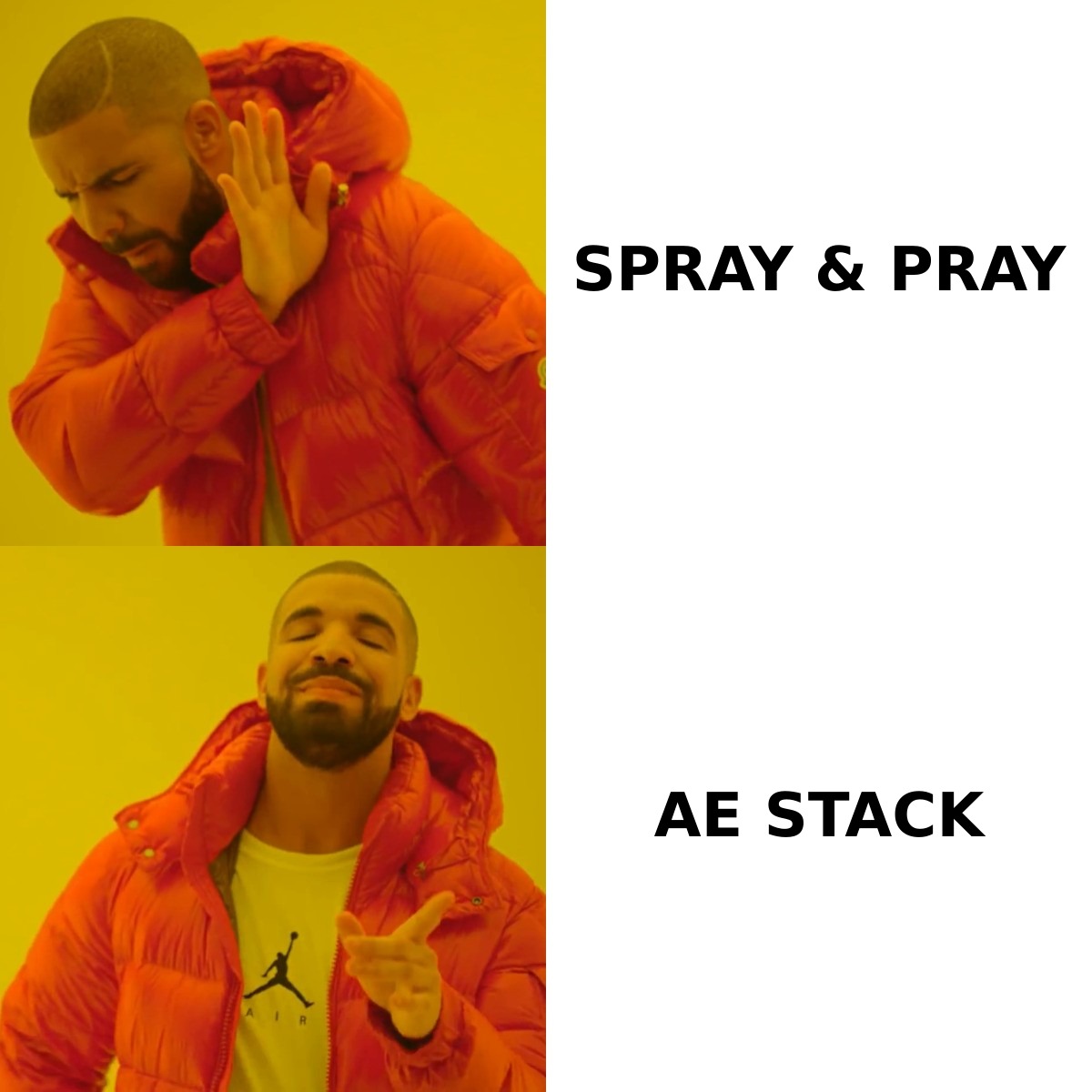
Here's the honest version: most AEs need one tool per layer, tightly integrated, not three competing tools in each. The table below maps the common picks by category, starting price, and best-fit use case.
| Category | Representative tool | Starting price | Best for |
|---|---|---|---|
| Email + phone data | Tomba | Free tier (25 searches), then $49/mo | AEs who need verified emails and direct dials without a $1k/mo data contract |
| Engagement / sequencing | Apollo | ~$49/user/mo | Reps wanting data + sequencing in one app |
| Engagement (enterprise) | Salesloft / Outreach | Custom (seat-based) | Teams standardizing cadence at scale |
| CRM | HubSpot | Free CRM; paid from ~$20/seat | SMB and mid-market AEs |
| CRM (enterprise) | Salesforce | ~$25/user/mo and up | Complex, customized pipelines |
| Conversation intelligence | Gong / Chorus | Custom (seat-based) | Coaching and deal inspection |
| Forecasting | Clari | Custom | RevOps-driven forecast rigor |
Two things to notice. First, the data layer is by far the cheapest entry point — you can start free and scale into Tomba pricing tiers as your volume grows, while conversation-intelligence and forecasting platforms jump straight to custom enterprise quotes. Second, the "starting price" hides the real cost: seats, onboarding, and the integration work to make it all talk to your CRM.
How do you avoid the "shiny tool" trap?#
New tools are tempting. There's always a slicker dialer, a smarter AI note-taker, a sequencer with one more channel. But every tool you add is another login, another sync to maintain, and another place your data can drift out of date.
Use this three-question filter before adding anything:
- Which layer does it serve? If you already own that layer, you're not adding capability — you're adding overlap. Replace, don't stack.
- Does it write back to the CRM? A tool that creates data outside your system of record creates shadow work. Check the native integration, not the "Zapier is possible" footnote. Tomba, for example, supports a direct Salesforce integration and a broader set of integrations so enriched contacts land where deals live.
- What rep-hour does it give back? The best AE tools remove a recurring manual task — list building, call logging, follow-up reminders. If it just produces another dashboard, pass.
A useful rule from sales operations leaders: every tool should either generate pipeline, accelerate a deal, or reduce admin. If it does none of those measurably within 60 days, cut it.
Is more data better, or just more accurate data?#
Accuracy wins, and it isn't close. An AE with 200 verified contacts outperforms an AE with 2,000 unverified ones, because every bounced email dings your sender reputation and every wrong number burns a calling block.
This is the quiet failure mode of cheap, scraped lists: they look like abundance and behave like sabotage. Deliverability tanks, your domain gets flagged, and suddenly even your good emails land in spam. The fix is to verify before you send and enrich before you personalize.
Concretely, a clean prospecting motion looks like this:
- Pull target accounts and find decision-maker emails by domain.
- Verify each address so you only sequence deliverable contacts.
- Enrich with title, seniority, and company data for personalization.
- Push direct-dial numbers into your dialer for multichannel touches.
- Sync everything to the CRM so the opportunity record is complete from day one.
When that pipeline is tight, your engagement tools work harder and your conversation-intelligence data is cleaner because you're talking to the right people in the first place. Industry reviews on G2 consistently rank data accuracy and CRM integration above raw feature count when AEs rate the tools they actually keep.
What does a lean 2026 AE stack look like?#
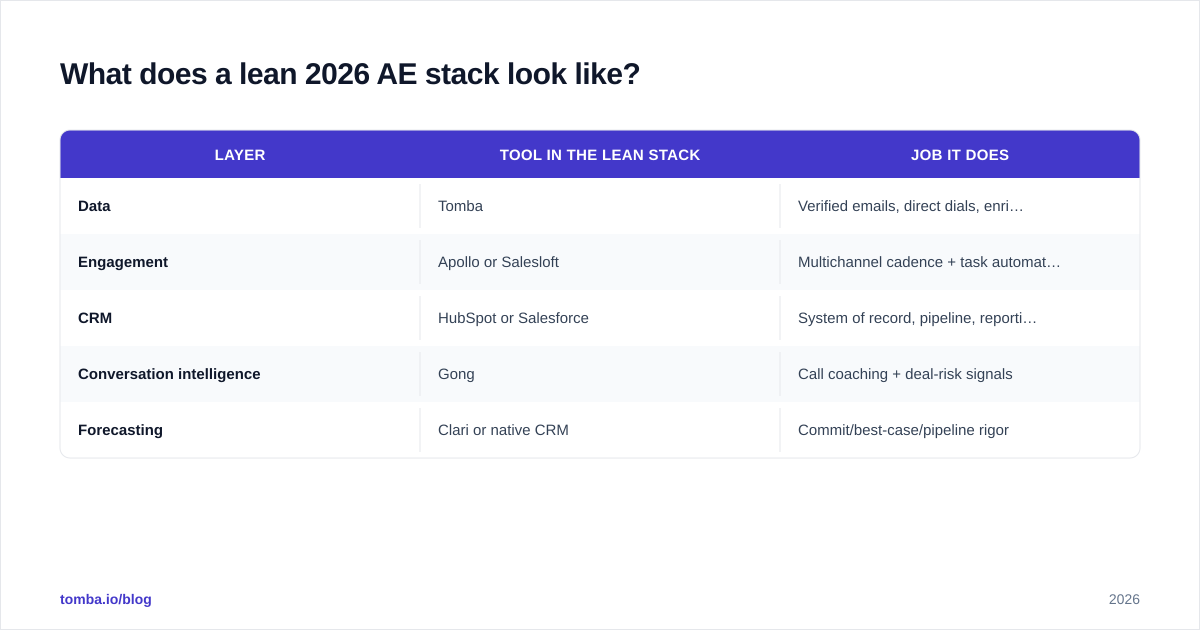
You can run a high-performing desk on five tools. Here's a representative lean stack and what each layer does:
| Layer | Tool in the lean stack | Job it does |
|---|---|---|
| Data | Tomba | Verified emails, direct dials, enrichment |
| Engagement | Apollo or Salesloft | Multichannel cadence + task automation |
| CRM | HubSpot or Salesforce | System of record, pipeline, reporting |
| Conversation intelligence | Gong | Call coaching + deal-risk signals |
| Forecasting | Clari or native CRM | Commit/best-case/pipeline rigor |
That's it. Five layers, one tool each, all syncing to the CRM. An SMB AE might collapse forecasting into HubSpot and skip a standalone tool entirely. An enterprise AE selling six-figure deals will lean harder on conversation intelligence and forecasting because the deal cycles are long and the cost of a surprise is high.
The order you build matters too. Start with the data layer, because it makes everything downstream more accurate. Add engagement next so your outreach scales. Then conversation intelligence to coach what's working. Forecasting comes last — it's only as good as the clean pipeline the first four layers produce.
How do you measure whether your tools are working?#
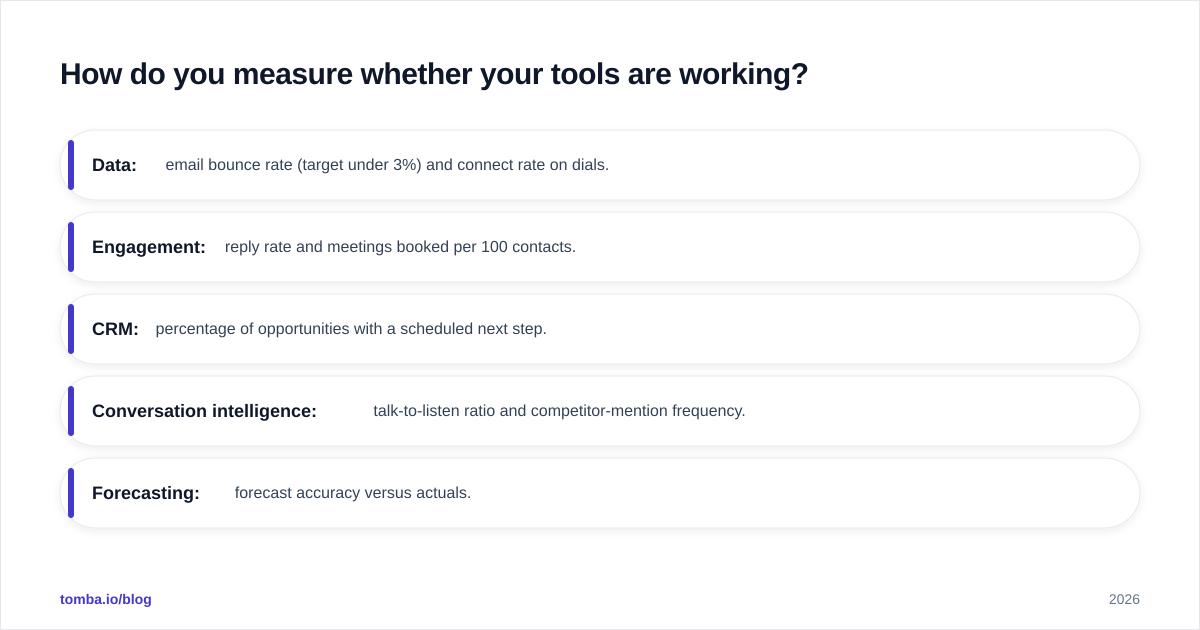
Tie each layer to one metric and review it monthly:
- Data: email bounce rate (target under 3%) and connect rate on dials.
- Engagement: reply rate and meetings booked per 100 contacts.
- CRM: percentage of opportunities with a scheduled next step.
- Conversation intelligence: talk-to-listen ratio and competitor-mention frequency.
- Forecasting: forecast accuracy versus actuals.
If a tool can't move its metric, it's not earning its seat. This is how you keep the stack lean over time instead of accumulating logins you stopped opening in Q1.
For deeper benchmarks on what "good" looks like across these stages, vendor resources like the HubSpot Sales Blog and Salesforce's sales resources publish current conversion and cycle-time data you can sanity-check your own numbers against.
Frequently asked questions#
Do AEs need separate prospecting tools if they have a CRM? Usually yes. CRMs store contacts but rarely find or verify new ones. A dedicated data tool keeps your CRM populated with deliverable, enriched records instead of stale or missing fields.
Are AI note-takers replacing conversation intelligence platforms? For solo reps, a lightweight AI note-taker can cover basic recall. For teams that coach and inspect deals, full conversation intelligence still wins because it analyzes patterns across every rep's calls, not just yours.
How much should an AE stack cost? A lean, effective stack runs anywhere from under $100/mo for an early-stage SMB rep to several hundred per seat at enterprise, mostly driven by conversation-intelligence and forecasting seats. The data layer is the smallest line item and the highest leverage.
Build the data layer first#
Every layer of the AE stack gets better when it's fed accurate contacts — and that's the cheapest place to start. Spin up a free account on the Tomba Email Finder to find and verify decision-maker emails by name, company, or domain, pull direct dials, and push clean records straight into your CRM. Get the data layer right, and the rest of your 2026 stack finally earns its seats.
// get started
Find, verify and enrich your first contacts today
Start on the free plan with 25 searches a month, then scale when your team is ready.
Free plan · No credit card required · GDPR & CCPA
// about the author