Account Intelligence Tools in 2026: A Buyer's Guide
Account intelligence tools turn scattered firmographic, technographic, and intent signals into a prioritized list of accounts your team should call today. Here's how to pick one.
Account intelligence tools collect, score, and surface everything you can know about a target company — who works there, what tech they run, what they're researching, and when they're in a buying window — so your team spends time on accounts that are actually ready to talk.
TL;DR#
- Account intelligence tools unify firmographic, technographic, contact, and intent data into one account view, then rank accounts by likelihood to buy.
- The category splits into three jobs: data coverage (who and what), intent and signals (when), and activation (routing that insight into your CRM and sequences).
- Pricing ranges from sub-$100/month contact tools to five- and six-figure enterprise platforms like 6sense and Demandbase.
- No single tool wins every job. Most teams pair a signal platform with a fast, accurate contact-data layer for the email and phone work.
- Start with the account list you already have, layer intent on top, and only then expand coverage. Buying the biggest platform first is how budgets disappear.
What are account intelligence tools?#
Account intelligence tools are software that builds a living profile of each target company and tells you which accounts deserve attention right now. Think of it like a weather service for your pipeline: instead of guessing whether it'll rain, you get a forecast built from thousands of signals — job changes, funding rounds, web visits, tech installs, content downloads — updated continuously.
Technically, these platforms ingest data from multiple sources (public web, bidstream intent, third-party providers, your own first-party activity) and resolve it to a single account record. They then score that record so a rep sees "Account X, high intent, researching your category, 3 new hires on the buying team" instead of a flat row in a spreadsheet.
This is the difference between a list and intelligence. A list tells you a company exists. Account intelligence tells you the company is in-market, who to call, and why today beats next quarter.
)
Why does account intelligence matter for B2B teams?#
Because reps waste most of their time on accounts that were never going to buy. According to Gartner research on B2B buying, the typical purchase involves a large buying group and most of the journey happens before a vendor is ever contacted. If you only reach out when someone fills a form, you've already lost the early innings.
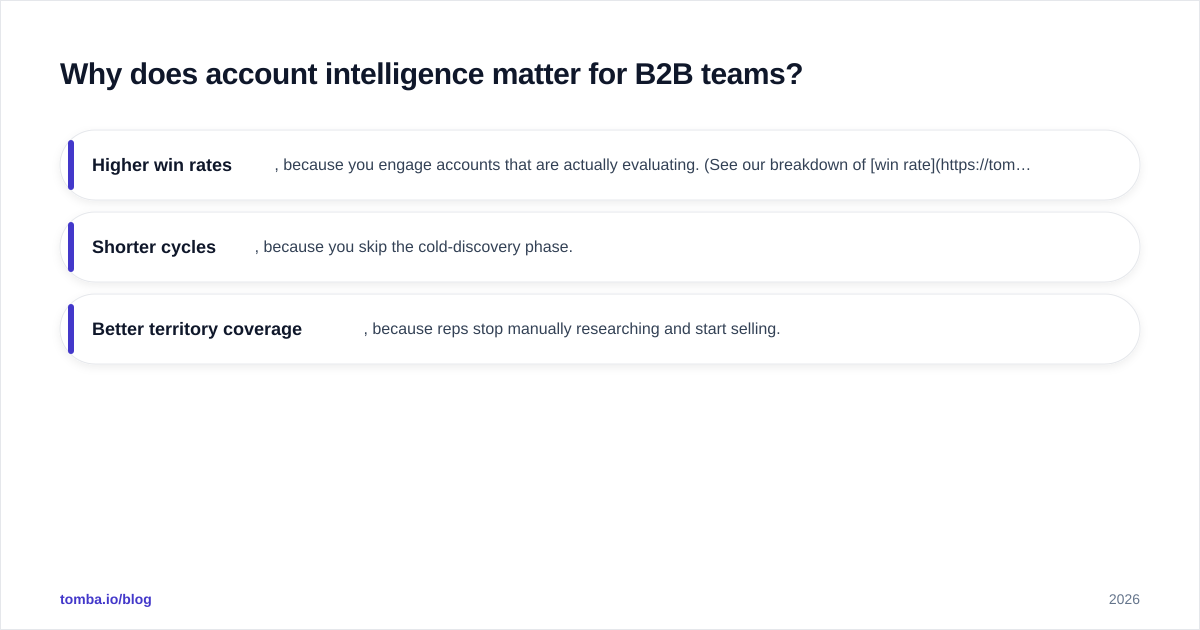
Account intelligence flips the timing. It catches the research phase — the surge in pageviews, the competitor comparison, the new VP who owns the budget — and puts that account in front of a rep while the window is open. The payoff shows up in three numbers:
- Higher win rates, because you engage accounts that are actually evaluating. (See our breakdown of win rate drivers.)
- Shorter cycles, because you skip the cold-discovery phase.
- Better territory coverage, because reps stop manually researching and start selling.
The catch: intelligence is only as good as the data underneath it and the action on top of it. A perfect intent signal is worthless if the contact record is stale and the email bounces.
What features should account intelligence tools have?#
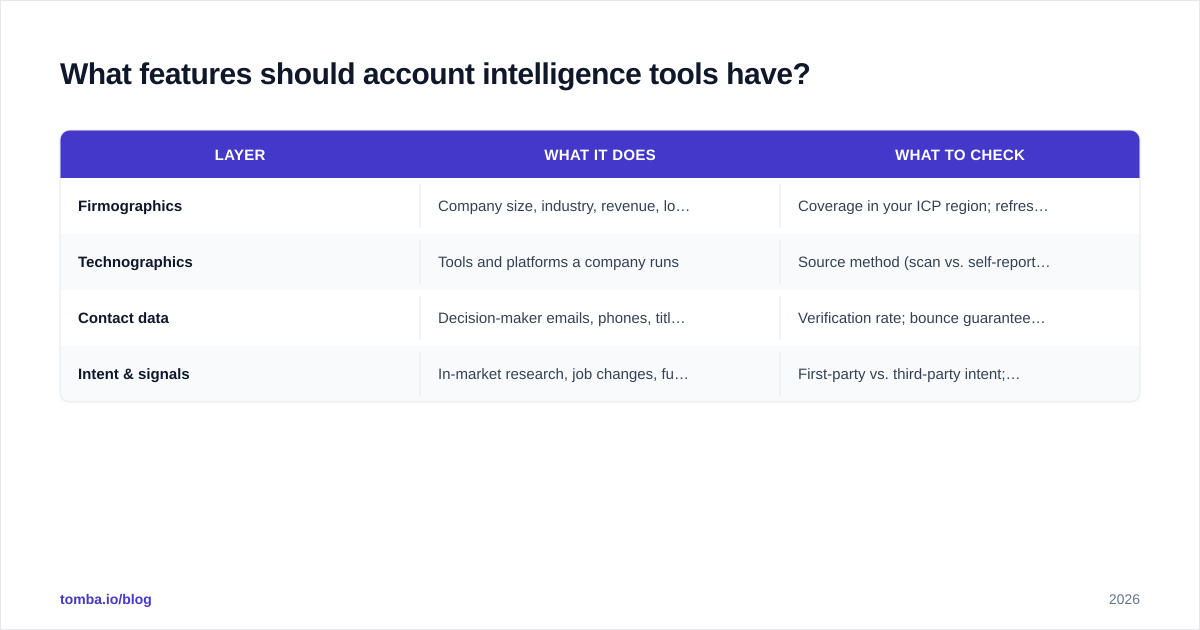
Evaluate every platform against four layers. Most tools are strong in one or two and weak in the rest — which is why stacking matters.
| Layer | What it does | What to check |
|---|---|---|
| Firmographics | Company size, industry, revenue, location | Coverage in your ICP region; refresh frequency |
| Technographics | Tools and platforms a company runs | Source method (scan vs. self-reported); accuracy |
| Contact data | Decision-maker emails, phones, titles | Verification rate; bounce guarantees; phone coverage |
| Intent & signals | In-market research, job changes, funding | First-party vs. third-party intent; topic granularity |
A few non-obvious checks that separate good tools from demos:
- Match rate, not database size. A vendor bragging about "200M contacts" means nothing if it can't match the accounts on your list. Test with your own target accounts.
- Verification, not just discovery. Finding an email is half the job; confirming it's deliverable is the other half. Pair discovery with an email verifier so your intent-driven outreach doesn't crater your sender reputation.
- CRM activation. If the intelligence can't auto-route into HubSpot, Salesforce, or your sequencer, reps won't use it. Native integrations beat CSV exports every time.
- Data freshness. Ask how often records are re-verified. Contact data decays fast as people change jobs.
How do the main account intelligence tools compare?#
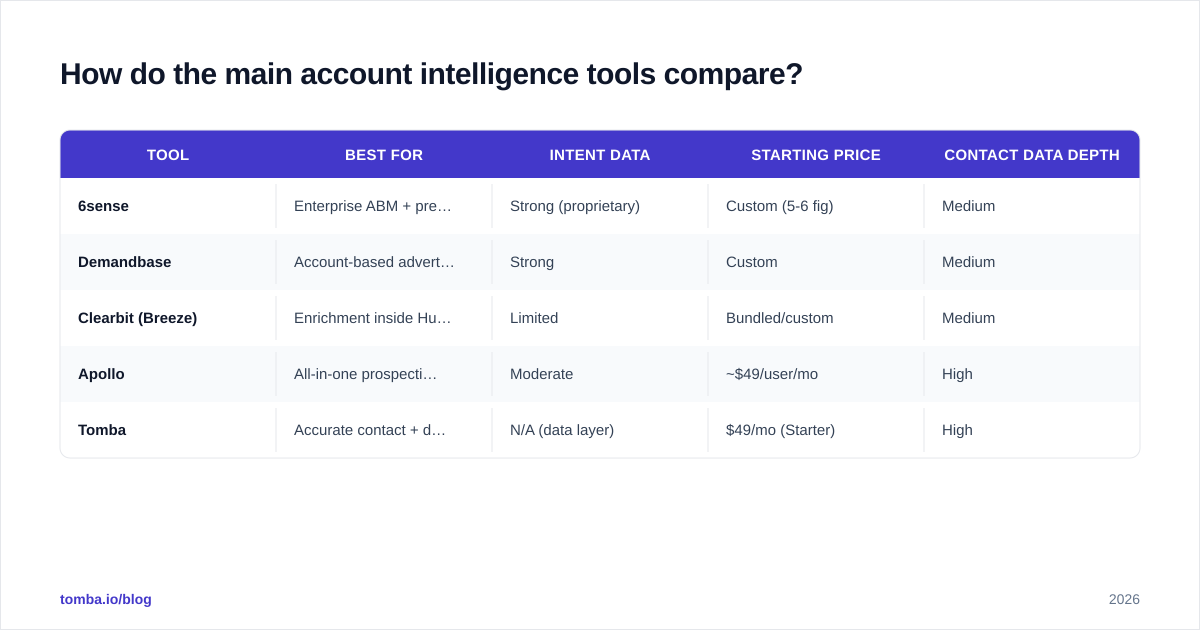
Here's a neutral snapshot of well-known options across the category. Pricing is approximate and changes often — confirm on each vendor's site.
| Tool | Best for | Intent data | Starting price | Contact data depth |
|---|---|---|---|---|
| 6sense | Enterprise ABM + predictive scoring | Strong (proprietary) | Custom (5-6 fig) | Medium |
| Demandbase | Account-based advertising + sales intel | Strong | Custom | Medium |
| Clearbit (Breeze) | Enrichment inside HubSpot | Limited | Bundled/custom | Medium |
| Apollo | All-in-one prospecting + light intel | Moderate | ~$49/user/mo | High |
| Tomba | Accurate contact + domain data layer | N/A (data layer) | $49/mo (Starter) | High |
A practical read on this table:
- 6sense and Demandbase are the heavyweight intent and orchestration platforms. They shine for enterprise ABM teams with budget and an ops person to run them. They are not contact-data tools — you still need a clean email and phone layer.
- Clearbit (now HubSpot Breeze) is the natural pick if your whole motion lives in HubSpot. Outside that ecosystem its standalone value narrows. If you're weighing it, see the Clearbit alternative comparison.
- Apollo bundles prospecting, sequences, and light intent in one seat — convenient, but its intent depth and data accuracy trail the specialists.
- Tomba isn't a full intent platform and doesn't pretend to be. It's the accurate contact and domain search layer that sits underneath whichever signal platform you choose, turning "this account is in-market" into "here's the verified email for the VP who owns it."
Cross-check any shortlist against third-party reviews on G2 before you commit — vendor demos always look perfect.
)
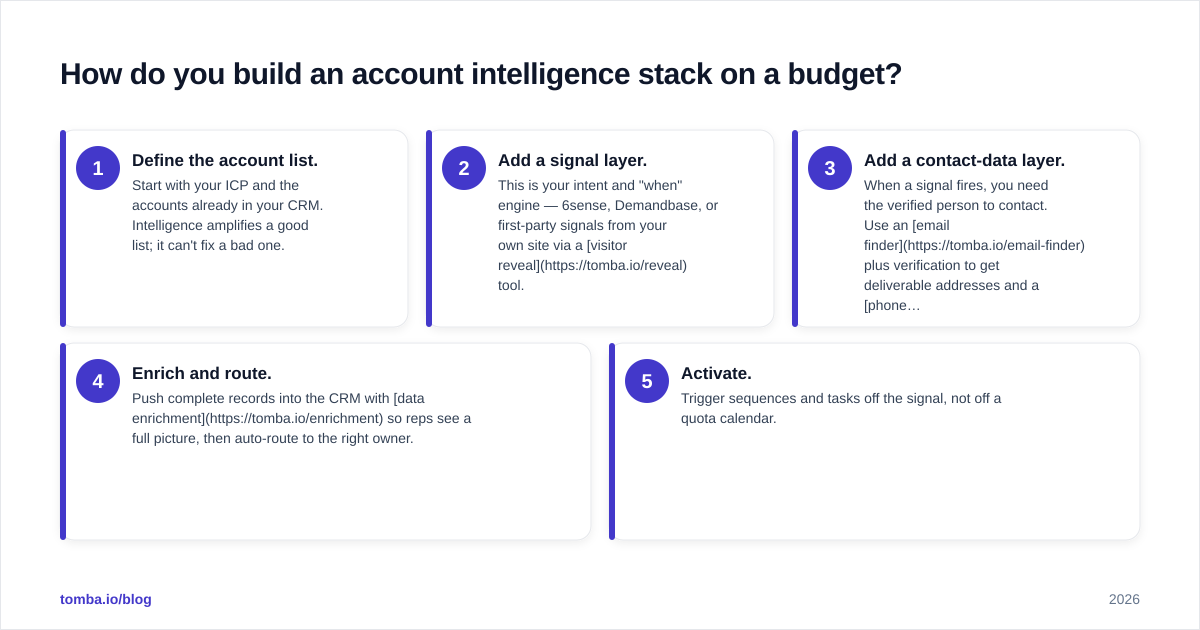
How do you build an account intelligence stack on a budget?#
Conclusion first: layer, don't replace. You rarely need one mega-platform; you need a signal source, a data layer, and an activation path that talk to each other.
A lean, effective stack looks like this:
- Define the account list. Start with your ICP and the accounts already in your CRM. Intelligence amplifies a good list; it can't fix a bad one.
- Add a signal layer. This is your intent and "when" engine — 6sense, Demandbase, or first-party signals from your own site via a visitor reveal tool.
- Add a contact-data layer. When a signal fires, you need the verified person to contact. Use an email finder plus verification to get deliverable addresses and a phone finder for callable numbers. Run lists through a bulk email finder when you're working a whole account at once.
- Enrich and route. Push complete records into the CRM with data enrichment so reps see a full picture, then auto-route to the right owner.
- Activate. Trigger sequences and tasks off the signal, not off a quota calendar.
For teams that can't justify a six-figure intent platform yet, a credible starter stack is: first-party visitor reveal + a contact-data tool + your existing CRM's reporting. You get most of the "who and how to reach them" value while you prove out the motion. When you're ready to scale, Tomba pricing runs from a free tier (25 searches/month) to Starter at $49/month and Growth at $99/month, so the data layer stays cheap while the signal layer is where you spend up.
What mistakes should you avoid with account intelligence tools?#
- Buying intent before you can act on it. Signals with no contact data and no routing just create dashboards nobody opens.
- Trusting database size over match rate. Always pilot against your real account list.
- Ignoring data decay. Re-verify contacts regularly; a 12-month-old email list is mostly noise. Lean on an email verifier on a schedule.
- Skipping deliverability hygiene. Firing intent-triggered cold email at unverified addresses tanks your sender reputation and undoes the whole point.
- Letting it sit in ops. If reps can't see the intelligence inside the tools they already use, adoption dies. Prioritize native CRM activation.
The teams that win with account intelligence treat it as a workflow, not a database. Signal in, verified contact attached, routed to the right rep, actioned the same day. Everything else is reporting theater.
How accurate does the underlying data need to be?#
Accurate enough that reps trust it on the first try — anything less and they revert to manual research. The standard to hold vendors to: verified, deliverable contact data with a transparent source trail. Tomba publishes where its data comes from and pairs discovery with built-in verification and catch-all handling, so the email a rep gets off a high-intent signal is one they can actually send to. When you're evaluating any contact layer, ask for the verification methodology in writing, not a headline accuracy number.
Closing: where to start#
Pick your signal platform based on budget and ICP, but don't let the contact layer be an afterthought — it's the part that turns intelligence into pipeline. Start free with the Tomba Email Finder to attach verified, deliverable emails to every in-market account your signal tools surface, then add domain search, phone, and enrichment as your motion scales. The signal tells you when. Tomba tells you who — and gives you an address that actually lands.
// get started
Find, verify and enrich your first contacts today
Start on the free plan with 25 searches a month, then scale when your team is ready.
Free plan · No credit card required · GDPR & CCPA
// about the author