Account Planning Software in 2026: A Practical Buyer's Guide
Spreadsheets stall once you manage more than a handful of strategic accounts. Here's how account planning software compares, what it costs, and how to pick the right fit in 2026.
Account planning is how you turn a single closed deal into a multi-year revenue relationship. The problem is that most teams still run it out of a stale slide deck and a shared spreadsheet that nobody opens after QBR week. Account planning software exists to fix that — to make the plan a living artifact that lives where reps already work.
This guide breaks down what the category actually does, how the leading tools compare, what you should pay, and a simple framework for choosing without overbuying.
TL;DR#
- Account planning software centralizes white-space analysis, relationship maps, and growth plays for your strategic accounts — replacing static decks and spreadsheets.
- The biggest ROI driver is adoption inside the CRM, not feature count. A tool reps ignore is worse than a good spreadsheet.
- Expect to pay roughly $25–$150 per user per month, with enterprise platforms quoting custom annual contracts.
- Pick based on your motion: org-chart-heavy enterprise selling needs relationship mapping; expansion-led SaaS needs white-space and usage signals.
- Whatever tool you choose, it is only as good as the contact and company data feeding it — clean data enrichment is the quiet prerequisite.
What is account planning software?#
Account planning software is a tool that helps revenue teams document, execute, and track a strategy for growing a specific customer account over time. Think of it like a flight plan for a long trip: closing the initial deal gets the plane off the ground, but the account plan is what keeps you on course toward the destination — expansion, renewal, and advocacy — instead of drifting.
Technically, these platforms combine a few capabilities that used to live in separate files:
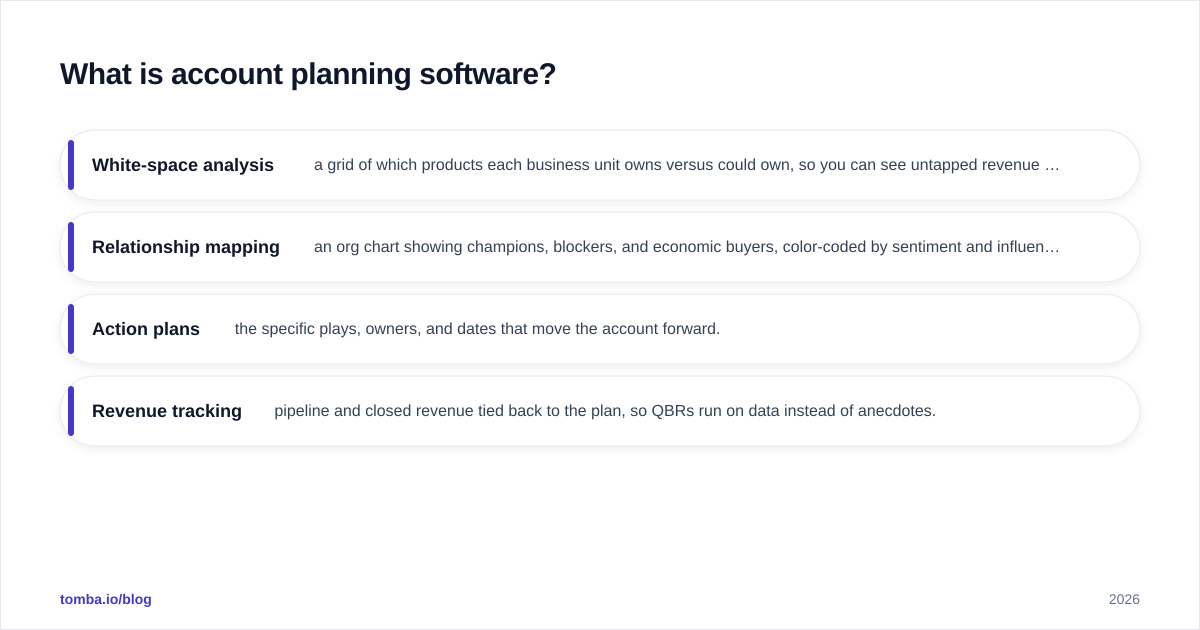
- White-space analysis — a grid of which products each business unit owns versus could own, so you can see untapped revenue at a glance.
- Relationship mapping — an org chart showing champions, blockers, and economic buyers, color-coded by sentiment and influence.
- Action plans — the specific plays, owners, and dates that move the account forward.
- Revenue tracking — pipeline and closed revenue tied back to the plan, so QBRs run on data instead of anecdotes.
The category overlaps with your CRM, but a CRM records what happened; account planning software decides what should happen next inside your largest accounts.
Why not just use a spreadsheet?#
For your first three or four strategic accounts, a spreadsheet is genuinely fine — and pretending otherwise is how teams overspend. The case for software kicks in when scale breaks the manual approach.
Spreadsheets fail in predictable ways: version sprawl ("which tab is current?"), no link to live CRM data, zero accountability on action items, and relationship knowledge trapped in one rep's head until they leave. According to Gartner, the complexity of B2B buying — with six to ten decision-makers per deal — is exactly what static documents can't keep up with.
)
The switch usually pays off once you cross 10+ strategic accounts or a buying group larger than five people, because that's when the cost of a forgotten stakeholder or a missed renewal exceeds the subscription price.
What features actually matter?#
Not all of them. Here's how to weight the common feature set by impact.
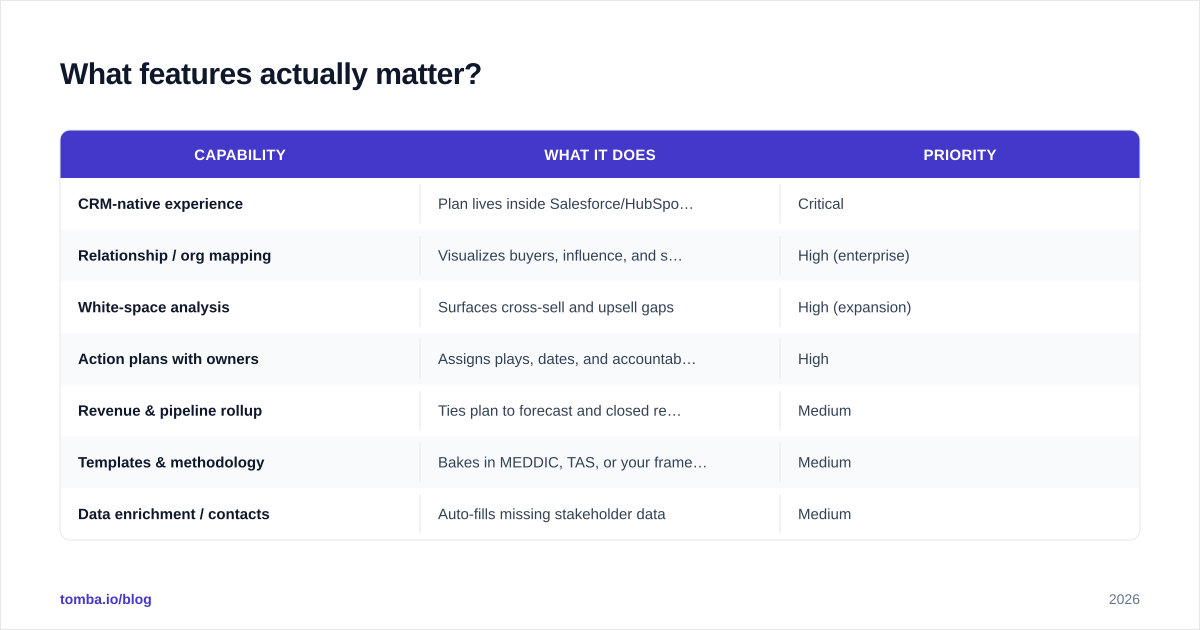
| Capability | What it does | Priority |
|---|---|---|
| CRM-native experience | Plan lives inside Salesforce/HubSpot, not a separate login | Critical |
| Relationship / org mapping | Visualizes buyers, influence, and sentiment | High (enterprise) |
| White-space analysis | Surfaces cross-sell and upsell gaps | High (expansion) |
| Action plans with owners | Assigns plays, dates, and accountability | High |
| Revenue & pipeline rollup | Ties plan to forecast and closed revenue | Medium |
| Templates & methodology | Bakes in MEDDIC, TAS, or your framework | Medium |
| Data enrichment / contacts | Auto-fills missing stakeholder data | Medium |
| AI insights & next-best-action | Suggests plays from activity signals | Nice to have |
The single most predictive feature of ROI is the first row: does the plan render where reps already work? A beautiful standalone planning app loses to an average one embedded in the CRM, every time, because adoption is the whole game.
How do the leading tools compare?#
The market splits into three rough tiers: enterprise relationship-selling platforms, mid-market expansion tools, and the build-it-yourself CRM-native route. Pricing below reflects publicly listed or commonly reported ranges as of 2026; always confirm current numbers on each vendor's site or on G2.
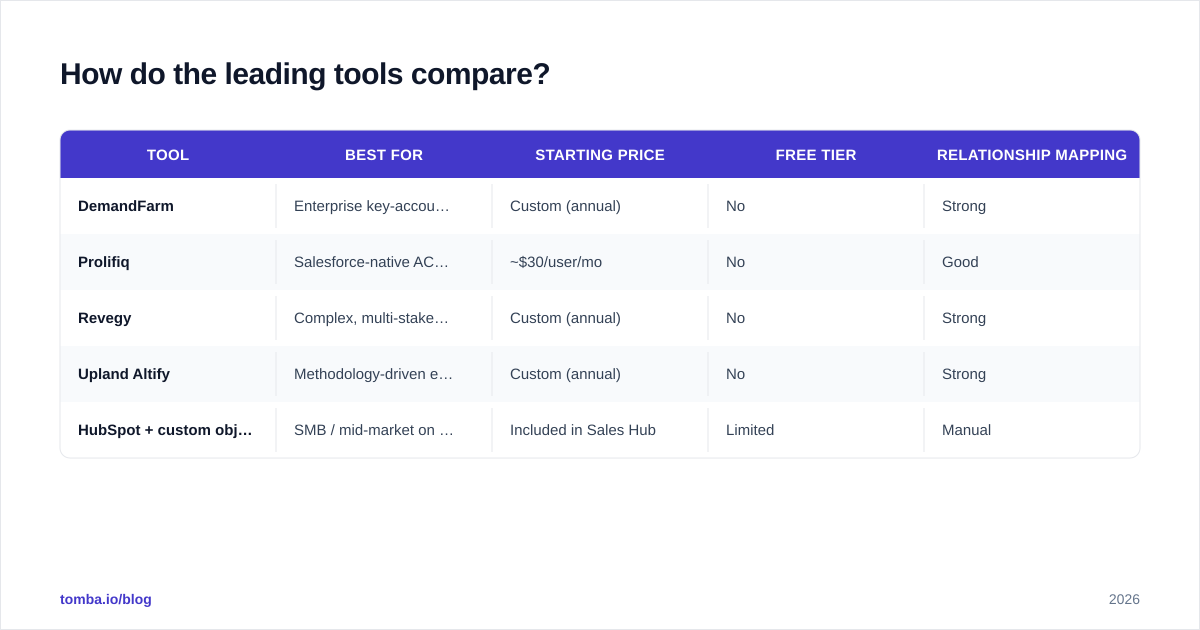
| Tool | Best for | Starting price | Free tier | Relationship mapping |
|---|---|---|---|---|
| DemandFarm | Enterprise key-account selling | Custom (annual) | No | Strong |
| Prolifiq | Salesforce-native ACE planning | ~$30/user/mo | No | Good |
| Revegy | Complex, multi-stakeholder deals | Custom (annual) | No | Strong |
| Upland Altify | Methodology-driven enterprise | Custom (annual) | No | Strong |
| HubSpot + custom objects | SMB / mid-market on a budget | Included in Sales Hub | Limited | Manual |
A few honest notes:
- DemandFarm and Revegy are powerful but priced and scoped for enterprises with dedicated key-account managers. If you have five reps, this is overkill.
- Prolifiq is a sensible Salesforce-native middle ground when you live inside Salesforce already.
- The HubSpot route — modeling accounts with custom objects and properties — is underrated for teams under ~$5M ARR. You trade polish for near-zero added cost.
What does account planning software cost?#
Budget by motion and headcount rather than by feature list. Three patterns:
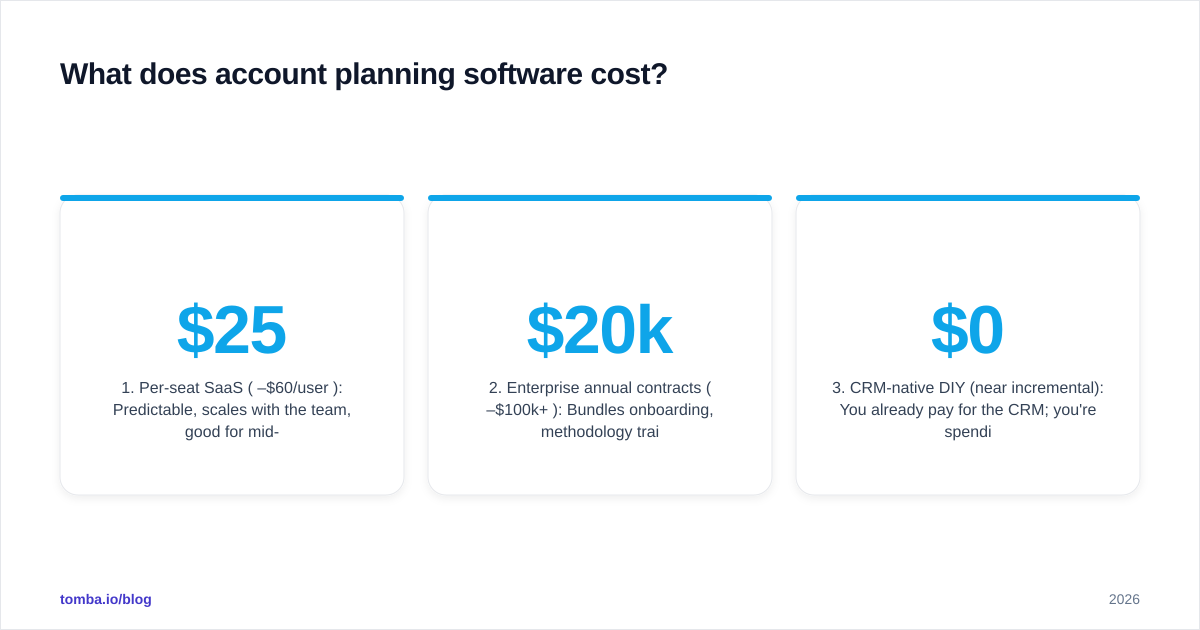
- Per-seat SaaS ($25–$60/user/mo): Predictable, scales with the team, good for mid-market. Watch for minimum seat counts.
- Enterprise annual contracts ($20k–$100k+/yr): Bundles onboarding, methodology training, and admin support. Negotiate on multi-year and seat tiers.
- CRM-native DIY (near $0 incremental): You already pay for the CRM; you're spending admin time, not license fees.
Before you sign anything, run the math on data quality. A planning tool with empty or wrong stakeholder fields produces confident-looking but useless plans. Many teams pair their platform with a contact source — pulling verified emails and titles through an email finder or a B2B database so the relationship map isn't full of gaps. That's a small line item that protects the larger one.
)
How do you choose the right account planning software?#
Use this four-step framework instead of a feature-checklist arms race.
Step 1 — Name your motion. Are you defending and expanding a few huge logos (land-and-expand enterprise), or running cross-sell across hundreds of mid-size accounts? The first needs deep relationship mapping; the second needs white-space at scale. Don't buy for the motion you wish you had.
Step 2 — Check CRM fit. If 90% of selling happens in Salesforce, a Salesforce-native tool will out-adopt a slicker standalone product. Verify the integration is bidirectional and real-time, not a nightly sync. Review the vendor's integrations and your CRM's marketplace listing before trusting the demo.
Step 3 — Pressure-test data readiness. Ask: where do stakeholder names, titles, and emails come from? If the answer is "reps type them in manually," adoption will rot within a quarter. Plan for enrichment from day one.
Step 4 — Pilot with one team for one quarter. Pick your three most strategic accounts, run a real QBR out of the tool, and measure two things: did reps actually update it, and did a play from the plan close revenue? If both are no, the tool is wrong regardless of its feature list.
What are the common mistakes to avoid?#
- Buying for the demo, not the daily use. Demos showcase the relationship map. Daily use is a rep updating a field between calls. Optimize for the second.
- Treating the plan as a QBR ritual. A plan that's only touched four times a year is a deck, not a plan. The good tools nudge weekly updates.
- Ignoring data hygiene. Stale contacts quietly poison every downstream decision. Periodic re-verification with an email verifier keeps the stakeholder list trustworthy.
- Over-customizing methodology. If your framework needs a 40-field intake form, reps will avoid it. Start lean, add fields only when a missing one actually costs a deal.
- Skipping the renewal trigger. The plan should surface upcoming renewals automatically. Manual renewal tracking is how six-figure accounts silently churn.
How does account planning fit the rest of your stack?#
Account planning software sits at the center of a small ecosystem. Upstream, your prospecting and data enrichment tools supply accurate companies and contacts. Sideways, your CRM holds the system of record and your engagement platform runs the outreach. Downstream, your forecasting and RevOps reporting consume the plan's pipeline rollup.
The tool earns its keep when those connections are live. A relationship map that auto-populates new stakeholders as deals progress, and flags contacts that have gone stale, is dramatically more valuable than one a rep maintains by hand. This is why so many teams treat their contact data layer — sourcing and verifying the humans inside each account — as part of the account planning investment, not a separate purchase. HubSpot's research on account-based strategy consistently ties expansion revenue to how well teams map and engage the full buying group, not just the original champion.
The bottom line#
Account planning software is worth it the moment manual tracking starts losing you stakeholders, renewals, or expansion revenue — typically past 10 strategic accounts. Choose for your motion, demand real CRM adoption, and treat data quality as a first-class requirement rather than an afterthought.
If your plans keep falling apart because the stakeholder list is wrong or half-empty, fix the input before you spend on the platform. Tomba's Email Finder helps you find and verify the decision-makers inside every target account — by name, company, or domain — so your relationship maps and white-space grids are built on real, reachable contacts. Start free with 25 searches a month, and scale on a Tomba plan (Starter is $49/mo) as your account list grows. Better data in, better plans out.
// get started
Find, verify and enrich your first contacts today
Start on the free plan with 25 searches a month, then scale when your team is ready.
Free plan · No credit card required · GDPR & CCPA
// about the author