Adaptio vs Power Almanac: B2B Data Compared (2026)
Adaptio and Power Almanac solve very different B2B data problems. Here's an honest, side-by-side breakdown of coverage, freshness, pricing models, and which one belongs in your stack in 2026.
TL;DR
- Power Almanac is a niche, depth-first database of U.S. local-government contacts — mayors, city managers, clerks, public-works directors. If you sell to cities, counties, and towns, it covers a market most general tools ignore.
- Adaptio sits in the broader B2B data-intelligence lane: company and contact records aimed at commercial outbound, with enrichment and workflow features rather than a single vertical.
- They are not really competitors. One is a vertical directory; the other is a horizontal sales-data layer. The "winner" depends entirely on who you sell to.
- Neither is a drop-in email-finding engine. If you need verified emails on demand for arbitrary domains, you still want a dedicated email finder.
- Below: a feature table, a decision framework, and where a tool like Tomba fits alongside either choice.
Why compare Adaptio and Power Almanac at all?#
Short answer: because buyers keep lumping all "B2B data" vendors into one bucket, and that's where money gets wasted.
Think of B2B data like maps. A subway map and a topographic hiking map are both "maps," but you'd never use one for the other's job. Power Almanac is the local-government map — extremely detailed inside one territory. Adaptio is closer to a road atlas — broad commercial coverage you can route many campaigns across. Picking by brand reputation instead of by territory is how teams end up paying for data they can't use.
This post breaks the two down on the attributes that actually change outcomes: coverage scope, data freshness, contact depth, pricing model, export and API access, and ideal use case. Where a fact isn't publicly confirmable, this guide says so rather than inventing a number — verify pricing and counts directly with each vendor before you buy.
What is Power Almanac?#
Power Almanac is a specialized database of elected and appointed officials across U.S. local governments — cities, counties, townships, and special districts. Its pitch is coverage of a market that horizontal tools treat as an afterthought: tens of thousands of municipalities and the people who run them.
What it does well:
- Vertical depth. Titles you won't find cleanly elsewhere: city clerk, public-works director, parks superintendent, finance director, emergency manager.
- Structured local-gov fields. Population, government type, and jurisdiction metadata let you segment by the things that matter in govtech and civic sales.
- Downloadable lists. You filter, you export, you load into your CRM or sequencer.
Where it's narrow by design: if your buyer is a SaaS VP of Engineering or a manufacturing procurement lead, Power Almanac simply isn't built for you. That's not a flaw — it's the point. You can confirm scope and current pricing on the official site at poweralmanac.com and cross-check reviews on G2.
What is Adaptio?#
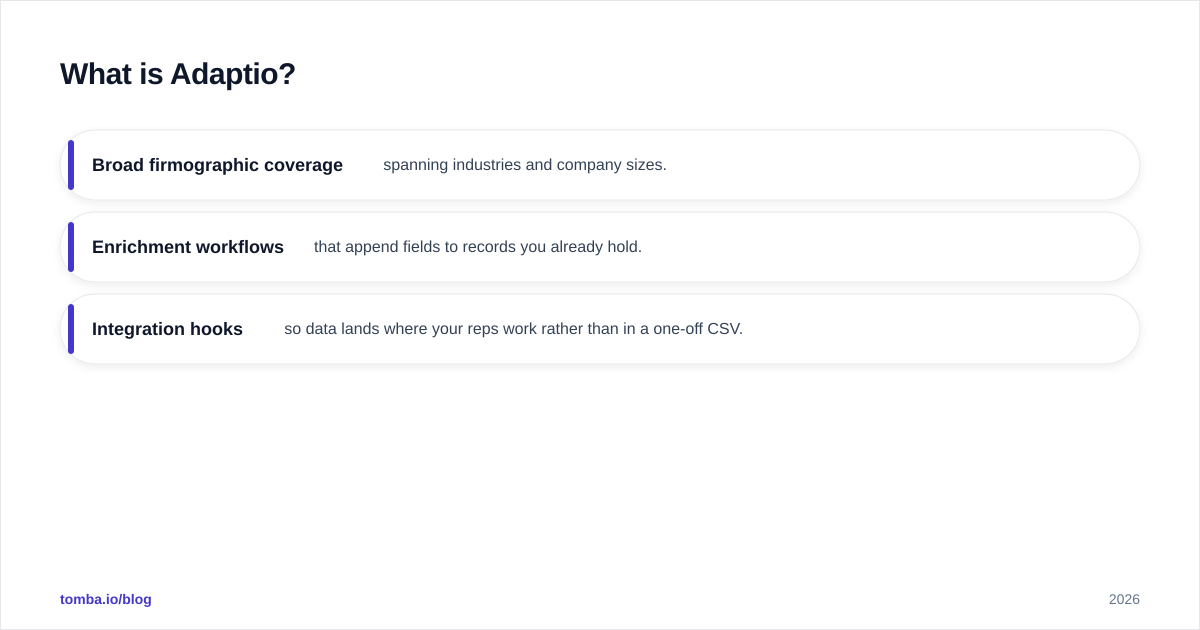
Adaptio is positioned in the general B2B data-intelligence and enrichment category: company firmographics and contact records intended to feed commercial outbound, account research, and CRM enrichment across industries.
The horizontal model trades vertical depth for reach. Instead of mastering one buyer type, it aims to give you usable records across many sectors, usually with:
- Broad firmographic coverage spanning industries and company sizes.
- Enrichment workflows that append fields to records you already hold.
- Integration hooks so data lands where your reps work rather than in a one-off CSV.
If your motion is classic commercial B2B — startups, mid-market, enterprise across verticals — a horizontal platform's coverage map will overlap your ICP far more than a local-government directory will. As always, validate Adaptio's current feature set, record counts, and pricing directly; product scope in this category shifts quarter to quarter.
Adaptio vs Power Almanac: how do they compare?#
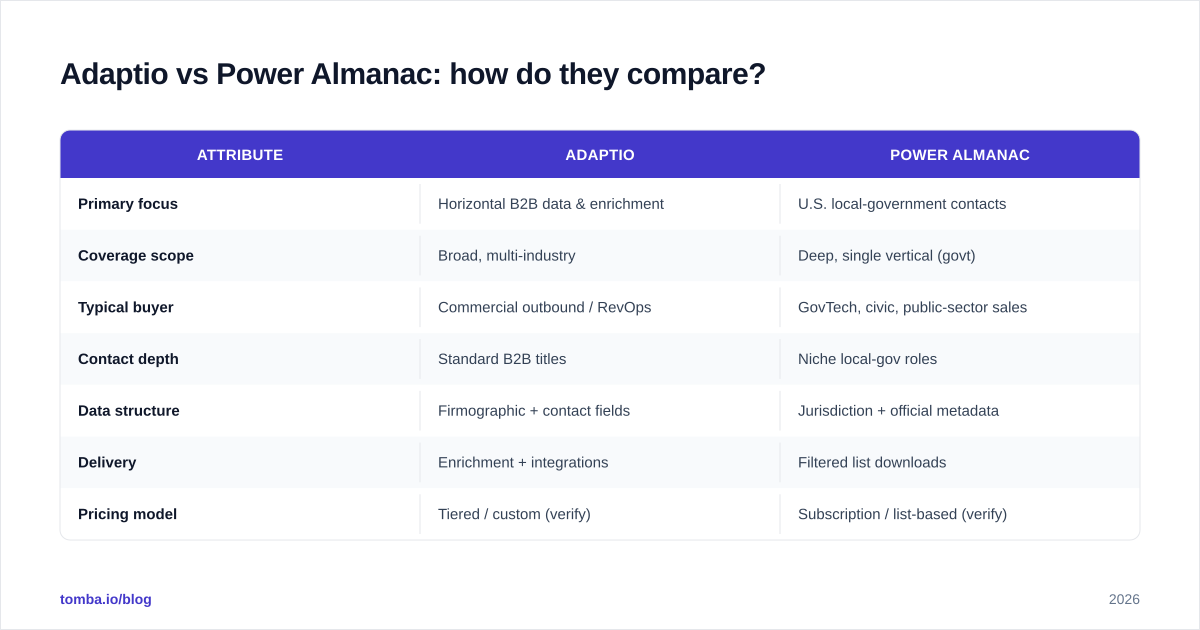
Here's the side-by-side. Treat pricing rows as "model, not quote" — both categories lean toward custom or tier-based pricing, so confirm live numbers before committing budget.
| Attribute | Adaptio | Power Almanac |
|---|---|---|
| Primary focus | Horizontal B2B data & enrichment | U.S. local-government contacts |
| Coverage scope | Broad, multi-industry | Deep, single vertical (govt) |
| Typical buyer | Commercial outbound / RevOps | GovTech, civic, public-sector sales |
| Contact depth | Standard B2B titles | Niche local-gov roles |
| Data structure | Firmographic + contact fields | Jurisdiction + official metadata |
| Delivery | Enrichment + integrations | Filtered list downloads |
| Pricing model | Tiered / custom (verify) | Subscription / list-based (verify) |
| Best when | Selling across many sectors | Selling to cities & counties |
| Weakness | Shallow in any one niche | Useless outside local gov |
The table makes the real takeaway obvious: these tools rarely belong on the same shortlist. If both are on yours, your ICP definition is probably too fuzzy. Tighten that first.
Which one is more accurate and fresh?#
Accuracy is where vertical and horizontal models diverge most, and it's the question that actually predicts reply rates.
Local-government data ages slowly but breaks hard at the edges. A city manager might stay in role for years, then an election or a budget cycle reshuffles half a department in a month. Power Almanac's bet is that focusing on one domain lets it maintain those records more carefully than a generalist could. The risk is staleness right after election seasons — always spot-check before a big push.
Horizontal data ages fast and constantly. Commercial contacts change jobs at a high clip, so any broad provider — Adaptio included — is fighting decay across millions of records simultaneously. Breadth and freshness pull against each other; more coverage means more records to keep current.
Either way, no static database is verified at the moment you actually send. A record accurate last quarter can bounce today. That's why mature teams treat any database as a starting point and run a verification pass before campaigns. A standalone email verifier checks deliverability at send time regardless of where the list came from — it closes the gap both vendors leave open.
What does the buying decision actually look like?#
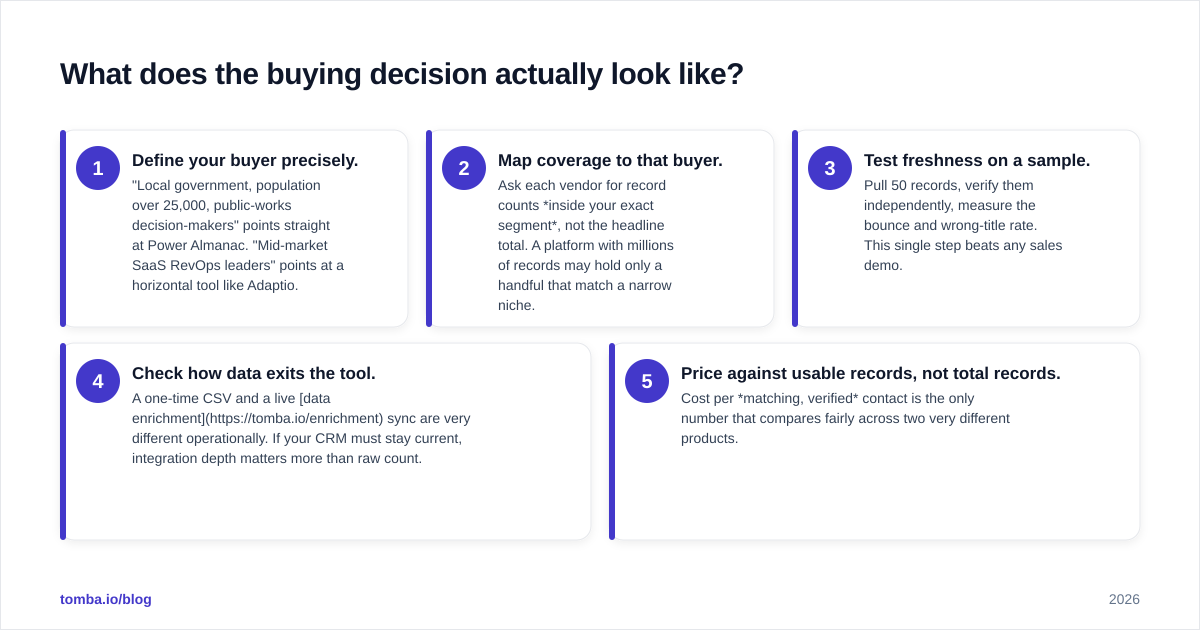
Skip the feature-checklist trap. Decide in this order:
- Define your buyer precisely. "Local government, population over 25,000, public-works decision-makers" points straight at Power Almanac. "Mid-market SaaS RevOps leaders" points at a horizontal tool like Adaptio.
- Map coverage to that buyer. Ask each vendor for record counts inside your exact segment, not the headline total. A platform with millions of records may hold only a handful that match a narrow niche.
- Test freshness on a sample. Pull 50 records, verify them independently, measure the bounce and wrong-title rate. This single step beats any sales demo.
- Check how data exits the tool. A one-time CSV and a live data enrichment sync are very different operationally. If your CRM must stay current, integration depth matters more than raw count.
- Price against usable records, not total records. Cost per matching, verified contact is the only number that compares fairly across two very different products.
Run that sequence and the choice usually makes itself — often revealing you need neither as your primary engine, but rather on-demand lookup plus verification.
Where does a tool like Tomba fit in?#
Both Adaptio and Power Almanac are databases — you query what already exists. That model has a structural limit: the prospect you want most is frequently the one not in the file, or listed with an address that no longer resolves.
A finder-and-verifier approach works differently. Instead of browsing a fixed list, you resolve contacts on demand:
- Find emails by domain or name for accounts no static database happens to cover, using an email finder keyed to the company you're actually targeting.
- Verify before send so a database record from any source doesn't quietly tank your sender reputation.
- Enrich and sync through the Tomba API so resolved, verified contacts flow into your CRM instead of dying in spreadsheets.
This isn't an either/or. A practical 2026 stack often pairs a coverage source (vertical like Power Almanac, or horizontal like Adaptio) with a real-time finder/verifier layer that fills gaps and validates everything at send time. The database gives you a starting list; the finder gives you the contacts the database missed.
Adaptio vs Power Almanac: which should you choose?#
Conclusion first: choose by territory, not by feature count.
- Pick Power Almanac if you sell into U.S. cities, counties, and special districts and need depth no generalist offers. Verify post-election freshness and confirm current pricing on their site.
- Pick Adaptio if your ICP spans commercial industries and you want broad firmographic coverage with enrichment workflows. Confirm record counts inside your specific segment before signing.
- Pick neither as your sole source if your highest-value accounts are unpredictable or niche. There, on-demand finding plus verification will out-cover any fixed list — and you can layer it on top of whichever database you keep.
Honest framing for a comparison that's really an apples-to-oranges matchup: there's no universal winner here. There's only a fit between your buyer and their coverage. Run the five-step test, verify a sample, and let the bounce rate decide.
When you're ready to fill the gaps a static database leaves behind — the missing contacts, the stale addresses, the accounts no directory happens to list — start with the Tomba Email Finder. Find professional emails by domain, name, or company, verify them before you hit send, and pipe clean records straight into your CRM. The free tier gives you 25 searches a month to test it against your own list before you commit a dollar; you can see the full breakdown on the Tomba pricing page.
// get started
Find, verify and enrich your first contacts today
Start on the free plan with 25 searches a month, then scale when your team is ready.
Free plan · No credit card required · GDPR & CCPA
// about the author