Add to CRM Alternatives: 7 Better Ways to Sync Leads (2026)
The one-click "Add to CRM" button is convenient until it fills your pipeline with stale, unverified contacts. Here are 7 add to CRM alternatives that keep data clean.
TL;DR
- The native "Add to CRM" button (the one bolted onto LinkedIn, your inbox, or a data vendor's profile card) is fast, but it pushes raw, often unverified records straight into your pipeline.
- The real cost shows up later: duplicate contacts, bounced cold emails, and reps wasting hours cleaning fields a tool should have filled.
- Better add to CRM alternatives verify the email, enrich the record, and dedupe before the contact ever lands in HubSpot or Salesforce.
- Your best option depends on volume: solo reps want a browser extension, RevOps teams want an enrichment API wired into automation.
- Below: a 7-way comparison, a decision framework, and where a dedicated email finder fits versus an all-in-one sync button.
What does "Add to CRM" actually mean?#
"Add to CRM" is the one-click button that copies a contact from wherever you found them — a LinkedIn profile, a prospecting database, an email thread — into your customer relationship management system. HubSpot's browser extension, Salesforce's Outlook plugin, and sync tools like Surfe or Leadjet all ship a version of it.
The pitch is obvious: stop copy-pasting names and emails into form fields. Click once, the record appears in your CRM. For a single rep adding ten prospects a day, that feels like a clean win.
The problem is what the button doesn't do. Most "Add to CRM" actions capture whatever data is visible on the page and trust it. They rarely verify that the email is deliverable, rarely check whether the contact already exists, and rarely enrich the record with firmographics your scoring model needs. So you trade five seconds of typing for a pipeline that slowly fills with junk.
That is why teams go looking for add to CRM alternatives — not to avoid syncing, but to sync clean data instead of raw data.
Why look for add to CRM alternatives at all?#
If the button works, why replace it? Four reasons keep showing up in RevOps audits.
1. Unverified emails wreck deliverability. A contact card might show j.smith@acme.com because a tool guessed the pattern. Push that into a sequence without verification and you risk a hard bounce. Stack up enough bounces and your sender reputation drops, which hurts every campaign — not just the one with the bad address. This is the single most expensive failure mode, and it's invisible until your open rates crater.
2. Duplicates compound silently. Two reps add the same prospect from two sources, and now your CRM has two records, two activity histories, and two people about to email the same buyer. Native buttons almost never run a real dedupe check on insert.
3. Thin records can't be scored or routed. A name and an email aren't enough for lead scoring, territory assignment, or segmentation. You need title, company size, industry, location. If the button doesn't enrich, someone enriches by hand later — or nobody does, and the record sits unscored.
4. Vendor lock-in. Many "Add to CRM" buttons only push to their preferred CRM, or charge per seat for the privilege. An API-based approach lets you route the same enriched record to HubSpot, Salesforce, Pipedrive, or a spreadsheet without re-buying the workflow.
If any of these sound familiar, the fix isn't to stop syncing — it's to add a verification and enrichment step in front of the sync. Tomba's data enrichment and email verifier exist precisely for that gap.

What are the main add to CRM alternatives in 2026?#
There are seven realistic paths, and they fall on a spectrum from "zero setup, low quality" to "wire it once, high quality forever."
| Approach | Best for | Setup effort | Verifies email? | Enriches record? | Rough cost |
|---|---|---|---|---|---|
| Native CRM extension (HubSpot/Salesforce) | Reps already in that CRM | Low | No | Partial | Bundled in CRM seat |
| Dedicated sync extension (Surfe, Leadjet) | LinkedIn-heavy SDRs | Low | Limited | Yes (paid tiers) | $29–$99/user/mo |
| Email finder + verifier | Quality-first prospecting | Low | Yes | Yes | From $49/mo |
| Enrichment API into automation | RevOps, scale | High | Yes | Yes | Usage-based |
| Zapier / Make workflow | No-code teams | Medium | If you add a step | If you add a step | $20+/mo + tool costs |
| Bulk CSV upload | Periodic list imports | Low | Only if pre-verified | No | Free–low |
| Manual entry | Tiny volume, high-touch | None | Human-checked | Human-checked | Time only |
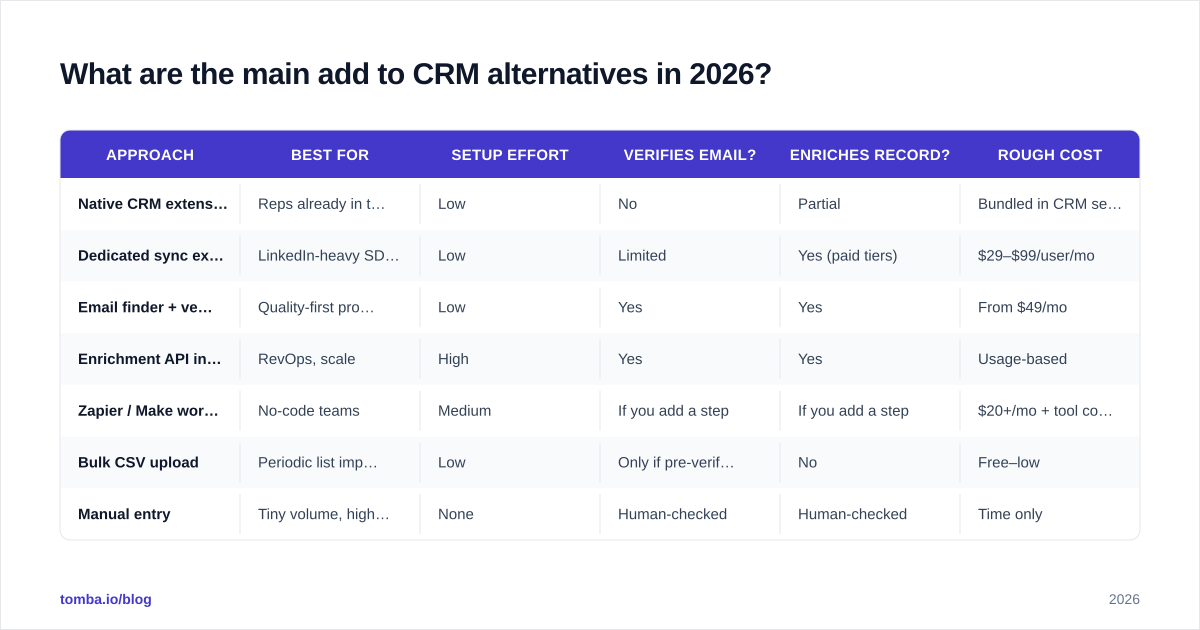
A few notes on reading this table. "Native CRM extension" is the default button most people are trying to replace; it scores low on verification because it trusts the page. "Email finder + verifier" and "Enrichment API" sit at the quality end because they validate the address against live mail servers before anything syncs. The right row for you is a function of volume and how much engineering help you have.
1. Native CRM browser extensions#
HubSpot and Salesforce both ship extensions that add contacts from your inbox or LinkedIn. They're free with your seat and require no setup. The catch: they capture displayed data as-is. Treat them as a starting point, not a data-quality layer.
2. Dedicated sync extensions (Surfe, Leadjet)#
These overlay your CRM directly onto LinkedIn so you can add and update records without leaving the profile. On paid tiers they'll find and sometimes verify an email. They're genuinely good for LinkedIn-first SDRs, though per-seat pricing adds up across a team. If you're evaluating one, it's worth comparing against a standalone Surfe alternative that decouples finding from syncing.
3. Email finder plus verifier#
Instead of trusting a profile card, you find the email by name and domain, verify it's deliverable, and then sync. This is the highest-accuracy path for outbound because it kills bounces at the source. A domain search finds every reachable contact at a company; the verifier confirms each address before it touches your CRM.
4. Enrichment API wired into your stack#
For teams adding hundreds of contacts a day, an API is the answer. A lead hits a webhook, the API verifies and enriches it, and an automation routes the clean record into the CRM with all fields populated. Higher setup cost, but the per-record quality is unbeatable and it scales without adding seats. Tomba's email finder API is built for this pattern.
5. No-code automation (Zapier / Make)#
If you don't want to write code, Zapier or Make can chain a finder, a verifier, and a CRM "create contact" step. You get most of the API benefits with a visual builder. Tomba connects to both, plus a native HubSpot integration and Salesforce integration for direct routing.
6. Bulk CSV upload#
Sometimes you just have a list. Verify and dedupe it offline, then import. Tomba's bulk email finder handles thousands of rows at once, so the file you upload is already clean.
7. Manual entry#
Still valid for very low volume, high-value accounts where a human reads every detail. It doesn't scale, but it never adds garbage either.
How do I choose the right alternative for my team?#
Match the approach to two variables: how many contacts you add per week and how much technical help you have.
- Solo rep, low volume: A dedicated sync extension or a finder-plus-verifier covers you. Don't over-engineer.
- Small team, no engineers: A no-code
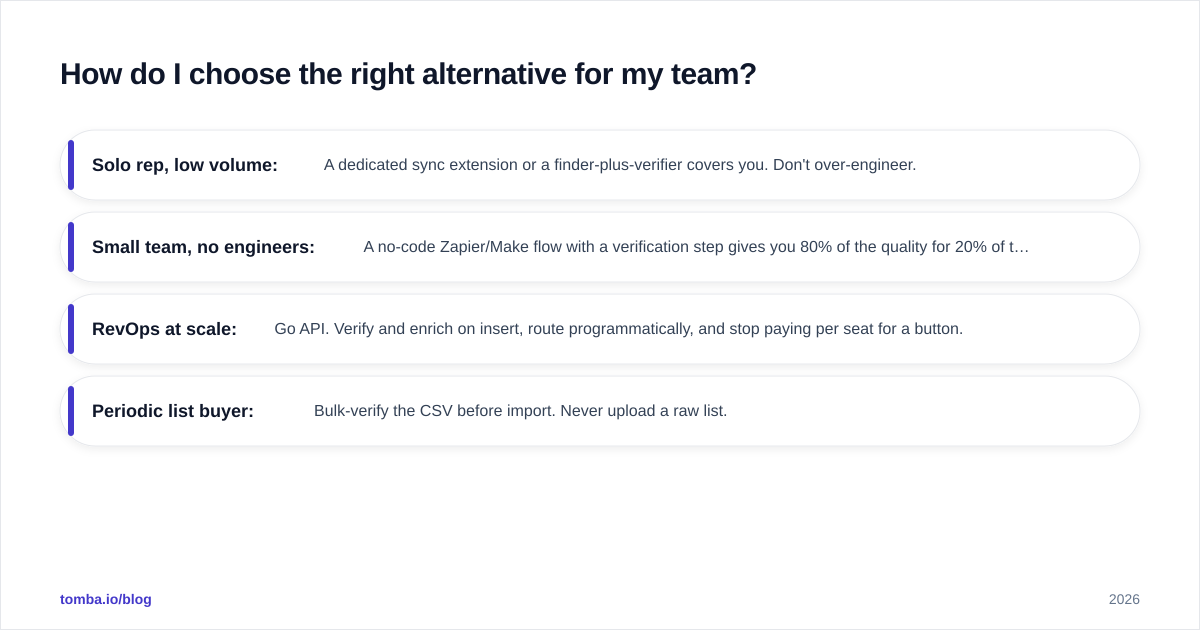
Zapier/Make flow with a verification step gives you 80% of the quality for 20% of the effort.
- RevOps at scale: Go API. Verify and enrich on insert, route programmatically, and stop paying per seat for a button.
- Periodic list buyer: Bulk-verify the CSV before import. Never upload a raw list.
The non-negotiable, regardless of size: a verification step has to live between finding the contact and writing it to the CRM. Skip it and you're back to the bounce-and-duplicate problem the button created.
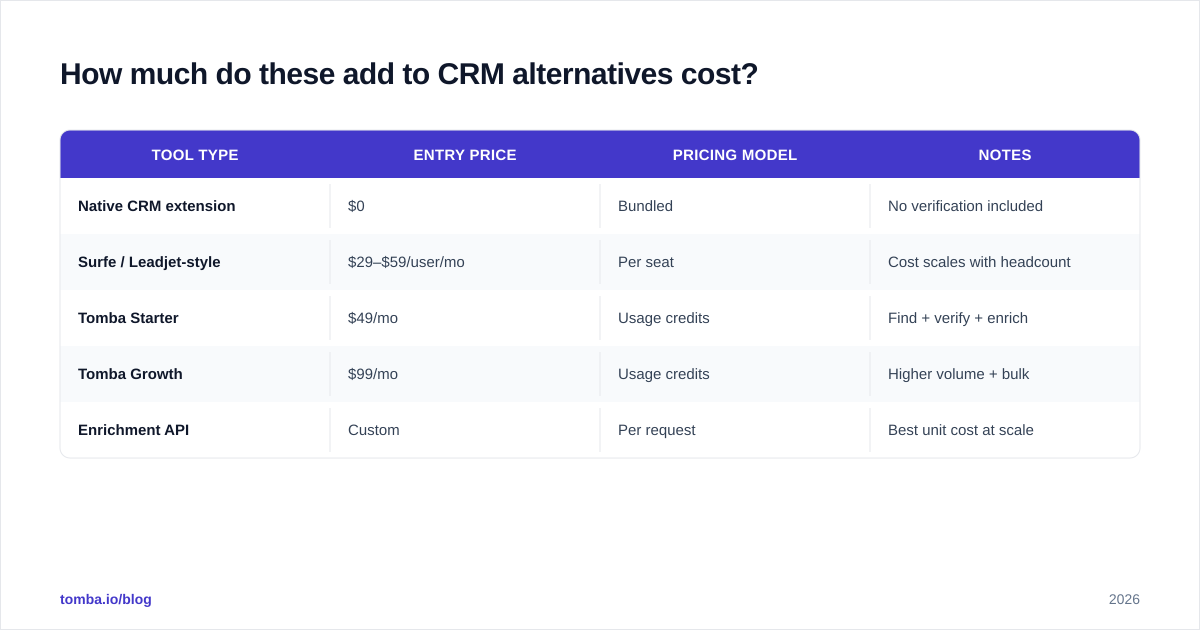
How much do these add to CRM alternatives cost?#
Pricing splits into two models: per-seat (extensions) and usage-based (finders and APIs). Per-seat looks cheap for one rep and expensive across a team of twenty. Usage-based looks scary until you realize you only pay for contacts you actually process.
| Tool type | Entry price | Pricing model | Notes |
|---|---|---|---|
| Native CRM extension | $0 | Bundled | No verification included |
| Surfe / Leadjet-style | $29–$59/user/mo | Per seat | Cost scales with headcount |
| Tomba Starter | $49/mo | Usage credits | Find + verify + enrich |
| Tomba Growth | $99/mo | Usage credits | Higher volume + bulk |
| Enrichment API | Custom | Per request | Best unit cost at scale |
Tomba's published pricing details run a Free tier (25 searches/month), Starter at $49/mo, Growth at $99/mo, Pro at $249/mo, and custom Enterprise. The key difference from a per-seat extension: every plan includes finding, verification, and enrichment in one credit, so you're not paying three vendors to get one clean record. If you want to sanity-check vendor claims independently, G2 carries side-by-side reviews of most tools in this category.
Does an email finder replace the "Add to CRM" button?#
Not exactly — it replaces the risky part of it. The button is a transport mechanism: it moves a record from A to B. An email finder is a quality mechanism: it makes sure the record is correct before it moves.
Think of it like a restaurant's pass. The "Add to CRM" button is the runner who carries the plate to the table. The email finder and verifier are the expediter who checks the plate before it leaves the kitchen. Remove the expediter and the runner still works — but you'll send out the wrong order, fast, at scale.
In practice the two compose cleanly. You keep a one-click action for convenience, but the click triggers a find-verify-enrich pipeline instead of a raw copy. The contact that lands in HubSpot has a confirmed email, a title, a company, and no duplicate twin. That's the whole point of choosing an alternative: same convenience, far better data.
For most teams the highest-leverage move is the simplest one — put verification in front of your sync and stop importing contacts you can't actually reach.
The bottom line#
The "Add to CRM" button isn't the enemy. Unverified, un-enriched, duplicated data is. Every alternative on this list exists to fix that, and they differ mainly in setup effort and scale. Solo reps should grab a finder-plus-verifier; growing teams should wire a no-code flow; RevOps should go API. Whatever tier you're on, keep one rule: nothing enters the CRM until an email is verified and a record is enriched.
If you want that quality layer without stitching three tools together, start with the Tomba Email Finder. It finds professional emails by name, domain, or company, verifies deliverability before anything syncs, and enriches the record so it lands in your CRM ready to score and route — not ready to clean. The Free tier gives you 25 searches a month to test it against your current "Add to CRM" workflow before you commit a dollar.
// get started
Find, verify and enrich your first contacts today
Start on the free plan with 25 searches a month, then scale when your team is ready.
Free plan · No credit card required · GDPR & CCPA
// about the author