AI Agent for Email Outreach: A 2026 Guide for Sales Teams
An AI agent for email outreach can research prospects, draft personalized emails, and follow up on its own. Here's how the tech actually works, where it breaks, and how to deploy it without torching your domain in 2026.
TL;DR
- An AI agent for email outreach is not a fancier mail-merge. It's software that can decide what to do next — research a lead, pick an angle, write the email, send it, read the reply, and follow up — with limited human input.
- The real unlock is the research-to-draft loop, not the writing. An agent that personalizes from stale or wrong contact data just sends polished spam faster.
- Deliverability is the failure point. Volume without warmup, list hygiene, and verified addresses gets you blacklisted, not booked.
- Buy on three axes: data quality, autonomy level, and guardrails. Most "AI agents" on the market are really workflow automations with a generation step bolted on.
- Pair an agent with clean, verified contact data — that's where tools like Tomba's email finder and email verifier do the unglamorous work that makes the agent look smart.
What is an AI agent for email outreach?#
An AI agent for email outreach is software that can run a multi-step outreach task end to end with minimal supervision: it gathers context on a prospect, decides on a message, writes it, sends it, monitors for a reply, and chooses the next action.
Think of the difference between a vending machine and a personal assistant. A mail-merge tool is the vending machine — you put in a CSV and a template, it spits out identical emails with the name swapped. An agent is the assistant: you say "book me meetings with RevOps leaders at Series B SaaS companies," and it figures out the steps, adapts when something changes, and comes back with results.
Technically, an agent wraps a large language model in a loop with three things the raw model lacks: memory (what it already knows about this prospect and thread), tools (CRM access, an email-finder API, a calendar, a send function), and a goal with stopping conditions. The model reasons about the goal, calls a tool, reads the result, and reasons again. That loop — observe, decide, act, repeat — is what makes it an "agent" rather than a text generator.
The important nuance for 2026: most products marketed as "AI agents" sit on a spectrum. On one end is a templated sequence with an AI rewrite button. On the other is a genuinely autonomous system that sets its own follow-up timing and branches based on replies. Knowing where a tool falls on that spectrum is the whole buying decision.
How does an AI outreach agent actually work?#
It runs a pipeline. Each stage either succeeds, fails quietly, or makes something up — so understanding the stages tells you where to put your guardrails.
- Trigger / list intake. A new lead enters from a form, a CRM segment, a website-visitor reveal, or a scraped list.
- Enrichment and contact discovery. The agent looks up the person's role, company, recent signals, and — critically — a deliverable email address. This is where a verification step belongs, because everything downstream is wasted if the address bounces.
- Angle selection. The agent picks a reason to reach out: a funding round, a job change, a tech-stack signal, a piece of content the prospect published.
- Drafting. The model writes the email conditioned on the angle and the prospect's context. Good agents constrain this with your voice, your offer, and hard rules (length, no false claims).
- Send + scheduling. The agent spaces sends, rotates inboxes, and respects warmup limits.
- Reply handling. It classifies the response — interested, not now, objection, out-of-office, wrong person — and either drafts a reply, books a meeting, or routes to a human.
- Follow-up. If there's no reply, it decides whether and when to nudge, and how many times before it stops.
Notice that stages 2 and 5 are not AI problems — they're data and deliverability problems. An agent with a brilliant writer and a garbage contact list will outperform a manual rep on speed and underperform on results. The accuracy of your underlying data sets the ceiling. You can wire a real source like the Tomba API into the enrichment step so the agent works from verified addresses instead of guesses.
Is an AI agent better than a templated sequence?#
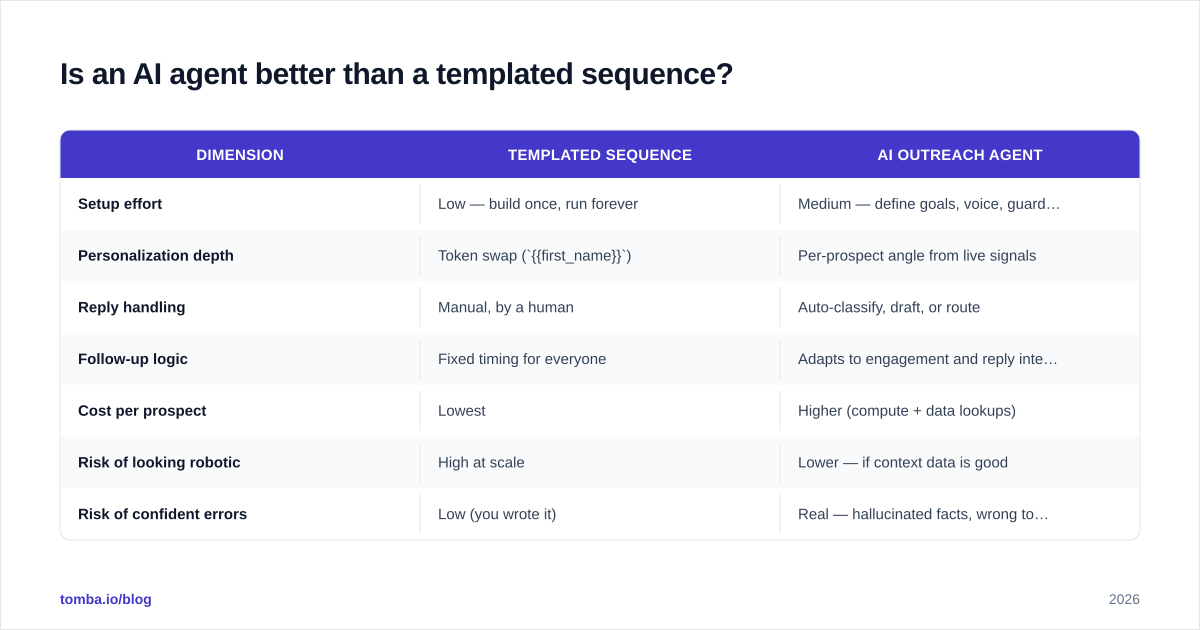
For most teams, yes on personalization and reply handling — but only if your data and deliverability are already in order. Here's the honest comparison.
| Dimension | Templated sequence | AI outreach agent |
|---|---|---|
| Setup effort | Low — build once, run forever | Medium — define goals, voice, guardrails |
| Personalization depth | Token swap ({{first_name}}) |
Per-prospect angle from live signals |
| Reply handling | Manual, by a human | Auto-classify, draft, or route |
| Follow-up logic | Fixed timing for everyone | Adapts to engagement and reply intent |
| Cost per prospect | Lowest | Higher (compute + data lookups) |
| Risk of looking robotic | High at scale | Lower — if context data is good |
| Risk of confident errors | Low (you wrote it) | Real — hallucinated facts, wrong tone |
| Best for | High-volume, simple offers | Complex, multi-persona, high-ACV deals |
The agent wins when personalization actually moves your reply rate — complex products, senior buyers, niche segments. The template wins when the offer is simple and volume is the lever. Many teams run both: an agent for top-tier accounts and a sequence for the long tail.
One caution that vendor demos skip: agents fail confidently. A template that's wrong is wrong the same way every time, and you'll catch it. An agent can invent a "congrats on your Series C" for a company that never raised, and it'll do it in flawless prose. Your guardrails and a human-in-the-loop review on high-value accounts are not optional.
What should you look for when buying one?#
Score tools on three axes — data, autonomy, and guardrails — and weight them for your situation.
Data quality. Where does contact data come from, how fresh is it, and is there a verification step? Ask for a bounce-rate guarantee or a real-world accuracy number, not a marketing claim. An agent is only as good as the addresses it sends to. If the tool doesn't verify, plan to add a bulk email finder and verification layer yourself.
Autonomy level. Does it draft and wait for approval, or send on its own? Can it handle replies, or just outbound? More autonomy means more leverage and more risk. Match it to how much you trust the tool and how high-stakes your accounts are.
Guardrails. Can you set hard rules — banned phrases, max sends per day, mandatory human review above a deal size, claims it's allowed to make? Can you see why it wrote what it wrote? Auditability matters when something goes wrong, and something will.
A useful gut check: ask the vendor what the agent does when it has no good reason to email someone. A mature product says "it skips them or flags low confidence." An immature one personalizes anyway, because its only job is to fill a quota — and that's how you get clever-sounding spam.
For a broader market view, cross-reference categories and reviews on G2 and Gartner's sales-tech research before you commit budget. Treat any single vendor's benchmark — including ours — as a starting point to verify, not gospel.
How do you keep an AI agent from killing your deliverability?#
Slow down, verify everything, and warm up — autonomy makes it easy to scale a mistake into a blacklist overnight.
An agent can send a thousand emails before you've had coffee. If those land in spam, you haven't saved time; you've damaged your domain reputation at machine speed. The controls that matter:
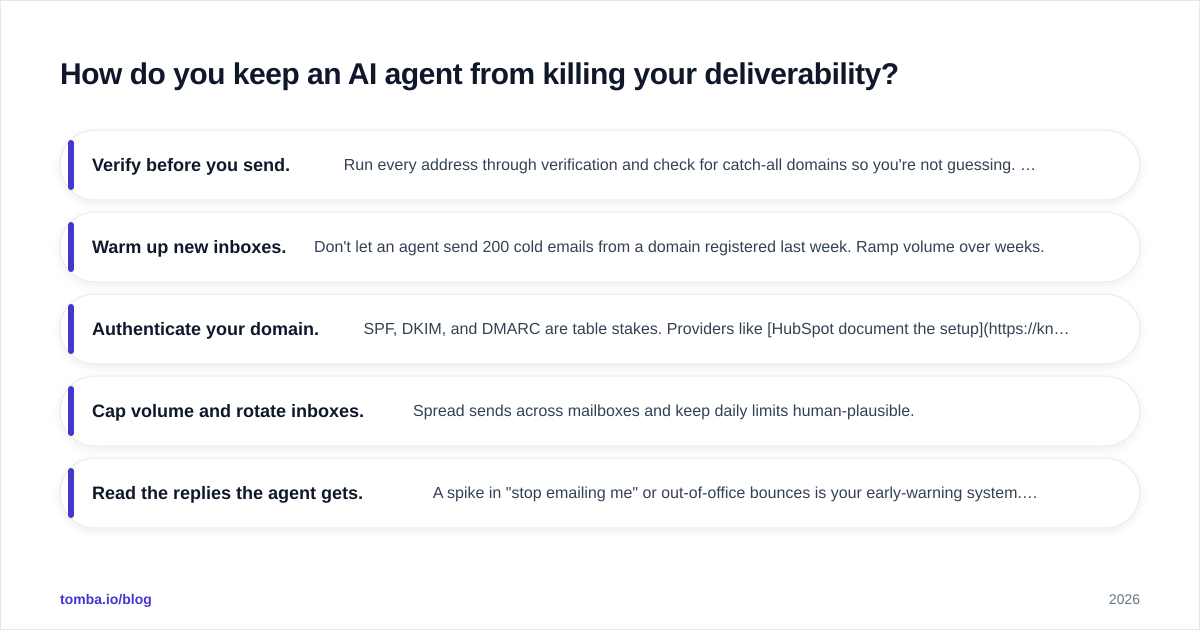
- Verify before you send. Run every address through verification and check for catch-all domains so you're not guessing. A 2% bounce rate is a soft cap before mailbox providers start punishing you; agents blow past it fast on unverified lists. Use an email verifier in the pipeline, not as an afterthought.
- Warm up new inboxes. Don't let an agent send 200 cold emails from a domain registered last week. Ramp volume over weeks.
- Authenticate your domain. SPF, DKIM, and DMARC are table stakes. Providers like HubSpot document the setup clearly, and skipping it caps your inbox placement no matter how good the copy is.
- Cap volume and rotate inboxes. Spread sends across mailboxes and keep daily limits human-plausible.
- Read the replies the agent gets. A spike in "stop emailing me" or out-of-office bounces is your early-warning system. A good agent surfaces these; you still need to watch them.
The pattern to internalize: an outreach agent multiplies whatever you feed it. Feed it clean, verified, well-authenticated infrastructure and it multiplies results. Feed it a scraped list and a cold domain and it multiplies damage.
What does an AI outreach agent cost in 2026?#
Pricing usually stacks three layers, and the data layer is the one buyers forget to budget for.
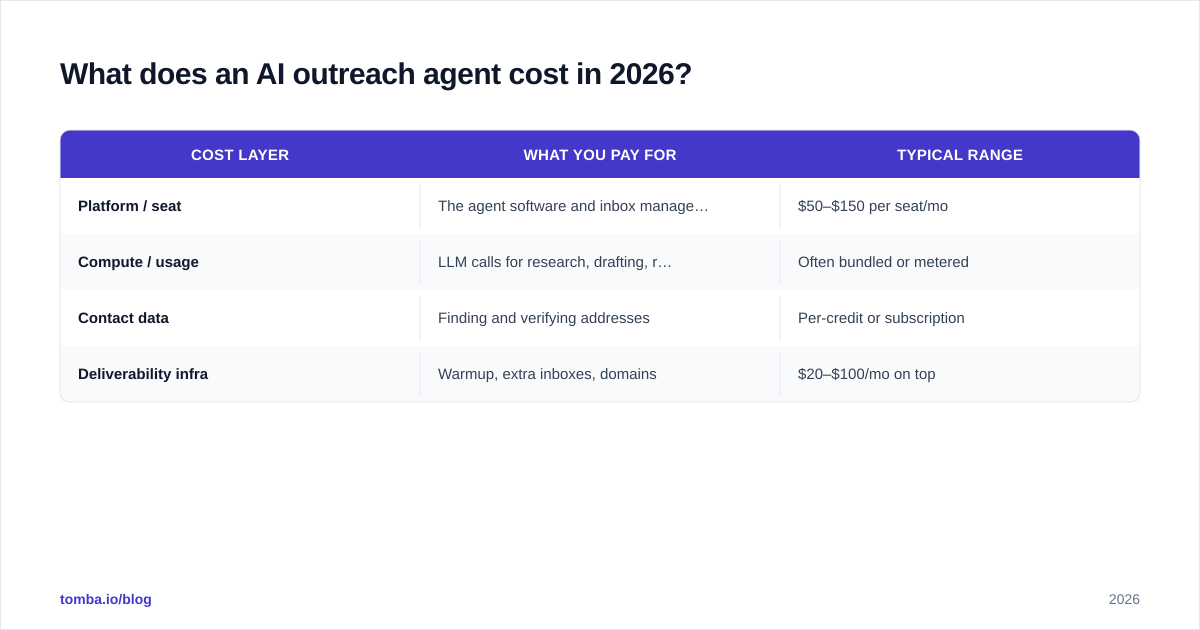
| Cost layer | What you pay for | Typical range |
|---|---|---|
| Platform / seat | The agent software and inbox management | $50–$150 per seat/mo |
| Compute / usage | LLM calls for research, drafting, replies | Often bundled or metered |
| Contact data | Finding and verifying addresses | Per-credit or subscription |
| Deliverability infra | Warmup, extra inboxes, domains | $20–$100/mo on top |
The mistake is buying the shiny agent and starving the data layer. You can run a capable, verified-data foundation affordably — Tomba's plans start with a free tier (25 searches/month), then Starter at $49/mo, Growth at $99/mo, and Pro at $249/mo; full Tomba pricing is public. Pairing a mid-tier data plan with your agent typically costs less than the false economy of cheap, unverified lists that bounce and burn your domain.
A rough rule: if a vendor's all-in price seems suspiciously low, the contact data is either thin, stale, or unverified — and you'll pay the difference in bounce rates and lost reputation.
When should you NOT use an outreach agent?#
Skip it — or keep a human firmly in the loop — when the cost of one bad email is high. Specifically:
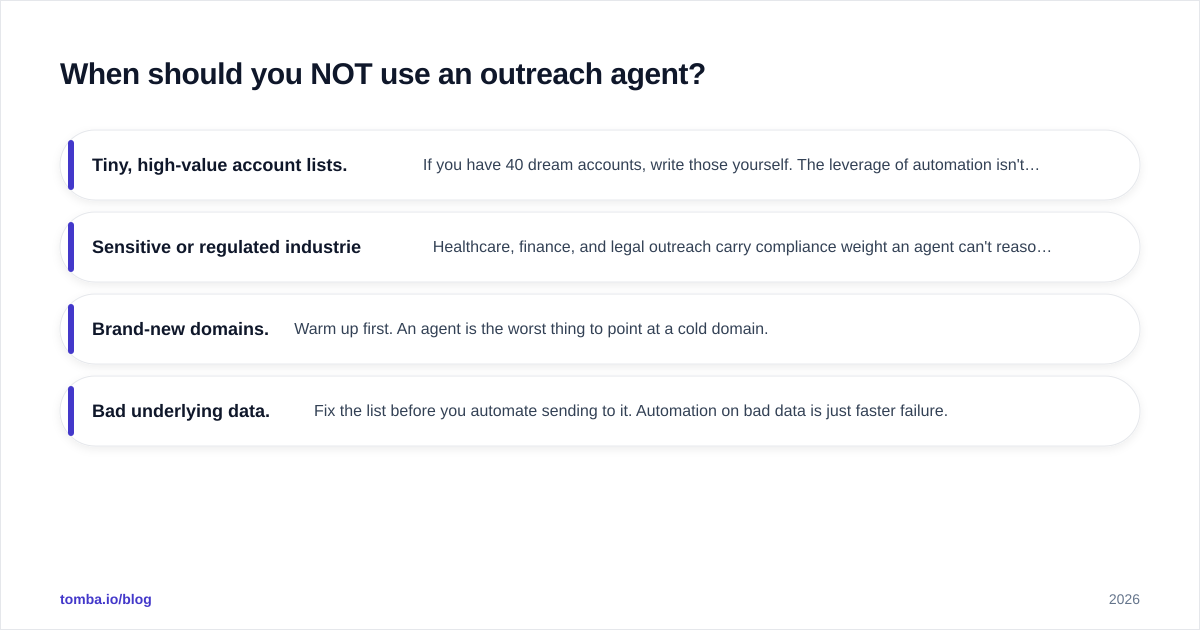
- Tiny, high-value account lists. If you have 40 dream accounts, write those yourself. The leverage of automation isn't worth the risk of a robotic misfire to a CEO.
- Sensitive or regulated industries. Healthcare, finance, and legal outreach carry compliance weight an agent can't reason about reliably.
- Brand-new domains. Warm up first. An agent is the worst thing to point at a cold domain.
- Bad underlying data. Fix the list before you automate sending to it. Automation on bad data is just faster failure.
The honest framing: an AI agent for email outreach is a force multiplier, not a strategy. It makes a good motion bigger and a bad motion worse. Get the fundamentals — targeting, offer, data, deliverability — right manually first, then automate the part that's working.
The bottom line#
An AI agent for email outreach earns its keep when it's built on three things: verified contact data, sane deliverability infrastructure, and guardrails that keep its autonomy pointed at the right people. The drafting is the easy part. The data and the discipline are what separate a booked calendar from a blacklisted domain.
Whatever agent you choose, give it a reliable source of real, deliverable addresses. Start with the Tomba Email Finder to find and verify professional emails by name, domain, or company — then wire it into your agent's enrichment step via the Tomba API so every email your agent sends actually reaches a human. Clean data in, real replies out. That's the whole game.
// get started
Find, verify and enrich your first contacts today
Start on the free plan with 25 searches a month, then scale when your team is ready.
Free plan · No credit card required · GDPR & CCPA
// about the author