Best Email Tracking for Gmail in 2026: Top Tools Compared
Which Gmail email tracking tool actually tells you when prospects open and click? A neutral 2026 comparison of features, pricing, accuracy, and privacy.
Email tracking for Gmail sounds simple: you want to know when someone opens your message or clicks a link. In practice, the tools that bolt this onto Gmail vary wildly on accuracy, privacy, pricing, and how much sales workflow they wrap around the basic open pixel. This guide compares the best email tracking for Gmail in 2026 so you can pick the right fit instead of installing the first extension you find.
TL;DR#
- Best all-around for sales teams: HubSpot Sales (free tier with tracking, deep CRM tie-in).
- Best free/lightweight: Mailtrack and Streak for individuals who only need open notifications.
- Best for sequences + tracking together: Mixmax and Yesware.
- Tracking is only half the job — open and click data is worthless if your emails reach the wrong person or land in spam. Pair tracking with accurate contact data and verification.
- Privacy matters in 2026: Apple Mail Privacy Protection and stricter inbox rules inflate open rates, so treat opens as a soft signal and clicks/replies as the real ones.
What is email tracking for Gmail?#
Email tracking for Gmail is a feature, usually delivered through a browser extension or add-on, that tells you when a recipient opens your email or clicks a link inside it. Think of it like a read receipt that the recipient never has to approve — the tool quietly reports activity back to you.
Under the hood, most tools work the same way: they embed a tiny, invisible 1x1 pixel image in your email. When the recipient's mail client loads that image, the tracking server records an "open" with a timestamp, and often the device and rough location. Link clicks are tracked by routing each link through a redirect URL that logs the click before forwarding the recipient to the real destination.
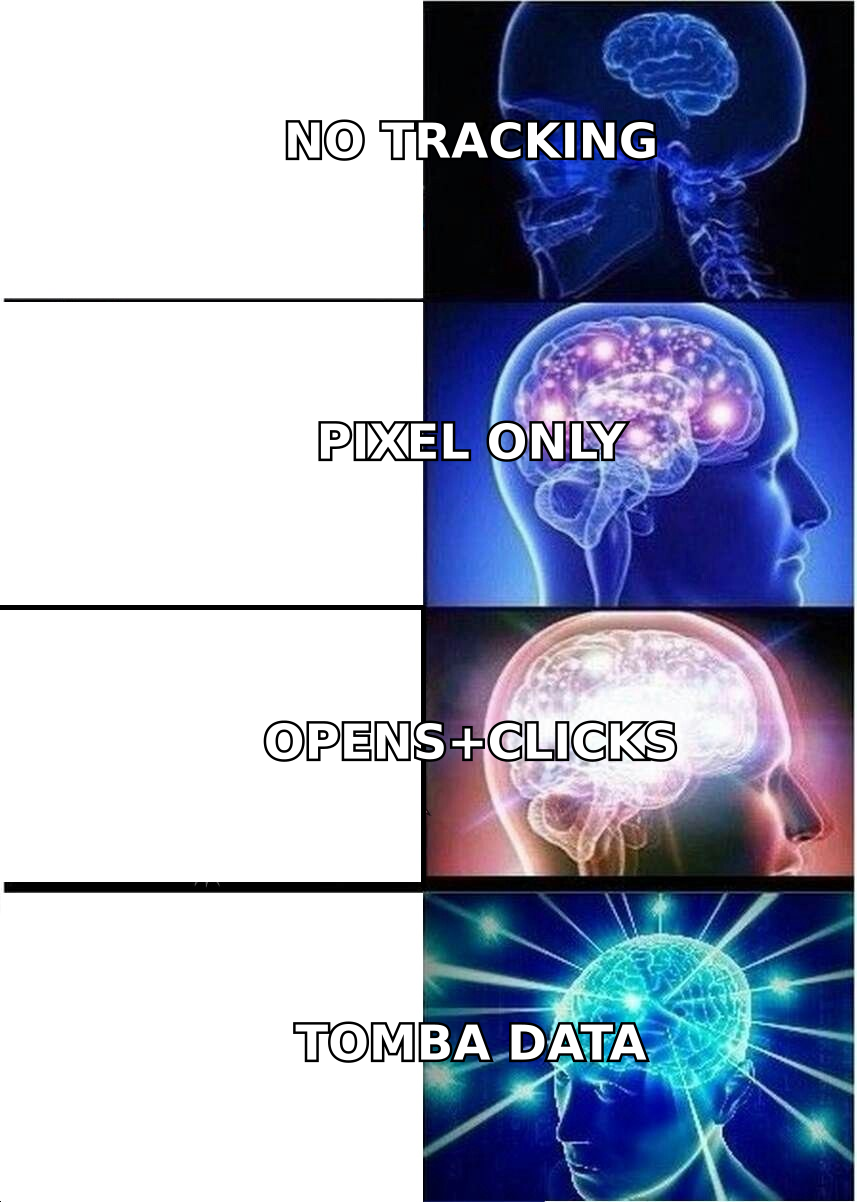
That mechanism explains both the appeal and the limits. It is easy to add to Gmail, but it depends entirely on images loading — and a growing share of inboxes block or pre-fetch images, which is why raw open rates have become noisy.
The core tiers of Gmail tracking tools#
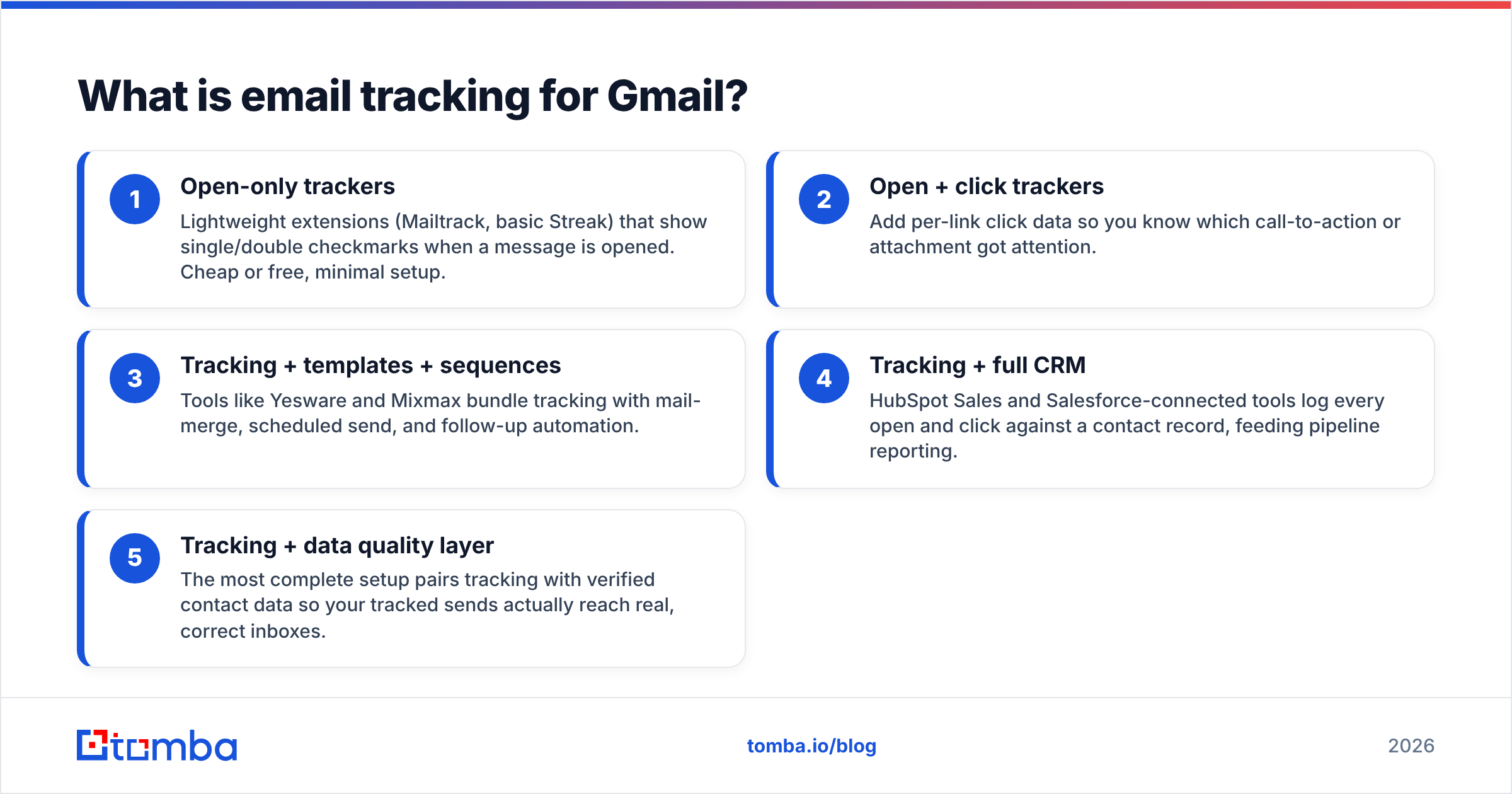
Not every tool does the same thing. They fall into a few clear tiers, and knowing which you need keeps you from overpaying:
- Open-only trackers — Lightweight extensions (Mailtrack, basic Streak) that show single/double checkmarks when a message is opened. Cheap or free, minimal setup.
- Open + click trackers — Add per-link click data so you know which call-to-action or attachment got attention.
- Tracking + templates + sequences — Tools like Yesware and Mixmax bundle tracking with mail-merge, scheduled send, and follow-up automation.
- Tracking + full CRM — HubSpot Sales and Salesforce-connected tools log every open and click against a contact record, feeding pipeline reporting.
- Tracking + data quality layer — The most complete setup pairs tracking with verified contact data so your tracked sends actually reach real, correct inboxes.
Most buyers overestimate which tier they need. A solo founder rarely needs CRM-grade attribution; a 20-rep team usually does.
Why does Gmail not track emails natively?#
Gmail does not include built-in open or click tracking because it is designed as an email client for recipients, not a sales reporting tool, and because tracking raises privacy concerns Google would rather not own by default. Workspace admins can see delivery logs, but individual users get no "they opened it" signal out of the box.
That gap is exactly why a whole category of extensions exists. They graft tracking onto Gmail's interface through the Gmail API or a content script, adding notification toasts, a tracked-message column, or a sidebar timeline.
It also means tracking quality depends on the third party, not Google. If the extension's pixel server is slow, blocked, or flagged, your data suffers — and aggressive tracking can hurt your own email deliverability if recipients' filters associate your sends with spammy redirect domains.
What are the best email tracking tools for Gmail in 2026?#
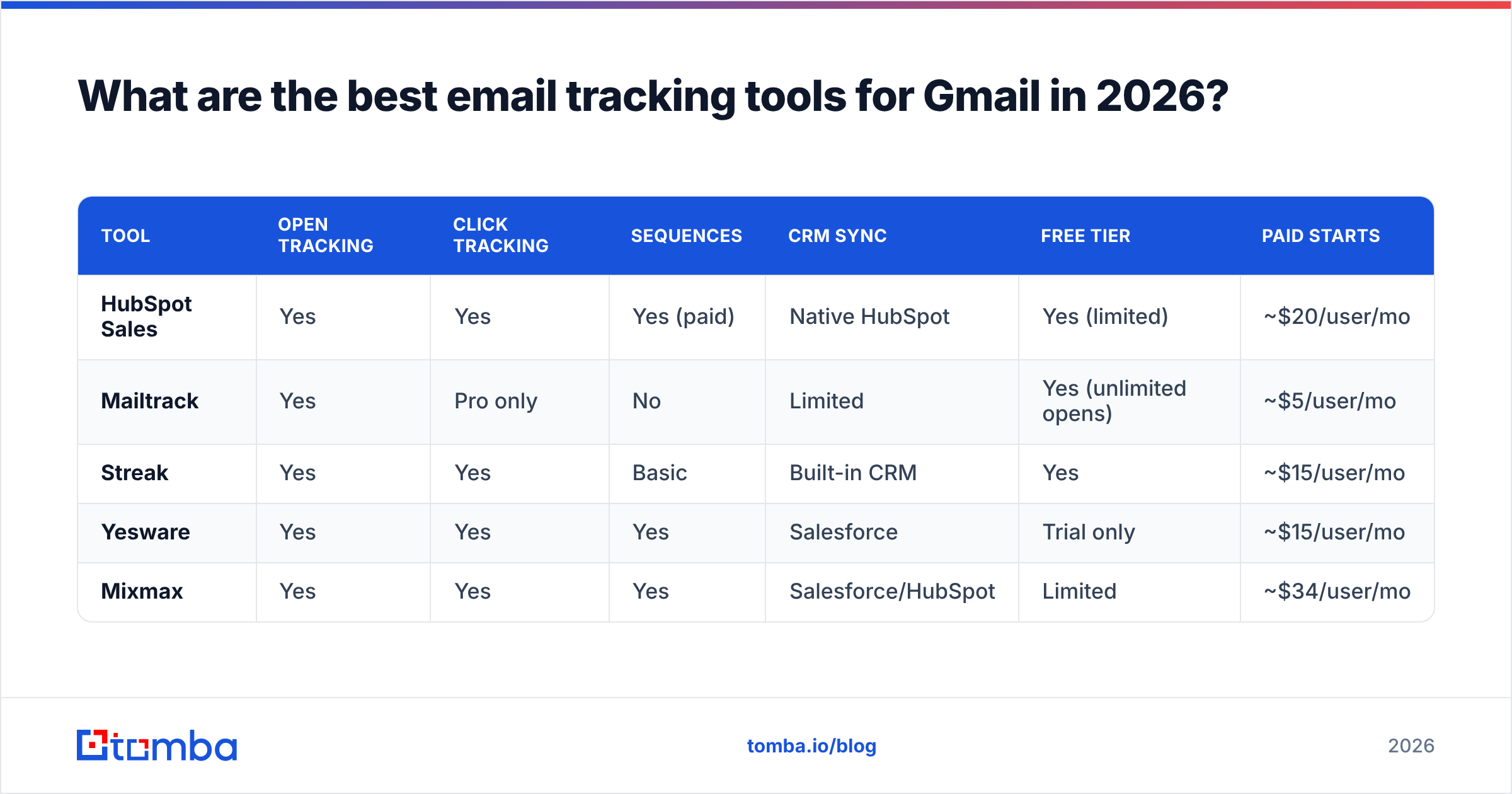
Here is a direct comparison of the most widely used Gmail tracking tools, focused on the attributes that actually change your buying decision.
| Tool | Open tracking | Click tracking | Sequences | CRM sync | Free tier | Paid starts |
|---|---|---|---|---|---|---|
| HubSpot Sales | Yes | Yes | Yes (paid) | Native HubSpot | Yes (limited) | ~$20/user/mo |
| Mailtrack | Yes | Pro only | No | Limited | Yes (unlimited opens) | ~$5/user/mo |
| Streak | Yes | Yes | Basic | Built-in CRM | Yes | ~$15/user/mo |
| Yesware | Yes | Yes | Yes | Salesforce | Trial only | ~$15/user/mo |
| Mixmax | Yes | Yes | Yes | Salesforce/HubSpot | Limited | ~$34/user/mo |
A few takeaways from the table:
- If you already use HubSpot, its Sales extension is the obvious pick — tracking is free and the data lands where your pipeline lives. See HubSpot's sales tools for the current feature split.
- If you only want "did they open it" notifications, Mailtrack's free unlimited open tracking is hard to beat for individuals.
- If you run structured outbound, Yesware or Mixmax give you tracking plus the sequencing you would otherwise buy separately.
- Streak is unique in being a CRM inside Gmail, so tracking and deal stages live in the same tab.
Check current ratings on G2 before committing — these tools iterate fast and pricing shifts.
How accurate is Gmail email tracking?#
Email tracking accuracy in Gmail has dropped meaningfully because of image-blocking and privacy features, so open rates now overstate real engagement while click and reply data stay reliable. Treat opens as a directional signal, not a fact.
Two things distort open tracking specifically:
- Apple Mail Privacy Protection (MPP): When recipients use Apple Mail with MPP on, Apple pre-loads images — including your tracking pixel — from its own proxy, registering an "open" whether or not a human looked at the message. This inflates open counts and randomizes location data.
- Image pre-fetching and caching: Gmail itself caches images through Google's proxy, and corporate security scanners often "open" links and images automatically, generating phantom opens and clicks.
The practical fix is to weight your signals. A click on a specific link, and especially a reply, tells you far more than an open. If you are optimizing your outreach against tracking data, anchor on response rate rather than open rate.

There is also a deliverability cost to over-tracking. Redirect-based click tracking can trip spam filters, and pixels from low-reputation tracking domains can pull you into the promotions tab or spam. Google's own Postmaster Tools is worth monitoring to see how your sender reputation responds once you turn tracking on at volume.
Is email tracking enough on its own?#
No — email tracking only measures what happens after delivery, so it is useless if your message never reaches a real, correct inbox. This is the gap most "best Gmail tracker" roundups ignore.
Tracking answers "did they engage?" It does not answer "is this even the right email address, and will it land?" If 20% of your list bounces or routes to a catch-all domain, your tracking dashboard will show a misleadingly low open rate that has nothing to do with your copy and everything to do with bad data.
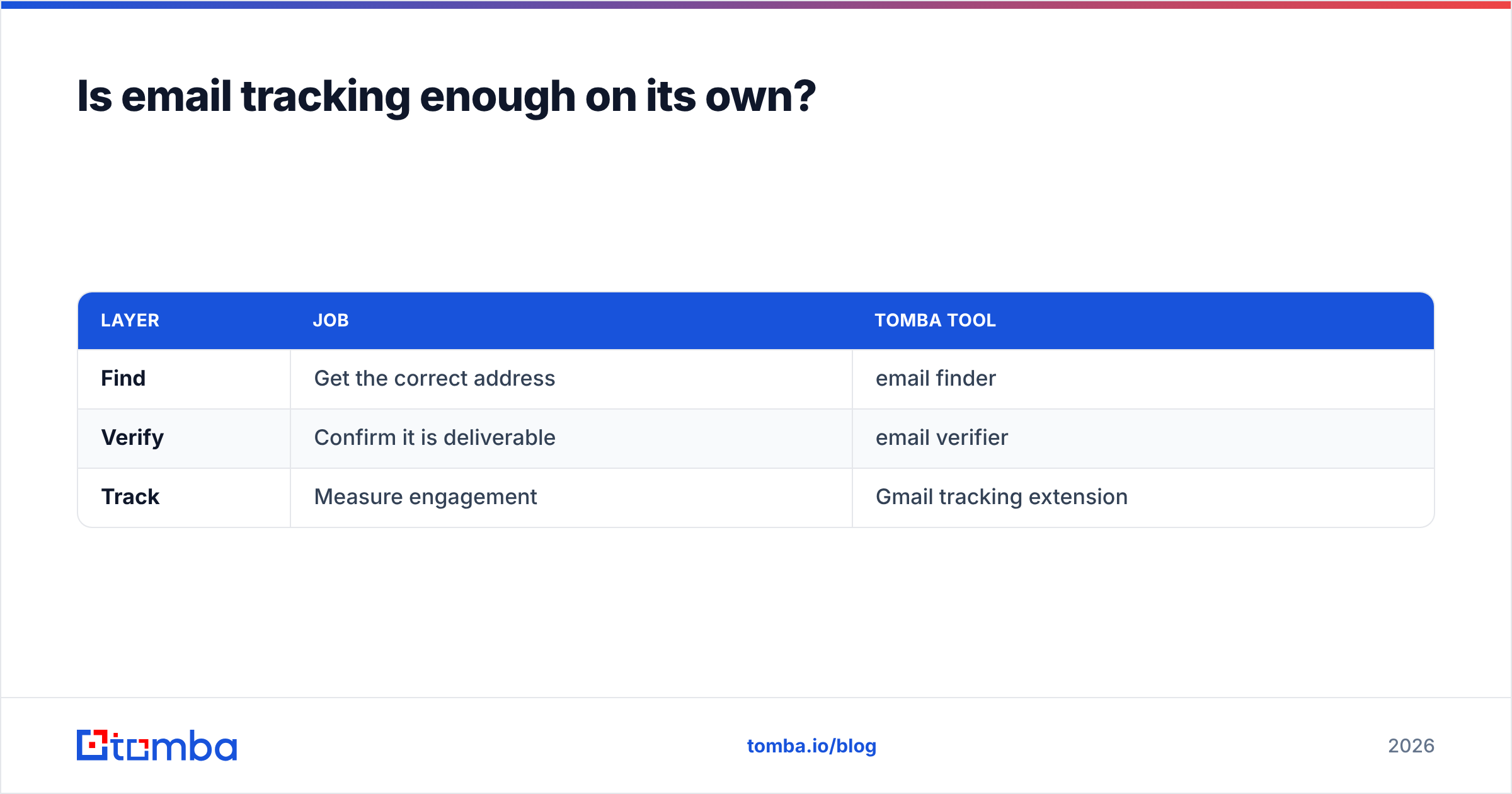
That is why a complete Gmail outreach stack has three layers, not one:
| Layer | Job | Tomba tool |
|---|---|---|
| Find | Get the correct address | email finder |
| Verify | Confirm it is deliverable | email verifier |
| Track | Measure engagement | Gmail tracking extension |
Get the first two wrong and the third lies to you. You can connect verified data straight into your workflow — for example, through Tomba's HubSpot integration — so the contacts you track are clean before the first send.
A simple workflow that uses tracking well#
- Build the list with a reliable email finder so addresses are sourced, not guessed.
- Verify every address to strip invalids and reduce bounces before they hurt your sender reputation.
- Send from Gmail with your tracking extension enabled.
- Ignore inflated opens, watch clicks and replies, and tag contacts who engage.
- Follow up based on behavior, not on a single phantom open.
This sequence keeps tracking data honest because you have removed the biggest source of noise — bad contacts — before you ever measure engagement.
How much should you pay for Gmail email tracking?#
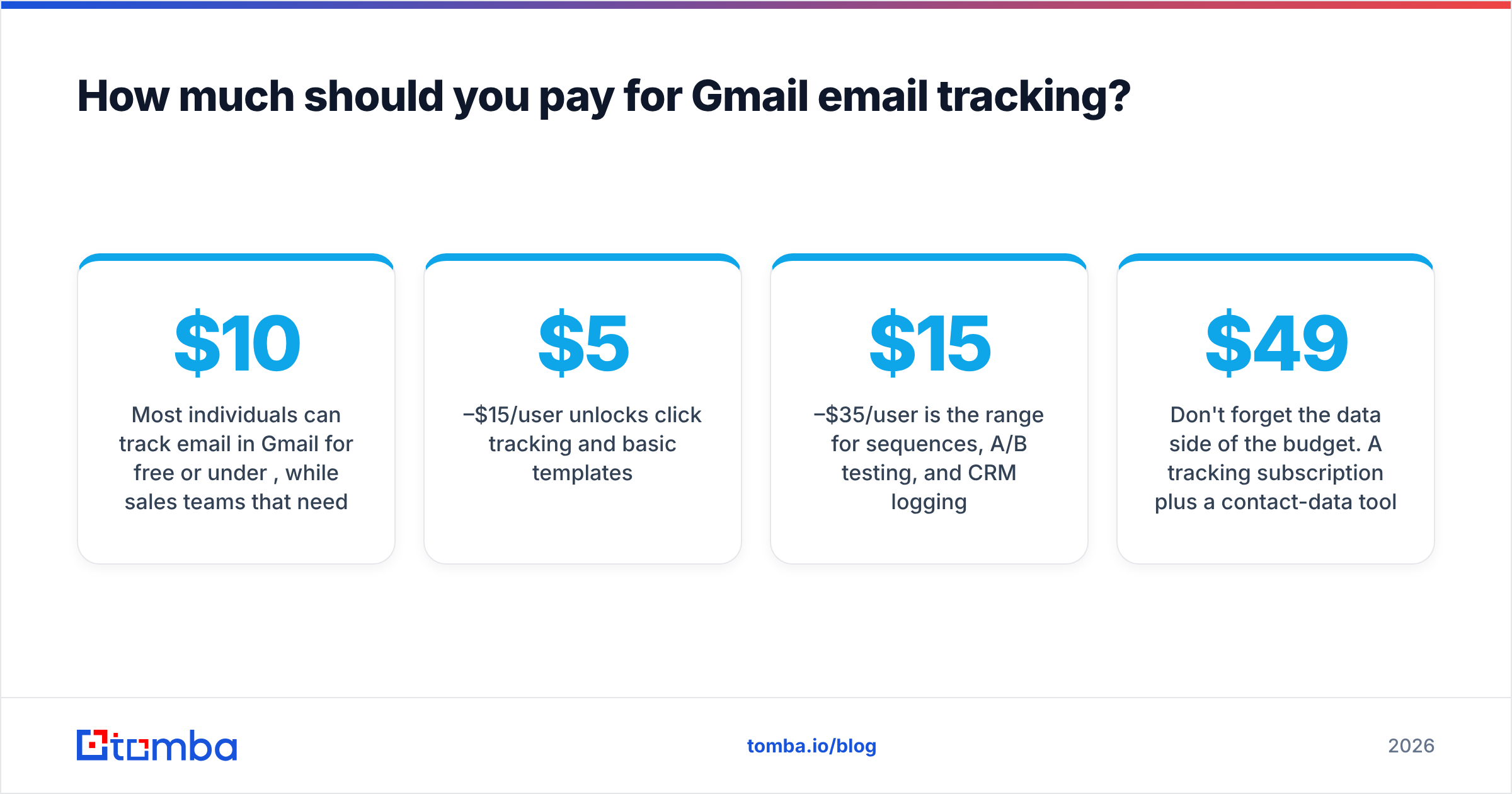
Most individuals can track email in Gmail for free or under $10 per month, while sales teams that need sequences and CRM attribution typically pay $15–$35 per user per month. Match spend to the tier you actually need from the earlier list.
- Free is fine if you only need open notifications (Mailtrack, Streak free, HubSpot free).
- $5–$15/user/mo unlocks click tracking and basic templates.
- $15–$35/user/mo is the range for sequences, A/B testing, and CRM logging.
Don't forget the data side of the budget. A tracking subscription plus a contact-data tool is the realistic total cost of a working Gmail outreach stack. Tomba's plans run from a free tier (25 searches/month) through Starter at $49/month, Growth at $99/month, and Pro at $249/month — see full Tomba pricing for credit allowances. Budget for find-and-verify alongside your tracker, not instead of it.
Which email tracking tool for Gmail should you choose?#
Pick by team size and goal:
- Solo / freelancer who wants read receipts: Mailtrack (free) or Streak.
- Founder doing light outbound: HubSpot Sales free tier.
- SDR/BDR running sequences: Yesware or Mixmax.
- Team that lives in a CRM: HubSpot Sales or a Salesforce-connected tool.
Whatever tracker you choose, remember the order of operations: accurate data first, tracking second. A beautiful open-rate chart built on guessed addresses is just a prettier way to fail.
Get the data your tracking depends on#
Email tracking tells you what happens after the send — but only if the send reaches a real person. Start by building a clean, verified list with the Tomba Email Finder: find professional email addresses by domain, name, or company, verify them in the same workflow, and push them into Gmail or your CRM before you track a single open. Track all you want, but track the right inboxes. Try Tomba's free tier and give your Gmail tracking something accurate to measure.
// get started
Find, verify and enrich your first contacts today
Start on the free plan with 25 searches a month, then scale when your team is ready.
Free plan · No credit card required · GDPR & CCPA
// about the author