Boolean Search Generator: Build Better Sourcing Strings 2026
A boolean search generator turns messy keyword lists into precise AND/OR/NOT strings for LinkedIn and Google. Here's how to build, test, and scale them in 2026.
TL;DR
- A boolean search generator builds structured
AND/OR/NOTqueries so you find the right people on LinkedIn, Google, and ATS databases without scrolling through noise. - The skill isn't memorizing operators — it's modeling how your targets actually describe themselves, then accounting for synonyms, seniority, and exclusions.
- Free generators are fine for one-off strings; paid sourcing platforms add saved templates, X-ray search, and result counts.
- Boolean gets you the list. You still need contact data — pair your queries with an email finder to turn names into reachable inboxes.
- Below: copy-paste query templates, a tool comparison table, and the mistakes that quietly tank your match rate.
What is a boolean search generator?#
A boolean search generator is a tool that assembles search operators — AND, OR, NOT, quotation marks, and parentheses — into a single query string you paste into LinkedIn, Google, or a recruiting database. Think of it like a recipe builder: you list the ingredients (job titles, skills, locations, companies) and it returns the exact syntax the search engine understands.
Boolean logic itself comes from 19th-century mathematician George Boole, and search engines have used it for decades (here's the Wikipedia primer on boolean algebra if you want the history). The practical value for sales and recruiting is precision. Instead of typing marketing manager and wading through 40,000 loose matches, you write:
("marketing manager" OR "demand gen manager") AND (SaaS OR "B2B software") NOT internThat single line tells the engine: find people who hold one of two titles, work in one of two industries, and are not interns. You went from a vague pile to a targeted shortlist.
A good generator removes the friction of remembering whether LinkedIn wants OR capitalized (it does), how many OR clauses it tolerates before truncating, or where parentheses go. You describe intent; the tool handles syntax.
How does boolean search actually work?#
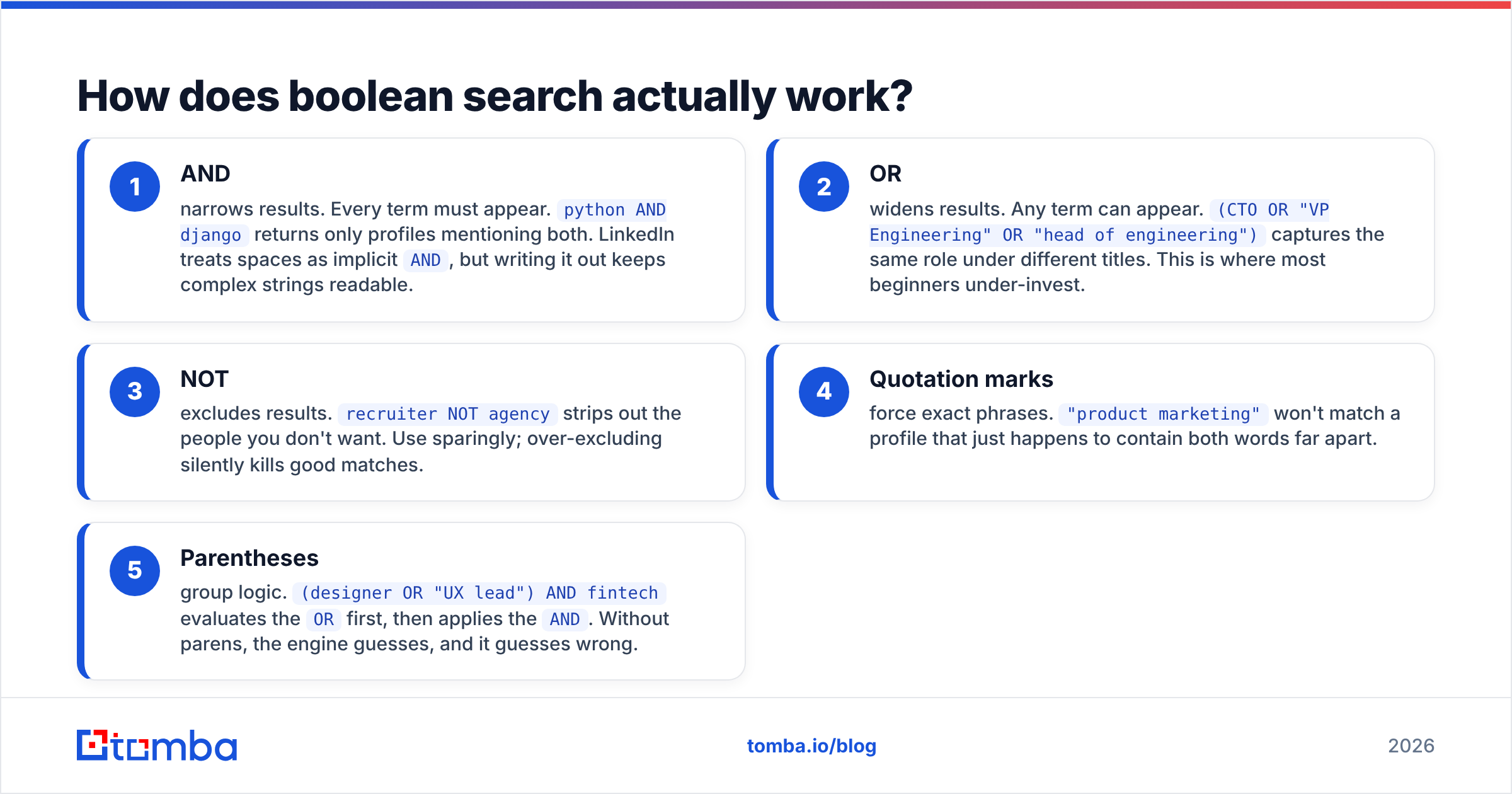
Three operators do almost all the work. Master these and you cover 90% of real sourcing.
- AND — narrows results. Every term must appear.
python AND djangoreturns only profiles mentioning both. LinkedIn treats spaces as implicitAND, but writing it out keeps complex strings readable. - OR — widens results. Any term can appear.
(CTO OR "VP Engineering" OR "head of engineering")captures the same role under different titles. This is where most beginners under-invest. - NOT — excludes results.
recruiter NOT agencystrips out the people you don't want. Use sparingly; over-excluding silently kills good matches. - Quotation marks — force exact phrases.
"product marketing"won't match a profile that just happens to contain both words far apart. - Parentheses — group logic.
(designer OR "UX lead") AND fintechevaluates theORfirst, then applies theAND. Without parens, the engine guesses, and it guesses wrong.
The core skill is synonym modeling. The same job is described five different ways across companies. A "Customer Success Manager" at one startup is an "Account Manager," "CX Lead," or "Client Partner" elsewhere. Your OR blocks have to anticipate that vocabulary spread, or you miss half your market.
Here's a layered template you can adapt:
("account executive" OR "AE" OR "sales executive" OR "enterprise sales")
AND ("cyber security" OR cybersecurity OR infosec)
AND (London OR "Greater London")
NOT (recruiter OR hiring OR coach)
Want to learn the underlying database mechanics? Tomba's B2B glossary breaks down search and enrichment terms in plain language.
What's the difference between LinkedIn and Google X-ray search?#
Both use boolean, but the surface differs, and that changes how you write the string.
LinkedIn search runs inside the platform. You get structured filters (location, current company, industry) plus a keyword box that accepts boolean. The catch: LinkedIn caps OR clauses, hides results behind commercial-use limits, and the free tier throttles you fast.
Google X-ray search queries LinkedIn (or any site) from the outside using the site: operator. Example:
site:linkedin.com/in ("growth marketer" OR "growth lead") AND "Series B" -internNote Google uses a minus sign (-) for exclusion, not the word NOT — a classic gotcha. X-ray sidesteps LinkedIn's in-app limits and surfaces public profiles, but you lose the structured filters and get noisier results. Google's own advanced search operators reference is worth bookmarking.
Most experienced sourcers use both: LinkedIn for filtered precision, X-ray for breadth and to dodge view limits.
Free vs paid boolean search generators: which should you use?#
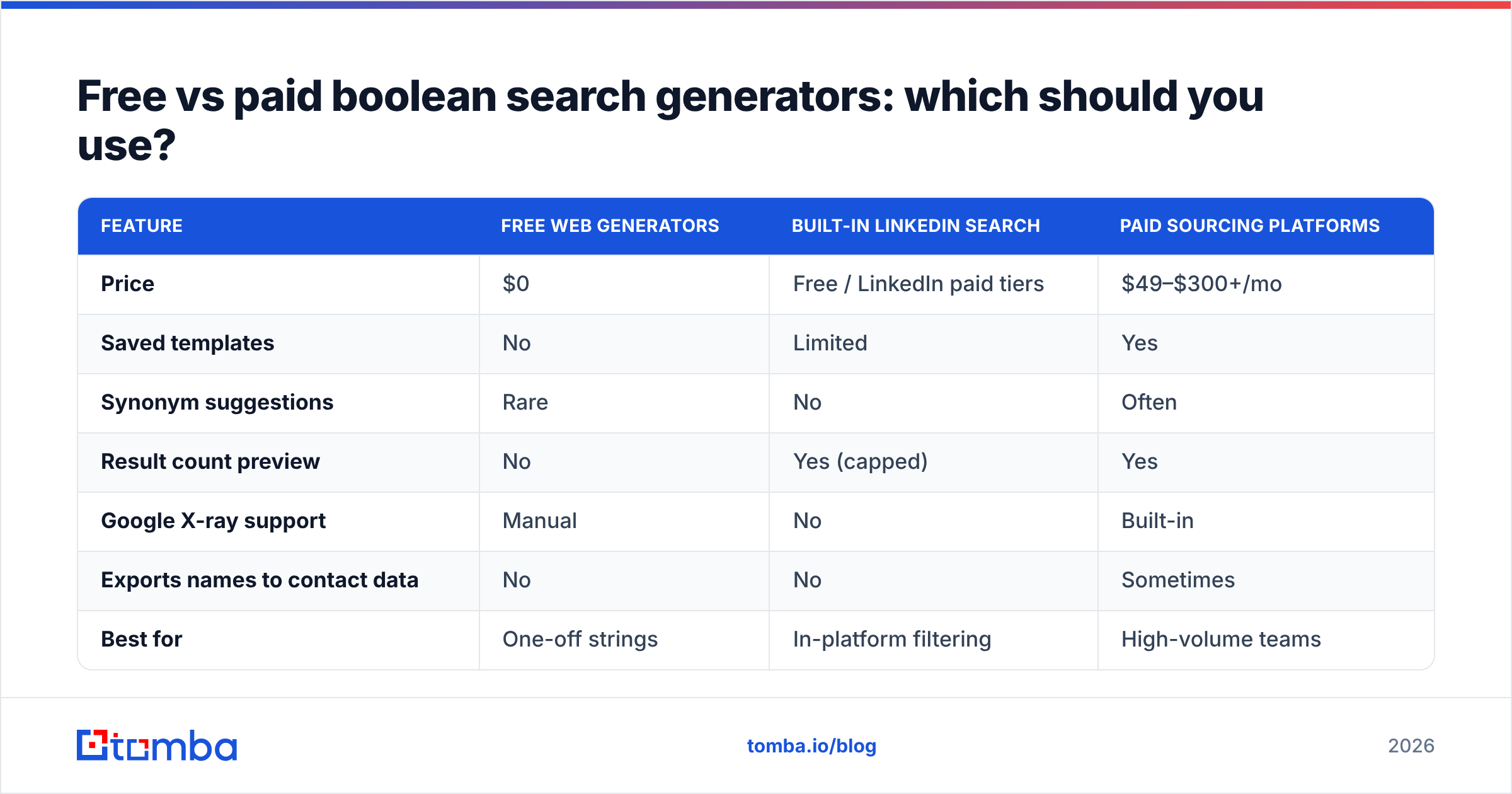
The honest answer: start free, upgrade when volume hurts. Here's how the common options stack up.
| Feature | Free web generators | Built-in LinkedIn search | Paid sourcing platforms |
|---|---|---|---|
| Price | $0 | Free / LinkedIn paid tiers | $49–$300+/mo |
| Saved templates | No | Limited | Yes |
| Synonym suggestions | Rare | No | Often |
| Result count preview | No | Yes (capped) | Yes |
| Google X-ray support | Manual | No | Built-in |
| Exports names to contact data | No | No | Sometimes |
| Best for | One-off strings | In-platform filtering | High-volume teams |
A free generator is perfect when you need a clean string twice a week. If you're sourcing 200 profiles a day, the saved-template and export features in a paid platform pay for themselves in hours saved. For a sense of where a contact-data tool fits price-wise, see Tomba pricing — the free tier covers 25 searches a month, which is plenty for testing your boolean workflow before committing.
How do you turn boolean results into actual outreach?#
This is the gap nobody talks about. Boolean search produces a list of names and profiles — it does not give you email addresses or phone numbers. A flawless query that surfaces 500 perfect-fit VPs is worthless if you can't reach them.
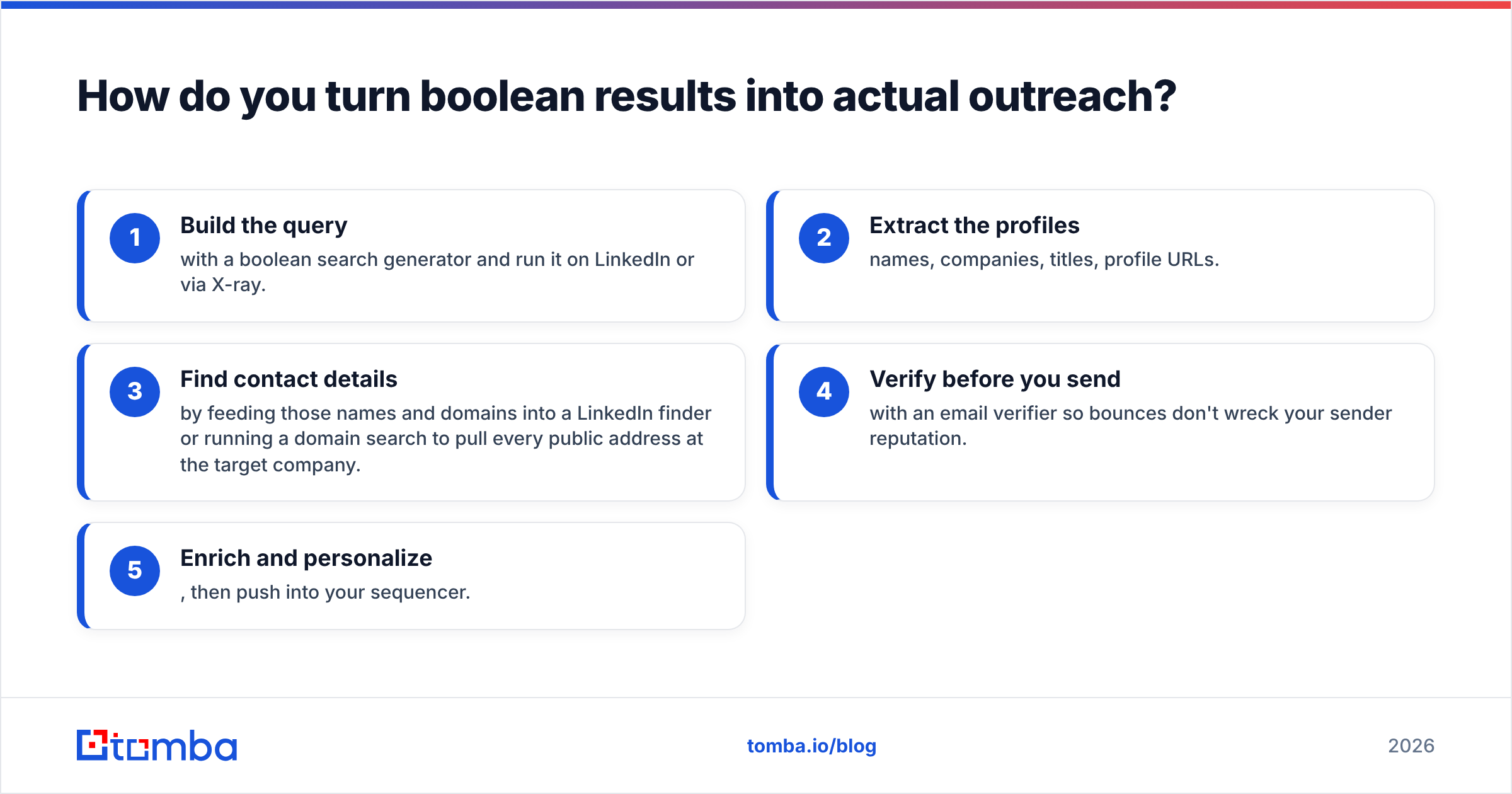
The workflow that actually closes the loop:
- Build the query with a boolean search generator and run it on LinkedIn or via X-ray.
- Extract the profiles — names, companies, titles, profile URLs.
- Find contact details by feeding those names and domains into a LinkedIn finder or running a domain search to pull every public address at the target company.
- Verify before you send with an email verifier so bounces don't wreck your sender reputation.
- Enrich and personalize, then push into your sequencer.
For larger lists, skip the one-by-one grind and use a bulk email finder to process hundreds of profiles at once. The boolean string is step one of five — treat it as the targeting layer, not the whole machine.
What are the most common boolean search mistakes?#
These are the errors that quietly halve your results.
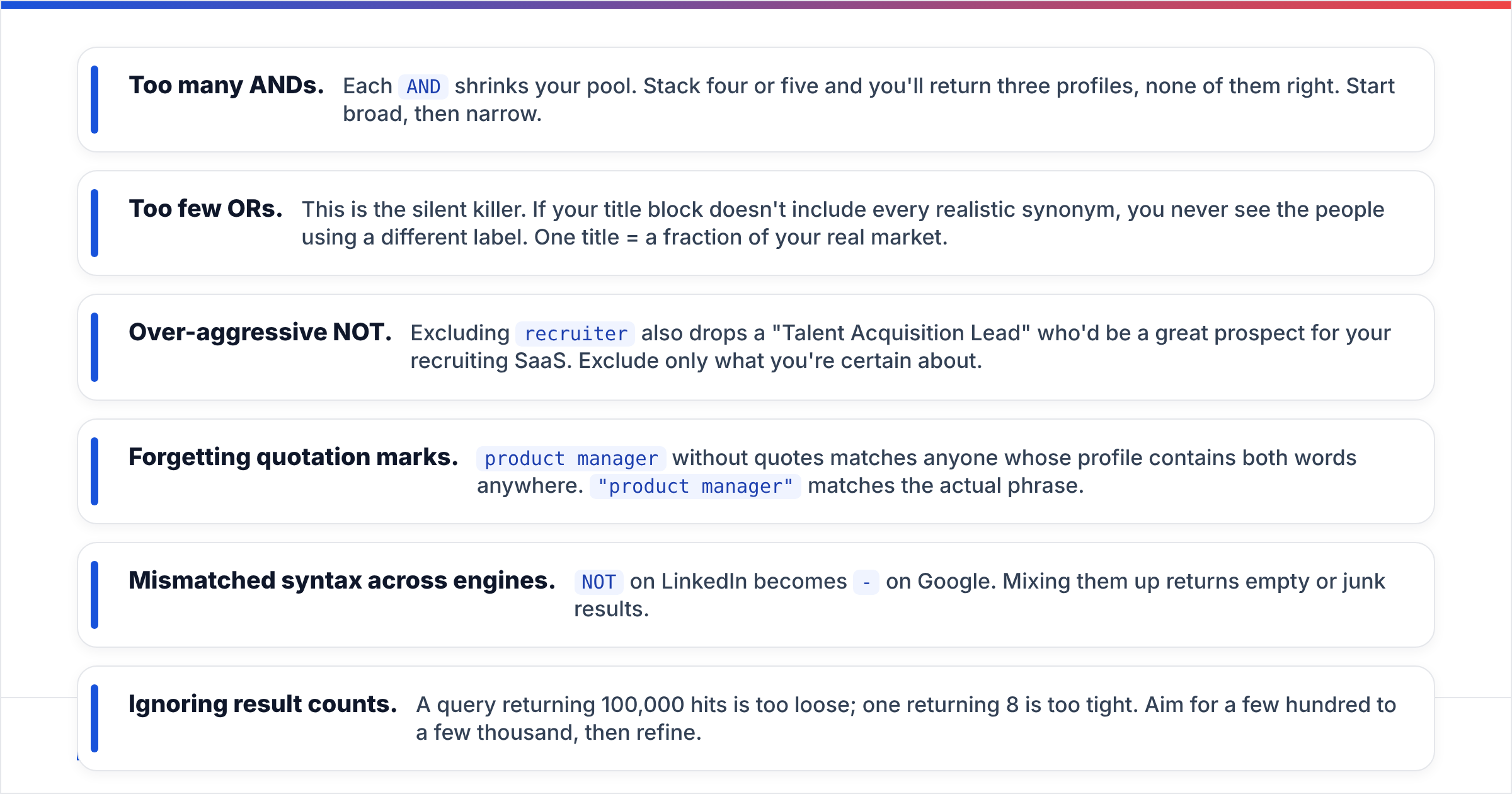
- Too many ANDs. Each
ANDshrinks your pool. Stack four or five and you'll return three profiles, none of them right. Start broad, then narrow. - Too few ORs. This is the silent killer. If your title block doesn't include every realistic synonym, you never see the people using a different label. One title = a fraction of your real market.
- Over-aggressive NOT. Excluding
recruiteralso drops a "Talent Acquisition Lead" who'd be a great prospect for your recruiting SaaS. Exclude only what you're certain about. - Forgetting quotation marks.
product managerwithout quotes matches anyone whose profile contains both words anywhere."product manager"matches the actual phrase. - Mismatched syntax across engines.
NOTon LinkedIn becomes-on Google. Mixing them up returns empty or junk results. - Ignoring result counts. A query returning 100,000 hits is too loose; one returning 8 is too tight. Aim for a few hundred to a few thousand, then refine.
A practical boolean template library#
Copy these, swap the bracketed terms, and you have working strings in seconds.
Sales — find decision-makers at target accounts:
("VP Sales" OR "Chief Revenue Officer" OR CRO OR "head of sales")
AND ("Series A" OR "Series B")
AND (fintech OR payments)
NOT (assistant OR coordinator)
Recruiting — source engineers:
site:linkedin.com/in ("software engineer" OR "backend developer")
AND (Go OR Golang OR Rust) AND (remote OR "United States") -recruiter
Agency — find marketing leads to pitch:
("CMO" OR "marketing director" OR "head of marketing")
AND (ecommerce OR "direct to consumer" OR DTC)
NOT (freelance OR consultant)
Partnerships — locate ecosystem contacts:
("partnerships manager" OR "BD lead" OR "alliances")
AND (SaaS OR "B2B software") AND (Austin OR "remote")
Once you've run these and built your shortlist, the Tomba Chrome extension lets you pull verified contact details directly from the profiles you surfaced — no copy-paste tab juggling.
How do you scale boolean search across a team?#
Individual queries are fine for one rep. A team needs a system.
- Standardize templates. Keep a shared doc of proven strings per persona so reps aren't reinventing the same query weekly.
- Track which strings convert. A query that surfaces lots of profiles but few replies is a targeting problem, not a volume problem. Tie boolean templates to reply-rate data.
- Automate the data step. Connect your sourcing output to enrichment via the Tomba API or a no-code path like the Zapier integration, so a found profile becomes a verified, enriched contact without manual lookups.
- Refresh quarterly. Job titles drift. The
ORblock that worked last year misses this year's trendy title. Audit and update.
Industry review sites like G2 are useful for benchmarking sourcing and lead-intelligence tools when you're deciding what to standardize on across the team.
When is a boolean search generator the wrong tool?#
Boolean isn't always the answer. If you already have a defined account list (say, 50 named target companies), you don't need clever OR blocks — you need depth at known accounts. In that case, run a domain search on each company to pull the full contact map, and skip the discovery query entirely.
Likewise, if you're enriching an existing CRM rather than finding net-new people, data enrichment is the better entry point. Boolean shines for discovery — finding people you don't yet know exist. Match the tool to the job.
The bottom line#
A boolean search generator is the cheapest, fastest upgrade to your prospecting precision. Spend 20 minutes building a synonym-rich template per persona and you'll surface better-fit people than reps running loose keyword searches all day. The operators are simple; the craft is in modeling how your targets describe themselves and knowing when to narrow versus widen.
But remember the full chain: boolean finds the who, contact data makes them reachable. A perfect query with no way to email the results is a spreadsheet that goes nowhere.
Ready to close the loop? Run your boolean strings, then feed the names and domains into the Tomba Email Finder to turn profiles into verified, ready-to-contact leads. Start free with 25 searches a month, scale on the Starter plan at $49/mo when your pipeline demands it, and stop letting great targeting die at the "but how do I reach them" step.
Ready to find emails that actually work?
Join 150,000+ professionals who stopped guessing and started sending. Free credits on signup — no credit card required.
Get the Tomba newsletter
Practical outbound tactics and product updates — once every two weeks.
About the author