Capsule CRM Alternatives: 7 Better CRMs to Try in 2026
Capsule CRM is clean and cheap, but it hits a ceiling fast. Here are 7 Capsule CRM alternatives compared on price, features, and the data layer that actually fills your pipeline.
Capsule CRM is the CRM equivalent of a good notebook: simple, cheap, and easy to start. But notebooks don't scale, and neither does a barebones contact list once your pipeline gets serious. If you're searching for Capsule CRM alternatives, you've probably hit one of its walls — thin automation, weak reporting, or a contact database that's only as good as what you manually typed in.
This guide ranks seven alternatives by who they actually fit, then shows you the piece every CRM comparison ignores: the data layer that decides whether your shiny new pipeline is full or empty.
TL;DR#
- Capsule is great for solo users and tiny teams but stalls on automation, reporting, and data enrichment as you grow.
- Best all-rounder: HubSpot (free tier, scales forever). Best for sales-led teams: Pipedrive. Best budget upgrade: Zoho CRM.
- A CRM is only as good as the contact data inside it — most "Capsule problems" are really empty-or-stale-record problems.
- Pair any CRM with a dedicated data tool. Tomba's email finder and data enrichment fill the gaps Capsule's native fields can't.
- Pricing below is current as of 2026; always confirm on the vendor's own page before buying.
Why look for Capsule CRM alternatives in the first place?#
The short answer: Capsule is built for simplicity, and simplicity has a cost.
Capsule does the basics well — contacts, a Kanban pipeline, tasks, and a clean interface that non-technical teams adopt without training. For a two-person consultancy, that's often enough. The friction shows up when you ask it to do more than store what you already know.
Common reasons teams migrate off Capsule:
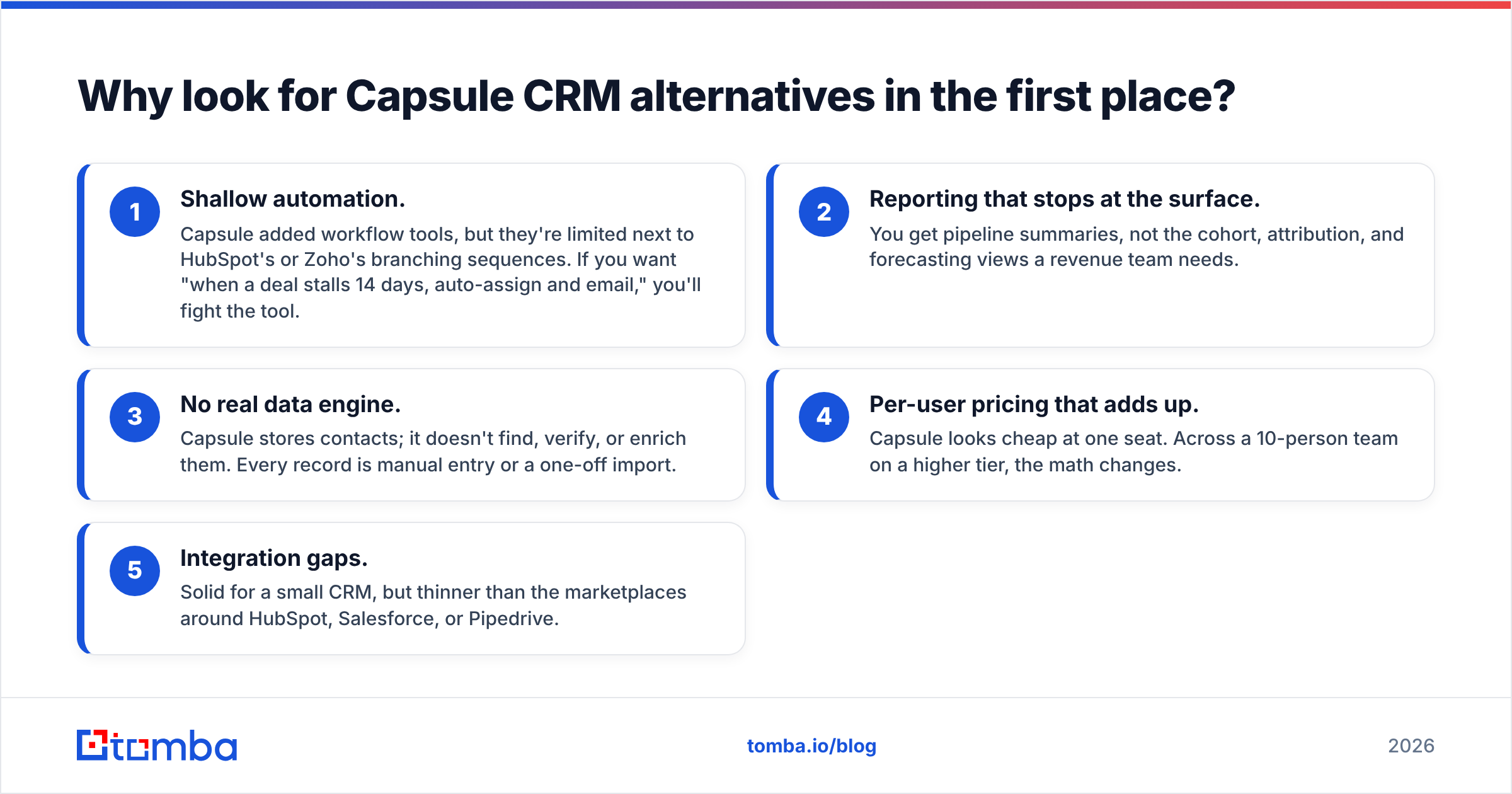
- Shallow automation. Capsule added workflow tools, but they're limited next to HubSpot's or Zoho's branching sequences. If you want "when a deal stalls 14 days, auto-assign and email," you'll fight the tool.
- Reporting that stops at the surface. You get pipeline summaries, not the cohort, attribution, and forecasting views a revenue team needs.
- No real data engine. Capsule stores contacts; it doesn't find, verify, or enrich them. Every record is manual entry or a one-off import.
- Per-user pricing that adds up. Capsule looks cheap at one seat. Across a 10-person team on a higher tier, the math changes.
- Integration gaps. Solid for a small CRM, but thinner than the marketplaces around HubSpot, Salesforce, or Pipedrive.
If two or more of those sting, you've outgrown it.

What makes a good Capsule CRM alternative?#
Before the list, agree on the scorecard. A CRM swap that only changes the logo is wasted effort. Judge candidates on:
- Automation depth — multi-step workflows, not just reminders.
- Reporting and forecasting — can leadership trust the numbers?
- Native + marketplace integrations — does it connect to your stack without glue code?
- Data quality tooling — built-in enrichment, dedupe, and verification (or an easy bridge to a tool that does it).
- Total cost at your real seat count, not the headline single-user price.
- Migration effort — import fidelity for contacts, notes, and pipeline history.
Notice that "data quality" sits in the middle of that list. Hold that thought — it's the part most buyers underweight and later regret.
What are the best Capsule CRM alternatives in 2026?#
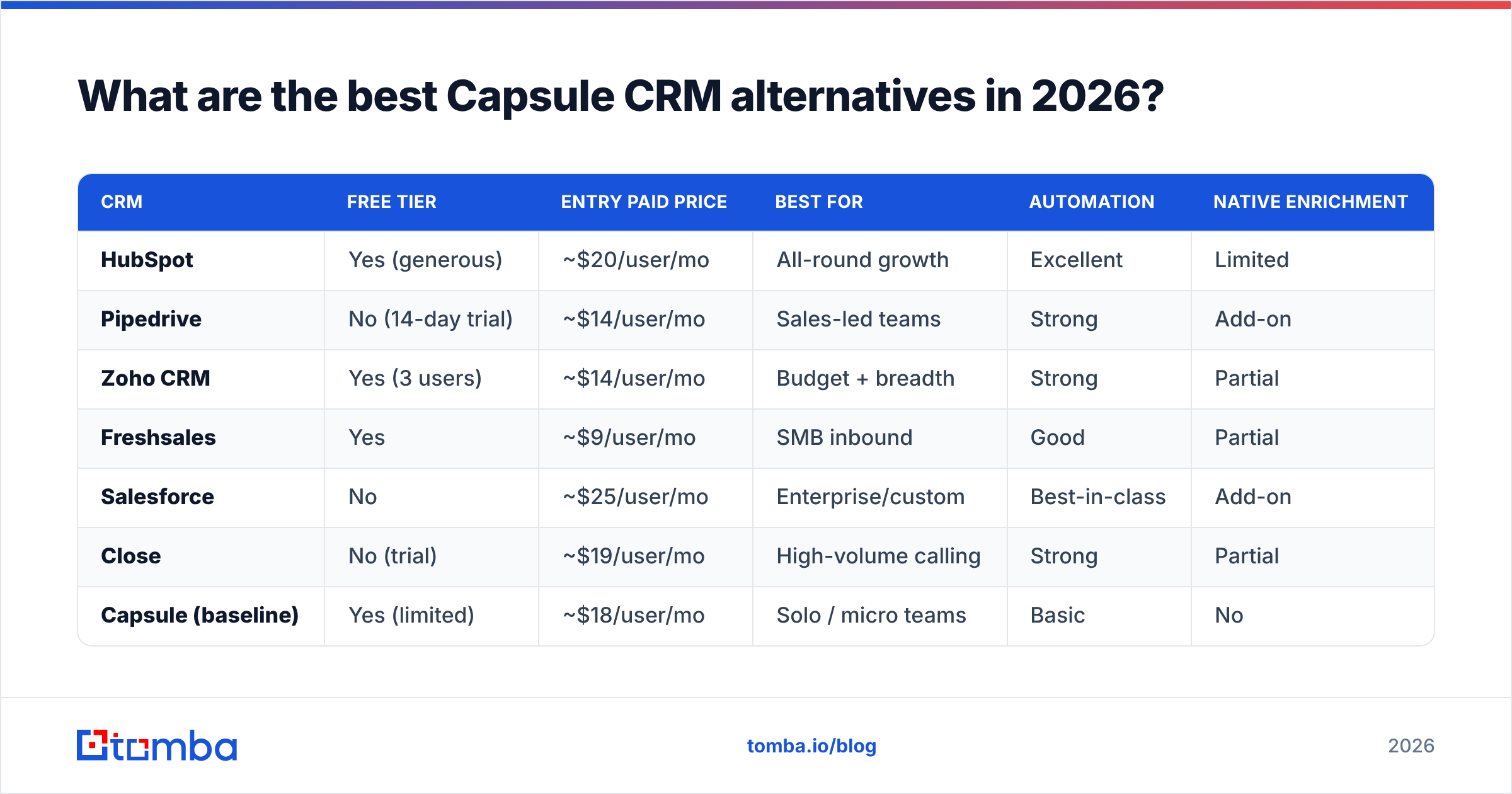
Here's the comparison at a glance, then a breakdown of where each one wins.
| CRM | Free tier | Entry paid price | Best for | Automation | Native enrichment |
|---|---|---|---|---|---|
| HubSpot | Yes (generous) | ~$20/user/mo | All-round growth | Excellent | Limited |
| Pipedrive | No (14-day trial) | ~$14/user/mo | Sales-led teams | Strong | Add-on |
| Zoho CRM | Yes (3 users) | ~$14/user/mo | Budget + breadth | Strong | Partial |
| Freshsales | Yes | ~$9/user/mo | SMB inbound | Good | Partial |
| Salesforce | No | ~$25/user/mo | Enterprise/custom | Best-in-class | Add-on |
| Close | No (trial) | ~$19/user/mo | High-volume calling | Strong | Partial |
| Capsule (baseline) | Yes (limited) | ~$18/user/mo | Solo / micro teams | Basic | No |
Prices are rounded entry tiers; vendors change them often. Verify on the source before you commit.
1. HubSpot — the safe all-rounder#
HubSpot is the default answer for teams that want room to grow without re-platforming in a year. The free CRM is genuinely usable, and you can layer marketing, service, and CMS hubs as you scale. Automation and reporting are deep. The catch is cost: paid tiers climb quickly once you need the good features. See the official HubSpot CRM page for current bundling.
Choose HubSpot if you want one platform for sales and marketing and you'll eventually need serious automation.
2. Pipedrive — the sales-rep favorite#
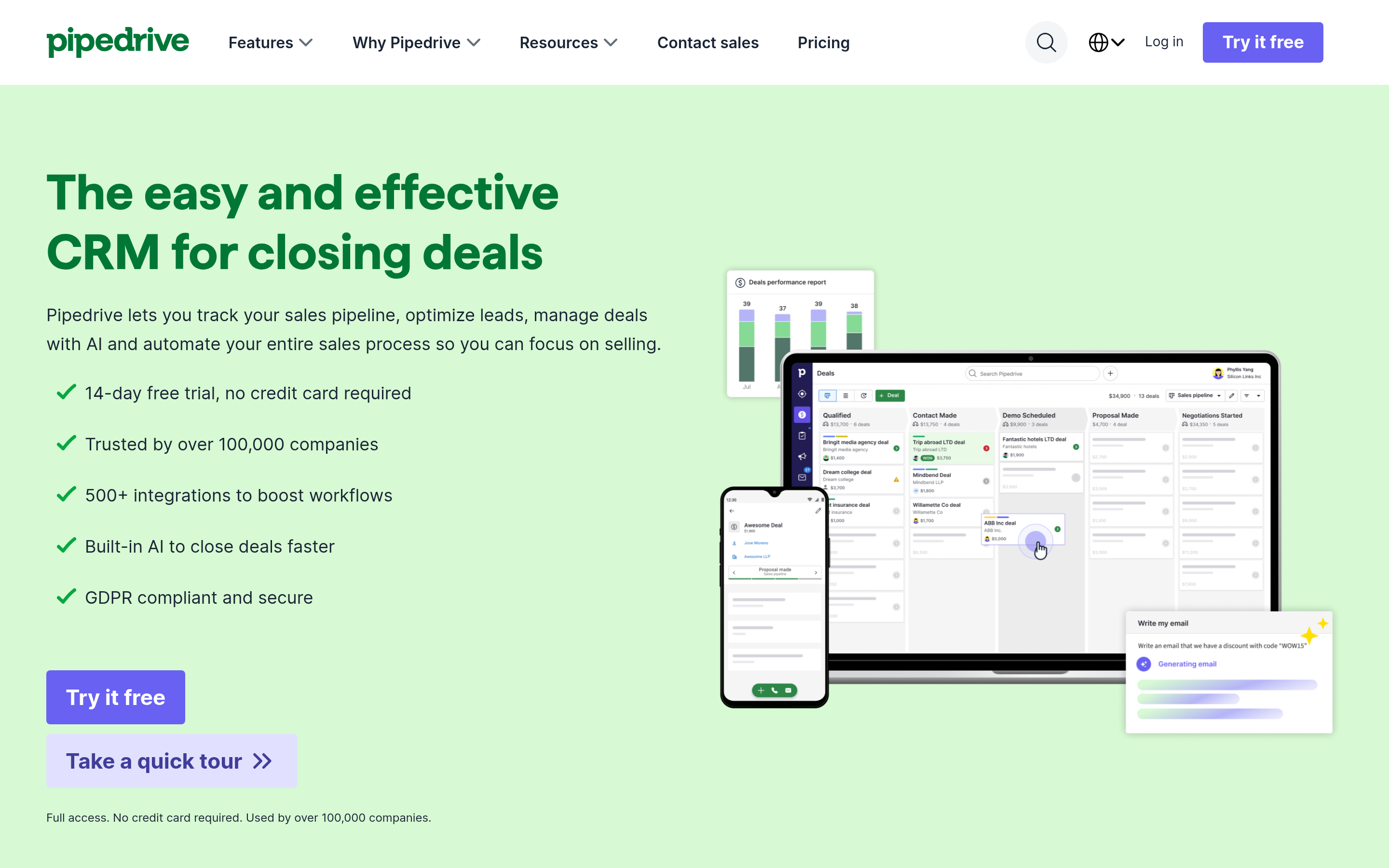
Pipedrive is unapologetically a sales pipeline tool, not a marketing suite. Reps love the visual, drag-driven pipeline and the activity-based selling model. It's cheaper than HubSpot at the entry tier and faster to adopt. Reporting is good, not Salesforce-deep. Browse real reviews on G2 before deciding.
Choose Pipedrive if your team is sales-led and wants the lowest-friction deal management.
3. Zoho CRM — the budget powerhouse#
Zoho packs an astonishing feature set per dollar, especially inside the broader Zoho One suite. Automation, multichannel, and AI assistance (Zia) all ship at low tiers. The trade-off is a busier interface and an ecosystem that rewards committing to Zoho for everything.
Choose Zoho if you want maximum capability on a tight budget and don't mind a learning curve.
4. Freshsales — clean SMB inbound#
Freshsales (from Freshworks) sits between Pipedrive's simplicity and Zoho's breadth. Built-in phone, email, and basic scoring make it strong for SMB inbound motions. The free tier is real, and the UI is friendlier than Zoho's.
Choose Freshsales if you're a small inbound team that wants telephony and email in the box.
5. Salesforce — the enterprise endgame#
If you need infinite customization, territory management, and a consultant ecosystem, Salesforce is where you end up. It's overkill — and over-budget — for most teams leaving Capsule, but it's the right answer for complex, multi-team orgs.
Choose Salesforce if you have the budget and complexity to justify it (and an admin to run it).
6. Close — built for the phones#
Close is purpose-built for high-volume outbound teams. Calling, SMS, and email live natively in the CRM, so reps never leave the screen. If your motion is "dial 80 times a day," Close beats every general-purpose CRM here.
Choose Close if calling volume is your team's core activity.
7. Keep Capsule — but fix the data#
Sometimes the honest answer is that Capsule is fine and your real problem is empty records. If the interface works for your team, don't migrate — fix the input. That's the pivot the rest of this guide is about.
Is the CRM really your problem — or is it the data?#
Here's the uncomfortable truth: most teams blame the CRM when the actual failure is the data inside it. A pipeline tool with no leads is a very expensive to-do list.
Capsule, HubSpot, Pipedrive — none of them find contacts. They store what you feed them. If reps are pasting addresses from LinkedIn, guessing email formats, and letting records rot, switching CRMs changes the wallpaper, not the foundation.
This is why your CRM decision should be paired with a deliberate data decision:
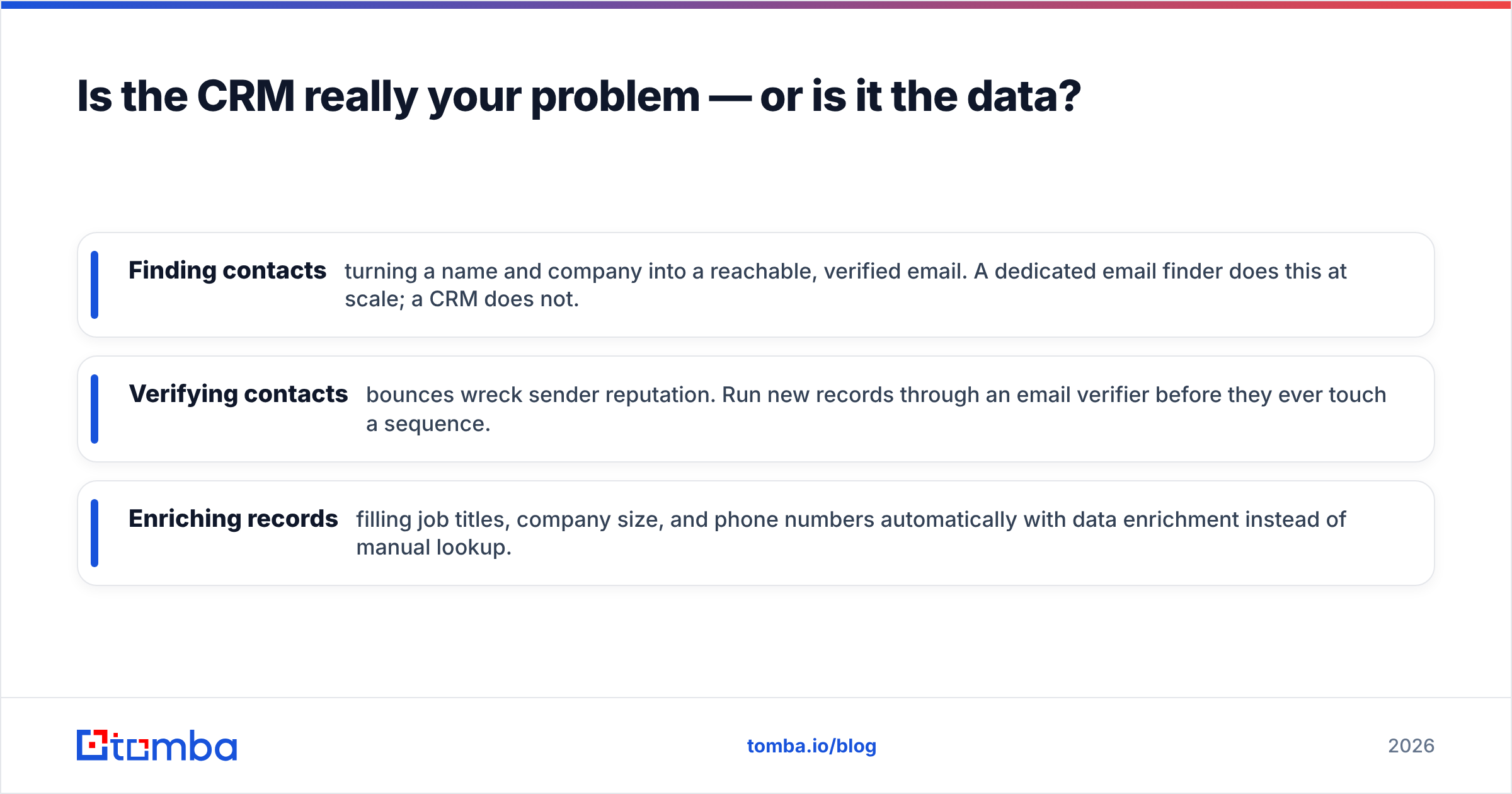
- Finding contacts — turning a name and company into a reachable, verified email. A dedicated email finder does this at scale; a CRM does not.
- Verifying contacts — bounces wreck sender reputation. Run new records through an email verifier before they ever touch a sequence.
- Enriching records — filling job titles, company size, and phone numbers automatically with data enrichment instead of manual lookup.

None of those are native strengths of Capsule or its alternatives. They're a separate, complementary layer — and getting it right matters more than which logo sits on your pipeline view.
How does Tomba fit alongside your CRM?#
Tomba isn't a CRM, and it isn't trying to replace one. It's the data engine that sits in front of whatever CRM you pick — including Capsule if you decide to keep it.
The workflow looks like this:
- Find the right contacts by company with domain search or one-by-one with the email finder.
- Verify every address so bounce rates stay low and deliverability stays healthy.
- Enrich the record with titles, company data, and phone numbers.
- Push clean, verified contacts into your CRM via integrations like HubSpot, Pipedrive, and Salesforce — or via the Tomba API.
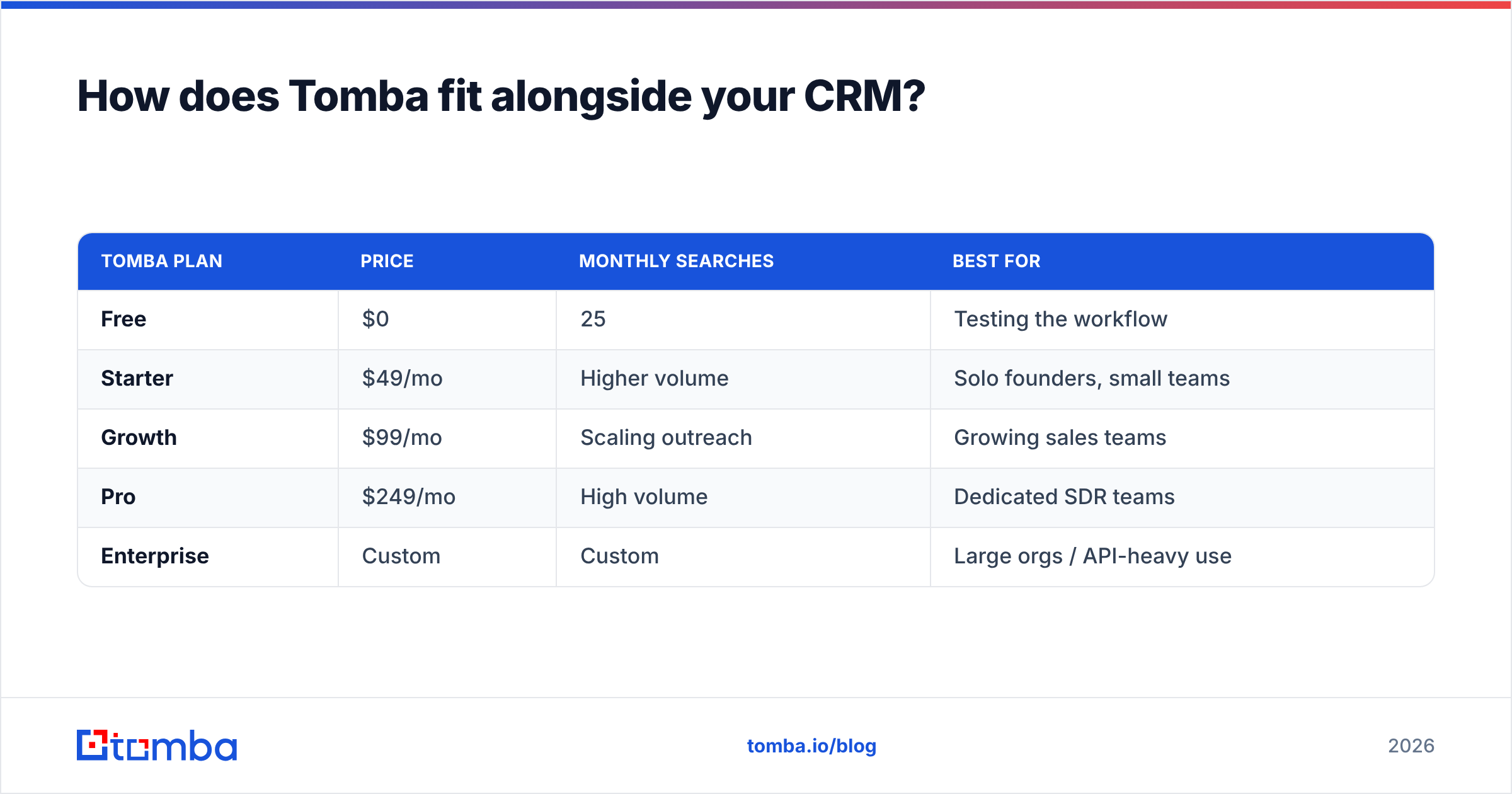
Here's how Tomba's plans line up so you can budget the data layer separately from CRM seats:
| Tomba plan | Price | Monthly searches | Best for |
|---|---|---|---|
| Free | $0 | 25 | Testing the workflow |
| Starter | $49/mo | Higher volume | Solo founders, small teams |
| Growth | $99/mo | Scaling outreach | Growing sales teams |
| Pro | $249/mo | High volume | Dedicated SDR teams |
| Enterprise | Custom | Custom | Large orgs / API-heavy use |
The point: a $14–$25/seat CRM plus a focused data tool usually beats forcing one platform to do both jobs badly. You keep the CRM your team likes and you stop shipping it garbage data.
Which Capsule alternative should you actually pick?#
Match the tool to your motion, not to a review-site ranking:
- You want one platform forever: HubSpot. Start free, upgrade when the automation pays for itself.
- You're sales-led and rep-driven: Pipedrive. Lowest friction, fastest adoption.
- You're budget-constrained but feature-hungry: Zoho CRM.
- You're a small inbound SMB team: Freshsales.
- You're enterprise with real complexity: Salesforce.
- Your team lives on the phone: Close.
- Your CRM is fine — your data is the problem: keep Capsule, add a data layer.
Whatever you choose, decide the data layer in the same breath. A great CRM with stale contacts loses to a basic CRM with verified, enriched ones every single time.
Frequently asked questions#
Is there a free Capsule CRM alternative? Yes. HubSpot, Zoho CRM, and Freshsales all offer free tiers that match or exceed Capsule's free plan. HubSpot's is the most generous for growing teams.
Is Capsule CRM being discontinued? No. Capsule is an actively maintained product. People look for alternatives because they outgrow its automation and reporting, not because it's going away. Compare current options on Capterra if you want third-party validation.
What's the cheapest CRM that still scales? Zoho CRM and Pipedrive both start around $14/user/month with real growth headroom. Pair either with a focused data tool rather than paying for an all-in-one you won't fully use.
Do I need a separate tool to find and verify emails? Effectively, yes. CRMs store contacts; they don't source or verify them. A dedicated finder-and-verifier keeps your pipeline full and your deliverability clean — work no CRM on this list does natively.
Start with the data, not just the dashboard#
Switching CRMs feels productive, but it only moves the furniture. The leads that fill any of these pipelines still have to come from somewhere — found, verified, and enriched before a rep ever opens the record.
That's where Tomba earns its place next to whatever CRM you land on. Use the Tomba Email Finder to turn names and domains into verified, ready-to-import contacts, then push them straight into HubSpot, Pipedrive, or Capsule. Start free with 25 searches, and check Tomba pricing when you're ready to scale the data layer to match your new CRM.
// get started
Find, verify and enrich your first contacts today
Start on the free plan with 25 searches a month, then scale when your team is ready.
Free plan · No credit card required · GDPR & CCPA
// about the author