Accutrend vs Findthatlead (2026): Which Email Finder Wins?
Accutrend vs Findthatlead, compared on accuracy, pricing, verification, and bulk workflows — plus where a third option quietly beats both in 2026.
TL;DR
- Accutrend leans toward lightweight lead intelligence and enrichment, while Findthatlead is a more established email-finder and cold-outreach suite — they overlap, but they are not the same tool.
- For raw email finding accuracy and verification depth, neither wins by a landslide; the differentiator is how each handles catch-all domains and bulk lists.
- Findthatlead bundles a basic email sender, which Accutrend does not — useful if you want prospecting and sending in one tab.
- If your priority is verified, deliverable emails at a predictable price, you should benchmark both against a dedicated finder like Tomba Email Finder before committing.
- Pick based on workflow: solo prospector who wants all-in-one (Findthatlead), enrichment-first ops team (Accutrend), or accuracy-first scale (a specialist finder).
What are Accutrend and Findthatlead?#
Short version: both promise to turn a name and a company into a working email address, but they come at the problem from different angles.
Findthatlead is a Spain-based prospecting platform that has been around since the mid-2010s. It does domain-level email discovery, single-lead lookups, a Chrome extension, list building, and a light cold-email sender called Scrab.in/Sender. It's positioned as an end-to-end "find and email" tool for founders, agencies, and small sales teams. You can see its positioning on the Findthatlead homepage.
Accutrend is the newer, leaner entrant. It markets itself around lead data and contact enrichment — feed it a domain or a person, get back an email and supporting firmographic detail. It's closer to a data-enrichment utility than a full outreach suite, which matters a lot depending on whether you already own a sending stack.
Think of it like buying a car versus buying an engine. Findthatlead hands you the whole car — finder, list, and a sender to drive outreach. Accutrend hands you a strong engine (data) and assumes you'll drop it into the chassis you already have (your CRM or sequencer).
How accurate are Accutrend vs Findthatlead?#
Accuracy is the only metric that actually matters in an email finder, because a cheap tool that returns dead addresses costs you more in burned sender reputation than you saved on subscription.
Both tools use the same broad playbook every finder uses: pattern detection (firstname.lastname@, f.lastname@, etc.), public-source crawling, and SMTP-style validation. The differences show up at the edges:
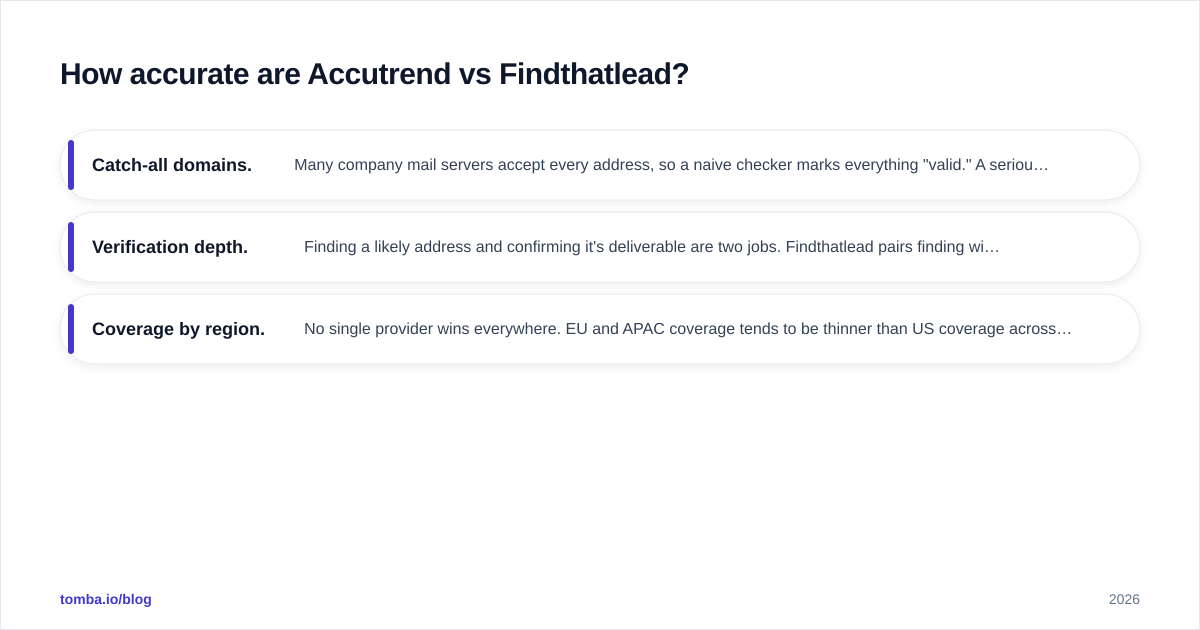
- Catch-all domains. Many company mail servers accept every address, so a naive checker marks everything "valid." A serious finder flags these as risky rather than guessing. This is where lighter tools quietly inflate their "found" rate. If you handle a lot of enterprise domains, test each tool against a known catch-all and see whether it tells you the truth. Tomba's catch-all verifier exists specifically for this gap.
- Verification depth. Finding a likely address and confirming it's deliverable are two jobs. Findthatlead pairs finding with a verifier; Accutrend leans on enrichment-grade validation. Always run found emails through a dedicated email verifier before a real send.
- Coverage by region. No single provider wins everywhere. EU and APAC coverage tends to be thinner than US coverage across the board, so benchmark on your actual ICP, not a vendor's demo list.

The honest takeaway: run a 50-contact sample through both, send the results to a neutral verifier, and compare the genuinely deliverable count. Vendor-reported accuracy percentages are marketing; your own bounce rate is data.

Accutrend vs Findthatlead: full feature comparison#
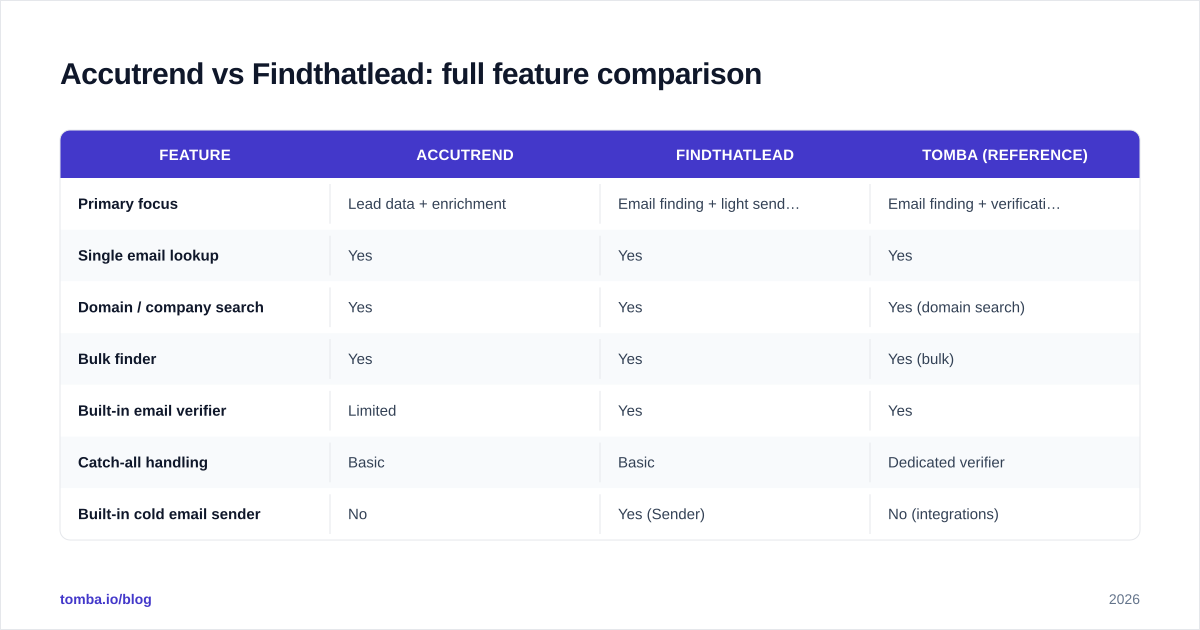
Here's the side-by-side most buyers actually want. Pricing reflects publicly listed tiers at the time of writing and shifts often — confirm on each vendor's page before you buy.
| Feature | Accutrend | Findthatlead | Tomba (reference) |
|---|---|---|---|
| Primary focus | Lead data + enrichment | Email finding + light sending | Email finding + verification |
| Single email lookup | Yes | Yes | Yes |
| Domain / company search | Yes | Yes | Yes (domain search) |
| Bulk finder | Yes | Yes | Yes (bulk) |
| Built-in email verifier | Limited | Yes | Yes |
| Catch-all handling | Basic | Basic | Dedicated verifier |
| Built-in cold email sender | No | Yes (Sender) | No (integrations) |
| Chrome extension | Yes | Yes | Yes |
| Free tier | Limited trial | 50 credits/mo | 25 searches/mo |
| Entry paid plan | Low entry tier | ~$49/mo range | $49/mo Starter |
| API access | Yes | Yes | Yes (full REST API) |
A few things to read between the rows:
- Findthatlead's Sender is the headline differentiator if you want finding and emailing in one place. It's basic next to Instantly or Smartlead, but it removes a tool from your stack.
- Accutrend's enrichment angle is the differentiator the other way — if you already have a sequencer and just need clean data flowing into it, you don't pay for a sender you won't use.
- On price, both land near the familiar ~$49 entry point, which is also where Tomba pricing starts its Starter plan — so cost rarely decides this on its own. Credits-per-dollar and accuracy do.
Which one is better for bulk prospecting?#
For bulk work, the question is throughput plus trustworthy verification, not just whether a "bulk" button exists.
Findthatlead's list-building flow is more mature here — it was built around campaign prep, so uploading a domain list and pulling contacts feels native. Accutrend can do bulk, but it's closer to enrichment-in-batches than campaign-grade list building.
That said, both share the same risk at scale: a bulk run that returns thousands of "found" emails with no honest catch-all flagging will wreck your email deliverability the moment you send. The fix is process, not tool worship:
- Find in bulk with whichever tool covers your ICP best.
- Push the entire output through a separate verifier.
- Drop catch-all and risky addresses into a slow-warmup segment, not your main sequence.
- Only then load the clean set into your sender.
If you run lists in the thousands monthly, a dedicated bulk email finder with built-in verification collapses steps 1–2 into one pass, which is the real time saver.

What about pricing and value?#
Conclusion first: at the entry tier these tools are close enough that price shouldn't be your deciding factor — cost per verified email should be.
Here's the trap. Tool A advertises 2,000 credits for $49 and Tool B advertises 1,000 for the same price, so A looks like the winner. But if A returns 40% unverified or catch-all junk, your effective cost per usable email is higher than B's. Always normalize on deliverable results.
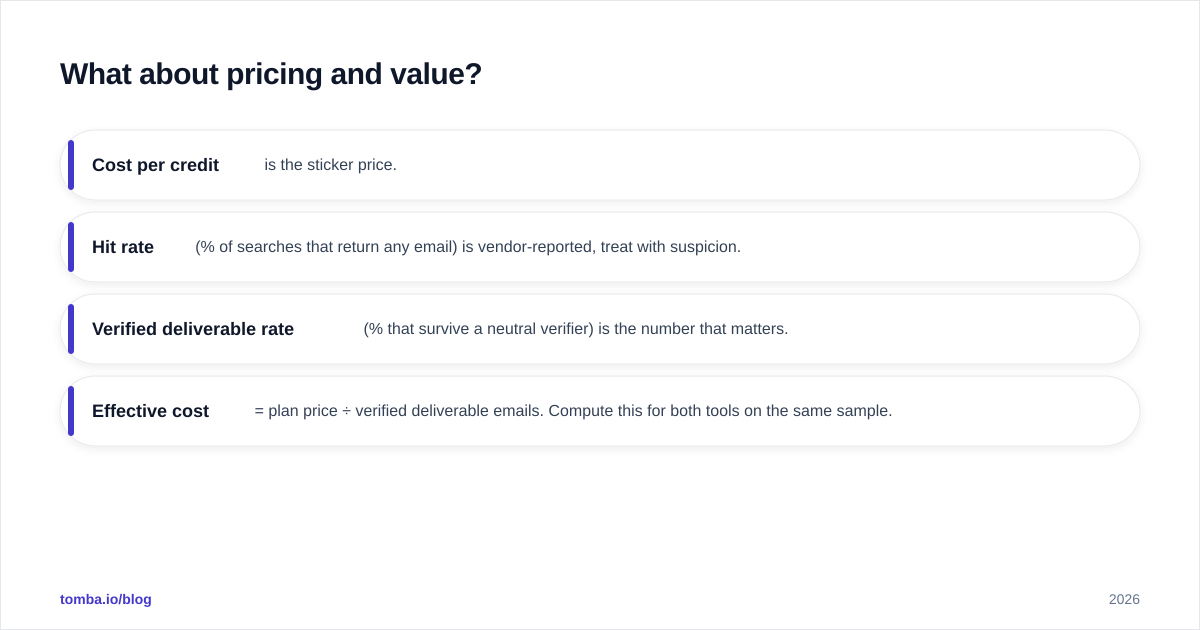
A simple value framework:
- Cost per credit is the sticker price.
- Hit rate (% of searches that return any email) is vendor-reported, treat with suspicion.
- Verified deliverable rate (% that survive a neutral verifier) is the number that matters.
- Effective cost = plan price ÷ verified deliverable emails. Compute this for both tools on the same sample.
Most teams discover the gap between "found" and "deliverable" only after a spike in bounces. Run the math up front. For reference benchmarking, neutral review sites like G2 collect real-user accuracy and support feedback that's worth scanning before you trust any vendor's own numbers.

When should you choose Accutrend?#
Pick Accutrend if:
- You already own a sending stack (Instantly, Smartlead, Outreach, HubSpot sequences) and just need clean contact data flowing in.
- Enrichment matters as much as the email itself — you want firmographic context, not only an address.
- You prefer a lean, focused utility over a do-everything suite and don't want to pay for a sender you'll never open.
- Your team lives in a CRM and wants enrichment via API rather than a standalone app.
Accutrend is the "engine, not the car" choice. It's a good fit for ops-led teams that have already standardized on tooling and treat email discovery as one input among several.
When should you choose Findthatlead?#
Pick Findthatlead if:
- You're a founder, freelancer, or small agency who wants finding, list-building, and basic sending without stitching three subscriptions together.
- You value a longer track record and a broad feature surface over best-in-class accuracy on any single axis.
- You run campaigns directly from the prospecting tool and don't need enterprise-grade deliverability tooling yet.
- The Chrome extension workflow — surf LinkedIn, grab a contact, drop it in a list — matches how you actually prospect.
Findthatlead is the "whole car" choice. It's more tool for the same money, with the trade-off that no single component is the category leader.
Is there a better alternative to both?#
Honest answer: for the specific job of returning verified, deliverable B2B emails at scale, a dedicated finder usually beats a generalist suite — and that's the lane Tomba sits in.
This isn't a knock on either tool. It's the natural result of focus. When a product does finding, sending, enrichment, and CRM-lite all at once, accuracy is one priority competing with four others. A specialist that does finding and verification — and little else — can invest everything in the part that actually protects your sender reputation.
Where a specialist like Tomba tends to pull ahead:
- Verification is first-class, not bolted on. Finder, email verifier, and catch-all checks are designed to work together, so "found" and "deliverable" converge.
- Transparent, predictable pricing. A real free tier (25 searches/month), then $49/mo Starter, $99/mo Growth, $249/mo Pro, and custom Enterprise — no surprise credit math.
- Workflow coverage. Domain search, bulk, Chrome extension, Sheets and Excel add-ons, and a full REST API mean it slots into whatever stack you already run.
- Honest catch-all flagging, so you don't load risky addresses into a live campaign by accident.
The smart move isn't loyalty to a brand — it's running the same 50-contact ICP sample through Accutrend, Findthatlead, and a specialist finder, then comparing verified deliverable counts and effective cost. Let the bounce rate pick the winner.
If you've decided accuracy and clean verification are the hill you care about, start with Tomba Email Finder. Use the free 25-search tier to benchmark it head-to-head against both tools on your own list, run the results through the built-in verifier, and compare cost per deliverable email — not cost per credit. That single test will tell you more than any comparison article, including this one. When the numbers are in front of you, the right choice for your pipeline is usually obvious.
// get started
Find, verify and enrich your first contacts today
Start on the free plan with 25 searches a month, then scale when your team is ready.
Free plan · No credit card required · GDPR & CCPA
// about the author