Accutrend vs GetProspect: Email Finder Showdown (2026)
A neutral, data-led breakdown of Accutrend vs GetProspect in 2026 — accuracy, pricing, verification, and which email finder actually fits your outbound stack.

Choosing between Accutrend and GetProspect comes down to one question: which tool puts more deliverable email addresses into your sequencer for less money? Both promise B2B contacts at scale, but they solve slightly different problems — and the gap shows up fast once you push real volume through them.
This is a neutral, hands-on comparison. No fluff, no "synergy." Just where each tool wins, where it stalls, and how to pick.
TL;DR#
- GetProspect is a mature LinkedIn-centric email finder with a Chrome extension, list-building UI, and a large self-reported database — strong for reps who live inside Sales Navigator.
- Accutrend is the leaner, newer challenger that leans on bulk enrichment and a simpler credit model — appealing if you want fewer dashboards and predictable costs.
- Accuracy is the real differentiator: both quote high "find rates," but find rate without a verification pass means bounces. Always test on your own list.
- Pricing favors GetProspect at the entry tier for UI users; Accutrend can be cheaper at bulk if you only need raw enrichment.
- If you want one platform that finds, verifies, and enriches in the same flow — neither is the only option. Tools like Tomba Email Finder compete directly on accuracy and price.
What is Accutrend and what is GetProspect?#
GetProspect has been around long enough to be a known quantity. It pairs a LinkedIn finder extension with a web app where you build and segment prospect lists, then export to CRM. Its pitch is breadth: a big contact database plus profile-by-profile lookup straight from LinkedIn search results. You can read more on the official GetProspect site.
Accutrend positions itself as a streamlined alternative — less interface, more throughput. The focus is on enrichment and bulk lookups: feed it names and domains, get back emails. For teams that already have a target list and just need contact data appended, that simplicity is the selling point.
The mental model: GetProspect is a list-building cockpit, Accutrend is an enrichment pipe. Which one fits depends on whether your bottleneck is finding prospects or contacting the ones you already identified.
How accurate are Accutrend and GetProspect?#
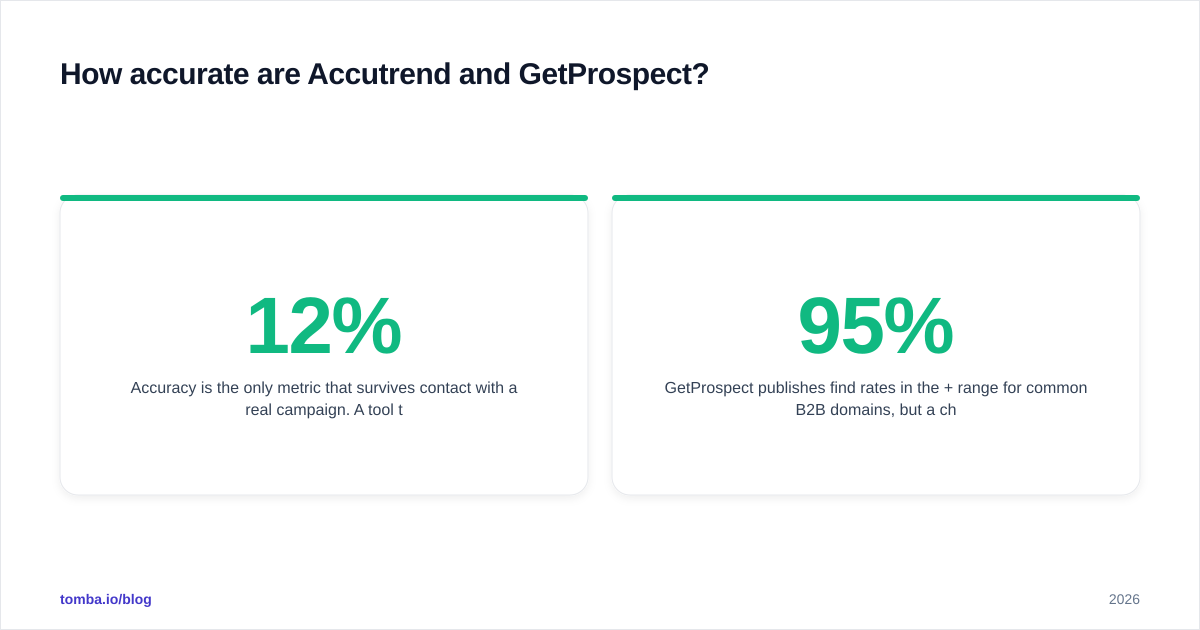
Accuracy is the only metric that survives contact with a real campaign. A tool that returns 1,000 emails at a 12% bounce rate is worse than one that returns 700 at 2% — the second protects your sender reputation and keeps you out of the spam folder.
Two numbers matter, and vendors love to blur them:
- Find rate — the share of prospects the tool returns any email for.
- Valid rate — the share of those emails that actually deliver.
GetProspect publishes find rates in the 95%+ range for common B2B domains, but a chunk of those are pattern-guessed or catch-all addresses that need a second check. Accutrend quotes similar headline numbers. In practice, both benefit enormously from running results through a dedicated email verifier before send — neither's built-in verification is a substitute for a real SMTP-level check on catch-all domains.

The honest takeaway: don't trust any vendor's published accuracy. Take 100 known-good contacts you can verify manually, run them through both tools, and measure valid rate yourself. That 20-minute test beats any marketing page — including this one.

Accutrend vs GetProspect: side-by-side comparison#
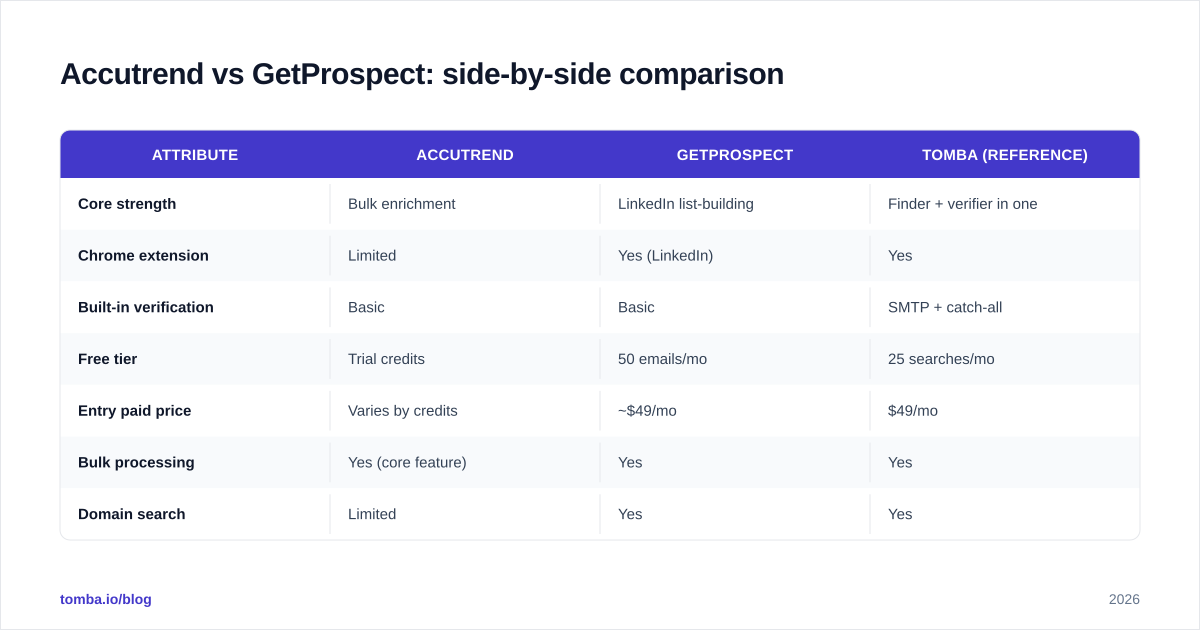
Here's the head-to-head on the attributes that actually drive a buying decision.
| Attribute | Accutrend | GetProspect | Tomba (reference) |
|---|---|---|---|
| Core strength | Bulk enrichment | LinkedIn list-building | Finder + verifier in one |
| Chrome extension | Limited | Yes (LinkedIn) | Yes |
| Built-in verification | Basic | Basic | SMTP + catch-all |
| Free tier | Trial credits | 50 emails/mo | 25 searches/mo |
| Entry paid price | Varies by credits | ~$49/mo | $49/mo |
| Bulk processing | Yes (core feature) | Yes | Yes |
| Domain search | Limited | Yes | Yes |
| Phone numbers | No | Limited | Yes |
| API access | Yes | Yes | Yes |
| Best for | Appending data to existing lists | Reps prospecting on LinkedIn | Teams wanting one accurate stack |
A few notes on reading this table. "Entry paid price" moves around because both vendors meter by credits and revise tiers often — check live pages before you commit. The verification column is where the real cost hides: if you have to bolt on a separate catch-all verifier anyway, the "cheaper" finder isn't actually cheaper.

Which is better for LinkedIn prospecting?#
GetProspect wins on LinkedIn workflow. Its extension is built for the rep who runs a Sales Navigator search and wants emails appended to the visible results without leaving the tab. If your motion is "find people on LinkedIn, then email them," GetProspect's interface removes the most friction.
Accutrend can pull LinkedIn-sourced data too, but it's less of a click-and-go browser experience and more of a "export your list, run it through enrichment" flow. That's fine — even preferable — if you're working from a CSV of accounts rather than browsing profiles one by one.
So the split is behavioral, not technical:
- You prospect interactively, profile by profile → GetProspect's extension feels native.
- You build target lists upstream (ZoomInfo, Apollo export, scraped account list) → Accutrend's bulk pipe is less overhead.
If LinkedIn is your whole channel, also weigh whether you need email and phone. Neither tool is a strong phone provider, so reps who cold call will end up adding a phone finder regardless.
How do Accutrend and GetProspect handle bulk and verification?#
Bulk is Accutrend's home turf. The credit model and processing flow are designed for "here are 5,000 rows, enrich them." If your weekly job is appending contact data to inbound leads or a freshly scraped list, that throughput-first design is genuinely convenient — closer to a bulk email finder than a manual lookup tool.
GetProspect handles bulk competently but treats it as one feature among many rather than the headline. You can upload a list and process it, but the product's center of gravity is the interactive list-builder.
Verification is the shared weak spot. Both perform basic checks, but neither is a substitute for a full SMTP handshake plus catch-all logic. The failure mode is predictable: a domain configured as catch-all accepts every address at the server level, so a naive verifier marks guessed emails as "valid" when they're not. That's how a clean-looking export still bounces at 8%.
The fix is process, not faith. Whatever finder you choose:
- Find the emails in bulk.
- Verify them with a dedicated tool that does SMTP + catch-all detection.
- Segment out risky/catch-all addresses into a low-volume warmup track.
- Send only the verified-deliverable set through your primary domain.
Skipping step 2 is the single most common reason cold-email domains get throttled. Protect email deliverability first; chase volume second.


What about pricing and value?#
Both tools meter by credits, so the right question isn't "what's the monthly price" — it's "what's the cost per verified, deliverable email."
GetProspect's entry plans are friendly for UI users and include a usable free tier (around 50 finds/month) to test the workflow. Accutrend's pricing leans toward bulk credit packs, which can undercut on raw cost-per-find if you don't need the interface — but remember to add the price of external verification when you compare.
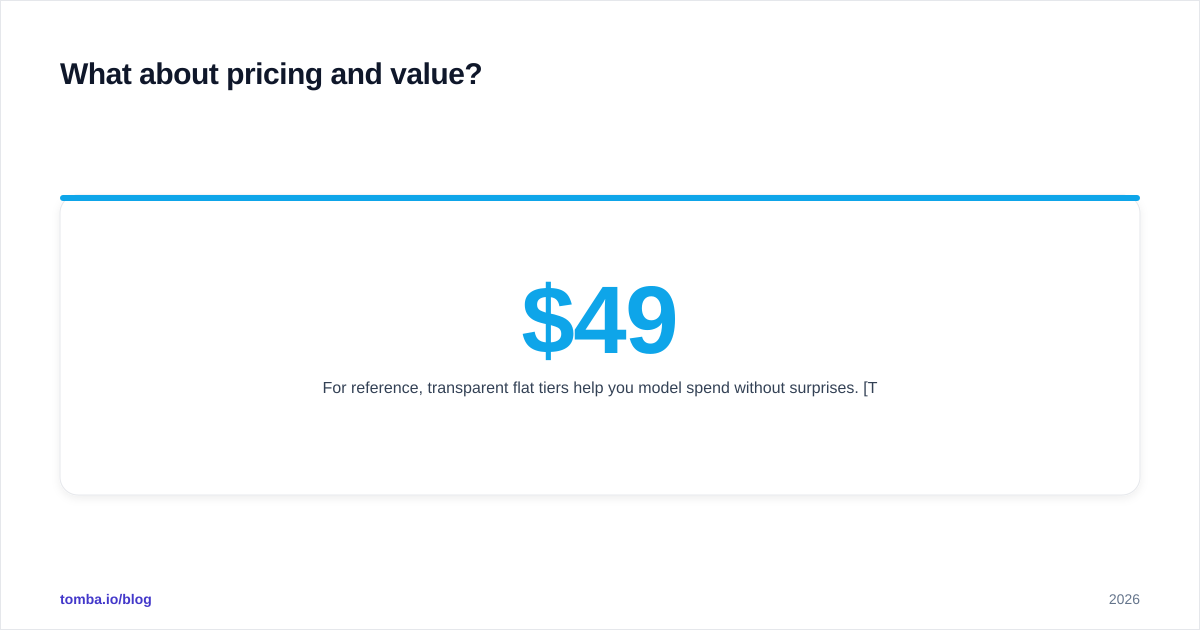
For reference, transparent flat tiers help you model spend without surprises. Tomba pricing, for example, runs Free (25 searches/mo), Starter at $49/mo, Growth at $99/mo, and Pro at $249/mo, with verification built into the same credits — so you're not paying twice to find and then confirm. When you benchmark Accutrend or GetProspect, normalize every quote to cost per deliverable contact, including any add-on verifier, or you'll pick the wrong "cheapest" option.
Independent reviews on G2 and Capterra are useful for spotting support and billing complaints that vendor pages won't mention — read the 2- and 3-star reviews, not just the 5-star ones.
Which should you choose?#
Here's the decision in plain terms:
- Choose GetProspect if your team prospects directly on LinkedIn, wants a polished list-building UI, and values a generous free tier to start. The extension-driven workflow is its strongest card.
- Choose Accutrend if you already have target lists and primarily need fast, cheap bulk enrichment without a heavy interface — and you're comfortable adding a separate verification step.
- Look wider if you want finding and verification and enrichment in one accurate, flat-priced stack. Splitting those across two vendors adds cost, latency, and a second integration to babysit.
That last point is where consolidation pays off. Running a finder, a verifier, and an enrichment tool as three subscriptions means three credit pools, three dashboards, and three places for data to drift out of sync. A single platform that does data enrichment, domain search, and SMTP-level verification on the same credits removes that tax.
The bottom line#
Accutrend and GetProspect are both legitimate email finders — GetProspect for the LinkedIn-native rep, Accutrend for the bulk-enrichment operator. Neither is wrong. But both push the verification burden onto you, and that's exactly where deliverability quietly dies.
If you'd rather not stitch two tools together, start with a finder that ships verification in the box. Tomba Email Finder finds professional emails by name, domain, or company, runs SMTP and catch-all checks on the same credits, and starts free with 25 searches a month — enough to run the head-to-head accuracy test on your own list before you spend a dollar. Find it, verify it, send it: one stack, one bill, fewer bounces.
Ready to find emails that actually work?
Join 150,000+ professionals who stopped guessing and started sending. Free credits on signup — no credit card required.
Get the Tomba newsletter
Practical outbound tactics and product updates — once every two weeks.
About the author