Accutrend vs Nymeria 2026: Email Finder Accuracy Compared
A neutral, hands-on breakdown of Accutrend vs Nymeria in 2026 — accuracy, pricing, data coverage, and which contact-data tool actually fits your outbound workflow.
Choosing between Accutrend and Nymeria usually comes down to one question that vendor landing pages never answer straight: when you push 1,000 names through each tool, how many of the emails actually land? This is a working comparison for revenue teams who care about deliverability, not feature checklists.
TL;DR — Accutrend vs Nymeria at a glance#
- Nymeria is the more established play for individual prospectors and recruiters — strong on LinkedIn-sourced contact data, browser-extension workflow, and personal + work email enrichment.
- Accutrend positions itself around bulk contact intelligence and list-building for sales teams, leaning on database breadth over single-profile depth.
- Accuracy is the real differentiator. Neither tool wins on features alone; the tool that verifies before it hands you a row saves you the bounce.
- Price scales differently. Nymeria sells credit bundles per user; Accutrend leans toward seat- and volume-based plans for teams.
- If you want one platform that finds and verifies in the same pass — and exposes an API for it — a dedicated email finder like Tomba is worth benchmarking alongside both.
What are Accutrend and Nymeria?#
Both tools solve the same core problem: you have a name, a company, or a LinkedIn profile, and you need a reachable email address (and sometimes a phone number) to start a conversation.
Nymeria built its reputation as a contact-enrichment layer for LinkedIn. Its Chrome extension surfaces work and personal emails while you browse profiles, and its bulk enrichment lets you upload a list and append contact fields. It's popular with recruiters and solo founders who live inside LinkedIn all day. You can see their positioning on the Nymeria homepage.
Accutrend targets teams building outbound lists at scale. The pitch is breadth — a large pool of B2B records you can filter and export — with enrichment bolted on. It's aimed less at the one-profile-at-a-time recruiter and more at an SDR team that needs 5,000 verified contacts for a quarter's campaigns.
The distinction matters because it predicts where each tool is strong: Nymeria for depth on a known person, Accutrend for breadth across an unknown market.

How do you actually compare an email finder?#
Feature grids lie. A tool can advertise "200M contacts" and still hand you a list that bounces 40% of the time. Use a four-axis framework instead of the marketing copy.
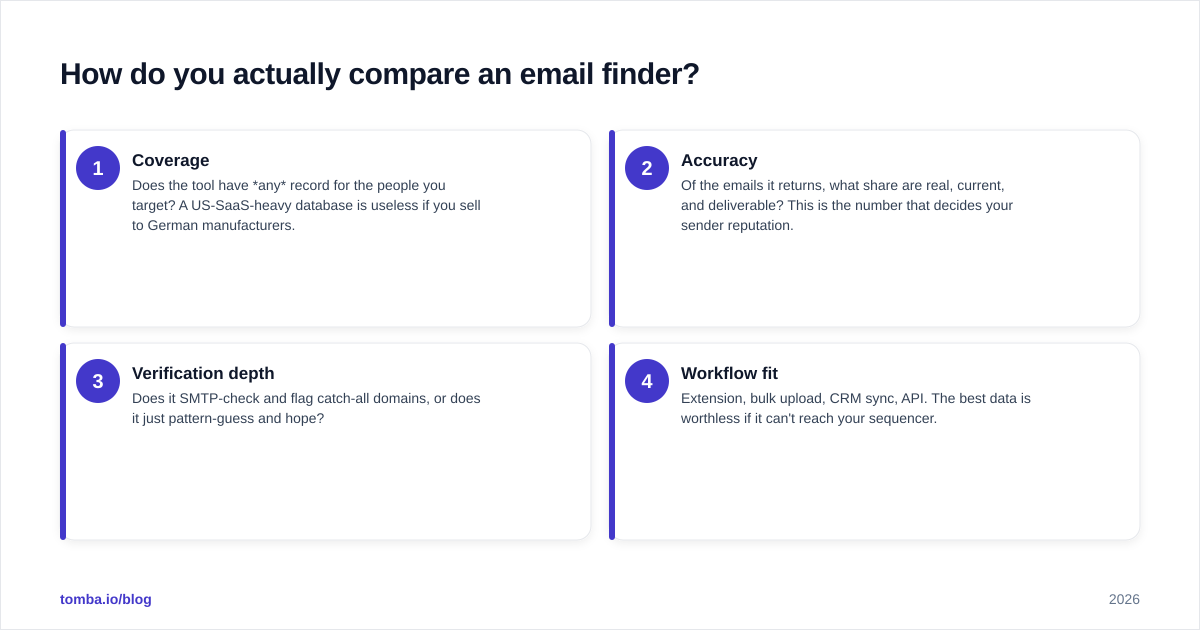
- Coverage — Does the tool have any record for the people you target? A US-SaaS-heavy database is useless if you sell to German manufacturers.
- Accuracy — Of the emails it returns, what share are real, current, and deliverable? This is the number that decides your sender reputation.
- Verification depth — Does it SMTP-check and flag catch-all domains, or does it just pattern-guess and hope?
- Workflow fit — Extension, bulk upload, CRM sync, API. The best data is worthless if it can't reach your sequencer.
Score each tool 1–5 on all four and the "winner" usually changes depending on your market — which is exactly the point.
Accutrend vs Nymeria: the side-by-side comparison#
Here is the head-to-head on the attributes that move the needle. Treat published vendor numbers as directional and always run your own seed-list test.
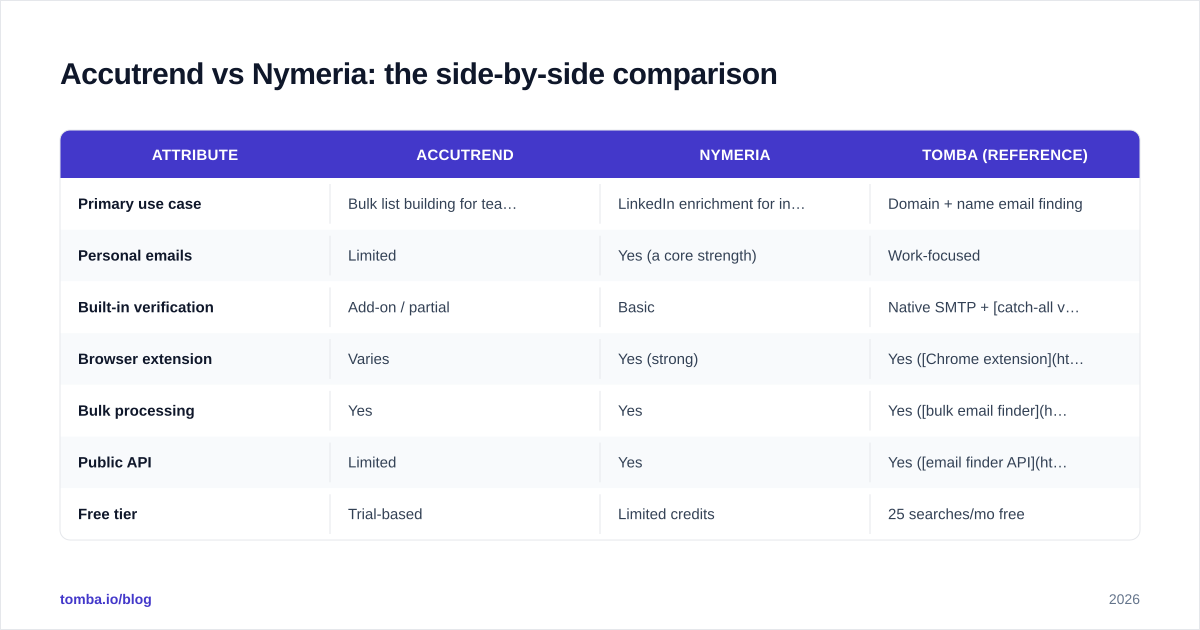
| Attribute | Accutrend | Nymeria | Tomba (reference) |
|---|---|---|---|
| Primary use case | Bulk list building for teams | LinkedIn enrichment for individuals | Domain + name email finding |
| Personal emails | Limited | Yes (a core strength) | Work-focused |
| Built-in verification | Add-on / partial | Basic | Native SMTP + catch-all verifier |
| Browser extension | Varies | Yes (strong) | Yes (Chrome extension) |
| Bulk processing | Yes | Yes | Yes (bulk email finder) |
| Public API | Limited | Yes | Yes (email finder API) |
| Free tier | Trial-based | Limited credits | 25 searches/mo free |
| Entry paid price | Quote / seat-based | Credit bundles per user | $49/mo Starter |
The pattern: Nymeria wins on personal-email depth and the LinkedIn moment-of-need, Accutrend wins on list breadth for a team, and a finder-plus-verifier platform wins when you want the whole find-and-confirm loop in one tool.
)
Which tool is more accurate in 2026?#
Verification is the deciding factor, not raw database size. A 300-million-record database that hasn't been re-validated in 18 months will quietly poison your domain reputation; a smaller, freshly verified pool will not.
Here's what actually drives accuracy differences between Accutrend and Nymeria:
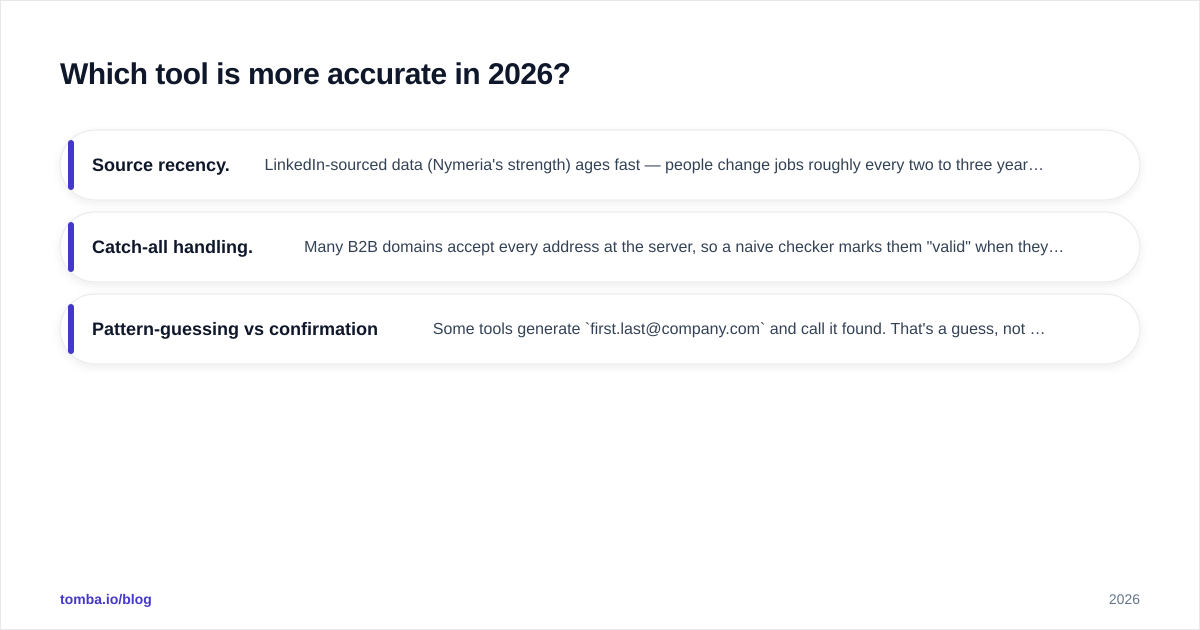
- Source recency. LinkedIn-sourced data (Nymeria's strength) ages fast — people change jobs roughly every two to three years. If the layer isn't re-checked, a "found" email is just a historical one.
- Catch-all handling. Many B2B domains accept every address at the server, so a naive checker marks them "valid" when they're unknowable. Without a real catch-all verification step, your "verified" list is inflated.
- Pattern-guessing vs confirmation. Some tools generate
first.last@company.comand call it found. That's a guess, not a result. Confirmed addresses come from cross-referencing multiple signals and an SMTP handshake.
This is why deliverability experts care more about how an address was confirmed than how it was found. Bounce rate above roughly 3% starts hurting your sender reputation, and once mailbox providers distrust your domain, even your good emails go to spam.

The honest takeaway: don't trust any vendor's self-reported accuracy — including the numbers in this article. Pull 100 known-good contacts from your own CRM, run them through each tool blind, and measure. Independent review sites like G2 are a useful sanity check on real-user sentiment, but your seed test is the only number that reflects your market.
How does pricing compare?#
The pricing models are structurally different, which makes a flat dollar comparison misleading.
- Nymeria sells per-user credit bundles. Good for one heavy prospector; the math gets expensive when you add seats and everyone needs their own pool.
- Accutrend trends toward team and volume agreements, often quote-based. Better unit economics at scale, but less transparent up front and harder to trial cheaply.
- Cost-per-verified-email is the metric that matters, not cost per credit. A cheap credit that returns an unverified address you can't safely send to costs you more than a pricier confirmed one.
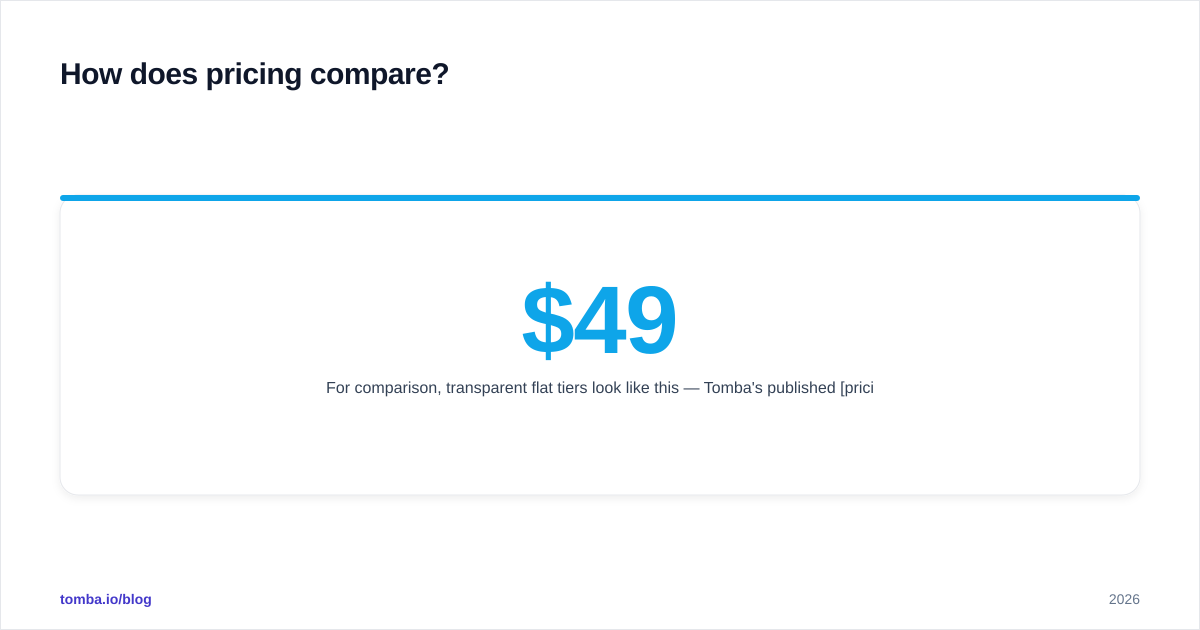
For comparison, transparent flat tiers look like this — Tomba's published pricing runs a Free tier at 25 searches/mo, Starter at $49/mo, Growth at $99/mo, and Pro at $249/mo, with finding and verification in the same plan. The reason to mention it isn't the dollar figure; it's that bundling verification removes the hidden second invoice you pay when a separate verification tool (or a wave of bounces) cleans up after a find-only product.
When you model your budget, calculate: (monthly cost) ÷ (verified, deliverable emails per month). Run that for Accutrend, Nymeria, and any third option. The cheapest sticker price rarely wins that division.
)
Who should pick Accutrend?#
Choose Accutrend if:
- You run an SDR or sales team that builds large outbound lists every quarter and values database breadth over single-profile depth.
- Your target market is broad and you filter by firmographics (industry, size, geography) to assemble segments.
- You're comfortable with a quote-based, seat-oriented commercial model and plan to negotiate volume.
- You'll layer your own verification on top — or confirm the tool's verification holds up on your seed test before you commit budget.
Accutrend's weakness shows up for solo users and for anyone who needs reliable personal emails or rich single-profile enrichment on demand.
Who should pick Nymeria?#
Choose Nymeria if:
- You're a recruiter, founder, or solo prospector who works one LinkedIn profile at a time and needs both work and personal contact details.
- The browser extension workflow — enrich the person you're looking at, right now — matches how you actually work.
- You want a published API and credit-based pricing you can start small with.
- Your volume is moderate, so per-user credits don't balloon.
Nymeria's weakness is team economics and freshness at scale: great for depth on a known person, less ideal as the backbone of a high-volume outbound engine where every stale address dents deliverability.
What about an all-in-one alternative?#
The unspoken third option in most Accutrend-vs-Nymeria debates is using a tool that finds and verifies in one pass, so you never export a list that hasn't been checked.
That's the gap Tomba fills. Beyond the core find email addresses function, it bundles an email verifier, domain search for mapping every reachable address at a company, catch-all detection, and data enrichment — under flat, published pricing rather than per-credit math. For teams the bottleneck is rarely finding a candidate address; it's trusting it enough to send. Native verification removes the second tool and the second invoice.
That doesn't make Accutrend or Nymeria wrong choices — Nymeria's personal-email depth and Accutrend's breadth are real strengths. It means the right comparison is three-way, scored on your data, not two-way on a feature grid.
How to run your own 15-minute test#
Don't take anyone's word for it. Before you buy:
- Pull 50–100 contacts you already know are reachable from your CRM (you've emailed them and gotten replies).
- Strip the emails, keep names + companies, and run the list through each tool's bulk lookup.
- Compare returned emails against the known-good originals — that's your true match + accuracy rate.
- Send a small, warmed campaign and watch the bounce rate. Anything over 3% is a deliverability risk regardless of what the dashboard claimed.
Fifteen minutes of this beats fifteen reviews. The tool that wins on your seed list is the tool that wins, full stop.
The verdict#
There's no universal winner in Accutrend vs Nymeria — there's a winner for your motion. Pick Nymeria for solo, LinkedIn-native prospecting with personal-email depth. Pick Accutrend for team-scale list building across a broad market. And if your real pain is bounces and the overhead of stitching a finder to a separate verifier, benchmark a find-and-verify platform against both before you sign.
Whatever you choose, make verification non-negotiable. Accuracy is the whole game; everything else is packaging.
Ready to test the find-and-verify approach? Spin up the Tomba Email Finder free tier — 25 searches a month, no card — run it against the same seed list you test Accutrend and Nymeria with, and let the deliverability numbers decide. The tool that keeps your domain reputation clean is the one worth paying for.
// get started
Find, verify and enrich your first contacts today
Start on the free plan with 25 searches a month, then scale when your team is ready.
Free plan · No credit card required · GDPR & CCPA
// about the author