Accutrend vs SalesQL 2026: Which Email Finder Wins?
Accutrend and SalesQL both promise accurate B2B emails, but they win at different jobs. Here's a neutral 2026 breakdown of accuracy, pricing, and fit.
TL;DR
- Accutrend leans toward bulk data and enrichment: upload a list, append firmographics and emails at scale. It fits ops teams who already have target accounts.
- SalesQL lives inside LinkedIn. It's a Chrome extension that pulls emails and phone numbers off profiles and Sales Navigator searches, one prospect at a time.
- Accuracy depends less on the brand name and more on whether the tool verifies before it hands you the email. Neither replaces a dedicated email verifier for high-volume sends.
- Pricing: both run credit-based tiers. SalesQL starts cheap for solo SDRs; Accutrend's value shows up at list-enrichment volume.
- If you want LinkedIn-first sourcing and domain-level bulk discovery in one place, a finder like Tomba covers both jobs with SMTP verification baked in.
What are Accutrend and SalesQL?#
Short version: they solve the same problem — getting a real email for a real buyer — from opposite ends.
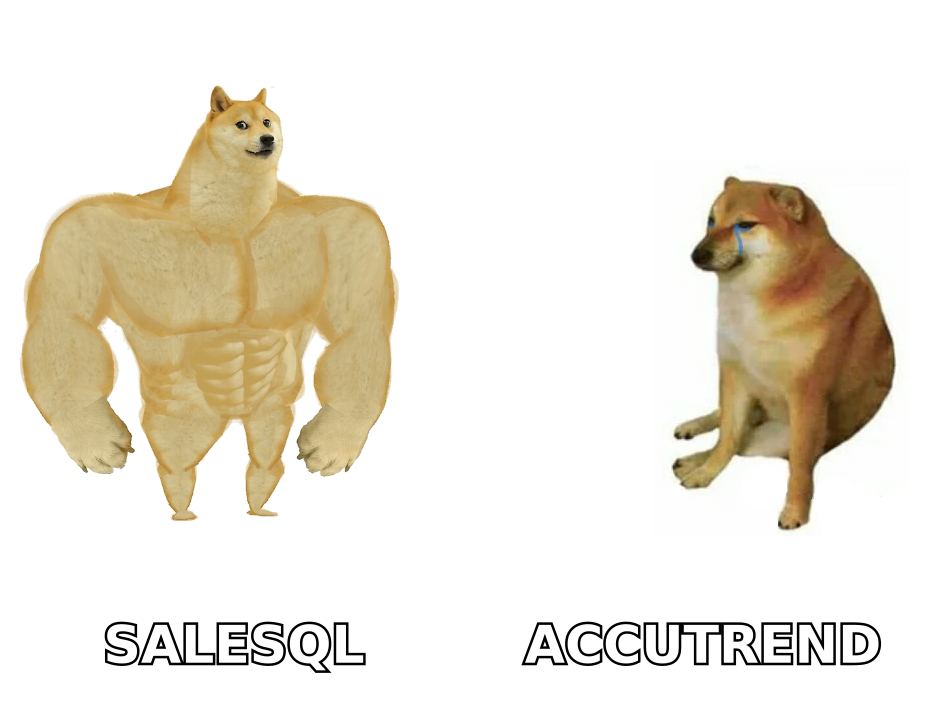
Think of it like finding someone's phone number. SalesQL is the friend who only looks people up while standing in the LinkedIn lobby: point at a profile, get a number. Accutrend is the back-office clerk who takes your whole spreadsheet of company names and fills in the blanks in one pass.
SalesQL is a browser extension built around LinkedIn and Sales Navigator. You browse to a profile or run a search, and it surfaces personal and work emails plus phone numbers. Its entire value proposition is speed inside a workflow reps already use every day. If your prospecting is LinkedIn, SalesQL meets you there.
Accutrend positions itself more as a data and enrichment layer. The core motion is list-based: bring accounts or contacts, append the missing emails and company attributes, and push the enriched file into your CRM or sequencer. That makes it a fit for RevOps and demand-gen teams who already know who they want and just need contactable data.
Both are legitimate. The mistake is treating them as interchangeable — they reward different workflows.
How accurate is each one?#
Accuracy is where most buyers get burned, so be precise about what the word means.
An email finder does one of two things when you ask for an address:
- Returns a known, sourced email it already has on record, or
- Guesses the pattern (first.last@company.com) and — ideally — checks it against the mail server before showing it to you.
The second step, SMTP verification, is what separates a deliverable list from a bounce machine. A tool can show you a green checkmark that only means "this matches a common pattern," not "this inbox exists." Those are very different guarantees.

SalesQL surfaces both personal and professional emails from profile data, and it labels confidence. The catch with any LinkedIn-sourced tool is that personal Gmail/Yahoo addresses inflate the "found" rate but are usually the wrong channel for B2B outreach — and they're rarely verified against a corporate mail server.
Accutrend, being enrichment-first, tends to report match rates against your uploaded list. A 70% match on 5,000 rows sounds great until you learn how many of those matches were verified versus pattern-inferred. Always ask a vendor for the verified match rate, not the total.
The honest takeaway: don't trust any single finder's self-reported number. Run a sample of 100 known-good contacts through each, send to them, and measure the real bounce rate. That field test beats any marketing page — including this one.
Rule of thumb: a "found" email you haven't verified is a hypothesis, not a contact.
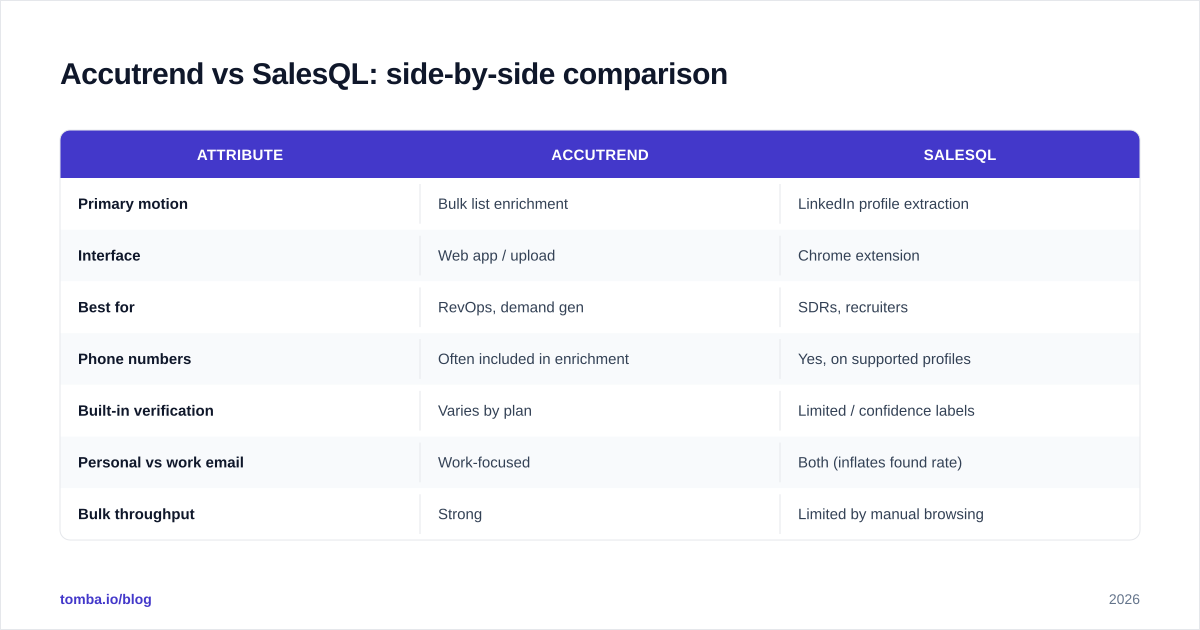
Accutrend vs SalesQL: side-by-side comparison#
| Attribute | Accutrend | SalesQL |
|---|---|---|
| Primary motion | Bulk list enrichment | LinkedIn profile extraction |
| Interface | Web app / upload | Chrome extension |
| Best for | RevOps, demand gen | SDRs, recruiters |
| Phone numbers | Often included in enrichment | Yes, on supported profiles |
| Built-in verification | Varies by plan | Limited / confidence labels |
| Personal vs work email | Work-focused | Both (inflates found rate) |
| Bulk throughput | Strong | Limited by manual browsing |
| Free option | Trial / limited | Free tier with monthly credits |
| API access | Yes | Limited |
Two rows do most of the deciding. If your line item is "enrich 8,000 accounts by Friday," Accutrend's batch model wins. If it's "my reps build lists by hand in Sales Navigator," SalesQL's in-context extraction wins. Pick the tool that matches the motion, not the one with the bigger feature list.
Which one is better for cold email deliverability?#
Neither tool, on its own, protects your domain — and this is the part teams underestimate.
Finding the email is step one. Keeping it out of spam is a separate discipline involving authentication, warmup, and list hygiene. If you dump even a 90%-accurate list straight into a sequencer, the 10% of bounces can tank your sender reputation and drag your good emails to spam with them.
The defensive workflow looks like this regardless of which finder you choose:
- Find emails (Accutrend or SalesQL).
- Re-verify the full list through a dedicated verifier before import.
- Remove catch-all and risky addresses, or route them to a catch-all verifier.
- Authenticate your domain (SPF, DKIM, DMARC) and warm it up.
- Send in measured volume, monitor bounces, and prune.
The verification step is non-negotiable. Even tools that verify at find-time are checking against data that ages — people leave companies, mailboxes get retired. A list found 60 days ago and never re-checked is already decaying. For a primer on the mechanics, the email deliverability glossary entry is a good ground-level start, and Google's own Postmaster Tools will show you how Gmail actually grades your domain.
What about pricing and value?#
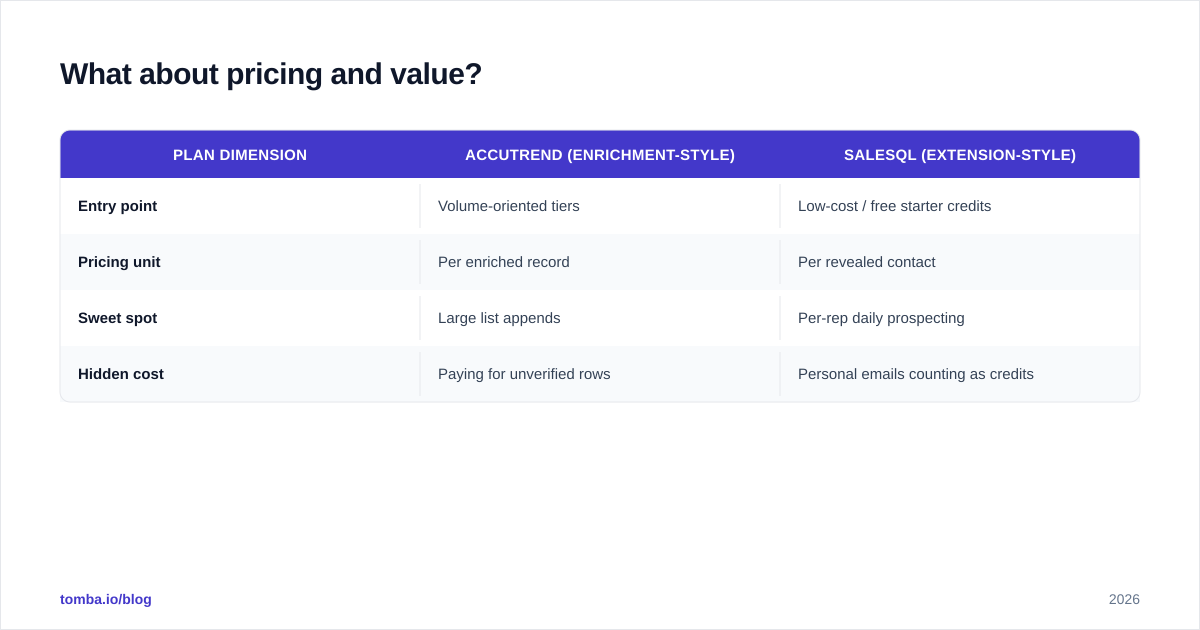
Both run on credits, and both can look cheap or expensive depending on volume — so model your real usage, not the headline price.
| Plan dimension | Accutrend (enrichment-style) | SalesQL (extension-style) |
|---|---|---|
| Entry point | Volume-oriented tiers | Low-cost / free starter credits |
| Pricing unit | Per enriched record | Per revealed contact |
| Sweet spot | Large list appends | Per-rep daily prospecting |
| Hidden cost | Paying for unverified rows | Personal emails counting as credits |
The trap on both sides is paying for data you can't use. With SalesQL, a personal Gmail you'd never cold-email still spends a credit. With enrichment tools, an unverified pattern-guess still counts against your match volume. Compute cost per verified, usable, work email — that single metric reorders most vendor comparisons.
For context on how transparent credit pricing can look, compare against published Tomba pricing: a free tier at 25 searches/month, Starter at $49/mo, Growth at $99/mo, and Pro at $249/mo, with verification included rather than billed as a separate add-on. Whatever you choose, insist on knowing what a credit buys after verification. Third-party reviews on G2 and Capterra are useful for sanity-checking real-world credit burn against the marketing claims.
When should you pick Accutrend?#
Pick Accutrend when your bottleneck is scale, not sourcing.
You already have the account list — maybe exported from your CRM, a conference attendee sheet, or an ICP query. You don't need to discover companies; you need to fill in contactable data across thousands of rows without clicking through profiles one by one. Accutrend's batch enrichment model is built for exactly that, and its API lets you wire enrichment into an automated pipeline.
Good-fit signals:
- You think in lists and segments, not individual prospects.
- You run enrichment as a scheduled ops job, not an ad-hoc rep task.
- You need firmographic fields alongside the email.
- You'll re-verify downstream anyway, so find-time verification matters less.
When should you pick SalesQL?#
Pick SalesQL when your reps live in LinkedIn and build lists by hand.
If prospecting starts with a Sales Navigator search and the rep's instinct is to qualify each profile before reaching out, an in-browser extension removes friction. There's no export-upload-download loop; the email appears where the rep already is. For recruiters and founder-led sales especially, that immediacy is worth more than batch throughput they'd never use.
Good-fit signals:
- LinkedIn is the primary sourcing channel.
- Reps qualify visually before they want an email.
- Volume is dozens of contacts a day, not thousands at once.
- You want phone numbers from the same profile view.
If you're weighing extension-based tools generally, our roundup of a SalesQL-style LinkedIn finder workflow walks through the trade-offs of sourcing emails directly from profiles.
Is there a better all-in-one option?#
If the honest answer to "Accutrend or SalesQL?" is "I need both jobs done," that's a signal to look at a finder that spans them.
The reason teams end up with two tools is that one is LinkedIn-first and the other is list-first. A platform that offers domain search, name-based finding, LinkedIn extraction, and bulk processing — all with SMTP verification on the same credit — collapses that stack. Tomba is built around that single-source model:
- Domain search to pull every public email pattern for a company at once.
- An email finder for name-plus-domain lookups, verified before it returns.
- Bulk email finder for the Accutrend-style "enrich my whole list" motion.
- A built-in email verifier so you're not bolting on a second vendor for hygiene.
That's not a knock on either competitor — SalesQL is genuinely fast inside LinkedIn, and Accutrend is built for enrichment scale. It's just that paying for, and stitching together, two narrow tools often costs more than one finder that verifies as it goes. For a deeper look at how match rates are sourced, the data sources breakdown explains where the emails actually come from — a question worth asking every vendor on this list.

How do you decide in practice?#
Run a 30-minute bake-off before you commit budget. The process is the same one any B2B data buyer should use:
- Take 100 contacts you can independently confirm (current colleagues, known customers).
- Run them through each tool.
- Record found rate, verified found rate, and how many were work vs personal emails.
- Send a low-volume, authenticated test and log the real bounce rate.
- Divide cost by verified-usable emails to get true cost-per-contact.
Whichever tool wins your sample wins the decision. Brand reputation and feature lists are proxies; your own bounce rate is the ground truth.
The bottom line#
Accutrend and SalesQL aren't really competitors so much as specialists. Accutrend is the enrichment engine for teams who already have their account list and need contactable data at volume. SalesQL is the LinkedIn-native extension for reps who source one qualified profile at a time. Match the tool to your motion and either can earn its credits.
But verify everything before you send — that single habit protects your domain more than any vendor's accuracy claim.
Ready to test a finder that handles both motions? Start free with the Tomba Email Finder: 25 searches a month at no cost, SMTP verification built in, and one credit pool that covers domain search, LinkedIn lookups, and bulk enrichment. Run it against your own 100-contact sample alongside Accutrend and SalesQL, compare the verified found rates, and let your real bounce numbers pick the winner.
// get started
Find, verify and enrich your first contacts today
Start on the free plan with 25 searches a month, then scale when your team is ready.
Free plan · No credit card required · GDPR & CCPA
// about the author