Adaptio vs FinalScout 2026: LinkedIn Outreach Compared
Adaptio automates LinkedIn outreach; FinalScout finds and verifies emails from profiles. Here's which one fits your prospecting stack in 2026 — and where each falls short.
TL;DR
- Adaptio is a LinkedIn outreach automation tool: it sends connection requests, follow-ups, and AI-personalized messages on autopilot with human-like activity limits.
- FinalScout is an email finder built on top of LinkedIn: it extracts and verifies professional email addresses from profiles and lets you draft AI emails.
- They are not direct competitors — Adaptio works inside LinkedIn's inbox, FinalScout moves prospects into your email channel. Many teams run both.
- If your motion is LinkedIn-first social selling, Adaptio wins. If you need clean, verified emails for cold email at scale, FinalScout (or a dedicated email finder) wins.
- Neither is a full data platform. For high-accuracy email discovery and verification across any domain, a specialist like Tomba Email Finder outperforms a LinkedIn-bound scraper.
What are Adaptio and FinalScout?#
The short version: Adaptio sends, FinalScout finds.
Adaptio is a LinkedIn automation platform. Think of it as a tireless SDR that lives inside your LinkedIn account — it visits profiles, sends connection requests, fires off follow-up sequences, and uses AI to personalize the first line of each message. Its main selling point is safety: it throttles activity to mimic human behavior so your account doesn't trip LinkedIn's spam detection.
FinalScout is an email-finding and outreach tool that also leans on LinkedIn. You browse a profile (or a Sales Navigator list), and FinalScout surfaces the person's verified work email. It then offers AI-assisted email drafting so you can move the conversation off-platform and into the inbox.
Here's the analogy: if prospecting is fishing, Adaptio is the net you cast in the LinkedIn pond, while FinalScout is the tool that tells you which fish have a valid mailing address so you can reach them by post instead. One keeps you in the pond; the other gets you out of it.
That distinction matters because picking between them isn't really "which is better" — it's "which channel is your outbound built on?"
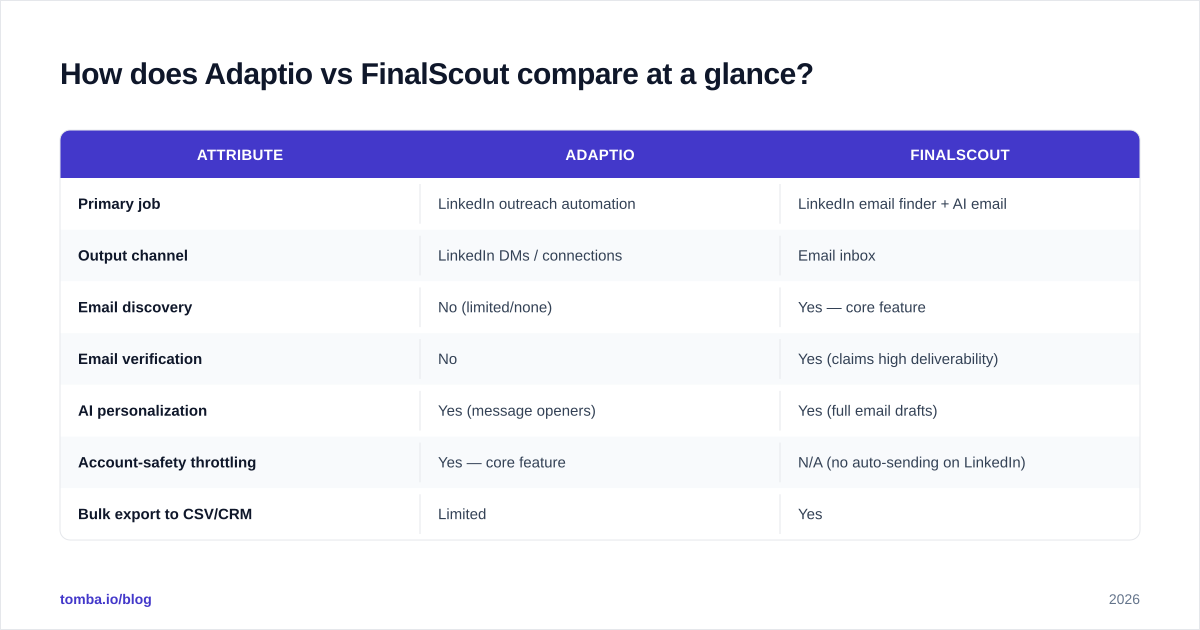
How does Adaptio vs FinalScout compare at a glance?#
| Attribute | Adaptio | FinalScout |
|---|---|---|
| Primary job | LinkedIn outreach automation | LinkedIn email finder + AI email |
| Output channel | LinkedIn DMs / connections | Email inbox |
| Email discovery | No (limited/none) | Yes — core feature |
| Email verification | No | Yes (claims high deliverability) |
| AI personalization | Yes (message openers) | Yes (full email drafts) |
| Account-safety throttling | Yes — core feature | N/A (no auto-sending on LinkedIn) |
| Bulk export to CSV/CRM | Limited | Yes |
| Best for | Social selling, SDR LinkedIn cadences | Cold email list building |
| Free tier | Trial-based | Free credits (limited) |
| Risk profile | LinkedIn account restriction | Email bounce / spam if unverified |
Read the table top to bottom and the split is obvious. Adaptio is a sending engine for one channel. FinalScout is a data + drafting engine that feeds another channel. They overlap only in the "AI writes my message" column — and even there, the medium is different.
Is Adaptio better than FinalScout?#
It depends entirely on where your prospects respond.
Choose Adaptio if:
- LinkedIn is your highest-reply channel and you're running connection-request → DM → follow-up cadences.
- You manage multiple SDR LinkedIn accounts and need safe activity limits to avoid restrictions.
- You sell into audiences that ignore cold email but accept relevant LinkedIn outreach (founders, creators, senior ops roles).
- Your value is in touches and timing, not in building a portable email list.
Choose FinalScout if:
- Your sequences live in email (Instantly, Smartlead, Salesloft, etc.) and you need addresses to load.
- You want to own your data — exportable, verified emails that survive a LinkedIn ban.
- You're building lists from Sales Navigator searches and need to enrich them with contact info.
- Deliverability and bounce rate are KPIs you're measured on.
Most serious outbound teams don't pick one. They use a LinkedIn tool and an email finder, because LinkedIn outreach and cold email are complementary channels, not substitutes. The real question is which gap each one fills in your existing stack.
)
How accurate are the emails — and why does it matter?#
This is where FinalScout-style tools get judged, and where the comparison gets uncomfortable.
FinalScout pulls emails tied to LinkedIn profiles. That's a powerful angle when it works — but it has two structural weaknesses:
- Coverage is bound to LinkedIn. No LinkedIn profile, no match. Plenty of decision-makers (especially in trades, local services, and certain regions) barely use LinkedIn, so they're invisible to a profile-first finder.
- Verification quality varies. Finding a plausible email and confirming a deliverable one are different problems. A tool can return
first.last@company.combecause that's the company pattern — but if that mailbox doesn't exist, you eat a bounce.
Bounces aren't cosmetic. Once your bounce rate climbs past ~2-3%, mailbox providers start throttling you, and your email deliverability collapses for every campaign on that domain. One bad list can poison your sender reputation for weeks.
That's why verification is a non-negotiable step, not a nice-to-have. A dedicated email verifier checks MX records, SMTP response, and catch-all status before you ever hit send. If a tool finds emails but verifies them weakly, you're trading a data problem for a deliverability problem.
Neither Adaptio (which doesn't find emails) nor a LinkedIn-only finder gives you the cross-source confidence of a platform that triangulates emails from multiple signals and runs them through real-time verification.
Where do both tools fall short?#
Be honest about the ceilings here.
Adaptio's limits:
- Single channel. It's only as good as LinkedIn's tolerance for automation. Policy changes, and your whole motion is exposed.
- No data ownership. Conversations and connections live on LinkedIn's servers. Lose the account, lose the pipeline.
- Reply quality plateaus. AI openers help, but automated LinkedIn outreach has trained buyers to recognize and ignore it.
FinalScout's limits:
- LinkedIn dependency for discovery. Coverage gaps for non-LinkedIn-active contacts.
- Email-finding only goes as deep as its data sources. It's not a full enrichment or domain-search platform.
- Bulk workflows are lighter than dedicated B2B data tools — fine for one-off prospecting, strained for list-building at volume.
The pattern: each tool is excellent at its one job and thin everywhere else. If your prospecting needs span channels — find the email, verify it, get a phone number, enrich the company — you'll outgrow either one fast. That's the case for a broader data layer underneath your sending tools.
What does a complete prospecting stack look like?#
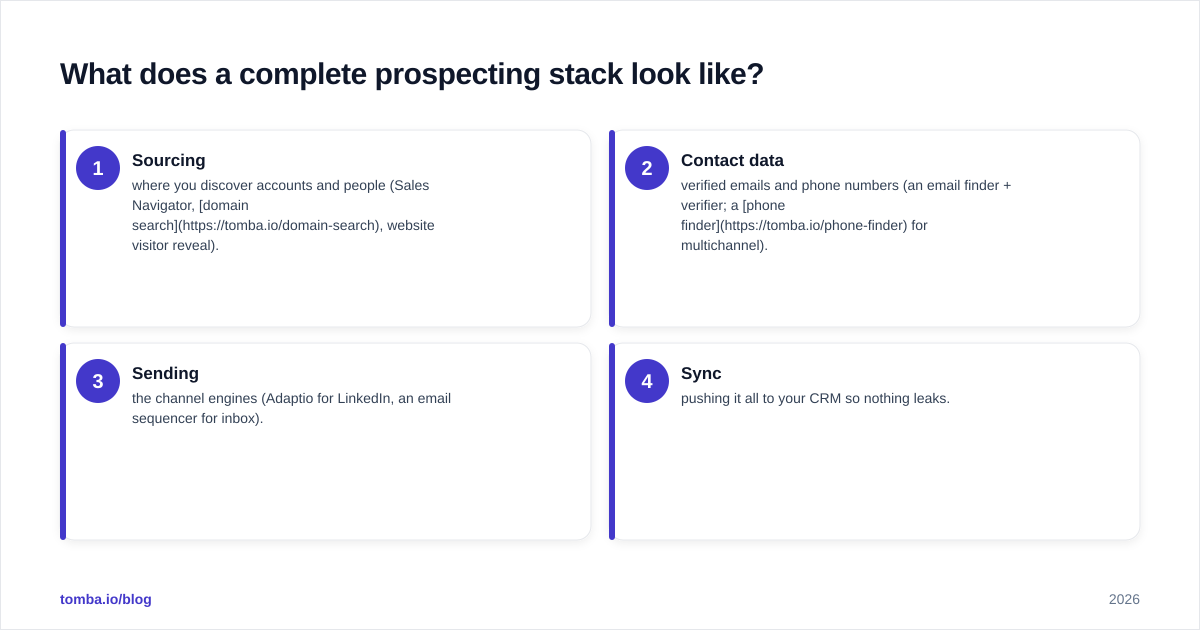
Stop thinking "Adaptio or FinalScout" and start thinking in layers. A durable 2026 outbound stack has four:
- Sourcing — where you discover accounts and people (Sales Navigator, domain search, website visitor reveal).
- Contact data — verified emails and phone numbers (an email finder + verifier; a phone finder for multichannel).
- Sending — the channel engines (Adaptio for LinkedIn, an email sequencer for inbox).
- Sync — pushing it all to your CRM so nothing leaks.
In that model, Adaptio sits in layer 3 (LinkedIn sending). FinalScout straddles layers 2 and 3 (it finds emails and drafts them). Neither owns layer 2 deeply enough to be your single source of contact truth. That's the slot a specialist email-finding platform fills — and it's the slot most teams under-invest in, then wonder why their bounce rates and reply rates both disappoint.
)
How should you actually decide between them?#
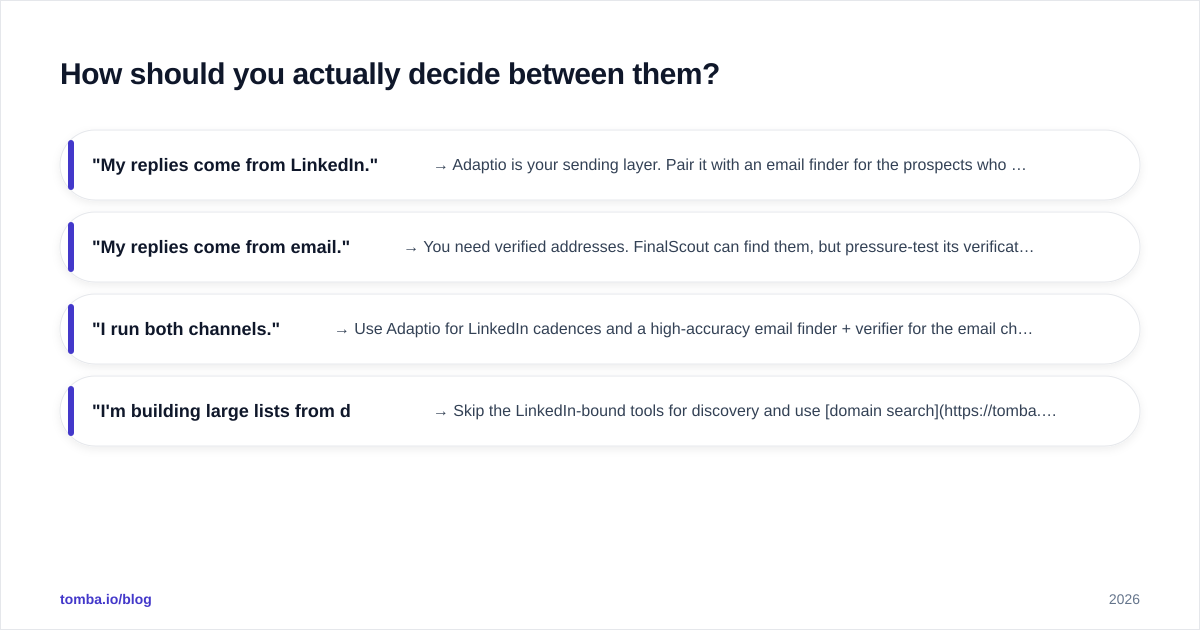
Run this quick decision test:
- "My replies come from LinkedIn." → Adaptio is your sending layer. Pair it with an email finder for the prospects who go quiet on LinkedIn.
- "My replies come from email." → You need verified addresses. FinalScout can find them, but pressure-test its verification against a dedicated verifier before trusting the list.
- "I run both channels." → Use Adaptio for LinkedIn cadences and a high-accuracy email finder + verifier for the email channel. FinalScout becomes optional once you have a stronger data layer.
- "I'm building large lists from domains, not profiles." → Skip the LinkedIn-bound tools for discovery and use domain search plus a bulk email finder instead.
Notice that in three of four cases, the limiting factor isn't sending — it's contact data quality. You can have the best LinkedIn automation and the slickest AI email drafts, but if the address bounces or the prospect isn't on LinkedIn, the cadence never starts. Data is the constraint; sending is downstream.
For an outside read on either tool, check current user reviews on G2 and the vendors' own claims at finalscout.com before committing budget. Cross-reference what they promise on accuracy against independent reviewer screenshots, not just the marketing page.
How does Tomba fit into this comparison?#
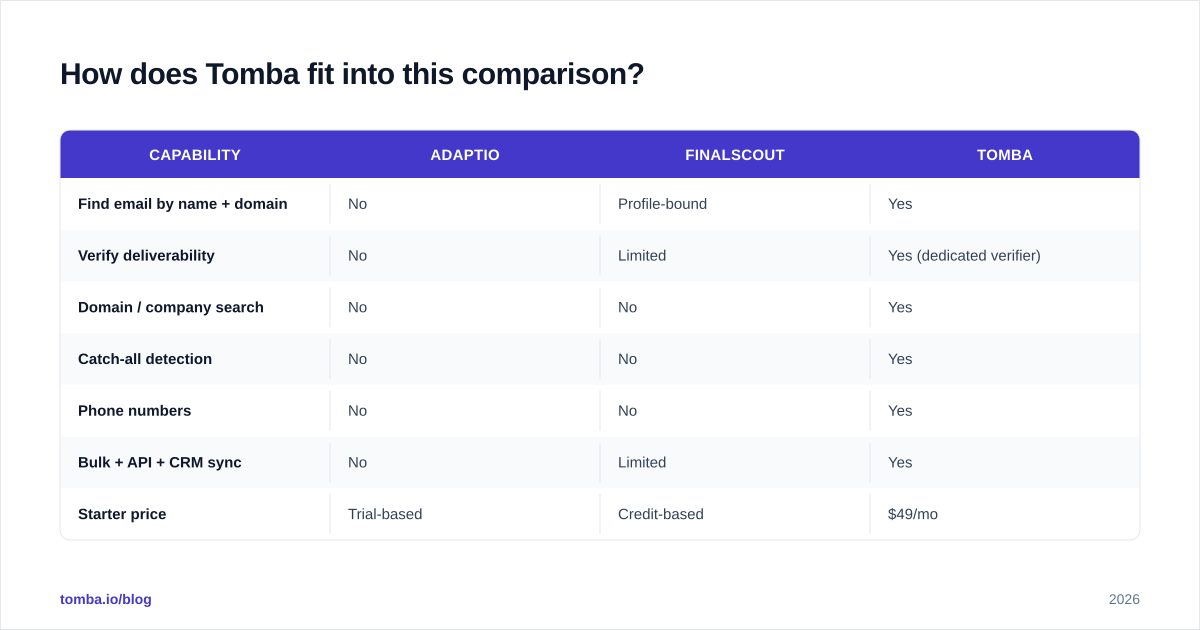
Tomba isn't a LinkedIn auto-sender like Adaptio, and it's not bound to LinkedIn profiles the way FinalScout is. It's the contact-data layer that sits beneath whatever sending tools you choose.
| Capability | Adaptio | FinalScout | Tomba |
|---|---|---|---|
| Find email by name + domain | No | Profile-bound | Yes |
| Verify deliverability | No | Limited | Yes (dedicated verifier) |
| Domain / company search | No | No | Yes |
| Catch-all detection | No | No | Yes |
| Phone numbers | No | No | Yes |
| Bulk + API + CRM sync | No | Limited | Yes |
| Starter price | Trial-based | Credit-based | $49/mo |
Where FinalScout needs a LinkedIn profile to start, Tomba can find emails from just a name and a company domain, then verify them — and it adds data enrichment, catch-all verification, and a Tomba API for teams that want to wire discovery directly into their workflow. If you specifically want LinkedIn-sourced emails, the LinkedIn finder covers that angle too — without locking your whole pipeline to one network.
Pricing is transparent and predictable: a free tier with 25 searches/month, Starter at $49/mo, Growth at $99/mo, and Pro at $249/mo. See full Tomba pricing for credit details. Note the Starter tier is $49/mo — not the $39 figure that sometimes circulates in outdated comparisons.
Frequently asked questions#
Is Adaptio a direct alternative to FinalScout? Not really. Adaptio automates LinkedIn outreach; FinalScout finds and drafts emails. They solve different problems and are often used together.
Can FinalScout replace a dedicated email verifier? For low-volume, occasional prospecting, maybe. For serious cold email where bounce rate determines deliverability, run found emails through a dedicated email verifier before sending.
Will Adaptio get my LinkedIn account banned? Adaptio's whole pitch is human-like throttling to reduce that risk, but no automation is risk-free. LinkedIn's own terms discourage automation, so use conservative limits and warm up new accounts.
Which is cheaper? Both use credit/trial models that vary by usage. A flat email-finding plan like Tomba's $49/mo Starter is often more predictable for teams that need consistent volume.
The bottom line#
Adaptio and FinalScout aren't fighting over the same job. Adaptio is a LinkedIn sending engine with safety rails. FinalScout is a LinkedIn-based email finder with AI drafting. Your channel decides your winner.
But both share the same blind spot: they're only as strong as the contact data underneath them. A LinkedIn-bound finder misses non-LinkedIn prospects, and an auto-sender can't compensate for a bounced address. If you want verified emails across any company — not just the ones with active profiles — start with a specialist data layer.
Try the Tomba Email Finder free with 25 searches a month: find professional emails by name, company, or domain, verify deliverability before you send, and export clean lists into whatever sending tool — Adaptio, an email sequencer, or both — your team already runs. Get the data right first, and every channel downstream performs better.
// get started
Find, verify and enrich your first contacts today
Start on the free plan with 25 searches a month, then scale when your team is ready.
Free plan · No credit card required · GDPR & CCPA
// about the author