Adaptio vs FindThatLead 2026: Which Lead Finder Wins?
Adaptio leans on AI-driven prospecting while FindThatLead is a veteran email finder. We compare accuracy, pricing, and workflow fit to help you pick the right tool in 2026.
TL;DR
- Adaptio is the newer, AI-first play: it scores intent, drafts outreach, and bundles prospecting into an SDR-style workflow. Good if you want automation over raw control.
- FindThatLead is the older, search-first email finder: domain search, lead search, and a cold-email sender, priced for SMBs and solo founders.
- On raw email accuracy, neither tool is the category leader — both trail dedicated finders that publish verification benchmarks.
- Pricing: FindThatLead starts cheaper for pure lookups; Adaptio costs more because you pay for the AI layer, not just the data.
- If your bottleneck is finding and verifying contacts (not writing copy), a specialist email finder like Tomba is the more honest fit. More on that below.
What are Adaptio and FindThatLead?#
Adaptio and FindThatLead solve overlapping problems from opposite ends.
FindThatLead has been around since the mid-2010s as a straightforward email finder. You give it a domain, a name, or a list, and it returns business email addresses plus a basic verification status. It later bolted on a cold-email sender and a Chrome extension, so a one-person sales team can prospect and send from one tab. Think of it as a Swiss Army knife built around the lookup.
Adaptio is the 2020s archetype: an AI prospecting platform. Instead of "type a name, get an email," it tries to run the whole top-of-funnel — surface accounts, infer buying signals, generate personalized messages, and queue them. The email-finding step is one cog in a larger machine. Think of it less as a knife and more as a small kitchen that also happens to slice.
That difference in philosophy drives every comparison below. One tool sells you data; the other sells you a workflow that consumes data.
How do Adaptio and FindThatLead compare head to head?#
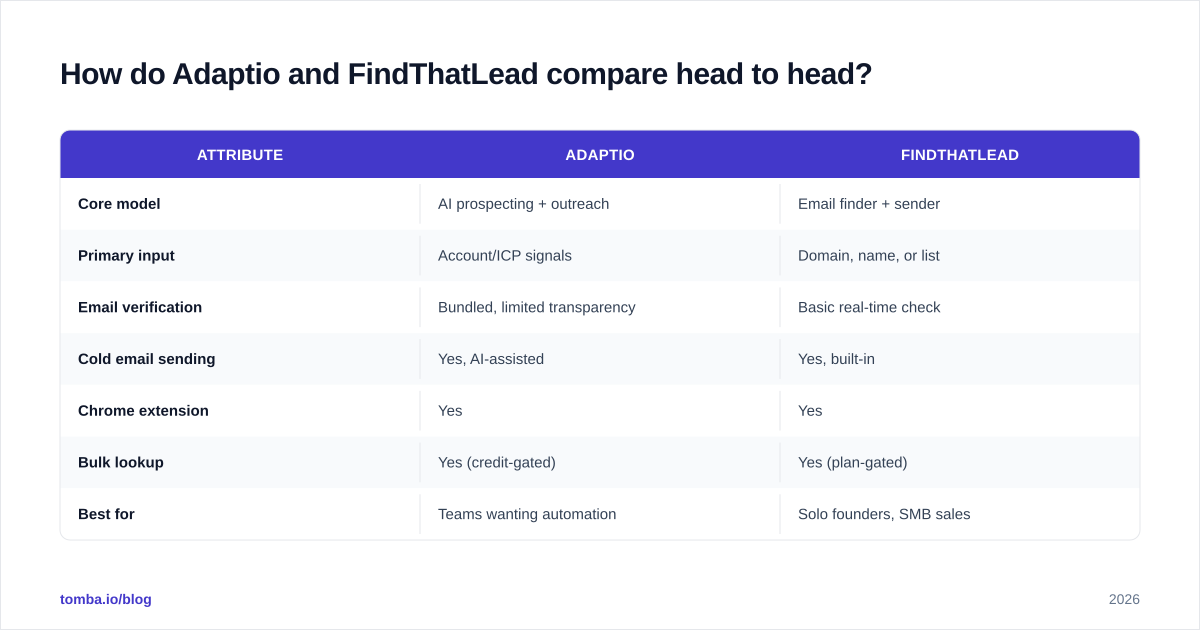
Here is the side-by-side. Prices and limits move, so treat these as directional and confirm on each vendor's site before you buy.
| Attribute | Adaptio | FindThatLead |
|---|---|---|
| Core model | AI prospecting + outreach | Email finder + sender |
| Primary input | Account/ICP signals | Domain, name, or list |
| Email verification | Bundled, limited transparency | Basic real-time check |
| Cold email sending | Yes, AI-assisted | Yes, built-in |
| Chrome extension | Yes | Yes |
| Bulk lookup | Yes (credit-gated) | Yes (plan-gated) |
| Best for | Teams wanting automation | Solo founders, SMB sales |
| Entry price | Higher (AI premium) | Lower (lookup-first) |
| Learning curve | Steeper | Shallow |
| Free option | Trial-based | Limited free credits |
The pattern is clear. FindThatLead wins on simplicity and entry cost. Adaptio wins on breadth and automation — if you actually use the automation. Paying the AI premium for features you ignore is the most common way teams overspend here.
Which tool finds more accurate emails?#
Accuracy is where buyers get burned, because both tools market "high accuracy" without publishing apples-to-apples benchmarks.
Here is the uncomfortable truth: all-in-one prospecting suites usually optimize for coverage and speed, not verification depth. A tool that promises to find, write, and send in one motion has less incentive to reject a borderline address — rejecting it breaks the flow. A dedicated finder, by contrast, lives or dies on its verified-rate.

When you evaluate either tool, run the same controlled test:
- Pull 100 contacts you can independently confirm (your own customers, partners, or LinkedIn-visible execs).
- Run them through each tool.
- Send a tiny seed campaign and measure the real bounce rate, not the tool's self-reported "valid" label.
If your bounce rate creeps above 3-5%, your sender reputation suffers regardless of which logo is on the dashboard. That is why pairing any finder with a standalone email verifier and a catch-all verifier matters more than the brand you pick. Catch-all domains are where most "verified" emails quietly fail — the server accepts everything, so a naive check returns a false positive.
)
For a deeper read on how verification actually works, the email deliverability glossary entry breaks down the SMTP handshake and why "accepted" is not the same as "deliverable."
How does pricing compare for Adaptio vs FindThatLead?#
Pricing tells you what each company thinks it sells.
FindThatLead prices like a data utility: tiers scale with the number of monthly credits (lookups) and emails you can send. Solo and SMB plans are affordable, which is why it stayed popular with bootstrapped founders. You pay roughly in proportion to volume.
Adaptio prices like software-plus-service: you are buying the AI orchestration layer, so even modest plans carry a premium over a pure finder. The math only works if the automation replaces real SDR hours. If a human still rewrites every AI draft, you are paying twice.
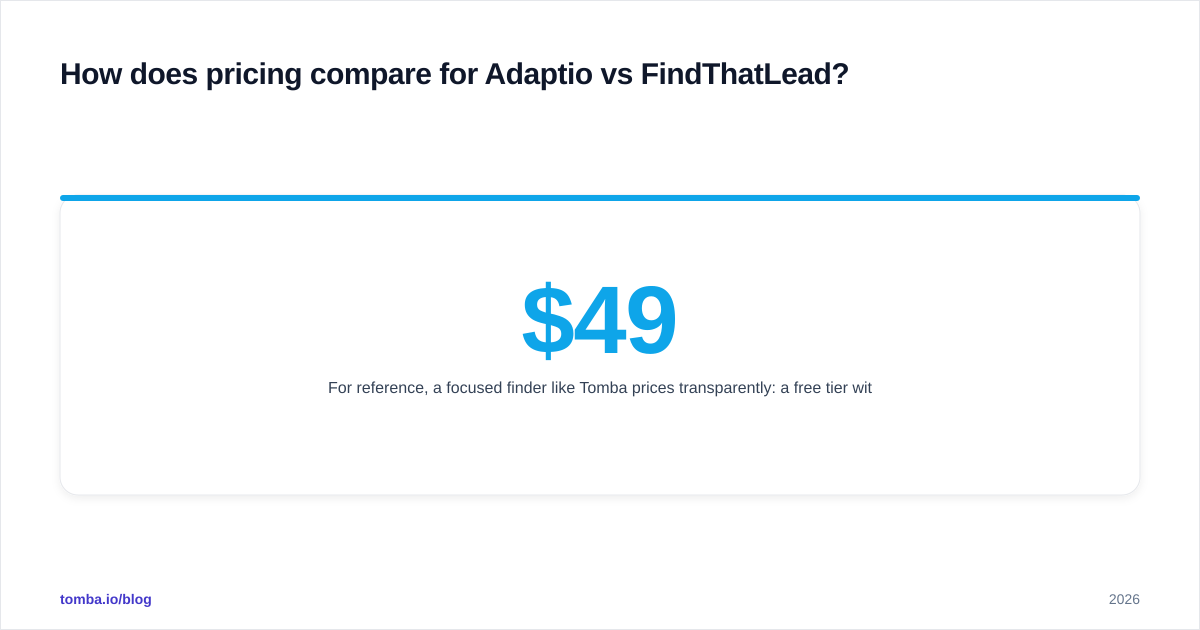
For reference, a focused finder like Tomba prices transparently: a free tier with 25 searches per month, Starter at $49/mo, Growth at $99/mo, Pro at $249/mo, and custom Enterprise. You can see the full Tomba pricing breakdown without booking a demo — itself a useful signal when a competitor hides numbers behind a sales call.
A simple rule of thumb:
- Mostly looking up and verifying emails? Pay for data, not AI. FindThatLead or a specialist finder wins on cost-per-valid-contact.
- Genuinely automating multi-step outreach with a small team? Adaptio's premium can pencil out — but only after you measure adoption.
Which is better for cold outreach workflows?#
This is Adaptio's home turf, and it's worth being fair.
Adaptio bundles sequencing, AI personalization, and signal-based timing into one surface. For a team that hasn't standardized its outbound motion, that can compress weeks of tool-stitching into a single onboarding. The AI drafts give junior reps a starting point instead of a blank page.
FindThatLead's sender is more basic — serviceable for simple campaigns, but you'll outgrow it once you need branching sequences, A/B testing, and granular sender reputation controls. Many FindThatLead users export contacts and send from a dedicated platform instead.
But automation has a failure mode: scale without quality control. AI-drafted, signal-triggered email at volume is exactly how domains land on blocklists. The Drake-meme version of the choice looks like this:
)
Whatever you pick, protect the fundamentals: warm the domain, authenticate with SPF/DKIM/DMARC, and keep volume sane. Tools like Instantly and Saleshandy specialize in the sending-and-warmup layer, and many teams pair a clean finder with one of those rather than relying on an all-in-one's sender.
How does data coverage and enrichment differ?#
Coverage is the quiet decider once you move beyond a single region or industry.
FindThatLead's database skews toward broadly available business contacts and is strongest for common B2B roles in well-indexed companies. Where it struggles is the long tail — smaller firms, non-English domains, and recently changed roles.
Adaptio leans on aggregated signals and third-party data to assemble account-level pictures, which helps with account targeting but doesn't automatically mean its person-level emails are fresher. AI-inferred contact data can be confidently wrong.
For teams that need more than an email — title, company size, social profiles, phone — neither tool is a true data enrichment engine. If enrichment is core to your routing or scoring, evaluate a dedicated layer. Tomba's domain search plus bulk email finder covers the find-and-enrich path, and you can read about its data sources to judge freshness for yourself.

The comparison table above shows why "all-in-one" rarely means "best-in-each." A suite spreads engineering effort across finding, enriching, writing, and sending. A specialist concentrates it on one job. For the find-and-verify job specifically, concentration usually wins.
What about integrations and scaling?#
A tool you can't connect to your stack becomes a copy-paste tax.
Both Adaptio and FindThatLead offer a Chrome extension and CSV export, and both push toward popular CRMs. Adaptio, being workflow-first, tends to invest more in native sync because its whole pitch is "don't leave the platform." FindThatLead's integrations are functional but lighter.
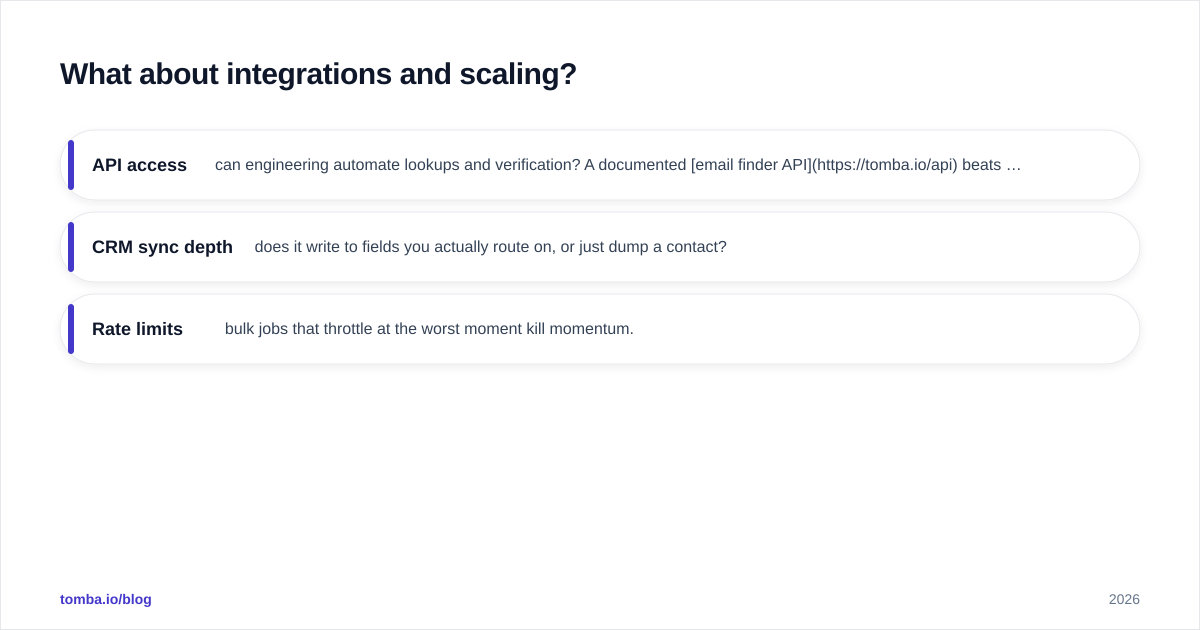
If you're building a repeatable sales prospecting motion, check three things before committing:
- API access — can engineering automate lookups and verification? A documented email finder API beats a UI-only tool the moment you scale past a few hundred contacts a month.
- CRM sync depth — does it write to fields you actually route on, or just dump a contact?
- Rate limits — bulk jobs that throttle at the worst moment kill momentum.
This is another area where a specialist with a real API, CLI, and spreadsheet add-ins (Excel, Google Sheets, Airtable) gives operations teams more rope than a closed suite.
Which should you choose?#
Match the tool to your actual bottleneck, not the marketing.
Choose FindThatLead if: you're a solo founder or small team, your volume is modest, you want one cheap tool to find and send, and you're comfortable with basic verification and a shallow feature set. It's a sensible, low-cost entry point.
Choose Adaptio if: you have a small SDR function, your bottleneck is process rather than data, and you'll genuinely use AI drafting and signal timing. The premium is justified only by adoption — measure it after 30 days.
Choose a specialist finder if: your real problem is finding and verifying accurate contacts at scale, you want transparent pricing, and you'd rather pair best-in-class data with your existing sender and CRM. This is where most teams that "graduate" from all-in-ones end up.
It's also worth scanning the broader market before you lock in — our running list of FindThatLead alternatives and adjacent tools shows how fast this category moves.
The bottom line#
Adaptio and FindThatLead aren't really the same product wearing different prices. Adaptio sells a workflow; FindThatLead sells lookups with a sender attached. Pick based on whether your gap is automation or data — and don't pay the AI premium for features your team won't touch.
But if you strip the question down to its core — can I reliably find and verify the right person's email? — both tools are generalists competing against specialists that do exactly that, all day. That's the job Tomba's Email Finder is built for: search by domain, name, or company, verify before you send, and plug it into your stack via API, Chrome extension, or Sheets. Start free with 25 searches a month, then scale on the $49/mo Starter plan when prospecting becomes a habit instead of an experiment. Find the email first; let the rest of your stack do what it's good at.
// get started
Find, verify and enrich your first contacts today
Start on the free plan with 25 searches a month, then scale when your team is ready.
Free plan · No credit card required · GDPR & CCPA
// about the author