Adaptio vs Leadsrush 2026: Which Lead Gen Tool Wins?
Adaptio vs Leadsrush, compared head-to-head for 2026: AI lead scoring vs LinkedIn-first scraping, pricing, data quality, and which one actually fills your pipeline.
Choosing between Adaptio and Leadsrush comes down to one question: do you want a tool that scores and prioritizes the leads you already have access to, or one that generates raw volume from LinkedIn and the open web? They sit on opposite ends of the lead generation workflow, and picking the wrong one means either a clean list nobody acts on or a flood of contacts nobody trusts.
This guide breaks down both tools on data quality, pricing, workflow fit, and deliverability impact — then shows where a dedicated data layer fits regardless of which you choose.
TL;DR#
- Adaptio leans into AI-driven lead scoring, intent signals, and prioritization — best for teams that already have inbound or a CRM full of accounts and need to know who to call first.
- Leadsrush is a LinkedIn-first prospecting and scraping tool built for volume — best for outbound teams that need to build net-new lists fast.
- Neither tool is a substitute for clean, verified contact data. Both benefit from running their exports through a dedicated email verifier before you send.
- On price, Leadsrush typically wins for solo operators and small teams; Adaptio's value shows up at scale when scoring saves rep hours.
- If your real bottleneck is finding and verifying emails — not scoring or scraping — a focused tool like Tomba is cheaper and more accurate than bolting that feature onto either platform.
What is Adaptio?#
Adaptio is a lead intelligence and prioritization platform. Its core promise is that you stop wasting rep time on accounts that will never close. It ingests your existing pipeline — CRM records, inbound signups, website visitors — applies a scoring model built on firmographic and behavioral signals, and tells your team which leads deserve attention today.
Think of Adaptio like a triage nurse in an emergency room. It doesn't bring more patients through the door; it decides who gets seen first based on how serious (and how ready) each case is. That makes it powerful for teams drowning in volume but weak for teams that have no volume to begin with.
Strengths:
- Behavioral and intent scoring that updates as leads engage
- Native CRM sync (HubSpot, Salesforce, Pipedrive)
- Routing rules that push hot leads to the right rep automatically
Weaknesses:
- It assumes you already have leads — it is not a net-new sourcing tool
- Scoring quality depends entirely on the data you feed it
- Pricing climbs quickly as seats and integrations grow
What is Leadsrush?#
Leadsrush is a LinkedIn-first lead generation and scraping tool. You point it at a LinkedIn search, a Sales Navigator filter, or a list of company pages, and it pulls back contact records — names, titles, company data, and often email guesses or social profiles. It is built for one thing: turning a search query into a downloadable list of prospects fast.
If Adaptio is the triage nurse, Leadsrush is the recruiter cold-walking a conference floor collecting business cards. It maximizes raw contact volume. What it does not guarantee is that every card has a working email on it — and that gap is where most cold outbound campaigns quietly bleed deliverability.
Strengths:
- Fast list-building from LinkedIn and Sales Navigator
- Bulk export to CSV and common CRMs
- Lower entry price than full sales-intelligence suites
Weaknesses:
- Email accuracy is hit-or-miss; many records need separate verification
- LinkedIn scraping carries account-risk and ToS exposure
- No built-in scoring — you decide who matters after the fact
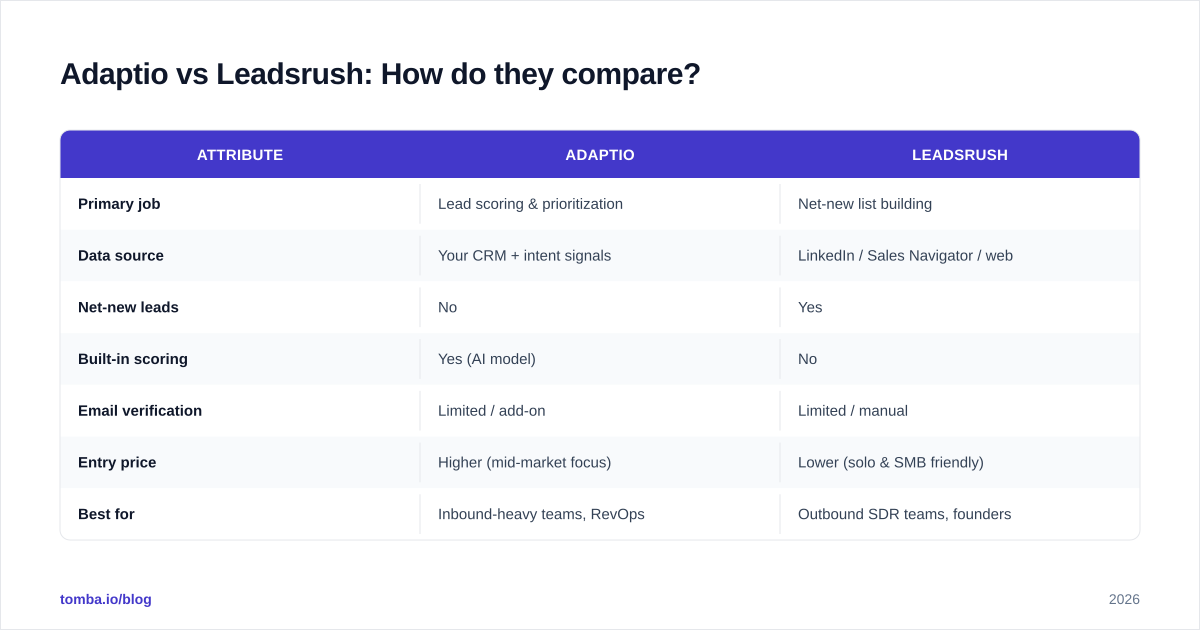
Adaptio vs Leadsrush: How do they compare?#
Here is the head-to-head on the attributes that actually change your pipeline numbers. (Pricing reflects publicly listed tiers at time of writing; confirm current rates on each vendor's site, since lead-gen pricing changes often.)
| Attribute | Adaptio | Leadsrush |
|---|---|---|
| Primary job | Lead scoring & prioritization | Net-new list building |
| Data source | Your CRM + intent signals | LinkedIn / Sales Navigator / web |
| Net-new leads | No | Yes |
| Built-in scoring | Yes (AI model) | No |
| Email verification | Limited / add-on | Limited / manual |
| Entry price | Higher (mid-market focus) | Lower (solo & SMB friendly) |
| Best for | Inbound-heavy teams, RevOps | Outbound SDR teams, founders |
| Main risk | Garbage-in scoring | LinkedIn ToS + email bounce |
The pattern is clear: these tools solve different halves of the funnel. Adaptio optimizes a pipeline you already have. Leadsrush builds one from scratch. A surprising number of teams buy one when they needed the other — then blame the tool for a problem it was never designed to fix.
Which one fits your motion?#
- You have inbound or a large dormant CRM → Adaptio. Scoring turns a messy list into a ranked call sheet.
- You have a blank pipeline and need volume → Leadsrush. Volume first, refinement later.
- You have both problems → you don't need to marry either vendor. Use a list-builder for sourcing, a scoring layer for prioritization, and a dedicated data tool for the part both do worst: getting accurate, deliverable contact info.
Is data accuracy the real deciding factor?#
Yes — and it is the factor most comparison posts skip. Both tools can show you a contact. Neither guarantees that contact's email will land in an inbox.
Leadsrush, like most scrapers, frequently returns pattern-guessed emails (firstname@company.com) that were never validated against a mail server. Adaptio inherits whatever quality lives in your CRM, which for most teams means stale records, role-based addresses, and people who left the company two years ago. In both cases the failure mode is the same: you send, the message bounces, and your sender reputation takes the hit.
Industry deliverability guidance is consistent on this — keeping hard-bounce rates under roughly 2% is the line between healthy sending and throttling. According to mailbox-provider documentation like Google Postmaster Tools, repeated bounces and spam complaints are direct inputs to whether your domain gets filtered. That is why verification is not optional housekeeping; it is the difference between a campaign that reaches people and one that trains Gmail to hide you.
This is the gap a focused data tool fills. Running either platform's export through an email verifier — and using a catch-all verifier for the domains that don't give a clean yes/no — strips the dead weight before it ever touches your sequence. If you are sourcing net-new from company domains, Tomba's domain search finds and verifies addresses in one step, which often replaces the shakiest part of a scraper's output entirely.
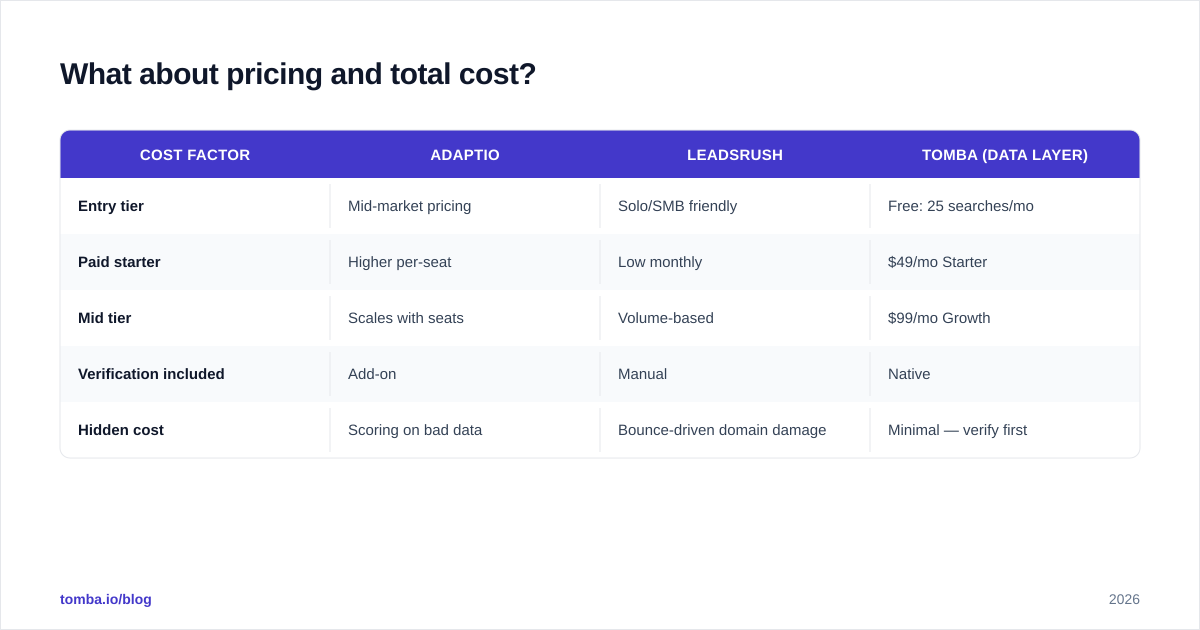
What about pricing and total cost?#
The sticker price on either tool is only half the math. The real cost includes wasted send volume, burned domains, and rep hours spent chasing dead contacts.
| Cost factor | Adaptio | Leadsrush | Tomba (data layer) |
|---|---|---|---|
| Entry tier | Mid-market pricing | Solo/SMB friendly | Free: 25 searches/mo |
| Paid starter | Higher per-seat | Low monthly | $49/mo Starter |
| Mid tier | Scales with seats | Volume-based | $99/mo Growth |
| Verification included | Add-on | Manual | Native |
| Hidden cost | Scoring on bad data | Bounce-driven domain damage | Minimal — verify first |
A practical way to read this table: Adaptio and Leadsrush are workflow spend, while a data tool is insurance spend. You can see full Tomba pricing for the verification layer, but the broader point holds with any verifier — spending a small amount to clean a list is always cheaper than the deliverability damage of not doing it.
For a side-by-side on third-party sources before you commit, both G2 and Capterra carry verified user reviews for sales-intelligence and lead-gen categories — useful for sanity-checking vendor claims against real-user friction.
Can you use Adaptio and Leadsrush together?#
Yes, and for many teams that is the smartest answer rather than forcing one tool to do both jobs.
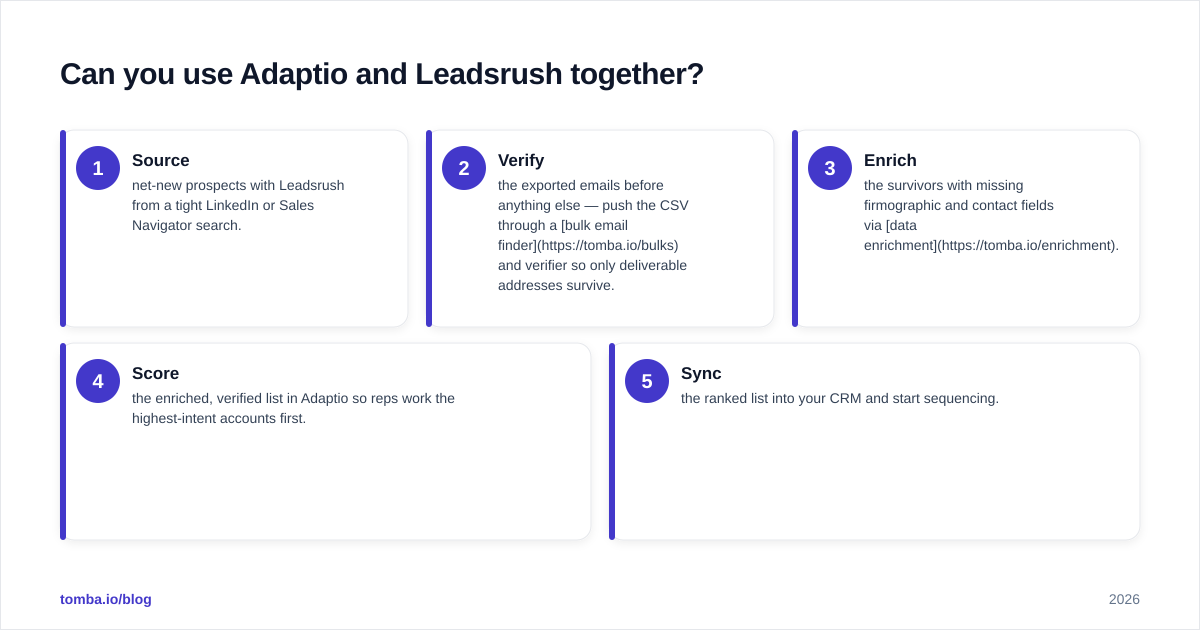
A clean combined workflow looks like this:
- Source net-new prospects with Leadsrush from a tight LinkedIn or Sales Navigator search.
- Verify the exported emails before anything else — push the CSV through a bulk email finder and verifier so only deliverable addresses survive.
- Enrich the survivors with missing firmographic and contact fields via data enrichment.
- Score the enriched, verified list in Adaptio so reps work the highest-intent accounts first.
- Sync the ranked list into your CRM and start sequencing.
The order matters. If you score before you verify (steps reversed), Adaptio is ranking contacts that may not even be reachable — you optimize a list with holes in it. Verify and enrich first, then score. Garbage in, ranked garbage out.
This is also where the "do I really need both paid tools?" question gets honest. If your outbound is small and your CRM is thin, you may not need Adaptio's scoring yet — a verified, enriched list from a sourcing tool plus a B2B database covers you until volume justifies a dedicated scoring layer.
Which tool should you choose in 2026?#
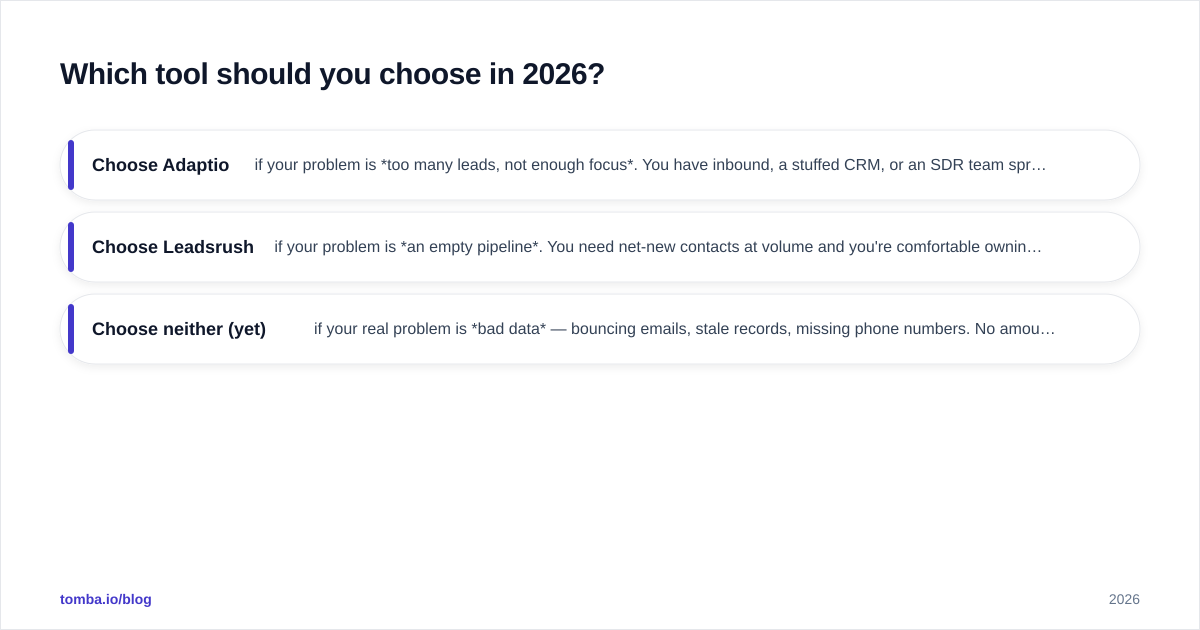
Pick based on your bottleneck, not the marketing:
- Choose Adaptio if your problem is too many leads, not enough focus. You have inbound, a stuffed CRM, or an SDR team spreading itself thin. Scoring is your leverage.
- Choose Leadsrush if your problem is an empty pipeline. You need net-new contacts at volume and you're comfortable owning the LinkedIn-ToS and verification work that comes with scraping.
- Choose neither (yet) if your real problem is bad data — bouncing emails, stale records, missing phone numbers. No amount of scoring or scraping fixes data quality. Fix the data first, then layer workflow tools on top.
The teams that win in 2026 treat sourcing, verification, and scoring as three separate jobs and refuse to let one mediocre all-in-one tool do all three badly. Buy the best tool for your actual bottleneck and keep the data layer clean underneath everything.
The bottom line#
Adaptio and Leadsrush aren't really competitors — they're two halves of a pipeline. Adaptio tells you who to work; Leadsrush gives you people to work. Both fall down on the same thing: accurate, deliverable contact data.
Before you spend on either, make sure the contacts feeding them are real. Start with the Tomba Email Finder to source and verify professional emails by name, domain, or company — then let Adaptio score them or Leadsrush scale them, knowing every address is one that actually lands. The free tier gives you 25 searches a month to test it against your current list before you commit a dollar.
// get started
Find, verify and enrich your first contacts today
Start on the free plan with 25 searches a month, then scale when your team is ready.
Free plan · No credit card required · GDPR & CCPA
// about the author