Adaptio vs Lfbbd Lead For Business: 2026 Comparison
A neutral, side-by-side breakdown of Adaptio vs Lfbbd Lead For Business — data coverage, pricing, workflows, and which lead-gen platform fits your B2B team in 2026.
Choosing between Adaptio and Lfbbd Lead For Business usually comes down to one question: do you need a workflow-first prospecting layer, or a data-first lead engine you can pipe into your own stack? This guide breaks down both, where each wins, and where a dedicated data provider quietly beats them on the metric that actually matters — accuracy.
TL;DR#
- Adaptio leans toward an all-in-one prospecting workflow: list building, sequencing, and basic enrichment in one interface. Best for SDR teams who want fewer tabs.
- Lfbbd Lead For Business leans toward raw lead volume and exportable records. Best for ops teams that already own their outreach tooling and just need fuel.
- Neither is automatically "better" — the right pick depends on whether your bottleneck is sending or sourcing.
- Both live or die on data accuracy. A cheap seat that returns 30% invalid emails costs more than a pricier one that returns clean records.
- If accuracy and verification are your real concern, pairing either tool with a dedicated email finder and email verifier often beats forcing one platform to do everything.
What is Adaptio?#
Adaptio positions itself as a workflow-first B2B prospecting platform. The pitch is consolidation: instead of stitching together a data vendor, a verification tool, and a sequencer, you build your target list, enrich it, and start outreach inside one product. That's appealing if your team currently juggles five tabs to send one campaign.
The trade-off with workflow-first tools is that the data layer is usually licensed, not owned. The platform buys or aggregates contact records, then wraps them in a nice interface. The interface is genuinely good. The underlying coverage and freshness are the variables you have to test before you commit budget.
If you're evaluating Adaptio, treat its built-in enrichment as a starting point, not gospel. Run a sample of 100 contacts and measure bounce rate before you trust it at scale.
What is Lfbbd Lead For Business?#
Lfbbd Lead For Business takes the opposite angle: it's a data-first lead engine. The product is oriented around generating and exporting large volumes of business leads — company records, contacts, and firmographic fields you can push into your CRM or sequencer of choice.
This is the better mental model when your outreach stack already exists. If you're committed to your sequencer, your CRM, and your reporting, you don't want another walled garden — you want clean records on demand. Lfbbd's strength is breadth and exportability. Its risk is the same one every volume-oriented vendor carries: quantity can mask quality. Ten thousand leads with a 25% invalid rate is 2,500 wasted sends and a dented sender reputation.

How do Adaptio and Lfbbd compare head to head?#
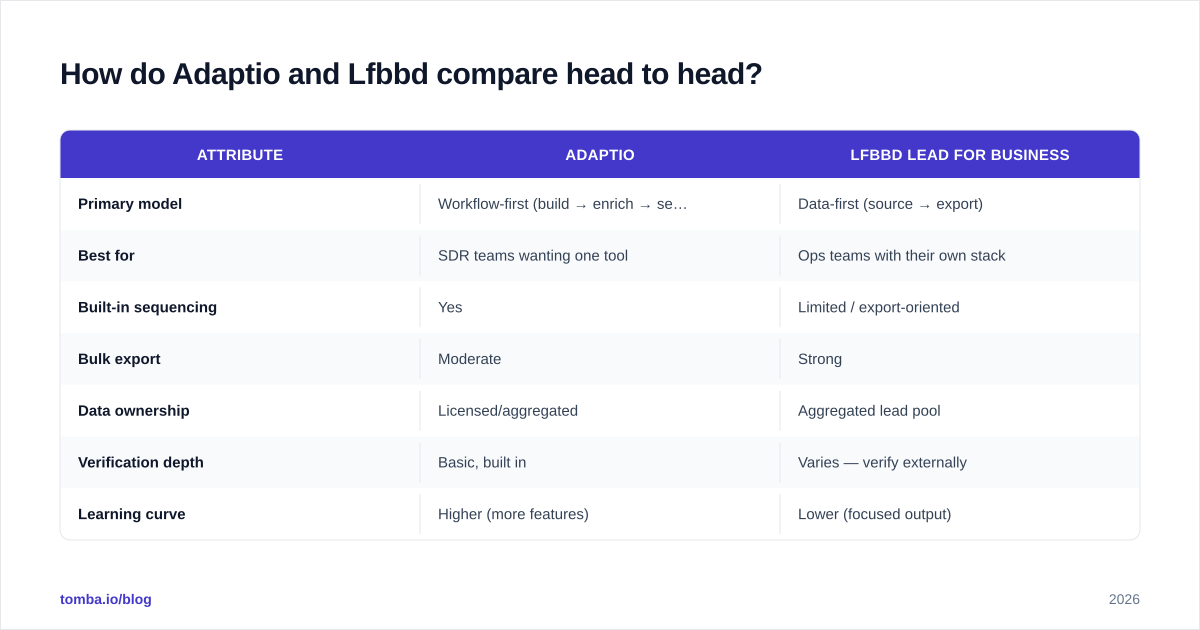
Here's the honest side-by-side. Treat published plan details as a moving target — always confirm current numbers on each vendor's own site and on third-party review hubs like G2 and Capterra before signing.
| Attribute | Adaptio | Lfbbd Lead For Business |
|---|---|---|
| Primary model | Workflow-first (build → enrich → send) | Data-first (source → export) |
| Best for | SDR teams wanting one tool | Ops teams with their own stack |
| Built-in sequencing | Yes | Limited / export-oriented |
| Bulk export | Moderate | Strong |
| Data ownership | Licensed/aggregated | Aggregated lead pool |
| Verification depth | Basic, built in | Varies — verify externally |
| Learning curve | Higher (more features) | Lower (focused output) |
| Hidden cost risk | Paying for unused modules | Paying for unverified volume |
The pattern: Adaptio charges for breadth of features, Lfbbd charges for breadth of data. Your cost efficiency depends on which one you'll actually use.
Which one has better data accuracy?#
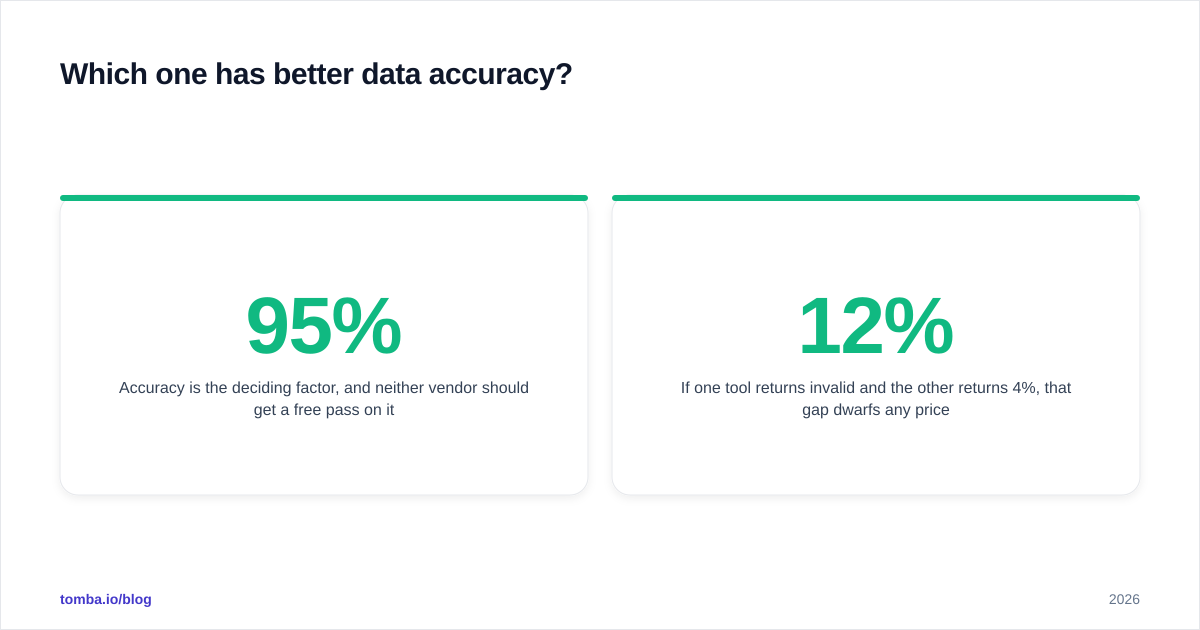
Accuracy is the deciding factor, and neither vendor should get a free pass on it. The uncomfortable truth in lead generation is that a tool's marketing claims about "95% accuracy" are measured under conditions you can't see. The only number that counts is your own bounce rate on your own segments.
Run this test before you buy either:
- Pull a sample of 100–200 contacts in your exact target profile from each tool.
- Run every record through an independent email verifier.
- Compare valid / catch-all / invalid splits side by side.
- Send to a small batch and measure actual hard bounces.
If one tool returns 12% invalid and the other returns 4%, that gap dwarfs any price difference between them. Bounces above ~3% start dragging your sender reputation, which silently lowers inbox placement for every campaign — not just the one with bad data.


What about pricing and value?#
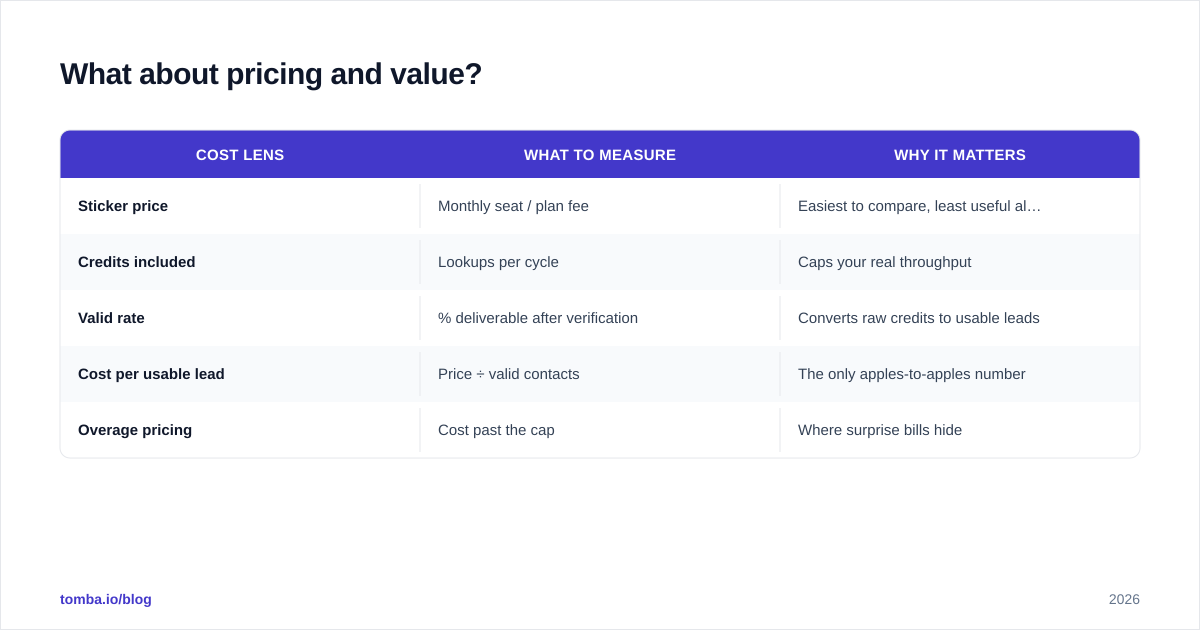
Both tools sell tiered subscriptions, and both will quote you a seat price that looks reasonable until you model real usage. The mistake teams make is comparing sticker prices instead of cost-per-usable-lead.
A worked example. Say Tool A costs $99/month for 1,000 credits with a 90% valid rate — that's 900 usable contacts, or about $0.11 each. Tool B costs $79/month for 1,000 credits but only an 80% valid rate — 800 usable contacts at roughly $0.10 each. The "cheaper" plan barely wins on unit cost, and you've also burned more time cleaning the list. Always normalize to cost per verified, deliverable contact, never per raw record.
This is also why bolting a focused data tool onto your stack can be cheaper than an all-in-one. For reference, transparent per-tier pricing like Tomba's plans starts with a free tier of 25 searches per month, then Starter at $49/mo, Growth at $99/mo, and Pro at $249/mo — so you can run the accuracy test above at zero or low cost before scaling spend.
| Cost lens | What to measure | Why it matters |
|---|---|---|
| Sticker price | Monthly seat / plan fee | Easiest to compare, least useful alone |
| Credits included | Lookups per cycle | Caps your real throughput |
| Valid rate | % deliverable after verification | Converts raw credits to usable leads |
| Cost per usable lead | Price ÷ valid contacts | The only apples-to-apples number |
| Overage pricing | Cost past the cap | Where surprise bills hide |
Is an all-in-one tool better than a focused stack?#
Not always — and this is the strategic call underneath the Adaptio vs Lfbbd question.
Think of it like kitchen appliances. An all-in-one tool is the multicooker: convenient, one device, fine at everything, exceptional at nothing. A focused stack is the chef's setup — a dedicated knife, pan, and stove. More pieces, but each does its job better. SDR teams that value speed and simplicity often prefer the multicooker (Adaptio-style). Ops and growth teams that optimize every step usually assemble the focused stack.
A common high-performing pattern looks like this:
- A dedicated source for finding contacts — a domain search to map every email at a target company, plus a finder for named prospects.
- A standalone verification pass so nothing unverified ever reaches your sequencer.
- Bulk lead generation for volume runs, and data enrichment to fill in firmographic and role data.
- Your existing sequencer and CRM, untouched.
This composable approach is why many teams use Adaptio or Lfbbd for one job and a specialist data provider for another, rather than betting the whole pipeline on a single vendor's data quality.
Who should pick Adaptio?#
Choose Adaptio if:
- Your team is small and you want to reduce tool sprawl, not add to it.
- Reps spend more time switching tools than sending.
- You value a guided workflow over maximum control.
- You're early enough that an opinionated, all-in-one product helps you move fast.
The thing to watch: don't pay for sequencing and reporting modules you'll never open. Audit usage after 60 days and right-size the plan.
Who should pick Lfbbd Lead For Business?#
Choose Lfbbd Lead For Business if:
- You already own a sequencer, CRM, and reporting layer you like.
- You need volume and clean exports more than another interface.
- Your team is comfortable running its own verification and routing.
- You think in pipelines and integrations, not all-in-one suites.
The thing to watch: never trust raw export volume. Put a verification gate between Lfbbd and your sender, every time.
How do you actually decide between them?#
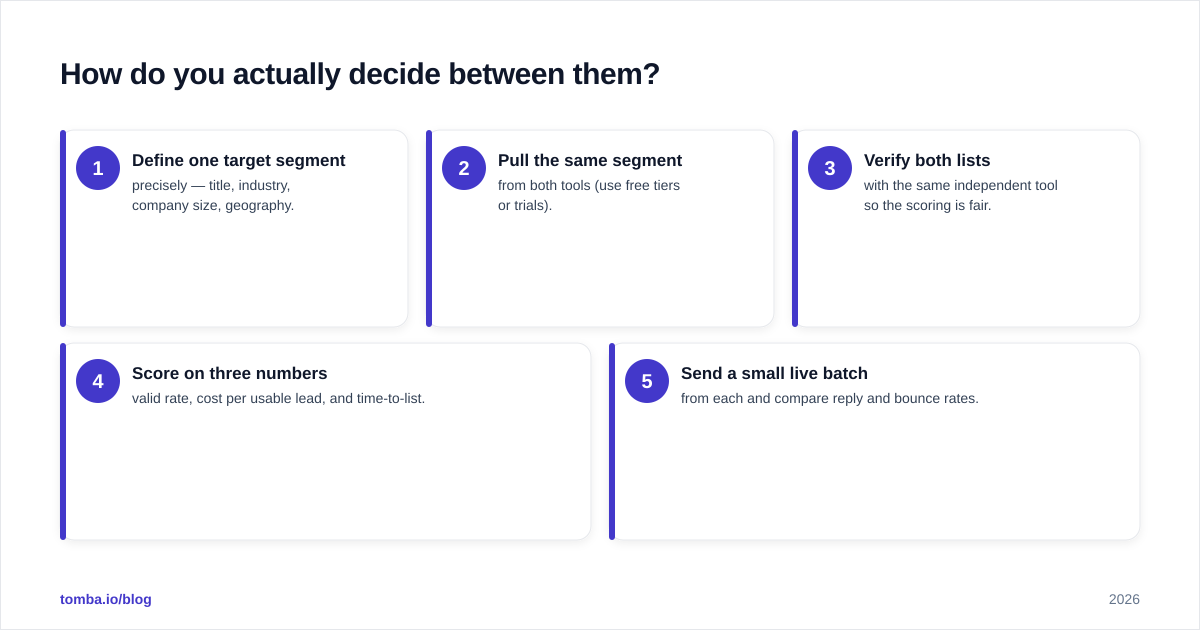
Run a 1-week bake-off instead of reading more reviews. Concretely:
- Define one target segment precisely — title, industry, company size, geography.
- Pull the same segment from both tools (use free tiers or trials).
- Verify both lists with the same independent tool so the scoring is fair.
- Score on three numbers: valid rate, cost per usable lead, and time-to-list.
- Send a small live batch from each and compare reply and bounce rates.
Whichever tool wins your segment wins, full stop. General-purpose review scores on sites like G2 are a useful sniff test, but they're aggregated across industries that may look nothing like yours. For background on the broader category and where these tools fit, the lead generation overview is a neutral primer.
Frequently asked questions#
Is Adaptio or Lfbbd more accurate? There's no universal answer — accuracy varies by industry, region, and company size. Run the same segment through both, verify with an independent tool, and let your own bounce rate decide.
Can I use both together? Yes, and many teams do. Use one for sourcing and the other for a specific segment or geography it covers better, then unify everything through one verification and enrichment pass.
Do I still need a separate email verifier? Almost always. Built-in verification is convenient but rarely as rigorous as a dedicated catch-all verifier and standalone verification step, especially for catch-all domains where most tools quietly guess.
What's the cheapest way to test both? Use free tiers and trials, cap the test at one tight segment, and measure cost per usable lead rather than per raw record. Free tiers like Tomba's 25 monthly searches are enough to benchmark accuracy before spending.
The bottom line#
Adaptio wins on workflow consolidation; Lfbbd Lead For Business wins on data volume and exportability. But both are only as good as the deliverable contacts they produce — and that's a number you should verify yourself, not take on faith.
If the real goal is clean, accurate, verified B2B contacts that drop straight into whatever stack you already run, start with the Tomba Email Finder. Find professional emails by domain, name, or company, verify them in the same flow, and benchmark the result against Adaptio or Lfbbd on your own target segment. Spin up the free tier, run the one-week bake-off above, and let your bounce rate pick the winner.
Get the Tomba newsletter
Practical outbound tactics and product updates — once every two weeks.
About the author