Adaptio vs SalesQL 2026: Which B2B Email Finder Wins?
SalesQL owns the LinkedIn sidebar; Adaptio leans on AI-driven enrichment. We compare accuracy, pricing, and data coverage to find which email finder earns a slot in your 2026 prospecting stack.
You have a prospect list and two tools open in two browser tabs. One is a LinkedIn-native extension that pulls a contact's email the moment you land on their profile. The other promises AI-driven enrichment that fills in the gaps your CRM left blank. Which one actually gets you a deliverable inbox you can email today?
That is the real question behind Adaptio vs SalesQL. Below is a straight comparison of how each tool finds emails, what it costs, where the data comes from, and which prospecting workflow each one fits. No marketing gloss — just the trade-offs you'll feel in your reply rate.
TL;DR#
- SalesQL is a LinkedIn-first email finder built as a browser extension. It shines when your entire prospecting motion lives inside LinkedIn and Sales Navigator.
- Adaptio positions itself as an AI-driven sales-enrichment layer — useful when you want context and data appended to records rather than a quick email grab.
- Neither tool is primarily a bulk, API-first email finder with built-in verification — and that gap matters once you scale past manual one-by-one lookups.
- On raw email accuracy, the winner is whichever tool verifies SMTP in real time and draws from multiple data sources, not a single scrape.
- If you want the LinkedIn coverage of SalesQL plus bulk processing, an API, and a verifier in one place, a dedicated email finder like Tomba is the more complete pick.
What is Adaptio?#
Adaptio is marketed as an AI-driven sales and enrichment platform. Instead of treating "find the email" as the whole job, it leans toward appending intelligence to a contact or account — firmographics, signals, and context that help a rep decide who to reach and what to say.
That framing is useful for revenue teams that already have names and want depth. The trade-off: enrichment-first tools tend to be opinionated about workflow and pricing, often quote-based or seat-based rather than the transparent credit model you get from a pure email finder. If your core need is simply "turn 5,000 names into 5,000 verified emails," an enrichment suite is more horsepower than the job requires.
Treat Adaptio as a data enrichment play first and an email source second. That distinction drives most of the differences below.
What is SalesQL?#
SalesQL is a LinkedIn email finder delivered as a Chrome extension. You open a profile (or a Sales Navigator search), click the extension, and it surfaces personal and business email addresses plus phone numbers. It's fast, visual, and tightly coupled to the LinkedIn experience.
For SDRs who prospect by browsing LinkedIn all day, that tight coupling is the entire value proposition. You stay in the flow, grab a contact, push it to a list, and move on. SalesQL also offers bulk extraction from LinkedIn search results, which scales the manual motion somewhat.
The limits show up when LinkedIn isn't your starting point. If your input is a list of company domains, a CSV of names, or a website you scraped, a LinkedIn-anchored tool has less to grab onto. You can read more about how the LinkedIn-to-email path works in our LinkedIn finder breakdown.
How do Adaptio and SalesQL actually find emails?#
The mechanics matter more than the marketing. Here's the core difference:
- SalesQL resolves a person from their LinkedIn identity, then matches that identity to known email patterns and cached records. Its strength is identity-to-email when you already have the profile open.
- Adaptio approaches from the account/record angle, enriching a contact with attributes and (where available) a deliverable email as one field among many.
Both depend on the same underlying reality: an email is only as good as the source behind it and the verification on top of it. A pattern guess like first.last@company.com is a hypothesis until something checks it. That's why a real-time email verifier — one that runs SMTP and catch-all checks — separates "found an email" from "found an email that won't bounce."
This is the single biggest lever on your bounce rate, and it's where a finder that bundles verification beats one that hands you raw guesses.

Which has better data accuracy and coverage?#
Accuracy comes down to three things: how many independent sources feed the result, whether each email is verified before you see it, and how the tool handles catch-all domains.
A LinkedIn-only approach (SalesQL's home turf) gives you excellent coverage for people who are active on LinkedIn with a complete profile. It gets thinner for contacts who aren't, for non-English-speaking markets with lower LinkedIn penetration, and for role-based addresses (sales@, info@) that don't map to a person.
An enrichment-first approach (Adaptio) can be broader on firmographics but isn't necessarily deeper on verified, send-ready emails — that depends entirely on the email data partners behind it.
The decision framework below is the practical way to choose. Match the tool to your input type and scale, not to the flashiest feature.

Where catch-all domains are common (a huge share of B2B), you need a dedicated catch-all verifier to avoid blasting addresses that silently accept everything and then bounce. Neither a pure LinkedIn extension nor a generic enrichment layer is built to resolve that edge case cleanly.
Adaptio vs SalesQL vs Tomba: feature and pricing comparison#
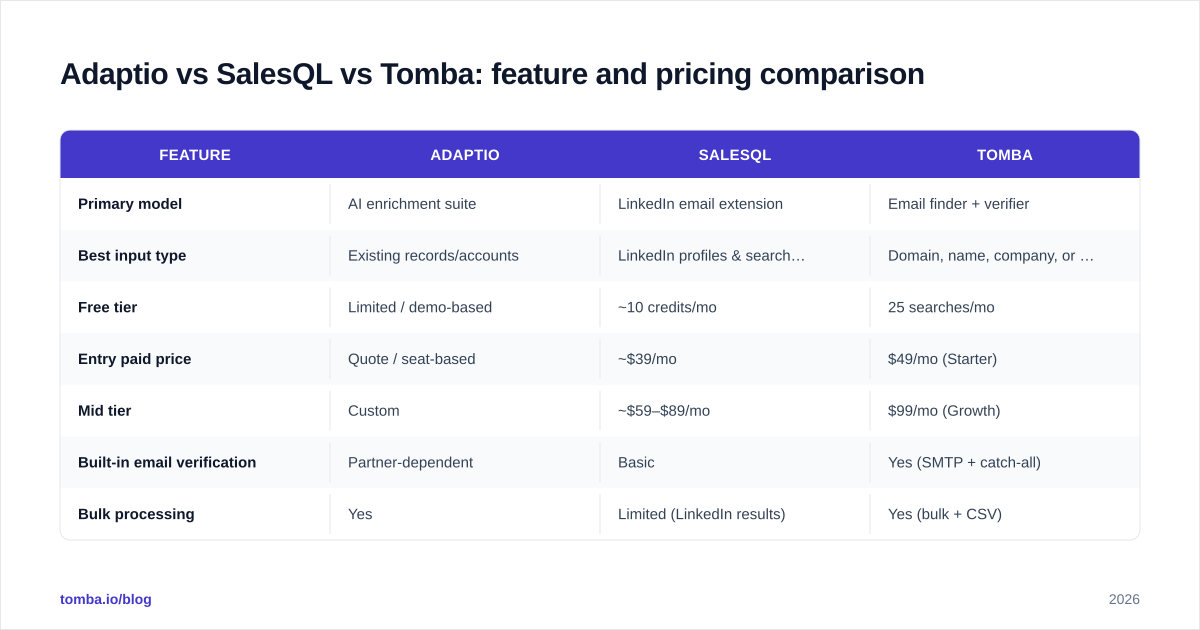
Here's the head-to-head. Pricing reflects each vendor's publicly published positioning as of 2026; always confirm current numbers on the vendor site before you buy, since tiers change.
| Feature | Adaptio | SalesQL | Tomba |
|---|---|---|---|
| Primary model | AI enrichment suite | LinkedIn email extension | Email finder + verifier |
| Best input type | Existing records/accounts | LinkedIn profiles & searches | Domain, name, company, or LinkedIn |
| Free tier | Limited / demo-based | ~10 credits/mo | 25 searches/mo |
| Entry paid price | Quote / seat-based | ~$39/mo | $49/mo (Starter) |
| Mid tier | Custom | ~$59–$89/mo | $99/mo (Growth) |
| Built-in email verification | Partner-dependent | Basic | Yes (SMTP + catch-all) |
| Bulk processing | Yes | Limited (LinkedIn results) | Yes (bulk + CSV) |
| Public API | Limited | Limited | Yes (full REST API) |
| Domain search | No / limited | No | Yes |
| Catch-all handling | No | No | Dedicated verifier |
The pattern is clear: SalesQL wins on LinkedIn-native convenience, Adaptio wins on account context, and a purpose-built finder wins on verified accuracy, bulk scale, and API access. See full Tomba pricing for the higher tiers (Pro $249/mo and Enterprise) if you're running volume.

Is Adaptio better than SalesQL for your team?#
It depends on where your prospecting starts. Use this quick decision guide:
- You live in LinkedIn and Sales Navigator all day → SalesQL's extension keeps you in flow. It's the more natural fit for a single SDR doing manual, profile-by-profile prospecting.
- You already have CRM records and want richer context → Adaptio's enrichment angle adds firmographic depth that a pure finder doesn't.
- You start from domains, CSVs, or a website list → neither is ideal; you want a domain-first finder.
- You need to process thousands of contacts programmatically → you want an API and bulk verification, which is a third category entirely.
A useful gut check: if "find the email" is 80% of your job, buy a tool built for that. If it's 20% and "understand the account" is the other 80%, an enrichment suite earns its price.
Where do both tools fall short?#
Three gaps repeat across LinkedIn extensions and enrichment suites alike:
Verification depth. Surfacing an email isn't the same as confirming it's deliverable. Without real SMTP and catch-all checks, your bounce rate creeps up and your sender reputation takes the hit. According to email-marketing guidance from vendors like HubSpot, list hygiene is one of the biggest levers on inbox placement — and it starts at the point of capture.
Input flexibility. A LinkedIn-anchored tool struggles when LinkedIn isn't your starting point. A domain-first domain search handles "give me everyone at acme.com" in one query — a workflow extensions aren't designed for.
Scale and automation. Manual click-to-grab doesn't survive contact with a 10,000-row campaign. You need bulk processing and a documented API to wire finding and verification into your stack. Independent reviews on G2 consistently flag API access and bulk limits as the dividing line between SMB-friendly extensions and tools sales engineering teams can build on.
These aren't knocks on either product within its lane — they're reasons a dedicated finder often sits alongside, or replaces, both.
How does a dedicated email finder compare?#
A purpose-built finder collapses three jobs into one tool: find, verify, and scale.
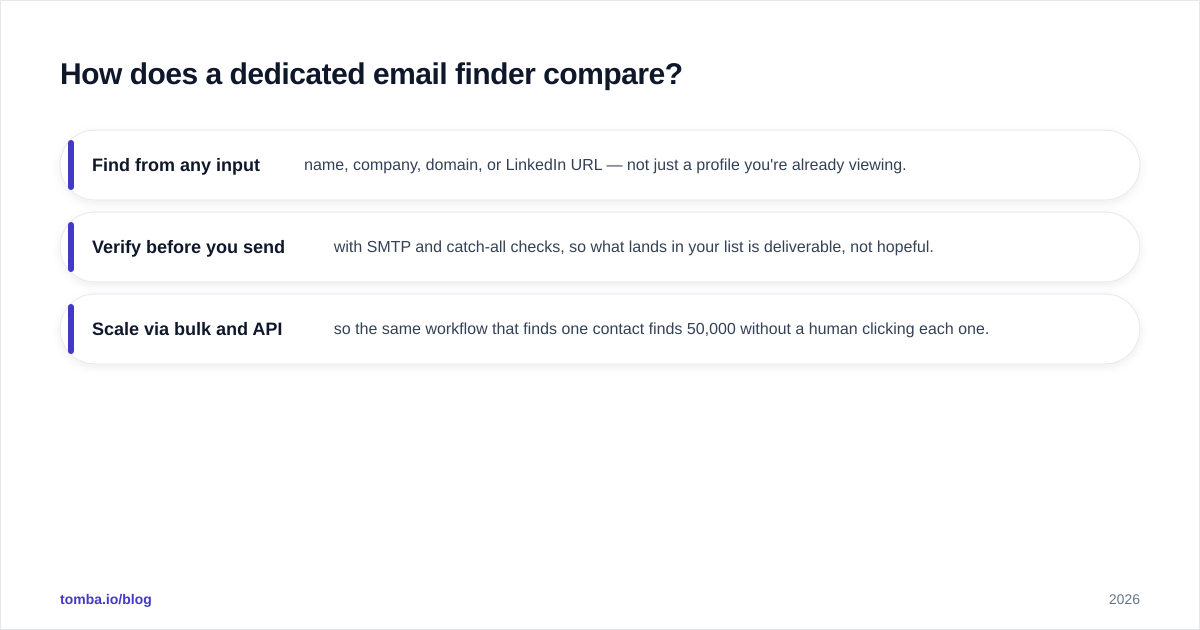
- Find from any input — name, company, domain, or LinkedIn URL — not just a profile you're already viewing.
- Verify before you send with SMTP and catch-all checks, so what lands in your list is deliverable, not hopeful.
- Scale via bulk and API so the same workflow that finds one contact finds 50,000 without a human clicking each one.
Tomba covers all three. Its data approach is documented openly on the data sources page, it offers a full email finder API for automation, and verification is built in rather than bolted on. For teams currently weighing Adaptio vs SalesQL, the honest framing is: SalesQL for LinkedIn-native manual work, Adaptio for account enrichment, and a dedicated finder when accuracy, volume, and integration are the priority.
What should you choose in 2026?#
Conclusion first: pick the tool that matches your input and your scale.
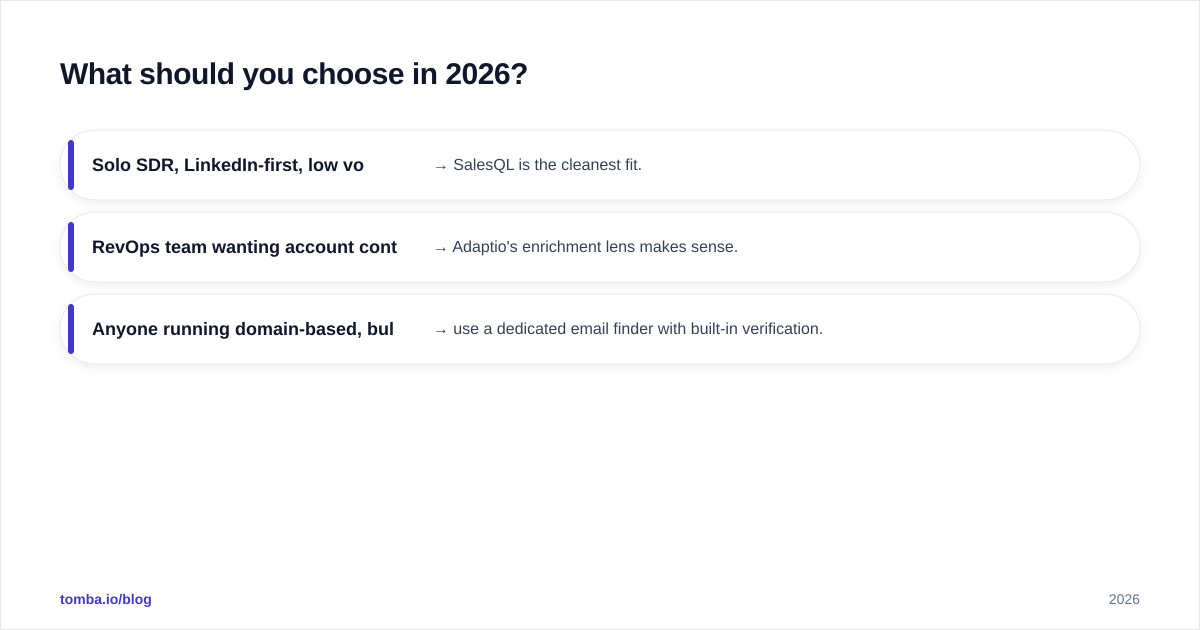
- Solo SDR, LinkedIn-first, low volume → SalesQL is the cleanest fit.
- RevOps team wanting account context appended to the CRM → Adaptio's enrichment lens makes sense.
- Anyone running domain-based, bulk, or automated prospecting where bounce rate is a KPI → use a dedicated email finder with built-in verification.
Most growing teams end up in that third bucket faster than they expect. The moment you move from "browsing LinkedIn" to "running campaigns against a target account list," the LinkedIn extension and the enrichment suite both start showing their seams.
The bottom line#
Adaptio and SalesQL solve adjacent problems: Adaptio enriches what you already know, SalesQL grabs emails where you already are. Both are reasonable inside their lane. But if your real goal is a clean, verified, send-ready list at scale — from any input, with an API behind it — you want a tool built specifically for finding and verifying email at volume.
Start free with the Tomba Email Finder: 25 searches a month at no cost, transparent credit-based pricing from $49/mo, built-in verification, bulk processing, and a full API. Find the email, confirm it's deliverable, and send with confidence — without juggling a separate extension and enrichment suite to do one job.
Get the Tomba newsletter
Practical outbound tactics and product updates — once every two weeks.
About the author