Adaptio vs Skrapp: Which Email Finder Wins in 2026?
Adaptio (Adapt.io) and Skrapp both promise accurate B2B emails, but they solve different problems. Here is an honest, side-by-side breakdown for 2026 — features, pricing, accuracy, and the best fit for your team.
TL;DR
- Adaptio (Adapt.io) is a large B2B contact database built for enterprise prospecting — strong on firmographic filters and CRM-grade data volume, but priced and packaged for bigger teams.
- Skrapp is a lighter, LinkedIn-first email finder with a popular Chrome extension and affordable tiers — great for SDRs building lists from Sales Navigator.
- Neither tool is "wrong." The right pick depends on whether you need breadth of database (Adaptio) or fast, cheap LinkedIn extraction (Skrapp).
- Accuracy and bounce rate matter more than raw volume. Always verify before you send — unverified lists kill deliverability.
- If you want finder + verifier + enrichment in one place with a free tier, a focused alternative like Tomba is worth a look before you commit.
What are Adaptio and Skrapp?#
Quick answer: both are B2B email-finding tools, but they sit at different ends of the market.
Adaptio — almost always written as Adapt.io — is a B2B lead intelligence platform. Its pitch is a large contact and company database (hundreds of millions of records) layered with firmographic and technographic filters, plus a Chrome extension called Adapt Prospector that pulls contacts while you browse LinkedIn or company sites. It targets sales and marketing teams that want to build segmented lists at scale and push them into a CRM.
Skrapp (skrapp.io) is an email finder and verifier with a LinkedIn-centric workflow. Its Chrome extension scrapes emails from individual profiles and from Sales Navigator searches, and it offers domain search and bulk lookups in the web app. Skrapp leans toward individual reps and small teams who live inside LinkedIn and want a cheap, no-friction way to grab work emails.
The shorthand: Adaptio is a database you query; Skrapp is a finder you point at LinkedIn.
How do Adaptio and Skrapp actually find emails?#
Both tools blend the same core techniques the whole industry uses, but they weight them differently.
- Pattern matching. Most companies follow a predictable format (
first.last@,flast@,first@). Both tools infer the likely pattern for a domain and generate candidates. - Database lookup. Adaptio leans heavily here — it checks a pre-built record store first, which is why it returns results fast for well-known companies but can feel stale for smaller or newer firms.
- Crawling and scraping. Skrapp's strength is reading the LinkedIn profile or Sales Navigator list you're viewing and matching it to a domain.
- SMTP verification. This is the step that separates a guess from a usable email. The verifier pings the mail server to confirm the mailbox exists without sending a message.
That last point is where accuracy is won or lost. A tool can "find" an address by pattern-guessing and still hand you a dud. If you care about your sender reputation, run every result through an email verifier before it touches a campaign.

Adaptio vs Skrapp: full feature comparison#
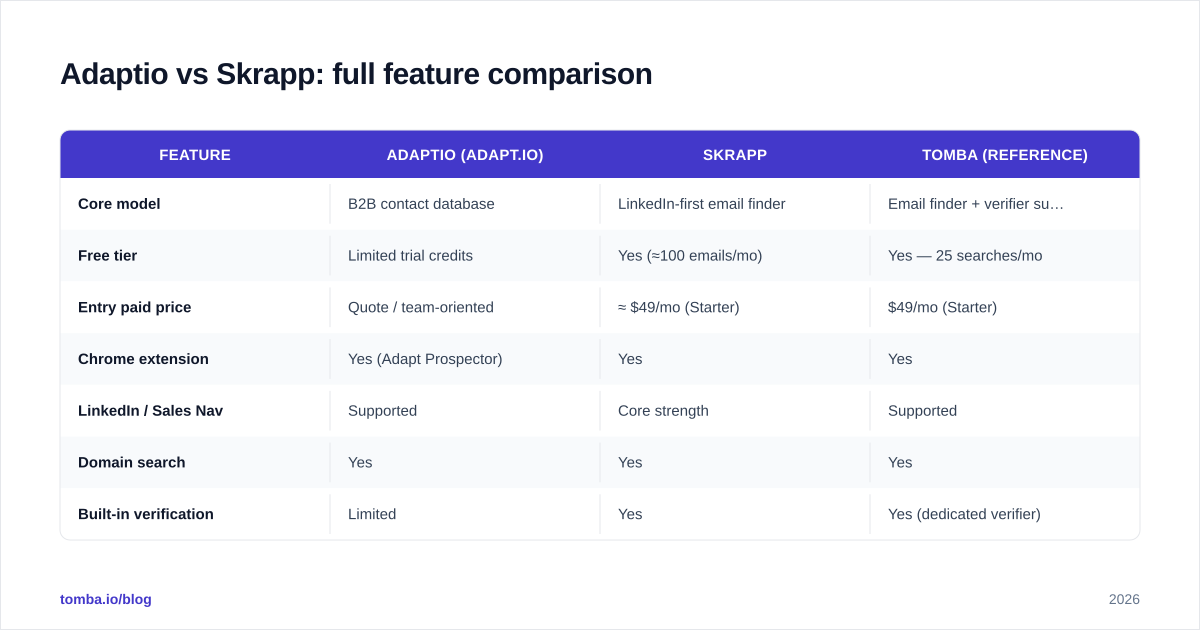
Here is the side-by-side. Treat competitor pricing as directional — both vendors change tiers and credit definitions often, so confirm on their own pages before you buy.
| Feature | Adaptio (Adapt.io) | Skrapp | Tomba (reference) |
|---|---|---|---|
| Core model | B2B contact database | LinkedIn-first email finder | Email finder + verifier suite |
| Free tier | Limited trial credits | Yes (≈100 emails/mo) | Yes — 25 searches/mo |
| Entry paid price | Quote / team-oriented | ≈ $49/mo (Starter) | $49/mo (Starter) |
| Chrome extension | Yes (Adapt Prospector) | Yes | Yes |
| LinkedIn / Sales Nav | Supported | Core strength | Supported |
| Domain search | Yes | Yes | Yes |
| Built-in verification | Limited | Yes | Yes (dedicated verifier) |
| Catch-all handling | Basic | Basic | Dedicated catch-all verifier |
| Bulk processing | Yes (enterprise) | Yes | Yes |
| API access | Yes | Yes | Yes (REST + CLI + MCP) |
| Best for | Enterprise list-building | Individual SDRs, small teams | Teams wanting finder+verifier in one |

The pattern is clear: Adaptio competes on database breadth and enterprise tooling, Skrapp competes on price and LinkedIn convenience, and the gap each leaves open is integrated, verified accuracy with a usable free tier.
Is Adaptio better than Skrapp?#
It depends on your motion — there is no universal winner.
Choose Adaptio if:
- You build large, segmented lists and need firmographic/technographic filters (company size, tech stack, industry, geography).
- You have an ops or RevOps function that pushes data into Salesforce or HubSpot in bulk.
- You're comfortable with quote-based pricing and onboarding for a team rather than a self-serve $49 plan.
Choose Skrapp if:
- Your reps prospect primarily from LinkedIn and Sales Navigator.
- You want a cheap, predictable monthly cost and a fast Chrome extension.
- You're a solo founder, freelancer, or small team that doesn't need a giant database.
Where both stumble is the same place most finders do: catch-all domains and verification depth. A catch-all server accepts mail for any address, so SMTP checks come back "valid" even when the mailbox doesn't exist. If a big share of your list is catch-all, you need a tool with a dedicated catch-all verifier — otherwise your "verified" list is quietly full of risk.
What about accuracy and bounce rates?#
Conclusion first: judge any finder by deliverable rate, not by how many emails it returns.
Vendors love to publish accuracy percentages, but those numbers are measured under different conditions and rarely comparable head to head. Skrapp tends to do well on common corporate domains it has seen via LinkedIn; Adaptio's database depth helps on enterprise accounts but can lag on fast-changing startups where people churn jobs.
A practical test beats any marketing claim:
- Pull the same 100 prospects through each tool.
- Run all results through an independent email verification pass.
- Send a small, warmed batch and measure actual hard bounces.
- Compare cost-per-deliverable-email, not cost-per-found-email.
Keep your hard bounce rate under ~2%. Mailbox providers read bounces as a spam signal, and a single bad list can dent sender reputation for weeks. For the mechanics of why this matters, the breakdown of email deliverability is worth a read, and independent reviews on G2 give you real-user accuracy signal beyond the vendors' own pages.
How does pricing compare?#
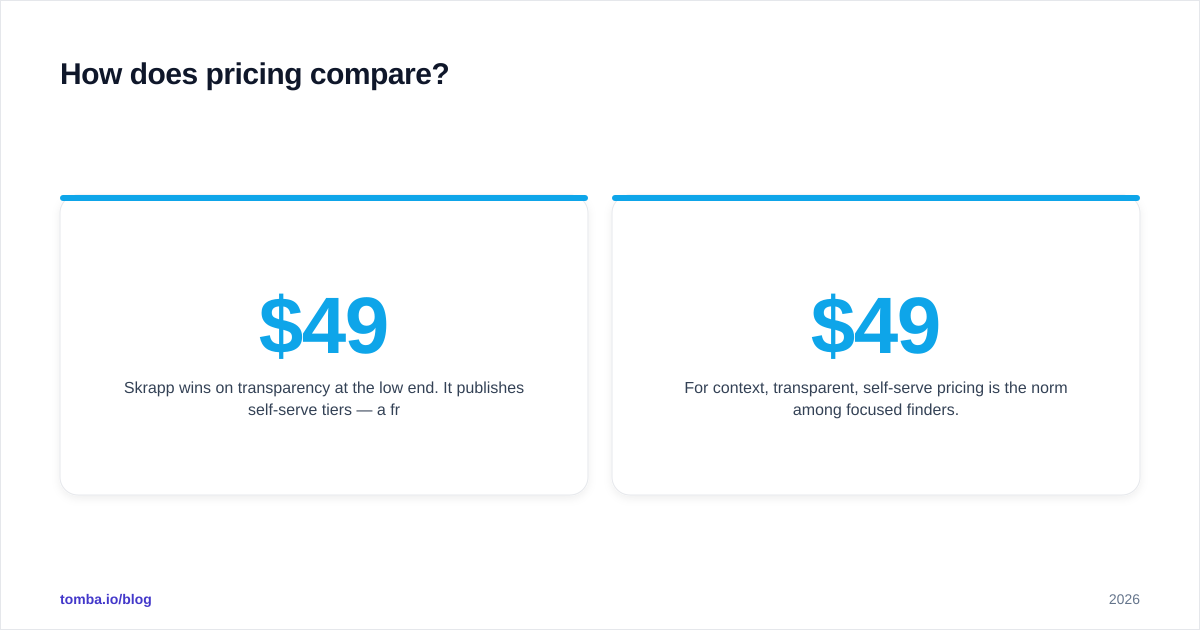
Skrapp wins on transparency at the low end. It publishes self-serve tiers — a free plan with a small monthly allowance and paid plans starting around $49/mo that scale by email volume. That makes it easy for an individual to start today without talking to sales.
Adaptio is structured for teams and leans toward custom or quote-based pricing once you move past a trial. You get more data and more controls, but the buying process is heavier and the floor is higher. If you're one person testing the waters, that friction matters.
For context, transparent, self-serve pricing is the norm among focused finders. Tomba pricing follows the same shape Skrapp users expect — a real free tier (25 searches/mo), then Starter at $49/mo, Growth at $99/mo, Pro at $249/mo, and custom Enterprise — with finder, verifier, domain search, and enrichment bundled rather than sold as separate add-ons.
The honest takeaway on cost: Skrapp is cheaper to start; Adaptio can be cheaper per record at enterprise scale if you actually use the database breadth. Don't pay enterprise database prices for a LinkedIn-only workflow.
Which integrates better with your stack?#
Both expose the basics you'd expect.
- Adaptio offers native CRM sync (Salesforce, HubSpot) aimed at keeping records flowing into a pipeline automatically — its sweet spot.
- Skrapp offers CSV export, a domain search workflow, and an API for programmatic lookups, with the Chrome extension doing most of the day-to-day work.
If your team runs on automation, check for native connectors versus "use Zapier" before you commit. A tool that drops cleanly into HubSpot, Pipedrive, Salesforce, Sheets, and your sequencer saves more hours than a marginal accuracy bump. This is one area where evaluating a third option pays off — Tomba ships native integrations plus a Tomba API, CLI, and MCP server, so engineering teams aren't boxed into a single UI.
Adaptio vs Skrapp: pros and cons#
| Pros | Cons | |
|---|---|---|
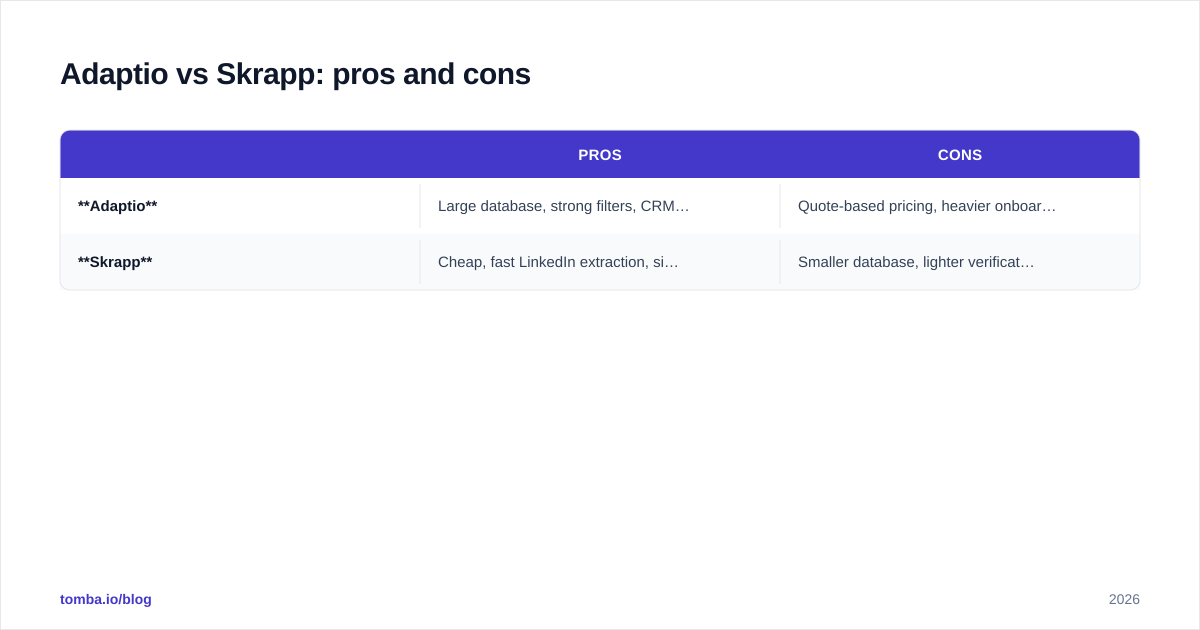
| Adaptio | Large database, strong filters, CRM sync, enterprise-grade | Quote-based pricing, heavier onboarding, can be stale for SMB/startup data |
| Skrapp | Cheap, fast LinkedIn extraction, simple free tier, easy Chrome extension | Smaller database, lighter verification, weaker on non-LinkedIn sources |
A fair summary: Adaptio is the better platform, Skrapp is the better quick tool. Most teams overestimate how much database breadth they need and underestimate how much verification depth they need — which is why a lot of buyers who start on either tool end up bolting a verifier on top.
When should you consider a third option?#
If your shortlist is only Adaptio and Skrapp, you're choosing between "expensive and broad" and "cheap and narrow" — and skipping the question that actually drives ROI: how many of these emails land?
Consider a focused alternative when:
- You want finder + verifier + catch-all handling + enrichment in one subscription, not stitched together.
- You need a genuine free tier to test accuracy before paying.
- You care about transparent data sourcing — knowing where the data comes from is part of staying compliant.
- You run bulk jobs and want predictable per-credit cost rather than enterprise quotes.
That's the lane Tomba sits in: a self-serve email finder with built-in verification and bulk processing, priced like Skrapp but with the verification depth that keeps your bounce rate honest.
How to decide in the next 30 minutes#
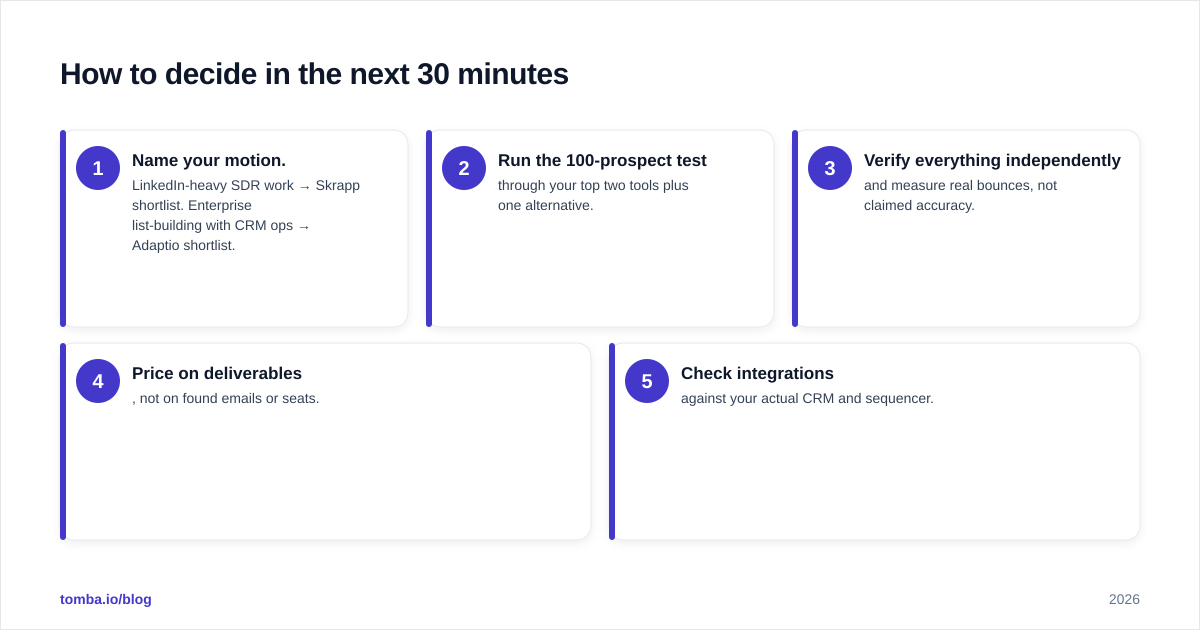
- Name your motion. LinkedIn-heavy SDR work → Skrapp shortlist. Enterprise list-building with CRM ops → Adaptio shortlist.
- Run the 100-prospect test through your top two tools plus one alternative.
- Verify everything independently and measure real bounces, not claimed accuracy.
- Price on deliverables, not on found emails or seats.
- Check integrations against your actual CRM and sequencer.
Do that and the "Adaptio vs Skrapp" question usually answers itself within a single afternoon of testing.
The bottom line#
Adaptio is the stronger enterprise database; Skrapp is the friendlier, cheaper LinkedIn finder. But the metric that decides your campaign results — deliverable, verified emails at a predictable cost — is exactly where both tools force a compromise or an add-on.
If you'd rather not choose between breadth and verification, start free with the Tomba Email Finder. You get domain search, built-in verification, catch-all checks, bulk lookups, and enrichment under one transparent plan — 25 free searches to test accuracy on your own list before you spend a cent. Find the email, verify it, and send with confidence: try the Tomba Email Finder.
// get started
Find, verify and enrich your first contacts today
Start on the free plan with 25 searches a month, then scale when your team is ready.
Free plan · No credit card required · GDPR & CCPA
// about the author