AI Sales Email Generator: Write Better Cold Emails in 2026
An AI sales email generator drafts cold emails in seconds — but most reps use them wrong. Here's how to pick a tool, prompt it well, and still hit the inbox in 2026.
An AI sales email generator turns a prompt — a name, a company, a value prop — into a ready-to-send cold email in seconds. The good ones save you the blank-page panic and a few hours a week. The bad ones flood the world with the same robotic "I hope this email finds you well" opener that prospects delete on sight.
This guide is the honest version: where these tools help, where they hurt, how to prompt them so the output sounds like you, and which one fits your stack. No hype.
TL;DR#
- An AI sales email generator drafts personalized cold emails from structured inputs (prospect data, offer, tone) — it's a first-draft engine, not a "send and forget" button.
- The output quality depends almost entirely on the inputs: clean prospect data plus a tight prompt beats any model on its own.
- Generic AI copy tanks reply rates because everyone uses the same defaults. Personalization tokens and a human edit pass are non-negotiable.
- A great email still bounces if the address is wrong — pair your generator with a verified email finder before you send.
- Best fit by use case: standalone writers for one-offs, sequence tools for scaled outbound, and free generators for testing the concept.
What is an AI sales email generator?#
An AI sales email generator is a tool that uses a large language model to write sales emails from a short brief. You feed it context — who you're emailing, what you sell, the angle you want — and it returns subject lines and body copy you can edit and send.
Think of it like a sous-chef. You decide the dish and hand over the ingredients (the prospect's role, a trigger event, your offer); the AI does the chopping and plating so you're not starting from raw vegetables every time. You still taste it before it leaves the kitchen.
Most generators fall into three buckets:
- Standalone writers — paste a prompt, get copy. Good for one-off emails and learning what works.
- Sequence builders — generate multi-step cadences inside an outreach platform, with personalization variables pulled from your CRM.
- Embedded assistants — a "write with AI" button inside Gmail, Outlook, or a sales engagement tool.
If you want to skip the setup and just see output, a cold email AI writer lets you test the workflow before committing to a paid platform.
How does an AI sales email generator actually work?#
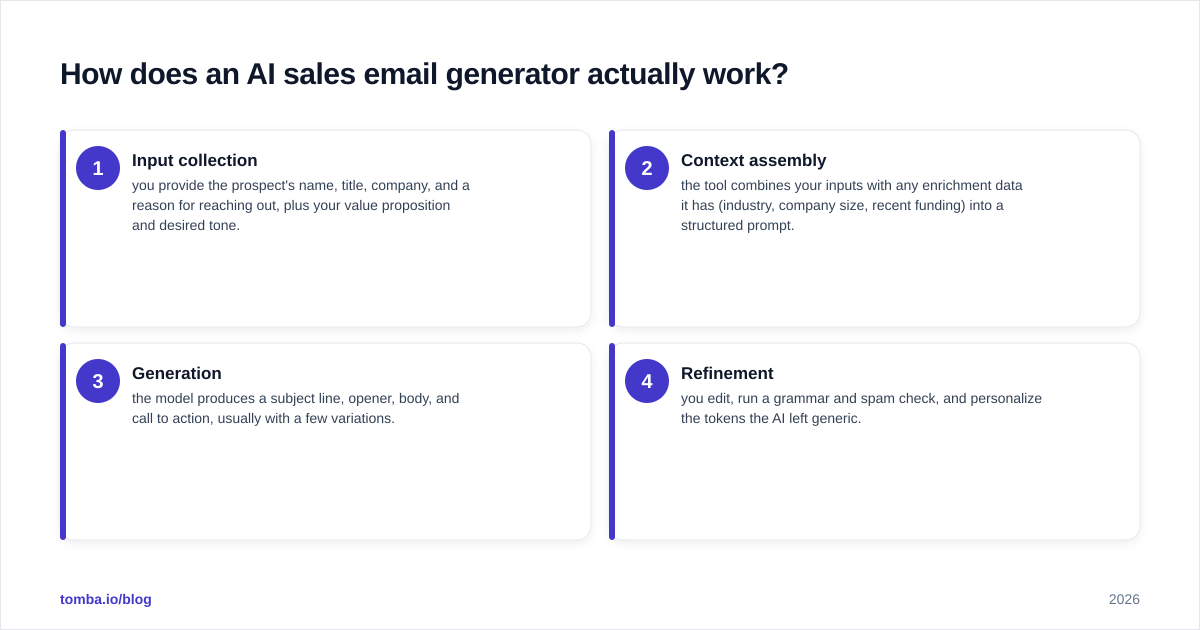
Four steps happen between your prompt and the draft:
- Input collection — you provide the prospect's name, title, company, and a reason for reaching out, plus your value proposition and desired tone.
- Context assembly — the tool combines your inputs with any enrichment data it has (industry, company size, recent funding) into a structured prompt.
- Generation — the model produces a subject line, opener, body, and call to action, usually with a few variations.
- Refinement — you edit, run a grammar and spam check, and personalize the tokens the AI left generic.
The trap is treating step 3 as the finish line. The reps who win treat steps 1 and 4 as the real work. Garbage in, garbage out — a vague prompt like "write a sales email to a marketing manager" produces vague copy that reads like every other AI email in the inbox.
Why do most AI-generated sales emails fail?#
Most fail because they're indistinguishable from each other. When 10,000 reps use the same tool with the same default prompt, the prospect sees the same three-sentence structure, the same "I noticed you're the [title] at [company]" opener, and the same "Worth a quick chat?" close. Pattern recognition kicks in and the email gets archived.

Here are the failure modes worth naming:
- Hallucinated personalization. The AI invents a "recent product launch" that never happened. Nothing kills trust faster.
- Over-explaining. AI loves to pad. A cold email should be 50–125 words; most raw output runs 200+.
- Feature dumping. The model lists what your product does instead of what the prospect gets.
- No real CTA. "Let me know your thoughts" isn't a call to action. "Open to a 15-minute call Thursday?" is.
- Wrong address. The best-written email in the world bounces if the email doesn't exist — which is a deliverability problem, not a copy problem.
A 2024 study referenced across sales communities and vendor benchmarks consistently shows personalized subject lines lifting open rates, and that holds whether a human or an AI wrote them. The model is a force multiplier on your strategy, not a substitute for one. For the mechanics behind inbox placement, HubSpot's deliverability resources and your own sender reputation matter more than the prose.
How do you write a prompt that produces sendable copy?#
Use a structured brief instead of a one-line request. The difference between "write a cold email" and a real brief is the difference between a stranger guessing and a colleague who knows the account.
A reliable prompt framework:
Role: You are an SDR at [your company], which helps [ICP] do [outcome].
Prospect: [Name], [Title] at [Company] ([industry], [size]).
Trigger: [specific reason — funding, hire, post, tech change].
Goal: book a 15-minute call.
Constraints: under 90 words, no jargon, one clear CTA,
  conversational tone, no "I hope this finds you well."
Output: 3 subject lines + body.
Then edit. Always edit. Run the draft through a grammar checker, tighten the opener, and replace any token the AI left generic. If you're scaling, build the winning structure into a library of cold email templates so the AI fills variables instead of reinventing the wheel each time.
What should you look for in an AI sales email generator?#
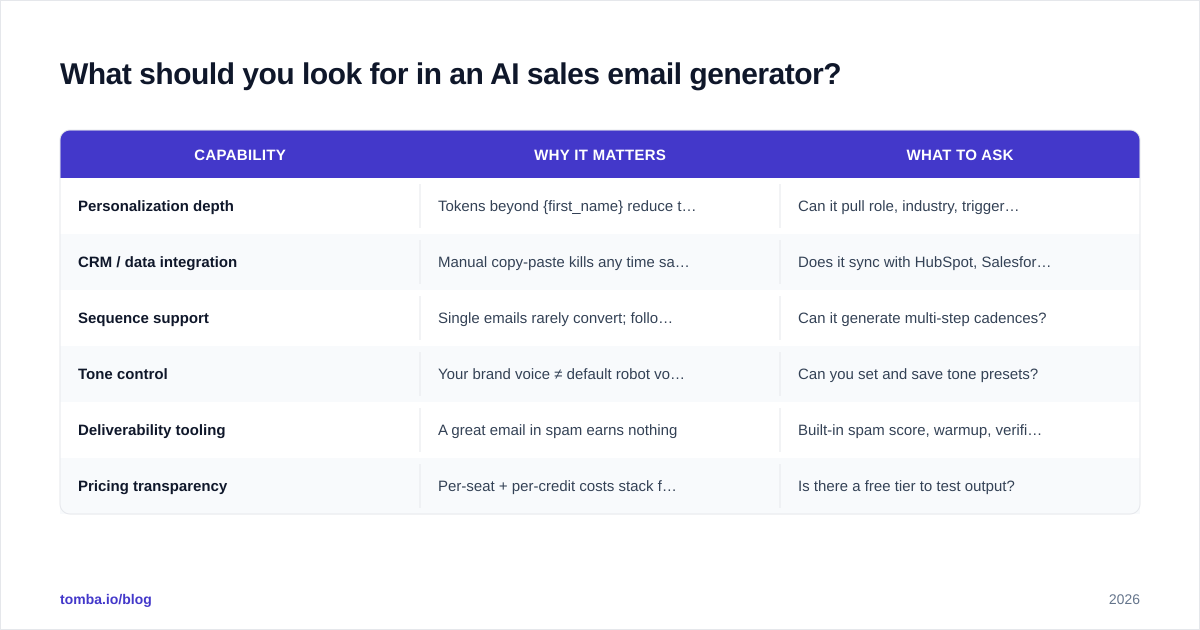
Compare on these attributes, not on marketing copy:
| Capability | Why it matters | What to ask |
|---|---|---|
| Personalization depth | Tokens beyond {first_name} reduce template-fatigue | Can it pull role, industry, trigger events? |
| CRM / data integration | Manual copy-paste kills any time savings | Does it sync with HubSpot, Salesforce, Pipedrive? |
| Sequence support | Single emails rarely convert; follow-ups do | Can it generate multi-step cadences? |
| Tone control | Your brand voice ≠ default robot voice | Can you set and save tone presets? |
| Deliverability tooling | A great email in spam earns nothing | Built-in spam score, warmup, verification? |
| Pricing transparency | Per-seat + per-credit costs stack fast | Is there a free tier to test output? |
How do the main approaches compare?#
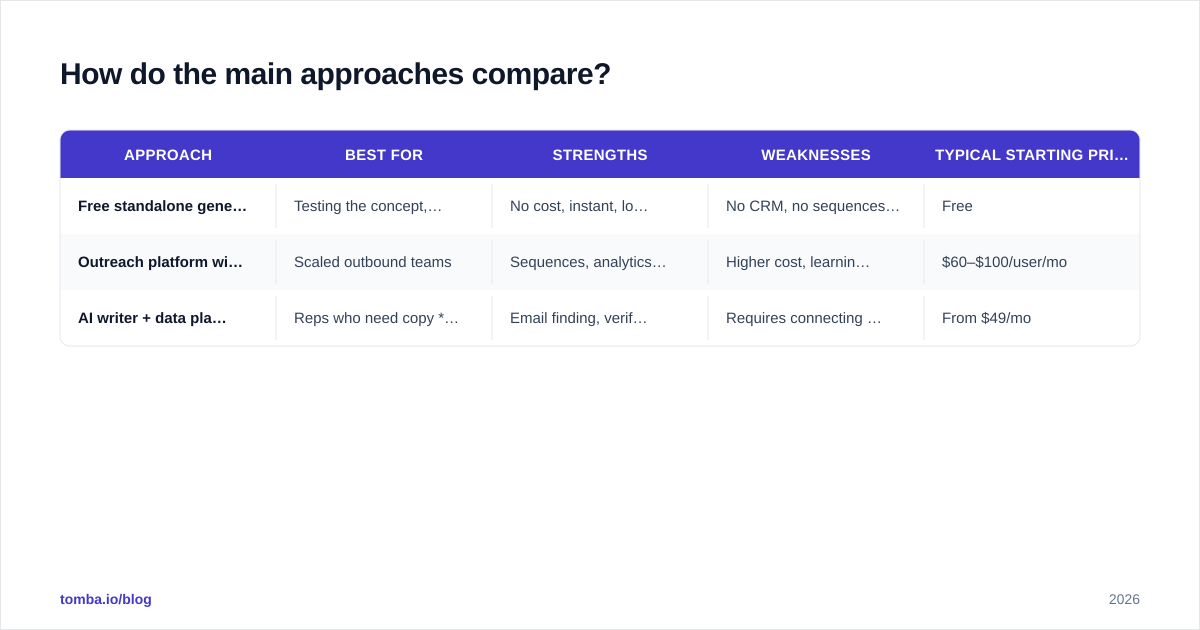
There's no single "best" tool — there's a best fit for how you sell. Here's how the three approaches stack up, with representative pricing.
| Approach | Best for | Strengths | Weaknesses | Typical starting price |
|---|---|---|---|---|
| Free standalone generator | Testing the concept, one-off emails | No cost, instant, low risk | No CRM, no sequences, manual everything | Free |
| Outreach platform with AI | Scaled outbound teams | Sequences, analytics, integrations | Higher cost, learning curve | $60–$100/user/mo |
| AI writer + data platform | Reps who need copy and verified contacts | Email finding, verification, generation in one flow | Requires connecting workflow | From $49/mo |
A platform that combines contact data with generation closes the loop that pure writers leave open. You can compare full Tomba pricing — Free (25 searches/mo), Starter at $49/mo, Growth at $99/mo, and Pro at $249/mo — against your current copy-plus-data spend; bundling often beats paying for a writer and a data vendor separately. For broad vendor reviews across the category, G2's sales email software grid is a useful neutral reference.

Does AI-generated copy hurt deliverability?#
Not directly — but it can indirectly. The model doesn't control whether you land in the inbox; your domain reputation, authentication, and list quality do. Where AI can hurt is volume: it makes producing emails so cheap that reps blast unverified lists, trigger spam traps, and torch their domain.
Protect your sender reputation with three habits:
- Verify before you send. Run every address through an email verifier to strip invalid and risky contacts. This single step does more for reply rates than any subject-line tweak.
- Warm up the domain. New sending domains need a ramp. Use a warmup calculator to set a realistic daily volume.
- Check the spam score. Run a draft through a spam checker before it goes into a sequence — AI copy sometimes leans on spammy phrasing ("free," "guarantee," "act now").
The order matters: find the right person, verify the address, then let the AI write the email. Skipping verification is the most common own-goal in AI outbound.
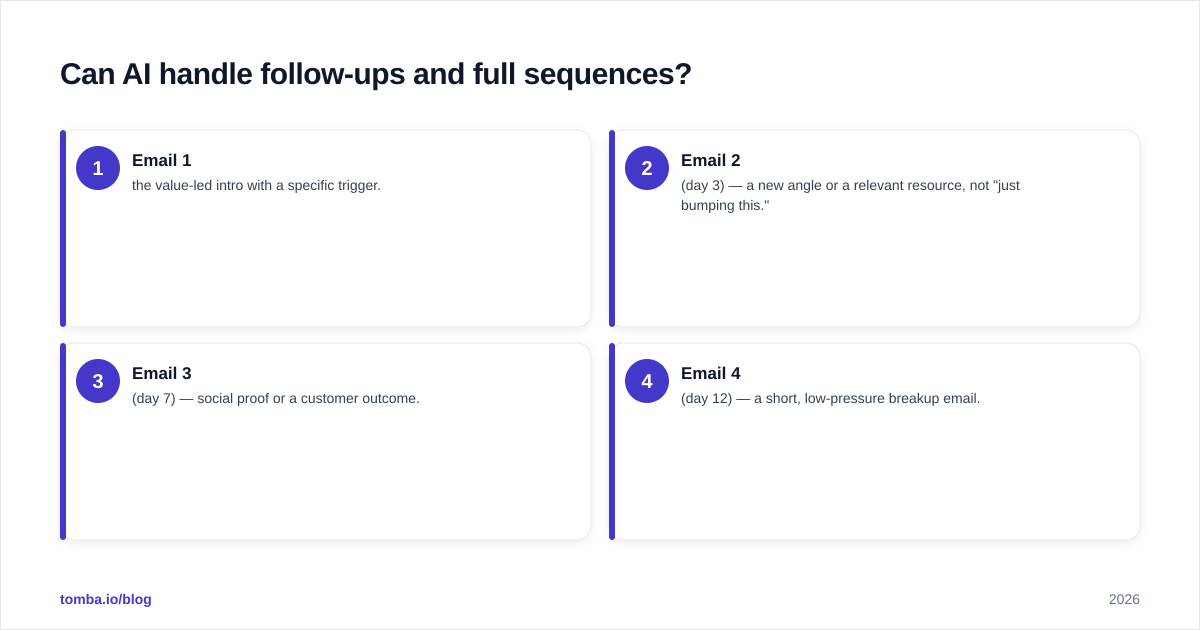
Can AI handle follow-ups and full sequences?#
Yes, and this is where it earns its keep. A single cold email converts rarely; the meeting usually comes from email two, three, or four. Writing four distinct follow-ups by hand for every prospect is what burns reps out — and exactly what AI is good at.
A solid AI-generated sequence looks like:
- Email 1 — the value-led intro with a specific trigger.
- Email 2 (day 3) — a new angle or a relevant resource, not "just bumping this."
- Email 3 (day 7) — social proof or a customer outcome.
- Email 4 (day 12) — a short, low-pressure breakup email.
Prompt the generator to write the whole sequence at once so the emails build on each other instead of repeating. Then personalize the first line of each. Your response rate lives in the follow-ups far more than the first touch.
What does a good AI-generated cold email look like?#
Concrete beats abstract. Here's the shape of output worth sending:
Subject: quick idea for [Company]'s Q3 pipeline
Hi [Name],
Saw [Company] just opened three AE roles — usually a sign you're scaling outbound faster than data can keep up.
We help teams like yours find and verify prospect emails so reps stop burning hours on bounces. One customer cut their bounce rate from 14% to under 2% in a month.
Worth a 15-minute call Thursday to see if it fits?
[Your name]
Notice what it does: specific trigger, one clear benefit, one proof point, one CTA, under 90 words. That's the bar. If your AI output doesn't hit it, your prompt was too loose — tighten the brief and regenerate.
Common mistakes to avoid#
- Sending raw output. Always edit. The 60 seconds you save by skipping the edit costs you the reply.
- Personalizing only the first name. Anyone can merge {first_name}. Reference something real.
- Ignoring the data layer. A perfect email to a stale address is a wasted send. Build from a clean B2B database.
- Over-automating. AI scales your process, including a bad one. Fix the strategy first.
- No A/B testing. Generate variations and test subject lines and openers; let data, not vibes, pick the winner.
Frequently asked questions#
Is an AI sales email generator worth it? Yes, if you treat it as a drafting tool and pair it with clean data and a human edit. It's not worth it if you expect to skip strategy and verification.
Will prospects know the email was AI-written? If you send raw output, often yes — the structure and phrasing are recognizable. A short edit pass and real personalization make it indistinguishable from a human-written email.
Does AI replace SDRs? No. It removes the blank-page time and the repetitive follow-up writing so reps spend more time on research, calls, and the conversations that actually book revenue.
How many emails should I send per day? Depends on domain age and reputation. Ramp gradually and verify every list — volume without verification is the fastest way to a blacklist.
The bottom line#
An AI sales email generator is a first-draft engine. It removes friction, not judgment. The reps who win in 2026 use it to write faster, then spend the saved time on the two things AI can't fake: knowing the prospect and reaching a real, verified inbox.
That last part is where most outbound quietly fails. A brilliant email sent to a guessed address earns nothing. Before you let any generator write your next campaign, build the foundation: use the Tomba Email Finder to find professional email addresses by name, domain, or company, then verify them so every AI-written email you send actually lands in front of a human. Find the person, verify the address, then write the email — in that order. Start free with 25 searches and scale into a Starter plan at $49/mo when your outbound proves out.
// get started
Find, verify and enrich your first contacts today
Start on the free plan with 25 searches a month, then scale when your team is ready.
Free plan · No credit card required · GDPR & CCPA
// about the author