Best Free Email Tracker for Gmail in 2026: Top 7 Tools Ranked
Open tracking, click maps, and real-time alerts shouldn't cost a dime. Here are the 7 best free email trackers for Gmail in 2026 — tested, ranked, and compared.
You hit send, then refresh your inbox every ten minutes wondering if anyone actually read your email. Native Gmail gives you nothing — no open confirmation, no click data, no "they saw it 20 minutes ago." A free email tracker fixes that, and you don't need to pay for the privilege.
This guide ranks the best free email tracker for Gmail in 2026, compares what each one actually gives you on the free plan, and shows where the free tiers quietly fall apart so you don't waste a week on the wrong tool.
TL;DR — The Quick Verdict#
- Best overall free tracker: Mailtrack — unlimited tracked emails forever, even on free, with a simple double-check-mark UX.
- Best for sales teams: Streak and HubSpot Sales both bake tracking into a free CRM, so opens live next to your deals.
- Best lightweight option: Mailsuite (formerly Mailtrack's sibling) and Saleshandy cover opens plus basic click tracking with no card required.
- The catch nobody mentions: tracking is useless if your email bounces or lands in spam. Verify addresses first with an email verifier, then track.
- Privacy reality check: open tracking relies on a 1×1 pixel, and Apple Mail Privacy Protection now inflates open rates — treat opens as a signal, not gospel.
What Is an Email Tracker for Gmail?#
An email tracker is like a delivery receipt for your messages. When you mail a package, you get a notification when it's delivered and another when it's opened. An email tracker does the same thing for your inbox: it tells you when your email was opened, how many times, on what device, and sometimes where.
Technically, most trackers embed a tiny invisible image — a tracking pixel — in your outgoing email. When the recipient opens the message, their email client loads that pixel from a server, and the server logs the open. Link tracking works similarly: your URLs get wrapped in a redirect that records the click before forwarding the recipient to the real page.
For Gmail specifically, trackers ship as a Chrome extension plus a Gmail add-on that injects controls directly into the compose window. You write your email normally, toggle tracking on, and watch the read receipts roll in.
What Should a Free Gmail Tracker Actually Do?#
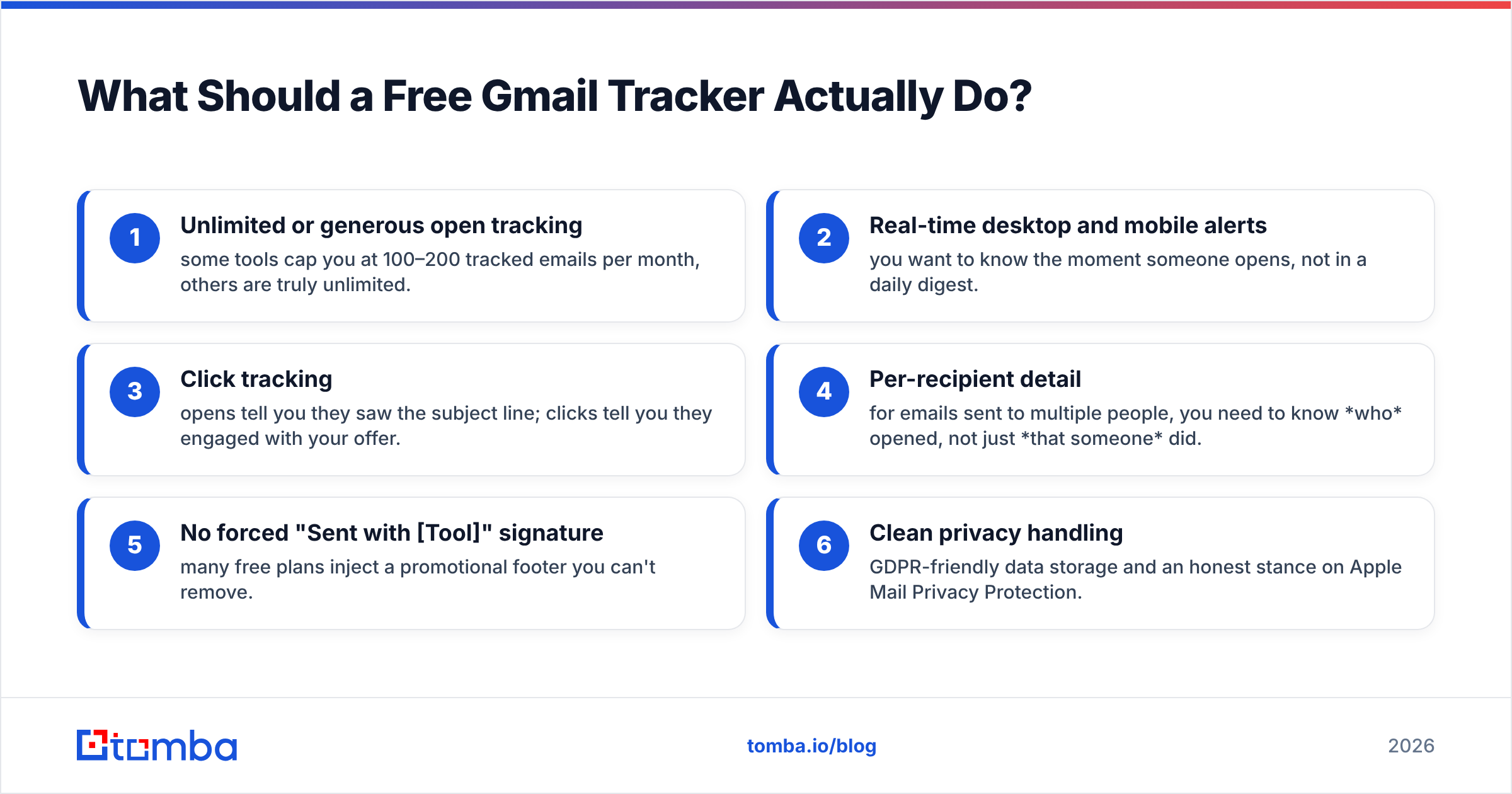
Not all "free" plans are equal. Before you install anything, here's the feature checklist that separates a genuinely useful free tracker from a glorified upsell funnel:
- Unlimited or generous open tracking — some tools cap you at 100–200 tracked emails per month, others are truly unlimited.
- Real-time desktop and mobile alerts — you want to know the moment someone opens, not in a daily digest.
- Click tracking — opens tell you they saw the subject line; clicks tell you they engaged with your offer.
- Per-recipient detail — for emails sent to multiple people, you need to know who opened, not just that someone did.
- No forced "Sent with [Tool]" signature — many free plans inject a promotional footer you can't remove.
- Clean privacy handling — GDPR-friendly data storage and an honest stance on Apple Mail Privacy Protection.
Keep that list handy. The comparison table below scores every tool against it.
Which Is the Best Free Email Tracker for Gmail in 2026?#
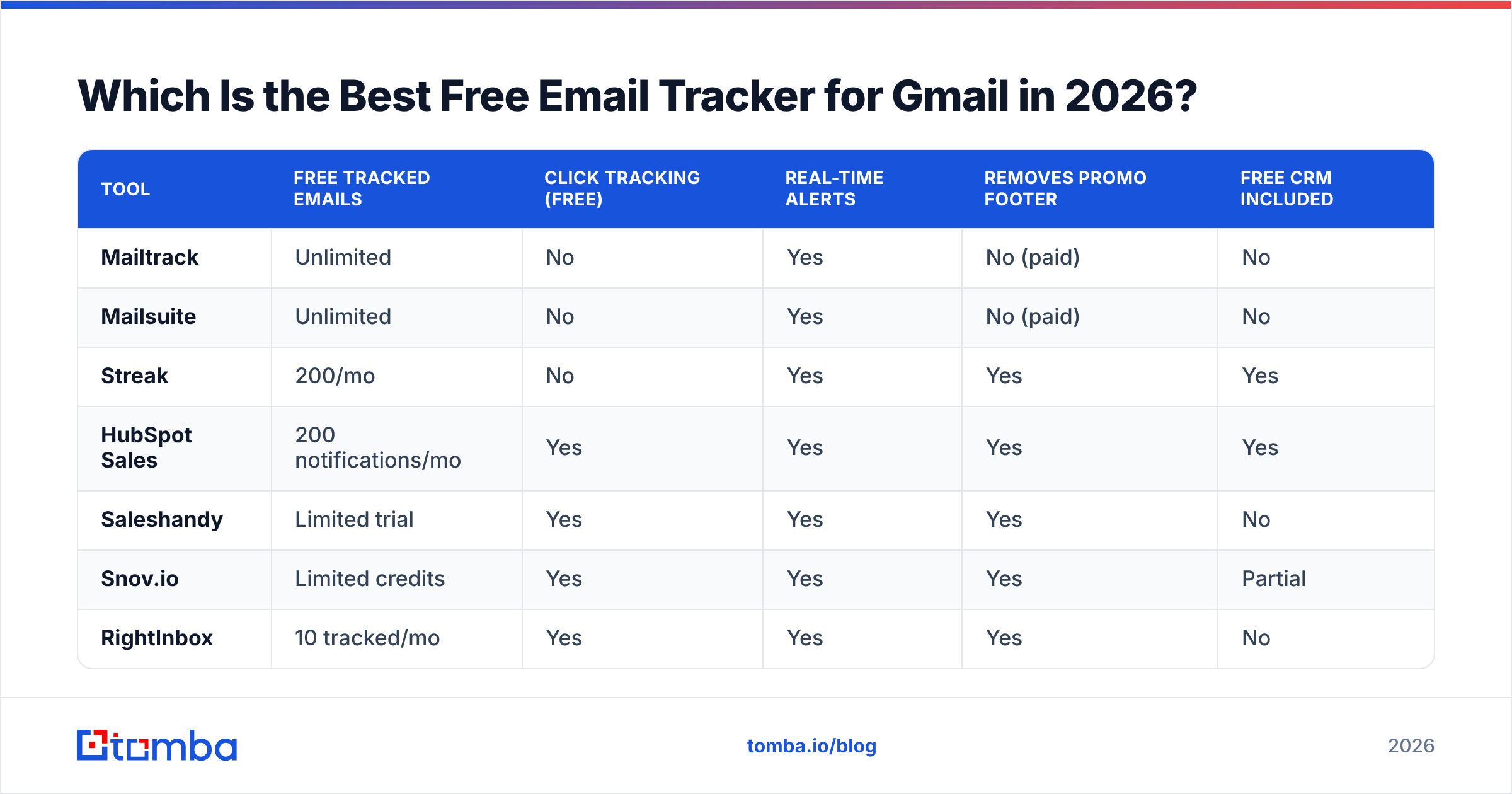
Here's the head-to-head. Every row reflects what you get on the free plan only — paid tiers are noted separately.
| Tool | Free tracked emails | Click tracking (free) | Real-time alerts | Removes promo footer | Free CRM included |
|---|---|---|---|---|---|
| Mailtrack | Unlimited | No | Yes | No (paid) | No |
| Mailsuite | Unlimited | No | Yes | No (paid) | No |
| Streak | 200/mo | No | Yes | Yes | Yes |
| HubSpot Sales | 200 notifications/mo | Yes | Yes | Yes | Yes |
| Saleshandy | Limited trial | Yes | Yes | Yes | No |
| Snov.io | Limited credits | Yes | Yes | Yes | Partial |
| RightInbox | 10 tracked/mo | Yes | Yes | Yes | No |
A few things jump out. Mailtrack and Mailsuite win on raw volume — unlimited tracked emails with no monthly ceiling, which no one else matches for free. But they're open-only on the free tier and stamp a "Sent with Mailtrack" footer until you upgrade.
Streak and HubSpot Sales are the smart pick if you're doing outbound, because tracking is attached to a free CRM. You see opens inside a pipeline, not as a standalone toast notification. The trade-off is the 200/month cap.
Saleshandy, Snov.io, and RightInbox lean toward cold-email senders and give you click tracking for free, but their free tiers are really trials designed to convert you to paid sequences.
Mailtrack: Best for Unlimited Free Opens#
Mailtrack is the closest thing to "WhatsApp read receipts for Gmail." One check mark means delivered, two means read. It's free forever with unlimited tracked emails, which is genuinely rare.
Strengths: unlimited volume, dead-simple UX, reliable real-time notifications, works on Gmail web and mobile.
Weaknesses: the free plan injects a "Sent with Mailtrack" signature you can't remove without paying, and there's no click tracking or link analytics until you upgrade to a paid tier. For pure "did they open it?" use cases, it's hard to beat. Check their plans on the official Mailtrack site.
Streak: Best Free Tracker Built Into a CRM#
Streak turns Gmail itself into a CRM. Tracking is one feature among many — pipelines, mail merge, snippets — and the free plan covers personal use with up to 200 tracked emails per month.
If your real goal is managing a sales pipeline rather than just counting opens, Streak's integrated approach beats a standalone tracker. You see the open event next to the deal stage, the contact, and your notes. The 200/month cap is the only real friction for light senders.
HubSpot Sales: Best Free Tracker for Click Data#
HubSpot's free Sales tools include email tracking with click tracking — a combination most free plans hide behind a paywall. You get desktop notifications, a tracked-email activity feed, and tight integration with HubSpot's free CRM.
The free tier limits you to 200 tracking notifications per month, after which you'll see upgrade prompts. But for the price (zero), getting both opens and clicks plus a real CRM is the strongest all-rounder. HubSpot documents the feature set on hubspot.com.
How Does Email Tracking Actually Work Under the Hood?#
Conclusion first: tracking is a pixel plus a redirect, and both have blind spots you need to understand.
Open tracking works by embedding a transparent 1×1 pixel image hosted on the tracker's server. When the recipient's mail client renders the email, it requests that image, and the server logs a timestamp, IP, and user-agent. That's your "open."
The blind spots:
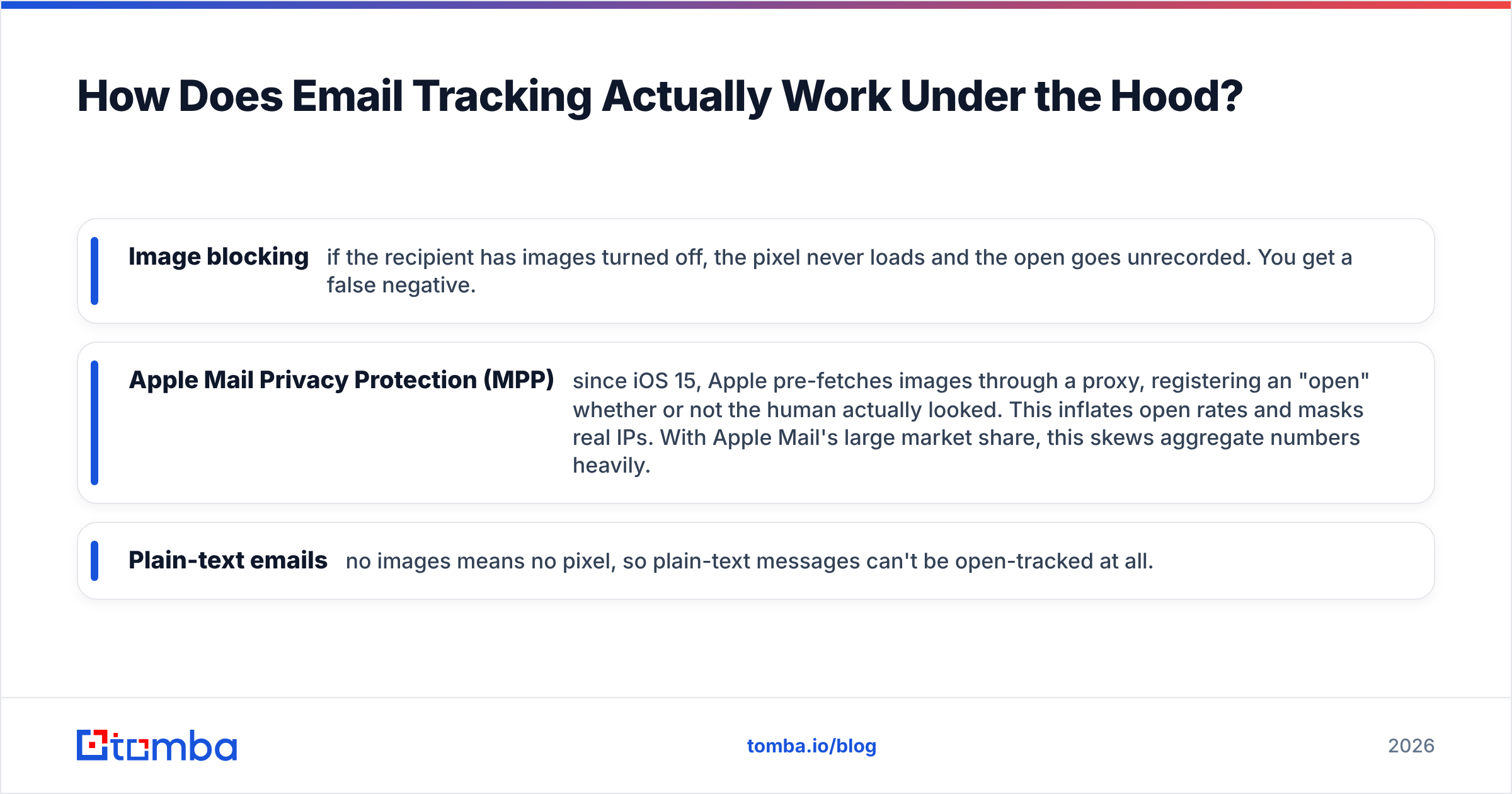
- Image blocking — if the recipient has images turned off, the pixel never loads and the open goes unrecorded. You get a false negative.
- Apple Mail Privacy Protection (MPP) — since iOS 15, Apple pre-fetches images through a proxy, registering an "open" whether or not the human actually looked. This inflates open rates and masks real IPs. With Apple Mail's large market share, this skews aggregate numbers heavily.
- Plain-text emails — no images means no pixel, so plain-text messages can't be open-tracked at all.
Link/click tracking is more reliable because a click is an intentional action. The tracker rewrites your URL as a redirect (track.tool.com/abc123 → your real link). The downside: rewritten links can look suspicious to spam filters and to savvy recipients who hover before clicking.
The takeaway: treat opens as a soft signal and clicks as a hard signal. And never make a go/no-go decision on a single open event.
Why Does Tracking Fail Before It Even Starts?#
Here's the part every "best free tracker" listicle skips: a tracker can only track an email that gets delivered. If you're sending to invalid, mistyped, or dead addresses, your pixel never loads — not because the recipient ignored you, but because the message bounced or hit a spam trap.
This is the single biggest reason people see garbage tracking data. They blame the tool when the real problem is the list.
Two upstream fixes matter more than which tracker you pick:
- Verify before you send. Run every address through an email verifier to strip out bounces, role accounts, and dead mailboxes. Clean lists protect your sender reputation, which directly affects whether your tracked emails land in the inbox or the spam folder.
- Find the right address in the first place. If you're guessing emails, you're tracking guesses. Use a dedicated email finder to source verified, deliverable addresses tied to real people at a company, then track those.
A bounce rate above 2–3% tanks deliverability, and no amount of read-receipt tooling compensates for that. Clean data is the foundation; tracking is the dashboard on top.
How to Set Up Free Email Tracking in Gmail (Step by Step)#
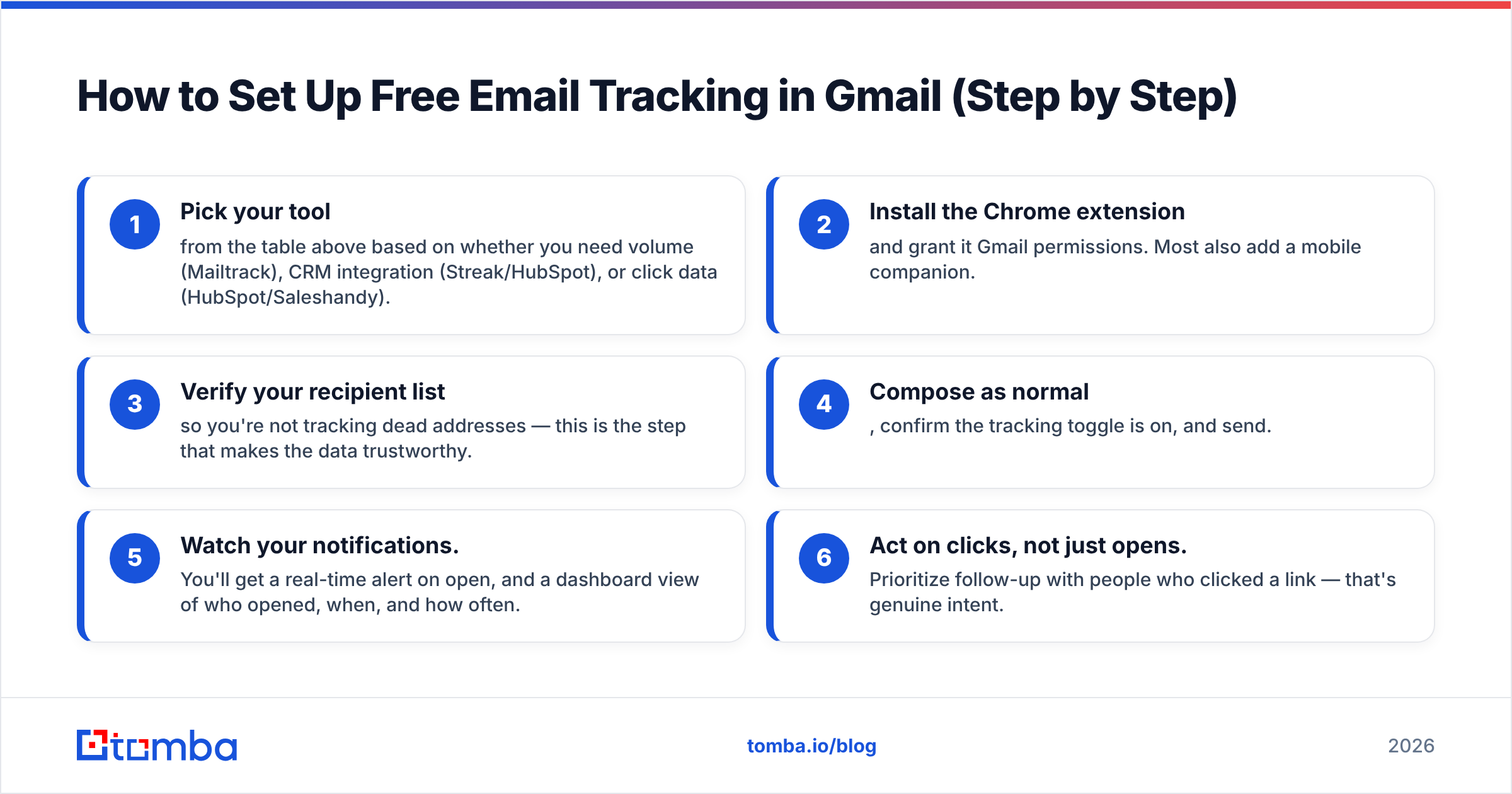
- Pick your tool from the table above based on whether you need volume (Mailtrack), CRM integration (Streak/HubSpot), or click data (HubSpot/Saleshandy).
- Install the Chrome extension and grant it Gmail permissions. Most also add a mobile companion.
- Verify your recipient list so you're not tracking dead addresses — this is the step that makes the data trustworthy.
- Compose as normal, confirm the tracking toggle is on, and send.
- Watch your notifications. You'll get a real-time alert on open, and a dashboard view of who opened, when, and how often.
- Act on clicks, not just opens. Prioritize follow-up with people who clicked a link — that's genuine intent.
Is a Free Email Tracker Enough, or Do You Need Paid?#
It depends on volume and intent. The decision tree is simple:
| Your situation | Recommended path |
|---|---|
| Sending <100 personal emails/mo, just want read receipts | Free Mailtrack or Mailsuite |
| Light outbound, want CRM context | Free Streak or HubSpot Sales |
| Cold email at scale with sequences | Paid sequencing tool + verified lists |
| Need open + click + reply analytics | HubSpot free, then paid as you grow |
| Building lists from scratch | Email finder + verifier first, track second |
For most individuals and small teams, the free tier is genuinely enough — Mailtrack alone covers the "did they read it?" question forever. You only need paid when you require automated sequences, A/B testing, team-wide reporting, or you blow past the free notification caps.
But here's the strategic point: spending money on a fancy paid tracker while sending to an unverified list is backwards. The ROI order is right address → verified address → tracked send → analyzed result. Get the first two right with a tool like Tomba and the cheapest tracker outperforms an expensive one fed bad data.
What About Privacy and Deliverability?#
Two things to keep clean.
Privacy: tracking pixels are legal but increasingly regulated. Under GDPR, tracking a known EU contact's behavior can require a lawful basis, and some argue read receipts need disclosure. Pick a tool with EU-compliant data storage, and don't track newsletter recipients who didn't expect it. Apple, Google, and most privacy tools now block or proxy pixels by default, so your open data is already a partial picture.
Deliverability: every redirect link and tracking pixel slightly raises your spam-filter risk. Protect your inbox placement by keeping your authentication tight — a valid SPF record, DKIM, and DMARC — and by maintaining list hygiene. You can pressure-test your domain with a free SPF checker before you scale sending. Trackers don't hurt deliverability much on their own; bad lists and missing authentication do. For the full picture, G2's category overview of email tracking software is a useful neutral reference.
The Bottom Line#
The best free email tracker for Gmail in 2026 is Mailtrack for unlimited open tracking, Streak or HubSpot Sales if you want tracking inside a free CRM, and HubSpot specifically if you need free click data. All three give you real read receipts without spending a cent.
But remember the order of operations: tracking is the last step, not the first. An open notification is only meaningful if the email reached a real, verified person. If your tracked emails aren't getting opened, the problem usually isn't your subject line — it's that you're emailing addresses that don't exist.
Fix the foundation first. Use the Tomba Email Finder to source accurate, deliverable email addresses by name, domain, or company, then verify them so every message you track actually lands. Start free with 25 searches a month, and see the Tomba pricing tiers — Starter at $49/mo, Growth at $99/mo — when you're ready to scale. Clean data in, real read receipts out.
// get started
Find, verify and enrich your first contacts today
Start on the free plan with 25 searches a month, then scale when your team is ready.
Free plan · No credit card required · GDPR & CCPA
// about the author