Boolean Search Tool: The 2026 Guide to Smarter Sourcing
A boolean search tool turns vague keyword hunts into precise lists of the exact people you want to reach. Here's how to build queries that actually convert in 2026.
TL;DR
- A boolean search tool lets you combine keywords with operators like
AND,OR, andNOTto filter people, companies, and content down to an exact match instead of a noisy keyword dump. - The same logic powers LinkedIn Recruiter, Google X-ray searches, ATS sourcing, and most B2B prospecting databases — learn it once and it transfers everywhere.
- Boolean strings find who to target; you still need to find how to reach them, which means pairing search with an email finder and verification step.
- The biggest mistakes are over-nesting parentheses, forgetting quotes on phrases, and treating
NOTas a sledgehammer that cuts good leads. - We compare five boolean-capable tools below and show copy-paste query templates for sales, recruiting, and competitor research.
What is a boolean search tool?#
A boolean search tool is software that interprets logical operators so you can describe the exact set of results you want, instead of guessing at keywords and scrolling through thousands of near-misses.
Think of it like ordering at a deli. "Give me a sandwich" gets you whatever the counter feels like making. "Turkey AND swiss, NOT mayo, on rye OR sourdough" gets you precisely the lunch you pictured. Boolean search is that second sentence, applied to people and companies.
Technically, boolean logic comes from 19th-century mathematician George Boole and underpins nearly every search engine and database query language (Wikipedia has the background). In sales and recruiting, a "boolean search tool" usually means one of three things: a search engine you X-ray with operators, a sourcing platform with a boolean field (LinkedIn Recruiter, an ATS), or a B2B data platform that accepts boolean filters on top of structured firmographic data.
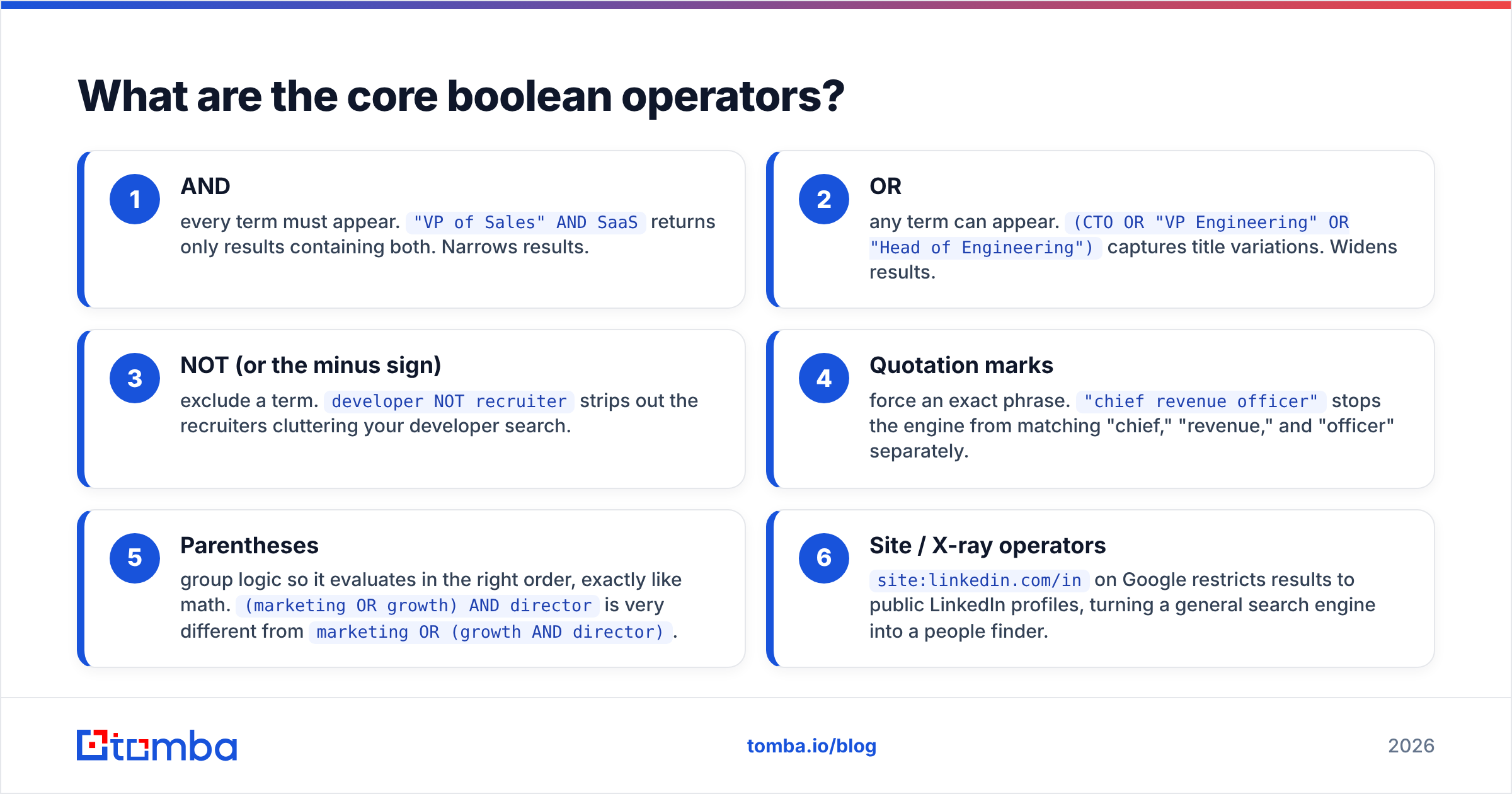
What are the core boolean operators?#
You only need a handful of operators to cover 95% of real searches. Master these and you can build almost any query.
- AND — every term must appear.
"VP of Sales" AND SaaSreturns only results containing both. Narrows results. - OR — any term can appear.
(CTO OR "VP Engineering" OR "Head of Engineering")captures title variations. Widens results. - NOT (or the minus sign) — exclude a term.
developer NOT recruiterstrips out the recruiters cluttering your developer search. - Quotation marks — force an exact phrase.
"chief revenue officer"stops the engine from matching "chief," "revenue," and "officer" separately. - Parentheses — group logic so it evaluates in the right order, exactly like math.
(marketing OR growth) AND directoris very different frommarketing OR (growth AND director). - Site / X-ray operators —
site:linkedin.com/inon Google restricts results to public LinkedIn profiles, turning a general search engine into a people finder.
How do you write a boolean search string that works?#
Start broad with OR groups for every concept, then tighten with AND and NOT. Build the query in layers so you can test each one.
Here's a sales prospecting X-ray you can paste into Google right now:
site:linkedin.com/in ("VP of Sales" OR "Head of Sales" OR "Sales Director")
AND (SaaS OR "software") AND ("Series B" OR "Series C") -recruiter -intern
That single line says: public LinkedIn profiles, of senior sales leaders, at SaaS companies, ideally venture-backed, excluding recruiters and interns. What would have been hours of scrolling becomes a tight list.
A recruiting example for a backend role:
site:linkedin.com/in (developer OR engineer) AND (Python OR Go OR Rust)
AND ("San Francisco" OR remote) -manager -recruiter
And a competitor-research query to find people who mention a rival product:
site:linkedin.com/in ("currently at" OR "previously at") AND (Salesforce OR HubSpot)
AND ("revenue operations" OR RevOps)
The rule of thumb: one set of parentheses per concept (role, skill, location, seniority), joined by AND. If your string has five levels of nested brackets, you've probably overcomplicated it.
Which boolean search tool should you use?#
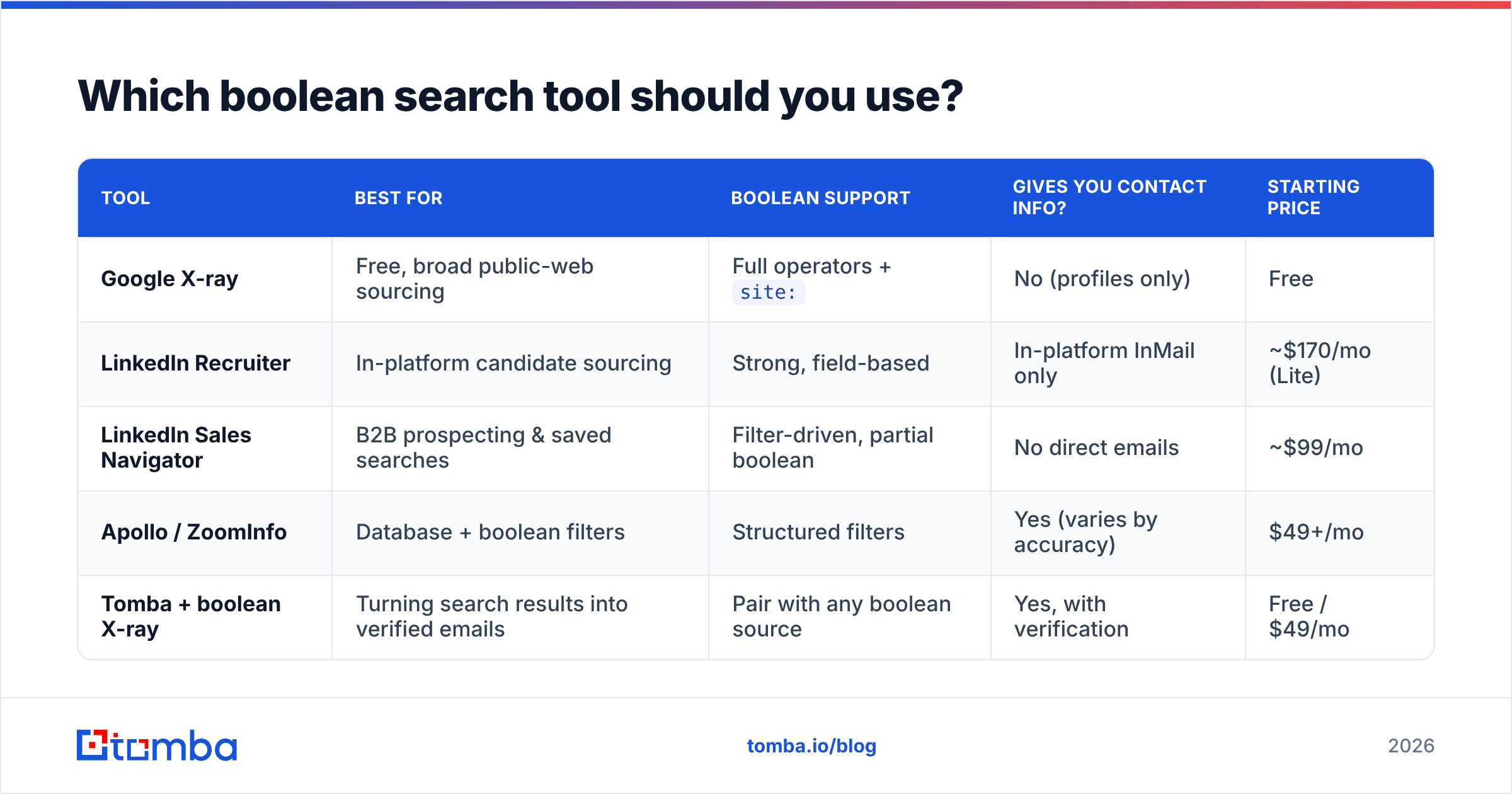
The right tool depends on whether you need raw reach, structured data, or contact details. Here's an honest comparison of five options people actually use for boolean sourcing in 2026.
| Tool | Best for | Boolean support | Gives you contact info? | Starting price |
|---|---|---|---|---|
| Google X-ray | Free, broad public-web sourcing | Full operators + site: |
No (profiles only) | Free |
| LinkedIn Recruiter | In-platform candidate sourcing | Strong, field-based | In-platform InMail only | ~$170/mo (Lite) |
| LinkedIn Sales Navigator | B2B prospecting & saved searches | Filter-driven, partial boolean | No direct emails | ~$99/mo |
| Apollo / ZoomInfo | Database + boolean filters | Structured filters | Yes (varies by accuracy) | $49+/mo |
| Tomba + boolean X-ray | Turning search results into verified emails | Pair with any boolean source | Yes, with verification | Free / $49/mo |
No single tool wins every column. Google X-ray is unbeatable for free reach but hands you profiles, not phone numbers or emails. LinkedIn's platforms are excellent inside their walls but deliberately don't expose contact data. Database tools bundle everything, but their match rates swing wildly — which is why a verification layer matters.
For a deeper look at how database accuracy is measured, see our notes on where Tomba gets its data and how match rates differ across providers. If your current platform falls short, our Apollo alternative breakdown covers the trade-offs in detail.
How do you turn boolean results into real contacts?#
Boolean search tells you who; an email finder and verifier tell you how to reach them. This is the step most people skip, and it's where pipelines stall.
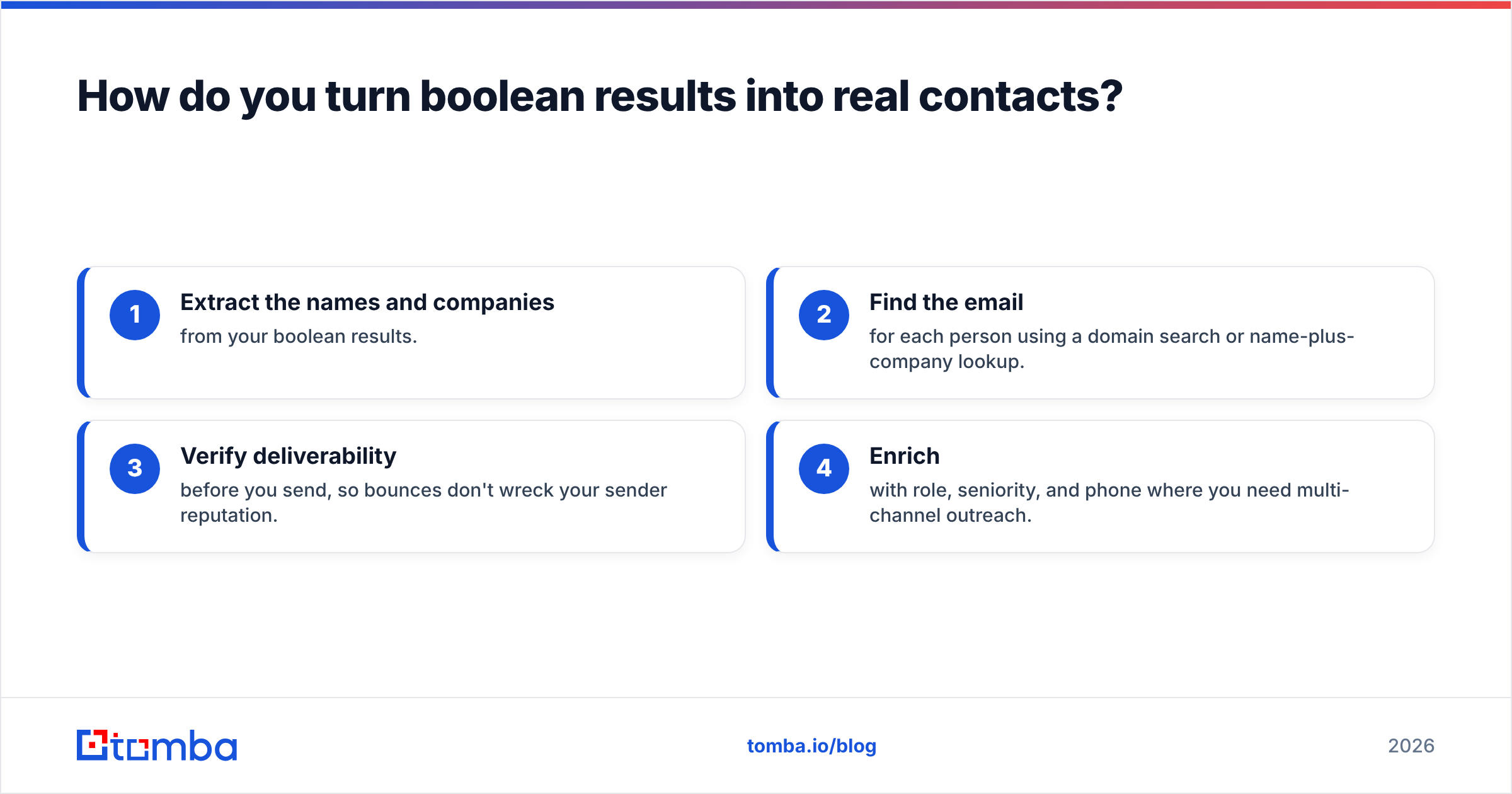
A boolean string on Google might surface 200 perfect-fit LinkedIn profiles. But a profile URL isn't a sales channel. To act on that list you need to:
- Extract the names and companies from your boolean results.
- Find the email for each person using a domain search or name-plus-company lookup.
- Verify deliverability before you send, so bounces don't wreck your sender reputation.
- Enrich with role, seniority, and phone where you need multi-channel outreach.
This is where pairing a boolean source with a data tool pays off. You can feed a list of names and domains into a bulk email finder and get back verified, ready-to-send contacts instead of manually guessing firstname@company.com two hundred times. A guessed address that bounces costs you more than the lead — it dents your sender reputation and pushes future emails toward spam folders.
What are the most common boolean search mistakes?#
Most failed boolean searches come down to four fixable errors. Catch these and your results sharpen immediately.
- Forgetting quotes on phrases.
Chief Revenue Officerwithout quotes matches any profile with those three words scattered anywhere."Chief Revenue Officer"matches the actual title. - Over-using NOT. Excluding
recruiteris smart; excludingmanager,lead,senior, andstaffin one breath quietly deletes half your good candidates. Add exclusions one at a time and watch the count. - Broken parentheses. Mismatched or missing brackets make the engine guess at your intent. Count your opening and closing parentheses before you hit enter.
- Mixing operator syntax. Google uses
-termto exclude; LinkedIn usesNOT; some databases use a checkbox UI. A string that works on one platform may silently fail on another. Always confirm the operator set for the tool you're in.
A practical habit: build queries incrementally. Start with one OR group, check the result count, add the next layer, check again. If a count drops to near zero after adding a clause, that clause is the problem.
Is boolean search still relevant with AI in 2026?#
Yes — AI hasn't replaced boolean logic, it's made it more useful. Natural-language search is convenient, but boolean is what gives you control and repeatability.
When you ask an AI tool "find me sales leaders at SaaS startups," you get its best guess at your intent. When you write a boolean string, you get exactly what you specified, every time, and you can save it, tweak one operator, and re-run it next quarter. The best modern workflow uses both: let AI draft a first-pass query, then refine it with boolean operators you actually understand.
Many platforms now translate plain English into boolean strings under the hood. That's a great accelerator, but it's no substitute for knowing the logic — because when the auto-generated string returns garbage, you need to read it and fix the OR group that's too wide. Reviewing tools on G2 shows the same pattern across the category: the teams getting the most from these platforms are the ones who understand the query language, not just the buttons.
Boolean search also remains the most portable skill in sourcing. The exact same AND/OR/NOT structure works on Google, GitHub, LinkedIn, your ATS, and most B2B databases. Learn it once and every tool gets sharper.
How does boolean search fit into a full prospecting workflow?#
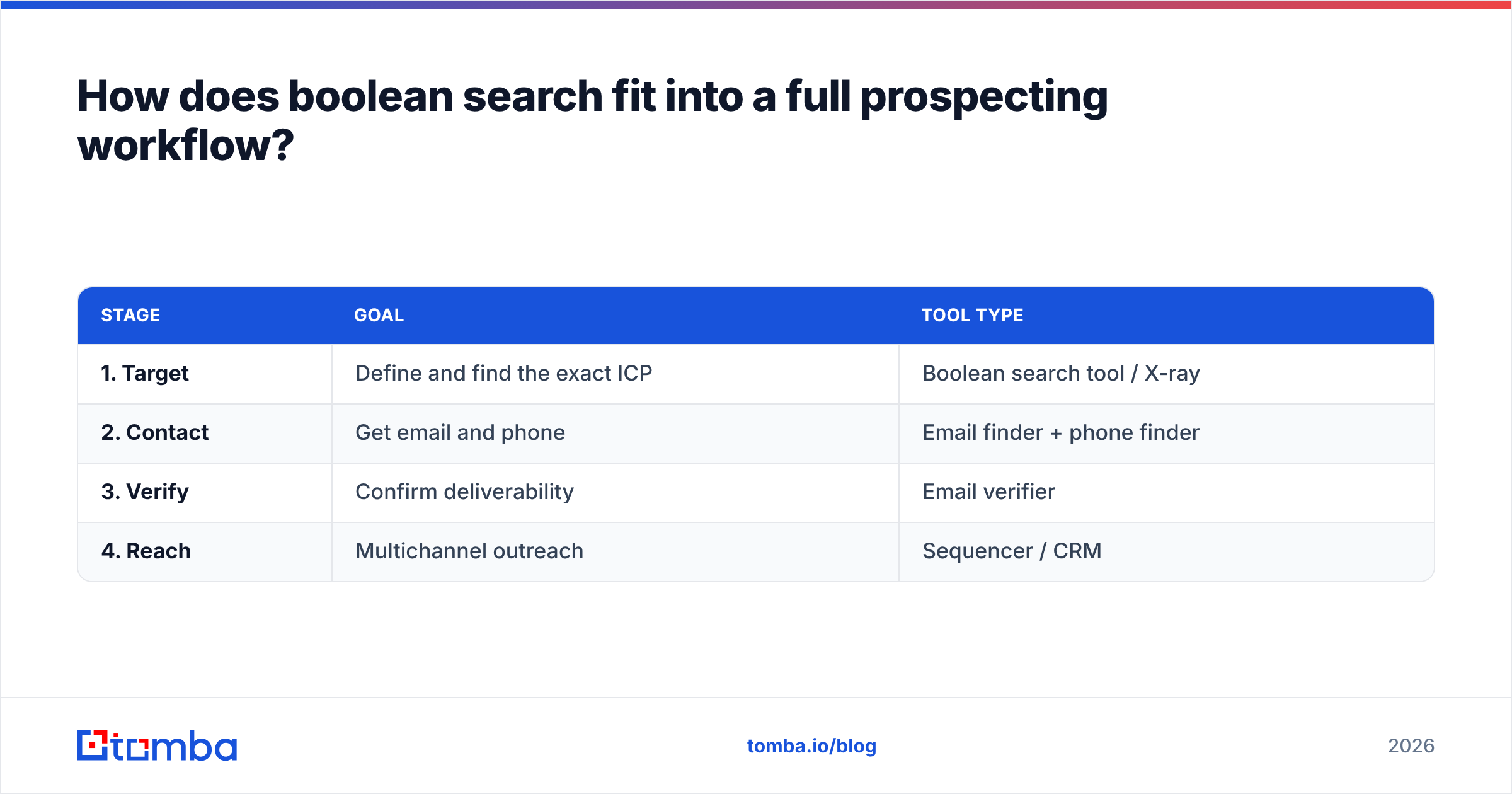
Boolean search is step one of a four-step engine: find the right people, get their contact details, verify, and reach out. Skipping any step breaks the chain.
| Stage | Goal | Tool type |
|---|---|---|
| 1. Target | Define and find the exact ICP | Boolean search tool / X-ray |
| 2. Contact | Get email and phone | Email finder + phone finder |
| 3. Verify | Confirm deliverability | Email verifier |
| 4. Reach | Multichannel outreach | Sequencer / CRM |
The teams that win at outbound treat these as one connected pipeline, not four disconnected tasks. Your beautifully precise boolean list is worthless if half the emails bounce, and your verification tool is wasted if your targeting was sloppy. Tighten the front of the funnel with boolean precision, then keep that quality through to send.
The bottom line#
A boolean search tool is the cheapest, most transferable upgrade you can make to your sourcing — most of it is free, and the logic works everywhere. But search alone only gets you a list of names. To turn precise targeting into booked meetings, you need verified contact details attached to every result.
That's exactly where Tomba fits in. Run your boolean strings on Google, LinkedIn, or your favorite database, then drop the names and domains into the Tomba Email Finder to get verified, deliverable emails in seconds — with a free tier (25 searches/month) to test it and paid plans from $49/month when you scale. See full Tomba pricing to match a plan to your volume. Find smarter, reach faster, and stop guessing at email formats.
Ready to find emails that actually work?
Join 150,000+ professionals who stopped guessing and started sending. Free credits on signup — no credit card required.
Get the Tomba newsletter
Practical outbound tactics and product updates — once every two weeks.
About the author