How to Build a Prospect List in 2026: The Complete Playbook
Buying lists burns your domain and your budget. Here's how to build a prospect list in 2026 that's accurate, verified, and actually converts.
You can have the sharpest pitch in your market and still get nowhere if your prospect list is full of wrong names, dead inboxes, and people who were never going to buy. The list is the foundation. Everything downstream — open rates, reply rates, pipeline — inherits its quality.
This is a practical, repeatable playbook for how to build a prospect list in 2026 that's targeted, verified, and compliant. No "buy 50,000 leads for $99" shortcuts, because those shortcuts are exactly why so many cold campaigns die in spam.
TL;DR#
- A prospect list is only as good as its targeting. Define a tight ICP and buyer persona before you collect a single email.
- Never buy static lists. They're stale, shared across thousands of senders, and torch your sender reputation.
- Build, don't buy: source contacts from domain search, LinkedIn, and intent signals, then verify every address before sending.
- Verification is non-negotiable — a 2-5% bounce rate is the line between landing in the inbox and getting throttled.
- Enrich, then segment. Add role, company size, and tech-stack data so you can personalize at scale.
What is a prospect list, and why does quality beat quantity?#
A prospect list is a structured set of contacts who match your ideal customer profile and are worth reaching out to. Think of it like a guest list for a dinner party: inviting 1,000 random strangers gets you noise and a wrecked reputation; inviting 100 people who actually want what you're serving gets you a conversation.
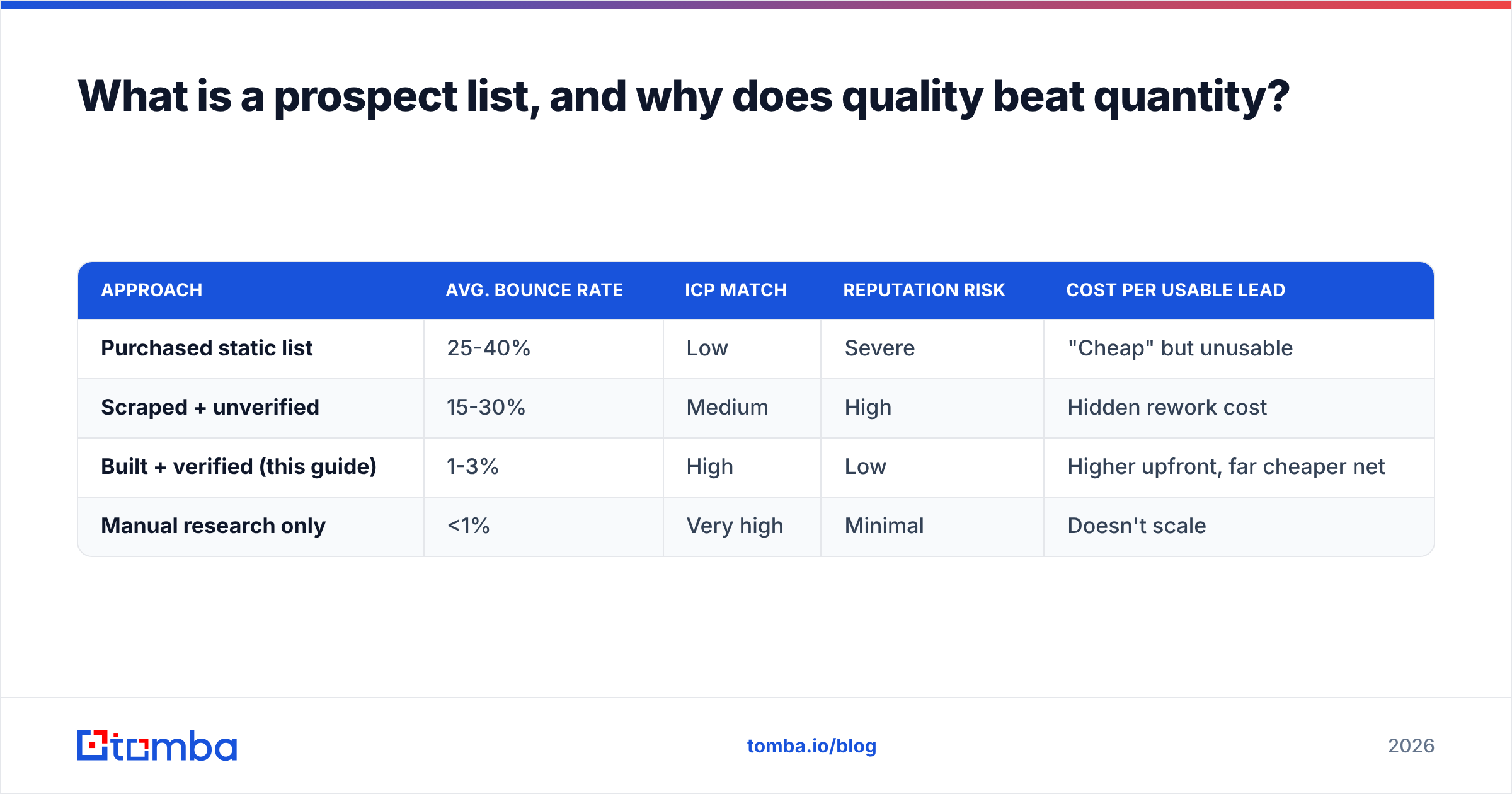
The mistake most teams make is treating list-building as a volume game. A 10,000-row spreadsheet feels productive. But if 30% of those emails bounce and 60% of the rest don't fit your ICP, you've got roughly 700 real prospects — and you've burned your domain getting there.
Here's the trade-off in plain numbers:
| Approach | Avg. bounce rate | ICP match | Reputation risk | Cost per usable lead |
|---|---|---|---|---|
| Purchased static list | 25-40% | Low | Severe | "Cheap" but unusable |
| Scraped + unverified | 15-30% | Medium | High | Hidden rework cost |
| Built + verified (this guide) | 1-3% | High | Low | Higher upfront, far cheaper net |
| Manual research only | <1% | Very high | Minimal | Doesn't scale |
The built-and-verified row is the sweet spot for most B2B teams: accurate enough to protect deliverability, automated enough to scale past a handful of accounts per week.
Wait — that image should render correctly. Let me restate the point it makes: rejecting the "buy a list" shortcut, approving the "build it yourself" discipline.
How do you define your ideal customer profile first?#
Before sourcing anyone, write down who you're actually looking for. Skipping this step is how reps end up emailing office managers about an enterprise security platform.
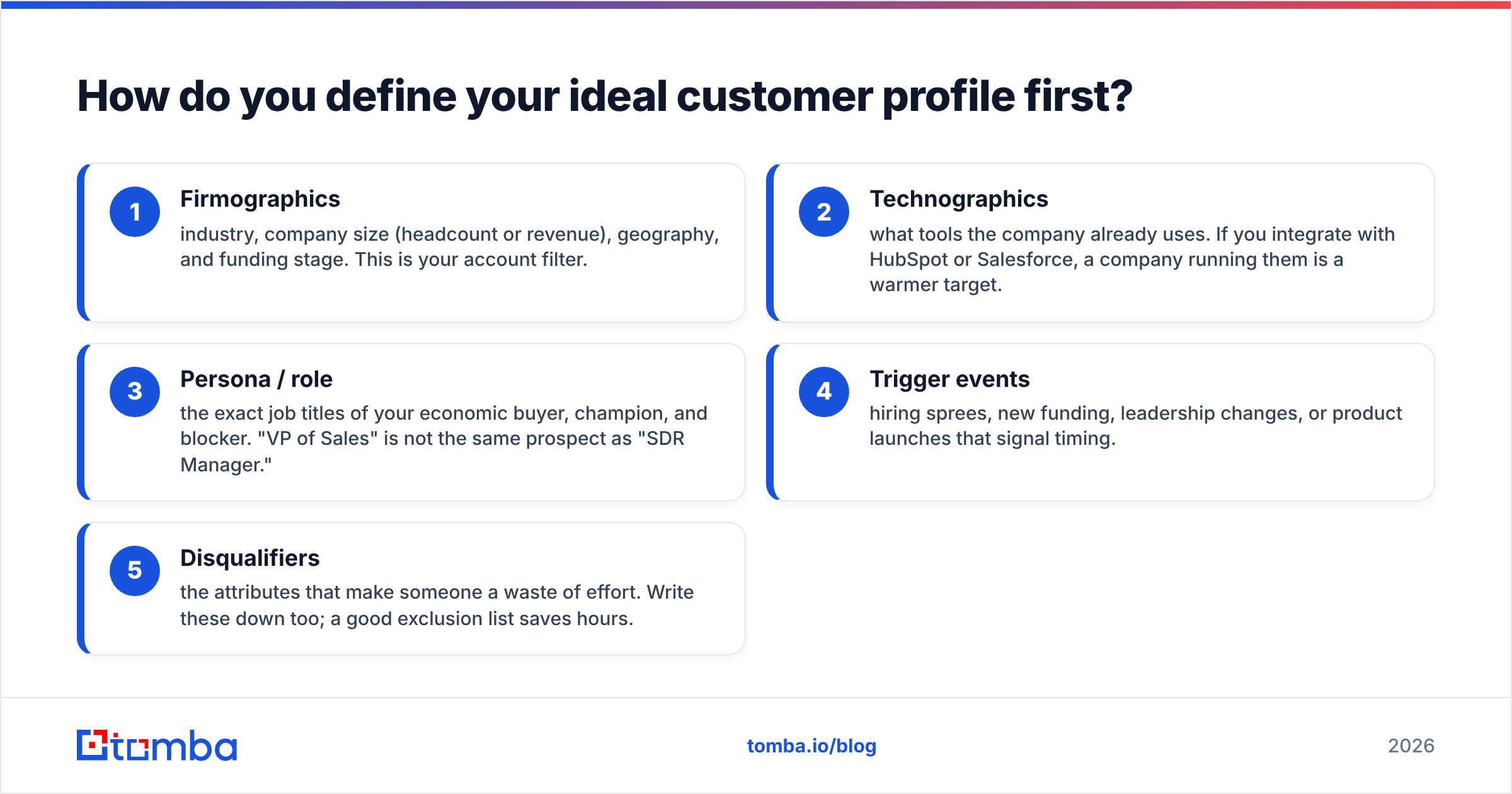
Define these five layers, in order:
- Firmographics — industry, company size (headcount or revenue), geography, and funding stage. This is your account filter.
- Technographics — what tools the company already uses. If you integrate with HubSpot or Salesforce, a company running them is a warmer target.
- Persona / role — the exact job titles of your economic buyer, champion, and blocker. "VP of Sales" is not the same prospect as "SDR Manager."
- Trigger events — hiring sprees, new funding, leadership changes, or product launches that signal timing.
- Disqualifiers — the attributes that make someone a waste of effort. Write these down too; a good exclusion list saves hours.
A tight ICP turns list-building from "collect everyone" into "find these specific people at these specific companies." It also makes every later step — sourcing, enrichment, personalization — dramatically easier. For a refresher on qualifying logic, the concept of a marketing qualified lead is a useful baseline for where a prospect sits in the funnel.
Where do you actually source prospects in 2026?#
You have four reliable channels. The best lists blend several so you're not over-reliant on any single source.
- Company domain search. Once you know which companies fit your ICP, pull the verified work emails for the right roles at each domain. A domain search tool returns every public email pattern for a company in one query, so you go from "I want to reach Acme's RevOps lead" to a real, deliverable address.
- LinkedIn. It's still the richest source of role and seniority data. Identify decision-makers by title, then resolve their professional email with a LinkedIn finder instead of guessing the format.
- Intent and website signals. People already researching your category convert far better than cold accounts. Tools that handle website visitor reveal surface companies hitting your site anonymously, which you can route straight into your list.
- Manual research for tier-one accounts. For your top 50 named accounts, nothing beats hand-built research. Reserve human effort for the deals worth the most.
The principle: start from the account (does this company fit my ICP?), then find the person, then resolve the contact detail. Working in that order keeps your list aligned to revenue rather than to whatever data happened to be lying around.
How do you verify emails so your list doesn't bounce?#
Verify every address before it enters a sending tool. This is the single highest-leverage step in the whole process, and the one most people skip.
Mailbox providers like Google and Microsoft watch your bounce rate closely. A campaign that bounces above ~3% gets flagged, throttled, or filtered to spam — and the damage carries over to future sends from the same domain. One bad list can poison months of outreach.
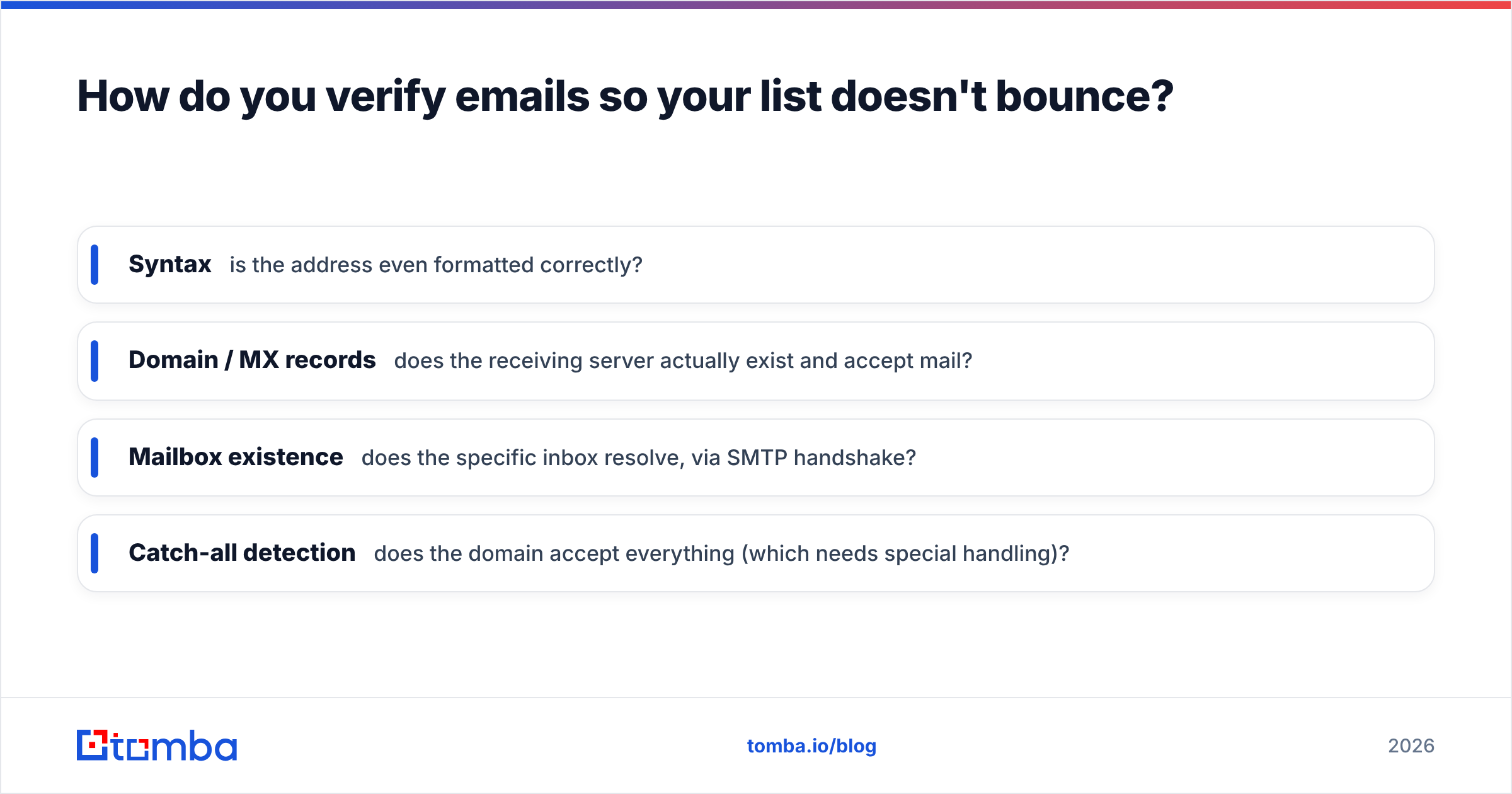
A proper verification pass checks four things:
- Syntax — is the address even formatted correctly?
- Domain / MX records — does the receiving server actually exist and accept mail?
- Mailbox existence — does the specific inbox resolve, via SMTP handshake?
- Catch-all detection — does the domain accept everything (which needs special handling)?
That last one matters more than people expect. Catch-all domains accept any address at the SMTP layer, so a naive checker marks them "valid" when they may not be. Running suspect domains through a dedicated catch-all verifier tells you which catch-all addresses are genuinely safe to send to. If you want the technical background, Google's own Email sender guidelines spell out exactly how bounce and spam rates affect your standing.
For lists of any real size, run the whole thing through a bulk email finder and verification flow rather than checking addresses one at a time. Verify, then send. Always in that order.
How do you enrich and segment the list?#
A verified email gets you delivered. Enrichment gets you opened and answered. Once contacts are clean, layer on the data that lets you personalize and prioritize.
Useful enrichment fields:
- Role seniority and department — so you message a CFO differently than an analyst.
- Company size and revenue band — to tailor your value prop and pricing reference.
- Tech stack — mention an integration they already use.
- Direct phone numbers — for multichannel sequences; a phone finder adds a call channel to email-only lists.
- Recent trigger events — new role, new funding, new office.
Pull these in with a data enrichment step that appends fields to every row automatically. Then segment. Don't blast one message to the whole list — group by persona, industry, or trigger, and write to each segment's specific situation.
Segmentation is where personalization stops being a manual chore. Five clean segments of 200 each, with a message tuned to the segment, will outperform a single 1,000-row blast every time. Industry data backs this up: review sites like G2 consistently rank enrichment and segmentation as top drivers of reply rate in their lead-intelligence category.
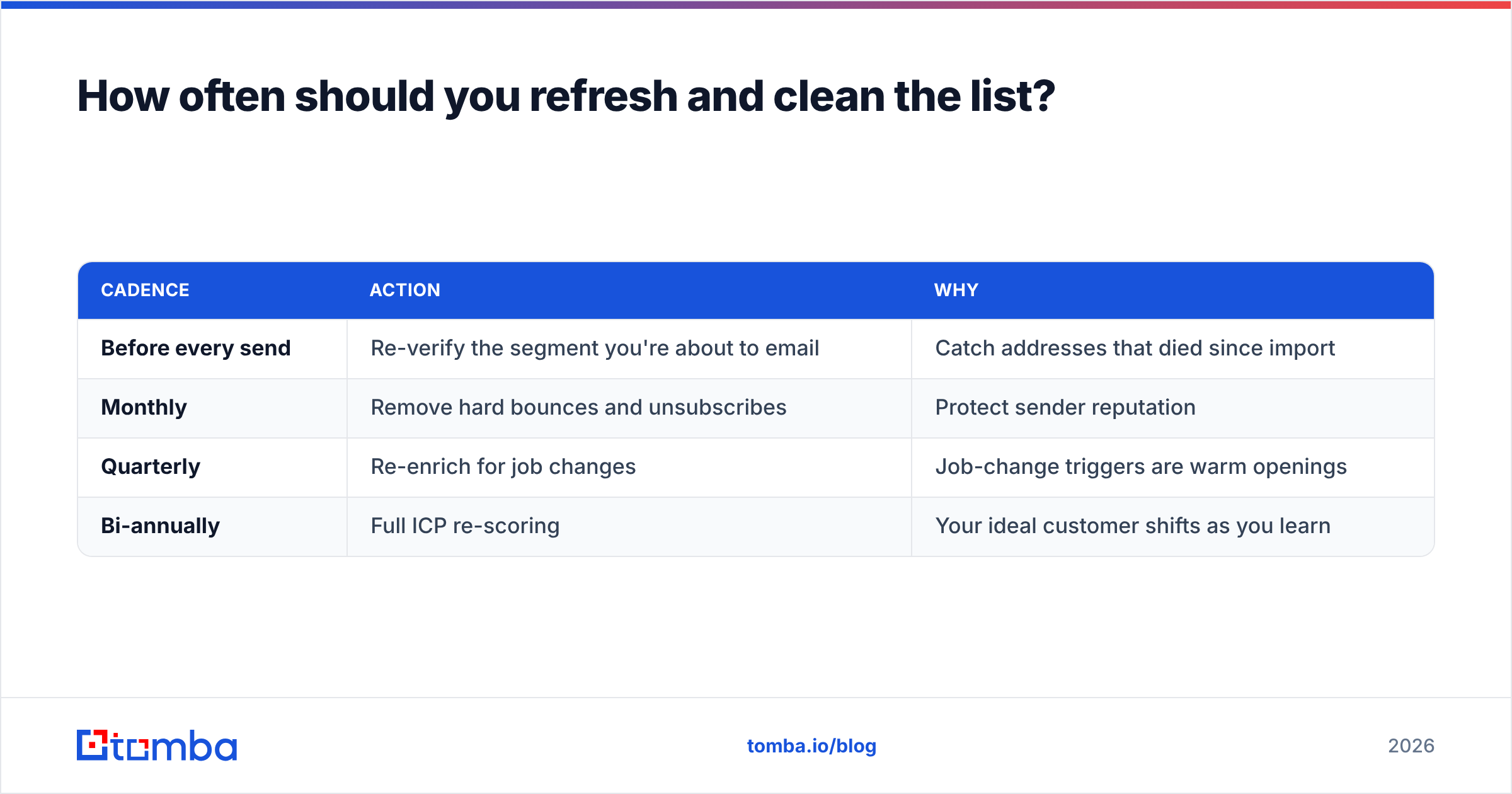
How often should you refresh and clean the list?#
B2B data decays fast — roughly 22-30% of contact data goes stale every year as people change jobs, companies rebrand, and inboxes get deactivated. A list you built six months ago is already meaningfully wrong.
Build cleaning into your cadence, not as an afterthought:
| Cadence | Action | Why |
|---|---|---|
| Before every send | Re-verify the segment you're about to email | Catch addresses that died since import |
| Monthly | Remove hard bounces and unsubscribes | Protect sender reputation |
| Quarterly | Re-enrich for job changes | Job-change triggers are warm openings |
| Bi-annually | Full ICP re-scoring | Your ideal customer shifts as you learn |
Treat job changes as opportunities, not just deletions. When a champion moves to a new company, that's a warm lead at a new account and a fresh contact to find at their old one. A quick re-run through your email verifier before each campaign keeps the whole machine honest.
Build vs. buy: what does the math actually say?#
It's tempting to buy. A vendor offers 25,000 "targeted" contacts for a few hundred dollars and you skip weeks of work. Here's why that math is a trap.
- Shared, not exclusive. Purchased lists are sold to everyone. The prospects have already been hit by dozens of identical pitches.
- Stale on arrival. Most purchased lists were compiled months or years ago. Apply the 25-30% annual decay and a big chunk is dead before you send.
- Reputation damage. High bounce and spam-complaint rates from a bad list can blacklist your domain — and that's expensive to recover from. A free blacklist checker will show you the damage, but prevention beats cure.
- Compliance exposure. Lists of unknown provenance create GDPR and CAN-SPAM risk you can't easily audit.
Building costs more upfront in time and tooling. But you get exclusive, current, ICP-matched contacts that you actually own — and you don't gamble your domain. For most teams the net cost per usable lead is lower when you build. Compare what you'd pay across Tomba pricing tiers against a single ruined sending domain and the decision makes itself.
What does a finished list-building workflow look like?#
Put the pieces together and the repeatable loop is short:
- Define ICP — firmographics, persona, triggers, disqualifiers.
- Build account list — companies that match, from your CRM, intent signals, and research.
- Source contacts — domain search and LinkedIn finder for the right roles at each account.
- Verify — every address, with catch-all handling, before it touches a sequence.
- Enrich — append role, firmographic, tech-stack, and phone data.
- Segment — group by persona or trigger for tailored messaging.
- Refresh — re-verify before each send, re-enrich quarterly.
Run that loop and your list stops being a static spreadsheet and becomes a living asset that gets sharper over time. The teams that win at outbound aren't the ones with the most contacts — they're the ones with the cleanest, best-targeted, most current ones.
Build a prospect list that actually converts#
If there's one shift to make this quarter, it's this: stop buying lists and start building verified ones. The difference shows up in your bounce rate, your reply rate, and your domain's long-term health.
Tomba's Email Finder is built for exactly this workflow — find verified professional emails by name, company, or domain, run them through built-in verification, and enrich each contact before it ever enters your sequence. Start on the free tier (25 searches a month) to pressure-test your ICP, then scale to a paid plan once you've proven the list converts. Your inbox placement — and your pipeline — will thank you.
// get started
Find, verify and enrich your first contacts today
Start on the free plan with 25 searches a month, then scale when your team is ready.
Free plan · No credit card required · GDPR & CCPA
// about the author