Business Owner Contact Information: How to Find It in 2026
A practical 2026 playbook for finding accurate business owner contact information — the legal sources, the tools, the verification steps, and what to skip.
TL;DR
- Business owner contact information lives in fragments — public registries, websites, social profiles, and B2B databases. The job is stitching those fragments into one verified record.
- Public records (Secretary of State filings, business licenses, domain WHOIS) tell you who owns a company; data tools tell you how to reach them.
- Never send to an unverified address. Verify every email before outreach to protect your sender reputation and your domain.
- Manual lookups don't scale past a handful of prospects. A domain-plus-name finder turns a company list into a contact list in minutes.
- Compliance matters: GDPR, CAN-SPAM, and platform terms govern how you collect and use owner data. Build a process you can defend.
Finding a business owner's direct contact is the difference between a deal that starts and one that dies in a generic info@ inbox. This guide shows you exactly where owner data lives in 2026, which sources are reliable, and how to assemble verified records without guessing.
What counts as business owner contact information?#
The short answer: a name tied to a role, plus at least one reachable channel. Everything else is supporting context.
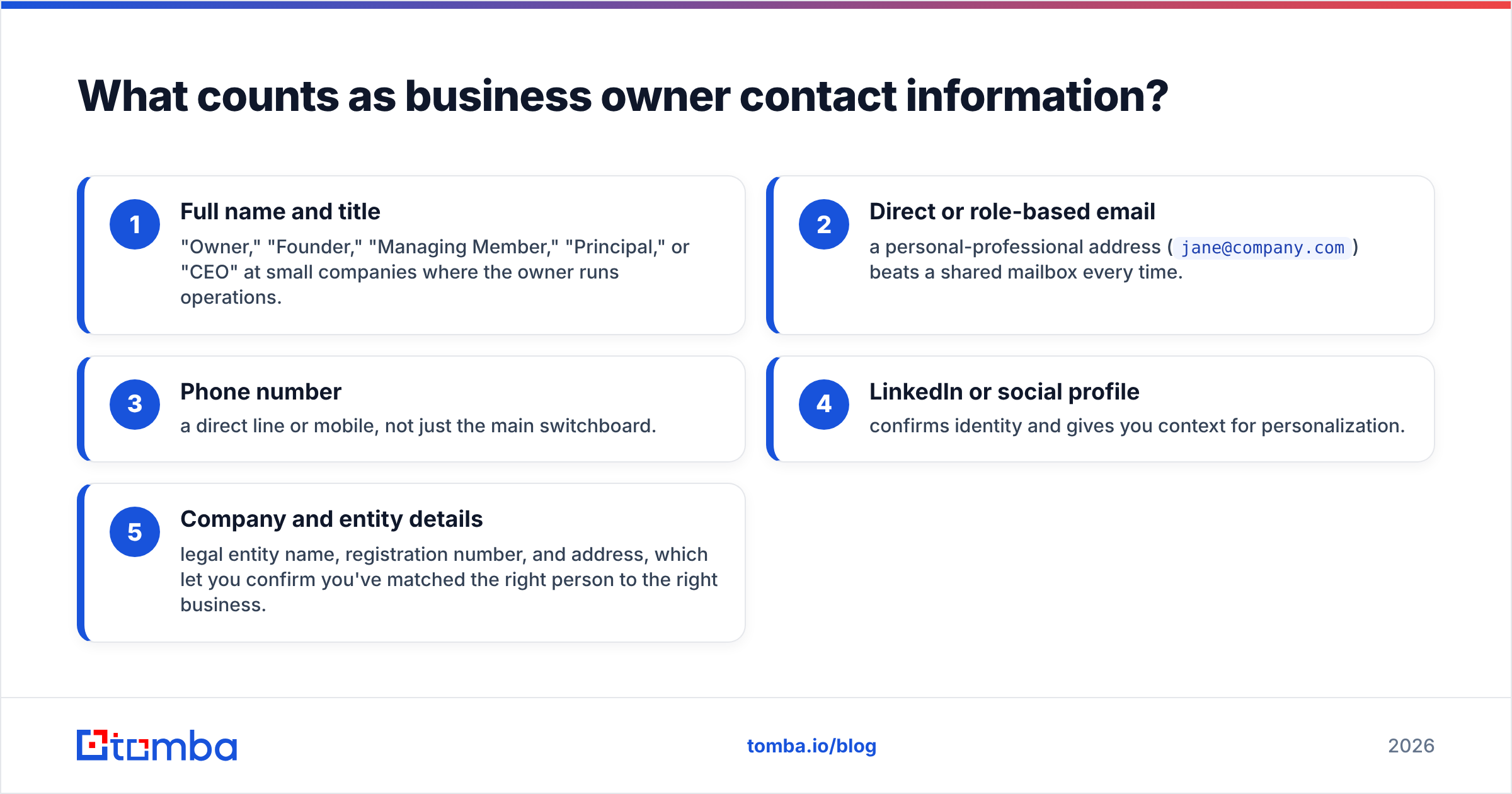
A complete owner record usually includes:
- Full name and title — "Owner," "Founder," "Managing Member," "Principal," or "CEO" at small companies where the owner runs operations.
- Direct or role-based email — a personal-professional address (
jane@company.com) beats a shared mailbox every time. - Phone number — a direct line or mobile, not just the main switchboard.
- LinkedIn or social profile — confirms identity and gives you context for personalization.
- Company and entity details — legal entity name, registration number, and address, which let you confirm you've matched the right person to the right business.
The trap most people fall into is collecting one of these and calling it done. A name with no email is a dead end. An email with no verification is a bounce waiting to happen. You want the full row, and you want it confirmed.

Where does business owner contact information actually come from?#
There's no single master database of every business owner on earth. Instead, the data is scattered across public and commercial sources, each with different coverage and reliability.
Public and government records:
- Secretary of State business filings — In the US, every registered LLC or corporation files with a state. These filings list registered agents, officers, and sometimes owners. Most states offer free online entity search.
- Business licenses and permits — City and county records often name the responsible owner.
- Domain WHOIS — Registrant data for a company's domain, though privacy proxies hide most personal details now.
- Property and tax records — For brick-and-mortar businesses, owner names sometimes appear in local assessor databases.
Company-controlled sources:
- Website "About" and "Team" pages — Founders love to list themselves.
- Press releases and news coverage — Quotes attribute names to roles.
- Social profiles — LinkedIn, X, and company pages confirm current titles.
Commercial B2B data:
- Email finders and enrichment tools — These cross-reference public web data, verify it, and return reachable contacts at scale.
Here's the practical hierarchy: use public records to establish identity and ownership, then use data tools to find the reachable channel. The Federal Trade Commission's guidance on lawful data use is worth a read before you build any collection process — knowing the rules upfront saves rework later.
How do free public records compare to paid data tools?#
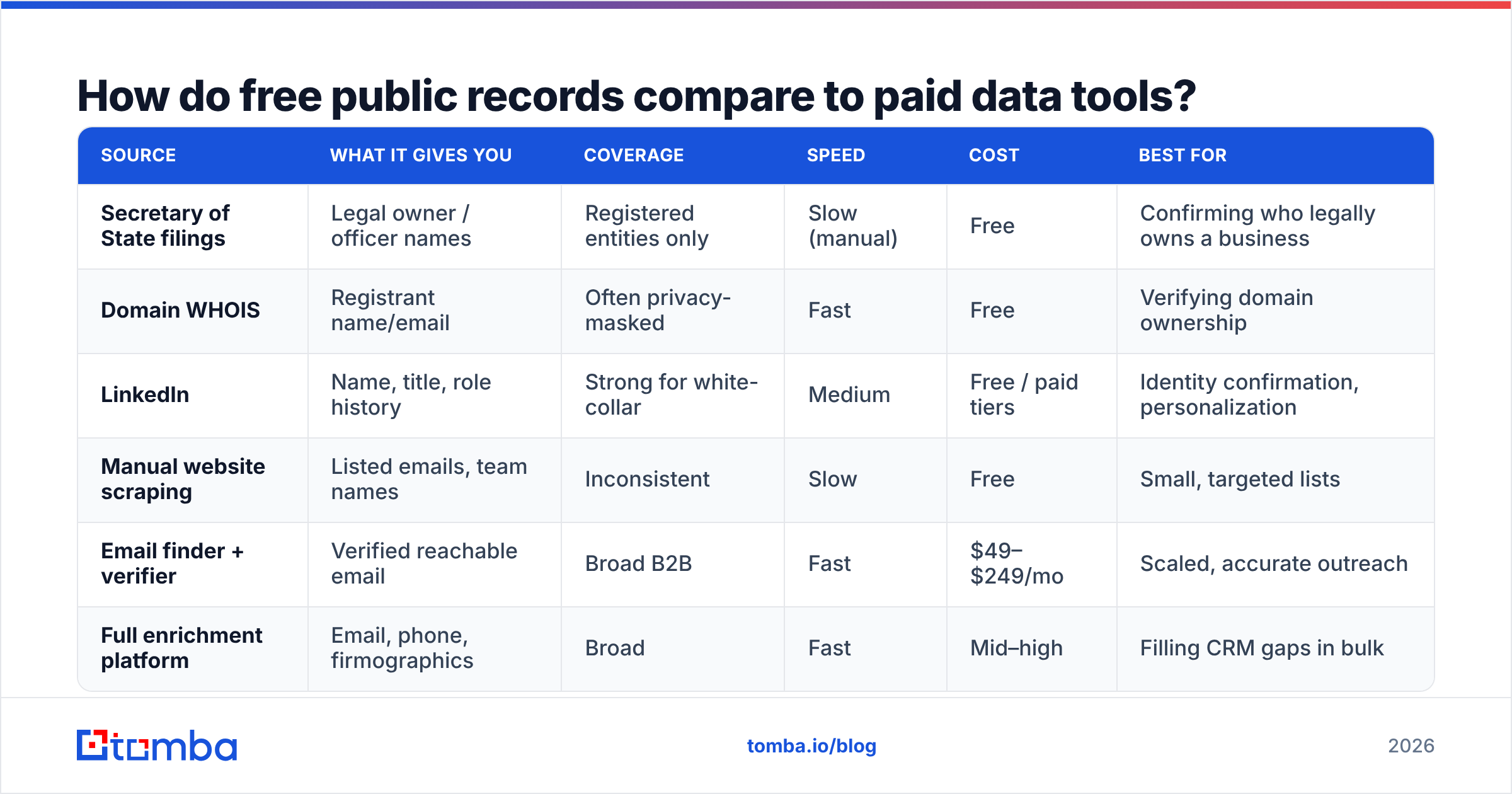
Both have a place. Free sources are authoritative for ownership facts but slow and incomplete for contact channels. Paid tools are fast and built for outreach but cost money and require verification. Here's the honest breakdown.
| Source | What it gives you | Coverage | Speed | Cost | Best for |
|---|---|---|---|---|---|
| Secretary of State filings | Legal owner / officer names | Registered entities only | Slow (manual) | Free | Confirming who legally owns a business |
| Domain WHOIS | Registrant name/email | Often privacy-masked | Fast | Free | Verifying domain ownership |
| Name, title, role history | Strong for white-collar | Medium | Free / paid tiers | Identity confirmation, personalization | |
| Manual website scraping | Listed emails, team names | Inconsistent | Slow | Free | Small, targeted lists |
| Email finder + verifier | Verified reachable email | Broad B2B | Fast | $49–$249/mo | Scaled, accurate outreach |
| Full enrichment platform | Email, phone, firmographics | Broad | Fast | Mid–high | Filling CRM gaps in bulk |
The pattern: free sources answer "who owns this?" and paid tools answer "how do I reach them, and will it bounce?" Serious prospecting uses both.
How do you find a business owner's email address specifically?#
Email is the workhorse channel for B2B outreach, so it deserves its own playbook. There are four reliable methods, roughly in order of scale.
1. Direct lookup by domain. If you know the company website, a domain search returns the email addresses associated with that domain along with detected name-and-title pairs. This is the fastest way to surface an owner when you already have the company.
2. Name-plus-domain finder. When you know the owner's name and their company, a Tomba Email Finder resolves the most likely address and returns a confidence score. This is the core move for one-off prospecting.
3. Pattern inference. Most companies use a consistent format (first@, first.last@, flast@). Once you know the pattern for one employee, you can infer others. A company email pattern checker detects the format automatically so you're not guessing.
4. Bulk processing. When you have a list of companies or names, a bulk email finder processes the whole file at once instead of one search at a time. This is how you go from a hundred prospects to a hundred contacts in a single pass.
Whichever method you use, one rule is non-negotiable: verify before you send.
Why does verification matter so much?#
Because one bad send can damage every good one. Email providers track your bounce rate, and a high rate signals that you're working from stale or guessed data. The result is your legitimate mail landing in spam — even for recipients whose addresses are perfect.
Verification checks whether an address exists and can receive mail before you hit send. A good email verifier tests the syntax, the domain's mail records, and the mailbox itself, then flags catch-all domains separately because those need extra judgment.
The payoff is concrete. Keeping bounces low protects your email deliverability and your sender reputation, which is what actually determines whether your carefully written message reaches the owner's primary inbox. Skipping verification to save a few minutes is how teams quietly torch months of warmup work.

What's the step-by-step workflow for one owner?#
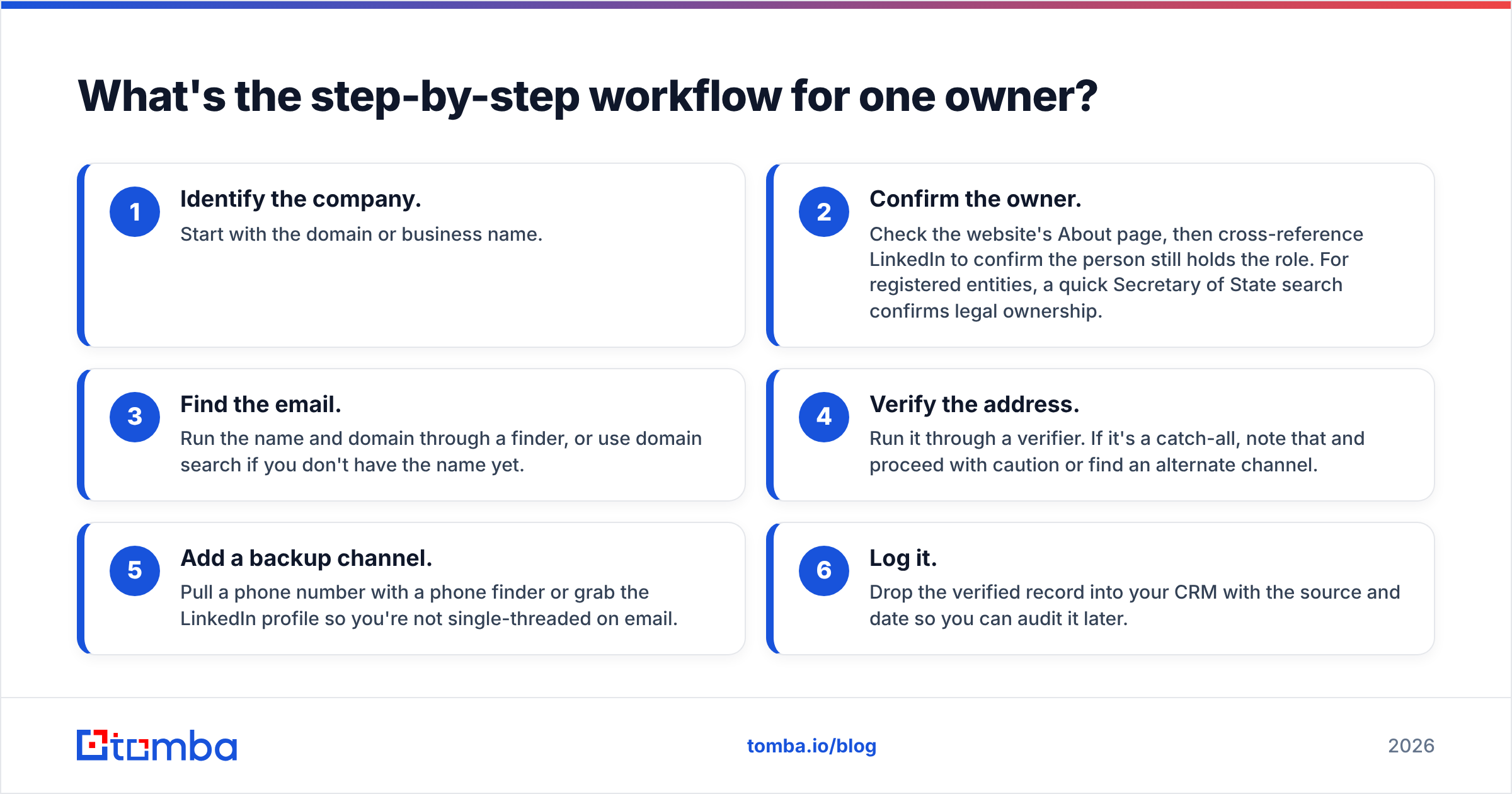
Here's a repeatable process you can run for any single prospect. It takes about five minutes and produces a record you can trust.
- Identify the company. Start with the domain or business name.
- Confirm the owner. Check the website's About page, then cross-reference LinkedIn to confirm the person still holds the role. For registered entities, a quick Secretary of State search confirms legal ownership.
- Find the email. Run the name and domain through a finder, or use domain search if you don't have the name yet.
- Verify the address. Run it through a verifier. If it's a catch-all, note that and proceed with caution or find an alternate channel.
- Add a backup channel. Pull a phone number with a phone finder or grab the LinkedIn profile so you're not single-threaded on email.
- Log it. Drop the verified record into your CRM with the source and date so you can audit it later.
Run this once and it feels like overhead. Run it across a territory and you'll see why the manual version doesn't scale — which is the whole argument for tooling.
How do you scale this to hundreds of owners?#
You stop doing it by hand. The single-prospect workflow above is correct, but repeating it 300 times is a job nobody should do manually.
At scale, the workflow becomes:
- Build the company list. Export from a B2B database, a conference attendee sheet, or a scraped industry directory.
- Bulk-find contacts. Feed the list to a bulk finder that returns owners and their emails in one job.
- Bulk-verify. Validate the entire output before any of it touches your sending tool.
- Enrich the gaps. Use data enrichment to fill in titles, phone numbers, and firmographics where the finder came up short.
- Sync to CRM. Push clean records straight into HubSpot, Salesforce, or Pipedrive via native integrations so reps work from one source of truth.
This is also where a contact database earns its keep: instead of starting from a blank company list, you filter by industry, size, and location to build the target set first, then enrich it. Pricing scales with volume — review the Tomba pricing tiers against your monthly search count, since the Free tier (25 searches/month) is fine for testing but real territories need the Growth or Pro plans.
Is collecting owner contact information legal?#
Mostly yes, with conditions — and the conditions are where teams get into trouble. This isn't legal advice, but here are the principles that keep reputable prospecting compliant.
- Public and business data is generally fair to collect. Using a publicly listed business email to send a relevant B2B offer is broadly permitted, but the rules vary by jurisdiction.
- CAN-SPAM (US) requires honest headers, a real physical address, and a working unsubscribe in every commercial email. It does not require prior consent, but it does require an exit.
- GDPR (EU/UK) treats personal data — including a named owner's work email — as protected. You typically rely on "legitimate interest," which means relevant outreach, clear records of your source, and honoring deletion requests promptly.
- Platform terms matter. Scraping some sites violates their terms even when the data is visible. Know the line.
The defensible approach is simple: collect from legitimate sources, keep a record of where each contact came from, send only relevant messages, and make opting out effortless. Vendors like HubSpot publish plain-language guides to email compliance that are worth bookmarking for your whole team.
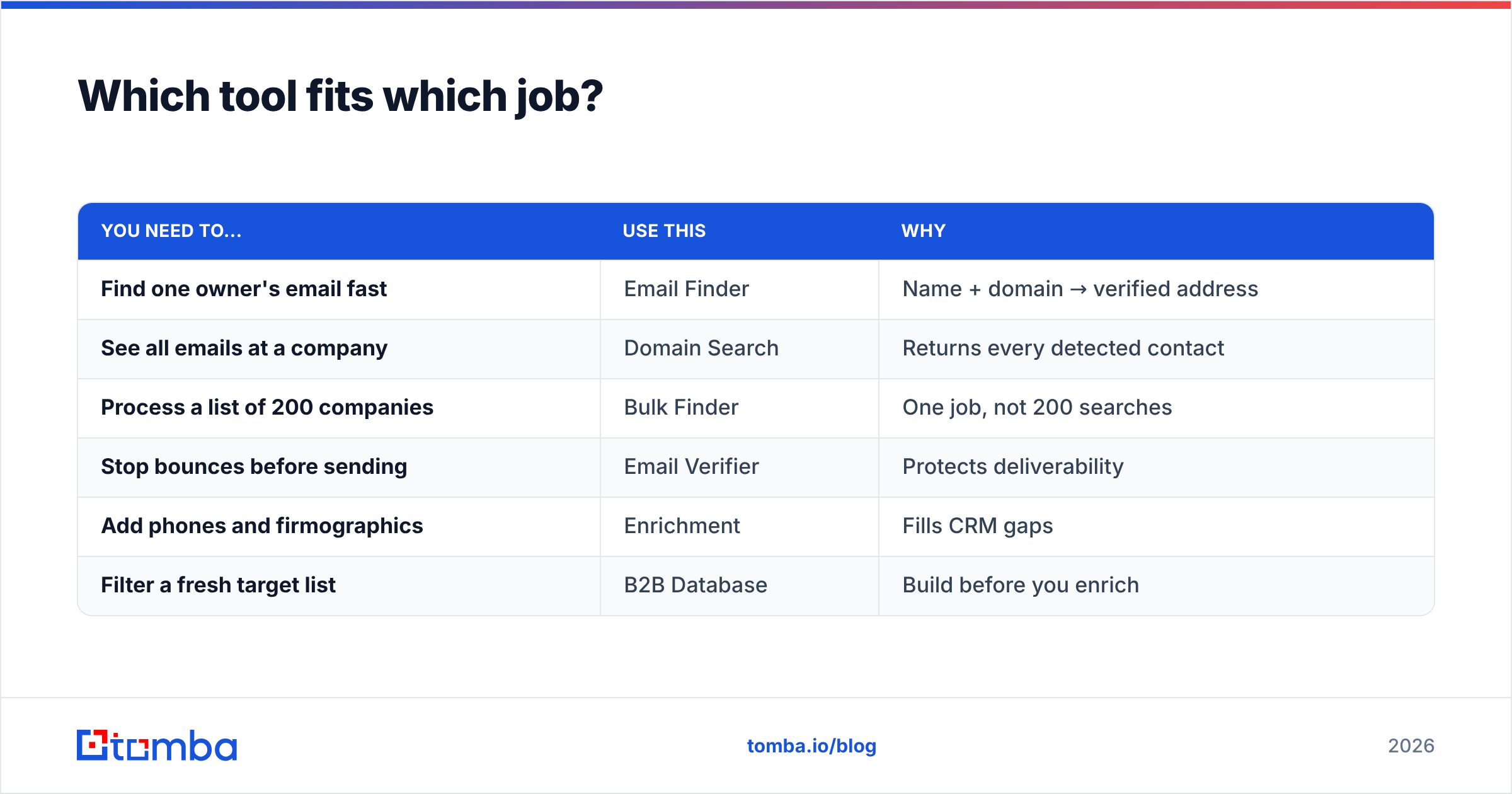
Which tool fits which job?#
A quick decision guide so you're not over- or under-buying.
| You need to... | Use this | Why |
|---|---|---|
| Find one owner's email fast | Email Finder | Name + domain → verified address |
| See all emails at a company | Domain Search | Returns every detected contact |
| Process a list of 200 companies | Bulk Finder | One job, not 200 searches |
| Stop bounces before sending | Email Verifier | Protects deliverability |
| Add phones and firmographics | Enrichment | Fills CRM gaps |
| Filter a fresh target list | B2B Database | Build before you enrich |
Most teams start with the finder and verifier, then add bulk and enrichment as their volume grows. You rarely need everything on day one.
What mistakes should you avoid?#
- Sending to
info@and hoping. Generic inboxes are screened by gatekeepers, not owners. Always find the named person. - Skipping verification. The fastest way to wreck a domain you spent months warming up.
- Trusting a guessed pattern blindly. Patterns are a starting hypothesis, not a confirmed address. Verify.
- Ignoring catch-all domains. A catch-all accepts everything, so a "valid" result there isn't proof. Use a catch-all verifier and treat results with appropriate caution.
- No source logging. If you can't say where a contact came from, you can't defend it under GDPR. Track provenance from day one.
Avoid these five and you're ahead of most outbound teams already.
Start finding owners, not bounces#
Finding accurate business owner contact information in 2026 isn't about one magic database — it's about a disciplined process: confirm identity from authoritative sources, find the reachable channel with a finder, and verify before every send. Do that consistently and your outreach reaches real people instead of dead inboxes.
The fastest place to start is the Tomba Email Finder. Give it an owner's name and company domain, and it returns a verified email with a confidence score in seconds — then run your whole prospect list through bulk find and verify so every record in your CRM is one you can actually reach. Spin up the Free tier, test it against contacts you already know, and scale up only when the accuracy earns it.
// get started
Find, verify and enrich your first contacts today
Start on the free plan with 25 searches a month, then scale when your team is ready.
Free plan · No credit card required · GDPR & CCPA
// about the author