Best Chrome Email Extension for B2B Prospecting in 2026
A Chrome email extension finds verified work emails while you browse LinkedIn or a company site. Here's how the top options compare on accuracy, price, and workflow in 2026.
A chrome email extension turns the tab you already have open into a prospecting tool: hover over a LinkedIn profile or land on a company website, click once, and get a verified work email without leaving the page. The problem is that "click once, get an email" hides a huge range of quality. Some extensions guess a pattern and call it a hit. Others verify against the mail server before they show you anything. This guide breaks down what actually separates the good ones in 2026.
TL;DR#
- A chrome email extension finds and verifies work emails directly inside your browser — on LinkedIn, company sites, or any web page — so you skip the copy-paste-into-a-finder loop.
- The single metric that matters is verified accuracy, not raw "found" count. A guessed email that bounces costs you sender reputation, not just a lead.
- Free credits, catch-all handling, and CRM export separate a real tool from a toy.
- Tomba's Chrome extension finds emails by name and domain, verifies them live, and starts free with 25 searches/month — paid plans begin at $49/mo.
- Pick based on your real workflow: LinkedIn-heavy prospecting, on-site lead gen, or bulk list building each reward a different feature set.
What is a Chrome email extension?#
A Chrome email extension is a small browser add-on that finds professional email addresses for the person or company on your current page. Think of it like a name tag scanner at a conference: instead of writing down every business card by hand, you point it at someone and it hands you their verified contact details instantly.
Technically, the extension reads context from the page — a person's name and their employer, or a website's domain — then queries an email-finding API. The good ones run a verification step in the same request: an SMTP check that asks the receiving mail server whether the mailbox exists before the address ever reaches your screen. That live check is the difference between a contact you can email today and a guess that bounces tomorrow.
Most extensions cluster around three jobs:
- LinkedIn prospecting — surface a work email from a profile while you're sourcing.
- On-site domain search — open a company's website and pull every public email pattern for that domain search.
- Single-lookup enrichment — you have a name and a company, you want the address.

Why use a browser extension instead of a web app?#
The conclusion first: a browser extension removes the tab-switching tax. Every manual prospecting workflow has the same friction — find a person, copy their name, switch to a finder tool, paste, search, copy the email, switch to your CRM, paste again. An extension collapses that into one click on the page you're already looking at.
That speed matters at volume. If you source 80 prospects a day, saving 30 seconds per lookup is 40 minutes back. But speed without accuracy is a trap. An extension that fires fast and returns unverified guesses just lets you burn through your daily sending limit faster. The right tool is fast and verified.
There's also a data-freshness angle. A web app works from whatever you type in. An extension reads live page context — the current job title, the current employer — so it's less likely to return an address tied to a role the person left two years ago. Pair that with proper data enrichment and you get a record that's ready for outreach, not cleanup.
How do the top Chrome email extensions compare in 2026?#
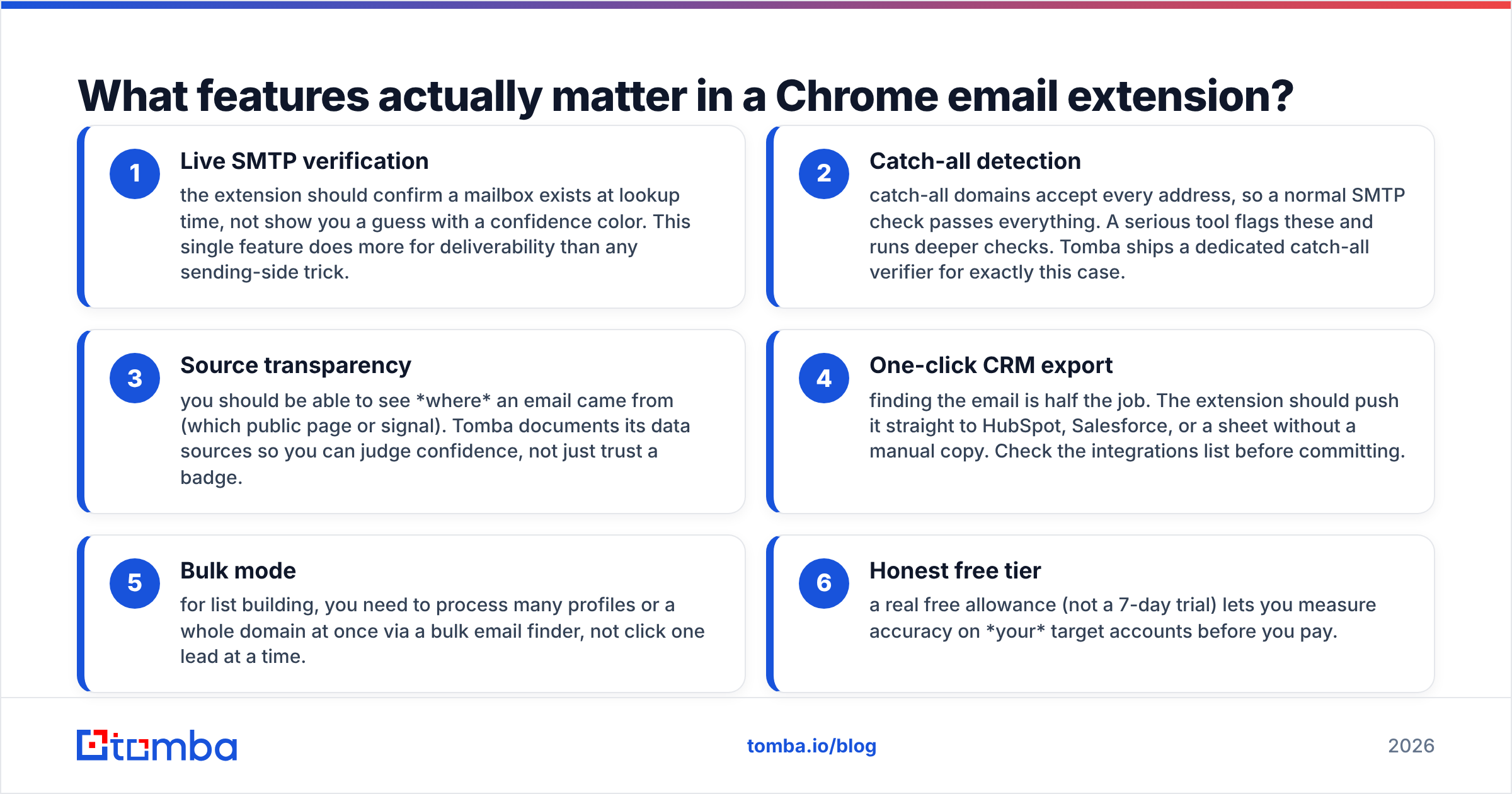
Here's where the real differences show up. The table below compares the attributes that change your results — not marketing claims.
| Feature | Tomba | Apollo | RocketReach | Hunter |
|---|---|---|---|---|
| Free tier | 25 searches/mo | 5 credits/mo (mobile) | Trial only | 25 searches/mo |
| Starter paid price | $49/mo | $59/mo (per user) | $80/mo | $49/mo |
| Live email verification | Yes (SMTP) | Partial | Partial | Yes |
| Catch-all handling | Dedicated verifier | Limited | Limited | Flagged only |
| LinkedIn lookup | Yes | Yes | Yes | Limited |
| Domain / company search | Yes | Yes | Yes | Yes |
| Phone numbers | Yes | Yes (add-on) | Yes | No |
| Bulk export to CSV/CRM | Yes | Yes | Yes | Yes |
A few notes on reading this. Prices and credit allowances move, so treat the table as a snapshot and confirm against each vendor's current page before you buy. What rarely changes is the category of behavior: whether a tool verifies live, whether it has a real answer for catch-all domains, and how generous the free tier is for actually testing it.

Accuracy is the only metric that survives contact with reality#
Every extension advertises a high "find rate." That number is close to meaningless on its own, because finding an address and confirming it works are two different operations. A tool can claim a 95% find rate by returning a pattern-guessed first.last@company.com for nearly everyone — and then a third of those bounce.
What you want is verified accuracy: of the emails it shows you, what percentage are real, deliverable mailboxes? That's the number that protects your domain. Every hard bounce nudges your sender reputation down, and a damaged reputation quietly tanks deliverability for every email you send afterward, including the ones to good addresses.
This is why a built-in email verifier inside the extension is non-negotiable. Verifying after the fact, in a separate batch job, means you've already mixed risky addresses into your sequence.

What features actually matter in a Chrome email extension?#
Not all features earn their keep. Here are the ones that change outcomes, with bold leads for the non-negotiables:
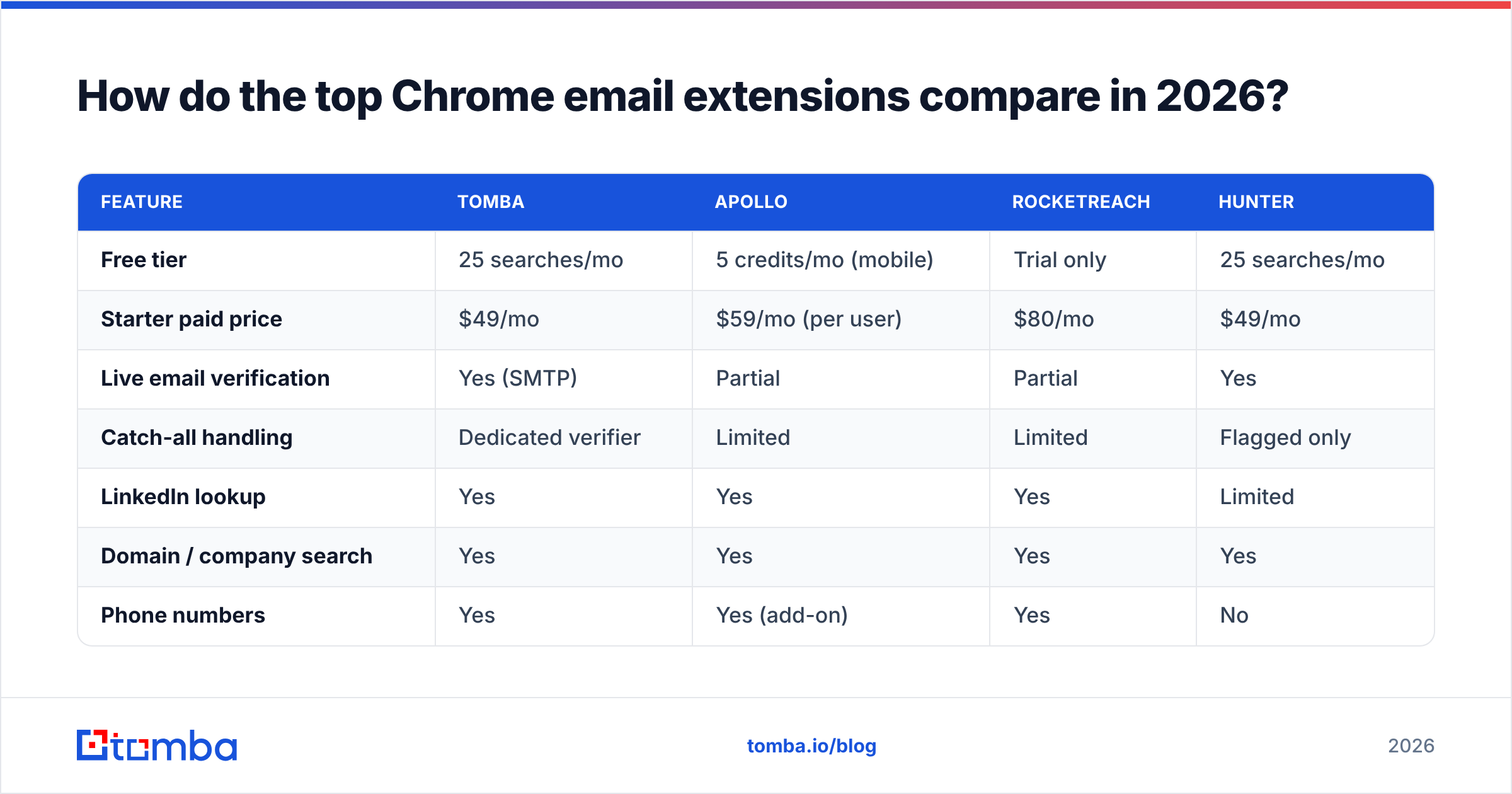
- Live SMTP verification — the extension should confirm a mailbox exists at lookup time, not show you a guess with a confidence color. This single feature does more for deliverability than any sending-side trick.
- Catch-all detection — catch-all domains accept every address, so a normal SMTP check passes everything. A serious tool flags these and runs deeper checks. Tomba ships a dedicated catch-all verifier for exactly this case.
- Source transparency — you should be able to see where an email came from (which public page or signal). Tomba documents its data sources so you can judge confidence, not just trust a badge.
- One-click CRM export — finding the email is half the job. The extension should push it straight to HubSpot, Salesforce, or a sheet without a manual copy. Check the integrations list before committing.
- Bulk mode — for list building, you need to process many profiles or a whole domain at once via a bulk email finder, not click one lead at a time.
- Honest free tier — a real free allowance (not a 7-day trial) lets you measure accuracy on your target accounts before you pay.
If an extension is missing 1 or 2, walk away. Speed and a clean UI don't matter if the emails bounce.

How do you use a Chrome email extension for prospecting?#
Here's a practical, repeatable workflow that keeps your list clean from the start.
Step 1 — Install and pin. Add the extension from the Chrome Web Store and pin it so the icon stays visible. Sign in with the account tied to your plan.
Step 2 — Source on LinkedIn. Open a target profile or a search result list. Trigger the extension; it reads the name and current employer and returns the verified work email. For a LinkedIn-first motion, a dedicated LinkedIn finder handles profile-to-email at scale.
Step 3 — Or start from a company. If you're working account-first, open the company's website and run a domain search to pull the email pattern and known contacts in one pass.
Step 4 — Verify before export. Confirm each address shows a "verified" (not "accept-all" or "unknown") status. Skip or quarantine anything the tool can't confirm.
Step 5 — Export to your stack. Push verified contacts to your CRM or a sheet. Tag the source and date so you can measure list decay later.
Step 6 — Warm before you blast. Even perfect addresses need a sending domain in good standing. Run new domains through a warmup routine and protect your email deliverability before you scale volume.
The discipline that matters: never let an unverified address into a sequence. The extension makes verification a one-second step instead of an afterthought, so there's no excuse to skip it.
Is a free Chrome email extension good enough?#
For testing and light use, yes. For a sales team running daily outbound, the free tier is a proving ground, not a permanent home.
A genuine free plan — like Tomba's 25 searches a month — exists so you can answer one question before you spend a dollar: does this tool find verified emails for the specific companies I sell to? Run 25 lookups against your actual target accounts. Count how many are verified versus guessed. That hit rate on your market is the only benchmark that matters, and no vendor's published average can tell you what it'll be.
Where free tiers break down is volume and verification depth. Catch-all checks, bulk processing, and phone enrichment are almost always paid features, because they cost real money to run on the backend. If your numbers look good on the free plan, the upgrade is an easy decision. Tomba's full pricing ladders from Free (25/mo) to Starter ($49/mo), Growth ($99/mo), and Pro ($249/mo), so you scale credits as your pipeline grows rather than paying for headroom you won't use.
Two things to watch in any "free forever" extension: whether it actually verifies (many free tools return pattern guesses to keep costs down) and whether it caps you so hard that you can't get a real read on accuracy. If you can't test verification on the free plan, you can't trust the paid one.
What about catch-all domains and tricky cases?#
This is where weak extensions quietly fail. A catch-all domain is configured to accept mail for any address at that domain — so a standard SMTP verification returns "valid" for madeupname@company.com just as readily as for a real person. Roughly a third of B2B domains behave this way, which means a tool with no catch-all strategy is overstating its verified rate on a large slice of your list.
The fix is a layered check: pattern analysis, historical signals, and provider-specific logic that go beyond the single SMTP handshake. A standalone catch-all finder exists precisely because this case is hard enough to deserve its own engine. When you evaluate an extension, deliberately test it on a few known catch-all domains and see whether it flags them honestly or pretends everything is verified. Honesty here is a sign of a tool built by people who understand deliverability — per established guidance from sources like HubSpot and the broader G2 review corpus, list hygiene is the top predictor of inbox placement.
Which Chrome email extension should you choose?#
Match the tool to your motion:
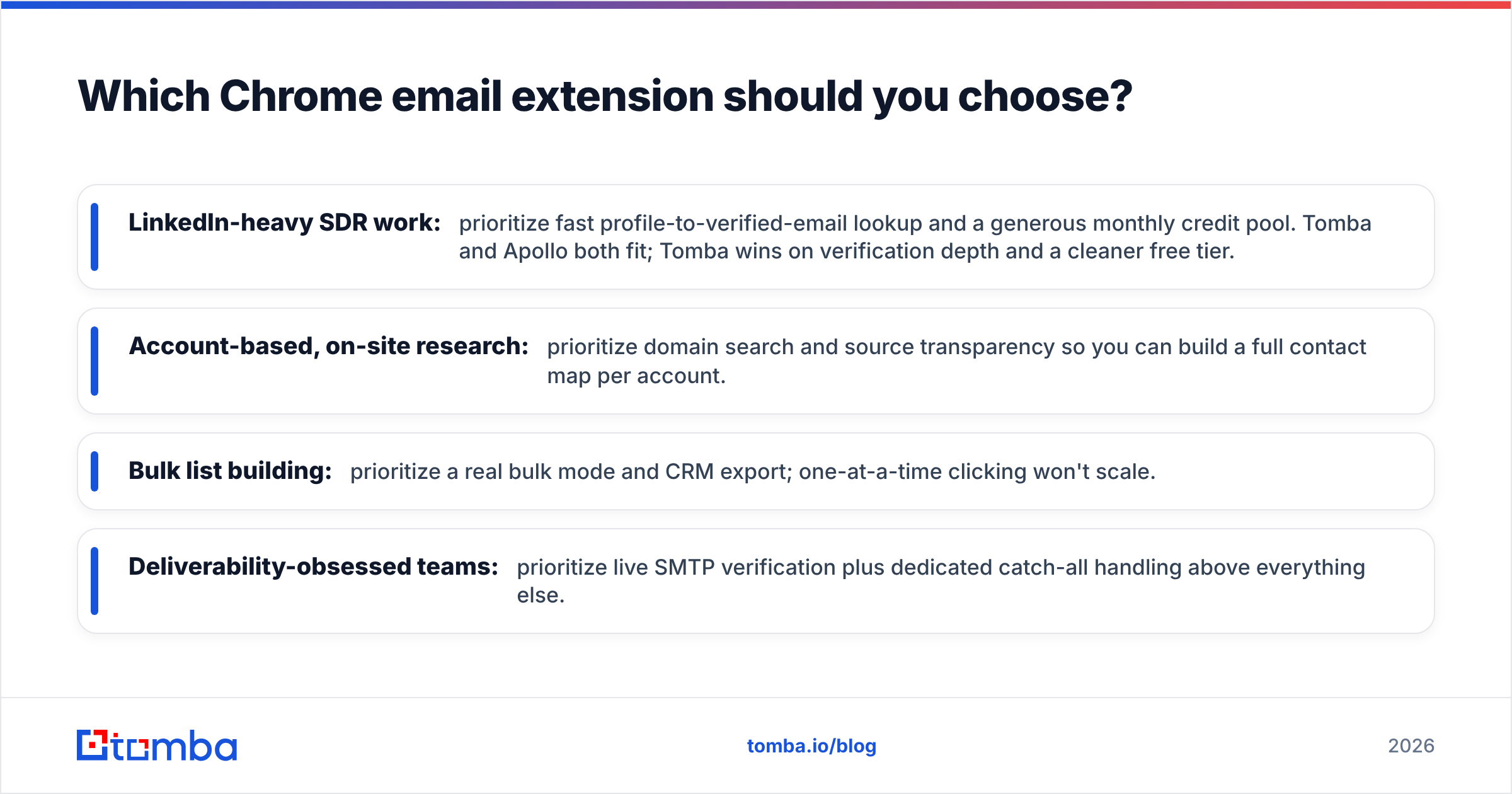
- LinkedIn-heavy SDR work: prioritize fast profile-to-verified-email lookup and a generous monthly credit pool. Tomba and Apollo both fit; Tomba wins on verification depth and a cleaner free tier.
- Account-based, on-site research: prioritize domain search and source transparency so you can build a full contact map per account.
- Bulk list building: prioritize a real bulk mode and CRM export; one-at-a-time clicking won't scale.
- Deliverability-obsessed teams: prioritize live SMTP verification plus dedicated catch-all handling above everything else.
If you're not sure, default to the tool with the most honest free tier and the strongest verification, then measure on your own accounts. The Chrome Web Store listings and each vendor's homepage — verify current details against Apollo and others directly — will tell you the rest.
The bottom line#
A Chrome email extension is one of the highest-leverage tools in a 2026 prospecting stack — but only if it verifies. Speed without accuracy just helps you burn your sender reputation faster. Judge any extension on verified accuracy, catch-all honesty, and a free tier real enough to test, and the choice gets simple.
Ready to find verified emails without leaving your browser? Install the Tomba Chrome extension, put the Tomba Email Finder to work on your real target accounts, and start with 25 free searches a month — no card required. Find the email, verify it live, export it clean, and keep your domain reputation intact while you scale outbound.
// get started
Find, verify and enrich your first contacts today
Start on the free plan with 25 searches a month, then scale when your team is ready.
Free plan · No credit card required · GDPR & CCPA
// about the author