What Is Technographic Data? The 2026 B2B Sales Guide
Technographic data tells you what tools a company already runs — so you can target buyers by their tech stack, not just their headcount. Here's how to use it in 2026.

TL;DR
- Technographic data is information about the technology stack a company uses — CRMs, payment processors, analytics tags, cloud hosts, marketing tools, and more.
- It lets you segment and target prospects by what they already run, so you can lead with relevance ("I see you're on Shopify…") instead of generic firmographics.
- Sources include website crawls, JavaScript/tag detection, BuiltWith-style fingerprinting, job postings, and self-reported surveys — each with different freshness and accuracy.
- The highest-ROI use cases: competitor-displacement plays, integration-led outreach, ICP scoring, and churn-risk signals.
- Technographics are most powerful when paired with verified contact data and intent signals — a stack match means nothing if you can't reach the right person.
What is technographic data?#
Technographic data is the record of which technologies a company uses to run its business. Think of it as the difference between knowing a house exists (firmographics: it's 2,400 sq ft, built in 1998) and knowing what's inside it (technographics: gas range, Tesla charger, Sonos in every room). The first tells you the house is big enough to matter. The second tells you what the owner already values and what they might buy next.
In B2B sales, firmographics (industry, headcount, revenue, location) and demographics (job title, seniority) have been the standard targeting layers for decades. Technographics add a third dimension: the buyer's actual tooling. If you sell a Salesforce-native app, knowing a prospect runs Salesforce isn't a nice-to-have — it's the entire qualification gate.
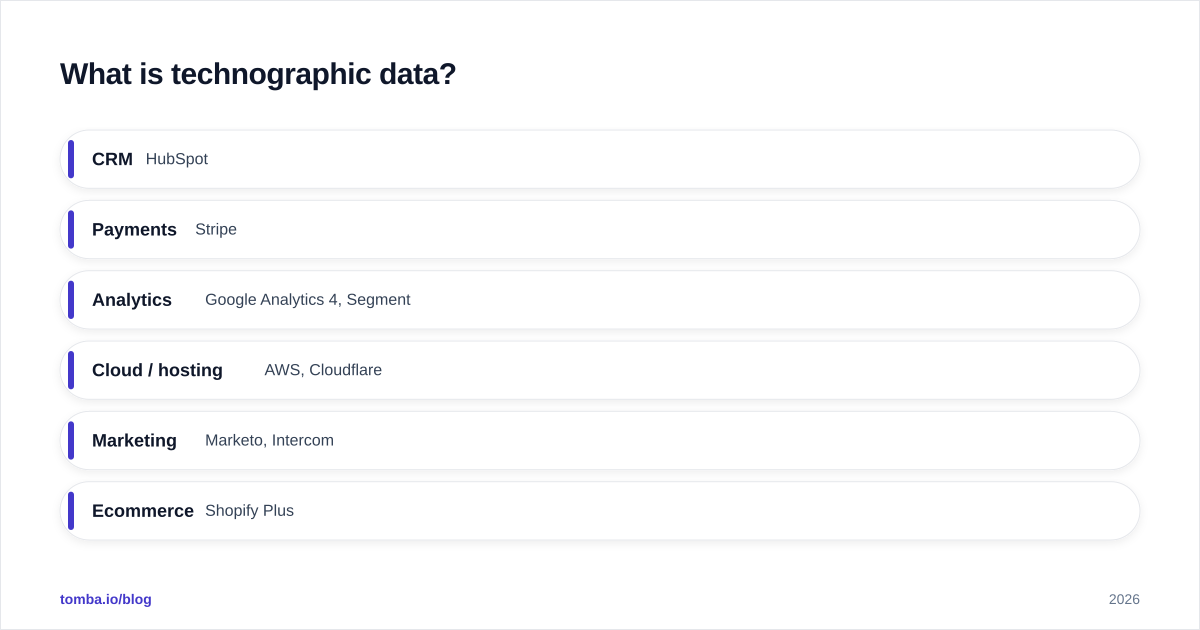
A typical technographic profile for one company might include:
- CRM: HubSpot
- Payments: Stripe
- Analytics: Google Analytics 4, Segment
- Cloud / hosting: AWS, Cloudflare
- Marketing: Marketo, Intercom
- Ecommerce: Shopify Plus
Each data point is a conversation starter, a disqualifier, or a scoring input. The art is knowing which is which for your product.
How is technographic data collected?#
There's no single source of truth for what software a company runs, so vendors stitch together several detection methods. Understanding how a data point was collected tells you how much to trust it.
Website fingerprinting. Crawlers scan a company's public site and detect technologies from telltale signatures — JavaScript snippets, meta tags, cookie names, CSS classes, DNS records, and HTTP headers. A gtag.js call reveals Google Analytics; a Shopify.theme object reveals Shopify. This is how tools like BuiltWith and Wappalyzer work, and it's the most common method.
JavaScript and tag detection. A deeper version of fingerprinting that executes page scripts to catch tools loaded dynamically (chat widgets, A/B testing, tag managers).
Job postings and skills. If a company is hiring a "Marketo Administrator" or lists "experience with NetSuite" in a JD, that's a strong technographic signal — often one that surfaces before the tool shows up on the public site.
Self-reported and survey data. Review sites like G2 and panels collect what buyers say they use. High signal for internal tools (HR, finance, data warehouses) that never touch the public website.
BGP, DNS, and email records. MX records reveal email infrastructure (Google Workspace vs. Microsoft 365); SPF and DKIM records expose sending platforms.
The catch: public-site fingerprinting only sees front-end and customer-facing tools. The CRM, the data warehouse, the ERP — the expensive back-office systems you most want to sell against — are invisible to a crawler. That's why the best providers blend crawl data with job-posting mining and survey panels.
Technographic vs. firmographic vs. intent data: what's the difference?#
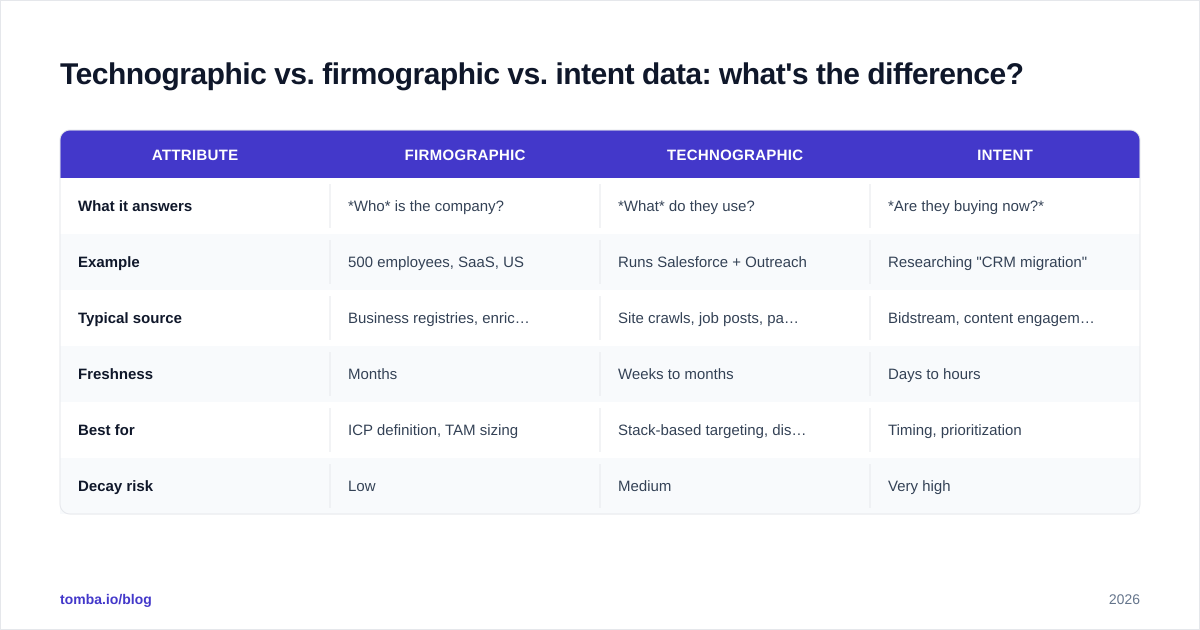
These three data types are complementary, not competing. Most teams that win with data use all three together.
| Attribute | Firmographic | Technographic | Intent |
|---|---|---|---|
| What it answers | Who is the company? | What do they use? | Are they buying now? |
| Example | 500 employees, SaaS, US | Runs Salesforce + Outreach | Researching "CRM migration" |
| Typical source | Business registries, enrichment | Site crawls, job posts, panels | Bidstream, content engagement |
| Freshness | Months | Weeks to months | Days to hours |
| Best for | ICP definition, TAM sizing | Stack-based targeting, displacement | Timing, prioritization |
| Decay risk | Low | Medium | Very high |
Firmographics define who belongs in your market. Technographics tell you which of those accounts are a technical fit and what angle to lead with. Intent data tells you when to strike. Layer them and a generic 500-account list becomes "42 accounts that run a competitor's product, are hiring for a role that touches it, and are spiking on migration-related searches this week."

Why does technographic data matter for B2B sales in 2026?#
Because relevance is the only thing that survives a crowded inbox. Generic outreach response rates keep sliding, and buyers filter ruthlessly. A message that opens with proof you understand their environment cuts through in a way "I'd love to show you our platform" never will.
Concretely, technographic data drives four high-value plays:
1. Competitor displacement. If you compete with Tool X, a list of every account running Tool X is a ready-made target market. You already know the pain points, the switching costs, and the objections.
2. Integration-led outreach. "I noticed you're running both Shopify and Klaviyo — our connector saves teams in your exact setup about six hours a week." That's specific, credible, and hard to ignore.
3. ICP scoring and routing. Feed technographic signals into your lead scoring model. Accounts with a complementary stack score higher and route to senior reps; poor technical fits get nurtured or disqualified early.
4. Churn and expansion signals. If an existing customer suddenly adds a competitor's tag, that's a churn warning. If they add a tool your product integrates with, that's an expansion opening.
Done well, technographic targeting compresses your funnel: fewer accounts, higher fit, better conversion. It's the difference between spray-and-pray and a scalpel.
How accurate is technographic data — and what are its limits?#
Honest answer: accuracy varies wildly by technology category and by how recently the data was refreshed. Front-end, customer-facing tools (analytics, chat, ecommerce platforms, CDNs) are detected reliably — often 85–95% accurate — because they leave clear fingerprints on the public site. Back-office systems (CRM, ERP, HRIS, data warehouse) are far less reliable from crawl data alone and lean heavily on job postings and surveys, which lag reality by weeks or months.
Three limitations to plan around:
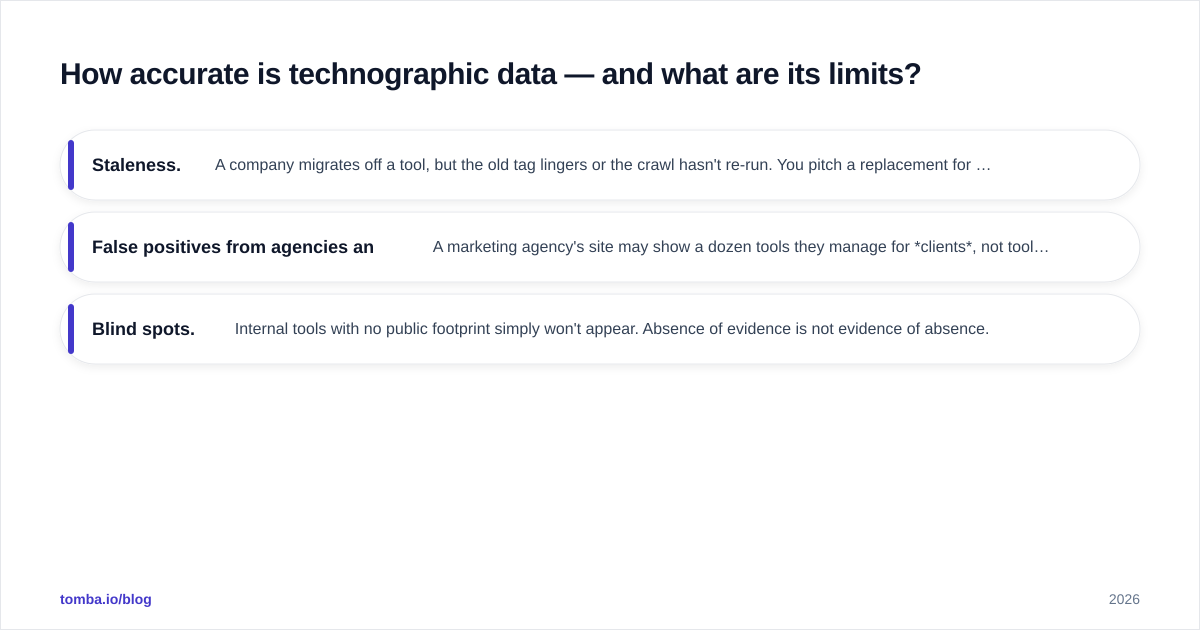
- Staleness. A company migrates off a tool, but the old tag lingers or the crawl hasn't re-run. You pitch a replacement for something they already replaced. Always check the "last detected" date if your provider exposes it.
- False positives from agencies and subdomains. A marketing agency's site may show a dozen tools they manage for clients, not tools they bought. Test domains and staging subdomains pollute results too.
- Blind spots. Internal tools with no public footprint simply won't appear. Absence of evidence is not evidence of absence.
The mitigation is the same one that fixes most data problems: treat technographics as a prioritization signal, not gospel, and verify before you act at scale. A stack match is worthless if the email bounces — which is why enrichment and email verification belong in the same workflow.
What tools provide technographic data?#
The market splits into pure-play technographic providers, broad sales-intelligence platforms that bundle it, and enrichment APIs you wire into your own stack.
| Tool | Primary strength | Technographic depth | Pricing entry |
|---|---|---|---|
| BuiltWith | Website tech detection, lists | Deep (front-end) | ~$295/mo |
| HG Insights | Enterprise IT spend + installs | Deep (incl. back-office) | Custom |
| ZoomInfo | All-in-one sales intelligence | Broad, bundled | Custom, high |
| Apollo.io | Prospecting + light technographics | Moderate | Free / $49+/mo |
| Clearbit | Enrichment API | Moderate | Custom |
| Tomba | Contact data + enrichment | Via data enrichment | Free / $49+/mo |
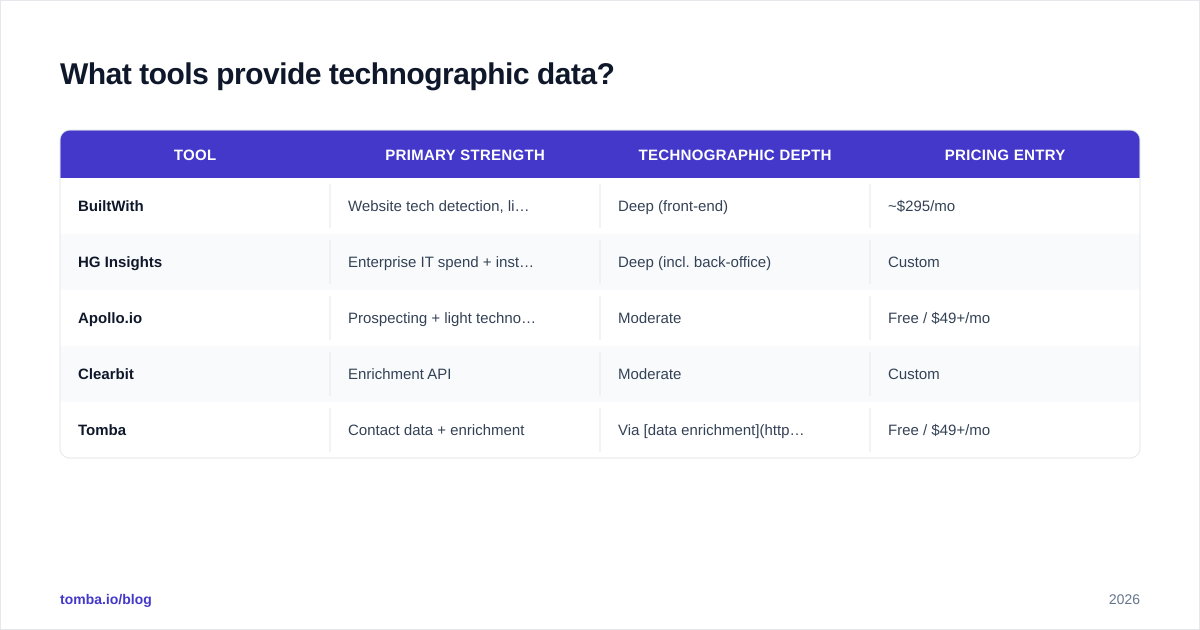
A few notes on fit:
- BuiltWith is the reference standard for front-end detection and building lists ("show me every site on Shopify Plus in the US").
- HG Insights goes deepest on enterprise IT and spend estimates, which justifies its enterprise price tag.
- ZoomInfo bundles technographics into a wider B2B data platform — convenient, but you pay for the whole suite.
- Apollo and Clearbit offer technographics as one layer among many; good if you want prospecting and enrichment in one place. See how the Apollo alternative and Clearbit alternative options compare on cost and data scope.
The recurring lesson: technographic data is rarely the only thing you need. You need the company's stack and the right person's verified email and ideally a timing signal. Few tools do all three well, so most teams combine a technographic source with a contact-data and verification layer.
How do you actually use technographic data in a workflow?#
Here's a practical, repeatable sequence that turns raw stack data into booked meetings.
Step 1 — Define your technographic ICP. List the technologies that make an account a strong fit (complementary tools, integrations) and the ones that signal a displacement play (direct competitors). Be specific: "runs HubSpot + Stripe + Intercom" beats "uses marketing software."
Step 2 — Build the account list. Use a technographic provider to pull every company matching your criteria, filtered by firmographics so you stay inside your serviceable market.
Step 3 — Find and verify the contacts. A list of companies isn't actionable until you have people. Use a domain search to pull the relevant decision-makers at each account, then run every address through verification to protect your sender reputation. This is where a tool like the Tomba Email Finder plugs the gap that pure technographic tools leave open.
Step 4 — Personalize at the stack level. Write outreach that references the detected technology. Group accounts by stack pattern so you can template at scale without sounding templated.
Step 5 — Score, route, and measure. Push technographic attributes into your CRM as custom fields, score accounts, route the hottest to your best reps, and track reply and meeting rates by stack segment so you learn which technographic signals actually predict revenue.
Step 6 — Refresh. Stack data decays. Re-pull quarterly (or wire an API into your enrichment job) so you're not pitching tools your prospect abandoned last spring.
For high-volume teams, steps 3 and 6 are best automated through an email finder API or a bulk lead generation flow so enrichment and verification keep pace with your technographic list.
Frequently asked questions#
Is technographic data legal to collect and use? Detecting publicly visible technologies on a public website is generally permissible, since the information is exposed by the site itself. How you use the resulting contact data is where compliance matters — follow GDPR, CAN-SPAM, and local rules for outreach, maintain a lawful basis, and honor opt-outs.
How often should I refresh technographic data? Quarterly is a sensible baseline for most teams; monthly or via live API if displacement timing is core to your motion. Front-end tools change faster than back-office systems.
Can I get technographic data for free? Partially. Browser extensions like Wappalyzer reveal a single site's stack for free, and some platforms include limited technographics on free tiers. Bulk, list-level data almost always sits behind a paid plan.
Does technographic data replace intent data? No — they answer different questions. Technographics tell you fit; intent tells you timing. Use them together.
Bring it together: stack data plus the right contact#
Technographic data is one of the sharpest targeting levers in B2B because it replaces guesses about what a company might need with evidence about what they already run. But a perfect stack match is dead weight if you can't reach the right person with a deliverable, verified email. That's the half of the equation technographic tools tend to leave out.
That's exactly the gap the Tomba Email Finder closes. Build your stack-based account list with a technographic provider, then layer Tomba on top to find decision-makers by domain, verify every address before you send, and enrich your CRM with clean contact data — all on a pricing plan that starts free (25 searches/month) and scales from $49/mo. Match the stack, reach the human, and let your outreach finally sound like it was written for one company instead of ten thousand.
// get started
Find, verify and enrich your first contacts today
Start on the free plan with 25 searches a month, then scale when your team is ready.
Free plan · No credit card required · GDPR & CCPA
Get the Tomba newsletter
Product and data updates
// about the author