9 Best AddressTwo Alternatives for Small Business CRM (2026)
AddressTwo is a lean small-business CRM, but it's not the only option. Here are 9 AddressTwo alternatives compared on price, features, automation, and data quality for 2026.
TL;DR
- AddressTwo is a no-frills, affordable CRM built for solo operators and very small teams — but it shows its age on automation, integrations, and built-in data.
- The best AddressTwo alternatives depend on your priority: HubSpot for free scale, Pipedrive for visual pipelines, Zoho for value, Less Annoying CRM for simplicity, and Salesforce for room to grow.
- No CRM fixes the real bottleneck on its own — bad contact data. Pair your CRM with a dedicated data layer for finding and verifying emails.
- Below you'll find a side-by-side comparison table, a selection framework, and a migration checklist so you switch once and switch correctly.
- If your team lives or dies by outbound, the data tooling you bolt onto the CRM matters more than the CRM logo.
What is AddressTwo and why look for alternatives?#
AddressTwo is a small-business CRM and email marketing tool aimed at solopreneurs, consultants, and micro-teams who want contact management without enterprise bloat. It bundles basic contact records, simple email campaigns, lead scoring, and follow-up reminders at a low monthly price. For a one-person shop tracking a few hundred relationships, that's often enough.
The reasons people start shopping for AddressTwo alternatives are predictable once a business grows past that first stage:
- Thin automation. Multi-step workflows, branching sequences, and trigger-based tasks are limited compared with modern CRMs.
- A small integration ecosystem. If your stack includes Slack, modern calendars, or specialized outbound tools, you'll hit walls.
- Dated UI and reporting. Dashboards and pipeline visuals feel a generation behind tools like Pipedrive or HubSpot.
- No serious built-in data layer. AddressTwo stores the contacts you add; it doesn't help you find or verify new ones.
That last point is the one teams underestimate. A CRM is only as useful as the contact data inside it, and a clean record with a wrong email is worse than no record at all.
How should you evaluate an AddressTwo alternative?#
Before comparing logos, get honest about what you actually need. Most switching regret comes from buying for features you'll never use or ignoring the one you use daily.
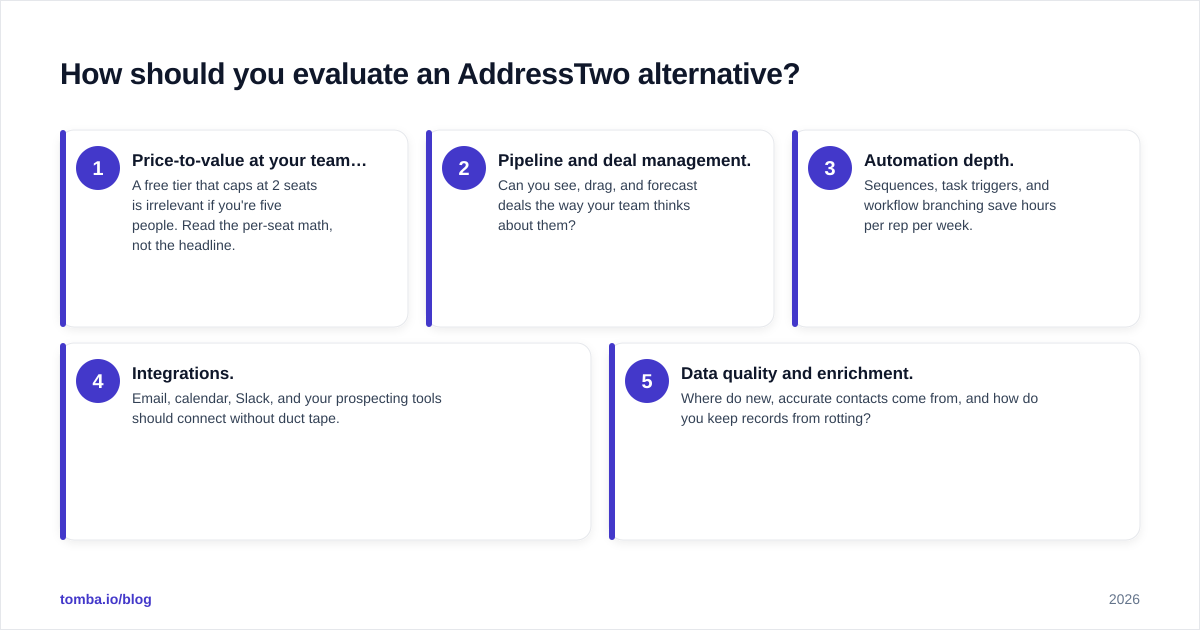
Score every candidate against five dimensions:
- Price-to-value at your team size. A free tier that caps at 2 seats is irrelevant if you're five people. Read the per-seat math, not the headline.
- Pipeline and deal management. Can you see, drag, and forecast deals the way your team thinks about them?
- Automation depth. Sequences, task triggers, and workflow branching save hours per rep per week.
- Integrations. Email, calendar, Slack, and your prospecting tools should connect without duct tape.
- Data quality and enrichment. Where do new, accurate contacts come from, and how do you keep records from rotting?
That fifth dimension is where most CRMs — AddressTwo included — quietly punt. They expect you to bring clean data. Tools like the Tomba email verifier and data enrichment exist precisely to fill that gap, regardless of which CRM you land on.
Which are the best AddressTwo alternatives in 2026?#
Here's the shortlist, grouped by who each one is actually for. None of these is "best" in the abstract — they're best for a profile.
1. HubSpot CRM — best free tier for scaling teams#
HubSpot gives away a genuinely usable CRM and only charges when you want marketing, sales, or service hubs layered on top. The free tier covers contact management, deal pipelines, email tracking, and basic automation. The catch is the upgrade cliff: paid Sales Hub tiers get expensive fast once you need sequences and reporting. Still, for a small business outgrowing AddressTwo, HubSpot is the most common landing spot, and Tomba's HubSpot integration pushes verified contacts straight into it.
2. Pipedrive — best visual pipeline#
Pipedrive is built around one idea: a drag-and-drop deal pipeline that salespeople actually enjoy using. It's lighter than HubSpot, cheaper than Salesforce, and far more modern than AddressTwo. Automation is solid for the price, and the Pipedrive integration lets you enrich deals as they move. If your team is sales-led rather than marketing-led, start here.
3. Zoho CRM — best value for feature breadth#
Zoho packs an enormous feature set — workflows, AI assistant, multichannel, analytics — at a price that undercuts almost everyone. The trade-off is a busier interface and a steeper learning curve. For budget-conscious teams that want room to grow without per-seat sticker shock, Zoho is the value champion.
4. Less Annoying CRM — best for true simplicity#
If you loved AddressTwo because it was simple and you only want a cleaner, better-supported version of that, Less Annoying CRM is the most direct swap. One flat price per user, no tiers, no upsells. It won't run complex automation, and that's the point.
5. Salesforce Essentials — best long-term ceiling#
Salesforce is overkill for most AddressTwo users today, but if you expect to scale into a real revenue org, starting on Salesforce avoids a painful migration later. Budget for implementation time and possibly a consultant.
6. Freshsales — best built-in phone and AI#
Freshsales bundles a built-in phone, email, and an AI scoring engine into a clean interface. It sits between Pipedrive's simplicity and Zoho's breadth, and it's a strong pick for teams doing both calls and email outreach.
7. Capsule CRM — best lightweight relationship tracker#
Capsule is a tidy, affordable CRM for relationship-driven businesses — agencies, consultancies, services firms. It nails contact history and simple pipelines without trying to be a marketing suite.
8. Insightly — best CRM + project management combo#
Insightly blends CRM with project delivery, so closed deals flow into project tracking without a second tool. Useful for services businesses where the sale is just the start of the work.
9. Keap — best for service-business marketing automation#
Keap (formerly Infusionsoft) leans hard into marketing automation and e-commerce for small service businesses. It's pricier and heavier, but if email marketing automation was the AddressTwo feature you used most, Keap goes much deeper.
How do the top AddressTwo alternatives compare?#
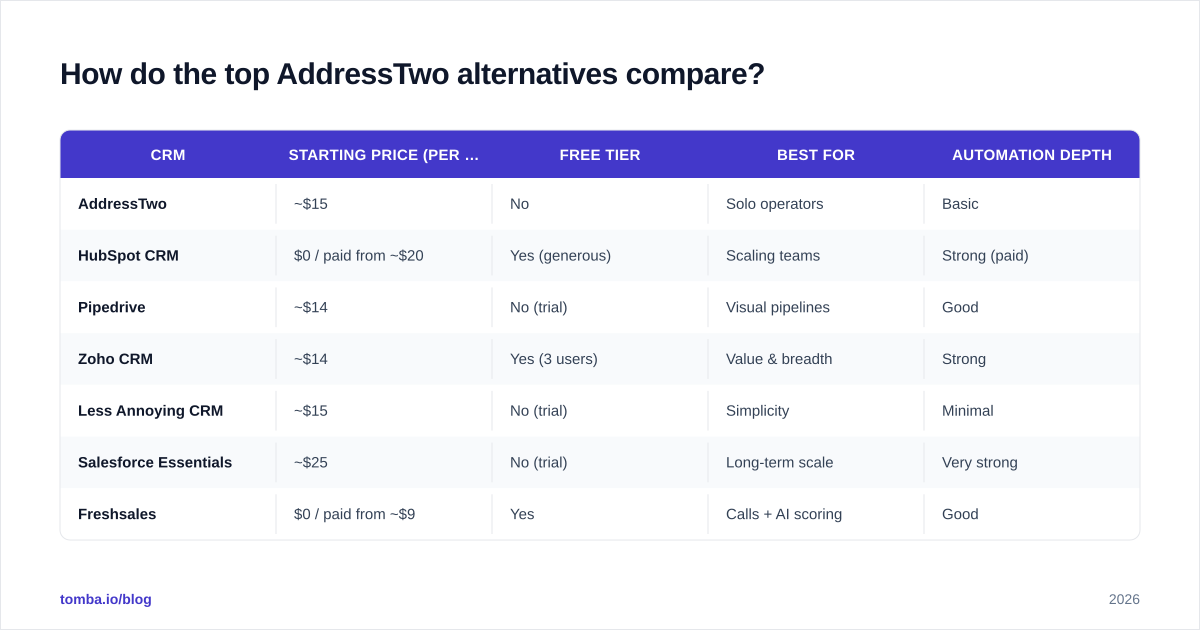
Use this as a starting filter, then verify current pricing on each vendor's site — tiers shift often.
| CRM | Starting price (per user/mo) | Free tier | Best for | Automation depth |
|---|---|---|---|---|
| AddressTwo | ~$15 | No | Solo operators | Basic |
| HubSpot CRM | $0 / paid from ~$20 | Yes (generous) | Scaling teams | Strong (paid) |
| Pipedrive | ~$14 | No (trial) | Visual pipelines | Good |
| Zoho CRM | ~$14 | Yes (3 users) | Value & breadth | Strong |
| Less Annoying CRM | ~$15 | No (trial) | Simplicity | Minimal |
| Salesforce Essentials | ~$25 | No (trial) | Long-term scale | Very strong |
| Freshsales | $0 / paid from ~$9 | Yes | Calls + AI scoring | Good |
| Keap | ~$249 | No (trial) | Marketing automation | Very strong |
A note on price: the cheapest sticker rarely wins. A $14 CRM that your reps abandon costs more than a $25 one they live in. Weigh adoption, not just the invoice. Cross-check ratings on G2 and Capterra for current user sentiment before you commit.
Is switching from AddressTwo worth the migration effort?#
Short answer: yes, if you've hit two or more of the friction points above — but only if you migrate cleanly. A sloppy migration imports years of stale, duplicate, and mistyped records into a shiny new system, and you've simply paid more for the same mess.
Run this sequence:
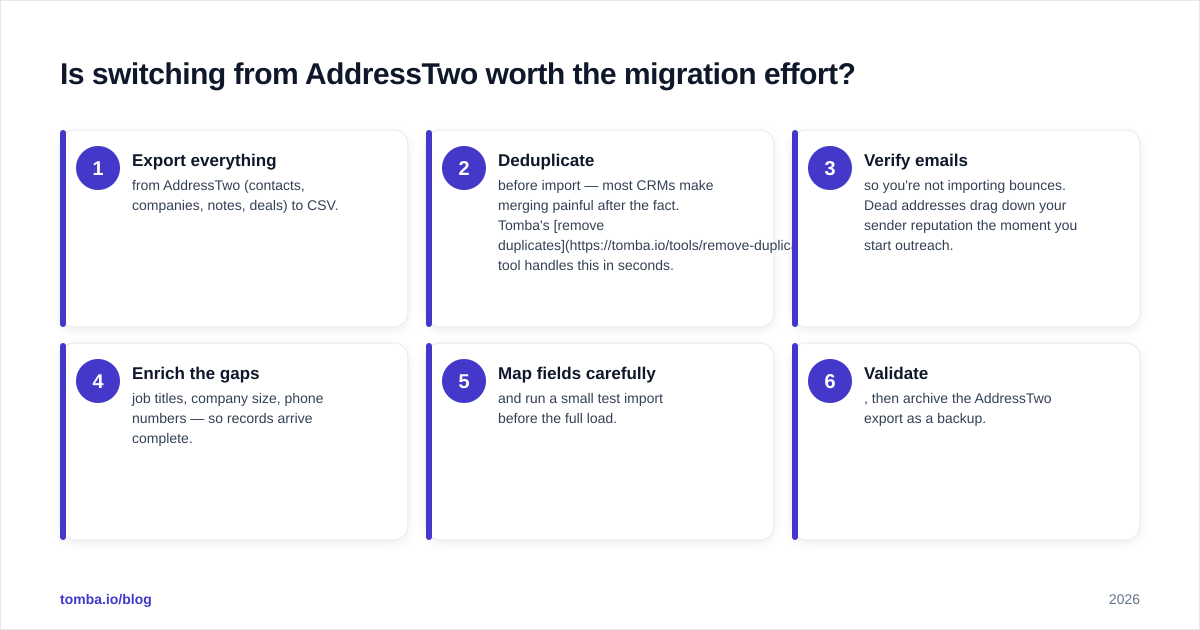
- Export everything from AddressTwo (contacts, companies, notes, deals) to CSV.
- Deduplicate before import — most CRMs make merging painful after the fact. Tomba's remove duplicates tool handles this in seconds.
- Verify emails so you're not importing bounces. Dead addresses drag down your sender reputation the moment you start outreach.
- Enrich the gaps — job titles, company size, phone numbers — so records arrive complete.
- Map fields carefully and run a small test import before the full load.
- Validate, then archive the AddressTwo export as a backup.
Step 3 is non-negotiable. The fastest way to torch a new CRM is to start emailing a list full of invalid addresses on day one.

What about the data problem no CRM solves?#
Here's the truth every CRM vendor glosses over: the software stores contacts, it doesn't supply or maintain them. AddressTwo, HubSpot, Pipedrive, Salesforce — all of them assume you already have accurate names, emails, and phone numbers. Switch CRMs all you want; if your underlying data is wrong, your outreach still fails.
B2B data decays fast — people change jobs, companies rebrand, domains migrate. A record that was perfect last quarter is a bounce today. That decay is why a dedicated data layer sits alongside whatever CRM you choose, not inside it.
This is where Tomba complements any AddressTwo alternative:
- Find new contacts with the email finder — search by domain, name, or company to fill your pipeline with people who aren't in your CRM yet.
- Search whole companies with domain search to map every reachable contact at a target account.
- Verify before you send with the email verifier so bounces never reach your CRM or your sender reputation.
- Push it everywhere via integrations and the Tomba API, or sync directly into HubSpot, Pipedrive, and Salesforce.
The CRM is your system of record. The data layer is what keeps that record true. Choosing one without the other is half a solution.
Which AddressTwo alternative should you choose?#
Match the tool to your actual constraint, not the longest feature list:
- You want free and room to grow: HubSpot CRM.
- Your team is sales-led and pipeline-obsessed: Pipedrive.
- You want maximum features per dollar:
Zoho CRM.
- You loved AddressTwo's simplicity, just better: Less Annoying CRM.
- You're building toward a real revenue org: Salesforce.
- You make a lot of calls: Freshsales.
- Marketing automation was your main use: Keap.
Whichever you pick, decide your data strategy in the same breath. Review the full Tomba pricing — Free (25 searches/mo), Starter $49/mo, Growth $99/mo, Pro $249/mo, and Enterprise — and budget for the layer that keeps your new CRM accurate, not just populated.
The bottom line#
AddressTwo is a fine starting point and a reasonable tool for solo operators, but most growing teams eventually need deeper automation, modern integrations, and reporting it can't match. HubSpot, Pipedrive, Zoho, and the others above each win for a specific profile — pick by your real constraint, migrate clean, and don't import garbage.
And remember the part no CRM brand will tell you: the software doesn't find or fix your contacts. Start your replacement stack by getting the data right. Use the Tomba Email Finder to discover and verify accurate, deliverable contacts, then feed them into whichever AddressTwo alternative you choose. Spin up the free tier, run your first 25 searches, and see how much cleaner your new CRM looks when the data going in is actually correct.
// get started
Find, verify and enrich your first contacts today
Start on the free plan with 25 searches a month, then scale when your team is ready.
Free plan · No credit card required · GDPR & CCPA
// about the author