Bulk Email Finder in 2026: Find Thousands of Emails Fast
A bulk email finder turns a messy list of names and domains into verified, ready-to-send contacts in minutes. Here's how the tools compare in 2026.
Bulk Email Finder in 2026: Find Thousands of Emails Fast
TL;DR
- A bulk email finder takes a list of names, companies, or domains and returns verified professional email addresses at scale — hundreds or thousands per run instead of one search at a time.
- The three things that matter when you pick one: match rate (how many rows return an email), accuracy (how many of those bounce), and cost per valid email — not the sticker price.
- Always verify in the same workflow. A finder that returns 10,000 emails with a 20% bounce rate is worse than one that returns 7,000 clean ones.
- Tomba runs bulk finding and verification together, starting free (25 searches/mo) and scaling to 50,000+ rows on paid plans from $49/mo.
- Upload a CSV, map your columns, run, and export verified contacts straight into your CRM or sequencing tool.
What is a bulk email finder?#
A bulk email finder is a tool that resolves many email addresses in one batch instead of forcing you to search name-by-name. You hand it a structured list — typically full names plus a company domain, or just a list of domains — and it returns the most likely professional email for each row, usually with a confidence score and a verification status.
Think of it like a translation service for a stack of business cards. One card at a time, you could look each person up by hand. A bulk finder takes the whole stack, reads every card, and hands you back a clean spreadsheet with working emails — in the time it would take you to do three by hand.
Under the hood, a bulk email finder does three jobs in sequence:
- Pattern detection — it learns the company's email format (e.g.
first.last@,flast@,first@) from known addresses on that domain. - Candidate generation — it applies that pattern to each name on your list to build the most probable address.
- Verification — it pings the mail server (SMTP, MX checks, catch-all detection) to confirm the mailbox actually accepts mail before handing it back.
That third step is what separates a real tool from a glorified email permutator. Guessing a format is easy. Proving the inbox exists is the hard part.

Why not just search emails one at a time?#
Because the math falls apart fast. If you're building a list of 2,000 prospects and each manual lookup takes even 30 seconds, that's over 16 hours of work — before you've sent a single message. Bulk processing collapses that to a single upload and a coffee break.
But speed is only half of it. The bigger reason is deliverability. When you send cold email to a list you never verified, a chunk of those addresses bounce. High bounce rates tell inbox providers you're a low-quality sender, your sender reputation drops, and even your good emails start landing in spam. A bulk finder that verifies inline keeps your bounce rate low and protects the domain you spent months warming up.
The industry rule of thumb most teams follow: keep hard bounces under 2-3%. According to deliverability guidance published by vendors like HubSpot, staying under that threshold is one of the clearest signals of a healthy sending list. You cannot hit that by guessing — you hit it by verifying every row before it leaves your spreadsheet.
How accurate are bulk email finders in 2026?#
Accuracy is the whole game, and it varies more than the marketing pages admit. Two numbers you should always separate:
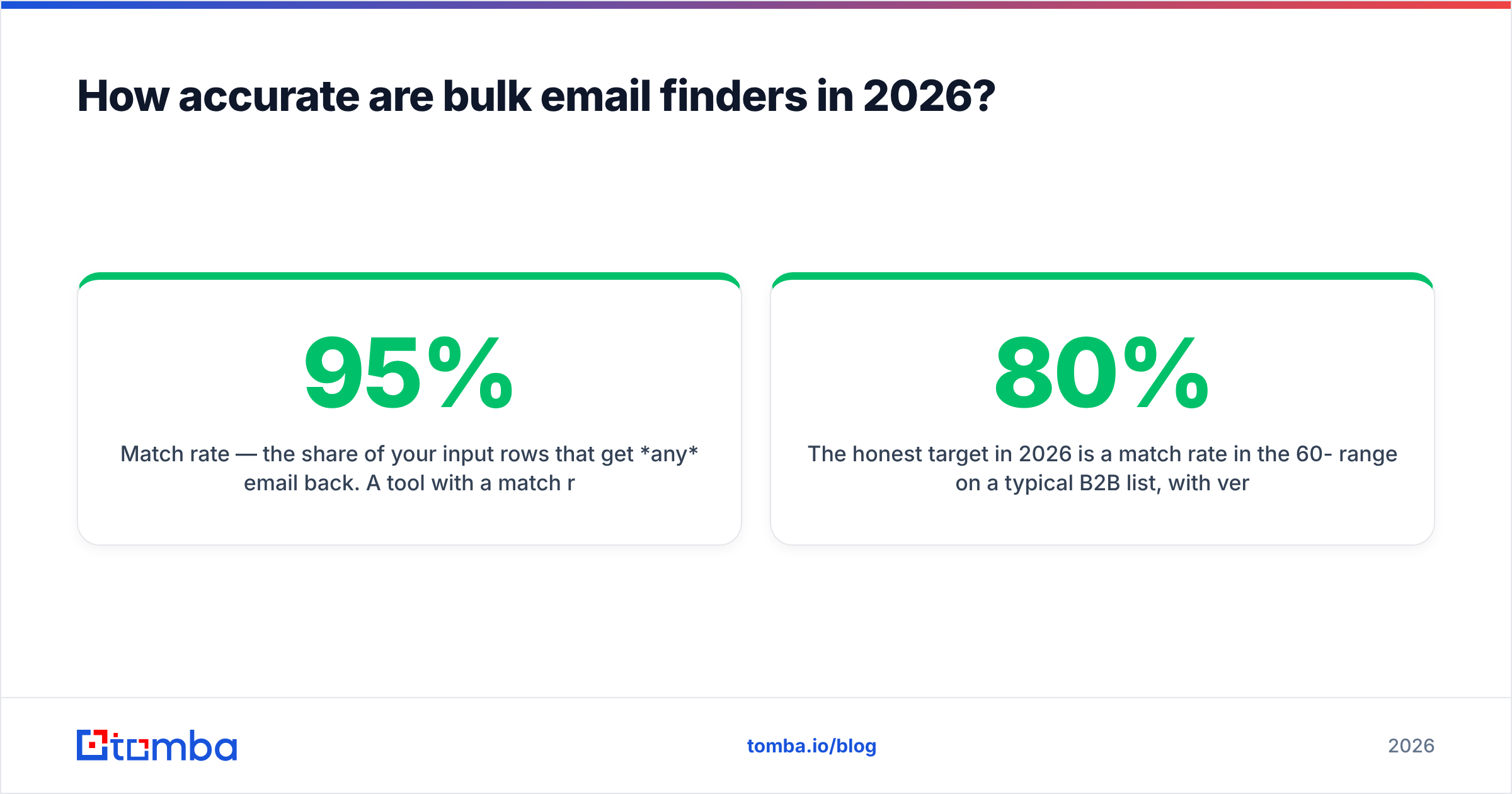
- Match rate — the share of your input rows that get any email back. A tool with a 95% match rate sounds great until you learn half of them bounce.
- Verified accuracy — the share of returned emails that are actually deliverable. This is the number that protects your domain.
The honest target in 2026 is a match rate in the 60-80% range on a typical B2B list, with verified accuracy at 95%+ on the emails that come back. Anything claiming 99% match and 99% accuracy on cold data is selling you catch-all addresses dressed up as confirmed hits.

Catch-all domains are where most accuracy claims quietly break. A catch-all server accepts mail to any address, so a naive SMTP check returns "valid" for an address that no human reads. Good tools flag these separately — Tomba runs a dedicated catch-all verifier so you can decide whether to risk those rows or drop them, rather than discovering the problem after your campaign tanks.
What should you look for in a bulk email finder?#
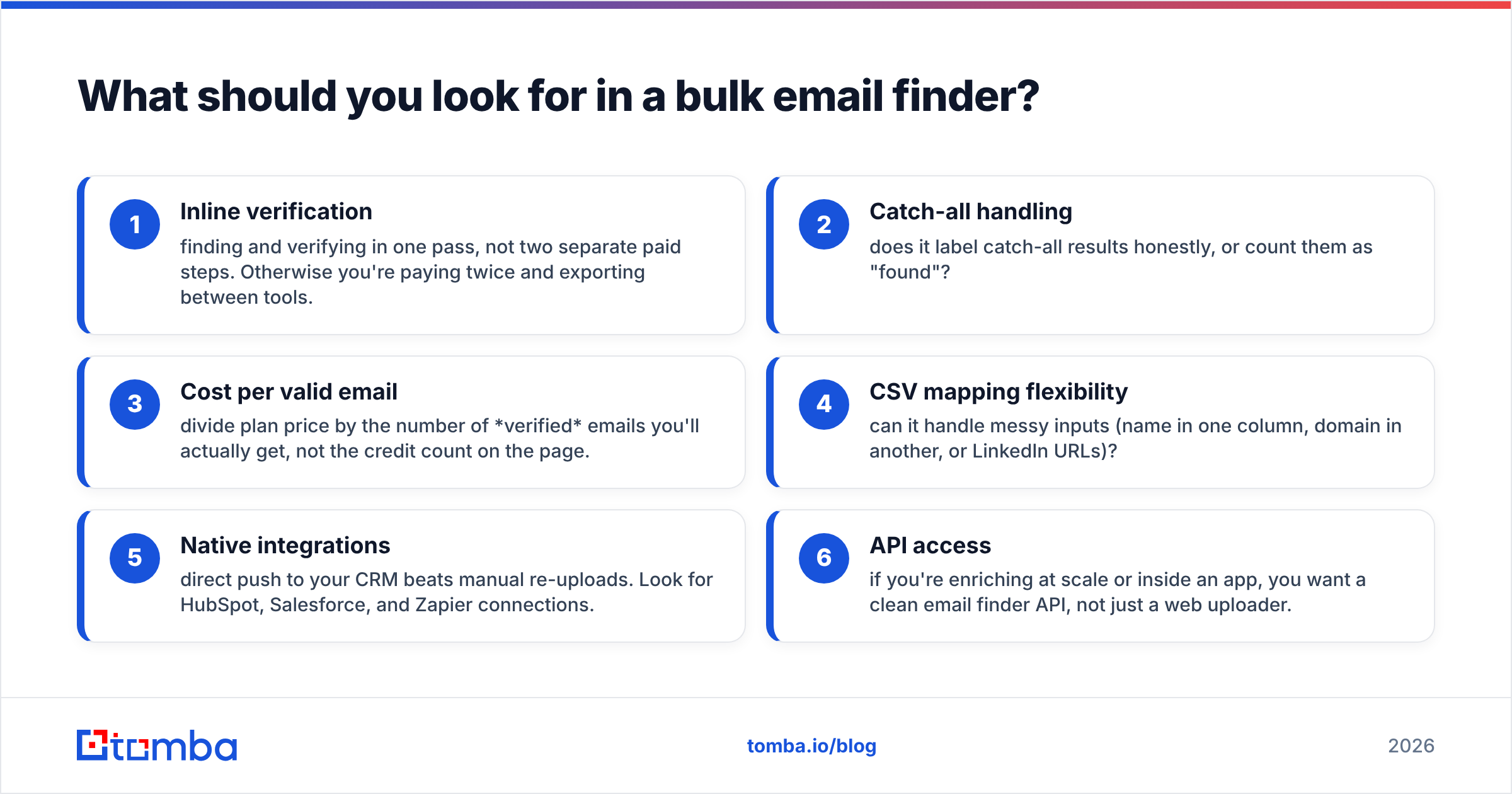
Score any tool you're evaluating against these six criteria. The first three are non-negotiable.
- Inline verification — finding and verifying in one pass, not two separate paid steps. Otherwise you're paying twice and exporting between tools.
- Catch-all handling — does it label catch-all results honestly, or count them as "found"?
- Cost per valid email — divide plan price by the number of verified emails you'll actually get, not the credit count on the page.
- CSV mapping flexibility — can it handle messy inputs (name in one column, domain in another, or LinkedIn URLs)?
- Native integrations — direct push to your CRM beats manual re-uploads. Look for HubSpot, Salesforce, and Zapier connections.
- API access — if you're enriching at scale or inside an app, you want a clean email finder API, not just a web uploader.
How do the top bulk email finders compare?#
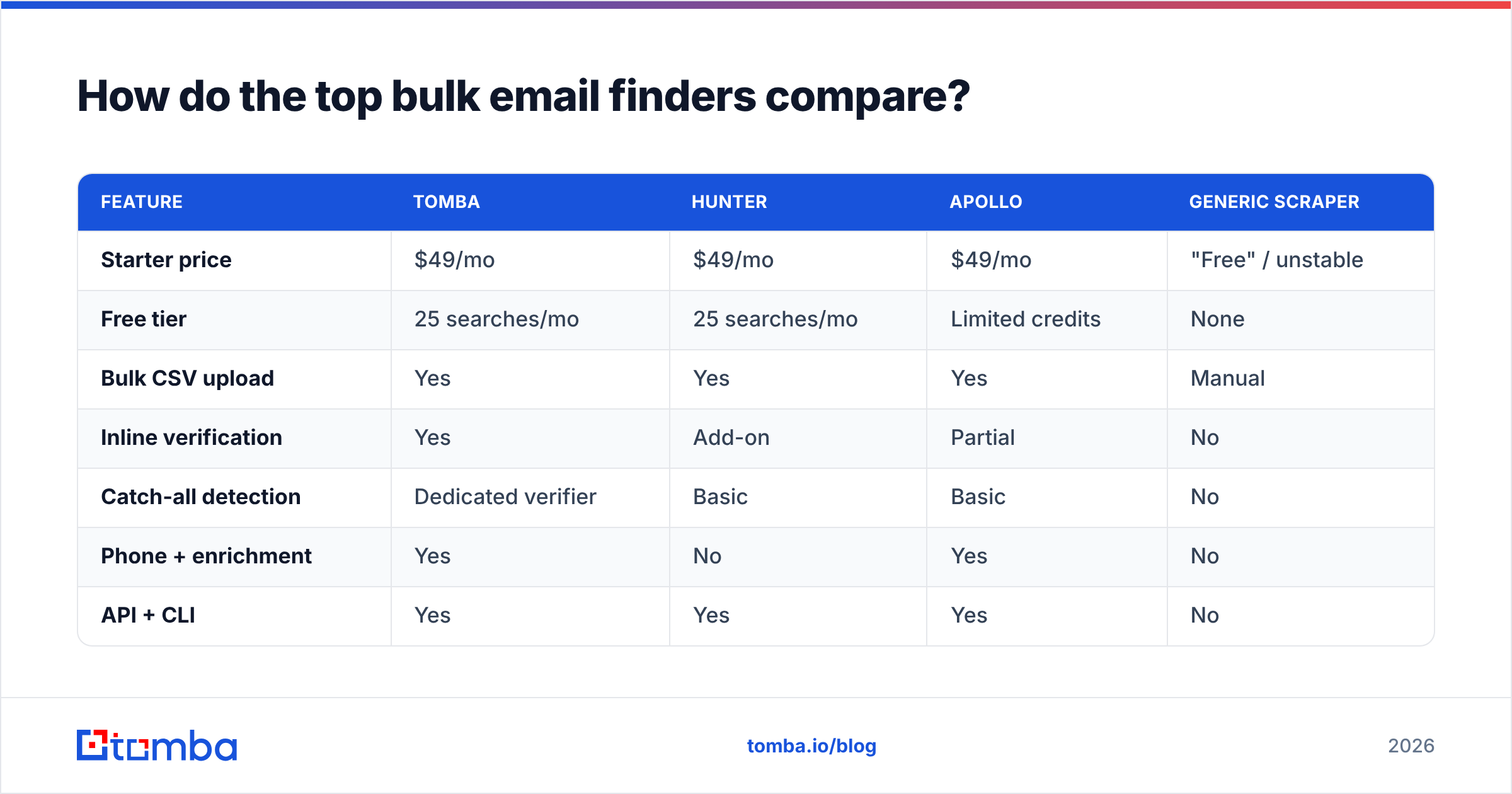
Here's a side-by-side of the most common options teams shortlist in 2026. Prices are entry paid tiers; "verified" means finding and verification are bundled rather than billed separately.

| Feature | Tomba | Hunter | Apollo | Generic scraper |
|---|---|---|---|---|
| Starter price | $49/mo | $49/mo | $49/mo | "Free" / unstable |
| Free tier | 25 searches/mo | 25 searches/mo | Limited credits | None |
| Bulk CSV upload | Yes | Yes | Yes | Manual |
| Inline verification | Yes | Add-on | Partial | No |
| Catch-all detection | Dedicated verifier | Basic | Basic | No |
| Phone + enrichment | Yes | No | Yes | No |
| API + CLI | Yes | Yes | Yes | No |
| Best for | Verified B2B lists | Domain search | All-in-one sales | One-off scrapes |
The takeaway isn't "Tomba wins everything." It's that the cheap-looking options usually move verification behind a second paywall, and the free scrapers cost you the most — in bounces, blacklists, and a burned domain. Compare full Tomba pricing against the real cost-per-valid-email of each alternative before you commit.

How do you run a bulk email find without burning your domain?#
The workflow matters as much as the tool. Here's the sequence that keeps your sending reputation intact:
Step 1 — Clean your input first. Strip duplicates and obvious junk before you upload. Run your list through a remove duplicates pass so you're not paying credits to find the same person twice.
Step 2 — Map columns carefully. The finder needs to know which column holds the name and which holds the domain. A bad map is the number-one cause of low match rates that have nothing to do with the tool.
Step 3 — Run finding and verification together. Don't export a half-finished list to a separate verifier. Use a tool where the email verifier runs in the same job, so every returned address already carries a deliverability status.
Step 4 — Segment by confidence. Send to your high-confidence, fully-verified rows first. Hold catch-all and risky rows for a separate, slower track — or drop them.
Step 5 — Export to your stack. Push verified contacts straight into your CRM or sequencer. Don't let a clean list rot in a spreadsheet for three weeks; freshness decays.
This is also where you should think about volume pacing. Finding 50,000 emails in an afternoon doesn't mean you should send to 50,000 the next morning. Your warmed domain has a daily ceiling. Stage the sends, watch your bounce and complaint rates, and scale up only when the early batches stay clean.
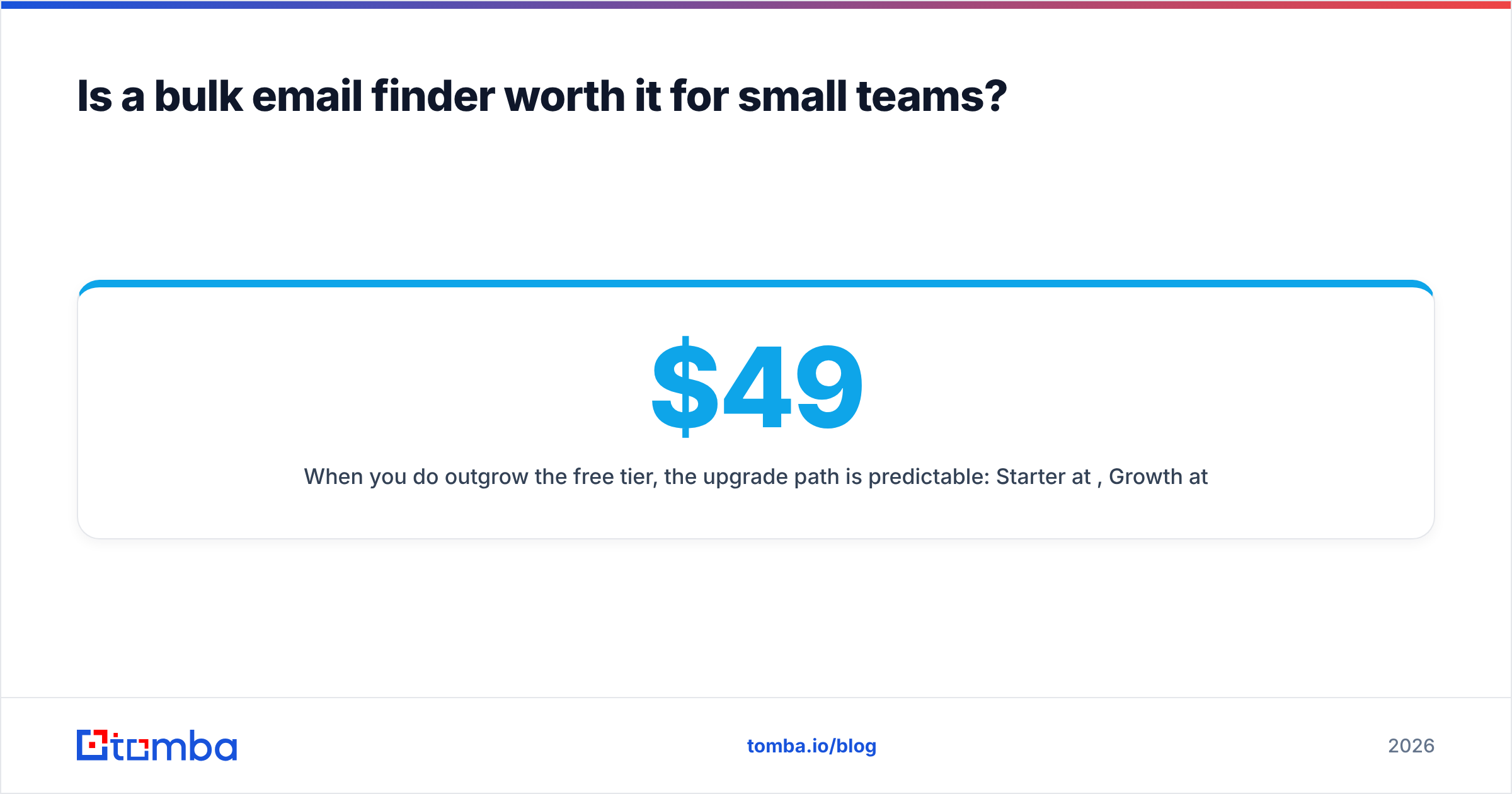
Is a bulk email finder worth it for small teams?#
Yes — and arguably more so than for big ones, because small teams feel wasted hours directly. If you're a two-person sales team, the difference between manual lookups and a bulk run is the difference between prospecting one day a week and prospecting one hour a week.
The free tier is the smart on-ramp. Tomba's free plan gives you 25 searches a month — enough to test match rate and accuracy on your actual target accounts before you pay anything. Run a sample of 25 known contacts, check how many come back correct, and you'll have a real accuracy number instead of a marketing claim. Independent reviews on platforms like G2 are useful for sentiment, but nothing beats testing the tool against names you can verify yourself.
When you do outgrow the free tier, the upgrade path is predictable: Starter at $49/mo, Growth at $99/mo, and Pro at $249/mo for higher volume and team seats. You're paying for verified rows and verification bundled in, not for a credit number that evaporates into bounces.
What about enrichment beyond email?#
A great bulk find is often step one. Once you have verified emails, you usually want more context — job title, company size, location, and sometimes a phone number for multi-channel outreach. That's where data enrichment extends the same batch: feed your verified list back in and append the fields your sequencing and scoring need.
For teams running phone-plus-email cadences, pairing the finder with a phone finder on the same accounts means one upload produces a complete, multi-channel contact record. That's the real efficiency unlock — not just emails faster, but a finished prospect profile in a single pass.
The bottom line#
A bulk email finder is only as good as the verified emails it actually delivers. Chase cost-per-valid-email, insist on inline verification, and treat catch-all handling as a dealbreaker — those three things separate a tool that grows your pipeline from one that quietly poisons your domain.
If you want to test that without spending a cent, start with the Tomba Email Finder: upload a CSV, map your columns, and run finding plus verification in one pass. The free tier covers 25 searches so you can measure real accuracy on your own target accounts first — then scale to thousands of verified contacts on a paid plan from $49/mo when the numbers check out.
// get started
Find, verify and enrich your first contacts today
Start on the free plan with 25 searches a month, then scale when your team is ready.
Free plan · No credit card required · GDPR & CCPA
// about the author