Cold Email Benchmarks 2026: Metrics That Actually Matter
Open rates lie, reply rates don't. Here are the real cold email benchmarks for 2026 — open, reply, positive-reply, bounce, and meetings booked — plus how to beat them.
You can't fix what you don't measure, and most cold email teams measure the wrong things. They obsess over open rates that Apple Mail Privacy Protection inflated into noise, while ignoring the one number that pays salaries: positive replies. This guide gives you the real cold email benchmarks for 2026 — what "good" looks like at each stage of the funnel, how the numbers connect, and the concrete levers that move them.
TL;DR#
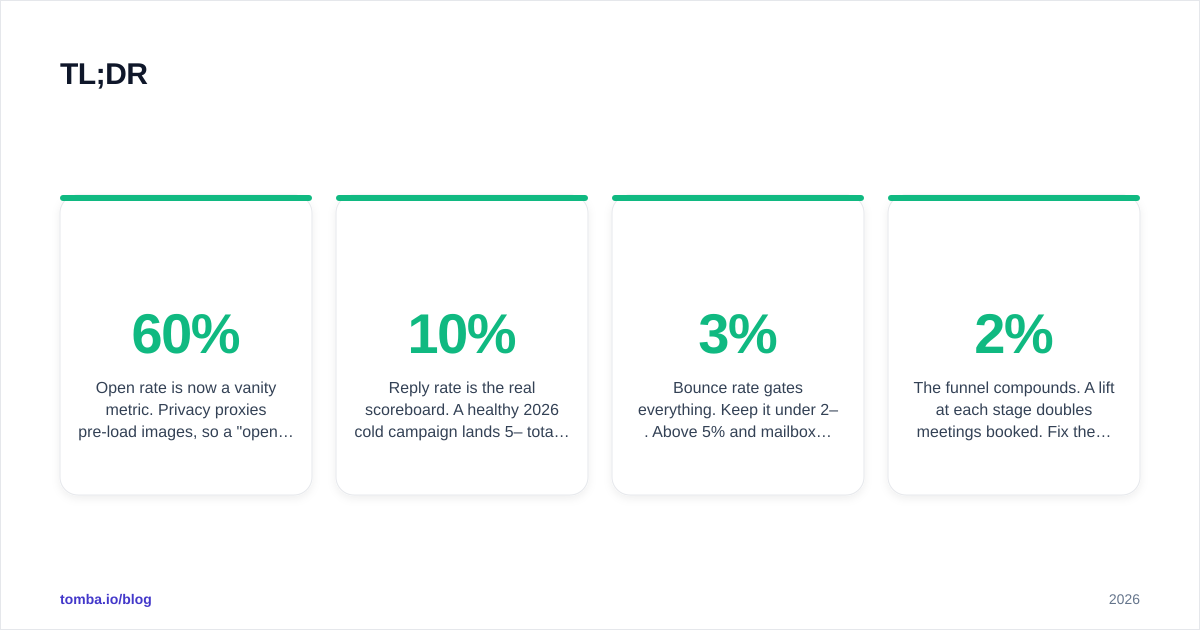
- Open rate is now a vanity metric. Privacy proxies pre-load images, so a 60% "open rate" can hide a campaign that nobody read. Track it for deliverability signals only.
- Reply rate is the real scoreboard. A healthy 2026 cold campaign lands 5–10% total replies and 1–3% positive replies. Below 1% positive, something upstream is broken.
- Bounce rate gates everything. Keep it under 2–3%. Above 5% and mailbox providers start throttling you — verify every address before send.
- Meetings booked per 1,000 sends is the metric your CFO cares about. Top performers hit 8–15 meetings per 1,000 in warm niches.
- The funnel compounds. A 2% lift at each stage doubles meetings booked. Fix the worst stage first, not the easiest one.
What cold email metrics actually matter in 2026?#
Conclusion first: track deliverability, reply rate, positive-reply rate, bounce rate, and meetings booked — in that priority order. Everything else is diagnostic.
Think of your cold email funnel like a leaky water pipe with five joints. Water (prospects) enters at the top, and each joint loses some flow. If you only measure the water coming out of the tap, you'll never know which joint is leaking. The five joints are: did it land, did they open, did they reply, was the reply positive, and did they book.
Here's why the old playbook broke. Before 2022, open rate was a decent proxy for interest. Then Apple's Mail Privacy Protection and similar features at other providers began silently fetching tracking pixels on the user's behalf — whether or not a human ever saw the message. The result is that open rate today tells you more about how many Apple Mail users are on your list than about how compelling your subject line was. Treat a sudden open-rate drop as a deliverability alarm, but never optimize a campaign around the absolute number.
The metrics that survived the privacy shakeout are the ones tied to a human action you can't fake: a reply, a positive reply, a booked meeting. Those are your north stars. Open rate, click rate, and even deliverability are leading indicators — useful for diagnosis, dangerous as goals.
What are good cold email benchmark numbers?#
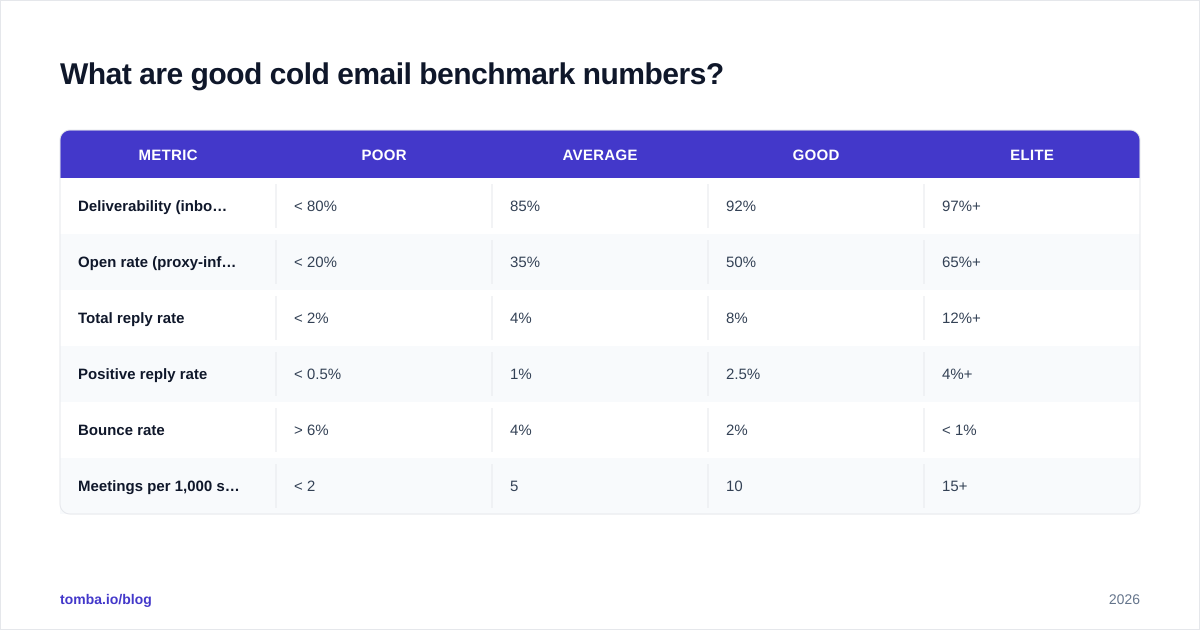
Here are the 2026 targets, assembled from aggregated B2B outbound data and what consistently performs across well-run campaigns. Treat these as the line between "working" and "needs work," not as guarantees — your industry, list quality, and offer move them significantly.
| Metric | Poor | Average | Good | Elite |
|---|---|---|---|---|
| Deliverability (inbox placement) | < 80% | 85% | 92% | 97%+ |
| Open rate (proxy-inflated) | < 20% | 35% | 50% | 65%+ |
| Total reply rate | < 2% | 4% | 8% | 12%+ |
| Positive reply rate | < 0.5% | 1% | 2.5% | 4%+ |
| Bounce rate | > 6% | 4% | 2% | < 1% |
| Meetings per 1,000 sent | < 2 | 5 | 10 | 15+ |
A few things to read into this table. First, the gap between "average" and "elite" reply rate is roughly 3x — that's the prize for doing the boring fundamentals well. Second, bounce rate runs the opposite direction: elite teams keep it under 1% because they verify before they send. Third, meetings per 1,000 is the only row your revenue team should report upward, because it's the one that converts to pipeline.
A word on segmentation: these benchmarks assume B2B, cold (no prior relationship), and a defined ICP. If you're emailing a warm list, a lookalike audience, or a tight niche where you're genuinely relevant, every number shifts up. If you're spraying a scraped list of 50,000 generic contacts, every number collapses — and no subject-line tweak will save you.
How do you calculate cold email reply rate correctly?#
Reply rate = (unique replies ÷ emails delivered) × 100. The two mistakes that wreck this number are using sent instead of delivered as the denominator, and counting auto-responders as replies.
Use delivered, not sent. If you blast 1,000 emails and 80 bounce, your real audience was 920. Dividing replies by 1,000 understates your reply rate and hides a bounce problem behind a deliverability one. Always reconcile the two.
Then split replies into three buckets:
- Positive — interested, asking a question, "send me more," booking.
- Neutral — "not now," "forward to the right person," out-of-office.
- Negative — unsubscribe, "stop emailing me," complaints.
Your positive reply rate is the number that maps to revenue. A campaign with a 12% total reply rate that's mostly "please remove me" is worse than a 5% campaign that's all curiosity. Tag replies the moment they land — manually at first, then with simple keyword rules — so the positive figure is always trustworthy. If you want a deeper definition, the response rate glossary entry breaks down the math and the edge cases.
One more correction: deduplicate. If one prospect replies four times in a thread, that's one reply, not four. Tools that count raw inbound messages flatter your numbers.
Why is deliverability the benchmark behind every other benchmark?#
Because a message in the spam folder has a 0% chance of every downstream metric. Deliverability is the foundation; reply rate is the roof. Fix the foundation first.
Email deliverability is the percentage of your sends that actually reach the inbox — not the "delivered" SMTP receipt, which only means the server accepted the message before deciding where to file it. The three pillars are authentication, reputation, and list hygiene.
Authentication. SPF, DKIM, and DMARC are table stakes in 2026 — Google and Yahoo now reject or junk unauthenticated bulk mail outright. Validate your records with an SPF checker before any campaign and confirm DMARC is at least at p=none with reporting on. If you run multiple sending domains, check each one.
Reputation. Your domain and IP earn a sender reputation score based on complaint rates, bounce rates, and engagement. Warm new domains slowly — start at 20–30 sends a day and ramp over 3–4 weeks. Monitor Google Postmaster Tools weekly; a domain reputation that drops from High to Medium is an early warning that your content or volume is triggering filters. Google's own Postmaster Tools documentation explains how to read those signals.
List hygiene. This is where most cold senders torch their reputation. Every hard bounce is a strike against you. Which brings us to the single highest-leverage fix in this whole guide.
How low does your bounce rate need to be?#
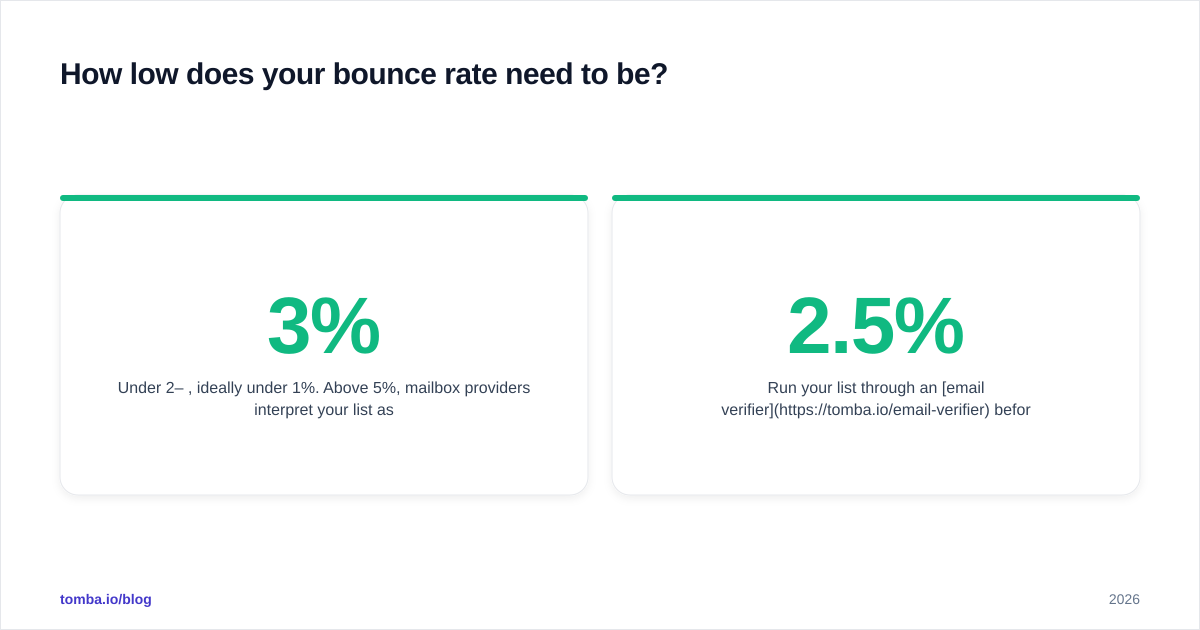
Under 2–3%, ideally under 1%. Above 5%, mailbox providers interpret your list as low-quality or purchased and start throttling — which silently drags down every other metric in the table above.
A bounce isn't just a lost email; it's a reputation tax. Mailbox providers track the ratio of attempted sends to invalid addresses, and a spike tells them you didn't clean your list. The fix is mechanical: verify every address before it enters a sequence.
Two layers of cleaning matter:
- Syntax and MX validation — does the address parse, and does the domain accept mail at all? Cheap and instant.
- SMTP and catch-all handling — does the specific mailbox exist? Catch-all domains accept everything at the server level, so they need a dedicated catch-all verifier to estimate validity rather than a naive "valid" stamp.
Run your list through an email verifier before launch, and re-verify anything older than 90 days — people change jobs, and B2B data decays at roughly 2–2.5% per month. A verified list is the cheapest 3-point bounce-rate improvement you'll ever buy.
How do the metrics connect into a single funnel?#
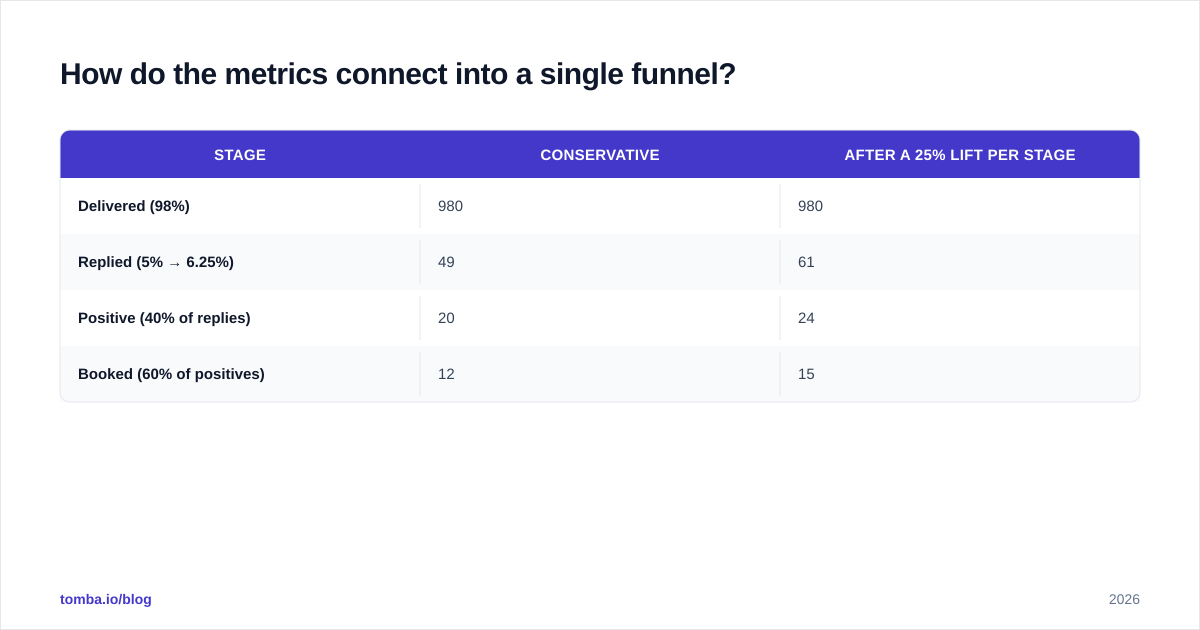
Multiplicatively — and that's the most important sentence in this article. Your meetings-booked number is the product of every stage, so a small improvement at each stage compounds dramatically.
Walk a concrete example for 1,000 sends:
| Stage | Conservative | After a 25% lift per stage |
|---|---|---|
| Delivered (98%) | 980 | 980 |
| Replied (5% → 6.25%) | 49 | 61 |
| Positive (40% of replies) | 20 | 24 |
| Booked (60% of positives) | 12 | 15 |
A 25% lift at just the reply stage carried all the way through to meetings. Now imagine lifting two stages — the gains multiply, not add. This is why "fix the worst stage first" beats "optimize whatever's easiest." Find your weakest joint in the pipe, fix it, then re-measure before touching anything else.
This framing also kills a common argument: "Should we improve copy or improve targeting?" The answer is whichever stage has the biggest gap to its benchmark. If your reply rate is 8% but only 10% of replies are positive, your targeting and offer are the leak, not your subject lines. No amount of A/B testing the first line fixes a list of the wrong people.
What's the fastest way to beat these benchmarks?#
Targeting beats copy, and data quality beats both. Rank your effort in that order.
1. Tighten the list before you tighten the words. The highest reply rates come from emailing fewer, more-relevant people. Use domain search to map the real decision-makers at each target account instead of blasting a generic role inbox, then enrich those contacts so your personalization has something true to say. A list of 200 perfectly-fit prospects will out-convert 5,000 random ones every time.
2. Verify, then send. Covered above, but it's worth repeating because it's the cheapest win: clean lists protect the reputation that protects every other metric.
3. Personalize the variable that matters. Not "Hi {{FirstName}}" — that's 2015. Reference a specific trigger: a role change, a tech-stack signal, a recent company event. One genuinely-researched line beats ten merge tags.
4. Shorten and single-CTA your message. Cold emails over ~120 words and with multiple asks reliably underperform. One clear, low-friction call to action. If you need a starting point, grab proven structures from a cold email templates library and adapt them — don't send them verbatim.
5. Sequence patiently. Most positive replies come on the second or third touch, not the first. A 3–4 step sequence spaced over two weeks typically doubles total replies versus a single send. Industry data compiled by HubSpot and reviewed on G2 consistently shows multi-touch sequences outperforming one-shots.
6. A/B test one variable at a time. Change the subject line or the first sentence or the CTA — never all three. Otherwise you learn nothing about why a number moved.
How often should you review your cold email benchmarks?#
Weekly for deliverability, per-campaign for reply and meeting rates, quarterly for the benchmark targets themselves.
Deliverability degrades fast and quietly, so check Postmaster Tools and bounce rates every week. Reply and positive-reply rates only become meaningful at a few hundred sends, so evaluate them per campaign once you have statistical signal — chasing daily reply-rate wiggles on a 50-send batch is noise-fitting. And revisit the benchmark targets each quarter, because the landscape shifts: new provider rules, new privacy features, new spam filters all move the goalposts.
Keep a simple scorecard. Five rows — deliverability, reply, positive reply, bounce, meetings — with your current number, the benchmark, and the gap. Sort by gap. Work the top row. That's the entire operating system.
Put better data behind your numbers#
Every benchmark in this guide rests on one thing you control before a single email goes out: the quality of your list. The wrong contacts cap your reply rate no matter how good your copy is, and unverified addresses quietly wreck the deliverability that gates everything else.
Start there. Use the Tomba Email Finder to build accurate, decision-maker-level lists by domain, name, or company, then verify them before they hit a sequence so your bounce rate stays under 2% and your reputation stays clean. Cleaner data in means better benchmarks out — see Tomba pricing for the free tier (25 searches/month) and paid plans starting at $49/mo. Fix the foundation, and every other number on your scorecard moves with it.
// get started
Find, verify and enrich your first contacts today
Start on the free plan with 25 searches a month, then scale when your team is ready.
Free plan · No credit card required · GDPR & CCPA
// about the author