550 Permanent Failure For One Or More Recipients: 2026 Fix Guide
A 550 permanent failure means the receiving server has rejected your message for good. Here's how to diagnose the cause, fix it, and stop it from killing your cold outreach.
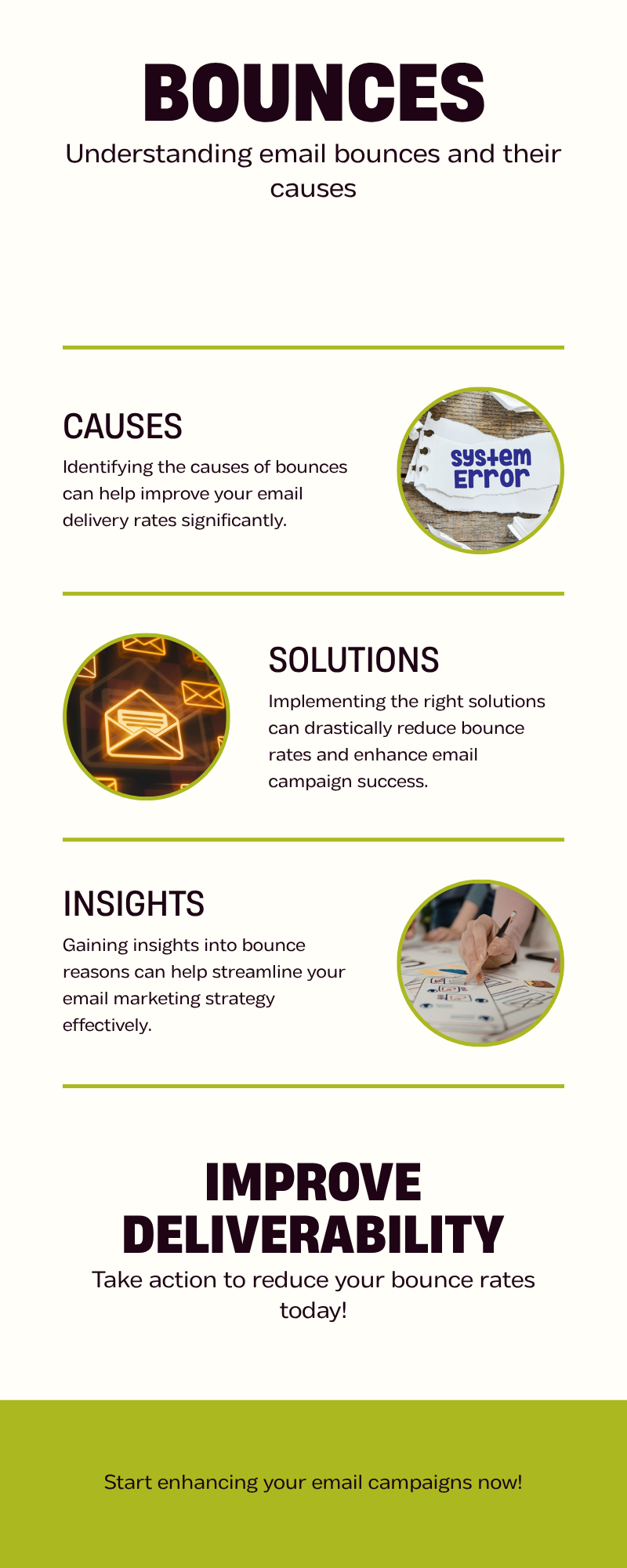
You hit send on a campaign, refresh the inbox, and instead of replies you get a wall of bounces that all say the same thing: 550 permanent failure for one or more recipients. The receiving server has slammed the door, the message is not getting retried, and every one of those bounces is now a mark against your sender reputation.
This guide breaks down exactly what that error means, which root causes produce it, and the order in which to fix them so your next send actually lands.
TL;DR#
- 550 = permanent reject. The recipient server has refused delivery and will not retry. The address, domain, content, or your sending IP is the problem.
- The most common trigger is a non-existent mailbox — you sent to an address that no longer exists or never did.
- Other big causes: blocked sender IP/domain, DMARC/SPF/DKIM failure, content flagged as spam, and policy rejection (rate limits, attachments, geofencing).
- Fix order: verify the address → check authentication → check blacklists → review content → throttle volume.
- A bounce rate above 2% will tank your inbox placement. Verify lists with a bulk email verifier before sending, not after.
What does "550 permanent failure for one or more recipients" actually mean?#
SMTP response codes follow a three-digit pattern: the first digit signals success (2xx), temporary problem (4xx), or permanent failure (5xx). A 550 is the most common 5xx, and the language varies by mail server:
- "550 5.1.1 The email account that you tried to reach does not exist" (Gmail / Google Workspace)
- "550 5.7.1 Unable to relay" (Microsoft 365 / Exchange)
- "550 Permanent Failure for one or more recipients" (Office 365 NDR wrapper)
- "550 5.4.1 Recipient address rejected: Access denied" (Exchange Online)
Think of 550 as the bouncer at the door: they have looked at your envelope, decided you (or the person you're asking for) doesn't belong, and they will not let you back in tonight. No retry, no queue. Compare that to a 451 or 421 temporary failure which is more like "come back in an hour."
The "for one or more recipients" phrasing comes from Office 365's Non-Delivery Report (NDR) wrapper. It groups bounces together and tells you at least one address in your envelope was rejected — but it does not always tell you which one. That's why diagnosing this error often starts with parsing the full bounce payload, not just the summary line.
Why am I getting 550 bounces in the first place?#
There is no single cause. Here are the eight that account for >95% of cases in 2026, with the diagnostic signal you can use to tell them apart.
| Cause | Likely if you see | First fix |
|---|---|---|
| Mailbox does not exist | "user unknown", "no such user", "5.1.1" | Verify the address before retrying |
| Sender IP blacklisted | Bounce mentions Spamhaus, SORBS, Barracuda | Check IP on blacklists, request delisting |
| Domain blacklisted | "5.7.1 blocked using" + DNSBL name | Use the blacklist checker |
| SPF/DKIM/DMARC fail | "5.7.26", "DMARC policy", "SPF check failed" | Fix DNS records |
| Content flagged | "5.7.1 message blocked", spam URL listed | Rewrite, remove links, test spam score |
| Rate limit hit | "421" retries first, then 550 if persistent | Slow sending, warm up domain |
| Recipient policy | "access denied", "geographic restriction" | Confirm sender is on allow-list |
| Catch-all rejection | Domain accepts everything then rejects | Use a catch-all verifier before sending |
The single biggest source — by a wide margin — is bad addresses. Lists rot at roughly 22% per year because people change jobs, companies rebrand, and shared aliases get deprecated. If you bought a list, scraped one, or are reusing data older than six months, your 550 rate is going to climb fast.
How do I read a 550 bounce message to find the real cause?#
The line you see in your sending tool is almost always truncated. Open the full NDR or bounce email and look at three fields:
- Enhanced Status Code — the dotted code like
5.1.1,5.7.1,5.4.1. This is the precise machine-readable cause. - Diagnostic-Code — the literal server message. This usually names the policy, blacklist, or condition that triggered the reject.
- Reporting-MTA — which server actually generated the bounce (yours, an intermediate relay, or the recipient's).
Common enhanced codes you'll meet:
| Code | Meaning | Real-world cause |
|---|---|---|
| 5.1.1 | Bad mailbox | User no longer exists |
| 5.1.10 | Bad recipient address | Typo or never existed |
| 5.4.1 | Recipient denied | Mailbox closed or admin-locked |
| 5.7.1 | Delivery refused | Auth, content, or relay refusal |
| 5.7.26 | Multi-auth fail | SPF and DKIM both failing for DMARC |
| 5.7.708 | Sender from bad IP | M365 sees your IP on its block list |
| 5.7.509 | DMARC policy hit | Misaligned From: domain |
For example, 5.7.26 is one of the most misdiagnosed codes in 2026 because it looks like a generic "blocked" error. It's actually a DMARC failure caused by your message not being SPF-aligned and not being DKIM-aligned at the same time. Fix one of them and the bounce stops.

Is 550 the same as 5xx? What about 553 and 554?#
No. They are siblings, not the same.
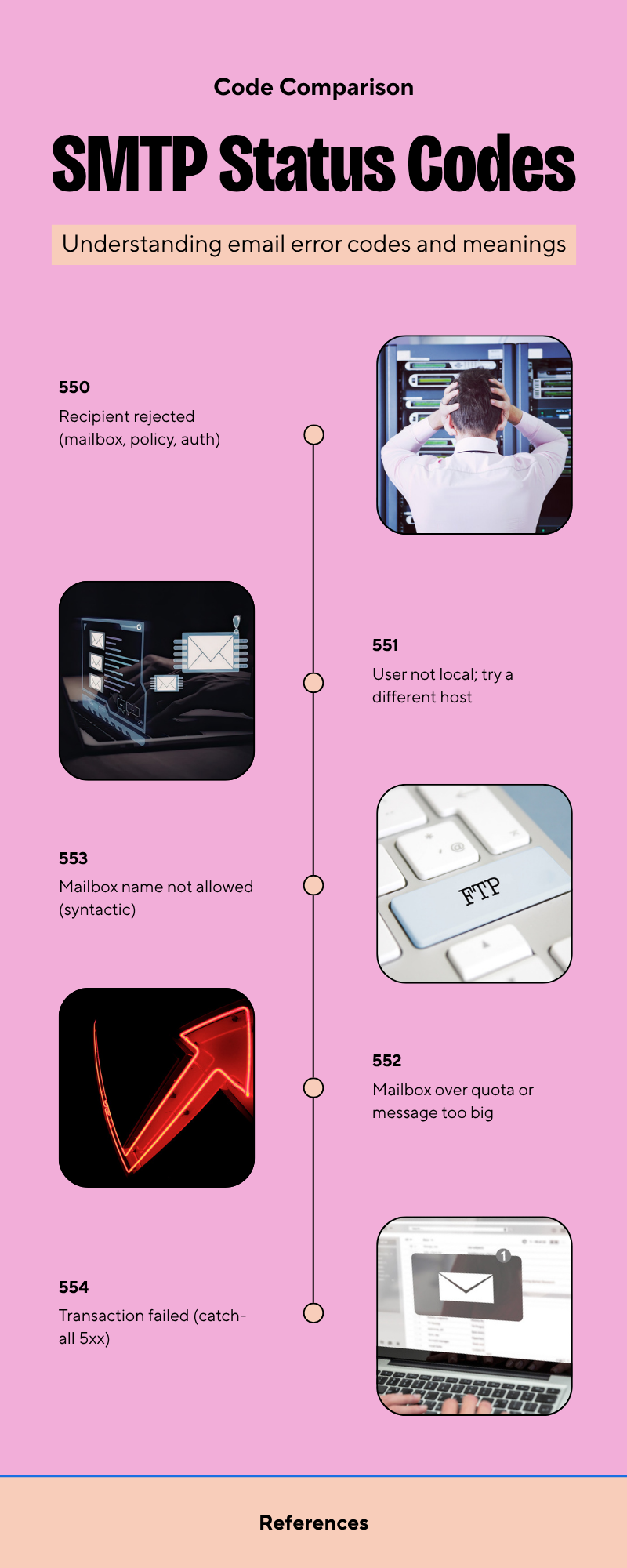
| Code | What it usually means | Retry? |
|---|---|---|
| 550 | Recipient rejected (mailbox, policy, auth) | No |
| 551 | User not local; try a different host | No |
| 552 | Mailbox over quota or message too big | No (some retry) |
| 553 | Mailbox name not allowed (syntactic) | No |
| 554 | Transaction failed (catch-all 5xx) | No |
554 is the one to watch for: Microsoft and Yahoo use it when content or sender reputation is the problem, not the recipient. If you're getting 554 5.7.1 Service unavailable; Client host blocked, the address is fine — your IP isn't.
How do I actually fix the 550 error? (Ordered playbook)#
Don't shotgun fixes. Work through this in order — each step rules out a class of causes so you don't waste a delisting request on a problem that's actually in your SPF record.
1. Verify the recipient address exists#
Run the address through an email verifier before you do anything else. About 60% of 550 bounces in cold campaigns are dead addresses. If verification returns "invalid", remove it from your list permanently and move on. If it returns "catch-all", flag it for the next step.
2. Handle catch-all domains separately#
A catch-all domain accepts every address at the SMTP handshake then silently rejects (or worse, silently discards) anything that doesn't match a real mailbox. A standard verifier can't see past this. Use a catch-all finder that runs deeper signals — engagement history, role pattern matching, MX behavior — to score each address.
3. Audit your authentication records#
Three DNS records, all required in 2026:
- SPF — lists which IPs are allowed to send for your domain
- DKIM — cryptographically signs your message body
- DMARC — tells receivers what to do when SPF/DKIM fail
Check your SPF record for syntax errors and includes. Gmail and Yahoo now require DMARC p=none minimum for bulk senders, and a missing or misaligned DMARC record will produce 5.7.509 or 5.7.26 bounces.
4. Check your IP and domain against blacklists#
If you've been blasting cold without warming up, you may have landed on Spamhaus SBL, Spamhaus DBL, SORBS, or Barracuda. Use Tomba's blacklist checker or Spamhaus directly to confirm. Delisting is free but takes 24–72 hours, and repeated listings make it slower each time.
5. Inspect the message content#
Spammy content triggers content-based 550s on Office 365 especially. Things that fire alarms:
- Shortened URLs (bit.ly, t.co) — replace with full domain links
- Tracking pixel from a poor-reputation domain
- A single oversize image with very little text
- Phrases like "guaranteed", "free money", "act now"
- HTML with broken or unclosed tags
Run drafts through a spam checker before sending and aim for a score under 3.
6. Throttle volume during warmup#
A brand new domain that sends 1,000 cold emails on day one will get 550'd by every major provider. Ramp from ~20/day to your target over 4–6 weeks, prioritize warm replies, and use an email warmup calculator to plan the curve.
7. Suppress hard bounces forever#
Once an address returns 550, never send to it again. Most sending tools auto-suppress, but if you're scripting via API, build the suppression list yourself. Re-sending to a known bad address is the single fastest way to get your domain blacklisted.

What does the fix process look like end-to-end?#
Here's the loop that high-deliverability teams run on every list before they ever press send.
- Ingest leads from your finder / scraper / import
- Run bulk verification — drop invalids, flag catch-alls
- Score remaining addresses for engagement risk
- Authenticate the sending domain (SPF, DKIM, DMARC) and confirm via test send to a seed list
- Warm the IP/domain if new
- Send in batches with throttling
- Monitor bounce stream, suppress 5xx addresses
- Refresh the list every 90 days
Skipping any step costs more than running all of them. A single Spamhaus listing can cost a B2B team a week of pipeline.
Which tools actually help vs. add noise?#
Most of the deliverability stack splits into three jobs: find addresses, verify them, and monitor your sending domain. Here's how the common 2026 picks compare on the parts that matter for fixing 550 errors.
| Tool | Verification | Catch-all detection | Blacklist check | Free tier |
|---|---|---|---|---|
| Tomba | Yes (99%+ accuracy) | Yes (deep) | Yes (built-in) | 25 searches/mo |
| ZeroBounce | Yes | Partial | Yes | 100 lookups |
| NeverBounce | Yes | Partial | No | 1,000 free trial |
| Hunter | Yes | Limited | No | 25 searches/mo |
| Built-in ESP check | Basic | No | No | Included |

Built-in ESP checks (the kind your SMTP relay does at handshake) will only catch syntax-level invalids. They will not flag catch-all domains, role-based addresses, or recently abandoned mailboxes — exactly the addresses that produce 550 bounces in the wild. Pair an email finder with a verifier upstream of every send.
For benchmarks against the broader market, see G2's email verification grid — Tomba ranks in the leaders quadrant on accuracy and price.
Can I avoid 550 errors entirely?#
Not 100%. People leave companies, domains expire, and policies change. Realistic targets:
- Bounce rate target: < 2% (Gmail and Yahoo will throttle above 3%)
- Hard bounce target: < 0.5%
- Spam complaint target: < 0.1%
You hit those numbers by verifying before sending, not by reacting to bounces. Reactive deliverability is always more expensive than preventive — once your reputation slips, it takes 30–60 days of clean sending to recover.
If you want the full framework on inbox reputation, HubSpot's deliverability guide and the M3AAWG sender best practices cover the technical baseline. For sending-side reputation tracking, Google Postmaster Tools is non-negotiable in 2026.
Frequently asked questions#
Does a 550 hurt my domain reputation? Yes — every hard bounce is logged by the receiving ISP. A handful won't move the needle, but sustained 550 rates above 2% will drop your inbox placement at Gmail, Outlook, and Yahoo within days.
Can I retry a 550? No. The "5" in 5xx means permanent. Retrying will not change the answer and will compound the reputation hit. Suppress and move on.
Why do I get 550 on addresses that worked last month? Mailbox turnover. The contact left the company, the alias was deprecated, or the company tightened its catch-all policy. Re-verify any list older than 90 days.
Is 550 the same on Gmail, Outlook, and Yahoo? The code is, but the diagnostic text differs. Gmail uses "address does not exist", Outlook wraps things as "permanent failure for one or more recipients", Yahoo often returns 554 instead.
Stop the bounces before they start#
The cheapest fix for a 550 permanent failure for one or more recipients is the one that happens before the send button. Verify every address, check your authentication, watch your blacklist status, and warm new domains slowly.
Tomba's email finder and verifier run together in one workflow — find a contact, verify the address, drop catch-alls, and export a clean list to your ESP. You can also batch-clean existing lists with the bulk verifier before you re-engage stale segments. Start free with 25 searches a month, or scale to the Starter plan at $49/mo when your volume picks up. See full Tomba pricing for higher tiers.
// get started
Find, verify and enrich your first contacts today
Start on the free plan with 25 searches a month, then scale when your team is ready.
Free plan · No credit card required · GDPR & CCPA
// about the author