550 Too Many Invalid Recipients: Fix the SMTP Error in 2026
The 550 5.1.1 'too many invalid recipients' bounce kills cold campaigns overnight. Here's why senders trip it in 2026 — and the verification workflow that stops it.
TL;DR
- The SMTP error
550 too many invalid recipientsmeans the receiving server cut you off because too many of the addresses on your envelope did not exist. - It is a per-connection or per-session block on most providers (Microsoft 365, Google Workspace, Proofpoint, Mimecast) — and a reputation hit that follows your sending IP and domain for days.
- The root cause is almost always the same: an unverified list. Scraped data, stale CRM exports, and free "email permutator" output trigger it within the first 200 messages.
- The fix has two halves: short-term recovery (slow down, segment, warm up again) and long-term prevention (verify every address before it touches your MTA).
- Pre-send verification with a real-time API gets your bounce rate under 2% and keeps you below every major mailbox provider's invalid-recipient threshold.
What does "550 too many invalid recipients" actually mean?#
The full bounce usually looks like one of these:
550 5.1.1 Too many invalid recipients
550 5.7.1 Service unavailable; too many invalid recipients
550-5.1.1 The email account that you tried to reach does not exist. Too many
550 5.1.1 invalid recipients in this session.
It is a hard rejection at the SMTP RCPT TO stage. The receiving server has counted how many of the recipients you tried to deliver to in this connection (or in the last few connections from your IP) do not exist on its system — and once that count crosses a threshold, it closes the door for the rest of the session.
Different providers count differently:
- Microsoft 365 / Exchange Online trips at roughly 5 invalid recipients in a single connection, or a sustained invalid rate above 10% of total volume.
- Google Workspace is less documented but reacts to the rate, not the count — sustained invalid recipient rates over ~5% will throttle and then block.
- Proofpoint, Mimecast, Barracuda use directory harvest attack (DHA) detection: 3-5 unknown users in quick succession from the same IP is enough.
The keyword is "harvest." From the mailbox provider's perspective, a sender that hits five non-existent addresses in a row is indistinguishable from a spammer running a dictionary attack. The 550 response is the defensive cutoff. Read more on the broader concept of email deliverability to see why this matters for your domain reputation, not just one send.
Why is your IP getting flagged right now?#
If you are reading this mid-incident, here are the five most common triggers in 2026, ranked by what we actually see:
- Scraped or purchased lists. LinkedIn scraper exports, conference attendee lists, and "B2B databases" you bought for $99 contain 20-60% invalid addresses. One blast tanks the IP.
- Stale CRM data. A list that was clean 18 months ago is now 25% invalid because of job changes, company shutdowns, and email format migrations.
- Email permutator output without verification. Tools that generate
first.last@,firstinitiallast@,first@variants and let you send them all "just to see which works" are a fast path to a block. - Catch-all domains misread as valid. Your finder marked them green; the recipient server later rejected the specific mailbox. Catch-alls need a catch-all verifier layer to distinguish accept-all domains from real inboxes.
- Sequence tools without recipient-level verification. Some sending platforms verify the domain MX record but skip the per-mailbox check. The first ten sends are fine; sends 11-300 hit unknowns.
How do invalid recipient thresholds work in 2026?#
The major mailbox providers do not publish hard numbers, but the operational thresholds are stable and observable. Here is what we see in production sending:
| Provider | Per-connection limit | Sustained invalid rate | Recovery window |
|---|---|---|---|
| Microsoft 365 / Exchange Online | ~5 invalid before 550 | >10% over 24h triggers block | 24-72 hours |
| Google Workspace | Soft throttle at 5%+ | >5% sustained = 550 | 12-48 hours |
| Proofpoint Essentials | 3-5 unknown users | DHA detection on burst | 4-24 hours |
| Mimecast | 3 unknowns in 60s | Per-source IP scoring | 24-96 hours |
| Yahoo / AOL (Verizon Media) | Lenient on count, strict on complaints | Complaint rate > 0.3% blocks faster | 48-72 hours |
Zoho Mail | ~10 invalid per session | Per-IP throttle | 12-24 hours |
The thresholds compound. A sender that hits Microsoft and Proofpoint in the same campaign gets flagged twice on different reputation systems, and the IP "cools off" period stretches into days. This is why sender reputation is the actual currency — not deliverability of one message.
What should you do in the first hour after the 550 hits?#
Stop sending. That is the entire first step, and most senders skip it.
When you keep firing into a 550 wall, every additional bounce adds weight to the reputation score the provider is building against your IP and domain. The block extends, the recovery window stretches, and you risk crossing from "temporary throttle" into "listed on Spamhaus XBL/CBL" territory.
Here is the recovery sequence:
- Pause the campaign at the sending platform. Not "pause new contacts" — pause all queued sends, including replies and follow-ups using the same sending identity.
- Pull the bounce log. Export every recipient that returned a 5xx code from the last 72 hours. This is your contamination list.
- Run the entire active list through a verifier. Not just the bounces — assume the rest of the list has the same contamination rate as what you have already seen. If 30% bounced, expect another 20-30% in the unsent portion.
- Check your IP and domain on blocklists. Use Spamhaus, Barracuda Central, Invaluement, and the SURBL multi-RBL lookup. If you are listed, file the delist request before you resume sending.
- Warm back up. Resume at 10-20% of your previous volume for 3-5 days, sending only to verified addresses with high engagement history.
The email warmup calculator gives you the ramp schedule by current reputation score and target daily volume — useful when you are coming back from a block rather than starting fresh.
How do you prevent it from happening again?#
The prevention layer has three components, and skipping any of them puts you back on the recovery treadmill within weeks.
1. Verify every new address before it enters the sequence#
This is the biggest lever. A real-time SMTP verification check at the moment of list import catches:
- Syntactically valid but non-existent mailboxes
- Disposable / temporary email providers
- Role accounts (info@, sales@) that often bounce or get marked spam
- Spam traps recycled from old domains
- Catch-all domains (flagged separately so you can decide your tolerance)
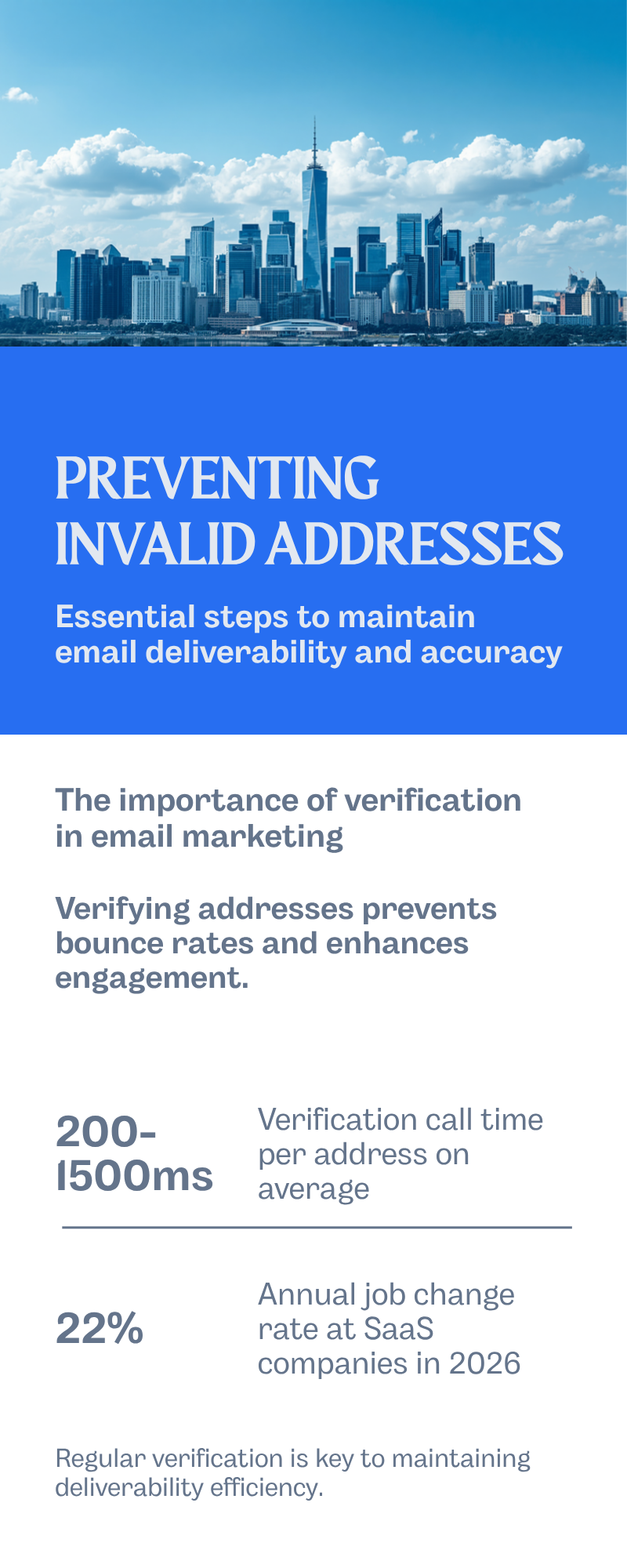
The verification call returns a result in 200-1500ms per address, runs at scale via batch endpoint, and reduces the invalid rate of a typical scraped list from 30%+ down to under 2%.
2. Re-verify cold lists every 90 days#
Job change rate at SaaS companies in 2026 is around 22% annually, meaning roughly 1 in 18 addresses on your list goes invalid every month. A list that was 98% deliverable in January is 88% by April. Most senders never re-verify; the few that do see their bounce rate stay flat instead of climbing.
3. Use a finder that scores its outputs#
The pattern that breaks deliverability is "generate-and-send" — feed a permutator a name and domain, get six candidates back, send to all six. Even with the best providers, three of those six will not exist.
A scored finder returns a single best candidate with a confidence score derived from multiple signals: web mention, MX validation, SMTP RCPT response, and pattern-match across the company's known address structure. Sending only to scores above ~85 keeps your bounce rate where mailbox providers expect it.

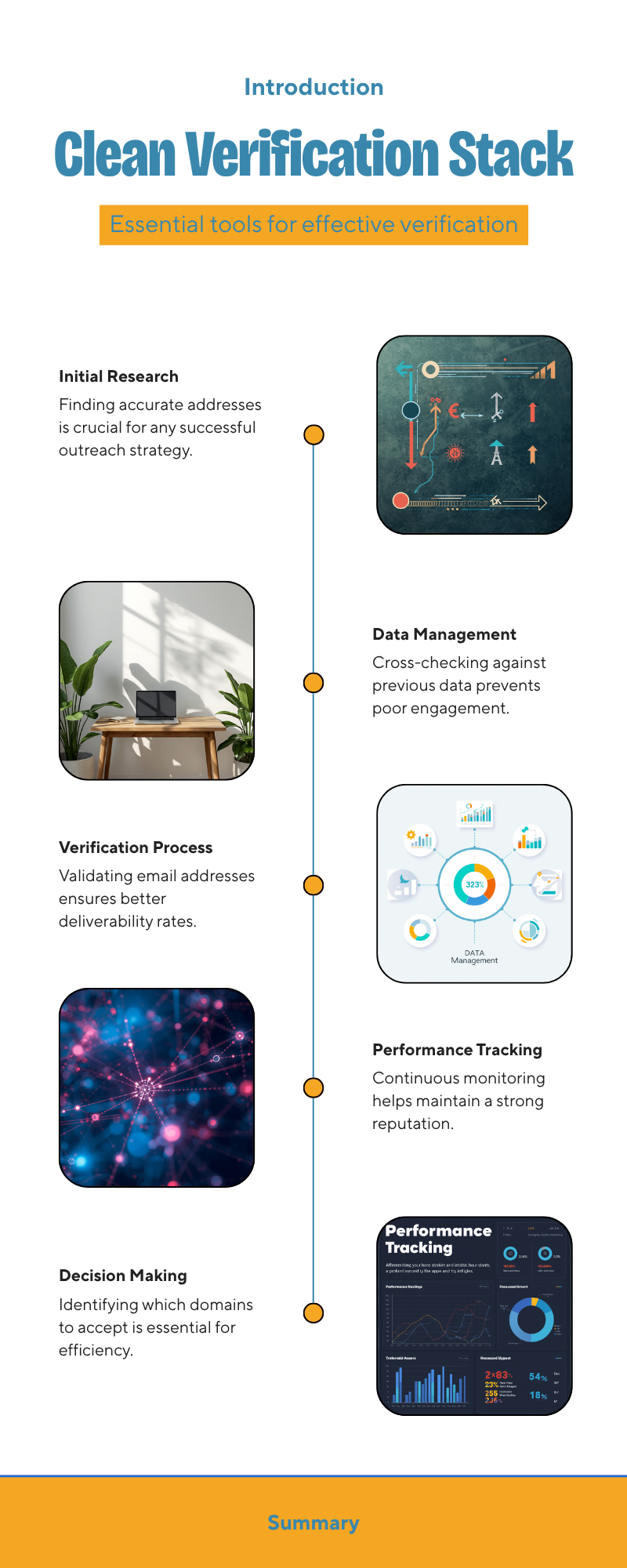
What does a clean verification stack look like?#
Here is the pre-send pipeline that keeps a B2B sender below the invalid-recipient threshold across every major provider:
| Stage | Purpose | Tool category | Bounce rate after |
|---|---|---|---|
| Find | Get the right address for a name + domain | Scored email finder | ~5-8% |
| Verify | SMTP-check before sending | Real-time email verification | <2% |
| Catch-all decision | Decide which catch-all domains to accept | Catch-all verifier | <1.5% |
| Suppress | Cross-check against unsubscribes + bounces from prior sends | Suppression list | <1% |
| Warm-up monitoring | Track reputation trend daily | Postmaster Tools + warmup data | Stable |
The compounding effect matters. Each stage cuts the invalid rate by roughly half. Skip the verify stage and the catch-all stage cannot save you; skip catch-all handling and verify alone leaves a 3-4% blind spot on accept-all domains.
For the find-and-verify portion, Tomba's email finder returns a confidence score on every result, and the bundled email verifier re-runs a fresh SMTP check at send time. You can run lists in bulk through the bulk email finder or via the Tomba API for direct CRM integration.
How do you tell verification quality apart?#
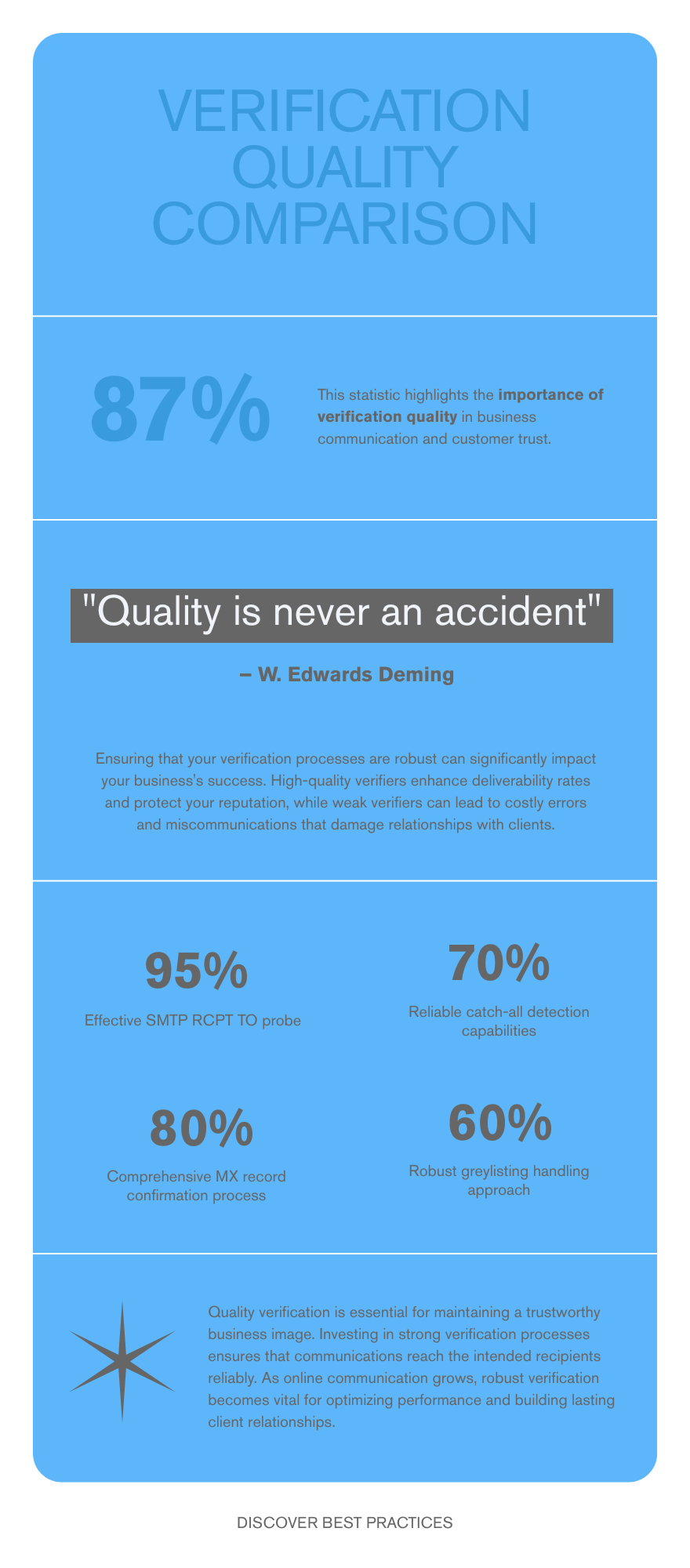
Not every verifier catches the same errors. The difference shows up in your bounce log a week after you switched providers.
| Check | What a strong verifier does | What a weak verifier does |
|---|---|---|
| SMTP RCPT TO probe | Real handshake with the receiving server | Skips, returns "valid" based on syntax |
| MX lookup | Confirms domain has live MX record | Confirms domain exists in DNS |
| Catch-all detection | Flags separately with confidence score | Returns "valid" for everything on the domain |
| Greylisting handling | Retries after delay, returns final status | Returns "unknown" and gives up |
| Role account detection | Flags info@, sales@, hr@ etc. | Misses, sends to obvious role addresses |
| Disposable provider list | Updated monthly with 5000+ domains | Stale list from 2022 |
| Spam trap heuristics | Flags suspicious patterns | No detection |
| Speed | 200-1500ms per address | 5-15s or batch-only |
When a sender complains that "we verify our list and still get 550s," it is almost always one of the bottom four columns in that table. The verifier is returning false positives on catch-alls, missing disposables, or returning "unknown" on every greylisted server and the sender is treating "unknown" as "valid."
What about catch-all domains?#
Catch-all domains accept SMTP RCPT TO for every address, valid or not. This is the single largest source of false-positive verifications in the industry.
Two-thirds of B2B catch-all hits are legitimate addresses; one-third bounce internally and either return a 5xx later or land in a quarantine folder. Either way, the recipient never reads them.
The right approach is to classify catch-all domains separately and choose a policy:
- Conservative: suppress all catch-all results. Smallest list, lowest bounce.
- Balanced: send only to catch-all addresses where the finder confidence score is above 90 and the name pattern matches the company's primary format.
- Aggressive: send to all, accept higher bounce, monitor reputation weekly.
The catch-all finder does the classification step; what you do with the result is a policy decision tied to how aggressive your warmup and reputation budget allows.
Are there warning signs before you hit 550?#
Yes, and most senders ignore them. The leading indicators show up 24-72 hours before the block:
- 421 deferred / try again responses from the same domain — this is a soft throttle the provider applies before escalating to 550.
- Open rate drops by 15-30% on a normally healthy segment, often paired with a click rate that stays the same. That gap means messages are landing in Junk, not Inbox.
- Spam complaint rate ticks above 0.1% on a segment that was previously below 0.05%.
- Bounce rate crosses 3% on a single campaign send (4xx soft + 5xx hard combined).
- Postmaster Tools (Google) flags reputation as "Medium" instead of "High" for the sending domain. According to Google Postmaster Tools documentation, this drop precedes hard rejections by about a week.
A 24-hour pause and a re-verification pass at the first sign of any two of these typically saves the campaign. Push through them and the 550 cutoff is the next stop.
Does authentication fix it?#
Authentication — SPF, DKIM, DMARC, BIMI — does not directly fix the invalid recipient block. The 550 is about who you are sending to, not who you say you are.
But authentication does change how quickly mailbox providers recover their trust in you after the block. A sender with aligned SPF record, DKIM signing, and DMARC p=quarantine policy recovers from a 550-flagged IP in roughly half the time it takes an unauthenticated sender. Provider reputation systems weigh authentication as a positive signal even when other metrics dip.
Run the SPF checker on your sending domain before resuming sends. Misconfigured SPF on a recovering domain is a common reason senders cannot rebuild reputation after a 550 cycle. The Wikipedia entry on SPF is a good primer if you are setting it up for the first time.
What if you have to send to a list you cannot verify?#
Some lists you genuinely cannot pre-verify — event signups during a live conference, gated content opt-ins coming in real time, or imported partner lists with NDA constraints. The fallback workflow:
- Split the send into 10-message batches across multiple sending identities and warm IPs.
- Pause between batches for 5-10 minutes to let any 421 deferrals signal you before you keep going.
- Monitor the bounce stream in real time — most ESPs expose webhooks. Stop the campaign automatically at >2% hard bounce.
- Send the second touch only to recipients who opened or clicked the first. The unverified portion of your list filters itself.
This is slower, but it is the only realistic path when the verify-first ideal is not available.
Get your verification stack working before the next campaign#
If you are seeing 550 too many invalid recipients on a recent send, the recovery sequence above will get the IP unblocked. The bigger fix is upstream: every address that hits your MTA should already be verified, and every list older than 90 days should be re-verified.
Tomba's email finder returns a confidence score and a fresh SMTP check on every lookup, the email verifier handles bulk lists with catch-all detection, and Tomba pricing starts free for 25 monthly searches with the Starter plan at $49/month for active senders. Wire it into your cold outreach pipeline before you hit the threshold again — the next 550 is more expensive than the verification credits that prevent it.
// get started
Find, verify and enrich your first contacts today
Start on the free plan with 25 searches a month, then scale when your team is ready.
Free plan · No credit card required · GDPR & CCPA
// about the author