Accurate Append Pricing Reviews Pros and Cons (2026 Guide)
A neutral 2026 breakdown of Accurate Append pricing, real user reviews, and the honest pros and cons — plus where flat-rate enrichment tools fit better.
TL;DR
- This guide gives you an honest take on accurate append pricing reviews pros and cons. Accurate Append fills in missing phone numbers, emails, and demographic fields on lists you already own. It charges per match, mostly through custom quotes.
- The pros: strong phone coverage, flexible batch and API delivery, and a solid reputation with call-center and direct-mail teams.
- The cons: unclear pricing, minimums that hurt small teams, shaky email match rates, and per-record costs that grow fast as your volume grows.
- Reviews are positive on support and phone data. The common complaints are about cost predictability and email deliverability after append.
- Need verified B2B email at a flat, clear price? A finder-and-verifier stack like Tomba often beats per-record math. We show you when below.
What is Accurate Append?#
Accurate Append is a data enrichment vendor. You hand it a list with partial information — say, names and postal addresses. It returns the same list with the missing fields filled in: phone numbers, email addresses, age, and household demographics. Think of it like a tailor. You bring a half-finished suit, and they sew the seams you left undone.
The company has long served direct marketers, call centers, political campaigns, and nonprofits. These groups live and die by phone reachability. That history shapes the product. It explains both its strengths (deep consumer phone coverage) and its pricing model (per-record, quote-driven, and volume-tiered).
For B2B teams the question is simpler. Does an append service built around consumer phone and postal data deliver verified work emails? That's what your outbound motion actually needs. That's the lens this review uses.
How does Accurate Append pricing work?#
Conclusion first: Accurate Append uses per-record, quote-based pricing. There are no published flat tiers. Your real cost depends on three things: your volume, the fields you append, and the match rate you hit.
Most append vendors, including Accurate Append, price along three axes:
- Match rate billing — You pay for records the service matches, not your full list. A 10,000-row list with a 60% match means you pay for about 6,000 matches.
- Field type — Phone, email, and demographic appends are often priced differently. Email and "verified" data usually cost more per match.
- Volume tier and minimums — Bigger volumes lower the per-record rate. But there is usually a floor. Small one-off lists hit minimums, so the real per-record cost runs much higher than the headline number.
The public site leans on "contact us for a quote." So you won't find a clean price grid like you would with a self-serve SaaS tool. That lack of clarity is the most common theme in pricing reviews.
Per-record append vs flat-rate enrichment#
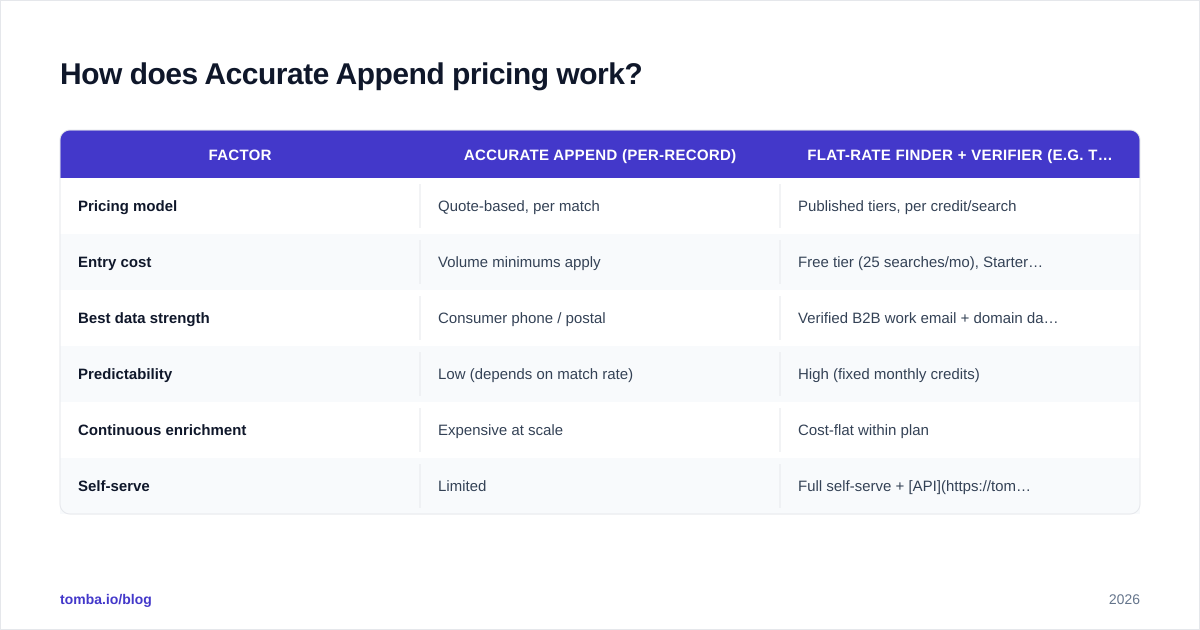
Here's the trade-off most buyers miss. Per-record append works well when you run occasional large batches and need consumer phone data. It hurts when you enrich all the time, because every new record is a new charge.
| Factor | Accurate Append (per-record) | Flat-rate finder + verifier (e.g. Tomba) |
|---|---|---|
| Pricing model | Quote-based, per match | Published tiers, per credit/search |
| Entry cost | Volume minimums apply | Free tier (25 searches/mo), Starter $49/mo |
| Best data strength | Consumer phone / postal | Verified B2B work email + domain data |
| Predictability | Low (depends on match rate) | High (fixed monthly credits) |
| Continuous enrichment | Expensive at scale | Cost-flat within plan |
| Self-serve | Limited | Full self-serve + API |
The meme version of this decision:

What do Accurate Append reviews say?#
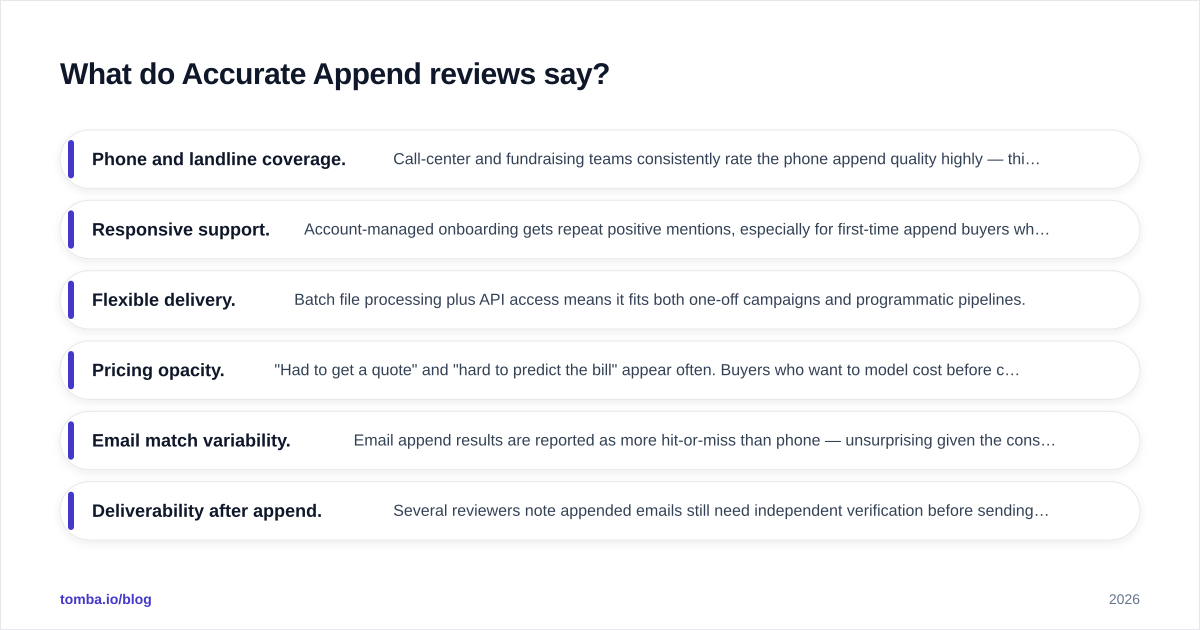
Review sentiment splits cleanly into two buckets.
What reviewers praise:
- Phone and landline coverage. Call-center and fundraising teams rate the phone data highly. This is the product's home turf.
- Responsive support. Onboarding gets repeat praise. First-time buyers like the help with file formatting.
- Flexible delivery. You get batch files plus API access. It fits both one-off campaigns and automated pipelines.
What reviewers criticize:
- Pricing opacity. "Had to get a quote" and "hard to predict the bill" come up often. Buyers who want to model cost upfront find the process slow.
- Email match variability. Email results are more hit-or-miss than phone. That's no surprise given the consumer-data roots.
- Deliverability after append. Several reviewers note that appended emails still need separate verification. Skip it, and you can tank your sender reputation.
You can read raw user feedback on directories like G2 and Capterra. Don't take any single summary at face value. Append results vary a lot by input-list quality.
That last point matters most for outbound teams. Appending an email is not the same as confirming it's safe to send. Skip email verification after an append, and you inherit whatever staleness was baked into the source file.
What are the pros and cons of Accurate Append?#
Here's the honest scorecard for the accurate append pricing reviews pros and cons debate.
Pros#
- Deep consumer phone data — coverage for landlines and mobile numbers tied to postal records is genuinely strong.
- Handles messy input — you can reverse-append from a phone or address, not just a name. That gives you more starting points.
- Account-managed onboarding — useful if your team has never run an append project and needs format help.
- API + batch — supports both ad-hoc campaigns and automated enrichment flows.
- Established compliance posture — a long track record in regulated direct-marketing channels.
Cons#
- No transparent public pricing — every real quote needs a sales call, which slows your evaluation.
- Volume minimums — small teams and one-off lists pay a high effective per-record rate.
- Email is a secondary strength — B2B work-email match and accuracy lag the phone product.
- Append ≠ verified — you still need a separate email verifier pass before sending.
- Cost scales with every record — continuous enrichment gets expensive fast next to a flat monthly plan.

Is Accurate Append worth it for B2B email outreach?#
Conclusion first: for consumer phone campaigns, often yes. For verified B2B email at scale, usually no. The mismatch is structural. It's not a knock on execution.
B2B outbound needs three things from a data layer. It needs accurate work emails. It needs a way to verify them before send. And it needs predictable cost, so you can forecast pipeline spend. Per-record consumer append is built for none of these.
Picture a team enriching 5,000 new contacts a month. With per-record append, that's a variable charge every single month. You also bolt on a separate verification step anyway. With a flat-tier finder, those 5,000 lookups fit inside a fixed plan. Verification is part of the same stack.
This is where the data-source question matters. How a provider sources and refreshes its data decides whether a "match" is really deliverable. Tomba publishes where its data comes from. It pairs the finder with native verification, so a new address gets confirmed in the same workflow instead of weeks later.
When Accurate Append still wins#
To be fair, append services beat finders in a few cases:
- You have a big list of names + postal addresses and need phone numbers. A finder built around company domains can't help here.
- You run direct mail or call-center campaigns where consumer demographics drive segmentation.
- You need reverse append (phone → identity, address → identity) that domain-based tools don't offer.
If that's your motion, append is the right tool. Just negotiate the minimums hard, and budget for a verification pass.
How does Accurate Append compare to alternatives?#
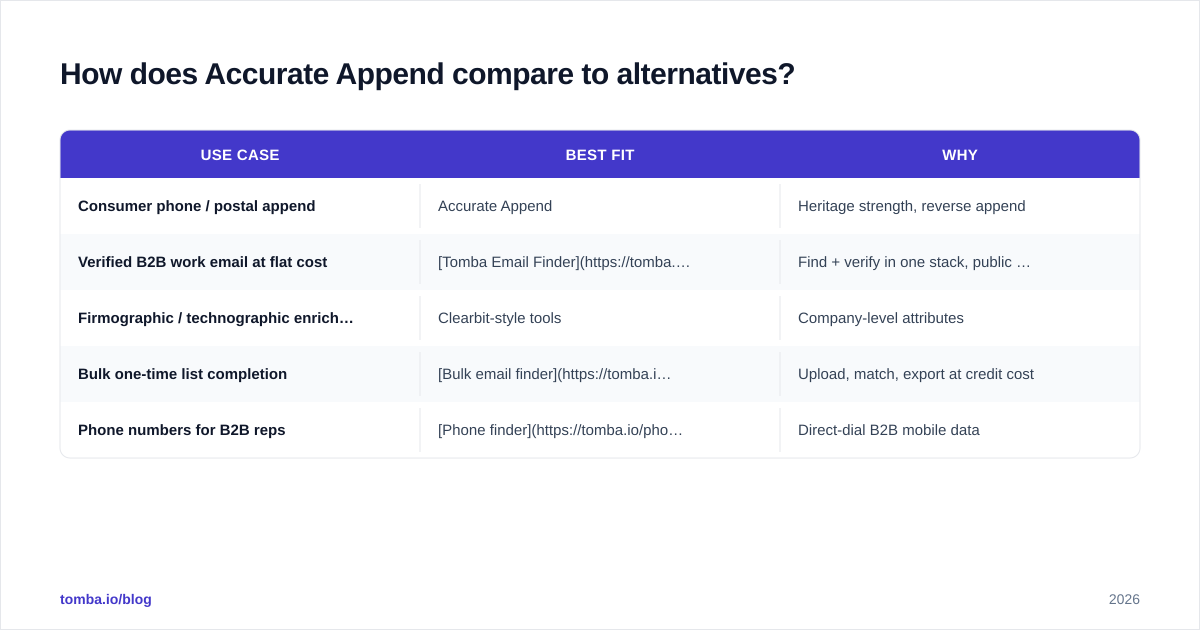
There's no single "best" choice. It depends on your bottleneck: phone data, email data, or full-record enrichment. Here's how the categories line up.
| Use case | Best fit | Why |
|---|---|---|
| Consumer phone / postal append | Accurate Append | Heritage strength, reverse append |
| Verified B2B work email at flat cost | Tomba Email Finder | Find + verify in one stack, public pricing |
| Firmographic / technographic enrichment | Clearbit-style tools | Company-level attributes |
| Bulk one-time list completion | Bulk email finder | Upload, match, export at credit cost |
| Phone numbers for B2B reps | Phone finder | Direct-dial B2B mobile data |
If your append vendor is really a workaround for missing emails, that's a red flag. You're paying consumer-data prices for a B2B-email job. Tools positioned as a Clearbit alternative or a dedicated finder usually land more verified work emails per dollar.
For pricing clarity, compare Accurate Append's quote process with published Tomba pricing: Free (25 searches/mo), Starter $49/mo, Growth $99/mo, Pro $249/mo, and Enterprise custom. You can model cost before you ever talk to sales.
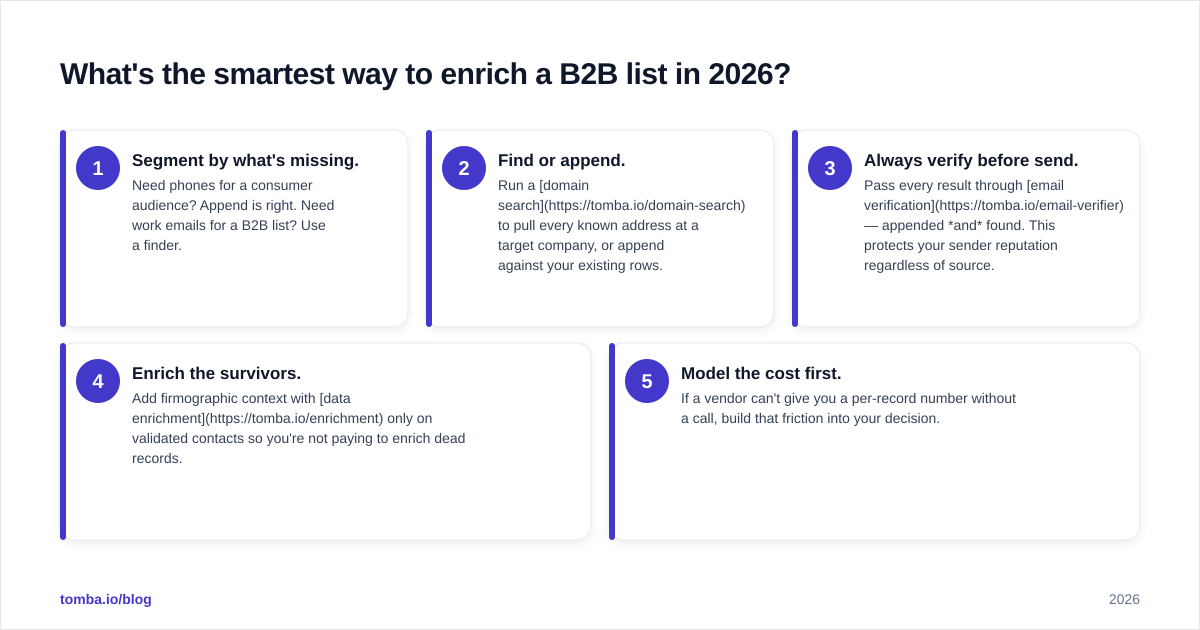
What's the smartest way to enrich a B2B list in 2026?#
A practical, vendor-neutral sequence:
- Segment by what's missing. Need phones for a consumer audience? Append is right. Need work emails for a B2B list? Use a finder.
- Find or append. Run a domain search to pull every known address at a target company. Or append against your existing rows.
- Always verify before send. Pass every result through email verification — appended and found. This protects your sender reputation no matter the source.
- Enrich the survivors. Add firmographic context with data enrichment only on valid contacts. That way you're not paying to enrich dead records.
- Model the cost first. If a vendor can't give you a per-record number without a call, build that friction into your decision.
The throughline: don't confuse "appended" with "deliverable." The append is step one. Verification is the non-negotiable step two.
Final Verdict: Accurate Append Pricing Reviews Pros and Cons#
Here's the bottom line on the accurate append pricing reviews pros and cons question. Accurate Append is a legitimate, well-reviewed append vendor. It has a real strength in consumer phone and postal data. It also has real weaknesses in pricing clarity and B2B email match quality. If your campaigns are phone-driven and list-based, it earns its place. If your motion is verified B2B email at predictable cost, the per-record model works against you. You'll bolt on verification anyway.
Is finding and verifying professional email addresses your real bottleneck? Start with the Tomba Email Finder. You get verified B2B emails by name, company, or domain. You get native verification in the same workflow. You get public flat-rate pricing, from a free tier through the $49/mo Starter plan. And you get a full API — no quote call required. Run your next list through it before you sign an append contract. Then compare the verified-match-per-dollar yourself.
// get started
Find, verify and enrich your first contacts today
Start on the free plan with 25 searches a month, then scale when your team is ready.
Free plan · No credit card required · GDPR & CCPA
// about the author