Accutrend vs Wiza: Which Email Finder Wins in 2026?
Accutrend vs Wiza compared on accuracy, pricing, and data coverage. See which B2B email finder actually fits your outbound team in 2026—plus a better-value alternative.
Choosing between Accutrend and Wiza usually comes down to one question: do you want a broad B2B data subscription, or a LinkedIn-native list builder that turns profiles into verified emails? They solve the same surface problem—getting contact data into your pipeline—but they go about it in very different ways.
This guide breaks down both tools on accuracy, pricing, data sourcing, and workflow fit, then shows where each one wins and where a more focused email finder beats both on cost per verified contact.
TL;DR: Accutrend vs Wiza at a glance#
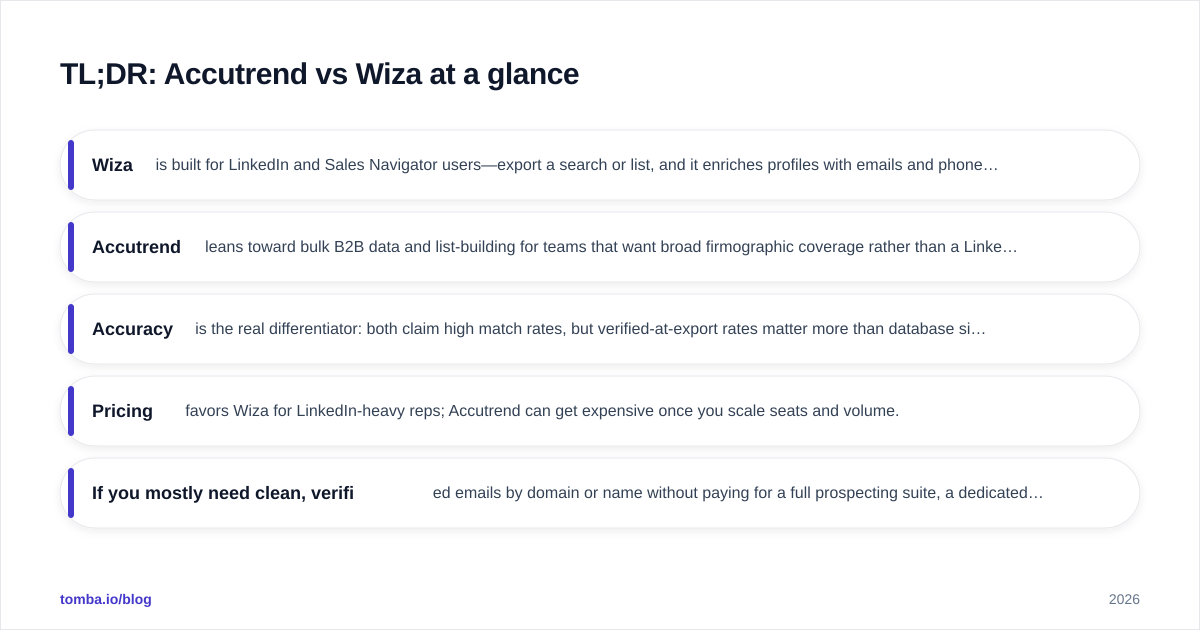
- Wiza is built for LinkedIn and Sales Navigator users—export a search or list, and it enriches profiles with emails and phone numbers on a credit-based plan.
- Accutrend leans toward bulk B2B data and list-building for teams that want broad firmographic coverage rather than a LinkedIn-first workflow.
- Accuracy is the real differentiator: both claim high match rates, but verified-at-export rates matter more than database size.
- Pricing favors Wiza for LinkedIn-heavy reps; Accutrend can get expensive once you scale seats and volume.
- If you mostly need clean, verified emails by domain or name without paying for a full prospecting suite, a dedicated finder like Tomba is the cheaper, more accurate path.
What is Wiza and who is it for?#
Wiza is a LinkedIn-native prospecting tool. You run a search in LinkedIn or Sales Navigator, and Wiza scrapes the result set, then finds and verifies work emails and phone numbers for each profile. The output is a clean CSV or a direct push into your CRM.
The appeal is speed for one specific motion: if your reps live inside Sales Navigator and build lists there, Wiza removes the manual copy-paste. It validates emails at export time, so you are not dumping a raw list of guesses into your sequencer. You can confirm the current feature set and plans on the official Wiza site.
Where Wiza gets narrow is the dependency on LinkedIn itself. No LinkedIn search, no Wiza workflow. If you want to prospect by company domain, by technology stack, or from a list of company names you already have, that LinkedIn-first design starts to feel like a constraint rather than a feature.
What is Accutrend and who is it for?#
Accutrend positions itself around B2B data and list building at scale—think firmographic filtering, bulk contact pulls, and broad coverage across industries. It is closer to a data-provider model than a single-purpose finder. Teams that want to build large target lists from scratch, segment by company attributes, and feed marketing or outbound campaigns are the natural fit.
That breadth is also the trade-off. Broad databases tend to carry more stale records, especially for fast-moving roles and high-churn industries. The headline "millions of contacts" number tells you about coverage, not about how many of those emails will actually land in an inbox today. You can compare user sentiment for both tools on review sites like G2 and Capterra before committing to an annual plan.
How do Accutrend and Wiza compare on accuracy?#
Accuracy is where most buyers get burned, because vendors quote two very different numbers and hope you conflate them:
- Database match rate — how often the tool finds an email for a contact.
- Verified deliverability rate — how often that email is actually valid and won't bounce.
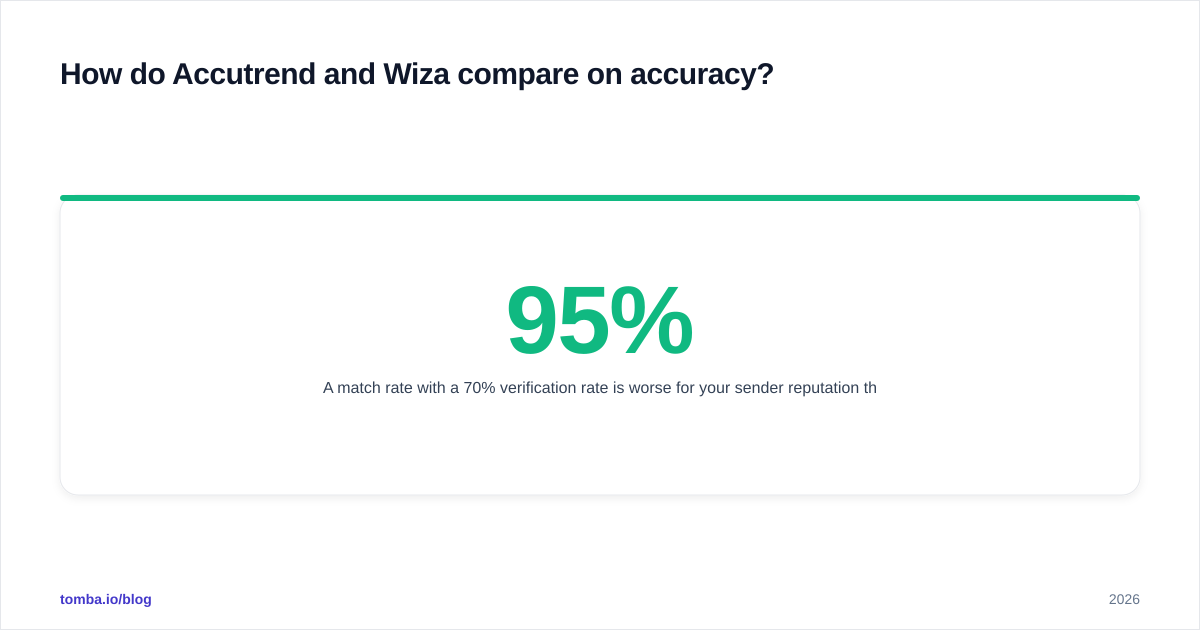
A 95% match rate with a 70% verification rate is worse for your sender reputation than an 80% match rate that is 98% verified. Bounces above ~3% start dragging down email deliverability and can land your domain in spam folders.
Wiza's strength is that verification happens at export, so the emails you pull are checked before they reach your sequencer. Accutrend's bulk model means you should always run an independent verification pass on large pulls—treating the export as a starting list, not a finished one. Whichever tool you pick, route the output through an email verifier before your first send.


Accutrend vs Wiza vs Tomba: feature and pricing comparison#
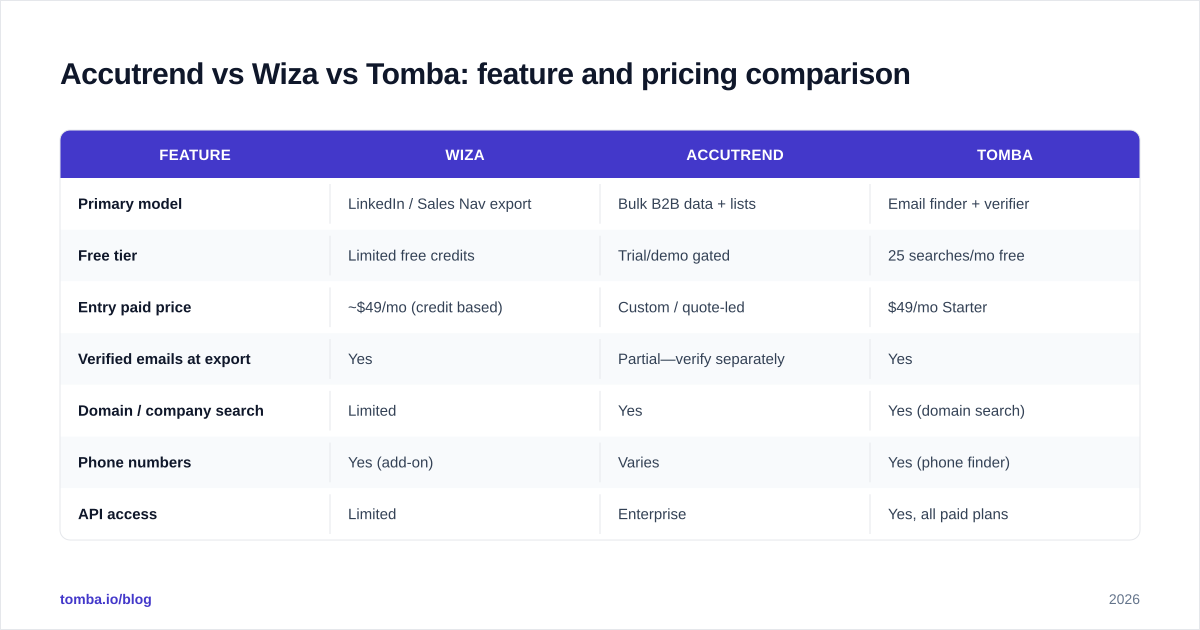
Here is the head-to-head on the attributes that actually change your cost per verified contact. (Confirm live numbers on each vendor's pricing page—plans shift often.)
| Feature | Wiza | Accutrend | Tomba |
|---|---|---|---|
| Primary model | LinkedIn / Sales Nav export | Bulk B2B data + lists | Email finder + verifier |
| Free tier | Limited free credits | Trial/demo gated | 25 searches/mo free |
| Entry paid price | ~$49/mo (credit based) | Custom / quote-led | $49/mo Starter |
| Verified emails at export | Yes | Partial—verify separately | Yes |
| Domain / company search | Limited | Yes | Yes (domain search) |
| Phone numbers | Yes (add-on) | Varies | Yes (phone finder) |
| API access | Limited | Enterprise | Yes, all paid plans |
| Bulk processing | List-based | Strong | Bulk finder + verifier |
| Best for | LinkedIn-first SDRs | Large list building | Verified email at scale |
The pattern is clear: Wiza wins if your entire motion runs through LinkedIn, Accutrend wins if you need raw breadth, and a dedicated finder wins on cost-per-verified-email and API flexibility. For a deeper teardown of Wiza specifically, see this Wiza alternative breakdown.

Which tool fits which workflow?#
Match the tool to your actual prospecting motion, not to the longest feature list.
Choose Wiza if#
- Your SDRs build every list inside LinkedIn or Sales Navigator.
- You value verified-at-export emails and a clean CRM push.
- Your volume is moderate and predictable, so credit pricing stays affordable.
Choose Accutrend if#
- You build large segmented lists from firmographic filters, not LinkedIn searches.
- You have a data ops person who will run verification on bulk pulls.
- Broad coverage matters more than paying only for what you use.
Choose a dedicated email finder if#
- You prospect by domain or company name as often as by person.
- You want predictable, transparent pricing instead of quote-led contracts.
- You need an email finder API to wire enrichment into your own stack.
How does pricing really shake out?#
Sticker price and real cost are not the same thing. Three hidden costs decide your actual spend:
- Credit burn on misses. Some tools charge for searches that return no result or an unverified guess. Ask whether you pay only for valid, deliverable emails.
- Seat-based scaling. Per-seat pricing punishes growing teams. A five-rep team can pay 5x for data that one shared API key would deliver.
- Verification double-billing. If a tool finds emails but you still pay a separate vendor to verify them, your true cost per usable contact doubles.
Wiza's credit model is transparent for solo reps and small teams, but it climbs as volume grows. Accutrend's quote-led pricing makes budgeting harder and tends to favor large annual commitments. By contrast, Tomba pricing is published and flat: a free tier with 25 searches a month, Starter at $49/mo, Growth at $99/mo, and Pro at $249/mo—with finding and verification under one roof, so you are not paying twice.

Do these tools protect your deliverability?#
Finding an email is only half the job—keeping it from bouncing is the other half. High bounce rates erode sender reputation fast, and once mailbox providers throttle you, even your best-written campaigns underperform.
The safest workflow, regardless of which finder you choose:
- Find the email (Wiza, Accutrend, or a dedicated finder).
- Run a verification pass to remove invalid and risky addresses.
- Handle catch-all domains separately—they accept everything at the SMTP layer, so a plain check can mislabel them as valid. A dedicated catch-all verifier reduces that risk.
- Suppress role-based and known-bounce addresses before your first send.
Wiza's export-time verification covers step two reasonably well for LinkedIn pulls. Accutrend's bulk exports almost always need an explicit verification stage. If you are processing thousands of records, a bulk email finder that finds and verifies in the same pass saves both time and a second subscription.
Accutrend vs Wiza: which should you pick?#
Here is the honest verdict. Pick Wiza if LinkedIn is your entire prospecting universe and you want a fast, verified export into your CRM—it is purpose-built for that and does it well. Pick Accutrend if your team builds broad firmographic lists at scale and you have the data discipline to verify large pulls before sending.
But if you read those two and thought "I just want accurate, verified emails without buying a whole prospecting suite or a quote-led data contract," neither tool is the most efficient answer. A focused finder gives you domain search, name-based lookup, verification, phone enrichment, and an API on transparent pricing—covering the overlap between both competitors without the LinkedIn dependency or the enterprise sales call.
The bottom line#
Accutrend and Wiza are good at opposite ends of a spectrum: Wiza for LinkedIn-native reps, Accutrend for bulk data buyers. Both are weaker in the middle—where most teams actually operate—prospecting by domain and by person, at a cost that scales without a custom contract.
If that middle is where you live, try the Tomba Email Finder. Find professional emails by domain, name, or company, verify them in the same workflow, and wire it all into your stack through the API—starting free with 25 searches a month, no LinkedIn lock-in, and no sales call required. Run a side-by-side test on your next list and compare verified deliverability, not just match-rate marketing claims.
// get started
Find, verify and enrich your first contacts today
Start on the free plan with 25 searches a month, then scale when your team is ready.
Free plan · No credit card required · GDPR & CCPA
// about the author