ActiveCampaign Email Deliverability: 2026 Inbox Guide
ActiveCampaign can hit the inbox or the spam folder — the difference is your setup. Here is the 2026 playbook for authentication, list hygiene, and sender reputation.
TL;DR
- ActiveCampaign delivers fine out of the box, but inbox placement is mostly on you: authentication, list quality, and sending behavior decide where your mail lands.
- Set up SPF, DKIM, and DMARC on a custom sending domain before you send a single campaign. Skipping this is the number one reason ActiveCampaign mail hits spam in 2026.
- Clean your list before import and on a schedule. Verifying addresses up front protects your sender reputation and your bounce rate.
- Warm up new domains and IPs gradually, segment by engagement, and watch your Google Postmaster Tools dashboard like a hawk.
- A dedicated IP only helps if you send enough volume to keep it warm — most senders are better on ActiveCampaign's shared pool.
What does "ActiveCampaign email deliverability" actually mean?#
Deliverability is the percentage of your sent email that reaches the inbox — not just the percentage that gets accepted by the receiving server. Those are two different numbers, and the gap between them is where most marketers lose money.
Think of it like mailing physical letters. ActiveCampaign is the postal service: it will happily accept and ship anything you hand it. But whether the recipient's mailroom (Gmail, Outlook, Yahoo) drops your letter on the desk or in the shredder depends on your return address, your reputation as a sender, and whether people have complained about you before. ActiveCampaign moves the mail; the inbox providers decide its fate.
So when people ask "is ActiveCampaign good for deliverability?" the honest answer is: the platform is solid, but it is not magic. ActiveCampaign maintains its shared IP reputation, offers authentication tooling, and monitors abuse — but it cannot fix a dirty list, weak authentication, or boring email nobody opens. Your email deliverability is a shared responsibility, and the heavier share is yours.
Why does ActiveCampaign email land in spam?#
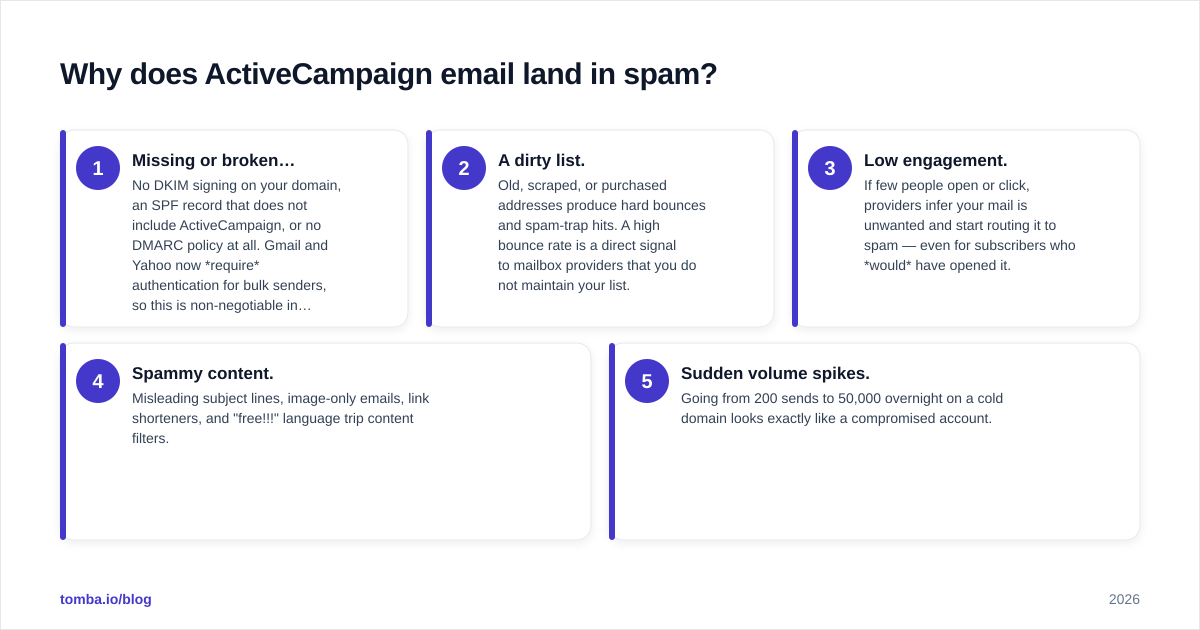
If your campaigns are tanking, the cause is almost always one of five things. In rough order of how often they bite:
- Missing or broken authentication. No DKIM signing on your domain, an SPF record that does not include ActiveCampaign, or no DMARC policy at all. Gmail and Yahoo now require authentication for bulk senders, so this is non-negotiable in 2026.
- A dirty list. Old, scraped, or purchased addresses produce hard bounces and spam-trap hits. A high bounce rate is a direct signal to mailbox providers that you do not maintain your list.
- Low engagement. If few people open or click, providers infer your mail is unwanted and start routing it to spam — even for subscribers who would have opened it.
- Spammy content. Misleading subject lines, image-only emails, link shorteners, and "free!!!" language trip content filters.
- Sudden volume spikes. Going from 200 sends to 50,000 overnight on a cold domain looks exactly like a compromised account.
The fix for most of these is process, not panic. Let's walk through the setup that prevents them.

How do you set up SPF, DKIM, and DMARC in ActiveCampaign?#
Authentication is the foundation. Get this wrong and nothing else matters. Here is the order of operations.
Use a custom sending domain. Do not send marketing email from a free address like you@gmail.com. Send from you@yourdomain.com and authenticate that domain. Free-mailbox From-addresses now fail DMARC at Gmail and Yahoo and get rejected outright.
SPF. Add ActiveCampaign's sending hosts to your domain's SPF TXT record. SPF tells receivers which servers are allowed to send on your behalf. You get one SPF record per domain, so if you already have one, you merge the include rather than adding a second record.
DKIM. ActiveCampaign generates DKIM keys (CNAME records) for your domain in the deliverability settings. DKIM cryptographically signs each message so receivers can confirm it was not tampered with and genuinely came from you. This is the single highest-impact toggle in the whole platform.
DMARC. Publish a DMARC TXT record (_dmarc.yourdomain.com). Start with p=none to monitor, read the aggregate reports, then tighten to p=quarantine and eventually p=reject once you confirm everything authenticates cleanly. You can verify your records with a free SPF checker before you trust them.
You can confirm your full setup using free diagnostic tools — Tomba's sender reputation checker and a blacklist checker will tell you whether your domain or IP is already flagged. ActiveCampaign also documents the exact records in its own help center; follow their values precisely, because a single typo in a CNAME breaks DKIM silently.
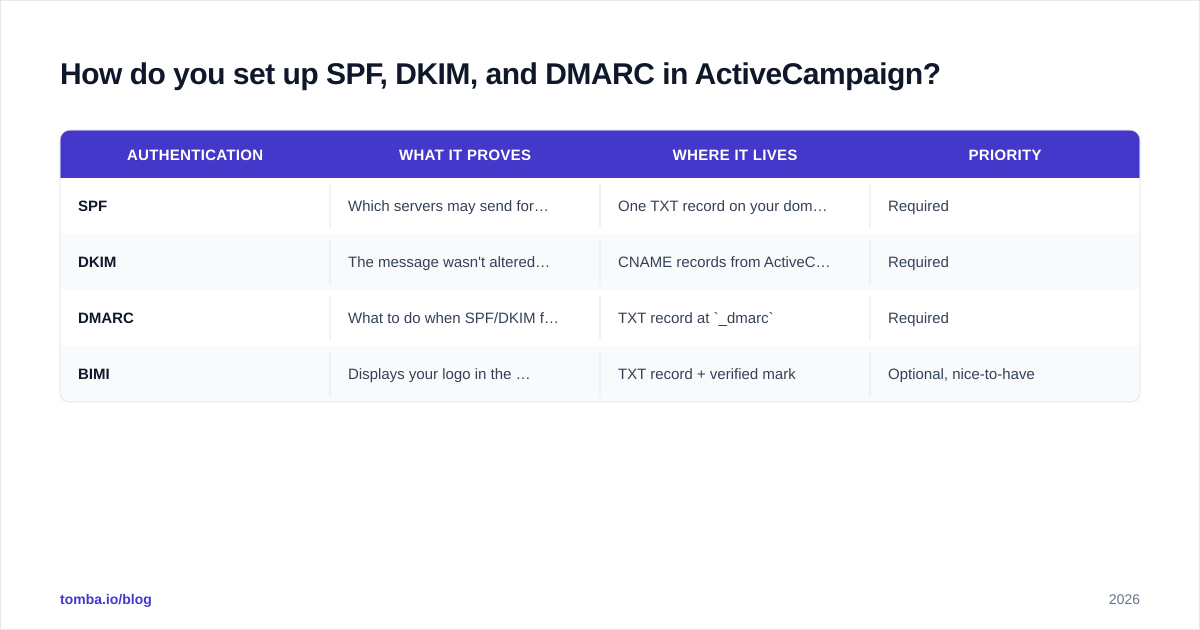
| Authentication | What it proves | Where it lives | Priority |
|---|---|---|---|
| SPF | Which servers may send for you | One TXT record on your domain | Required |
| DKIM | The message wasn't altered in transit | CNAME records from ActiveCampaign | Required |
| DMARC | What to do when SPF/DKIM fail | TXT record at _dmarc |
Required |
| BIMI | Displays your logo in the inbox | TXT record + verified mark | Optional, nice-to-have |
How important is list hygiene for ActiveCampaign deliverability?#
It is the difference between a sender reputation that climbs and one that collapses. You can have flawless authentication and still get filtered if your list is full of dead addresses.
Every hard bounce, every spam-trap hit, and every "this is spam" click chips away at your sender reputation. Mailbox providers keep score. Two practical rules keep that score high:
Verify before you import. Never bulk-import a list into ActiveCampaign without checking it first. Run it through an email verifier to strip out invalid mailboxes, role accounts, and obvious traps. If you collect leads from a domain, pull verified addresses with a domain search instead of guessing patterns and bouncing half of them. For ambiguous domains that accept everything, a dedicated catch-all verifier tells you which ones are actually safe to send to.
Re-verify and prune on a schedule. Lists decay roughly 2–2.5% per month as people change jobs. Quarterly re-verification and a sunset policy for chronically unengaged contacts keep your bounce rate under the 2% danger line. ActiveCampaign's automations make it easy to tag and suppress contacts who haven't opened in 90–180 days.
A clean list also improves the engagement signals below, because you stop wasting sends on accounts that will never open. Garbage in, spam folder out.
Should you use a dedicated IP on ActiveCampaign?#
Probably not — unless you send serious volume. This is the most over-requested "fix" and it backfires for small senders.
A dedicated IP gives you a sending reputation that is entirely your own. That sounds great until you realize reputation is built on consistent volume. Mailbox providers trust IPs that send steady, engaged-with mail. If you send 5,000 emails a week, you will never send enough to keep a dedicated IP "warm," and it will actually perform worse than ActiveCampaign's well-maintained shared pool.
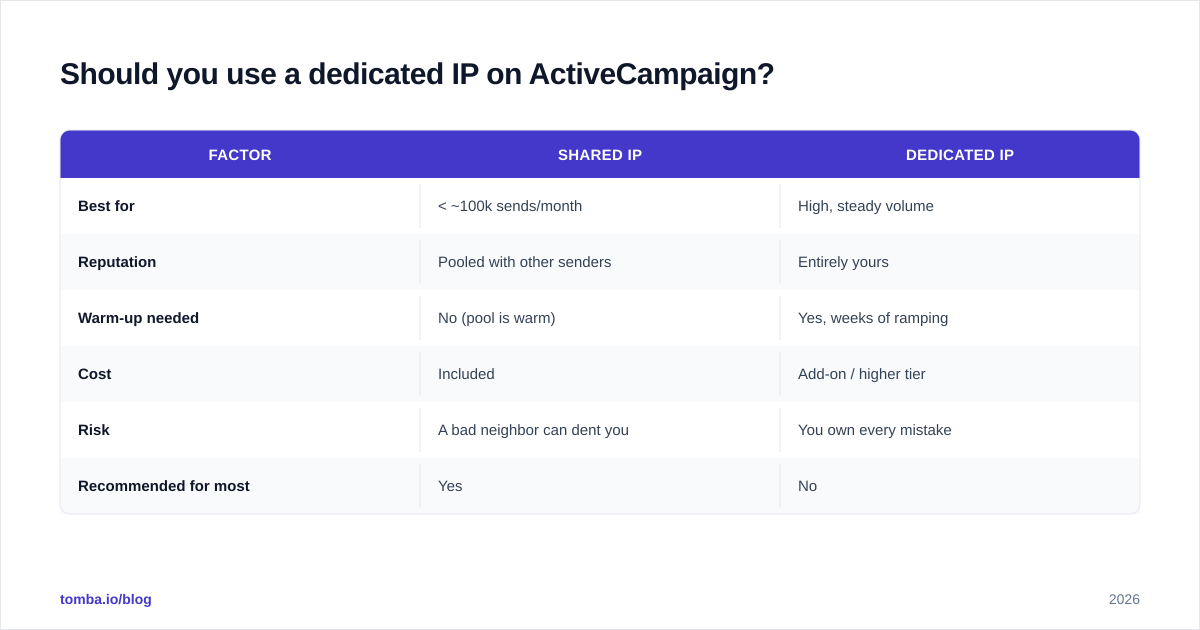
| Factor | Shared IP | Dedicated IP |
|---|---|---|
| Best for | < ~100k sends/month | High, steady volume |
| Reputation | Pooled with other senders | Entirely yours |
| Warm-up needed | No (pool is warm) | Yes, weeks of ramping |
| Cost | Included | Add-on / higher tier |
| Risk | A bad neighbor can dent you | You own every mistake |
| Recommended for most | Yes | No |
The rule of thumb: if you cannot send at least ~50,000–100,000 emails per month consistently, stay on the shared pool. ActiveCampaign actively manages that pool's reputation, which is a benefit you would be throwing away.
How do you warm up a domain for ActiveCampaign?#
Slowly, and toward your most engaged contacts first. A new sending domain has zero reputation, and blasting your whole list on day one is the fastest way to get throttled.
A workable ramp looks like this:
- Week 1: Send only to your most engaged segment — people who opened something in the last 30 days. Start at a few hundred per day.
- Week 2–3: Roughly double daily volume each few days, still prioritizing openers and clickers.
- Week 4+: Expand to the broader list once opens, clicks, and a near-zero spam rate hold steady.
Use ActiveCampaign's engagement tagging to build these segments automatically. If you want to model the ramp before you start, a free warmup calculator will give you day-by-day targets. The principle borrows from how any reputation is built: show up consistently, deliver value, and let trust compound. You can read more on the mechanics in our breakdown of email deliverability fundamentals.
What content and sending habits protect inbox placement?#
Once the technical base is solid, behavior is what sustains it. Mailbox providers in 2026 weight engagement more heavily than ever, so your job is to look like a sender people want to hear from.
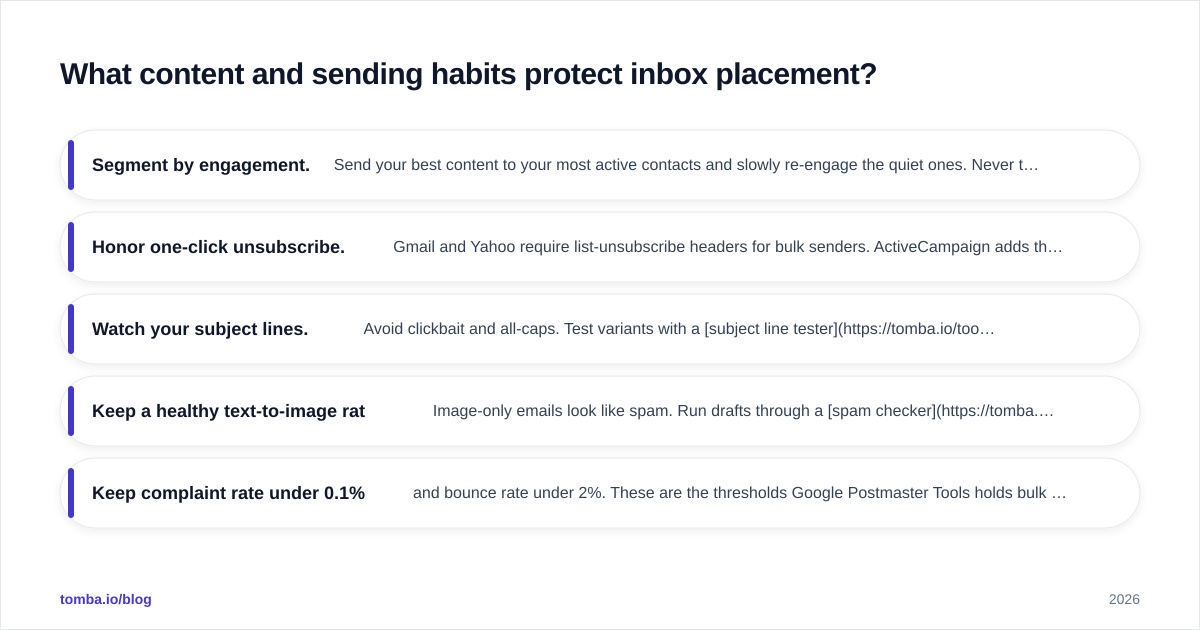
- Segment by engagement. Send your best content to your most active contacts and slowly re-engage the quiet ones. Never treat the whole list as one blob.
- Honor one-click unsubscribe. Gmail and Yahoo require list-unsubscribe headers for bulk senders. ActiveCampaign adds these, but make the visible unsubscribe link easy too — a clean unsubscribe is far better than a spam complaint.
- Watch your subject lines. Avoid clickbait and all-caps. Test variants with a subject line tester before you send to thousands.
- Keep a healthy text-to-image ratio. Image-only emails look like spam. Run drafts through a spam checker to catch trigger phrases and broken links.
- Keep complaint rate under 0.1% and bounce rate under 2%. These are the thresholds Google Postmaster Tools holds bulk senders to.
Authoritative guidance backs this up: review Google's Postmaster Tools to monitor your domain reputation, spam rate, and authentication results directly from Gmail's side, and check ActiveCampaign's own deliverability documentation for platform-specific record values. For the wider industry view on what mailbox providers reward, G2's email deliverability category is a useful reality check on tools and benchmarks.
How do you monitor and troubleshoot deliverability over time?#
Treat deliverability as an ongoing dashboard, not a one-time setup. Three numbers tell you almost everything: open rate trend, bounce rate, and spam-complaint rate.
If opens are sliding while content stays the same, you are losing inbox placement before recipients ever see the mail. If bounces spike, your list quality slipped — re-verify. If complaints climb, your targeting or frequency is off. ActiveCampaign's campaign reports surface all three; pair them with Google Postmaster Tools for the provider-side truth.
When something breaks, work the checklist in order: confirm SPF/DKIM/DMARC still pass, check whether your domain or IP landed on a blacklist, re-verify a sample of your list, and review recent content for filter triggers. Most "sudden" deliverability drops trace back to one of those four. Keeping verified, current contact data — refreshed with ongoing data enrichment — quietly prevents the majority of them.
The bottom line#
ActiveCampaign gives you a capable, well-maintained sending platform — but inbox placement is earned through authentication, list hygiene, gradual warm-up, and engagement-first sending. Nail those and the platform rewards you; ignore them and no ESP on earth will save your campaigns.
The cheapest, highest-leverage move you can make today is verifying the data you feed into ActiveCampaign so bounces never drag your reputation down. Start with the Tomba Email Finder to build clean, verified lists from real company domains, then keep them healthy with the email verifier before every major send. Clean data in, inbox out — that is the whole game. Compare options on the Tomba pricing page; the free tier lets you test the workflow before you commit.
// get started
Find, verify and enrich your first contacts today
Start on the free plan with 25 searches a month, then scale when your team is ready.
Free plan · No credit card required · GDPR & CCPA
// about the author