AI Cold Email Writer: Best Tools and Workflow for 2026
An AI cold email writer can draft personalized outreach in seconds—but only if you feed it good data and a tight workflow. Here's how to pick one and use it well in 2026.
TL;DR
- An AI cold email writer turns a prospect's name, company, and a few data points into a personalized first draft in seconds—saving reps 2–4 hours a day on copy.
- The output is only as good as the input. Garbage data (wrong name, dead inbox, vague trigger) produces confident-sounding spam.
- The best results come from a pipeline: verified contact data → AI draft → human edit → deliverability check, not "click generate and send."
- Generic AI copy gets flagged fast. Real personalization (a specific trigger, a relevant pain) still beats volume.
- Pair any AI writer with accurate contact data and clean sending infrastructure, or your reply rate stays flat no matter how clever the prose.
Cold email still works in 2026—but the bar for "good enough" keeps rising. Buyers get dozens of outreach emails a week, and they can smell a templated blast from the subject line. An AI cold email writer promises a way out: personalized-feeling copy at scale, written faster than any human SDR could manage. The catch is that most teams bolt one on without fixing the two things that actually decide whether a campaign lands—data quality and deliverability. This guide breaks down what these tools do, where they help, where they hurt, and how to build a workflow that earns replies instead of spam complaints.
What is an AI cold email writer?#
An AI cold email writer is a tool that generates outbound sales or marketing emails from structured inputs—usually a prospect's name, title, company, and one or more "signals" (a recent funding round, a job change, a tech-stack detail). Under the hood it's a large language model wrapped in a sales-specific interface, often with templates, tone controls, and CRM connections.
Think of it like a sous-chef. You hand it prepped ingredients—clean data and a clear angle—and it plates a first draft fast. But it doesn't shop for groceries, and it won't tell you the fish is off. If you feed it a stale list, it will happily write a warm, confident email to someone who left the company eight months ago.
That distinction matters because the writing was never the real bottleneck. Most reps can write a decent cold email; what they can't do is write 200 genuinely different ones a day. AI closes that gap. What it doesn't close—on its own—is the gap between "an email got sent" and "an email got delivered, opened, and answered."
How does an AI cold email writer actually work?#
Most tools follow the same four-step loop, whether they expose it to you or not:
- Ingest context. Name, role, company, industry, and one or more triggers. Better tools pull this from your CRM or a data provider automatically.
- Select a frame. A pain-point opener, a congratulations-on-X opener, a mutual-connection angle, or a problem/solution structure.
- Generate variants. The model drafts the opener, body, and CTA, often producing two or three versions for A/B testing.
- Score and refine. Some platforms run a spam-word check, readability score, or predicted-reply estimate before you send.
The quality of step one determines everything downstream. An AI writer handed "John, VP Sales, Acme, raised Series B in March" produces something specific. Handed "John, Acme" it produces filler—"I came across your company and was impressed by what you're building." Buyers delete that on sight.
This is why serious outbound teams treat the writer as the middle of a pipeline, not the start. The front of the pipeline is accurate contact data: a real email address, the right person, a verifiable trigger. Tools like the cold email AI writer are most useful when they sit on top of a verified list rather than a scraped one.
)
Are AI-written cold emails better than templates?#
Yes—but only when the input data is good. A static template is one message stretched across a thousand recipients. An AI writer produces a thousand slightly different messages, each nudged toward the recipient's context. That difference shows up in reply rates and, increasingly, in deliverability, because inbox providers penalize identical bulk sends.
But "AI-written" is not automatically "better." A poorly prompted AI writer just produces a thousand variations of the same generic email, which is arguably worse—now you've spent money to mass-produce mediocrity. The win comes from specificity, and specificity comes from data.
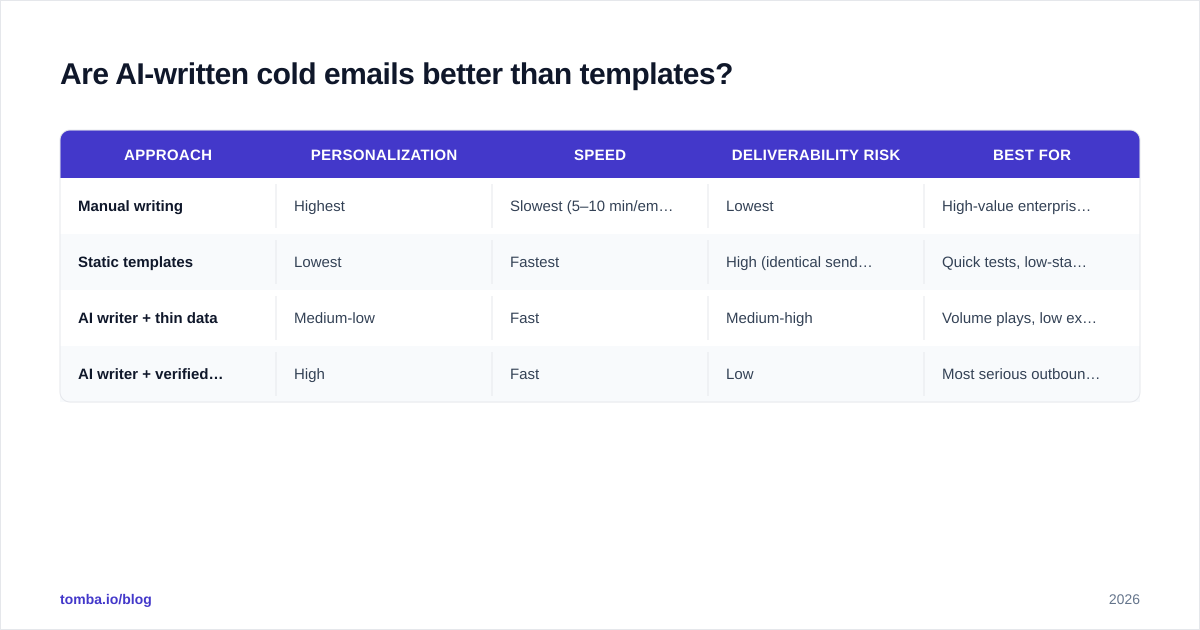
Here's the honest comparison:
| Approach | Personalization | Speed | Deliverability risk | Best for |
|---|---|---|---|---|
| Manual writing | Highest | Slowest (5–10 min/email) | Lowest | High-value enterprise accounts |
| Static templates | Lowest | Fastest | High (identical sends flagged) | Quick tests, low-stakes lists |
| AI writer + thin data | Medium-low | Fast | Medium-high | Volume plays, low expectations |
| AI writer + verified data + human edit | High | Fast | Low | Most serious outbound teams |
The bottom row is the target. AI handles the first draft, a human spends 30 seconds tightening the hook, and the contact data is verified before anything sends. You can read more about how reply rates respond to personalization in this breakdown of email response rate benchmarks.
What are the best AI cold email writer tools in 2026?#
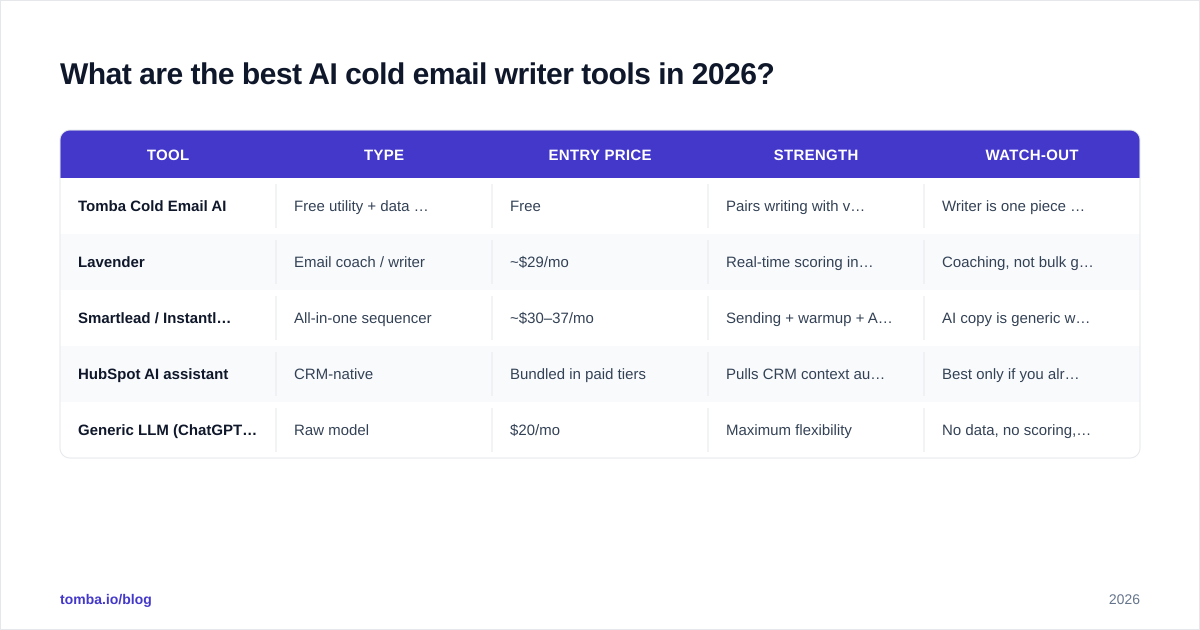
The market splits into three camps: standalone copywriters, all-in-one sequencers with AI baked in, and free utility writers. Here's how the common options compare on the attributes that matter.
| Tool | Type | Entry price | Strength | Watch-out |
|---|---|---|---|---|
| Tomba Cold Email AI | Free utility + data platform | Free | Pairs writing with verified contact data | Writer is one piece of a broader suite |
| Lavender | Email coach / writer | ~$29/mo | Real-time scoring inside your inbox | Coaching, not bulk generation |
| Smartlead / Instantly AI | All-in-one sequencer | ~$30–37/mo | Sending + warmup + AI in one place | AI copy is generic without good prompts |
| HubSpot AI assistant | CRM-native | Bundled in paid tiers | Pulls CRM context automatically | Best only if you already run HubSpot |
| Generic LLM (ChatGPT/Claude) | Raw model | $20/mo | Maximum flexibility | No data, no scoring, no sending |
A few honest notes. Standalone coaches like Lavender are excellent for improving your writing but don't generate at volume. All-in-one platforms bundle sending and warmup, which is convenient but locks you in. And a raw LLM gives you the most control for the least money—if you're willing to build the data and deliverability layers yourself. For a wider field of reviews, G2's sales engagement category is a reasonable neutral starting point.
Tomba's angle is different from the pure writers: the cold email templates and AI writer sit alongside an email finder and verifier, so the data feeding the copy is accurate before a single word gets generated. That sequencing—data first, copy second—is the part most "AI writer" roundups skip.
)
How do you write a cold email with AI that actually gets replies?#
Conclusion first: feed the model a specific trigger, keep the email under 90 words, edit the opener by hand, and verify both the address and your sending setup before you send. Here's the workflow that ties those together.
1. Start with verified data, not the AI. Before you generate anything, confirm the person still works there and the email resolves. A perfect email to a bounced address is worth zero. Run your list through an email verifier first.
2. Give the model a real signal. "Congrats on the Series B" is fine; "Saw you're hiring three AEs after the Series B—usually means the current stack is creaking" is better. The more specific the trigger, the less the AI can hide behind filler.
3. Constrain length and tone. Tell the writer: under 90 words, one CTA, no superlatives, fifth-grade reading level. Short emails read as written-by-a-human; long ones read as written-by-a-bot.
4. Edit the first line yourself. The opener is where AI is weakest and where prospects decide to keep reading. Spend your 30 seconds there. Let the AI own the body and CTA.
5. Test the subject line separately. Use a dedicated subject line generator and A/B test two options. The best body copy never gets read behind a weak subject.
6. Check deliverability before volume. Run the draft through a spam checker, confirm your SPF and DKIM are set, and warm the domain. AI copy doesn't help if you're landing in Promotions.
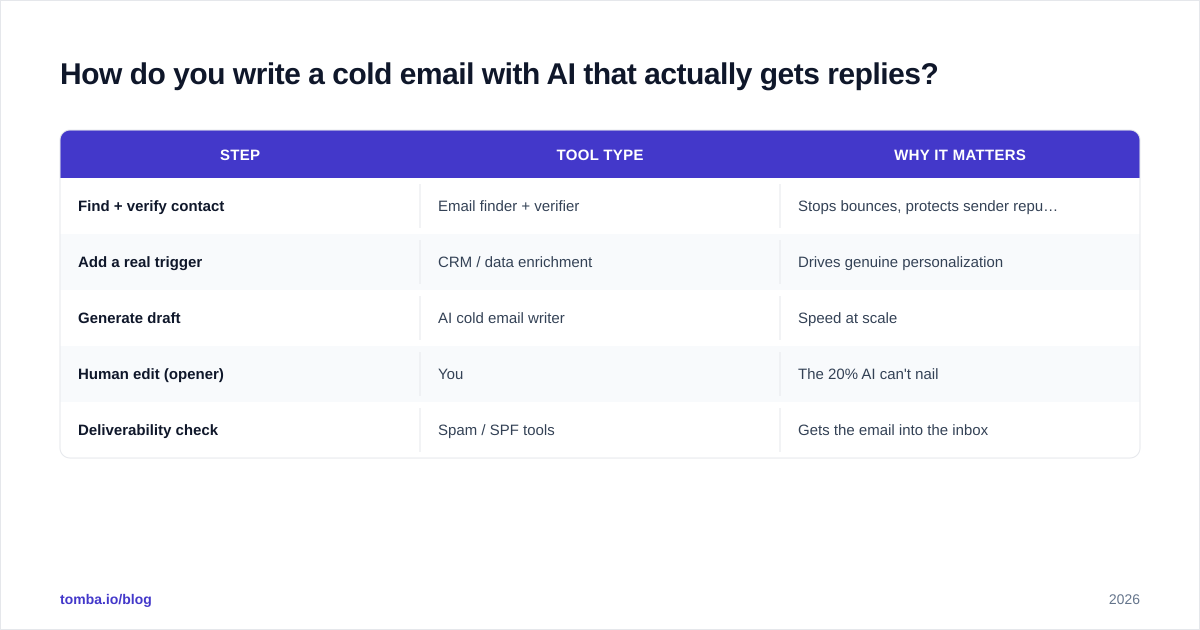
This is the loop, in order:
| Step | Tool type | Why it matters |
|---|---|---|
| Find + verify contact | Email finder + verifier | Stops bounces, protects sender reputation |
| Add a real trigger | CRM / data enrichment | Drives genuine personalization |
| Generate draft | AI cold email writer | Speed at scale |
| Human edit (opener) | You | The 20% AI can't nail |
| Deliverability check | Spam / SPF tools | Gets the email into the inbox |
What are the limits and risks of AI cold email writers?#
Three things to keep your eyes on.
Sameness at scale. If everyone uses the same tool with the same default prompts, inboxes fill with structurally identical "AI emails"—same hook pattern, same CTA cadence. The edge erodes. Differentiate with proprietary triggers and your own voice, not the tool's defaults.
Confident hallucination. An AI writer will state things as fact—"I noticed you're using Salesforce"—that it inferred, not verified. Send enough wrong guesses and you train prospects to distrust you. Only let the model reference data you've actually confirmed.
Deliverability blind spots. The writer optimizes prose, not sender reputation. Spammy phrasing, missing authentication, or a cold domain will sink even brilliant copy. Treat email deliverability as a separate discipline that the writer does not own. According to HubSpot's email research, sender reputation and list hygiene drive deliverability far more than copy alone.
The pattern across all three: AI handles the language layer well and the trust layer poorly. You still own trust.
Frequently asked questions#
Does Google penalize AI-written cold emails? Not for being AI-written per se. Inbox providers penalize spam signals—identical bulk sends, bad authentication, high bounce and complaint rates. A well-personalized AI email on a warmed, verified domain is treated like any other legitimate email.
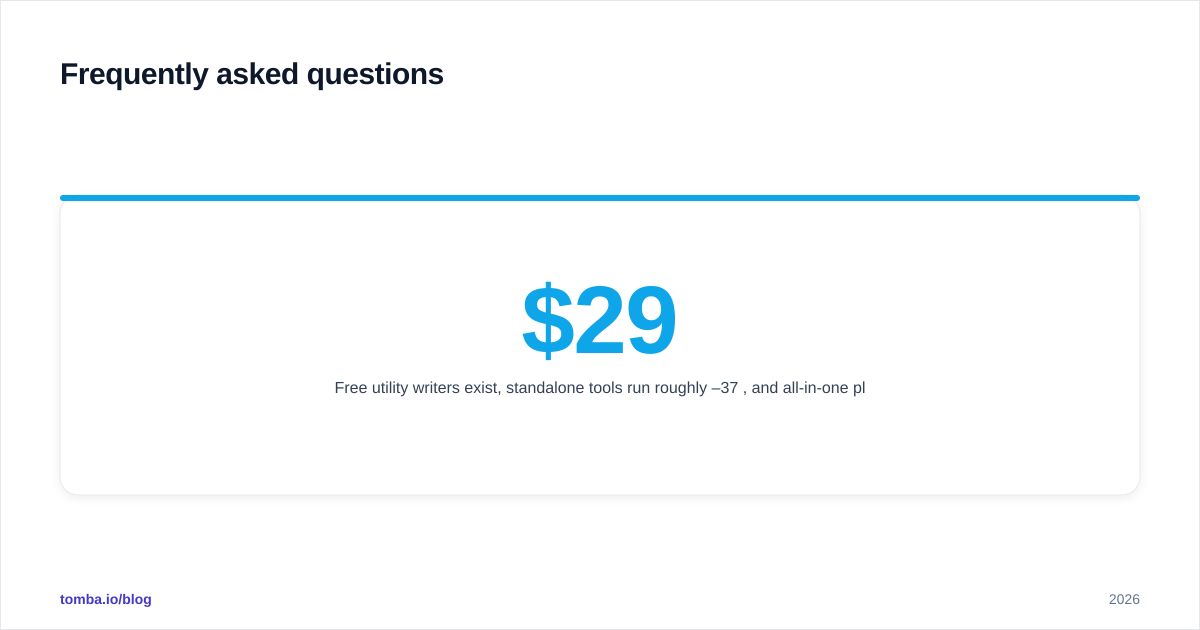
How much does an AI cold email writer cost? Free utility writers exist, standalone tools run roughly $29–37/mo, and all-in-one platforms bundle AI into $30–100/mo plans. Tomba's writer is free, with paid plans starting at $49/mo when you add data and verification volume—see full Tomba pricing.
Can AI replace SDRs? No. It replaces the drafting part of an SDR's day, not the judgment—choosing which accounts to target, reading a reply's intent, knowing when to pick up the phone. Treat it as leverage, not a replacement.
What's the single biggest mistake teams make? Generating copy on top of bad data. The fix is upstream: verify the contact and the trigger before the AI writes a word.
Where Tomba fits#
If you want AI-written cold emails that actually land, start with the data layer. Use the Tomba Email Finder to pull accurate, verified addresses by name, domain, or company, then feed that clean list into your AI writer and sequencer. Accurate contacts mean fewer bounces, a healthier sender reputation, and personalization the model can stand behind—because every detail it references is real. Pair the finder with Tomba's verifier and free cold email AI writer, and you've covered the two things every AI-writer roundup forgets: the data that goes in, and the inbox the email lands in. Start free with 25 searches a month and scale when the replies start coming.
// get started
Find, verify and enrich your first contacts today
Start on the free plan with 25 searches a month, then scale when your team is ready.
Free plan · No credit card required · GDPR & CCPA
// about the author