AI Sales Proposals in 2026: Tools, Workflow, and ROI Guide
AI sales proposals cut drafting time from hours to minutes. Here's the 2026 workflow, the tools that matter, and how to keep proposals accurate and on-brand.
TL;DR
- AI sales proposals use generative AI to turn CRM data, discovery notes, and pricing rules into a tailored proposal draft in minutes instead of hours.
- The win isn't "AI writes for you" — it's that reps stop rebuilding the same 80% of every document and spend their time on the 20% that closes.
- Accuracy is the whole game. A fast proposal built on a wrong contact, stale company data, or a hallucinated stat loses trust faster than a slow one.
- The best 2026 stacks pair a proposal generator (PandaDoc, Proposify, Qwilr) with clean enrichment data feeding the merge fields.
- Start with one repeatable deal type, template it tightly, and measure time-to-send and close rate before rolling AI out across the team.
What are AI sales proposals?#
An AI sales proposal is a quote, pitch, or statement of work that a generative model drafts from your structured inputs — CRM fields, discovery call notes, a product catalog, and pricing logic — instead of a rep writing it from a blank page.
Think of it like a sous-chef in a busy kitchen. You still decide the dish (the strategy, the price, the terms). The AI does the prep work: chopping, measuring, and plating the parts of the proposal that look nearly identical on every deal. You taste, adjust, and send.
Technically, these systems combine three layers: a data layer (contact and company records, often enriched from a B2B database), a template layer (your branded sections, pricing tables, and legal boilerplate), and a generation layer (an LLM that fills, rewrites, and personalizes the variable content). The output is a document that reads like a human wrote it for that specific buyer — because the inputs were specific to that buyer.
This is different from a static template with merge tags. A merge tag swaps {{first_name}}. An AI proposal can read three discovery notes, notice the prospect cares about onboarding speed, and rewrite the executive summary to lead with implementation timelines.
Why are AI sales proposals worth the hype?#
The honest answer: because proposals are where good deals go to stall.
Reps routinely spend two to four hours assembling a single mid-market proposal — pulling logos, copying pricing, re-typing the same value props, formatting tables. Multiply that across a pipeline and you've burned days of selling time on document assembly. According to HubSpot's sales research, reps already spend only about a third of their time actually selling; proposal busywork is a big slice of the rest.
AI sales proposals attack that in three concrete ways:
- Speed to send. Faster proposals correlate with higher win rates because momentum matters. The first vendor to put a clean, accurate document in front of a buyer often frames the entire evaluation.
- Consistency. Every rep sends on-brand, legally-approved content. No more the "rogue deck" problem where a rep promises features that don't exist.
- Personalization at scale. The AI can tailor each proposal to the buyer's stated priorities without a rep manually rewriting sections for the tenth time that week.
The catch — and it's a real one — is that all three benefits collapse if the underlying data is wrong. A proposal sent in four minutes to the wrong stakeholder, with last quarter's pricing and a misspelled company name, is worse than no proposal. Speed amplifies whatever you feed it.
How does an AI sales proposal workflow actually work?#
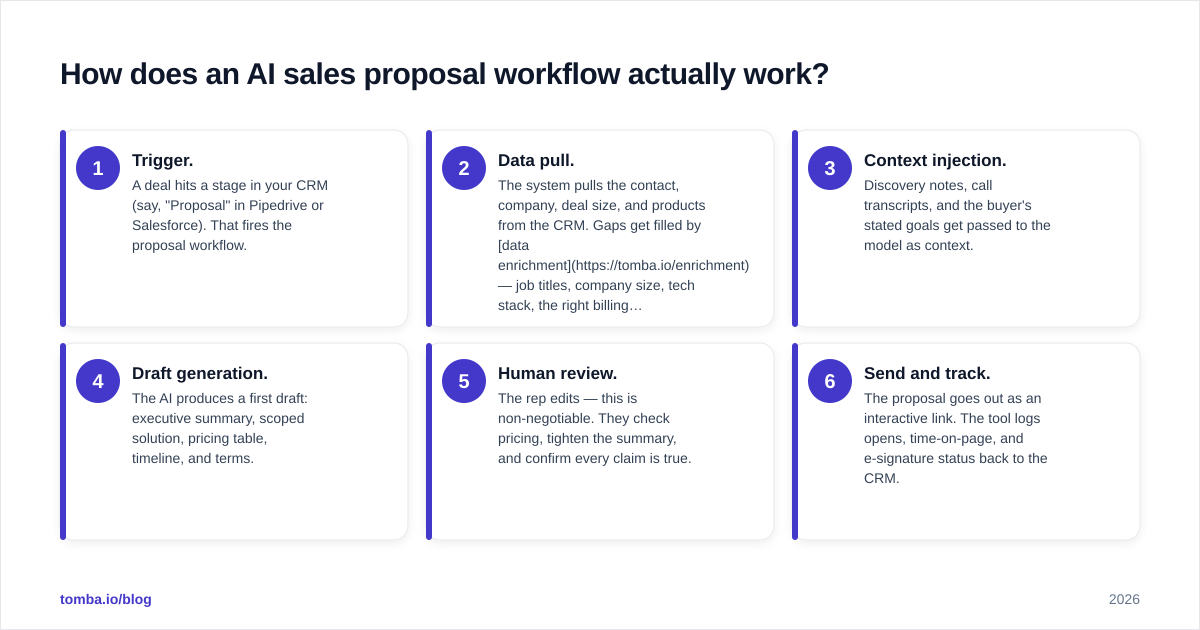
Here's the end-to-end flow most teams land on once they've moved past the demo phase:
- Trigger. A deal hits a stage in your CRM (say, "Proposal" in Pipedrive or Salesforce). That fires the proposal workflow.
- Data pull. The system pulls the contact, company, deal size, and products from the CRM. Gaps get filled by data enrichment — job titles, company size, tech stack, the right billing contact.
- Context injection. Discovery notes, call transcripts, and the buyer's stated goals get passed to the model as context.
- Draft generation. The AI produces a first draft: executive summary, scoped solution, pricing table, timeline, and terms.
- Human review. The rep edits — this is non-negotiable. They check pricing, tighten the summary, and confirm every claim is true.
- Send and track. The proposal goes out as an interactive link. The tool logs opens, time-on-page, and e-signature status back to the CRM.
The discipline that separates teams who win with this from teams who churn through tools: they verify the data before generation, not after. If the proposal is going to a contact, that contact's email and role should be confirmed with an email verifier first. Garbage in, polished garbage out.
Which AI sales proposal tools should you compare in 2026?#
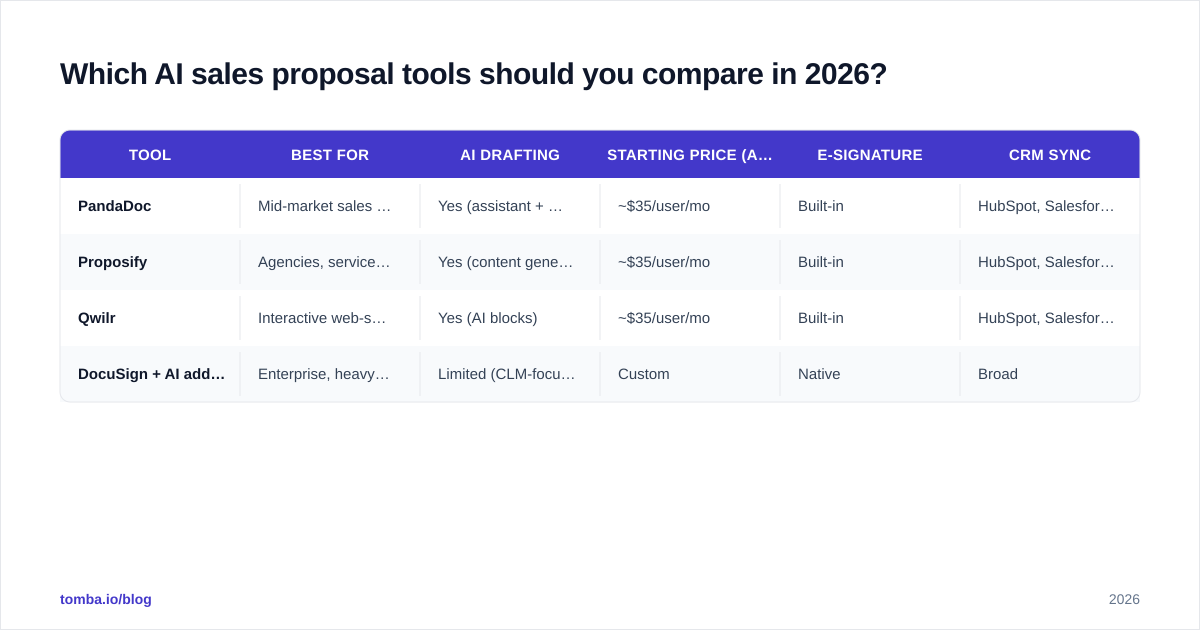
There's no single "best" tool — there's a best fit for your deal complexity, document volume, and existing stack. The four below cover the realistic range, from lightweight quoting to enterprise SOWs.
| Tool | Best for | AI drafting | Starting price (approx.) | E-signature | CRM sync |
|---|---|---|---|---|---|
| PandaDoc | Mid-market sales teams, SOWs | Yes (assistant + templates) | ~$35/user/mo | Built-in | HubSpot, Salesforce, Pipedrive |
| Proposify | Agencies, services proposals | Yes (content generation) | ~$35/user/mo | Built-in | HubSpot, Salesforce |
| Qwilr | Interactive web-style proposals | Yes (AI blocks) | ~$35/user/mo | Built-in | HubSpot, Salesforce |
| DocuSign + AI add-on | Enterprise, heavy compliance | Limited (CLM-focused) | Custom | Native | Broad |
A few notes on reading this table. Pricing on proposal platforms shifts often and almost always sits behind seat minimums and annual billing, so treat the numbers as starting anchors and confirm on the vendor's own page. Check current ratings on a neutral source like G2's proposal software category before you commit — buyer reviews surface the support and reliability issues that demos hide.
The bigger decision isn't which proposal tool. It's whether the data feeding it is clean. The slickest proposal builder in the world still merges whatever your CRM hands it. That's why mature stacks treat contact data as a first-class input, not an afterthought.

How do you keep AI proposals accurate and on-brand?#
This is the section most "AI proposals" articles skip, and it's the one that decides whether you keep your tool past the trial.
Lock your templates. Give the AI a tight box to work in. Approved sections, fixed pricing tables, locked legal language. The model rewrites the variable content — summaries, value props, scoping — but it should never be inventing terms or numbers. Treat boilerplate as read-only.
Ground every claim. Hallucination is the failure mode that burns deals. If the AI writes "trusted by 4,000 companies" and the real number is 400, you've just handed the buyer a reason to distrust everything. Feed the model a verified facts sheet and instruct it to use only those numbers.
Verify the recipient. A proposal addressed to the wrong person, or sent to a bounced address, never gets read. Confirm the decision-maker's contact details up front. A quick pass through an email finder and verifier catches the stale records that quietly kill otherwise-good proposals — and it's the same hygiene that protects your sender reputation on the follow-up.
Keep a human in the loop. The rep owns the final document. AI drafts; humans approve. This isn't just a quality gate — it's a legal one. The person hitting send is accountable for every number and promise in the file.
Match brand voice. Train the model on three to five of your best past proposals so the output sounds like your company, not like generic AI. Most platforms let you save a brand voice profile; use it.
Analysts tracking the space, including Gartner's sales technology coverage, consistently flag the same thing: AI accelerates the workflow but doesn't remove the need for human judgment on accuracy, pricing, and relationship context. The teams that win treat AI as a drafting accelerator, not an autopilot.
What does an AI proposal actually look like in practice?#
Walk through a real example. A SaaS rep is working a 40-seat deal. The buyer mentioned on the discovery call that their current tool's onboarding took three months and they're terrified of repeating that.
A manual proposal would probably lead with feature lists. The AI proposal — fed that discovery note — leads the executive summary with a 14-day implementation plan, names the onboarding manager, and only then gets to features. It pulls the correct billing contact from enriched data, drops in the 40-seat pricing tier automatically, and formats the comparison table against the incumbent.
The rep spends 15 minutes editing instead of three hours building. They tighten the summary, double-check the discount is approved, confirm the signatory's email, and send. The proposal opens twice in the first hour — the tool pings the rep — and they follow up while the buyer is still on the page.
That's the realistic win: not magic, just the removal of three hours of assembly and the addition of timing intelligence the rep never had before.
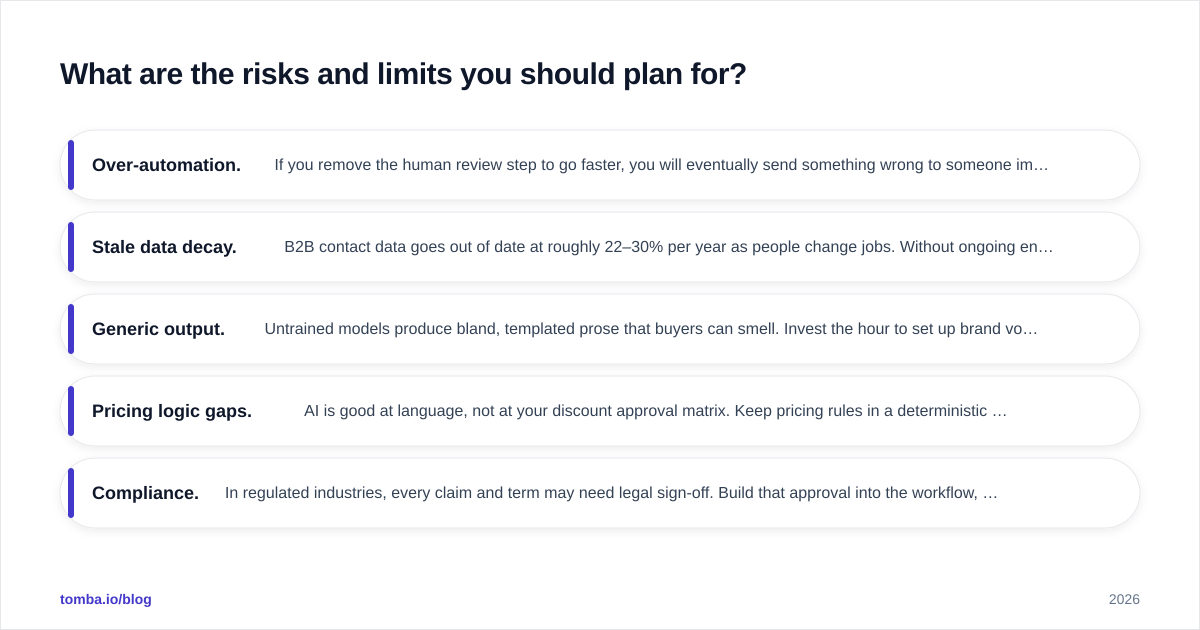
What are the risks and limits you should plan for?#
AI sales proposals are not a "set it and forget it" system. Plan around these:
- Over-automation. If you remove the human review step to go faster, you will eventually send something wrong to someone important. Don't.
- Stale data decay. B2B contact data goes out of date at roughly 22–30% per year as people change jobs. Without ongoing enrichment, your merge fields rot. Re-verify before high-stakes sends.
- Generic output. Untrained models produce bland, templated prose that buyers can smell. Invest the hour to set up brand voice and a facts sheet.
- Pricing logic gaps. AI is good at language, not at your discount approval matrix. Keep pricing rules in a deterministic system, not in the prompt.
- Compliance. In regulated industries, every claim and term may need legal sign-off. Build that approval into the workflow, not around it.
The pattern across all five: AI handles the language and assembly; your team and your systems must own the truth, the price, and the approval. Keep that line clear and the tool pays for itself. Blur it and you'll spend more time cleaning up than you saved.
How do you measure if AI proposals are working?#
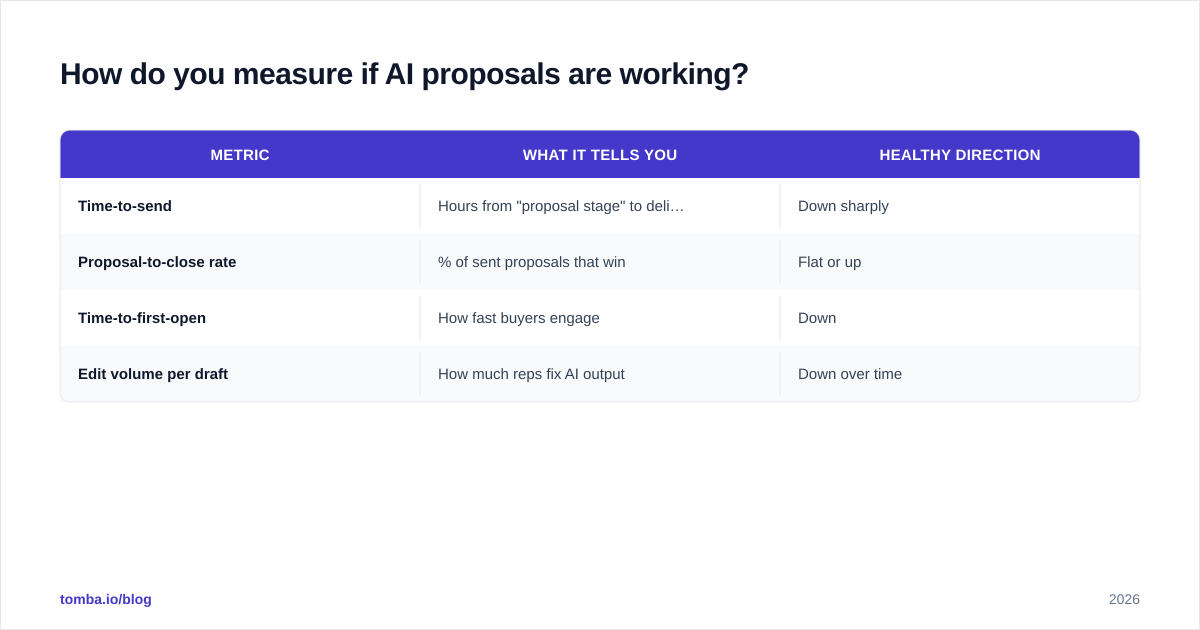
Track four metrics before and after you roll this out, so you're deciding on evidence rather than vibes:
| Metric | What it tells you | Healthy direction |
|---|---|---|
| Time-to-send | Hours from "proposal stage" to delivered | Down sharply |
| Proposal-to-close rate | % of sent proposals that win | Flat or up |
| Time-to-first-open | How fast buyers engage | Down |
| Edit volume per draft | How much reps fix AI output | Down over time |
If time-to-send drops but close rate falls, your AI is producing fast junk — tighten templates and data. If edit volume stays high after a month, your brand voice and facts sheet need work. These numbers turn "the AI feels faster" into a decision you can defend in a pipeline review.
For context on where this fits in the broader motion, AI proposals sit downstream of prospecting and qualification — they only help once you have a real, qualified opportunity. Getting the right people into the pipeline in the first place is a different problem, and it's where accurate contact data does the heavy lifting.
The bottom line#
AI sales proposals are one of the clearest, lowest-risk wins in the 2026 sales stack — if you feed them clean data and keep a human on the final draft. The tooling is mature, the time savings are real, and the personalization genuinely moves close rates. The failure mode is always the same: speed built on bad data.
That's where your foundation matters most. Before any proposal goes out, make sure you're reaching the right decision-maker at the right address. Tomba's Email Finder finds and verifies the professional emails behind your target accounts, so every AI-drafted proposal lands with the person who can actually sign it. Start free with 25 searches a month, and check the Tomba pricing tiers when you're ready to scale — clean inputs are the cheapest insurance your proposal workflow can buy.
// get started
Find, verify and enrich your first contacts today
Start on the free plan with 25 searches a month, then scale when your team is ready.
Free plan · No credit card required · GDPR & CCPA
// about the author