AI Sales Tools in 2026: The Complete Stack & Comparison
AI sales tools now touch every stage of the funnel, from prospecting to forecasting. Here's how the categories compare, what to buy first, and where AI actually moves revenue.
TL;DR
- "AI sales tools" is not one product — it's six distinct categories (prospecting, enrichment, outreach, conversation intelligence, forecasting, and AI assistants) that each attack a different leak in your funnel.
- The highest-ROI first buy for most teams is data + prospecting automation, because every downstream AI tool inherits the quality of your contact data.
- Conversation intelligence (Gong, Clari-style) and forecasting AI pay off later, once you have enough pipeline volume to learn from.
- Budget reality: a lean modern stack runs $150–$400 per rep per month; the expensive mistake is buying an AI layer on top of dirty data.
- Start with accurate contact data, layer outreach automation, then add intelligence — in that order.
What are AI sales tools, really?#
AI sales tools are software that uses machine learning to do, suggest, or score the work a sales rep used to do by hand. Think of them like power tools on a construction site: a nail gun does not design the house, but it removes the slow, repetitive swing of the hammer so the carpenter spends time on judgment instead of effort. AI in sales does the same — it drafts the email, scores the lead, summarizes the call, and predicts the deal, so the rep spends time on the conversation.
The confusion in 2026 is that "AI sales tools" gets used as a single shopping category when it actually spans the entire revenue motion. A tool that finds a prospect's email has almost nothing in common with a tool that predicts whether a deal will close this quarter — except the "AI" label on the pricing page. Buying well means knowing which of the six categories you actually have a problem in.
According to Gartner research on sales technology adoption, the teams that see returns are the ones that sequence their stack deliberately rather than buying every shiny model at once. The order matters more than the brand.
What are the main categories of AI sales tools?#
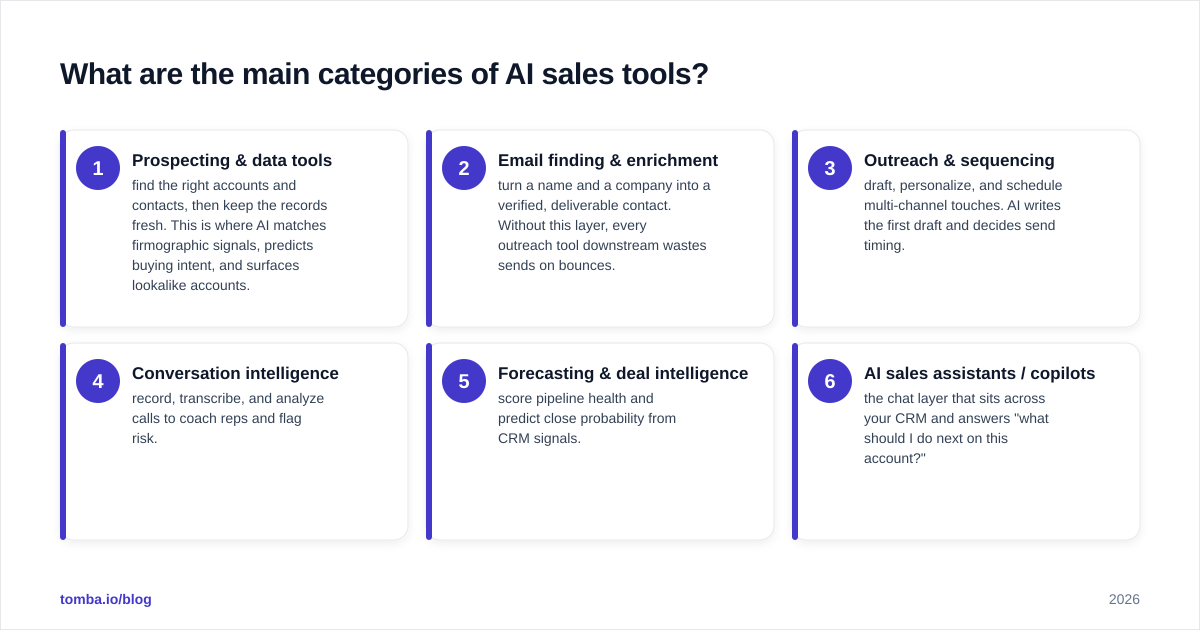
Here is the honest breakdown. Each category solves a different problem, and most teams only need three or four of them at any given maturity stage.
- Prospecting & data tools — find the right accounts and contacts, then keep the records fresh. This is where AI matches firmographic signals, predicts buying intent, and surfaces lookalike accounts.
- Email finding & enrichment — turn a name and a company into a verified, deliverable contact. Without this layer, every outreach tool downstream wastes sends on bounces.
- Outreach & sequencing — draft, personalize, and schedule multi-channel touches. AI writes the first draft and decides send timing.
- Conversation intelligence — record, transcribe, and analyze calls to coach reps and flag risk.
- Forecasting & deal intelligence — score pipeline health and predict close probability from CRM signals.
- AI sales assistants / copilots — the chat layer that sits across your CRM and answers "what should I do next on this account?"
The mistake most teams make is starting at category 4 or 5 because conversation intelligence demos beautifully. But intelligence tools are only as good as the volume of clean activity feeding them. If your contact data is wrong, your calls are with the wrong people, and no amount of transcript AI fixes that.
Which AI sales tools should you buy first?#
Buy data and prospecting first. Here is the reasoning in one line: every other AI tool inherits the quality of your contact data, so fixing data first multiplies the return on everything you add later.
A modern email finder uses pattern detection and live SMTP verification to confirm an address is real before you send. That single step protects your sender reputation, which protects your deliverability, which protects every dollar you later spend on outreach automation. You can read more on how email deliverability compounds across a sending program, but the short version is that bounces are not a cost you pay once — they degrade your domain for weeks.
This is why the smart starting move is a reliable email finder paired with an email verifier before you ever touch a sequencing tool. Get the contact right, verify it, then automate.
How do the AI sales tool categories compare?#
Here is a side-by-side of the six categories by what they do, when to adopt, and a realistic monthly cost band per rep.
| Category | Core job | Adopt when | Typical cost / rep / mo | Example players |
|---|---|---|---|---|
| Prospecting & data | Find accounts + intent | Day one | $30–$99 | Apollo,ZoomInfo, Tomba |
| Email finding & enrichment | Verify + enrich contacts | Day one | $0–$99 | Tomba, Clearbit, Findymail |
| Outreach & sequencing | Draft + schedule touches | After data is clean | $40–$120 | Instantly, Salesloft, Outreach |
| Conversation intelligence | Record + coach calls | 5+ reps, steady volume | $80–$150 | Gong, Chorus |
| Forecasting & deal AI | Predict close + risk | Repeatable pipeline | $100–$200 | Clari, BoostUp |
| AI assistant / copilot | Answer "next best action" | Mature CRM data | $20–$50 | Various copilots |
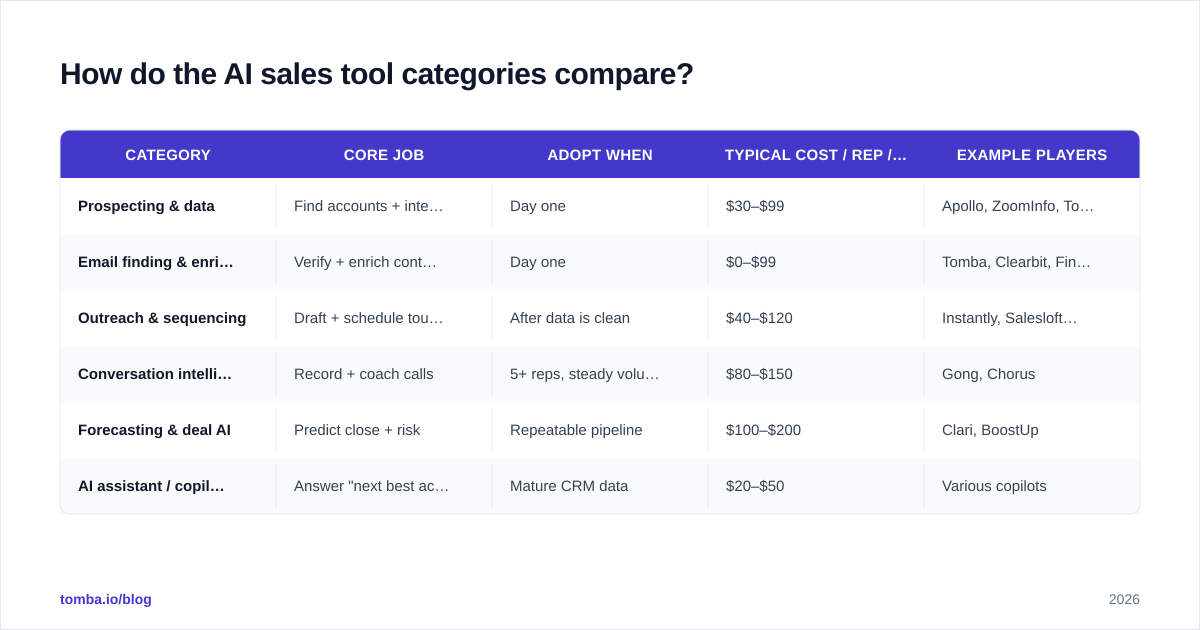
Notice the adoption column. Two categories are "day one," and the rest are gated behind either volume or data maturity. If a vendor tells you their forecasting AI works on a three-month-old CRM with 200 records, that is a demo, not a forecast.
Is AI better than a human sales rep?#
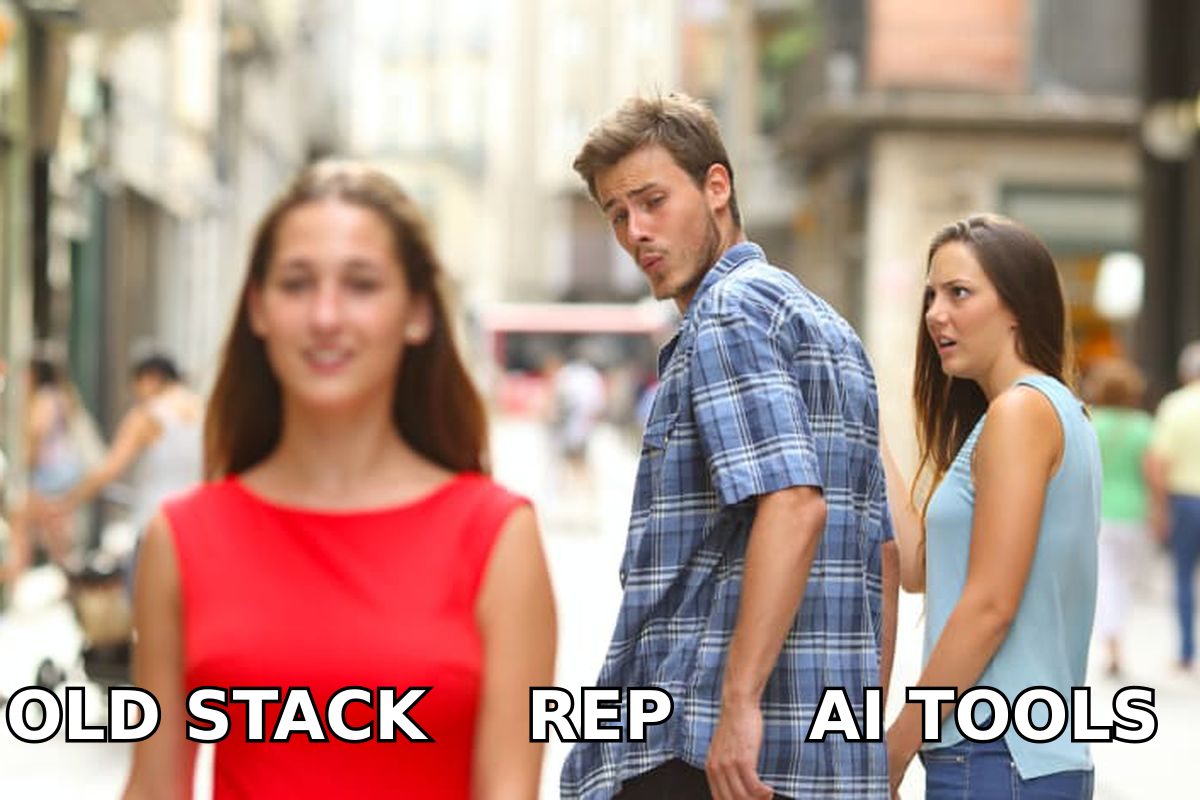
No — and that framing is the wrong question. AI sales tools are better than a human at volume, recall, and consistency; humans are better at trust, nuance, and reading a room. The winning configuration is not AI or rep, it is AI under rep.
Think of it like a GPS and a driver. The GPS knows every road and recalculates instantly, but it does not know the school zone is icy this morning or that your passenger gets carsick on switchbacks. The driver makes the judgment call; the GPS removes the cognitive load of remembering every turn. A rep who fights the GPS gets lost; a rep who blindly obeys it drives into a lake. The good rep uses it.
In practice this means AI should draft the cold email, but the rep approves the angle. AI should score the lead, but the rep decides whether the timing is right. AI should summarize the call, but the rep owns the relationship. Tools that try to remove the rep entirely tend to produce the robotic outreach that buyers now filter on sight.
What about AI for outreach and personalization?#
This is where most teams feel the AI hype first, and where the results are most uneven. AI can generate a personalized first line in milliseconds. The problem is that generated personalization and real personalization are not the same thing, and buyers have learned to tell the difference.
The pattern that works in 2026: use AI to scale the research, not the sincerity. Let the model pull the prospect's recent role change, the company's funding event, or a published article — verifiable, specific facts — and then write the connection yourself, or at minimum approve it. If you need to find the person behind a byline to do that research, an author finder turns an article into a contactable lead, which is a far stronger opener than "I loved your post."
A few rules that separate AI outreach that converts from AI outreach that gets blocked:
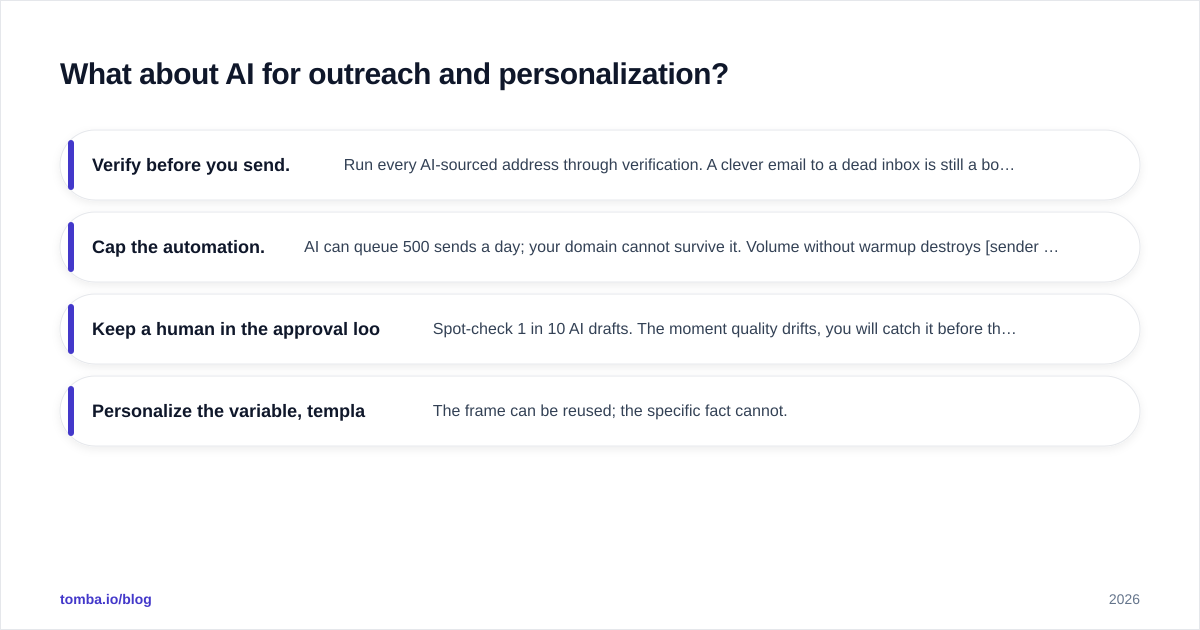
- Verify before you send. Run every AI-sourced address through verification. A clever email to a dead inbox is still a bounce.
- Cap the automation. AI can queue 500 sends a day; your domain cannot survive it. Volume without warmup destroys sender reputation.
- Keep a human in the approval loop. Spot-check 1 in 10 AI drafts. The moment quality drifts, you will catch it before the prospect does.
- Personalize the variable, template the structure. The frame can be reused; the specific fact cannot.
Vendor-neutral sources like G2's sales software category are useful here for reading real-user reviews on which outreach tools actually deliver versus which demo well, before you commit budget.
How much should an AI sales stack cost?#
A lean, effective stack for a small B2B team runs roughly $150–$400 per rep per month, all-in. The spread depends almost entirely on whether you buy enterprise data tools (
ZoomInfo-tier) or assemble a focused stack of specialists.
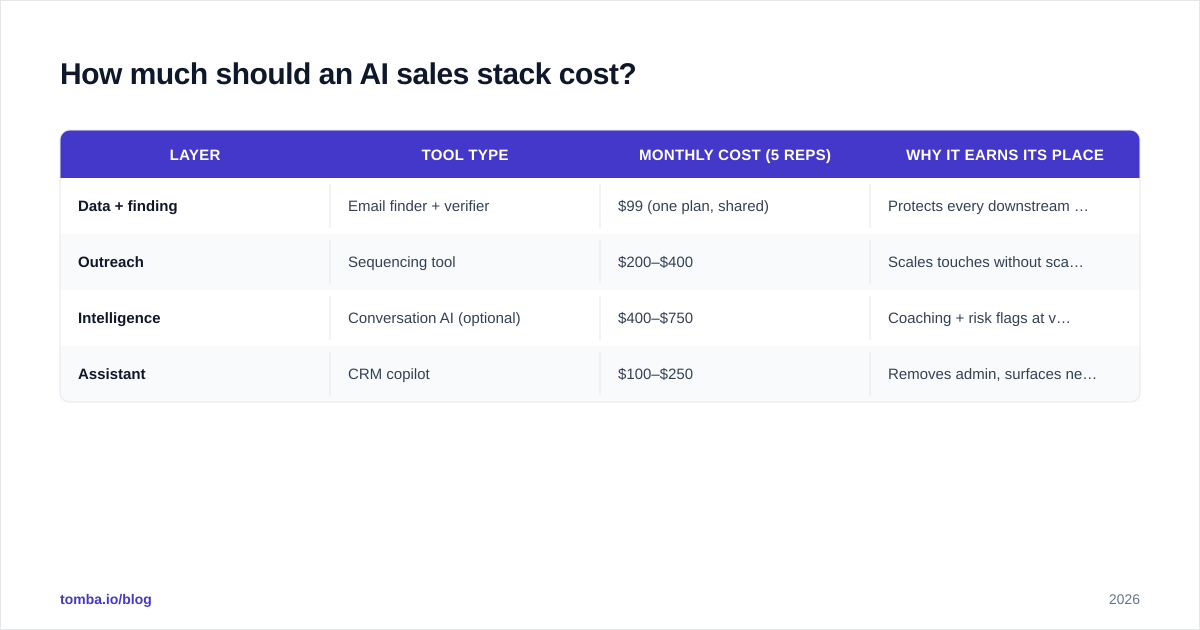
Here is a sample build for a five-rep team, optimized for ROI rather than logo collection:
| Layer | Tool type | Monthly cost (5 reps) | Why it earns its place |
|---|---|---|---|
| Data + finding | Email finder + verifier | $99 (one plan, shared) | Protects every downstream send |
| Outreach | Sequencing tool | $200–$400 | Scales touches without scaling headcount |
| Intelligence | Conversation AI (optional) | $400–$750 | Coaching + risk flags at volume |
| Assistant | CRM copilot | $100–$250 | Removes admin, surfaces next action |
The single best cost lever is consolidation. Many teams pay for an email finder, a separate verifier, a separate enrichment tool, and a separate bulk processor — four bills for what one platform delivers. Folding those into one bulk email finder and verification workflow typically cuts the data line item by half while improving match rates, because the data is checked end to end instead of handed between vendors. Compare full Tomba pricing against your current itemized stack and the overlap usually pays for the switch.
What are the risks of AI sales tools?#
Three risks deserve a real answer, because the vendor decks skip them.
Data decay and hallucination. AI tools confidently produce contacts that no longer exist. People change jobs every few years; an unverified "AI-found" email is a guess wearing a confidence score. Always pair generation with live verification.
Deliverability damage. The fastest way to torch a domain is to point an AI sequencer at a list you did not verify. High bounce rates signal spam to mailbox providers, and recovery takes weeks. AI makes it easier to do damage at scale, not safer.
Over-automation and sameness. When every team uses the same model to write the same "I noticed you're scaling your team" opener, the entire channel degrades. The teams that win in 2026 use AI for leverage on the boring parts and keep a human voice on the parts that build trust.
The throughline across all three: AI amplifies whatever you point it at. Point it at clean, verified data with a human in the loop, and it multiplies good work. Point it at dirty data on full autopilot, and it multiplies the damage just as fast.
Where do AI sales tools go next?#
The near-term direction is consolidation into the copilot layer — a single assistant that reads your CRM, your call transcripts, and your enriched contact data, then tells a rep the next best action in plain language. The differentiator will not be the model; frontier models are increasingly commoditized. The differentiator will be the data the model is allowed to reason over. An assistant with verified, enriched, current contact data gives useful answers. The same assistant on stale data gives confident nonsense.
That is the quiet lesson under all the 2026 AI sales hype: the model is the easy part now. The hard, durable advantage is accurate data feeding it. Get that right and every AI layer you add compounds.
Start with the layer everything else depends on#
If you take one action from this guide, fix your contact data before you buy another AI feature. The fanciest forecasting model and the slickest outreach copilot both collapse on top of wrong emails and dead phone numbers.
Tomba's Email Finder gives you the day-one foundation the rest of your AI stack stands on — find professional email addresses by domain, name, or company, with built-in verification so the contacts you hand to your outreach and copilot tools are real, deliverable, and current. Start on the free tier with 25 searches a month, and scale to the Starter plan at $49/mo when your team is ready to automate. Build the data layer first, and let every AI tool you add after it actually pay off.
// get started
Find, verify and enrich your first contacts today
Start on the free plan with 25 searches a month, then scale when your team is ready.
Free plan · No credit card required · GDPR & CCPA
// about the author