AI SDR for Salesforce in 2026: The Complete Setup Guide
AI SDRs now live inside Salesforce and book meetings while your reps sleep. Here's how to set one up, what it costs, and where it actually beats a human in 2026.
An AI SDR for Salesforce is software that does the repetitive top-of-funnel work a junior sales development rep normally does — research accounts, find contacts, write the first touch, send sequences, and book qualified meetings — except it runs directly against your CRM records and never takes a lunch break. In 2026 this is no longer a pitch deck idea. Salesforce ships its own agent, a dozen vendors plug into the platform, and the cost has dropped far enough that a two-person startup can run one.
This guide is the practical version: what an AI SDR actually does inside Salesforce, the tools worth comparing, what it costs, the data you need to feed it, and the realistic ROI. No hype, no "death of the SDR" headlines.
TL;DR#
- An AI SDR Salesforce setup automates research, contact discovery, first-touch messaging, and meeting booking against your existing CRM objects.
- Salesforce's native option is Agentforce SDR; third parties like 11x, Qualified, and Artisan also connect to Salesforce.
- Expect $1,500–$5,000/mo for a managed AI SDR, versus ~$6,000–$8,000 all-in for a human SDR in the US.
- Garbage data sinks every AI SDR. You need verified emails, enriched accounts, and clean dedupe before turning one on.
- The winning pattern in 2026 is AI handles volume, humans handle the warm reply — not full replacement.
What is an AI SDR in Salesforce?#
Think of an AI SDR like a self-driving feature on a car. It handles the boring highway stretches — the lane-keeping, the cruise control — so the human driver can focus on the tricky city intersections where judgment matters. Technically, an AI SDR is an autonomous agent (usually an LLM wrapped in tools and guardrails) that reads Salesforce data, decides who to contact and how, executes the outreach, and writes the results back to the Lead, Contact, and Opportunity objects.
The "in Salesforce" part is what makes it useful rather than just another disconnected tool. Because it operates on your CRM as the source of truth, it can:
- Pull target accounts from a Salesforce list view or campaign
- Enrich those records with firmographic and contact data
- Generate personalized first-touch copy grounded in real account fields
- Trigger sequences through Salesforce-connected sending tools
- Log every activity, update lead status, and book meetings on a rep's calendar
The framework above is the mental model to hold onto: Data → Decision → Action → Writeback. Every credible AI SDR loops through those four stages, and the quality of stage one (data) decides everything downstream.
How does an AI SDR work with Salesforce data?#
The agent is only as smart as the records it reads. Here's the loop in practice.
1. Data. The agent reads a segment — say, "Mid-market SaaS accounts in the Northeast with no activity in 90 days." If those records are missing a verified contact email or a decision-maker title, the agent has nothing to act on. This is why teams pair an AI SDR with a contact-data layer: you enrich the account, find the right person, and verify the email before the agent writes a word.
2. Decision. The agent scores and prioritizes. Which accounts match the ICP? Who's the buyer? What's the angle — a funding round, a tech-stack signal, a job change? Good agents ground this in real fields, not invented "research."
3. Action. It drafts and sends. The best implementations keep a human approval step for the first few weeks, then move to auto-send once the copy quality is proven.
4. Writeback. Every send, open, reply, and booking is logged to Salesforce so your reps and dashboards stay accurate. This is the step cheap tools skip — and the reason their pipeline numbers never reconcile with the CRM.
If you want the agent to find and confirm the people it's emailing, that's where a tool like the Tomba Email Finder and data enrichment sit in the pipeline: they fill the contact gaps in your Salesforce records before the agent runs. You can wire this directly through the Salesforce integration so enrichment happens on the record, not in a side spreadsheet.
Is Agentforce the same as an AI SDR?#
Mostly yes — Agentforce is Salesforce's own brand for its autonomous agents, and Agentforce SDR is the prospecting flavor. It's the path of least resistance if you're already deep in the Salesforce ecosystem because it lives natively on your data with no middleware.
But "native" doesn't automatically mean "best." Agentforce is strong on CRM integration and governance and weaker, today, on out-of-the-box contact data and multichannel finesse compared with specialists. Many teams run a hybrid: Agentforce for orchestration and writeback, a dedicated data vendor for verified contacts. According to Salesforce's own Agentforce documentation, the agent is designed to be extended with external actions — which is exactly how third-party email-finding and verification slot in.
Which AI SDR tools work with Salesforce in 2026?#
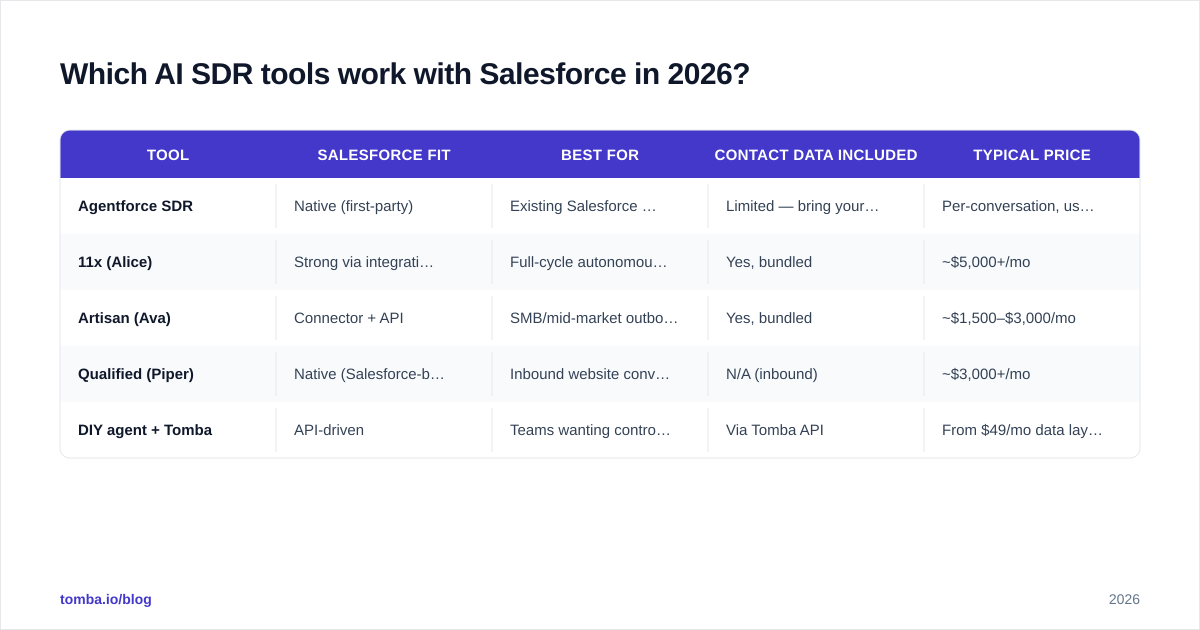
Here's an honest comparison of the main options. Prices are typical published or street rates as of mid-2026 and move around, so treat them as ballpark.
| Tool | Salesforce fit | Best for | Contact data included | Typical price |
|---|---|---|---|---|
| Agentforce SDR | Native (first-party) | Existing Salesforce shops | Limited — bring your own | Per-conversation, usage-based |
| 11x (Alice) | Strong via integration | Full-cycle autonomous outreach | Yes, bundled | ~$5,000+/mo |
| Artisan (Ava) | Connector + API | SMB/mid-market outbound | Yes, bundled | ~$1,500–$3,000/mo |
| Qualified (Piper) | Native (Salesforce-built) | Inbound website conversion | N/A (inbound) | ~$3,000+/mo |
| DIY agent + Tomba | API-driven | Teams wanting control + clean data | Via Tomba API | From $49/mo data layer |
A few honest notes:
- Bundled data is convenient but a black box. When a vendor bundles contacts, you rarely see the verification rate or the source. If deliverability matters to you, control the data layer yourself.
- Inbound vs outbound matters. Qualified's Piper is excellent at converting website visitors but isn't an outbound prospecting agent. Don't compare it head-to-head with 11x.
- The DIY route is underrated. With the Tomba API feeding verified contacts and an orchestration layer (Agentforce, n8n, or a custom agent), you get specialist-grade data at a fraction of a bundled seat price. The trade-off is engineering time.
What does an AI SDR cost versus a human SDR?#
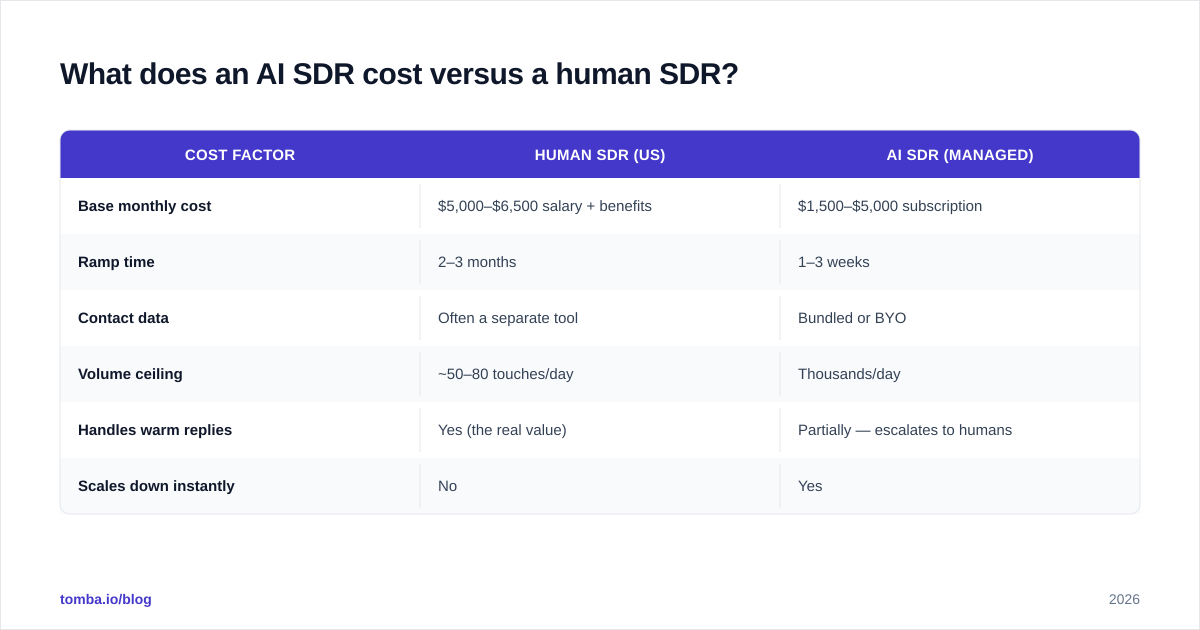
This is the question your CFO will ask first. The headline: an AI SDR is cheaper per meeting at volume, but only after you've paid the data and setup tax.
| Cost factor | Human SDR (US) | AI SDR (managed) |
|---|---|---|
| Base monthly cost | $5,000–$6,500 salary + benefits | $1,500–$5,000 subscription |
| Ramp time | 2–3 months | 1–3 weeks |
| Contact data | Often a separate tool | Bundled or BYO |
| Volume ceiling | ~50–80 touches/day | Thousands/day |
| Handles warm replies | Yes (the real value) | Partially — escalates to humans |
| Scales down instantly | No | Yes |
The math that actually matters is cost per qualified meeting, not cost per seat. A human SDR who books 15 quality meetings a month at $7,000 all-in costs roughly $470 a meeting. An AI SDR at $3,000/mo that books 20 meetings runs $150 a meeting — if the data is good enough to hit that booking rate. With bad data, the same tool books 4 meetings and costs $750 each. Data quality is the entire swing.
For a deeper breakdown of where these credits and seats land, the public Tomba pricing page shows how the data layer alone scales from a free tier up — useful when you're modeling the BYO-data path.
How do you set up an AI SDR on Salesforce?#
A realistic rollout, in order. Don't skip the data steps — they're where 80% of failed deployments die.
- Clean the CRM first. Dedupe accounts and contacts. An AI SDR that emails the same person from three duplicate records will torch your domain reputation in a week.
- Define one tight ICP segment. Start with a single Salesforce list view of 500–2,000 accounts, not your whole database. Narrow scope makes the agent's output reviewable.
- Enrich and verify. Fill missing decision-maker contacts and verify every email. This is non-negotiable — see the next section on why sales automation fails without it.
- Pick orchestration. Native Agentforce, a bundled vendor, or a custom agent. For most Salesforce-first teams, start native and add specialists where gaps show.
- Run human-in-the-loop for 2–4 weeks. Approve every message. Tune the prompts and the ICP. Watch reply sentiment, not just open rates.
- Graduate to auto-send on the proven segments. Keep humans on the warm-reply handoff permanently.
- Measure against the CRM. If the agent's reported meetings don't reconcile with Salesforce Opportunities, your writeback is broken. Fix it before scaling.
Why do most AI SDR deployments fail?#
Because teams treat the agent as the hard part. It isn't. The agent is a commodity now — the differentiator is the data and the guardrails around it.
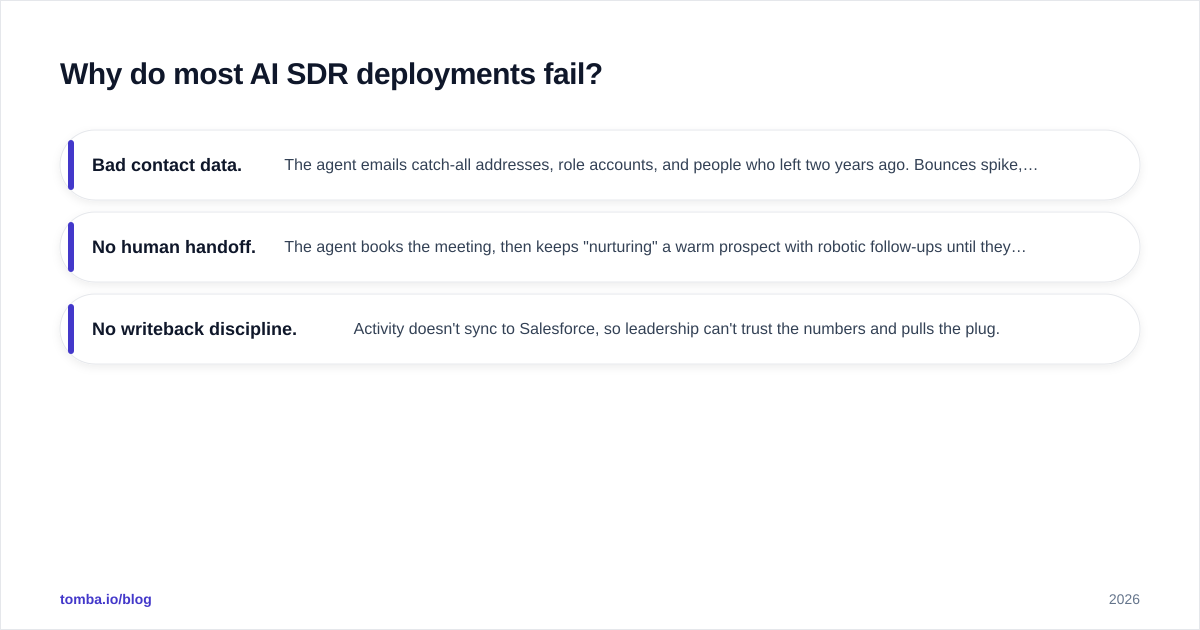
The three failure modes, in order of how often they kill a rollout:
- Bad contact data. The agent emails catch-all addresses, role accounts, and people who left two years ago. Bounces spike, email deliverability craters, and the domain ends up on a blocklist. No prompt engineering fixes a 30% bounce rate.
- No human handoff. The agent books the meeting, then keeps "nurturing" a warm prospect with robotic follow-ups until they ghost. Warm replies are exactly where a human should take over.
- No writeback discipline. Activity doesn't sync to Salesforce, so leadership can't trust the numbers and pulls the plug.
According to Gartner's research on AI in sales, the organizations seeing real productivity gains are the ones that redesigned the workflow around the agent — not the ones that bolted an agent onto a broken process. Independent reviews on G2 echo the same pattern: the top-rated tools win on data quality and CRM sync, not on cleverness of copy.
Should you replace your SDR team with AI?#
No — and any vendor telling you otherwise is selling, not advising. The 2026 consensus that's actually working is a split:
- AI owns volume and consistency: research, list-building, first touches, follow-up cadence, never-miss logging.
- Humans own judgment and relationship: the warm reply, the discovery call, the objection that needs empathy, the deal that needs a champion.
This is the same division of labor that worked when calculators arrived: they didn't replace accountants, they freed accountants to do the work calculators couldn't. Your best SDRs become AI operators and closers-in-training, supervising agents and taking the hand-raisers. Your headcount plan shifts from "more bodies for more volume" to "more agents for volume, same humans for quality."
The bottom line#
An AI SDR in Salesforce is one of the few 2026 AI investments with a clear, measurable payback — if you respect the order of operations: clean data first, tight ICP second, agent third, human handoff always. The agent is easy. The verified, enriched, deduplicated contact data underneath it is the hard part, and it's the part that decides whether you book 20 meetings a month or burn your domain.
Before you turn on any agent, fix the data layer. Use the Tomba Email Finder to find and verify the decision-maker contacts your Salesforce records are missing, push them straight onto the record through the Salesforce integration, and feed your AI SDR a clean, deliverable list from day one. Start on the free tier, prove the booking rate on one segment, and scale the agent only once the data is bulletproof. That's the difference between an AI SDR that prints pipeline and one that prints bounces.
// get started
Find, verify and enrich your first contacts today
Start on the free plan with 25 searches a month, then scale when your team is ready.
Free plan · No credit card required · GDPR & CCPA
// about the author