Aidentified vs SalesQL 2026: B2B Data Tools Compared
Aidentified leans on relationship and wealth intelligence; SalesQL pulls verified emails from LinkedIn. Here is which one fits your 2026 pipeline.
You are choosing between two very different contact-data tools that often land on the same shortlist. Aidentified and SalesQL both promise to put the right person's details in front of your sales team, but they solve the problem from opposite ends. This guide breaks down where each one wins, where each one stalls, and how to decide without burning a month of trials.
TL;DR#
- Aidentified is a relationship and wealth-intelligence platform built for financial advisors, wealth managers, and B2C-leaning teams that care about net worth, life events, and warm-intro paths.
- SalesQL is a lightweight LinkedIn email-and-phone finder built for SDRs who live in the browser and want contact details one click away from a profile.
- If your motion is B2B outbound off LinkedIn, SalesQL is the closer fit; if your motion is relationship-led B2C/advisory prospecting, Aidentified pulls ahead.
- Neither tool is a full-stack data provider — accuracy, verification depth, and bulk coverage are where both leave gaps.
- For teams that mainly need verified work emails at scale with API access, a dedicated finder like Tomba Email Finder often beats either on cost-per-valid-contact.
What is Aidentified?#
Aidentified is a contact and relationship intelligence platform. Instead of just handing you an email, it maps the people in your network, scores them on attributes like estimated net worth, household data, life events (job changes, moves, liquidity events), and shared connections. The pitch is "warm introductions at scale" — find the prospect and the person who can introduce you.
That design makes it popular with wealth managers, financial advisors, insurance teams, and high-ticket B2C sellers. The data model is built around individuals and households, not company org charts. You can read more about the category on their official site.
The trade-off: Aidentified is heavier, pricier, and tuned for relationship discovery rather than fast email extraction. If you just want a verified work email for a VP of Engineering, you are paying for a lot of machinery you won't touch.
What is SalesQL?#
SalesQL is a Chrome extension that finds emails and phone numbers directly from LinkedIn and Sales Navigator profiles. You open a profile, click the SalesQL icon, and it returns personal and business email guesses plus phone numbers, then lets you push them into lists or export to CSV.
It is fast, cheap, and frictionless for SDRs who prospect manually. SalesQL classifies emails as "valid," "accept-all," or "not verified," which is more transparency than many extensions offer. You can compare it against peers on G2.
The limits show up at scale. SalesQL is profile-by-profile by design, so bulk enrichment and API-first workflows aren't its strength, and email accuracy on catch-all domains gets fuzzy — the same weakness most LinkedIn scrapers share.
Aidentified vs SalesQL: How do they compare?#
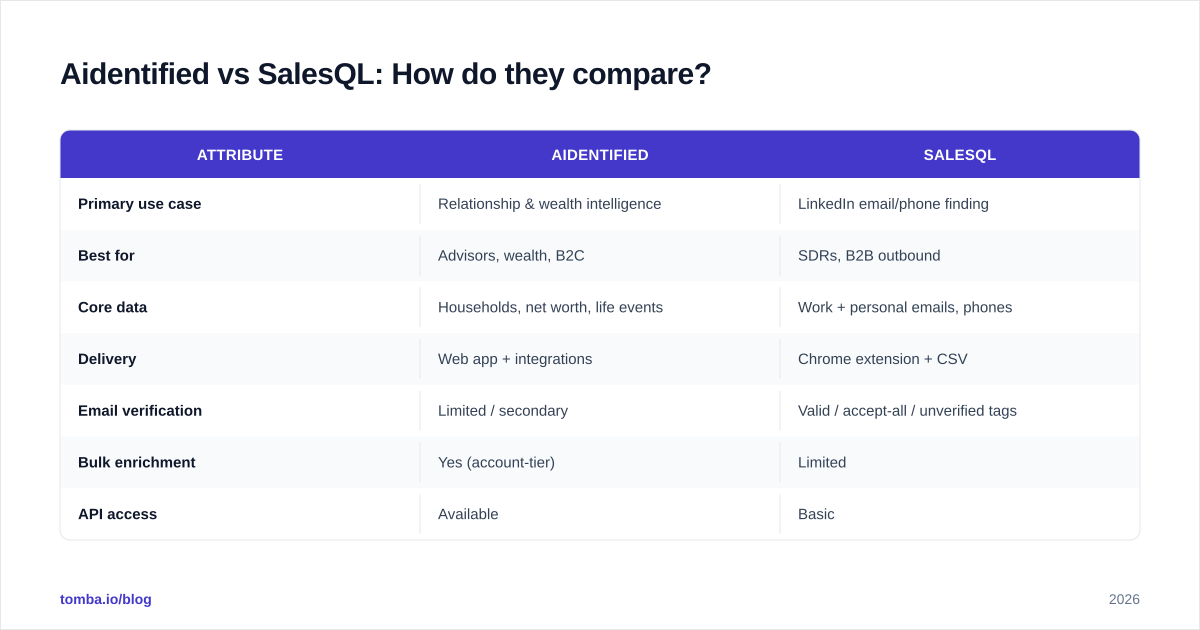
The fastest way to see the gap is attribute by attribute. These two tools barely overlap on philosophy, even though they compete for the same budget line.
| Attribute | Aidentified | SalesQL |
|---|---|---|
| Primary use case | Relationship & wealth intelligence | LinkedIn email/phone finding |
| Best for | Advisors, wealth, B2C | SDRs, B2B outbound |
| Core data | Households, net worth, life events | Work + personal emails, phones |
| Delivery | Web app + integrations | Chrome extension + CSV |
| Email verification | Limited / secondary | Valid / accept-all / unverified tags |
| Bulk enrichment | Yes (account-tier) | Limited |
| API access | Available | Basic |
| Free tier | No (demo only) | Yes (a few credits/mo) |
| Starting price | Custom / quote-based | ~$39–$89/mo range |
| Learning curve | Steep | Minimal |
The headline: Aidentified is an intelligence platform, SalesQL is a finder. One tells you who to talk to and why; the other tells you how to reach them.
Which tool has better data accuracy?#
Accuracy depends entirely on what you mean by "accurate." For individual/household enrichment — net worth bands, life events, relationship graphs — Aidentified is purpose-built and hard to beat in its niche. For work-email accuracy, SalesQL is solid on standard domains but degrades on catch-all and accept-all setups, where its "accept-all" tag is honest but not actionable.
Neither tool fully solves the catch-all problem, and that matters because a large share of B2B domains are catch-all. If a meaningful chunk of your list returns "accept-all," you still don't know whether the mailbox exists. That is exactly the gap a dedicated email verifier and a catch-all verifier are built to close.


If accuracy at scale is your hard requirement, validate whatever either tool exports before it touches a sequence. Bouncing 20% of a list quietly wrecks your sender reputation and drags down deliverability for the contacts that were valid.
How does pricing compare?#
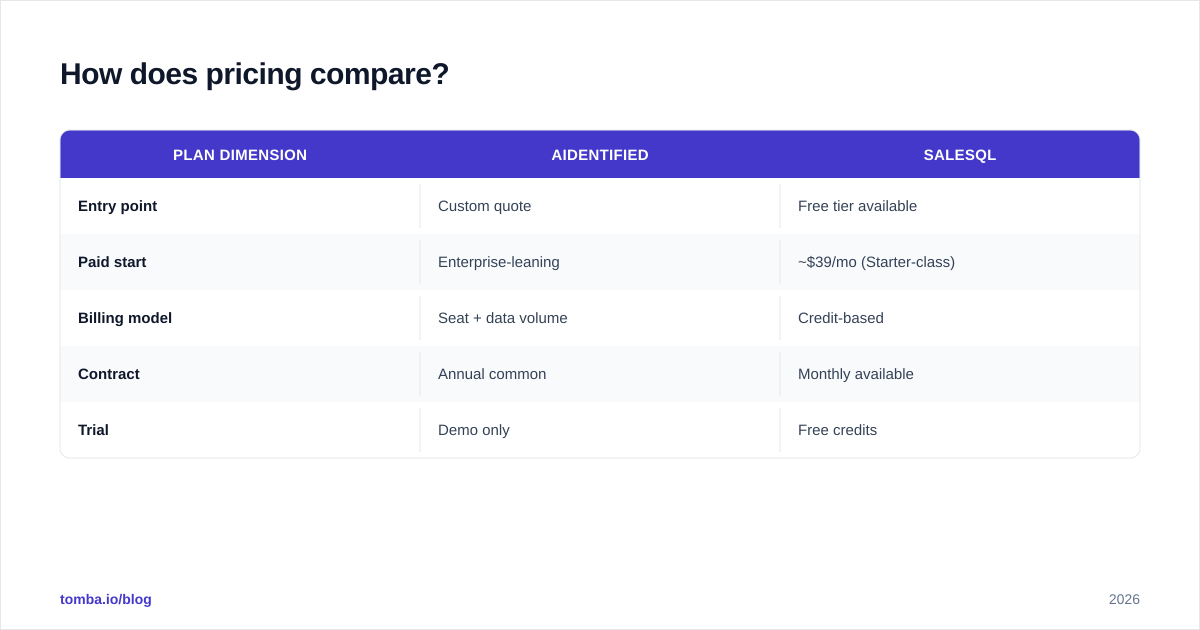
Pricing is where the two diverge hardest. SalesQL is self-serve and transparent, with a free tier and monthly plans that scale by credits. Aidentified is quote-based — you talk to sales, and pricing reflects its enterprise, data-platform positioning.
| Plan dimension | Aidentified | SalesQL |
|---|---|---|
| Entry point | Custom quote | Free tier available |
| Paid start | Enterprise-leaning | ~$39/mo (Starter-class) |
| Billing model | Seat + data volume | Credit-based |
| Contract | Annual common | Monthly available |
| Trial | Demo only | Free credits |
For a two-person SDR pod, SalesQL is the obvious budget choice. For a wealth-management firm that needs household intelligence baked into the CRM, Aidentified's price reflects a different job to be done. Just be clear about which job you have before signing anything — paying enterprise rates for what is functionally email lookup is a common and avoidable mistake.
Which one fits your sales motion?#
Match the tool to how you actually sell.
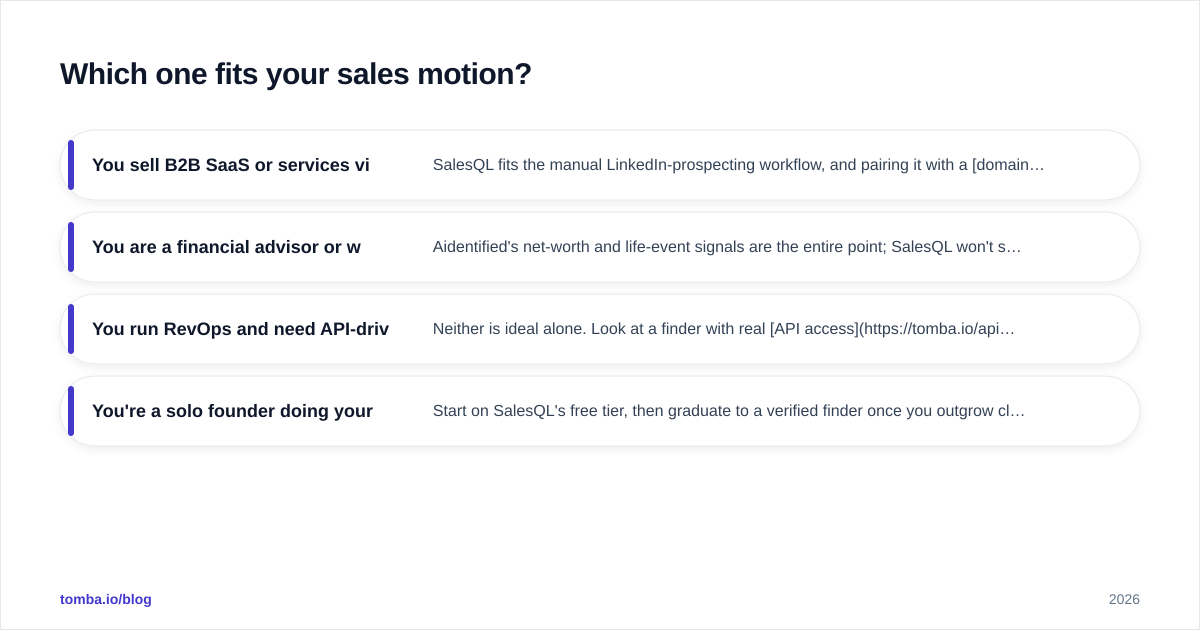
- You sell B2B SaaS or services via cold outbound. SalesQL fits the manual LinkedIn-prospecting workflow, and pairing it with a domain search tool fills the gaps when a prospect isn't on LinkedIn.
- You are a financial advisor or wealth manager. Aidentified's net-worth and life-event signals are the entire point; SalesQL won't surface any of that.
- You run RevOps and need API-driven enrichment. Neither is ideal alone. Look at a finder with real API access and bulk tooling, then layer relationship data only if your motion needs it.
- You're a solo founder doing your own prospecting. Start on SalesQL's free tier, then graduate to a verified finder once you outgrow click-by-click.
Where do both tools fall short?#
Three gaps show up no matter which you pick:
- Verification depth. A found email is a hypothesis until it's verified. SalesQL's tags help; Aidentified treats email as secondary. Neither replaces a dedicated verification pass before you send.
- Catch-all domains. Both struggle here. A specialized catch-all finder resolves addresses that come back as "accept-all" guesses.
- Scale economics. Credit-based and seat-based models get expensive fast when you enrich thousands of contacts a month. Cost-per-valid-contact, not cost-per-search, is the number to track.
This is where a focused email-finding stack earns its place. Tomba's bulk email finder plus verification keeps cost-per-valid-contact low, and the data sources behind it are built specifically for B2B work email, not household intelligence.

Can you use them together?#
Yes, and for some teams it's the right answer. A wealth-advisory team might use Aidentified to identify high-net-worth prospects and warm-intro paths, then use a verified finder to confirm reachable work or personal emails before outreach. A B2B team rarely needs Aidentified at all — SalesQL plus a verification layer covers the job.
The key is to stop expecting one tool to be both the intelligence layer and the deliverability layer. They are different problems with different best-in-class solutions.
Aidentified vs SalesQL: the verdict#
Pick Aidentified if relationship graphs, net worth, and life-event triggers drive your pipeline — that's a real moat for advisory and B2C-adjacent selling, and SalesQL can't touch it.
Pick SalesQL if you're a B2B SDR who prospects on LinkedIn and wants fast, cheap, honestly-tagged contact details without a sales call to get started.
Pick neither as your whole stack if your real need is verified work emails at scale with clean API access and predictable cost-per-valid-contact. That's a finder-and-verifier job, and it's worth solving directly.
If that last description sounds like you, start with the Tomba Email Finder. You get domain search, bulk lookup, an email verifier, and catch-all handling in one place, with a free tier of 25 searches per month and paid plans starting at $49/mo on the Tomba pricing page — built for B2B outbound where the only metric that matters is how many of your emails actually land. Run a few of your toughest domains through it next to SalesQL's exports and let the valid-rate decide.
// get started
Find, verify and enrich your first contacts today
Start on the free plan with 25 searches a month, then scale when your team is ready.
Free plan · No credit card required · GDPR & CCPA
// about the author