Allegrow vs GetProspect 2026: Deliverability or Email Finder?
Allegrow fixes inbox placement; GetProspect finds and verifies leads. They solve opposite halves of cold outreach. Here's which one your team actually needs in 2026 — and why most pipelines need both.
Most "Allegrow vs GetProspect" comparisons start from a false premise: that these two tools compete. They don't. Picking one over the other is like choosing between a fuel pump and a GPS — both live in the car, neither replaces the other.
This guide breaks down what each tool actually does, where they overlap (barely), and how to decide which problem you're really trying to solve before you spend a dollar.
TL;DR#
- Allegrow is an email deliverability and inbox-placement optimizer. It warms domains, monitors sender reputation, and nudges emails out of spam and into the primary tab.
- GetProspect is a B2B email finder and lead-generation platform. It pulls contact data from LinkedIn and a large database, then verifies it.
- They solve opposite halves of cold outreach: GetProspect gets you a clean list, Allegrow makes sure that list's emails land.
- If you must pick one, choose based on your bottleneck: empty pipeline → GetProspect; emails landing in spam → Allegrow.
- For most teams the honest answer is "neither alone." A data layer plus a deliverability layer plus a verifier is the real stack — and that's where a tool like Tomba earns its place.
What is Allegrow?#
Allegrow is a deliverability optimization platform. Its core job is to keep your cold emails out of the spam folder and the Gmail Promotions tab by actively managing sender reputation.
Think of Allegrow as a personal trainer for your sending domain. It runs seed-list tests across inbox providers, simulates positive engagement (opens, replies, moving messages to primary), and reports a live "inbox placement" score so you can see whether your reputation is climbing or sliding. It plugs into sending platforms rather than replacing them — it doesn't find leads or write copy, it protects the channel those activities depend on.
Key capabilities:
- Inbox placement monitoring across Gmail, Outlook, and other major providers
- Automated reputation-building engagement (warmup)
- Spam-folder detection and alerting
- Seed-list testing tied to your actual sending account
What Allegrow does not do: find email addresses, build lead lists, or enrich contact records. If your domain reputation is healthy and your problem is "I have no one to email," Allegrow won't move the needle. For the deeper mechanics, see Tomba's glossary entry on email deliverability and sender reputation.
What is GetProspect?#
GetProspect is a B2B lead-generation and email-finder tool. Its core job is the opposite of Allegrow's: it fills the top of your funnel with contact data.
You give GetProspect a company domain, a LinkedIn profile, or a set of filters (industry, title, company size, location), and it returns business email addresses with an attached confidence score. It ships a Chrome extension for pulling contacts off LinkedIn, a bulk search for list-building, and a built-in verifier so you're not emailing dead addresses.
Key capabilities:
- Email finding by name, domain, or LinkedIn profile
- A contact database with filterable B2B records
- LinkedIn Chrome extension for one-click prospecting
- Built-in email verification
- Basic CRM-style list management and CSV export
What GetProspect does not do: manage your sending reputation or guarantee inbox placement. A verified email that lands in spam is still a wasted touch — which is exactly why these two tools get compared even though they're not substitutes.

Allegrow vs GetProspect: how do they actually compare?#
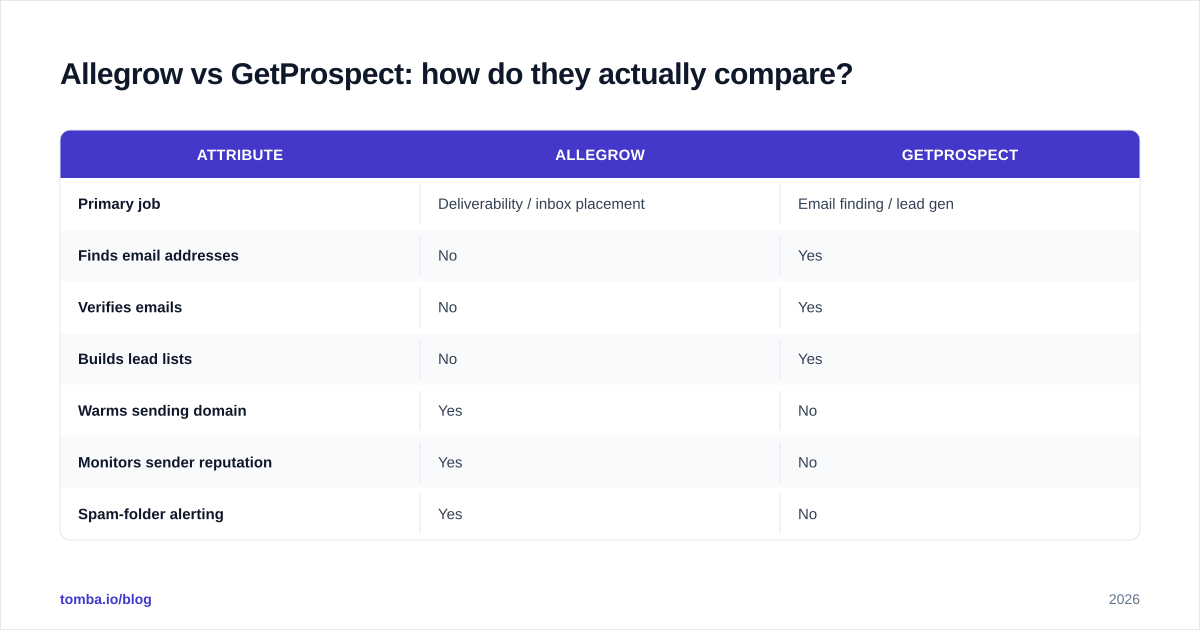
Here's the side-by-side. Notice that most rows are "yes" for one tool and "no" for the other — that's the whole story.
| Attribute | Allegrow | GetProspect |
|---|---|---|
| Primary job | Deliverability / inbox placement | Email finding / lead gen |
| Finds email addresses | No | Yes |
| Verifies emails | No | Yes |
| Builds lead lists | No | Yes |
| Warms sending domain | Yes | No |
| Monitors sender reputation | Yes | No |
| Spam-folder alerting | Yes | No |
| LinkedIn extension | No | Yes |
| Best for | Teams already sending volume | Teams building a pipeline |
| Replaces the other? | No | No |
The takeaway: they sit at different stages of the same workflow. GetProspect operates before you hit send (find → verify → list). Allegrow operates around the send itself (warm → monitor → place). Reading this table as "who wins" misses the point — the question is which stage is broken in your funnel right now.
Which problem are you actually solving?#
Run your outbound through this decision framework before you buy anything. Your bottleneck dictates the tool, not the marketing.
Symptom A: low reply rates, but emails are being delivered. Your data and copy are the issue, not placement. You need better targeting and cleaner lists — a finder and verifier. GetProspect (or a stronger alternative) is your lane.
Symptom B: high bounce rates, "user unknown" errors, lists going stale. Your contact data is rotting. This is a data-quality problem solved by an email verifier and fresh sourcing — again, a finder's job.
Symptom C: emails send fine but replies cratered, and seed tests show messages in spam or Promotions. This is pure deliverability. Allegrow is built for exactly this.
Symptom D: you're starting from zero — no list, no sending history. You need both, in sequence: build and verify the list first, warm the domain in parallel, then scale. Don't pay for placement optimization on a domain that has nothing to send yet.
Most teams self-diagnose wrong. They blame copy when the real culprit is a spam-foldered domain, or they buy a warmup tool when their list is 40% catch-all garbage. Be honest about which symptom you have. A quick reputation check and a spam score test will tell you in minutes.
How accurate is the data — and does it matter for deliverability?#
Data accuracy is GetProspect's battleground, not Allegrow's — and it matters more than most people think for both sides of this comparison.
Here's the connection people miss: bad data destroys deliverability. Every email you send to an invalid or catch-all address that hard-bounces drags your sender reputation down. So even if you bought Allegrow specifically to fix inbox placement, you can sabotage it by feeding your sending tool unverified addresses. Verification isn't just a GetProspect feature — it's a prerequisite for the thing Allegrow is trying to protect.
This is where the "pick one" framing breaks down completely. The accuracy of your list directly determines how hard your deliverability tool has to work. A 98%-verified list barely bounces; a scraped, unverified list bounces enough to undo weeks of warmup.
That's also why a finder's verification quality matters so much. Tools vary widely here — some return a confidence percentage with no real SMTP validation behind it, others (including Tomba's email verifier and catch-all verifier) actually probe the mail server and flag risky catch-all domains before you send. If you want to understand where contact data comes from and why sources differ, Tomba documents its data sources openly.
What does Allegrow vs GetProspect cost in 2026?#
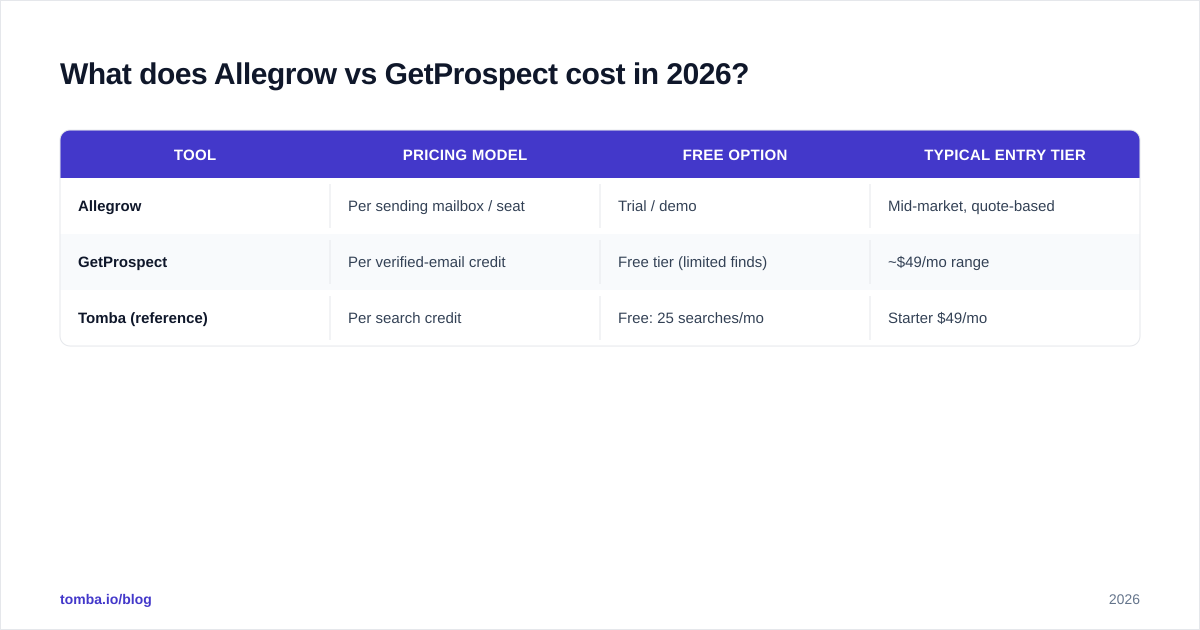
Pricing reflects the different jobs. Deliverability tools usually charge per sending mailbox; finders charge per credit or per contact found. Always confirm current numbers on each vendor's own pricing page, since plans shift — GetProspect lists its tiers on getprospect.com and you can compare review-site breakdowns on g2.com.
| Tool | Pricing model | Free option | Typical entry tier |
|---|---|---|---|
| Allegrow | Per sending mailbox / seat | Trial / demo | Mid-market, quote-based |
| GetProspect | Per verified-email credit | Free tier (limited finds) | ~$49/mo range |
| Tomba (reference) | Per search credit | Free: 25 searches/mo | Starter $49/mo |
For the data-and-verification half of the stack, Tomba's published tiers are a useful benchmark: a Free tier with 25 searches per month, Starter at $49/mo, Growth at $99/mo, Pro at $249/mo, and custom Enterprise pricing. Full breakdown on the Tomba pricing page. Note that a finder's cost scales with how many leads you source, while a deliverability tool's cost scales with how many mailboxes you send from — budget for them as separate line items, not as alternatives.
Can one tool replace both?#
Not cleanly — and that's the most useful conclusion in this whole comparison.
Allegrow has no finder. GetProspect has no deliverability engine. If you adopt only one, you're leaving the other half of cold outreach unmanaged and hoping it sorts itself out. Sometimes it does (an established domain with good hygiene may not need active placement optimization; a team buying clean lists may not need a finder). Usually it doesn't.
The realistic 2026 stack looks like three layers:
- Find + verify — source accurate contacts and validate them before they ever touch your sequencer. This is where a dedicated finder/verifier lives.
- Warm + monitor — protect the sending domain's reputation so verified emails actually land. This is Allegrow's layer.
- Send + iterate — your sequencer or CRM, fed by clean data and a healthy domain.
A platform that consolidates layer 1 — finding, verifying, domain search, enrichment, and bulk list-building — reduces the number of vendors you juggle and keeps your data quality high enough that your deliverability layer can do its job. That's the practical argument for centralizing your data sourcing rather than stitching together a finder, a separate verifier, and an enrichment tool.
If you're evaluating GetProspect specifically as a finder, it's worth comparing it against purpose-built alternatives on raw find rate, verification depth, and credit economics before committing — the finder market moves fast and entry pricing rarely tells the full story.
Which should you choose?#
Conclusion first: choose based on your bottleneck, and assume you'll eventually need both.
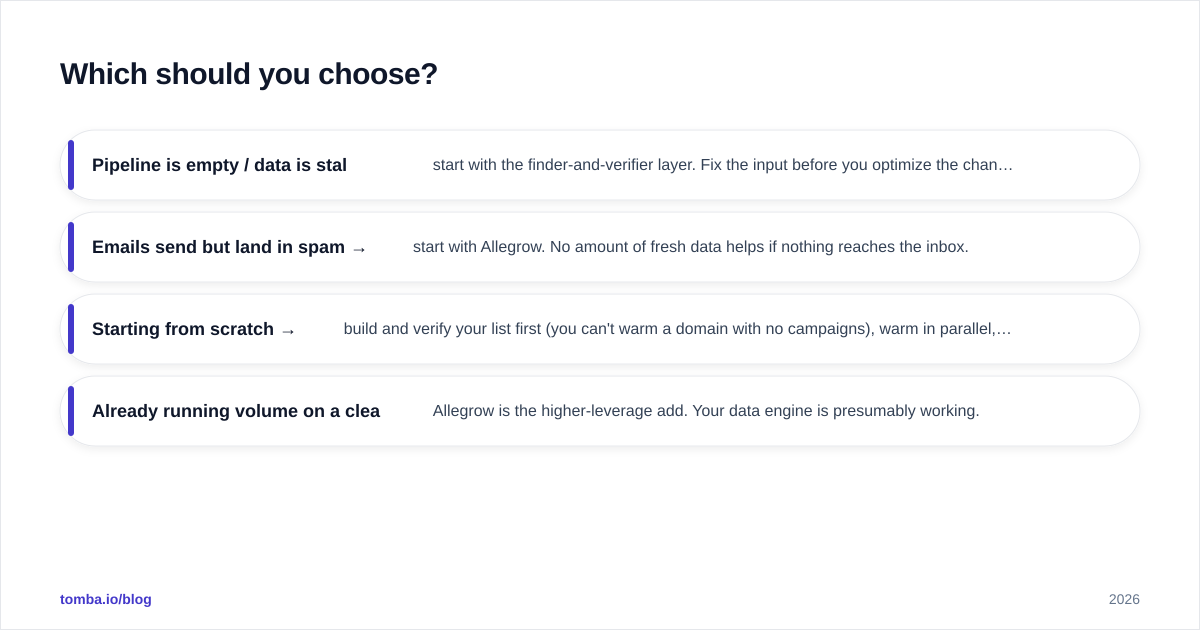
- Pipeline is empty / data is stale → start with the finder-and-verifier layer. Fix the input before you optimize the channel.
- Emails send but land in spam → start with Allegrow. No amount of fresh data helps if nothing reaches the inbox.
- Starting from scratch → build and verify your list first (you can't warm a domain with no campaigns), warm in parallel, then scale.
- Already running volume on a clean domain → Allegrow is the higher-leverage add. Your data engine is presumably working.
The mistake to avoid is treating this as a single purchase decision. "Allegrow vs GetProspect" is really "data quality vs deliverability," and mature outbound teams invest in both because a failure in either one wastes the spend on the other.
Start with the half that's easiest to fix today#
Deliverability problems take weeks to repair — reputation is slow to rebuild. Data problems you can fix today. If you're unsure where to start, start with your list: get accurate, verified contacts flowing, and you'll immediately reduce the bounce rate that's quietly eroding your sender reputation in the first place.
The Tomba Email Finder finds professional email addresses by domain, name, or company and verifies them in the same workflow — so the list you hand to your sequencer (and to whatever deliverability tool you pair it with) is clean from the start. Pair it with the email verifier and catch-all verifier, spin up on the free tier with 25 searches a month, and fix the data half of your outbound before you spend on the deliverability half. Your inbox-placement tool — Allegrow or otherwise — will thank you for it.
Ready to find emails that actually work?
Join 150,000+ professionals who stopped guessing and started sending. Free credits on signup — no credit card required.
Get the Tomba newsletter
Practical outbound tactics and product updates — once every two weeks.
About the author