Aloware Pricing & Reviews 2026: Pros, Cons, and Alternatives
A no-fluff breakdown of Aloware pricing, real user reviews, and the honest pros and cons — plus where this power dialer fits in a 2026 outbound stack.
You are weighing Aloware for your outbound team and you want the truth on what it costs, what users actually say, and where it falls short before you commit a card. This guide gives you all three — pricing tiers, real review themes, and a balanced pros-and-cons read for 2026.
TL;DR#
- Aloware is a cloud contact center and power dialer built for sales and support teams that live on the phone, with deep HubSpot and Pipedrive integrations.
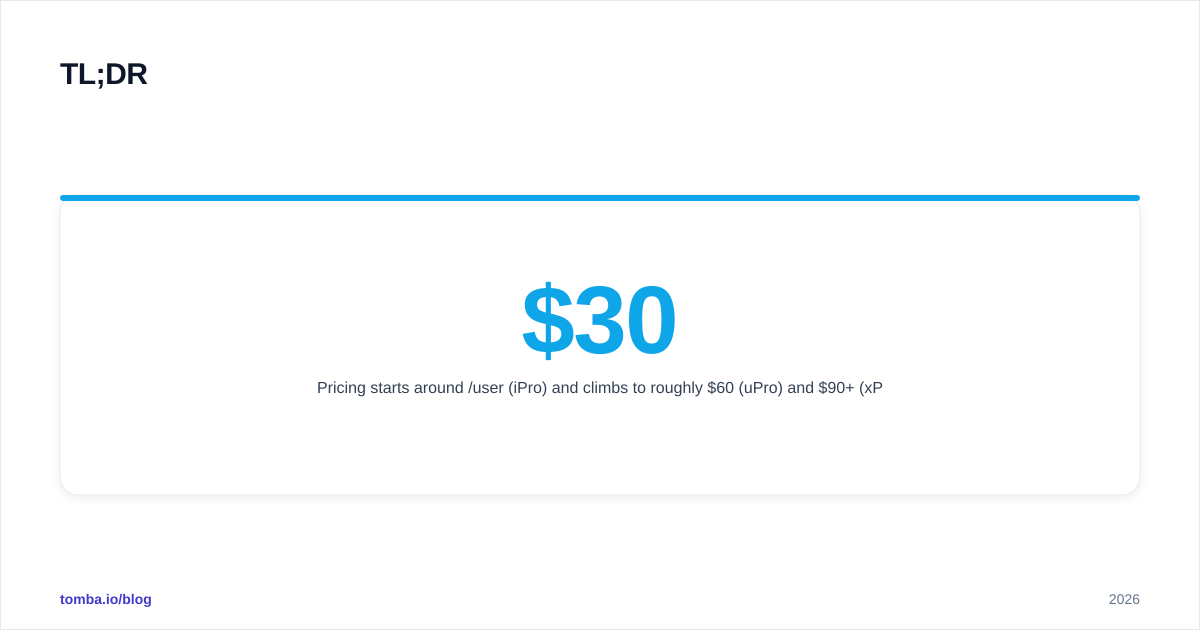
- Pricing starts around $30/user/mo (iPro) and climbs to roughly $60 (uPro) and $90+ (xPro), billed annually — month-to-month and add-ons cost more.
- Strongest reviews praise the triple-line power dialer, CRM sync, and US/local caller ID; weakest reviews cite occasional call-quality dips, onboarding friction, and per-user costs that add up.
- Best fit: high-volume callers who already use a CRM and want dialer + texting + automation in one tab.
- Watch-out: Aloware connects you to phones, not to the right phone numbers and emails — you still need a data source feeding the dialer.
What is Aloware and who is it for?#
Aloware is a cloud-based phone system and power dialer that lives inside your browser and your CRM. Think of it as the engine room of a call-heavy sales floor: it dials lists automatically, drops pre-recorded voicemails, sends SMS, and logs every touch back to your CRM so reps stop copy-pasting.
It competes with tools like JustCall, Kixie, Aircall, and PhoneBurner. The pitch is consolidation — instead of a separate dialer, texting app, and call-tracking layer, you get them in one subscription with sales automation baked in (workflows, sequences, and contact triggers).
If your team makes dozens to hundreds of dials a day and already runs HubSpot, Pipedrive, or a similar CRM, Aloware is squarely aimed at you. If you make a handful of high-touch calls a week, it is overkill.
How much does Aloware cost in 2026?#
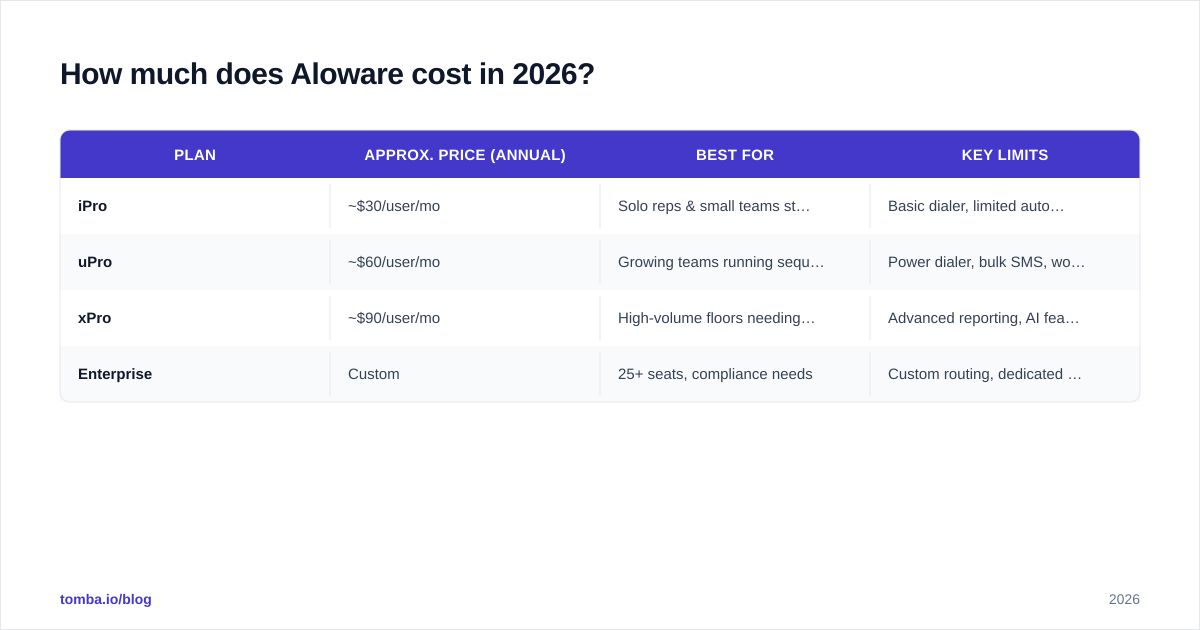
Aloware sells three core seats — iPro, uPro, and xPro — priced per user and discounted when billed annually. Pricing has shifted over the years, so always confirm on the official Aloware site, but the 2026 structure looks like this:
| Plan | Approx. price (annual) | Best for | Key limits |
|---|---|---|---|
| iPro | ~$30/user/mo | Solo reps & small teams starting outbound | Basic dialer, limited automation, no power-dialer line-mixing |
| uPro | ~$60/user/mo | Growing teams running sequences | Power dialer, bulk SMS, workflow automation |
| xPro | ~$90/user/mo | High-volume floors needing analytics | Advanced reporting, AI features, priority support |
| Enterprise | Custom | 25+ seats, compliance needs | Custom routing, dedicated CSM, SLAs |
A few cost realities reviewers flag:
- Annual vs monthly gap. Month-to-month billing runs meaningfully higher than the annual rates above. Budget for the annual commitment to hit the advertised price.
- Add-ons stack up. Extra phone numbers, higher SMS volumes, AI transcription, and additional minutes are commonly metered or sold separately.
- Per-user math. At ~$60/user, a 10-rep team is $600/mo before add-ons — real money, so map seats to actual callers, not the whole org.
For a sense of how mid-market dialer pricing compares, cross-check listings on G2 and Capterra before you sign.
What do Aloware reviews actually say?#
Aloware holds solid ratings on the major review sites, and the feedback clusters into clear themes. Here is the honest split.
What reviewers love#
- The power dialer. The triple-line dialer is the single most-praised feature. Reps report 2–3x more conversations per hour versus manual dialing, which is the entire point of buying a tool like this.
- CRM sync that works. HubSpot and Pipedrive integrations get repeat praise for logging calls, texts, and dispositions automatically. Less admin, cleaner pipeline data.
- Texting + calling in one place. Two-way SMS alongside calls, with templates and automation, removes a whole separate app from the stack.
- Local presence dialing. Showing a local-area caller ID lifts answer rates, and reviewers notice the connect-rate bump.
- Responsive support during setup. Many reviews highlight hands-on onboarding help.
What reviewers complain about#
- Call-quality variance. A recurring minority report dropped calls, lag, or audio issues — often traced to local network conditions, but frustrating nonetheless.
- Learning curve. The breadth of features (workflows, sequences, integrations) means setup isn't instant. Smaller teams sometimes feel it's heavier than they need.
- Billing and add-on surprises. A handful cite confusion over metered usage and number fees pushing the bill past expectations.
- Occasional bugs after updates. Standard SaaS gripe, but worth noting in mission-critical call workflows.
The pattern is typical for a feature-rich dialer: the people who use it heavily love the throughput; the people who hit infrastructure or pricing edges feel them sharply.
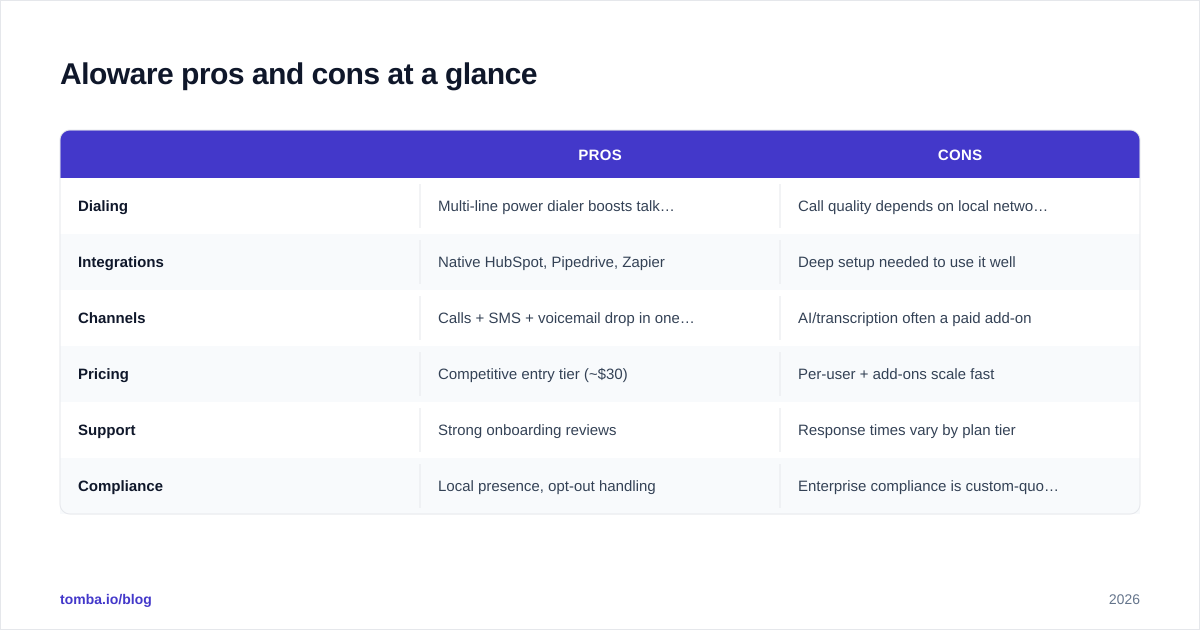
Aloware pros and cons at a glance#
| Pros | Cons | |
|---|---|---|
| Dialing | Multi-line power dialer boosts talk time | Call quality depends on local network |
| Integrations | Native HubSpot, Pipedrive,Zapier | Deep setup needed to use it well |
| Channels | Calls + SMS + voicemail drop in one app | AI/transcription often a paid add-on |
| Pricing | Competitive entry tier (~$30) | Per-user + add-ons scale fast |
| Support | Strong onboarding reviews | Response times vary by plan tier |
| Compliance | Local presence, opt-out handling | Enterprise compliance is custom-quoted |
Is Aloware better than JustCall, Kixie, or Aircall?#
It depends on what you optimize for. Here's a quick frame:
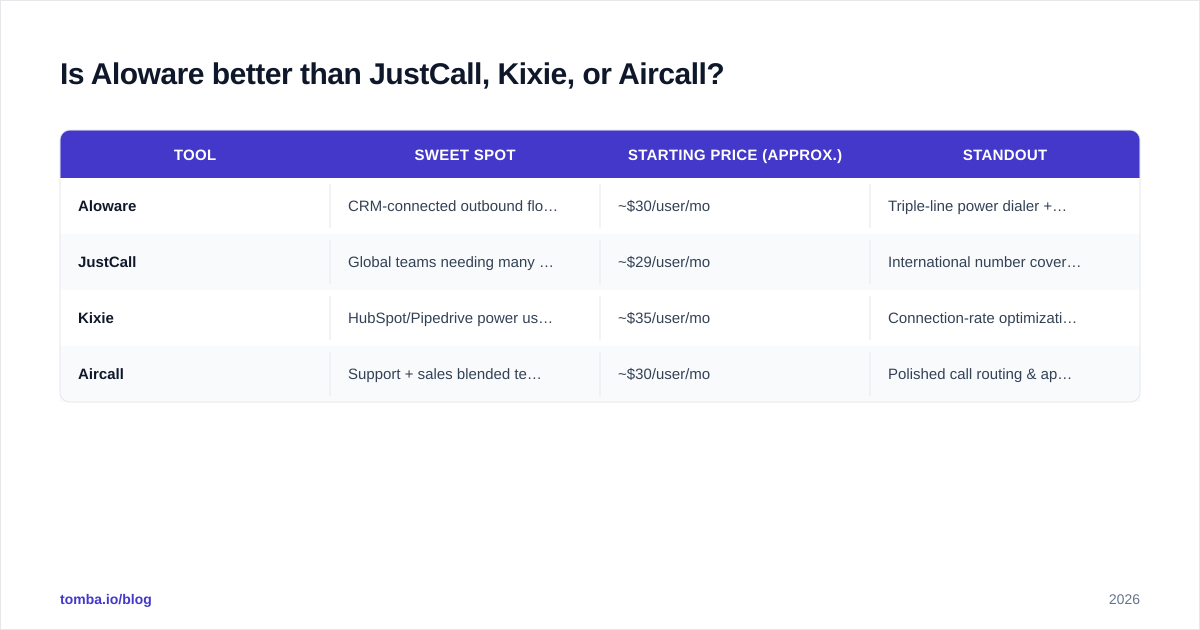
| Tool | Sweet spot | Starting price (approx.) | Standout |
|---|---|---|---|
| Aloware | CRM-connected outbound floors | ~$30/user/mo | Triple-line power dialer + automation |
| JustCall | Global teams needing many local numbers | ~$29/user/mo | International number coverage |
| Kixie | HubSpot/Pipedrive power users | ~$35/user/mo | Connection-rate optimization |
| Aircall | Support + sales blended teams | ~$30/user/mo | Polished call routing & app ecosystem |
Aloware wins when you want the power dialer plus texting plus workflow automation under one roof and you live in HubSpot or Pipedrive. If your priority is international number breadth, JustCall edges ahead; if you want the most polished general-purpose phone system, Aircall is the safe pick.
No dialer "wins" in the abstract — the right one is the one that matches your call volume, CRM, and where your reps actually drop off. Track win rate before and after a 30-day trial rather than trusting any vendor's homepage numbers.
What does Aloware not solve?#
This is the part most pricing reviews skip. A dialer is only as good as the list you feed it. Aloware connects you to phone numbers — it does not find or verify them, and it does not give you the decision-maker's direct email for multichannel follow-up.
If your reps are burning power-dialer sessions on stale numbers, wrong contacts, or generic info@ inboxes, you are paying premium per-minute and per-seat rates to dial dead ends. The fix is a clean, enriched contact source upstream of the dialer.
That's where a data layer matters:
- Use an email finder to pull verified, professional addresses so calls and emails reinforce each other.
- Run a phone finder to enrich records with valid B2B direct-dial numbers before they hit the Aloware queue.
- Apply data enrichment to fill role, company, and seniority fields so reps personalize at the start of every call.
A multichannel cadence — call, then email, then SMS — consistently beats phone-only outreach, and it depends on having both a verified number and a verified email for each prospect. The dialer handles the call; your data source handles the targeting.
How to evaluate Aloware before you buy#
Run a structured 14-day test instead of guessing from screenshots:
- Seat the right number of reps. Trial only your true callers, not the whole team — per-user pricing punishes over-provisioning.
- Connect your real CRM. The integration is half the value; test it with live HubSpot or Pipedrive data, not a sandbox.
- Load a verified list. Feed the dialer numbers you've already validated so call-quality complaints aren't just bad-data complaints in disguise.
- Measure connect rate and talk time. These are the metrics Aloware claims to move. Baseline them in week one, compare in week two.
- Price the add-ons you'll actually use. Add transcription, extra numbers, and SMS volume to the quote so the renewal doesn't surprise you.
- Check support responsiveness on your plan tier. Support quality often scales with the plan — confirm before you depend on it.
If connect rate and talk time jump and the all-in price still pencils out, Aloware earns its seat. If your bottleneck turns out to be list quality, fix the data first — a better dialer won't save bad numbers.
Frequently asked questions#
Is Aloware worth it for a small team? Yes, if you make high call volume and use a supported CRM. The ~$30 iPro tier is a reasonable entry, but the power dialer that most reviewers praise sits on the higher tiers. Small, low-volume teams may find it more than they need.
Does Aloware have hidden fees? Not hidden, but easy to miss: extra phone numbers, SMS overages, additional minutes, and AI features are commonly metered or sold as add-ons. Build them into your quote.
Can Aloware find phone numbers and emails for me? No. Aloware dials and texts the contacts you load. Sourcing and verifying those numbers and emails is a separate job best handled by a dedicated data tool like Tomba. See where Tomba gets data for how that sourcing works.
Is annual billing required? No, but the advertised low prices assume annual commitment. Month-to-month costs more per seat.
The bottom line#
Aloware is a strong, CRM-native power dialer that earns its reviews when you have the call volume to justify per-seat pricing and the clean data to keep reps dialing live prospects. The pros — multi-line dialing, tight CRM sync, calling and texting in one tab — are real. The cons — add-on creep, a learning curve, and network-dependent call quality — are manageable if you go in with eyes open.
Just remember the dialer is the last mile, not the whole route. Before you scale Aloware seats, make sure every record in the queue is a verified contact, not a guess. Start with the Tomba Email Finder to source and verify decision-maker emails by domain or name, pair them with direct-dial numbers, and feed your dialer a list that's actually worth calling. Check Tomba pricing — there's a free tier with 25 searches a month to test the data quality before you spend a dollar on dial time.
// get started
Find, verify and enrich your first contacts today
Start on the free plan with 25 searches a month, then scale when your team is ready.
Free plan · No credit card required · GDPR & CCPA
// about the author