Ampliz vs SalesQL 2026: Which B2B Email Finder Wins?
Ampliz vs SalesQL compared on data accuracy, coverage, pricing, and LinkedIn workflows—plus where a verification-first tool like Tomba beats both.
You are choosing between two very different B2B contact tools, and the marketing copy makes them sound identical. They are not. Ampliz and SalesQL solve overlapping problems from opposite ends: one is a data-intelligence platform with a healthcare lean, the other is a lightweight LinkedIn email extractor. Picking the wrong one wastes budget and clogs your CRM with bounces.
This breakdown compares Ampliz vs SalesQL on accuracy, coverage, pricing, workflow fit, and verification—then shows where a dedicated finder-plus-verifier stack outperforms both.
TL;DR#
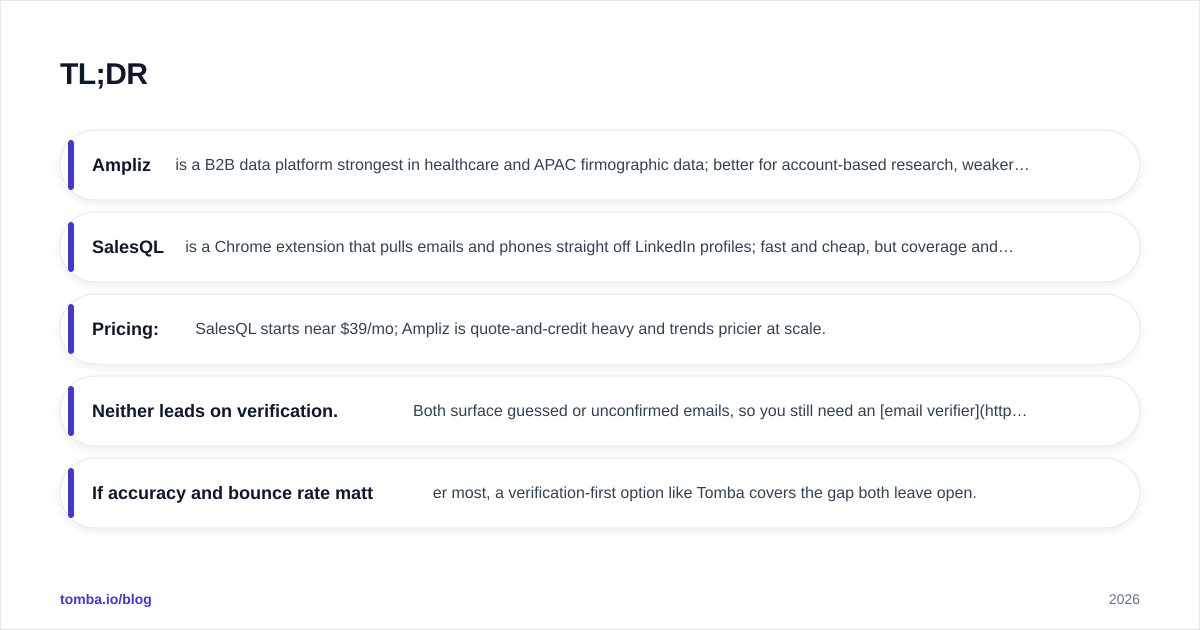
- Ampliz is a B2B data platform strongest in healthcare and APAC firmographic data; better for account-based research, weaker for fast self-serve prospecting.
- SalesQL is a Chrome extension that pulls emails and phones straight off LinkedIn profiles; fast and cheap, but coverage and verification are thin.
- Pricing: SalesQL starts near $39/mo; Ampliz is quote-and-credit heavy and trends pricier at scale.
- Neither leads on verification. Both surface guessed or unconfirmed emails, so you still need an email verifier before you send.
- If accuracy and bounce rate matter most, a verification-first option like Tomba covers the gap both leave open.
What is Ampliz and who is it for?#
Ampliz is a B2B data-intelligence platform that sells contact and company records, with a notable concentration in healthcare and a strong APAC footprint. Instead of a one-email-at-a-time extension, Ampliz leans toward list building, account intelligence, and enrichment for teams running account-based marketing (ABM).
Think of Ampliz as a wholesale data supplier rather than a precision tool. You tell it the segment—say, hospital procurement leads in Southeast Asia—and it returns firmographic and contact data in bulk. That model fits research-heavy teams who need breadth and are comfortable validating records downstream.
The trade-off is self-serve speed. Ampliz's flow is heavier than a click-to-grab extension, and pricing is credit- and quote-driven, which makes quick experiments awkward. You can read more about how vendors source records on the Ampliz site and compare it against your own segment needs.
What is SalesQL and who is it for?#
SalesQL is a Chrome extension that extracts personal and work emails plus phone numbers directly from LinkedIn and LinkedIn Sales Navigator profiles. You open a profile, click the extension, and it returns contact details you can save or export.
SalesQL is built for speed and individual reps. If your prospecting lives inside LinkedIn—you find a person, you want their email now—SalesQL fits the muscle memory. It handles bulk extraction from search results too, so you can work a Sales Navigator list without leaving the tab. The official feature set is on the SalesQL site.
The catch is that SalesQL is only as good as what it can infer from a profile. It does not run a deep verification layer, so a chunk of what it returns is pattern-guessed rather than confirmed. That is fine for low-stakes outreach and painful when deliverability is on the line.
Ampliz vs SalesQL: side-by-side comparison#
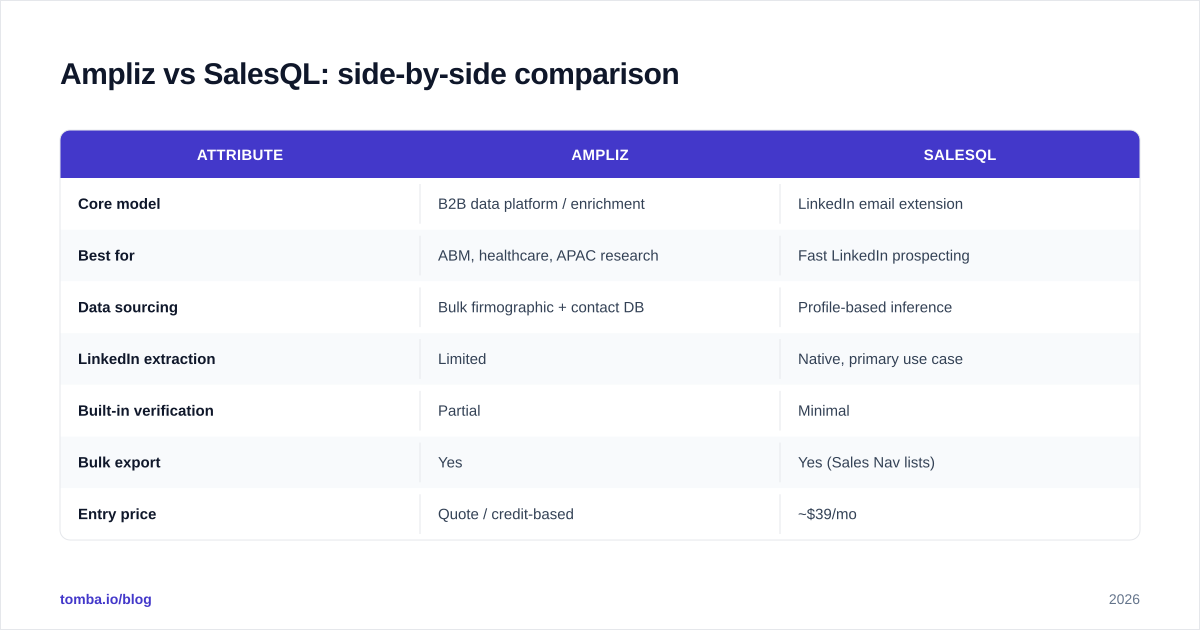
Here is the head-to-head on the attributes that actually change your results.
| Attribute | Ampliz | SalesQL |
|---|---|---|
| Core model | B2B data platform / enrichment | LinkedIn email extension |
| Best for | ABM, healthcare, APAC research | Fast LinkedIn prospecting |
| Data sourcing | Bulk firmographic + contact DB | Profile-based inference |
| LinkedIn extraction | Limited | Native, primary use case |
| Built-in verification | Partial | Minimal |
| Bulk export | Yes | Yes (Sales Nav lists) |
| Entry price | Quote / credit-based | ~$39/mo |
| Free tier | Limited trial | Free plan (capped credits) |
| API access | Yes | Limited |
| Ideal user | RevOps / data teams | Individual SDRs |
The pattern is clear: Ampliz wins on breadth and account intelligence; SalesQL wins on speed and LinkedIn convenience. Neither is a verification-first tool, which is the gap we keep returning to.

Is Ampliz or SalesQL more accurate?#
Accuracy depends on what you mean by accurate—coverage or correctness—and the two tools split the difference.
Coverage: Ampliz generally returns more records per segment because it is pulling from a maintained database rather than inferring from a single profile. If you need 5,000 contacts in a vertical, Ampliz is the more natural fit. SalesQL caps out at what its LinkedIn-driven inference can reach for the profiles you actually open.
Correctness: This is where both stumble. SalesQL frequently returns "likely" emails based on common company patterns (first.last@, f.last@), and those guesses bounce. Ampliz records can go stale because B2B data decays fast—roughly 22–30% of contact data degrades per year as people change jobs, per widely cited industry estimates from sources like Gartner.
The practical takeaway: whatever either tool hands you, treat it as a candidate, not a confirmed address. Running results through email verification before sending is the single highest-leverage step for protecting your sender reputation and your email deliverability.

How do Ampliz and SalesQL price their plans?#
Pricing philosophy is where these two diverge most.
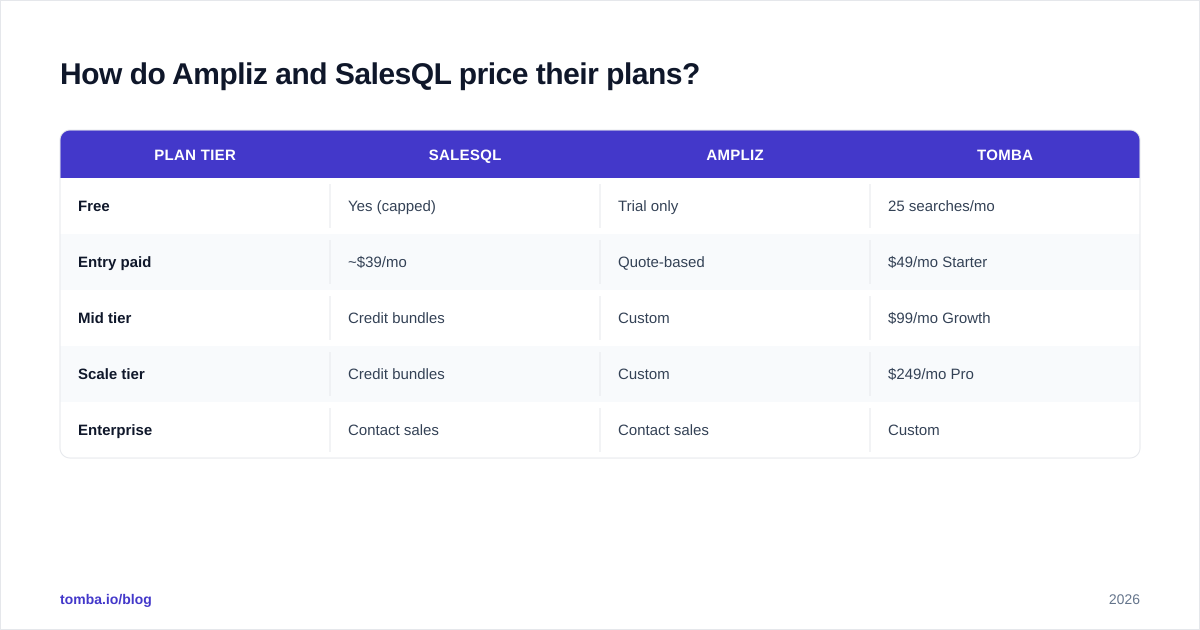
SalesQL is transparent and rep-friendly: a free plan with capped credits, then paid tiers starting around $39/mo that scale by the number of email/phone credits you need. You can sign up and start in minutes, which suits individual SDRs and small teams testing the waters.
Ampliz is enterprise-shaped. Expect credit bundles, custom quotes, and a sales conversation before you see real numbers. That is normal for data platforms, but it raises the barrier for quick trials and makes per-lead cost harder to predict.
If you want a transparent, mid-market option that sits between "cheap extension" and "call sales," compare both against published Tomba pricing so you are benchmarking against a known number instead of a quote.
| Plan tier | SalesQL | Ampliz | Tomba |
|---|---|---|---|
| Free | Yes (capped) | Trial only | 25 searches/mo |
| Entry paid | ~$39/mo | Quote-based | $49/mo Starter |
| Mid tier | Credit bundles | Custom | $99/mo Growth |
| Scale tier | Credit bundles | Custom | $249/mo Pro |
| Enterprise | Contact sales | Contact sales | Custom |
Which tool fits which workflow?#
Match the tool to how your team actually prospects.
Choose Ampliz if you run ABM, sell into healthcare, or need APAC coverage and bulk firmographic data for research and enrichment. Your team is comfortable validating and de-duplicating records, and you value breadth over click-speed.
Choose SalesQL if your pipeline starts on LinkedIn, your reps work one profile at a time, and you want a cheap, fast way to grab a contact without leaving the browser. It is a strong LinkedIn outreach companion for solo sellers.
Choose neither—or add a third tool—if deliverability is your bottleneck. Both Ampliz and SalesQL are sourcing tools first and verification tools a distant second. When bounce rate is the metric your boss watches, you need a finder that confirms addresses at the point of capture.
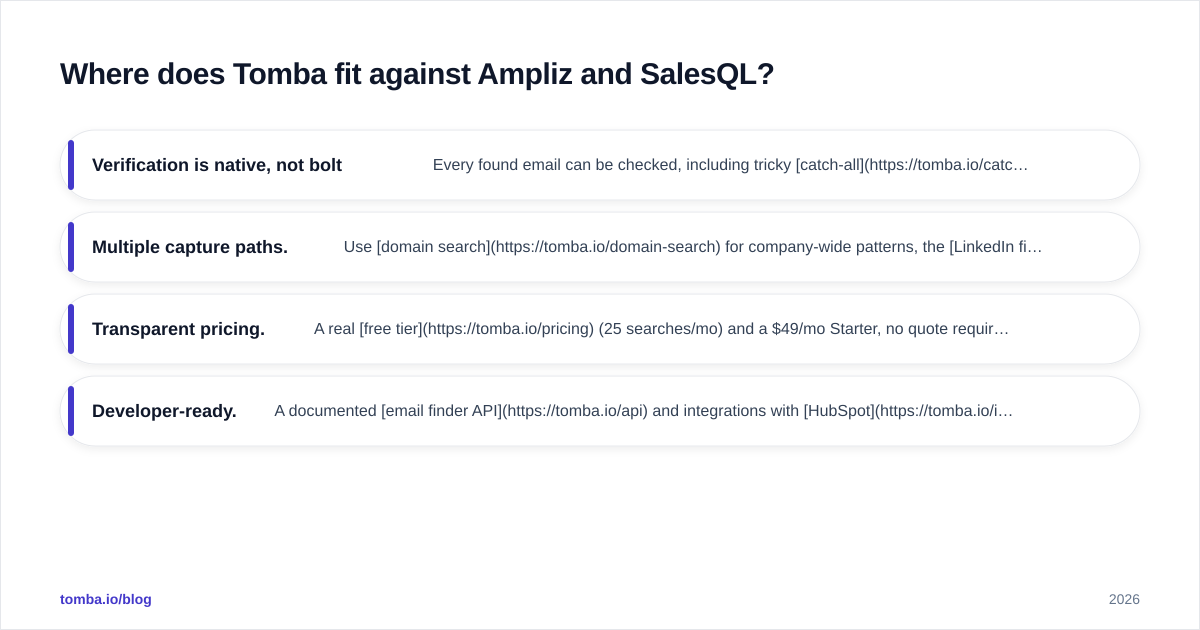
Where does Tomba fit against Ampliz and SalesQL?#
Tomba's edge is that finding and verifying live in the same workflow, so you are not exporting a list and praying. The Tomba Email Finder returns an address with a confidence signal, and the built-in email verifier confirms it against the mail server before it reaches your sequence.
A few concrete differences:
- Verification is native, not bolted on. Every found email can be checked, including tricky catch-all domains that quietly inflate other tools' "valid" counts.
- Multiple capture paths. Use domain search for company-wide patterns, the LinkedIn finder for profile-based capture like SalesQL, or bulk email finder for list building like Ampliz.
- Transparent pricing. A real free tier (25 searches/mo) and a $49/mo Starter, no quote required.
- Developer-ready. A documented email finder API and integrations with HubSpot, Salesforce, and Google Sheets.
This is not to say Tomba replaces every Ampliz use case—if you specifically need deep APAC healthcare firmographics, Ampliz's specialization is real. But for the core job most teams hire these tools for (get a correct email, send, don't bounce), a verification-first stack wins.

What about phone numbers and enrichment?#
Both Ampliz and SalesQL advertise phone data, and it is a fair reason to consider them—but the same accuracy caveat applies. Phone records decay even faster than emails, and direct dials are notoriously hit-or-miss.
If multichannel is part of your motion, validate phone data the same way you validate email. Tomba's phone finder and phone validator cover the dialing side, and data enrichment fills in firmographic gaps so your CRM rows are complete rather than half-blank. The goal is the same across email and phone: confirm before you contact.
For teams cross-referencing vendors, third-party review sites like G2 are useful for seeing how real users rate each tool's data freshness and support—just weigh recent reviews more heavily, since data quality shifts quarter to quarter.
How should you decide?#
Run a 100-lead bake-off. Pull the same target segment through each tool, then verify every result with an independent email checker and measure two numbers: match rate (how many leads got an email) and valid rate (how many passed verification). The tool with the best valid rate—not the biggest raw list—is the one that protects your domain.
In most head-to-heads we see, the deciding factor is not who finds more emails but who finds more correct ones. That is the metric that shows up later as reply rate and deliverability instead of a spam-folder graveyard.
The bottom line#
Ampliz and SalesQL are good at different jobs: Ampliz for bulk, vertical-specific B2B data; SalesQL for fast LinkedIn grabs. Both leave verification as your problem to solve. If you would rather not run a separate validation step—or watch bounces eat your sender reputation—start with a tool that finds and verifies in one pass.
Try the Tomba Email Finder free (25 searches/mo, no card), run it against the same list you would give Ampliz or SalesQL, and compare valid rates head-to-head. The difference shows up in your reply rate, not just your export count.
// get started
Find, verify and enrich your first contacts today
Start on the free plan with 25 searches a month, then scale when your team is ready.
Free plan · No credit card required · GDPR & CCPA
// about the author