Antideo vs Leadsforge: Which B2B Data Tool Wins in 2026?
Antideo validates the data you already have; Leadsforge generates new leads. Here's an honest 2026 breakdown of which fits your pipeline — and where a dedicated finder beats both.
Antideo and Leadsforge get lumped together in "B2B data tool" roundups, but they solve opposite problems. One cleans the data you already have. The other tries to create data you don't. Picking the wrong one means you either buy a generator when you needed a janitor, or a janitor when you needed a generator.
This breakdown cuts through the category confusion so you can match the tool to the job — and shows where a dedicated email-finding stack outperforms both for cold outbound.
TL;DR#
- Antideo is a validation and fraud-prevention API: email verification, IP reputation, phone validation, and profanity filtering. It checks data quality; it does not find new contacts.
- Leadsforge is an AI-driven lead generation tool that builds prospect lists from natural-language prompts. It creates leads; verification is a secondary feature, not its core.
- They are complementary, not competitors — if you ask "Antideo vs Leadsforge," you may actually need both, or neither.
- For cold outbound at scale, neither is purpose-built for high-accuracy email discovery; a dedicated finder-plus-verifier stack delivers better deliverability per dollar.
- Use the decision framework below to map your real bottleneck (data quality vs data volume) before you pay for anything.
What is Antideo?#
Antideo is a developer-focused data-quality and fraud-prevention API. Its job is to look at a piece of information you already collected — an email address, an IP, a phone number, a block of user-generated text — and tell you whether it's clean, risky, or junk.
The core endpoints cover:
- Email validation — syntax, MX records, disposable-domain detection, and free-provider flags.
- IP reputation — geolocation plus blacklist and proxy/VPN checks for signup fraud.
- Phone validation — format and line-type checks.
- Profanity filtering — moderating user-submitted content.
Antideo's positioning is real-time gatekeeping: stop a fake signup, block a disposable email at the form, or score an IP before you let a transaction through. It ships a free tier for low-volume developers and paid plans for higher throughput. You can confirm current limits on the Antideo homepage, since API quotas change.
What Antideo is not: a prospecting tool. It will never hand you a list of decision-makers at companies you want to sell to. It only reacts to data you bring it.
What is Leadsforge?#
Leadsforge is an AI sales-lead generation platform. You describe your ideal customer in plain language — "marketing directors at Series B SaaS companies in the US" — and it assembles a list of matching contacts, often with enrichment like job title, company, and an email guess attached.
Its pitch is speed and simplicity for founders and small sales teams who don't want to learn a heavy platform like an enterprise sales-intelligence suite. The conversational interface lowers the barrier: no boolean filters, no CRM PhD required.
Where Leadsforge gets fuzzy is data provenance and accuracy. AI list builders are only as good as the databases behind them, and email addresses are frequently inferred rather than verified at send-time. That's fine for a first pass, but it pushes the verification burden back onto you — which is exactly the gap Antideo (or a dedicated email verifier) fills.
So the honest framing: Leadsforge generates volume, Antideo guards quality. Asking which "wins" is like asking whether a faucet beats a water filter.
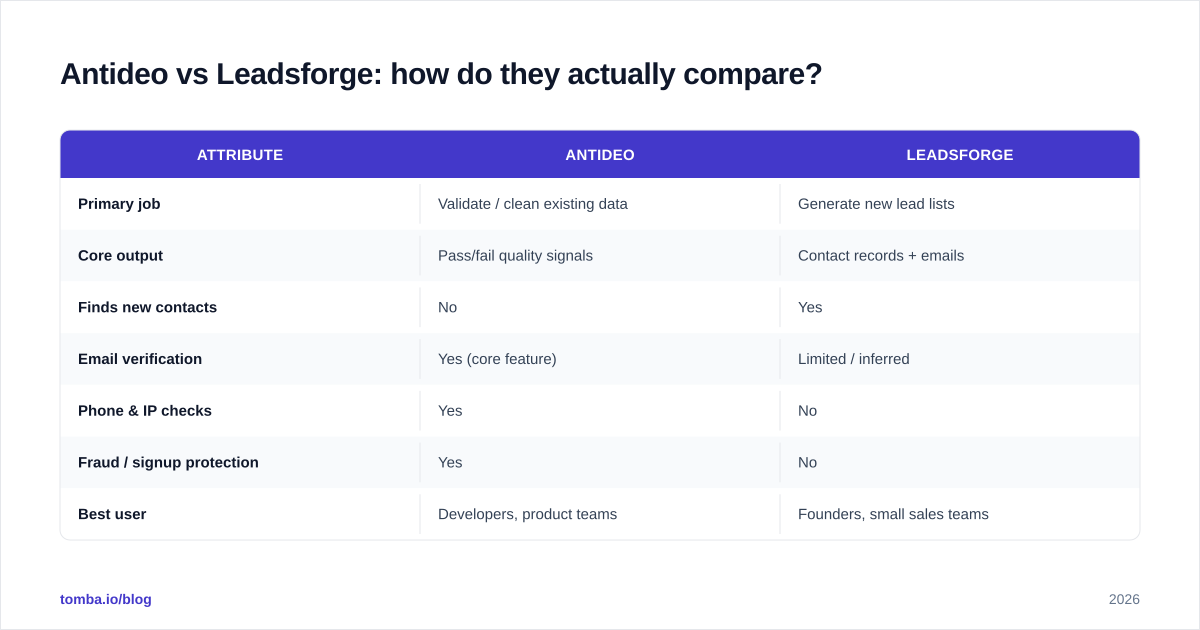
Antideo vs Leadsforge: how do they actually compare?#
Here's the side-by-side on the attributes that matter for a B2B outbound stack. Pricing reflects publicly listed tiers at the time of writing — always confirm on the vendors' own pages before buying.
| Attribute | Antideo | Leadsforge |
|---|---|---|
| Primary job | Validate / clean existing data | Generate new lead lists |
| Core output | Pass/fail quality signals | Contact records + emails |
| Finds new contacts | No | Yes |
| Email verification | Yes (core feature) | Limited / inferred |
| Phone & IP checks | Yes | No |
| Fraud / signup protection | Yes | No |
| Best user | Developers, product teams | Founders, small sales teams |
| Interface | REST API | Conversational AI UI |
| Free tier | Yes (low volume) | Trial-based |
| Weak spot | No prospecting | Verification depth |
The table makes the split obvious. If your spreadsheet is full of contacts and you don't trust the emails, Antideo (or a stronger verifier) is your lane. If your spreadsheet is empty, Leadsforge fills it — but you'll still want to verify what it produces.

Which problem are you actually solving?#
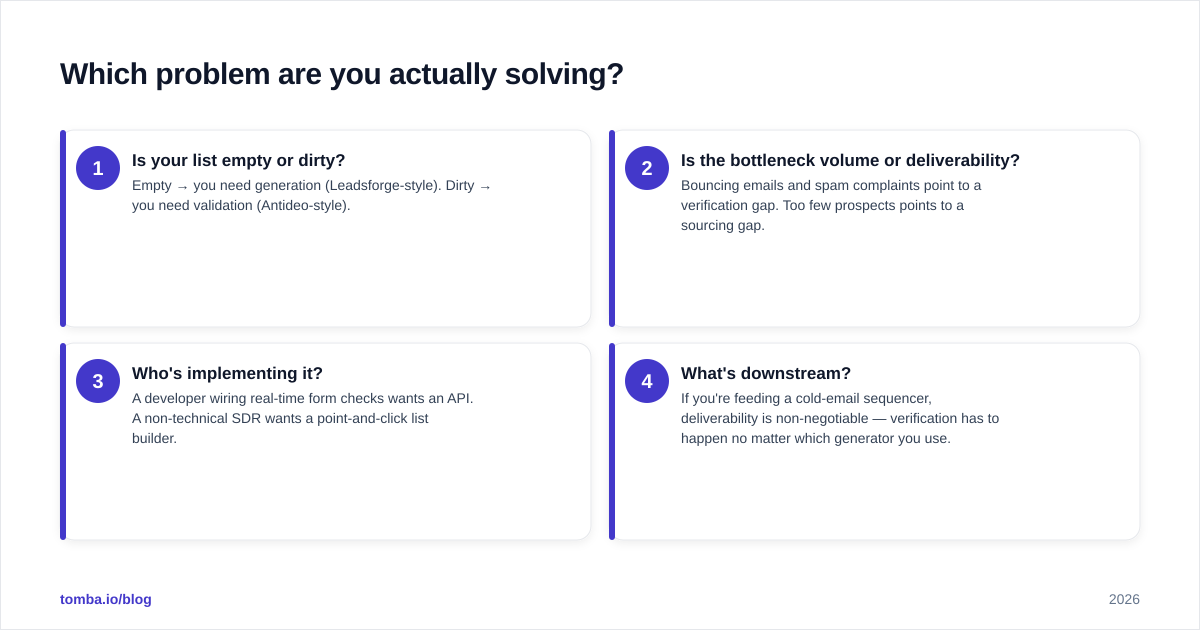
Most teams buy the wrong tool because they diagnose the symptom, not the disease. Run yourself through this quick framework before you compare price tags.
- Is your list empty or dirty? Empty → you need generation (Leadsforge-style). Dirty → you need validation (Antideo-style).
- Is the bottleneck volume or deliverability? Bouncing emails and spam complaints point to a verification gap. Too few prospects points to a sourcing gap.
- Who's implementing it? A developer wiring real-time form checks wants an API. A non-technical SDR wants a point-and-click list builder.
- What's downstream? If you're feeding a cold-email sequencer, deliverability is non-negotiable — verification has to happen no matter which generator you use.
The uncomfortable truth: for serious cold outbound, you almost always need find + verify + enrich as one motion, and these two tools each cover only a slice. That's why a lot of teams end up bolting a dedicated finder onto whatever generator they started with. You can read more about why verification protects your sender reputation in our guide to email deliverability.
Is Antideo or Leadsforge better for cold email?#
Neither is built end-to-end for cold email, but they fail in different directions.
Leadsforge gets you started fast. The risk is that AI-generated lists carry inferred emails that haven't been validated against live mailboxes. Sending to those addresses inflates your bounce rate, and a bounce rate above roughly 2–3% drags your sender reputation down fast — landing even your good emails in spam.
Antideo can scrub a list before you send, which directly protects deliverability. But it can't build the list, and its verification is tuned more for signup-fraud gatekeeping than for the catch-all and role-account nuance that cold-email senders care about.
The practical pattern teams land on:
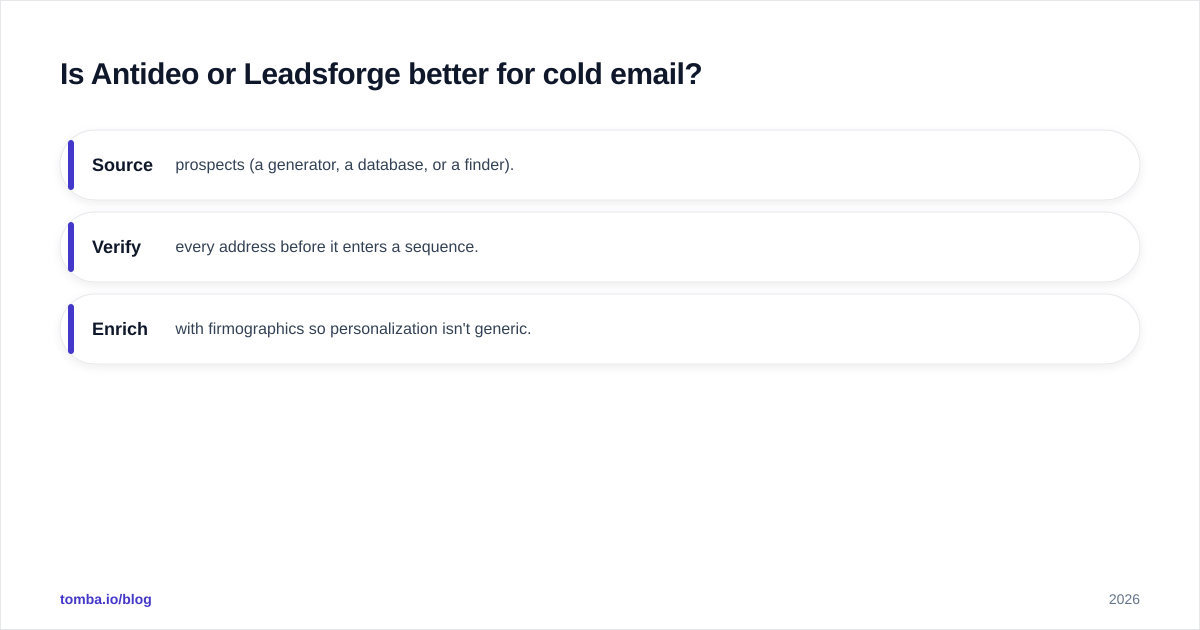
- Source prospects (a generator, a database, or a finder).
- Verify every address before it enters a sequence.
- Enrich with firmographics so personalization isn't generic.
A platform that does all three in one pass removes the glue work. That's where a dedicated finder stack earns its keep — you find the email, verify it, and enrich the record without exporting CSVs between three vendors. See how a combined bulk email finder workflow compresses that pipeline.
Where does a dedicated email-finder stack fit?#
If your real goal is cold outbound — not fraud prevention, not content moderation — you want tooling purpose-built for finding and confirming professional email addresses. This is the gap between "general data tool" and "outbound tool."
A finder-first stack like Tomba is organized around exactly that motion:
- Email finder — find professional addresses by name, domain, or company, with a confidence score on each result.
- Domain search — pull every discoverable address at a target company in one query.
- Email verifier — SMTP-level checks that go deeper than syntax and MX, including catch-all handling.
- Data enrichment — append job title, company, and social data so your personalization isn't hollow.
The difference from Antideo is that verification here is part of an outbound pipeline, not a fraud API. The difference from Leadsforge is that the emails are found and confirmed rather than inferred — which is what keeps bounce rates low.
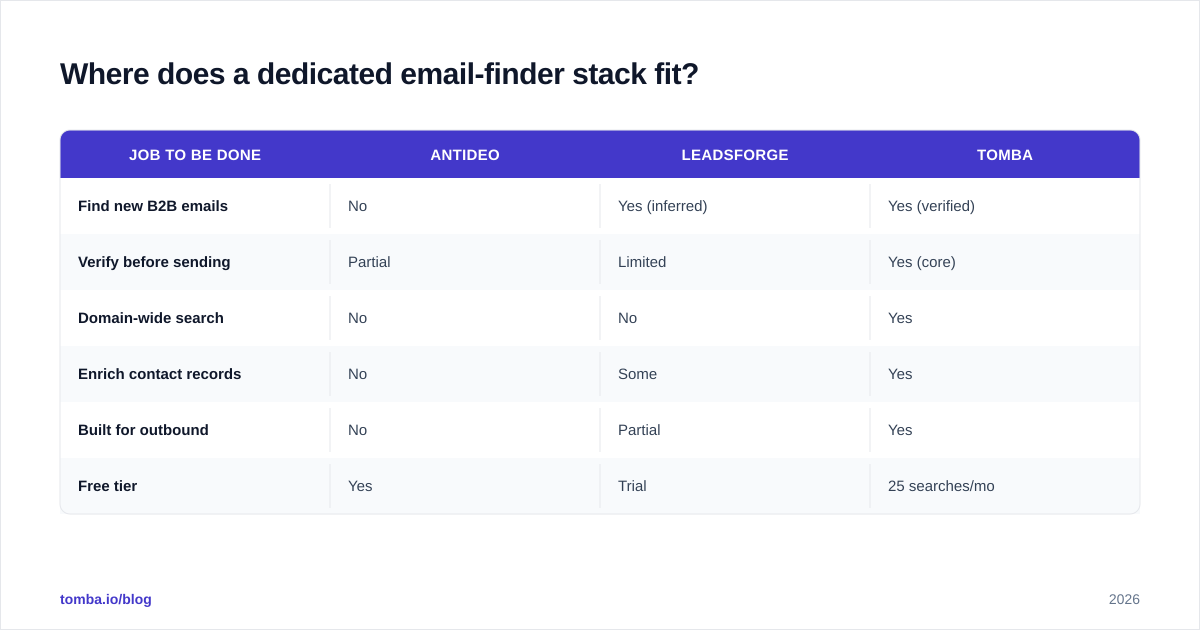
How they stack up for the cold-outbound job specifically:
| Job to be done | Antideo | Leadsforge | Tomba |
|---|---|---|---|
| Find new B2B emails | No | Yes (inferred) | Yes (verified) |
| Verify before sending | Partial | Limited | Yes (core) |
| Domain-wide search | No | No | Yes |
| Enrich contact records | No | Some | Yes |
| Built for outbound | No | Partial | Yes |
| Free tier | Yes | Trial | 25 searches/mo |
None of this means Antideo or Leadsforge are bad tools — they're good at their actual jobs. It means "Antideo vs Leadsforge" is often the wrong matchup for an outbound team. The right question is "what's the cleanest path from prospect to verified, enriched contact?"
What do reviews and the market say?#
Don't take any single comparison — including this one — as gospel. Cross-check on neutral review platforms where buyers post real usage notes:
- G2 for verified-user ratings and feature breakdowns by segment.
- Capterra for pricing transparency and small-business feedback.
When you read reviews, filter by company size and use case close to yours. A glowing Leadsforge review from a solo founder building their first 200-lead list tells you little if you're running a 10-rep team that sends 50,000 emails a month. Likewise, Antideo praise from a fintech blocking signup fraud doesn't transfer to a sales org trying to fill a pipeline.
Two questions to interrogate in any review:
- What was the bounce rate after sending? This is the real test of email-data quality, and it's rarely in the marketing copy.
- How much manual cleanup happened between tools? Glue work is the hidden cost that pricing pages never show.
How should you choose between them?#
Conclusion first: match the tool to your bottleneck, and don't assume one tool covers the whole funnel.
- Choose Antideo if you're a developer or product team that needs real-time data validation and fraud prevention — blocking disposable emails at signup, scoring IPs, validating phones. It's an infrastructure tool, not a sales tool.
- Choose Leadsforge if you're a non-technical founder or small team that wants the fastest path from "I have no list" to "I have a list," and you're prepared to verify the output before sending.
- Choose a dedicated finder stack if cold outbound is your core motion and deliverability is the metric you live or die by. Finding, verifying, and enriching in one pass beats stitching a generator to a validator.
Be honest about scale, too. A free Antideo tier or a Leadsforge trial is plenty to test the concept. But once you're sending thousands of emails a month, the cost of bounced sends and damaged reputation dwarfs the subscription price — which is the case for verified-at-source data. Compare full Tomba pricing against what you'd spend gluing two single-purpose tools together.
The bottom line#
Antideo and Leadsforge aren't really rivals — they're two halves of a problem you may not have fully scoped yet. Antideo keeps bad data out. Leadsforge brings new data in. If your job is cold outbound, you need both halves working as one: find the contact, confirm the email is real, and enrich it enough to personalize.
That's the motion the Tomba Email Finder is built for. Start free with 25 searches a month, find and verify professional emails in the same workflow, and skip the CSV shuffle between a generator and a validator. When deliverability is the number that pays your salary, source data you can actually trust — then scale up to the Starter plan at $49/mo when you're ready to send at volume.
// get started
Find, verify and enrich your first contacts today
Start on the free plan with 25 searches a month, then scale when your team is ready.
Free plan · No credit card required · GDPR & CCPA
// about the author