Antideo vs OneMoreLead 2026: Email Validation & B2B Data
Antideo validates emails, IPs, and phones via API. OneMoreLead hands you a B2B contact database. Here's which one actually fits your 2026 sales stack — and where a finder beats both.
You typed "Antideo vs OneMoreLead" into a search bar because you want one tool to fix your lead data. The honest answer is that these two products barely compete — they solve different halves of the same problem. One cleans data you already have; the other sells you data you don't. Pick the wrong one and you'll either buy a list you can't trust or polish a database you never built.
This breakdown shows exactly what each tool does, where each wins, what they cost in 2026, and why most teams end up needing a third category of tool entirely.
TL;DR#
- Antideo is a validation and enrichment API: email verification, IP reputation, phone checks, and spam-blacklist lookups. It does not give you new contacts.
- OneMoreLead is a B2B contact database — you search and export lead lists by industry, title, and location. It is not a real-time verification engine.
- They're complementary, not rivals. Antideo cleans; OneMoreLead supplies. Comparing them head-to-head is like comparing a water filter to a well.
- Neither finds a specific person's email on demand. For targeted prospecting ("the VP of Eng at this exact company"), a dedicated email finder plus a email verifier covers both jobs.
- If you only remember one thing: decide whether your bottleneck is bad data (Antideo) or no data (OneMoreLead) before you spend a dollar.
What is Antideo?#
Antideo is a developer-first data-validation platform built around free and paid API endpoints. Instead of a polished dashboard with millions of contacts, you get a set of focused checks you call programmatically or test in the browser.
Its core services:
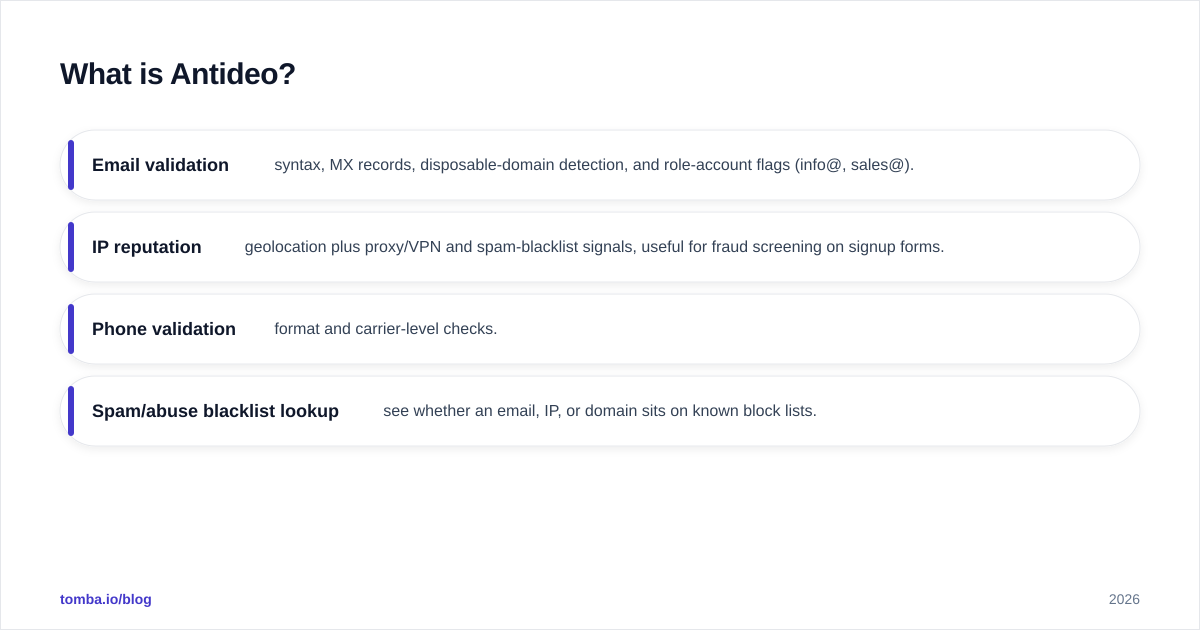
- Email validation — syntax, MX records, disposable-domain detection, and role-account flags (info@, sales@).
- IP reputation — geolocation plus proxy/VPN and spam-blacklist signals, useful for fraud screening on signup forms.
- Phone validation — format and carrier-level checks.
- Spam/abuse blacklist lookup — see whether an email, IP, or domain sits on known block lists.
Antideo's appeal is that the free tier is genuinely usable for low volume, and the API is simple to wire into a signup flow or a data-cleaning script. It's a tool you reach for when you're a developer protecting a form or scrubbing a list — not a salesperson hunting for net-new leads.
What Antideo does not do: it won't tell you the email address of a person you've never contacted. It validates what you feed it. No input, no output.

What is OneMoreLead?#
OneMoreLead is a B2B prospecting database. You log in, filter by criteria — industry, company size, job title, geography — and export contact lists to use in cold email or upload to your CRM. The pitch is volume: a large pool of business contacts you can slice into target segments.
Its core value:
- Searchable contact database of business emails and company data.
- List building and segmentation by firmographic filters.
- Export to CSV/CRM for outreach campaigns.
- Lead "claims" — most plans meter how many contacts you can pull per period.
This is the opposite shape of Antideo. OneMoreLead is for the SDR or founder who needs more leads and doesn't have a source. The trade-off, as with every static database, is freshness: B2B data decays at roughly 22–30% per year as people change jobs (a figure repeatedly cited by data vendors like Gartner). A list you export today is already aging, which is exactly why a validation layer matters before you hit send.
Antideo vs OneMoreLead: how do they actually compare?#
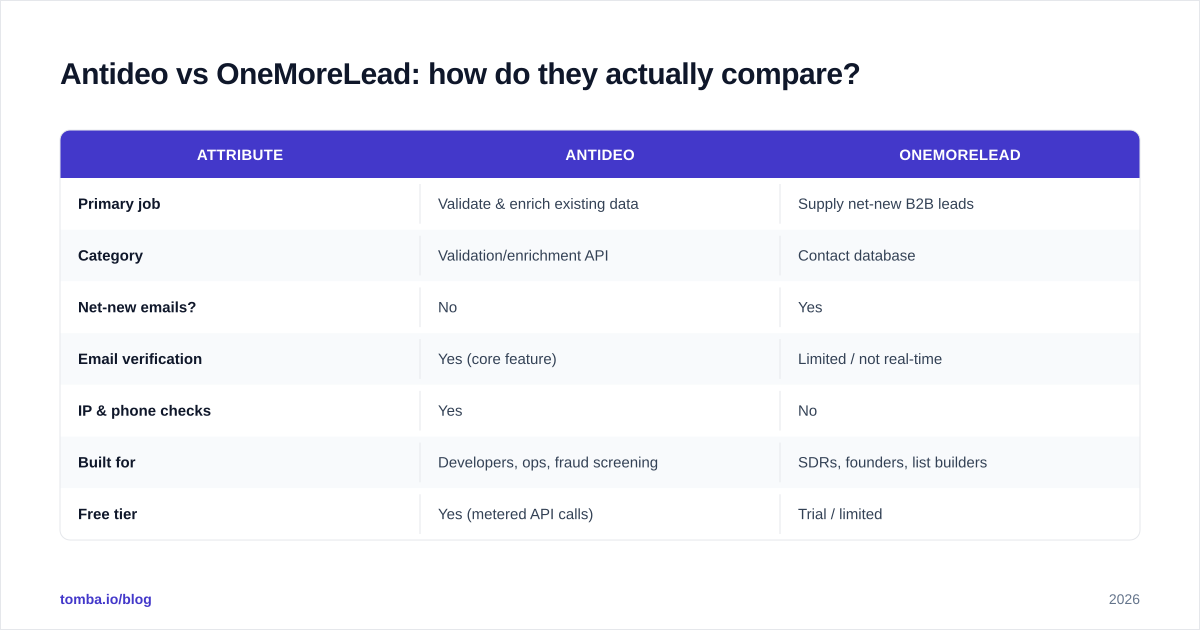
Here's the core distinction in one table. Read the "Primary job" row first — it explains every other difference.
| Attribute | Antideo | OneMoreLead |
|---|---|---|
| Primary job | Validate & enrich existing data | Supply net-new B2B leads |
| Category | Validation/enrichment API | Contact database |
| Net-new emails? | No | Yes |
| Email verification | Yes (core feature) | Limited / not real-time |
| IP & phone checks | Yes | No |
| Built for | Developers, ops, fraud screening | SDRs, founders, list builders |
| Free tier | Yes (metered API calls) | Trial / limited |
| Interface | API-first | Dashboard / search UI |
| Best use case | Cleaning a form or list | Building a cold-outreach list |
The pattern is clear: Antideo improves data quality, OneMoreLead improves data quantity. If your CRM is full of stale contacts bouncing your campaigns, Antideo helps. If your CRM is empty, OneMoreLead helps. They genuinely sit at opposite ends of the pipeline.
Is Antideo better than OneMoreLead?#
Wrong question — but a common one. "Better" depends entirely on which problem you have today.
Choose Antideo if:
- You already have lists (from forms, events, scraping, or another vendor) and need to scrub them before sending.
- You're a developer adding real-time email/IP checks to a product signup to block fraud and disposable addresses.
- You want a lightweight, API-only tool with a free tier and no sales call.
Choose OneMoreLead if:
- Your pipeline is empty and you need raw volume of B2B contacts fast.
- You run high-volume cold outreach and treat lists as disposable fuel.
- You prefer a point-and-click search interface over writing API calls.
The catch: most teams discover they need both behaviors. You source contacts, then you must verify them, or your sender reputation tanks. Buying a database without a verification step is how you end up on a blacklist — the very thing Antideo's blacklist lookup warns you about. That circularity is the tell that you're looking at half-solutions.
Where do both tools fall short for prospecting?#
Neither tool nails the most common B2B task: finding one specific decision-maker's email on demand.
OneMoreLead gives you a bulk list filtered by attributes, but you can't always trust that the VP you care about is in it, current, and correct. Antideo can tell you whether an address is deliverable, but it can't generate that address in the first place. Between them there's a gap exactly where targeted outbound lives.
That gap is what a modern email finder fills. You give it a name and a company domain; it returns the verified professional email, with a confidence score and the sources behind it. Pair that with domain search to map every reachable contact at a target account, and you've replaced "buy a giant list and pray" with "find exactly who I need, verified."
A quick three-step framework to decide what you actually need:
- No contacts at all? Start with a database or a finder to source them.
- Have names but no emails? Use an email finder to resolve addresses for specific people.
- Have emails of unknown quality? Run an email verifier (or Antideo) before any campaign.
Most teams need steps 2 and 3 far more often than step 1.
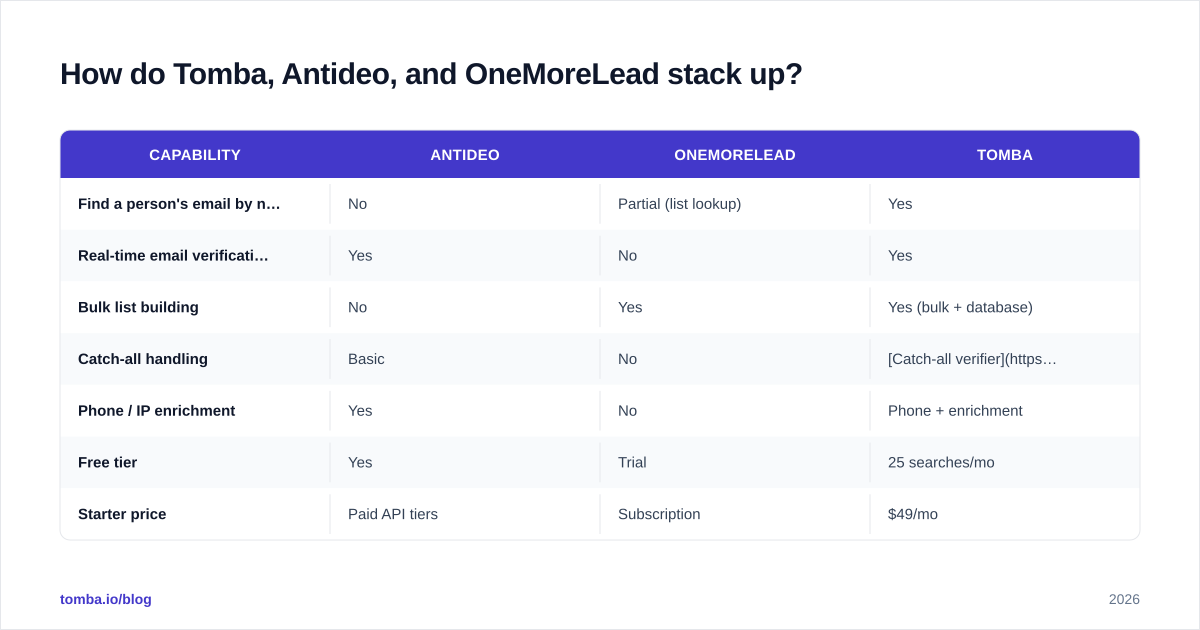
How do Tomba, Antideo, and OneMoreLead stack up?#
Since the real job is usually "find verified contacts for specific targets," it helps to add a finder-plus-verifier platform to the comparison. This isn't to crown a winner — it's to show the category each tool belongs to.
| Capability | Antideo | OneMoreLead | Tomba |
|---|---|---|---|
| Find a person's email by name + domain | No | Partial (list lookup) | Yes |
| Real-time email verification | Yes | No | Yes |
| Bulk list building | No | Yes | Yes (bulk + database) |
| Catch-all handling | Basic | No | Catch-all verifier |
| Phone / IP enrichment | Yes | No | Phone + enrichment |
| Free tier | Yes | Trial | 25 searches/mo |
| Starter price | Paid API tiers | Subscription | $49/mo |
| API access | Yes | Limited | Yes |
Tomba sits in the overlap: it finds net-new emails like a database, verifies them in real time like Antideo, and supports bulk workflows. For teams tired of stitching two tools together, that consolidation is the point. (You can compare full Tomba pricing against either vendor's plans directly.)
What about pricing in 2026?#
Pricing models differ enough that a flat dollar comparison misleads. Antideo charges per API usage with a free allowance, so cost scales with how many checks you run. OneMoreLead charges a recurring subscription with metered contact "claims," so cost scales with how many leads you export. They're billing for two different units — checks vs contacts.
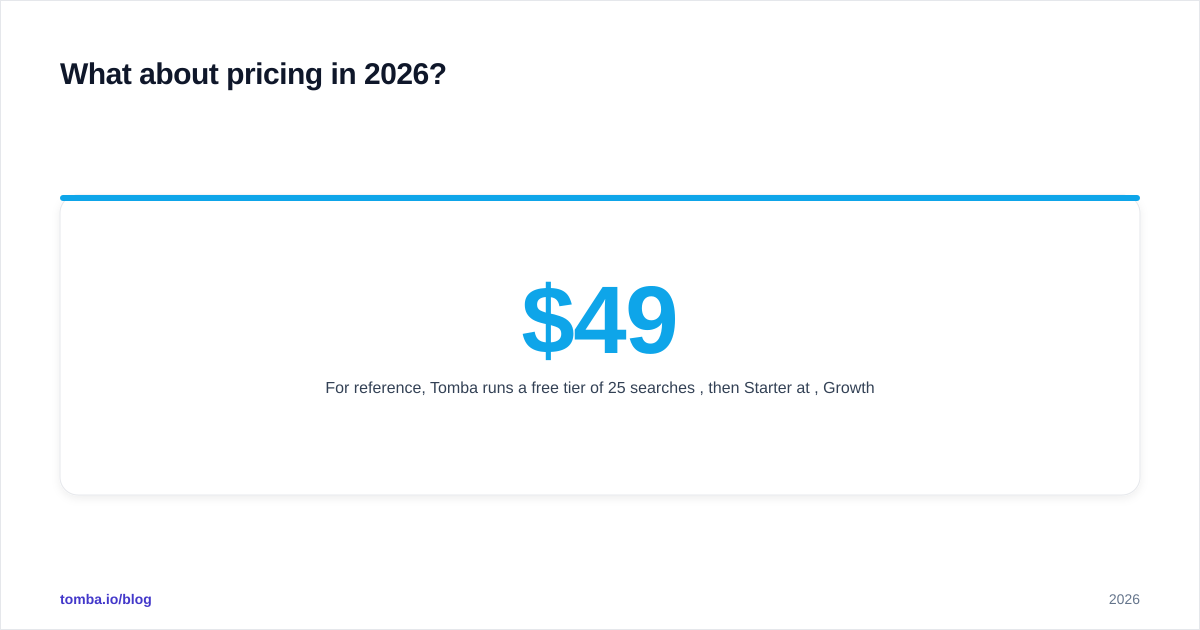
For reference, Tomba runs a free tier of 25 searches per month, then Starter at $49/mo, Growth at $99/mo, Pro at $249/mo, and custom Enterprise pricing — a per-credit model that covers both finding and verifying under one line item. When you budget, don't compare sticker prices; compare cost per usable, verified contact. A cheap list with a 30% bounce rate is more expensive than a slightly pricier verified one once you factor in deliverability damage.
Always validate vendor pricing on the source pages — check Antideo and OneMoreLead directly, since plans change. And before committing, read independent reviews on G2 rather than trusting any vendor's own benchmark, including this one.
Which should you choose?#
Decide by bottleneck, not brand:
- Bad data quality (bounces, fraud signups, stale CRM) → Antideo is the natural fit, especially if you have engineers.
- No data at all (empty pipeline, need volume) → OneMoreLead gives you raw lists fast.
- Targeted outbound (specific people at specific accounts, verified) → a dedicated email finder + verifier is the better tool, and it absorbs most of what the other two do.
The mistake is treating "Antideo vs OneMoreLead" as an either/or when the real decision is which stage of the funnel hurts most. Map your gap first; the tool follows.
The bottom line#
Antideo and OneMoreLead aren't competitors — they're a filter and a faucet. Antideo cleans and screens the data you already have; OneMoreLead pours new contacts into your pipeline. Choose Antideo for validation and fraud screening, OneMoreLead for raw list volume, and expect to need a verification step no matter which you pick.
But if your actual job is reaching specific decision-makers with addresses you can trust, you want both finding and verification in one place. Tomba's Email Finder resolves verified professional emails from a name and domain, scores every result, and backs it with built-in verification and enrichment — so you skip the list-then-scrub dance entirely. Start free with 25 searches a month and test it against your own target accounts before you spend on a database or a standalone validator.
// get started
Find, verify and enrich your first contacts today
Start on the free plan with 25 searches a month, then scale when your team is ready.
Free plan · No credit card required · GDPR & CCPA
// about the author