Anymail Finder vs Bookyourdata: 2026 Data Tool Comparison
Anymail Finder finds and verifies emails in real time; Bookyourdata sells prebuilt B2B lists. Here's which model wins for accuracy, cost, and deliverability in 2026.
Anymail Finder vs Bookyourdata is really a contest between two different philosophies of B2B data: find-on-demand versus buy-in-bulk. They are not interchangeable, and picking the wrong one quietly wrecks your deliverability and your budget.
TL;DR#
- Anymail Finder is a real-time email finder. You give it a name and domain (or just a domain), and it searches and verifies addresses at the moment you ask — so the data is current.
- Bookyourdata is a pay-as-you-go B2B contact database. You filter a prebuilt list, buy the records, and download a CSV with emails, phones, and firmographics.
- Accuracy: real-time verification (Anymail Finder) generally beats static lists (Bookyourdata) that decay 2–3% per month as people change jobs.
- Cost model: Anymail Finder bills by verified result/credits; Bookyourdata sells credits per downloaded record with a "100% accuracy guarantee" marketing claim worth scrutinizing.
- Best for most teams: a verify-first finder. If you want broad coverage plus built-in verification at a lower entry price, Tomba Email Finder is the alternative we benchmark against both below.
What is Anymail Finder?#
Anymail Finder is a real-time email finder. Its core job is to take an input — a person's full name plus a company domain, or just a company domain — and return a deliverable business email address, validated through SMTP and pattern analysis before it hands the result back to you.
The key word is real-time. When you run a search, Anymail Finder is checking sources and verifying the mailbox right then, not pulling a row that was scraped eight months ago. That matters because B2B contact data rots fast: roughly 25–30% of a typical list goes stale every year as people switch companies, get promoted, or leave.
Anymail Finder leans on a "only pay for verified emails" promise. If it can't verify an address with confidence, it generally doesn't charge you a full credit for it. That pricing logic pushes the risk of bad data back onto the vendor — a healthy incentive.
Use Anymail Finder when you already know who you want to reach. It is a precision tool: you bring the target, it brings the verified address.
What is Bookyourdata?#
Bookyourdata is a prebuilt B2B contact database you buy from. Instead of searching for a specific person, you open a list builder, apply filters (industry, job title, country, company size, technology used), preview the count, then purchase and download the matching records as a spreadsheet.
This is the buy-in-bulk model. The appeal is volume and speed: in ten minutes you can walk away with 5,000 "Marketing Directors in US SaaS companies" complete with emails, direct dials, and LinkedIn URLs. Bookyourdata markets a "100% accuracy guarantee" and a pay-as-you-go credit system, so you're not locked into a subscription.
The catch is structural, not a knock on any single vendor: the moment a list is exported, it starts aging. A record verified the day you download it can be wrong three months later, and a one-time "guarantee" rarely covers the contact who changed jobs after purchase. You're buying a snapshot, not a live feed.
Use Bookyourdata when you need quantity fast and you're comfortable running your own email verification pass before you send anything.
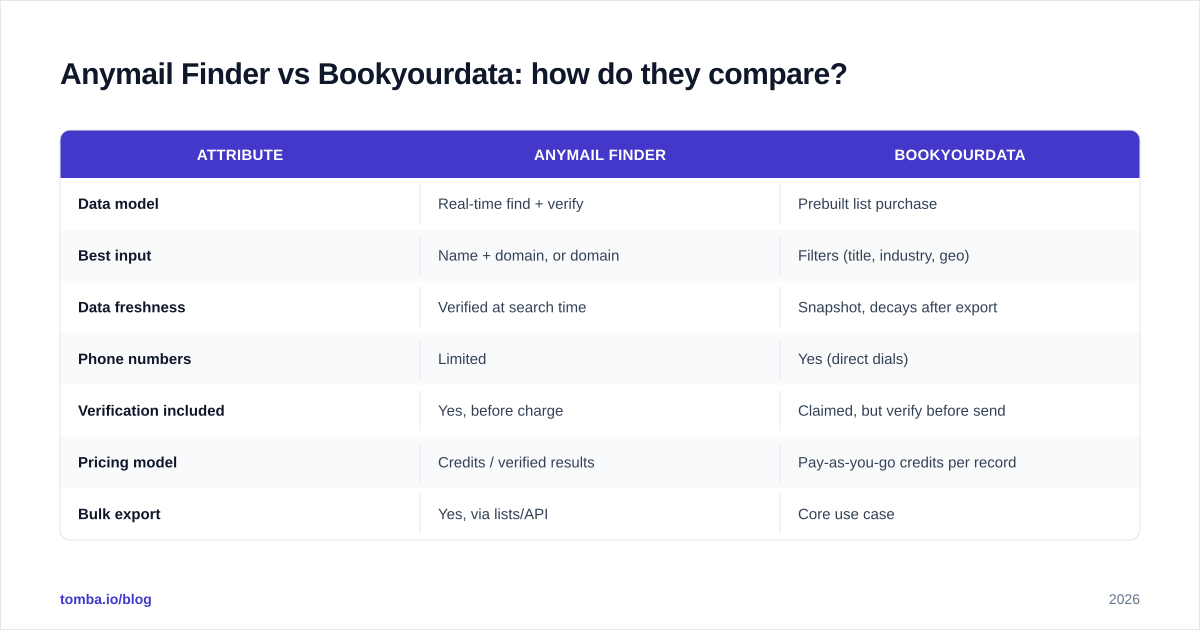
Anymail Finder vs Bookyourdata: how do they compare?#
Here is the head-to-head on the attributes that actually change your results.
| Attribute | Anymail Finder | Bookyourdata |
|---|---|---|
| Data model | Real-time find + verify | Prebuilt list purchase |
| Best input | Name + domain, or domain | Filters (title, industry, geo) |
| Data freshness | Verified at search time | Snapshot, decays after export |
| Phone numbers | Limited | Yes (direct dials) |
| Verification included | Yes, before charge | Claimed, but verify before send |
| Pricing model | Credits / verified results | Pay-as-you-go credits per record |
| Bulk export | Yes, via lists/API | Core use case |
| Free tier | Limited trial | Free credits to start |
| Risk of stale data | Low | Moderate to high |
The short read: Anymail Finder optimizes for correctness per contact, Bookyourdata optimizes for contacts per minute. Neither is wrong — they answer different questions.
Which is more accurate?#
Real-time verification wins on accuracy, and the reason is timing, not vendor superiority.
Think of B2B data like fresh produce. Anymail Finder is the grocer who picks the fruit when you order it. Bookyourdata is the pre-packed crate — it was fine when it was sealed, but you don't know how long it's been on the shelf. Both can deliver good fruit; only one guarantees it's fresh today.
Technically, an email's deliverability depends on whether the mailbox still exists and accepts mail, which a real-time SMTP check confirms at the moment of the query. A purchased list was validated at its moment, which may be weeks or months before you load it into your sequencer. Every week of lag adds bounces.
This is why your bounce rate is the metric that matters more than any vendor's headline accuracy number. Mailbox providers like Google and Microsoft treat high bounce rates as a spam signal, and crossing roughly 2–3% bounces can throttle your whole domain. Industry guidance from HubSpot and email-deliverability literature is consistent on this: list hygiene protects sender reputation, and reputation protects the inbox.
If you buy from Bookyourdata, treat the "100% accuracy" claim as a starting point, not a finish line — run the export through a catch-all verifier and a standard verifier before the first send. If you use Anymail Finder, you're getting that verification baked in, which is the cleaner workflow.
Which is better for cold outreach at scale?#
It depends on whether you're list-led or account-led.
If you're account-led (you have a defined target account list and known personas), the real-time finder model fits better. You feed in your accounts, pull verified contacts, and your bounce risk stays low because every address was checked. Pair this with a bulk email finder run and you keep volume without sacrificing hygiene.
If you're list-led (you want to discover net-new accounts that match a profile), the database model is faster. Bookyourdata's filters let you assemble a cold list from scratch — useful when you don't yet know which companies to target. The trade-off is the mandatory verification step before you send.
A practical hybrid many teams run: use a database to discover accounts, then use a real-time finder to re-verify and enrich the specific contacts you'll actually email. That combination — broad discovery, narrow verification — gets you both reach and deliverability. Tomba's data enrichment is built for exactly that second step.
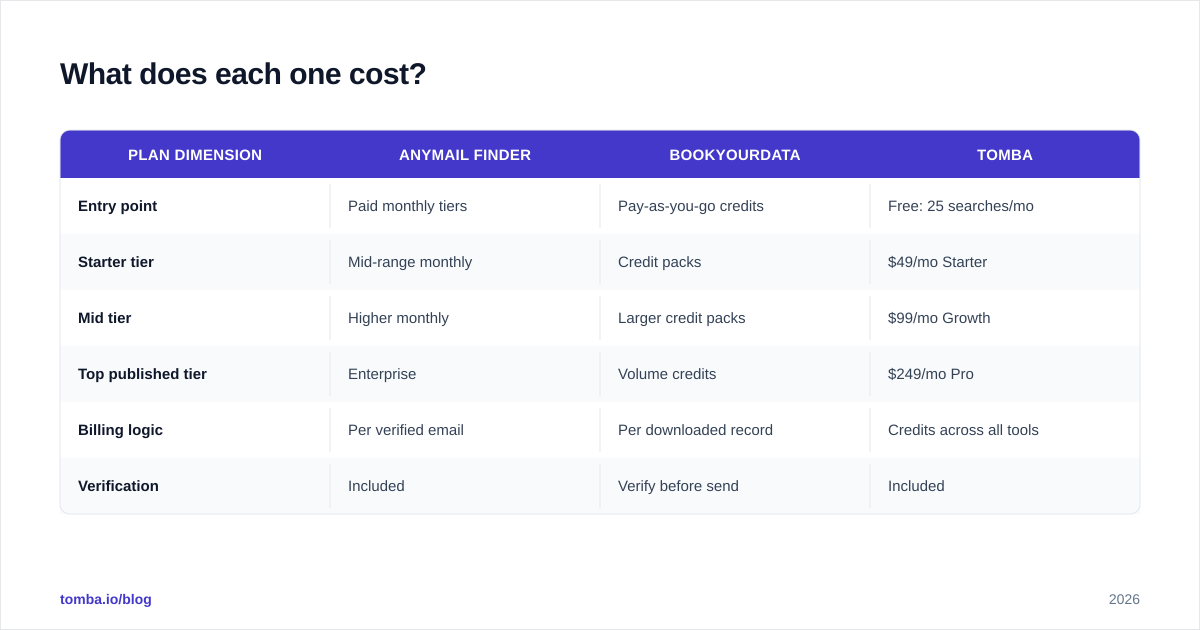
What does each one cost?#
Pricing models differ enough that a flat "X is cheaper" answer would mislead you.
| Plan dimension | Anymail Finder | Bookyourdata | Tomba |
|---|---|---|---|
| Entry point | Paid monthly tiers | Pay-as-you-go credits | Free: 25 searches/mo |
| Starter tier | Mid-range monthly | Credit packs | $49/mo Starter |
| Mid tier | Higher monthly | Larger credit packs | $99/mo Growth |
| Top published tier | Enterprise | Volume credits | $249/mo Pro |
| Billing logic | Per verified email | Per downloaded record | Credits across all tools |
| Verification | Included | Verify before send | Included |
Two things to weigh beyond the sticker price:
- Wasted credits. With a list-purchase model, you pay for every record you download, including the ones that will bounce. With a verify-first finder, more of your spend maps to addresses you can actually use.
- Tool sprawl. A database often forces a separate verification tool into your stack. A finder with verification built in collapses two line items into one.
You can compare full Tomba pricing directly; the free tier exists specifically so you can test accuracy on your own domains before paying anything. For multi-vendor pricing context, G2 and Capterra carry current user-reported numbers worth cross-checking.
How accurate are email finders in general?#
Independent benchmarking matters here because every vendor publishes its own favorable number. Accuracy varies widely by tool, by region, and by how strict the verification is.

The pattern in repeated testing is consistent: tools that verify in real time and expose a confidence score (valid, accept-all, unknown) give you more honest data than tools that return an address with no signal. A finder that admits "this is a catch-all, treat with caution" protects you more than one that reports a clean-looking but unverifiable address.
This is also where a dedicated catch-all finder earns its place. Catch-all domains accept any address at the SMTP layer, so naive verification marks them all "valid" — which is how teams get burned. Proper handling flags them separately so you can decide your own risk tolerance.
Is there a better alternative to both?#
For most teams that want one tool instead of two, a verify-first finder with broad coverage is the stronger default — and that's the gap Tomba fills.
Tomba combines the real-time, verify-before-charge logic of a finder with the breadth of a database, plus the supporting tools (verifier, domain search, phone finder, enrichment) under one credit pool. You're not buying a static snapshot and you're not stitching together a finder and a separate verifier.

Where each tool lands:
- Choose Anymail Finder if you specifically want a lean, find-and-verify workflow and you already know your targets.
- Choose Bookyourdata if your priority is buying large filtered lists fast and you'll run your own verification.
- Choose Tomba if you want both — on-demand verified finding and domain-level discovery — starting on a free tier and scaling on transparent monthly pricing.
For honesty's sake: if your entire motion is buying massive prebuilt lists and you never need real-time lookups, a database-first tool may suit you better. Most outbound teams, though, send to known accounts and live or die by bounce rate — and that's where the finder model consistently wins.
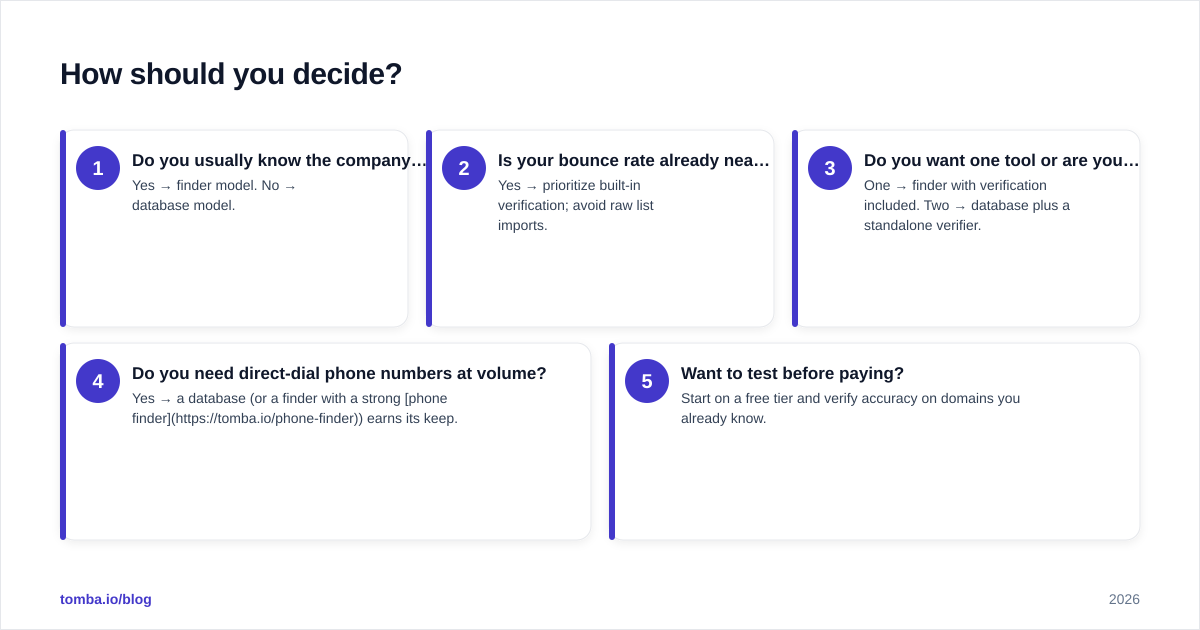
How should you decide?#
Run this quick test against your own workflow:
- Do you usually know the company before the contact? Yes → finder model. No → database model.
- Is your bounce rate already near 2%? Yes → prioritize built-in verification; avoid raw list imports.
- Do you want one tool or are you fine with two? One → finder with verification included. Two → database plus a standalone verifier.
- Do you need direct-dial phone numbers at volume? Yes → a database (or a finder with a strong phone finder) earns its keep.
- Want to test before paying? Start on a free tier and verify accuracy on domains you already know.
The decision rarely comes down to a feature checkbox. It comes down to data freshness and how much bounce risk you can absorb. Stale lists are cheap up front and expensive on the back end, because a damaged sender reputation costs far more than a few extra credits.
The bottom line#
Anymail Finder and Bookyourdata solve different problems: one finds and verifies in real time, the other sells prebuilt lists in bulk. For accuracy and deliverability, the real-time model is safer; for raw volume and discovery, the database model is faster.
If you want to skip the either/or, start with the Tomba Email Finder. You get real-time finding with verification built in, domain search for discovery, and a free tier (25 searches/month) so you can benchmark accuracy on your own targets before committing — then scale on a clear $49 Starter, $99 Growth, or $249 Pro plan when the results hold up. Find the right contacts, verify before you send, and keep your domain out of the spam folder.
Ready to find emails that actually work?
Join 150,000+ professionals who stopped guessing and started sending. Free credits on signup — no credit card required.
Get the Tomba newsletter
Practical outbound tactics and product updates — once every two weeks.
About the author