Anymail Finder vs Contactout: 2026 Email Tool Comparison
A neutral, data-driven breakdown of Anymail Finder vs Contactout — accuracy, pricing, data sourcing, and which email finder fits your outbound motion in 2026.
You have a list of target accounts, a sequencer ready to fire, and one missing piece: verified email addresses that won't torch your sender reputation. Two tools come up constantly in that search — Anymail Finder and Contactout. They solve overlapping problems from opposite directions. This breakdown compares them on the things that actually move reply rates: match accuracy, verification, data sourcing, pricing, and workflow fit.
TL;DR — Anymail Finder vs Contactout at a glance#
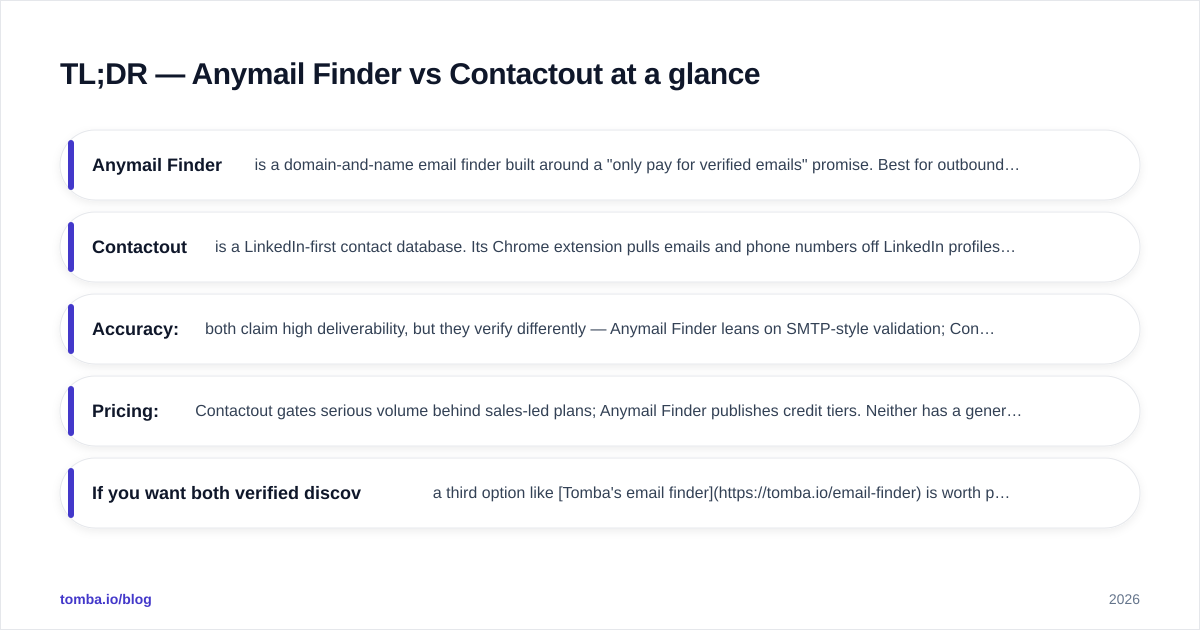
- Anymail Finder is a domain-and-name email finder built around a "only pay for verified emails" promise. Best for outbound teams that work from company domains and want clean, deliverable addresses.
- Contactout is a LinkedIn-first contact database. Its Chrome extension pulls emails and phone numbers off LinkedIn profiles, making it strong for recruiters and reps who prospect inside LinkedIn.
- Accuracy: both claim high deliverability, but they verify differently — Anymail Finder leans on SMTP-style validation; Contactout leans on a large stored database plus enrichment.
- Pricing: Contactout gates serious volume behind sales-led plans; Anymail Finder publishes credit tiers. Neither has a generous free tier for ongoing use.
- If you want both verified discovery and a published, predictable price, a third option like Tomba's email finder is worth putting in the same bake-off.
What is Anymail Finder?#
Anymail Finder is an email-finding tool that takes a person's name plus a company domain (or just a domain) and returns a business email address. Its core selling point is verification-first billing: the product is designed so you primarily pay for results it can confirm as deliverable, rather than burning credits on guesses.
It works in three modes: single search, bulk CSV upload, and API. The bulk and API paths are where most revenue teams live — you feed in a list of names and domains, and you get back a column of validated emails with a status label (verified, risky, not found). That status discipline is the whole pitch: fewer bounces, a cleaner list, and a sender domain that stays out of spam folders.
Anymail Finder does not try to be a full sales-intelligence suite. There's no built-in dialer, no sequencer, no LinkedIn scraping layer. It's a focused utility, and that focus is a feature if email discovery is the only gap in your stack. You can see how the company frames its own accuracy claims on the Anymail Finder site.
What is Contactout?#
Contactout is a contact-data platform built around LinkedIn. Its best-known surface is a Chrome extension that overlays LinkedIn profiles and surfaces personal and work emails plus phone numbers as you browse. Behind that sits a large stored database of contacts that Contactout has indexed over time, which you can also query through a web app and an API.
The center of gravity is different from Anymail Finder. Contactout assumes your prospecting happens on LinkedIn — you find a person, you want their contact details, you click. That makes it a natural fit for recruiters sourcing candidates and for SDRs who build lists by scrolling Sales Navigator. It also pushes toward dual data: many records carry both a work email and a personal email, which recruiters value and which compliance-conscious B2B teams sometimes avoid. Their feature set is documented on the Contactout site.
The trade-off: because Contactout leans on a stored index plus enrichment, freshness varies by record. A profile that changed jobs last week may still carry a stale work email until the database catches up.
Anymail Finder vs Contactout: full comparison table#
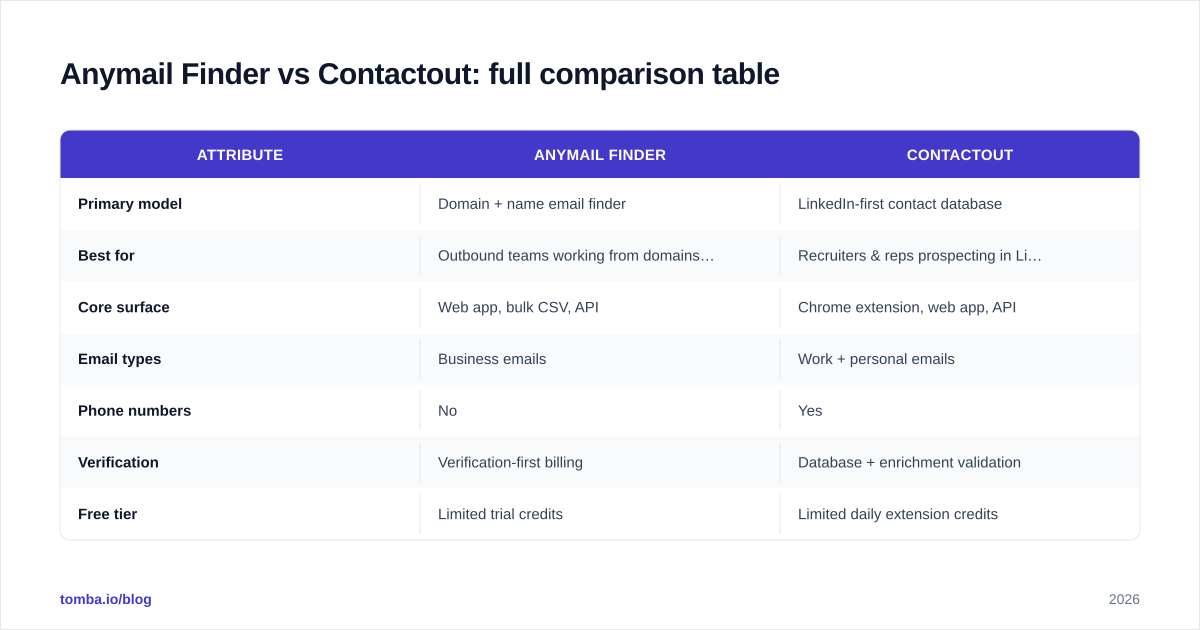
| Attribute | Anymail Finder | Contactout |
|---|---|---|
| Primary model | Domain + name email finder | LinkedIn-first contact database |
| Best for | Outbound teams working from domains/lists | Recruiters & reps prospecting in LinkedIn |
| Core surface | Web app, bulk CSV, API | Chrome extension, web app, API |
| Email types | Business emails | Work + personal emails |
| Phone numbers | No | Yes |
| Verification | Verification-first billing | Database + enrichment validation |
| Free tier | Limited trial credits | Limited daily extension credits |
| Pricing transparency | Published credit tiers | Largely sales-led / quote-based |
| Bulk workflow | Strong (CSV native) | Via app + integrations |
Which tool is more accurate?#
Accuracy is the question that matters, and the honest answer is "it depends on how they verify." The two tools optimize for different failure modes.
Anymail Finder's verification-first approach means it would rather return "not found" than hand you a risky guess. For cold outbound, that conservatism is usually the right bias — a bounce costs you sender reputation, and a single bad campaign can drag down email deliverability for weeks. The downside is coverage: a strict verifier finds fewer emails on hard-to-reach domains, especially catch-all servers that accept every address and reveal nothing.
Contactout's accuracy is database-driven. When a contact already exists in its index, you get an instant result, often with a phone number attached. When the contact is new or recently changed roles, you're relying on enrichment that may lag reality. So Contactout tends to win on coverage for established professionals with stable LinkedIn presence, and lose on freshness for fast-moving roles.

The practical lesson: no finder is a verifier. Whatever tool you pick, run the output through a dedicated email verifier before you send, and use a catch-all verifier for domains that accept everything. Treating "found" as "safe to send" is how good lists go bad.

How do they source their data?#
This is where the two diverge most, and where compliance teams should pay attention.
Anymail Finder sources primarily from public web signals and pattern inference, then validates against the mail server. It doesn't pitch itself as a personal-email provider; the output is business addresses tied to a company domain. For most B2B outbound, that's exactly the surface area you want — you're emailing someone at their job, not their personal inbox.
Contactout builds its value from a large indexed contact database that pairs LinkedIn identities with stored email and phone data, including personal emails. That dual-channel data is powerful for recruiting, but it raises questions under GDPR and CCPA depending on how you use personal contact details for unsolicited outreach. If you operate in the EU or sell into regulated industries, get your legal team's read before you lean on personal emails.
For a deeper look at how a finder's underlying data shapes results, the way a vendor documents its data sources is a good proxy for how seriously it takes accuracy. Vague sourcing claims are a red flag in any email tool.
Anymail Finder vs Contactout: pricing compared#
Pricing is where buyer experience splits sharply.
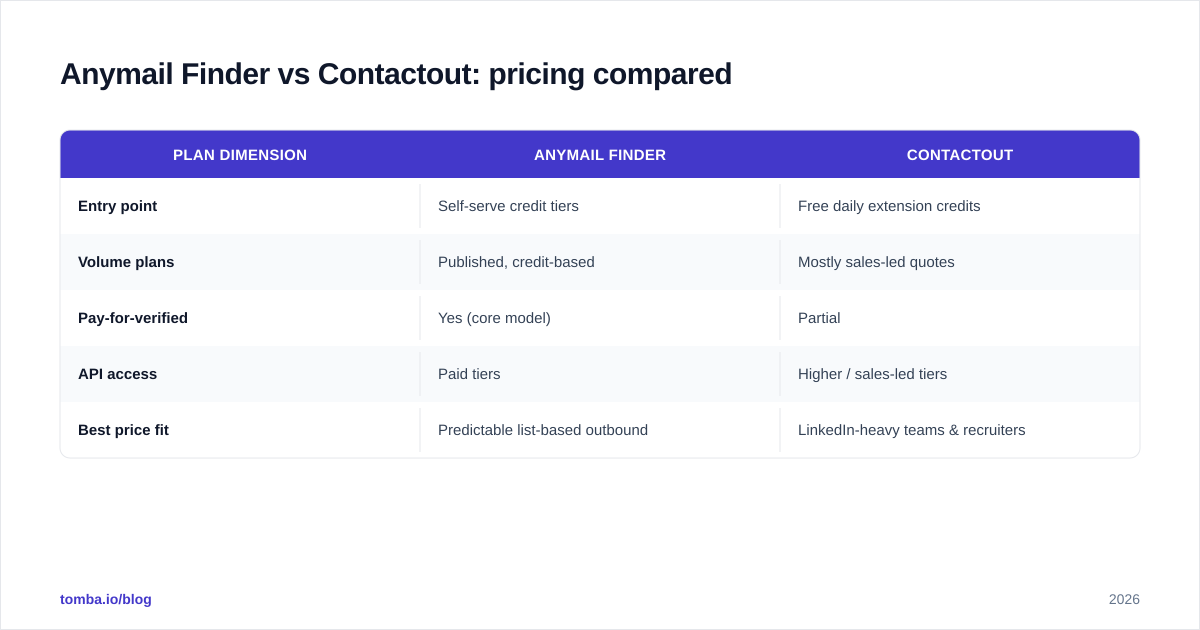
Anymail Finder publishes credit-based tiers, so you can size a plan without a sales call. Credits map to verified results, which aligns cost with value — you're not paying full freight for "not found" responses. That transparency makes it easy to model cost per verified email before you commit.
Contactout's serious-volume plans are largely quote-based. The Chrome extension offers a small daily free allowance to get you hooked, but team and API access typically route through sales. That's fine if you're a larger org that wants a negotiated annual deal; it's friction if you're a small team that just wants to swipe a card and start.
| Plan dimension | Anymail Finder | Contactout |
|---|---|---|
| Entry point | Self-serve credit tiers | Free daily extension credits |
| Volume plans | Published, credit-based | Mostly sales-led quotes |
| Pay-for-verified | Yes (core model) | Partial |
| API access | Paid tiers | Higher / sales-led tiers |
| Best price fit | Predictable list-based outbound | LinkedIn-heavy teams & recruiters |
For comparison, a transparent competitor publishes everything up front — Tomba's pricing runs from a free tier (25 searches/mo) through Starter at $49/mo, Growth at $99/mo, and Pro at $249/mo, with no quote-gate until Enterprise. Whichever vendor you choose, insist on a published cost-per-verified-email number; if you can't calculate it, you can't budget for it.
Which one fits your workflow?#
Pick based on where your prospecting actually happens.
Choose Anymail Finder if:
- You build lists from company domains and CSVs, not by scrolling LinkedIn.
- You care more about bounce-proof business emails than about phone numbers.
- You want self-serve, credit-based pricing you can model in a spreadsheet.
- You already have a sequencer and a data enrichment step and just need clean addresses to feed them.
Choose Contactout if:
- Your reps or recruiters live inside LinkedIn and Sales Navigator.
- You need phone numbers and sometimes personal emails alongside work emails.
- You're comfortable with sales-led pricing for higher volume.
- LinkedIn profile context (title, tenure, company) is part of how you qualify.
A quick gut check: if your motion is "import a list, find emails, verify, send," Anymail Finder's model fits cleaner. If your motion is "find a person on LinkedIn, then get their details," Contactout's extension is the more natural surface. Many teams that prospect on LinkedIn also benefit from a dedicated LinkedIn finder to pull verified work emails from profile URLs in bulk rather than one click at a time.
How do they compare on integrations and scale?#
For high-volume operations, the API and bulk experience matter more than the single-search UI you'll rarely touch.
Anymail Finder's bulk CSV flow is its strongest scale story — drop in thousands of name/domain pairs, get back a verified column, and route it into your CRM. The API is straightforward and credit-metered, which keeps cost predictable as volume grows.
Contactout scales through its database and enrichment API, with the extension as the human-in-the-loop entry point. If your team's daily workflow is profile-by-profile sourcing, that human surface is an advantage. If you need to process 50,000 rows overnight, a database-and-API motion with quote-based pricing is something to scope carefully with their team first.
Cross-checking either tool against third-party reviews on G2 is worth ten minutes before you buy — pay attention to recent reviews mentioning bounce rates and data freshness, not just star averages.

Is there a better option than either?#
For pure email-finding with published pricing and built-in verification, it's worth running a three-way test rather than a two-way one. Anymail Finder wins on verification-first billing; Contactout wins on LinkedIn-native sourcing and phone data. Each leaves a gap — Anymail Finder has no phone or LinkedIn layer, and Contactout's pricing and data freshness can be opaque.
Run a 200-row sample through all three on the same list. Measure three numbers: match rate (how many emails returned), verified rate (how many passed an independent verifier), and bounce rate (after a real send). The tool with the best verified rate at the lowest cost-per-verified-email wins — regardless of brand. Don't trust marketing accuracy claims; trust your own bounce log.
The bottom line#
Anymail Finder and Contactout aren't really the same product. Anymail Finder is a verification-first email finder for list-based outbound. Contactout is a LinkedIn-first contact database for recruiters and in-platform prospectors. Match the tool to where your prospecting happens, and always verify before you send.
If you want the verified-discovery discipline of Anymail Finder with the transparent, self-serve pricing that Contactout lacks — plus domain search, catch-all verification, and enrichment in one place — put the Tomba Email Finder in your bake-off. Start free with 25 searches a month, run the same 200-row sample you'd test the others with, and let the verified rate decide. Clean data is the cheapest deliverability fix you'll ever buy.
// get started
Find, verify and enrich your first contacts today
Start on the free plan with 25 searches a month, then scale when your team is ready.
Free plan · No credit card required · GDPR & CCPA
// about the author