Anymail Finder vs DiscoverOrg: 2026 Data Tool Showdown
Anymail Finder vs DiscoverOrg: one finds verified emails on a budget, the other sells enterprise sales intelligence. Here's which fits your 2026 stack.
Anymail Finder vs DiscoverOrg: Which B2B Contact Tool Wins in 2026?
TL;DR
- Anymail Finder is a focused, pay-for-results email finder. You pay only for verified emails, pricing starts low, and setup takes minutes.
- DiscoverOrg (now folded into ZoomInfo) is an enterprise sales-intelligence platform: org charts, intent data, technographics, and direct dials — priced accordingly.
- They are not really the same product. One answers "what is this person's email?"; the other answers "who should I sell to and why now?"
- For lean teams, founders, and agencies, an email finder plus a verifier beats a five-figure platform contract.
- If you need account-level intelligence and have the budget, DiscoverOrg/ZoomInfo earns its keep — but most teams overbuy.
What is Anymail Finder?#
Anymail Finder is a B2B email-finding tool built around a single promise: you only get charged for emails it can verify. Feed it a full name and a company domain, or a company domain alone, and it returns deliverable addresses with a confidence label. It runs as a web app, a bulk uploader, and an API, which makes it easy to wire into a spreadsheet workflow or a homegrown prospecting script.
The appeal is simplicity. There is no org-chart browser, no intent-signal dashboard, no analyst-grade firmographics. It does email discovery and verification, and it tries to do that one job cleanly. That narrow scope is exactly why budget-conscious teams reach for it.
If you want to see how this category of tool stacks up on raw hit rate, this accuracy benchmark is a useful reference point:

What is DiscoverOrg?#
DiscoverOrg started life as a human-researched B2B database known for unusually deep org charts and direct-dial phone numbers. In 2019 it merged with ZoomInfo, and today the DiscoverOrg capability lives inside the broader ZoomInfo platform. When people shop for "DiscoverOrg" in 2026, they are effectively evaluating ZoomInfo's sales-intelligence suite.
That suite is a different animal. Alongside contact data you get:
- Account-level firmographics and technographics (what software a company runs)
- Buying-intent signals scraped from across the web
- Org charts and reporting structures
- Direct dials and verified mobile numbers
- CRM and sales-engagement integrations, plus workflow automation
This is platform territory, sold on annual contracts with seat minimums. It is built for sales teams that run account-based plays and need to know not just who to email but which accounts are in-market right now.
How do Anymail Finder and DiscoverOrg compare head to head?#
The cleanest way to see the gap is feature by feature. Remember that you are comparing a point tool against a platform, so "fewer features" is not automatically a loss — it often means lower cost and less bloat.
| Attribute | Anymail Finder | DiscoverOrg (ZoomInfo) |
|---|---|---|
| Core job | Find + verify emails | Full sales intelligence |
| Pricing model | Pay for verified results, monthly tiers | Annual contract, seat minimums |
| Entry price | Low (tens of dollars/mo) | High (commonly five figures/yr) |
| Free option | Limited free searches | Trial/demo only |
| Email accuracy | High on verified results | High, plus phone + org data |
| Intent data | No | Yes |
| Org charts | No | Yes |
| Phone numbers | Limited | Direct dials, mobiles |
| Setup time | Minutes | Onboarding + contract |
| Best for | SMBs, agencies, founders | Mid-market & enterprise sales |
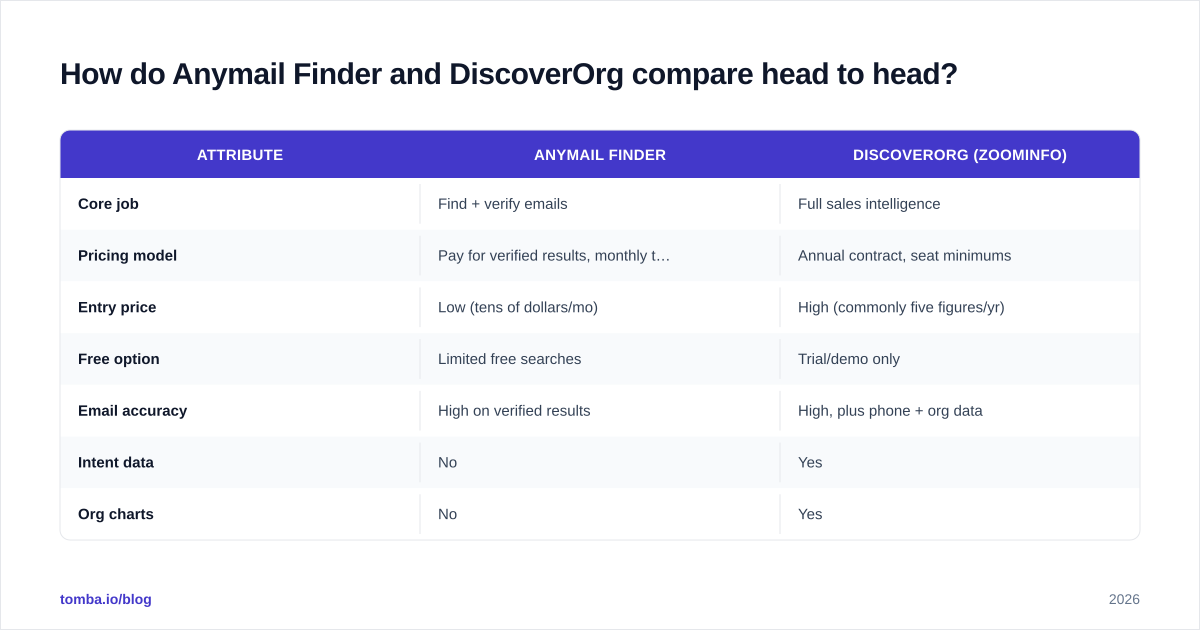
The takeaway: DiscoverOrg wins on breadth and depth of data; Anymail Finder wins on price, speed, and simplicity. Which one is "better" depends entirely on the job you are hiring it to do.

Is DiscoverOrg worth the price over a simple email finder?#
Short answer: only if you actually use the intelligence layer.
DiscoverOrg/ZoomInfo contracts routinely run from several thousand to tens of thousands of dollars per year once you add seats and data credits. That is justifiable when a team is running account-based marketing, scoring accounts on intent, and routing leads based on technographic fit. The platform pays for itself by telling reps where to spend time.
But a large share of buyers sign those contracts and then use the tool for one thing: pulling email addresses. If that is your real use case, you are renting a jet to drive to the grocery store. A dedicated email finder plus an email verifier covers the same need at a fraction of the cost, and you skip the annual lock-in.
A simple gut check before you sign anything:
- Will you act on intent and technographic data weekly? If no, you do not need a platform.
- Do you need direct dials at scale? If no, a finder covers email-first outreach.
- Is your list-building volume predictable? If yes, pay-as-you-go pricing is cheaper.
- Do you have an ops person to manage the platform? If no, simpler wins.

How accurate is the data on each platform?#
Both tools take verification seriously, but they optimize for different things.
Anymail Finder's whole pricing model is built on accuracy — because you only pay for emails it can verify, it has a direct incentive not to hand you guesses. Verified results tend to be deliverable, and uncertain results are flagged or simply not charged. For straightforward outbound, that is the metric that matters: bounce rate.
DiscoverOrg/ZoomInfo invests heavily in research and refresh cycles across a much wider data set — emails, phones, titles, org structure. Its strength is depth and freshness across many fields, not just email deliverability. That breadth is the point, and it is why enterprises pay for it.
A word of caution that applies to every vendor: no database is 100% current. People change jobs, domains migrate, and catch-all servers hide the truth. Whatever you buy, run a verification pass before you send. If a provider relies on catch-all domains, a catch-all verifier saves you from silent bounces that wreck sender reputation. You can read more about how data sourcing affects accuracy in where Tomba gets its data.
For a side-by-side view of how the major finders compare on coverage and price, this table is a handy reference:

Which tool fits which team?#
Map the tool to the motion, not to the brand name.
Choose Anymail Finder (or a finder-class tool) if you are:
- A founder or small team doing your own prospecting
- An agency building lists for many clients on variable volume
- A recruiter sourcing candidate emails
- A developer who needs a clean API and predictable per-result cost
- Anyone whose primary need is "get me deliverable emails, cheaply"
Choose DiscoverOrg/ZoomInfo if you are:
- A mid-market or enterprise sales org running account-based plays
- A RevOps team scoring and routing leads on intent and fit
- A team that needs verified direct dials at scale
- A marketing org that builds campaigns around technographic targeting
- A buyer with budget for, and an owner to run, a full platform
The honest middle path: many teams combine a lightweight finder for day-to-day email discovery with selective use of a richer database only for their top-tier target accounts. You do not have to pick one religion.
What does the total cost of ownership really look like?#
Sticker price is only part of the story. Factor in these hidden costs before you compare line items.
| Cost factor | Anymail Finder | DiscoverOrg (ZoomInfo) |
|---|---|---|
| Contract commitment | Monthly, cancel anytime | Annual, often multi-year |
| Seat minimums | None / low | Common |
| Credit overages | Predictable | Can escalate fast |
| Onboarding effort | Self-serve | Guided, weeks |
| Admin overhead | Minimal | Needs an owner |
| Ramp to first value | Same day | Post-onboarding |
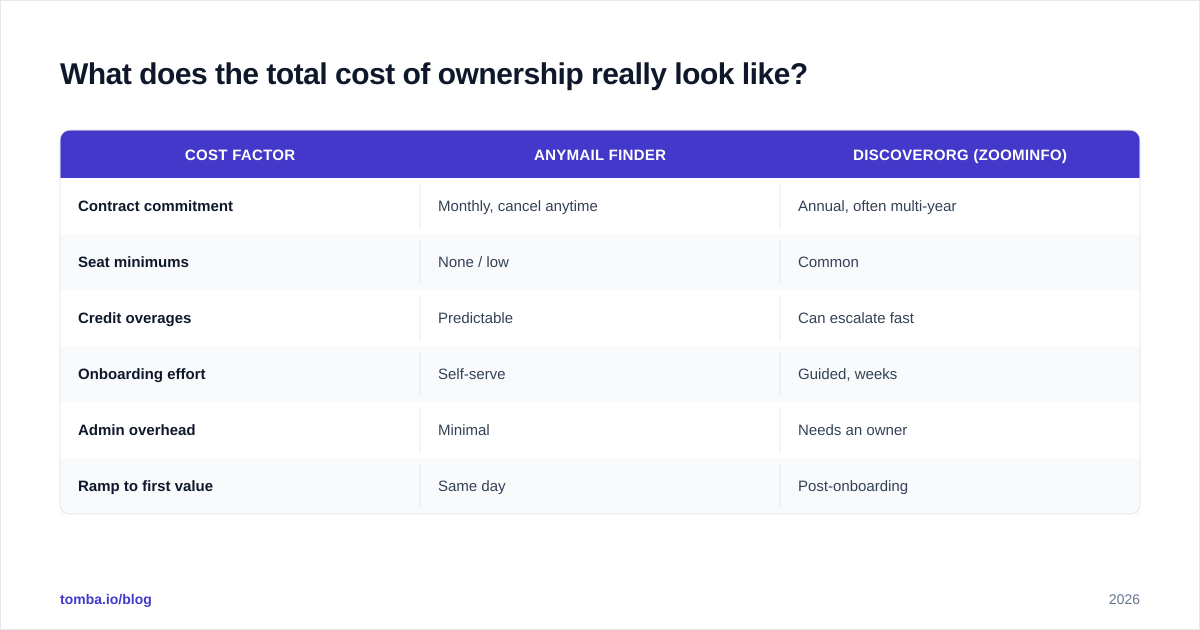
For a small team, the math is rarely close. A finder on a monthly plan lets you start today, scale up or down with your pipeline, and walk away if it underperforms. A platform contract front-loads risk: you commit for a year before you know whether your reps will adopt it.
If you want to sanity-check budgets across the email-data category, compare the transparent Tomba pricing tiers against any enterprise quote you receive — the per-result economics make the trade-offs obvious.
Where does Tomba fit in this comparison?#
If you have read this far and realized you want finder-grade simplicity without giving up coverage, Tomba sits squarely in that gap. It is built for teams that want accurate emails fast, with pricing that does not require a procurement cycle.
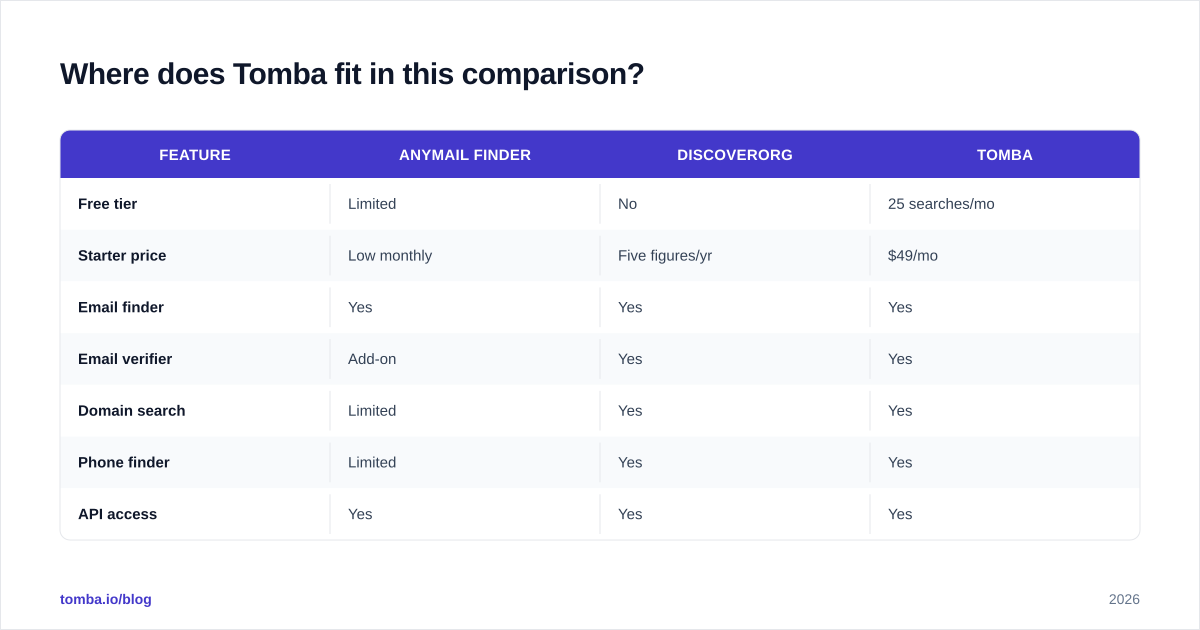
A quick look at how Tomba lines up against both tools:
| Feature | Anymail Finder | DiscoverOrg | Tomba |
|---|---|---|---|
| Free tier | Limited | No | 25 searches/mo |
| Starter price | Low monthly | Five figures/yr | $49/mo |
| Email finder | Yes | Yes | Yes |
| Email verifier | Add-on | Yes | Yes |
| Domain search | Limited | Yes | Yes |
| Phone finder | Limited | Yes | Yes |
| API access | Yes | Yes | Yes |
| Self-serve signup | Yes | No | Yes |
Tomba's plans run from a free tier (25 searches/month) to Starter at $49/mo, Growth at $99/mo, Pro at $249/mo, and custom Enterprise pricing. You get the email finder plus a built-in verifier, domain search, a bulk email finder, and a developer-friendly Tomba API — without an annual lock-in. For teams that briefly considered DiscoverOrg only to balk at the contract, it is a natural landing spot. (Plenty of buyers comparing platforms also weigh a dedicated Clearbit alternative or RocketReach alternative for the same reason.)
You can cross-check independent reviews of any of these tools on G2 before committing.
How should you actually decide?#
Run this short test against your own situation:
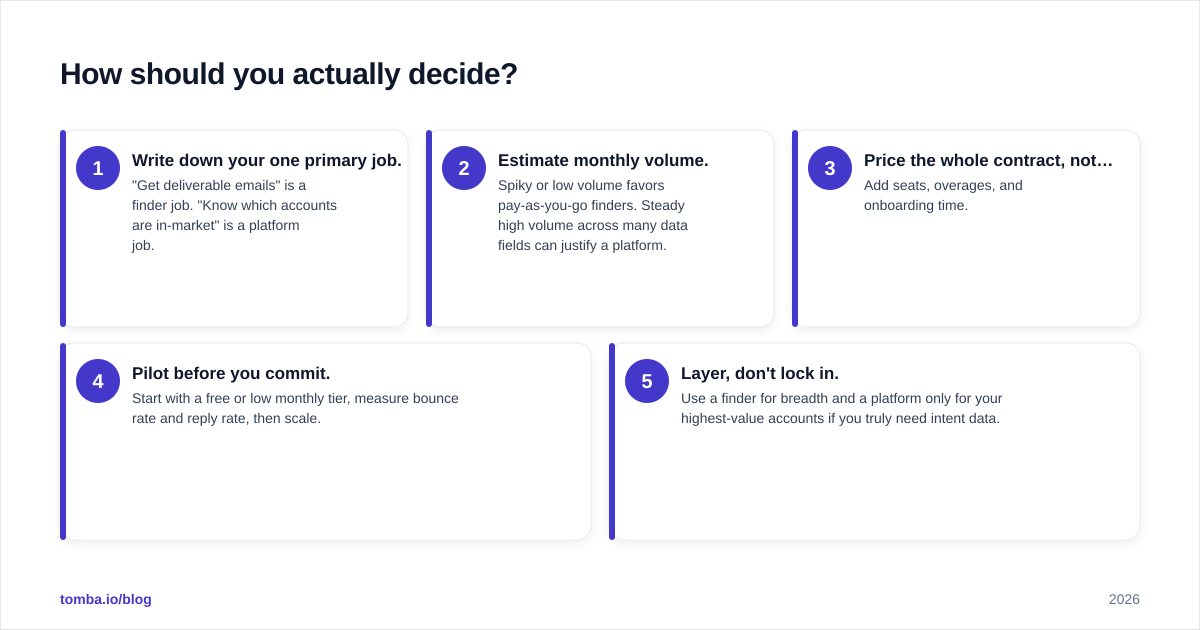
- Write down your one primary job. "Get deliverable emails" is a finder job. "Know which accounts are in-market" is a platform job.
- Estimate monthly volume. Spiky or low volume favors pay-as-you-go finders. Steady high volume across many data fields can justify a platform.
- Price the whole contract, not the headline. Add seats, overages, and onboarding time.
- Pilot before you commit. Start with a free or low monthly tier, measure bounce rate and reply rate, then scale.
- Layer, don't lock in. Use a finder for breadth and a platform only for your highest-value accounts if you truly need intent data.
Most teams that do this honestly discover they were about to overpay for features they would never open. A few discover they genuinely need the intelligence layer — and for them, DiscoverOrg/
ZoomInfo is a defensible buy.
Final verdict#
DiscoverOrg and Anymail Finder are not competitors so much as different weight classes. DiscoverOrg/ZoomInfo is the heavyweight sales-intelligence platform for enterprises that live and die by account-based selling. Anymail Finder is the nimble, affordable email finder for everyone who just needs clean addresses without a contract.
For the large majority of small and mid-sized teams, the smart move is to start lean: get verified emails cheaply, prove your outbound works, and only graduate to a full platform when intent data and org charts become a daily necessity — not a nice-to-have.
Ready to skip the five-figure contract and start finding verified emails today? Try the Tomba Email Finder — search by name, domain, or company, verify on the spot, and only scale up when your pipeline demands it. Begin on the free tier with 25 searches a month, no credit card and no procurement cycle required.
// get started
Find, verify and enrich your first contacts today
Start on the free plan with 25 searches a month, then scale when your team is ready.
Free plan · No credit card required · GDPR & CCPA
// about the author