Anymail Finder vs Kipplo: Which Email Finder Wins in 2026?
A hands-on Anymail Finder vs Kipplo breakdown for 2026 — accuracy, pricing, verification depth, and which email finder actually fits your outbound stack.
Choosing between Anymail Finder and Kipplo comes down to one question: which tool returns more valid emails per dollar without quietly charging you for guesses? This guide answers that with a side-by-side look at accuracy, pricing logic, verification depth, and where each tool fits in a real outbound workflow in 2026.
TL;DR — Anymail Finder vs Kipplo at a glance#
- Anymail Finder is the more mature, accuracy-first option: it only charges for emails it can verify, which protects your sender reputation but can leave gaps on catch-all domains.
- Kipplo is the newer, broader play — it bundles email finding with light enrichment and outreach features, aiming to be a cheaper all-in-one for small teams.
- Accuracy is the real differentiator. Anymail Finder's "verified-only" billing is conservative; Kipplo casts a wider net but mixes in more guessed addresses.
- Pricing favors Kipplo on sticker price, but cost per valid lead is what matters — and that flips the math depending on your target list.
- If you want the safest deliverability, lean Anymail Finder. If you want volume and bundled outreach on a budget, test Kipplo. For a verified-only model with deeper verification tooling, Tomba is the third option worth benchmarking against both.
What are Anymail Finder and Kipplo?#
Anymail Finder is a long-running email discovery tool built around a single promise: you only pay for emails it can verify. You feed it a name plus a company domain (or a full company list), and it returns addresses tagged by confidence — "verified," "pattern-based," or "not found." Its reputation is built on conservative billing, which suits teams that treat bounce rate as a sender-reputation risk, not just a vanity metric.
Kipplo is a younger entrant positioning itself as an affordable lead-generation suite. Beyond finding emails, it leans into adjacent features — basic enrichment, list building, and outreach hooks — to win small teams who don't want to stitch five tools together. The trade-off is that a broader product often means a shallower core: the email-finding engine is newer and the verification layer less battle-tested.
Both tools solve the same first-mile problem — turning a name and a company into a reachable inbox — but they make different bets. Anymail Finder bets on precision; Kipplo bets on breadth and price.

How does accuracy compare?#
Accuracy is where this matchup is won or lost, because a "found" email that bounces costs you more than a blank — it dents your sender reputation and drags down deliverability for every other message in the batch.
Anymail Finder's model is built to avoid exactly that. It runs SMTP-level checks and will simply return "not found" rather than hand you a low-confidence guess. The upside is a low bounce rate on what it does return. The downside is coverage: on catch-all domains (where the mail server accepts everything and reveals nothing), Anymail Finder often declines to confirm, so you get fewer results on those companies.
Kipplo tends to return something more often. That feels generous until you measure it. A wider net usually means more pattern-guessed addresses slipping through as "found," which inflates your raw hit count while raising bounce risk. If you're not running a separate email verifier afterward, those guesses go straight into your sequence.
The practical test is simple: run the same 200-contact list through both, then verify every returned address with an independent checker and compare true valid counts — not the number each tool claims to have found.

When you do this, the gap between "found" and "valid" is the number that actually matters. A tool that finds 180/200 but only 120 are valid loses to a tool that finds 140/200 with 130 valid — even though the first looks more impressive in the dashboard.

Anymail Finder vs Kipplo: feature and pricing comparison#
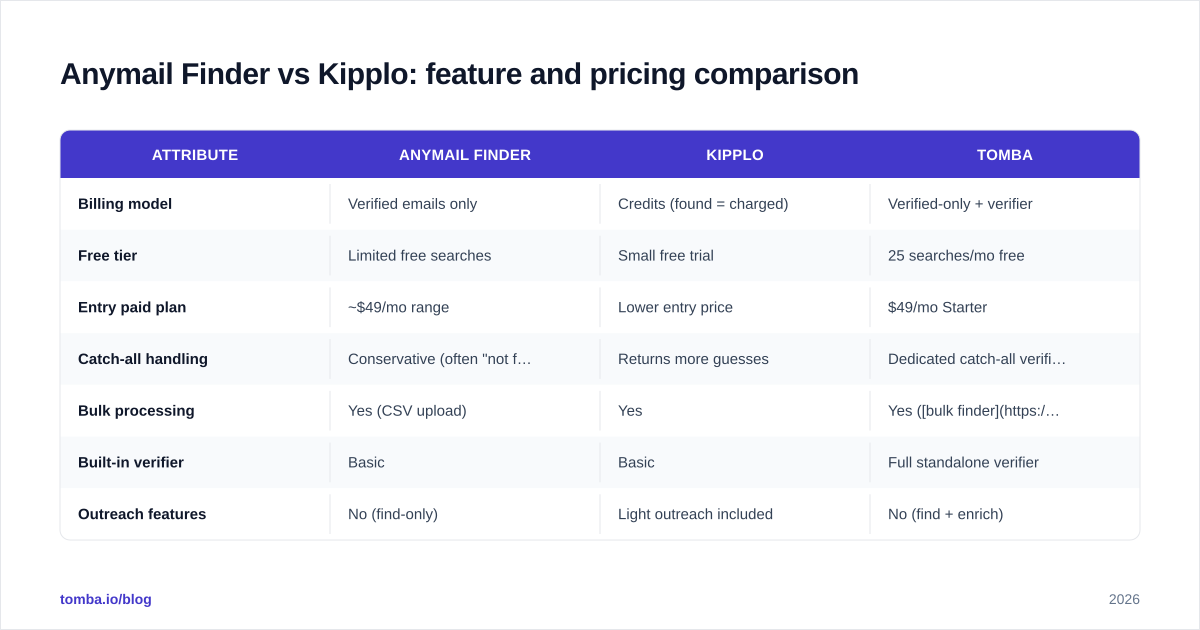
Here's the head-to-head on the attributes that drive a buying decision. Pricing tiers shift over time, so treat the figures as directional and confirm on each vendor's live pricing page before you commit.
| Attribute | Anymail Finder | Kipplo | Tomba |
|---|---|---|---|
| Billing model | Verified emails only | Credits (found = charged) | Verified-only + verifier |
| Free tier | Limited free searches | Small free trial | 25 searches/mo free |
| Entry paid plan | ~$49/mo range | Lower entry price | $49/mo Starter |
| Catch-all handling | Conservative (often "not found") | Returns more guesses | Dedicated catch-all verifier |
| Bulk processing | Yes (CSV upload) | Yes | Yes (bulk finder) |
| Built-in verifier | Basic | Basic | Full standalone verifier |
| Outreach features | No (find-only) | Light outreach included | No (find + enrich) |
| API access | Yes | Yes | Yes (Tomba API) |
| Best for | Accuracy-first teams | Budget all-in-one | Verification depth + scale |
The headline: Kipplo usually wins on entry price and bundles outreach, while Anymail Finder wins on billing safety and conservative accuracy. Tomba sits alongside both as a verified-only model that adds a deeper verification stack — including a dedicated catch-all verifier for the exact domains where the other two struggle.
Which one is better for cold email deliverability?#
For deliverability, the safer pick is the tool with the stricter billing model — and that's Anymail Finder over Kipplo. Here's the logic: a tool that refuses to charge you for unverifiable addresses is structurally aligned with keeping your bounce rate low. Kipplo's wider net can fill your list faster, but speed without verification is how new domains get throttled.
That said, "better for deliverability" depends on your discipline, not just the tool. If you treat any email finder's output as a draft and run it through a separate verification pass before sending, the deliverability gap narrows. The danger is teams that trust raw output and skip verification — and that's where Kipplo's higher guess rate bites hardest.
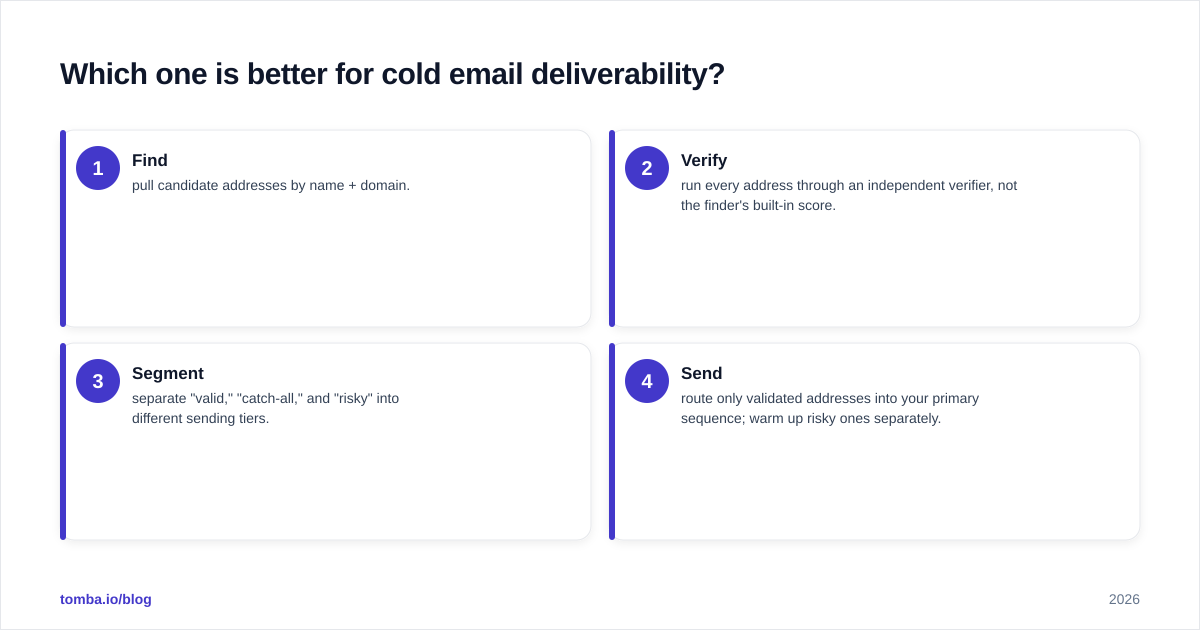
A reliable workflow looks like this regardless of which finder you choose:
- Find — pull candidate addresses by name + domain.
- Verify — run every address through an independent verifier, not the finder's built-in score.
- Segment — separate "valid," "catch-all," and "risky" into different sending tiers.
- Send — route only validated addresses into your primary sequence; warm up risky ones separately.
Skip step two and even the most accurate finder will eventually feed you a bad address. For more on the mechanics, the email deliverability fundamentals are worth a refresher before you scale any list.
How do the pricing models actually compare?#
Sticker price lies; cost per valid lead tells the truth. Kipplo's lower entry price looks like the obvious win until you account for the addresses you pay for that bounce. Anymail Finder's verified-only billing means a higher headline rate but a cleaner denominator — you're not paying for garbage.
Run the math on your own data:
- Cost per valid lead = (plan cost) ÷ (verified-valid emails returned), not total emails returned.
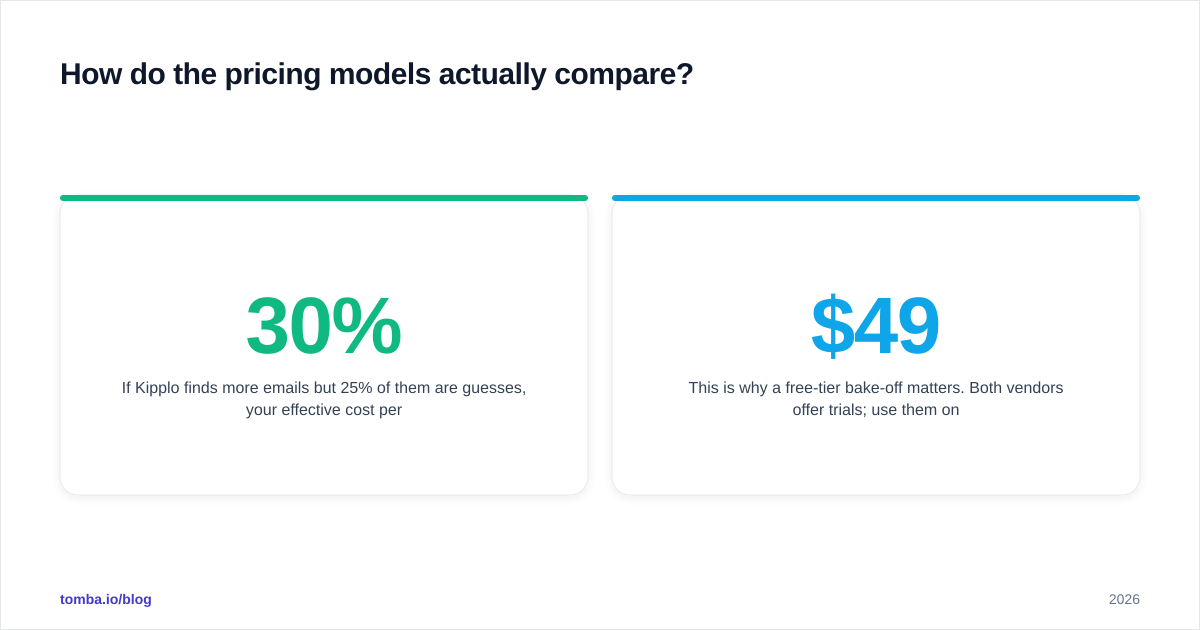
- If Kipplo finds 30% more emails but 25% of them are guesses, your effective cost per valid lead can land above Anymail Finder's despite the cheaper plan.
- Conversely, if your targets are mostly large companies with predictable patterns and few catch-alls, Kipplo's breadth advantage may make it genuinely cheaper.
This is why a free-tier bake-off matters. Both vendors offer trials; use them on a representative slice of your real ICP, not a clean test list of Fortune 500 domains where every tool looks good. For reference, transparent per-plan economics like Tomba's pricing — Free (25 searches), Starter $49/mo, Growth $99/mo, Pro $249/mo — make the per-lead math easy to model before you buy.

What about integrations and workflow fit?#
Both tools cover the basics: CSV upload, an API, and a Chrome extension for one-off lookups. The difference is depth.
Anymail Finder keeps its surface area narrow — it's a finder, full stop — and integrates cleanly into pipelines where another tool handles outreach and CRM sync. That focus is a feature if you already run a sequencer and just need clean addresses upstream.
Kipplo tries to be more of a hub, with light outreach baked in. For a solo founder or a two-person team, that consolidation is appealing: one login, one bill. But bundled outreach is rarely as capable as a dedicated sequencer, so growing teams often outgrow it and end up re-integrating anyway.
If your stack is built around a CRM, check native support before committing. A finder that pushes directly into HubSpot or Salesforce saves you a Zapier hop and a sync-lag headache. Tomba, for comparison, ships native integrations plus a Google Sheets add-on for teams that live in spreadsheets — useful when your enrichment workflow isn't yet CRM-centric.
Anymail Finder vs Kipplo: pros and cons#
| Pros | Cons | |
|---|---|---|
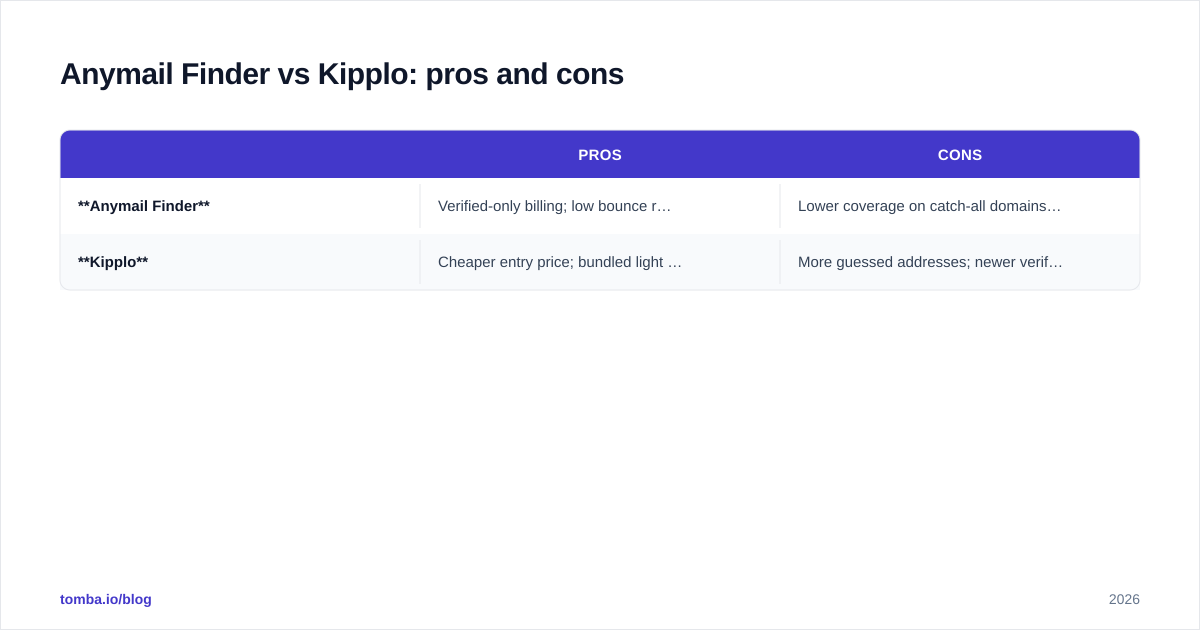
| Anymail Finder | Verified-only billing; low bounce rate; mature, focused product | Lower coverage on catch-all domains; find-only (no outreach); higher per-search feel |
| Kipplo | Cheaper entry price; bundled light outreach; higher raw hit count | More guessed addresses; newer verification layer; outreach shallower than dedicated tools |
The pattern is consistent: Anymail Finder trades coverage for safety; Kipplo trades safety for coverage and price. Neither is wrong — they're tuned for different buyers.
Which should you choose?#
Pick based on what your outbound actually punishes you for.
- Choose Anymail Finder if deliverability is sacred, you send from domains you can't afford to burn, and you already have a sequencer. Its conservative model is insurance against bounce-driven reputation damage.
- Choose Kipplo if you're early-stage, budget-bound, and want one tool that finds and sends — and you're willing to verify its output yourself before each send.
- Benchmark Tomba against both if you want the verified-only safety of Anymail Finder plus a deeper verification stack (standalone verifier, catch-all verifier, enrichment) at transparent pricing. It's the option that addresses the catch-all gap directly rather than guessing past it.
Whatever you choose, run the same real list through every candidate, verify independently, and compare cost per valid lead. The dashboard's "found" number is marketing; your bounce rate is the truth.
For a broader market view, third-party review sites like G2 and Capterra are useful for sentiment and recency checks — just weight hands-on testing over star ratings, since accuracy is invisible in a five-star review.
The bottom line#
Anymail Finder vs Kipplo isn't a clean winner-takes-all. Anymail Finder is the accuracy-and-safety pick; Kipplo is the budget-and-breadth pick. The right answer is whichever one delivers more verified, send-safe addresses for your specific ICP — and you only learn that by testing on your own data, not by reading specs.
If you want to add a verified-only finder with a built-in verification stack to your test, run your list through the Tomba Email Finder alongside both. Start free with 25 searches a month, find emails by domain, name, or company, and compare the one number that decides this for you: cost per valid lead. Whichever tool wins that test wins your stack.
// get started
Find, verify and enrich your first contacts today
Start on the free plan with 25 searches a month, then scale when your team is ready.
Free plan · No credit card required · GDPR & CCPA
// about the author