Anymail Finder vs LeadGenius: Full 2026 Lead Data Showdown
Anymail Finder is a self-serve email finder; LeadGenius is a managed data service. Here's how they compare on price, accuracy, and fit—plus where Tomba lands.
Picking between Anymail Finder and LeadGenius feels like comparing a power drill to a contractor. One is a tool you operate yourself. The other is a team you hire to do the job for you. Both end up putting contacts in your pipeline, but the way they get there—and what you pay—could not be more different.
This guide breaks down the real differences so you can choose without a sales call.
TL;DR#
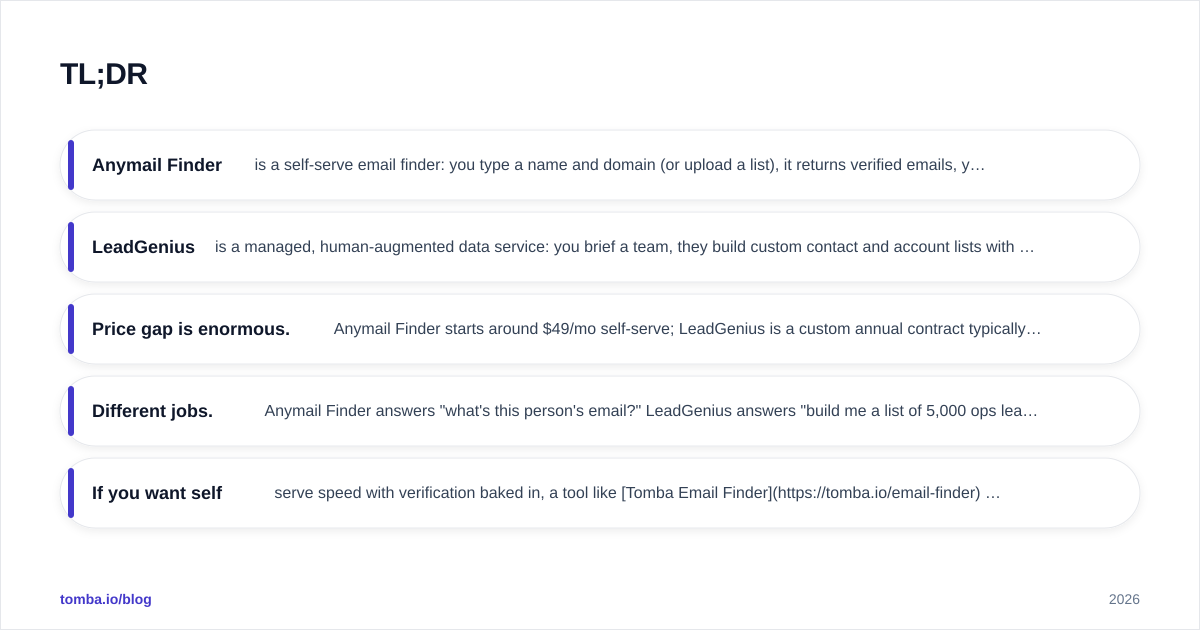
- Anymail Finder is a self-serve email finder: you type a name and domain (or upload a list), it returns verified emails, you pay per credit or subscription. Best for SDRs, founders, and small teams that want fast, cheap, on-demand contacts.
- LeadGenius is a managed, human-augmented data service: you brief a team, they build custom contact and account lists with hard-to-find data points. Best for enterprises that need bespoke datasets and have the budget for it.
- Price gap is enormous. Anymail Finder starts around $49/mo self-serve; LeadGenius is a custom annual contract typically reaching five figures.
- Different jobs. Anymail Finder answers "what's this person's email?" LeadGenius answers "build me a list of 5,000 ops leaders at logistics firms with these signals."
- If you want self-serve speed with verification baked in, a tool like Tomba Email Finder competes directly with Anymail Finder at transparent pricing.
What is Anymail Finder?#
Anymail Finder is a straightforward B2B email lookup tool. You give it a person's name plus a company domain, and it returns the most likely email address along with a deliverability status. It also does domain search (pull all emails for a company) and bulk processing via CSV upload or API.
The core promise is "you only pay for verified emails." Results are labeled as verified, or you don't get charged for them on certain plans. That billing model is the headline feature and the reason a lot of cold-email teams like it—budget waste on bounced guesses is a real pain.
Anymail Finder is fully self-serve. You sign up, run searches, and scale from a browser dashboard or API. No onboarding calls, no account manager. It's a tool, and you're the operator.
Typical users: outbound SDRs, recruiters, agency lead-gen teams, and founders doing their own prospecting who need a few hundred to a few thousand emails a month.
What is LeadGenius?#
LeadGenius is a managed data and lead-generation service, not a self-serve app you click around in. You define an ideal customer profile and the exact data points you need, and LeadGenius combines automation with human researchers to deliver a custom dataset—accounts, contacts, and signals that off-the-shelf databases often miss.
This is "data as a service." The differentiator is custom-sourced, human-verified data: international coverage, niche firmographics, technographics, headcount-by-department, and other attributes that pure algorithmic tools struggle to find at quality. LeadGenius is frequently used to power account-based marketing, TAM analysis, and large-scale outbound where the list itself is the strategic asset.
Typical users: enterprise demand-gen, RevOps, and sales-ops teams at companies that need datasets built to spec and can commit to an annual contract.
Anymail Finder vs LeadGenius: how do they compare?#
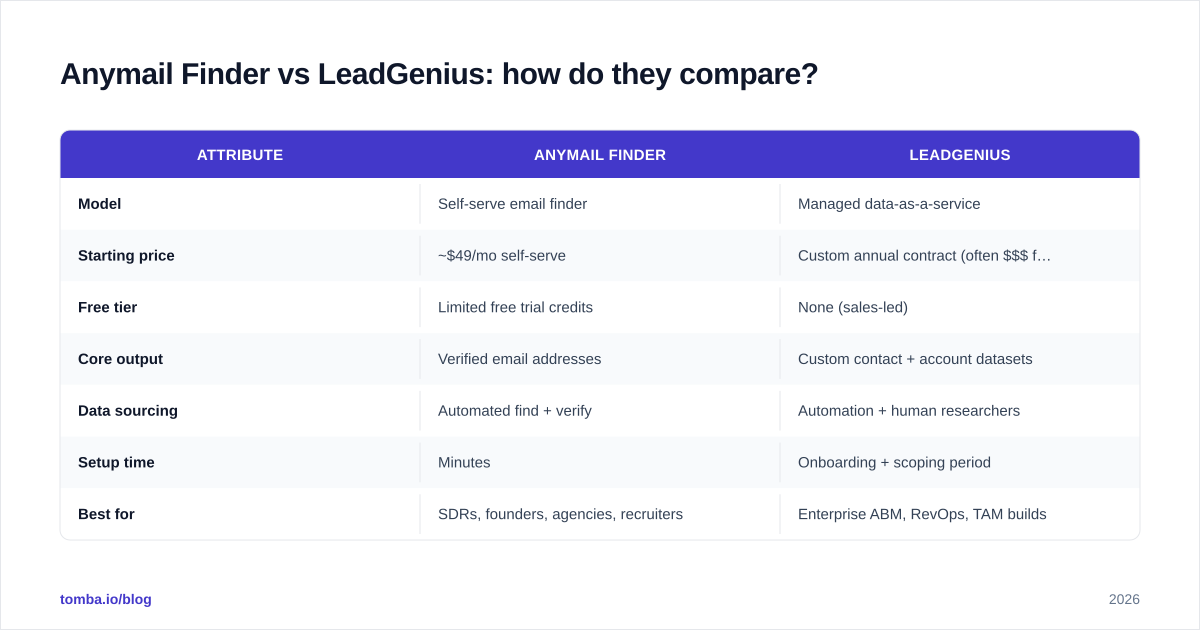
Here's the side-by-side. Note that LeadGenius pricing is custom and not published, so the figures below reflect the documented market range rather than a public price sheet.
| Attribute | Anymail Finder | LeadGenius |
|---|---|---|
| Model | Self-serve email finder | Managed data-as-a-service |
| Starting price | ~$49/mo self-serve | Custom annual contract (often $$$ five figures) |
| Free tier | Limited free trial credits | None (sales-led) |
| Core output | Verified email addresses | Custom contact + account datasets |
| Data sourcing | Automated find + verify | Automation + human researchers |
| Setup time | Minutes | Onboarding + scoping period |
| Best for | SDRs, founders, agencies, recruiters | Enterprise ABM, RevOps, TAM builds |
| API | Yes | Yes / managed delivery |
| Custom data points | Limited (email-centric) | Extensive (bespoke attributes) |
| Bulk lists | CSV upload + API | Built-to-spec by their team |
The pattern is clear: Anymail Finder is a fast, cheap, do-it-yourself tool. LeadGenius is a premium, done-for-you service. They overlap only at the edges.

Which one is more accurate?#
Accuracy depends on what you're measuring. For straightforward "find this known person's email" tasks, a verification-first email finder like Anymail Finder is purpose-built and fast. The verified-only billing model also creates an incentive to keep bounce rates low, which matters when your sender reputation is on the line.
For coverage of obscure, international, or niche-attribute data—say, the procurement lead at a mid-market manufacturer in a non-English market—LeadGenius's human-in-the-loop approach tends to win, because a researcher can find what an algorithm can't.
The honest takeaway: no single provider is "most accurate" across every segment. Accuracy varies by region, seniority, and how recently a contact changed roles. That's why serious teams run a verification layer regardless of source. If your provider doesn't catch catch-all domains, run results through a dedicated email verifier before you hit send.

A useful habit: before committing to any provider, test the same sample of 100 known contacts across two or three tools and measure both match rate and bounce rate. Vendor-published accuracy numbers are marketing; your own test on your own ICP is data.
Which one is better for your use case?#
Match the tool to the job rather than the brand.
Choose Anymail Finder if you:
- Need emails today, without a sales process
- Run cold outbound or recruiting and want predictable per-credit costs
- Have a small-to-mid team that operates its own prospecting
- Want an API to wire into your own workflow
- Are price-sensitive and want self-serve control
Choose LeadGenius if you:
- Need a custom dataset built to a precise specification
- Require niche or international data points standard tools miss
- Run enterprise ABM or TAM analysis where the list is strategic
- Have budget for an annual contract and want it managed for you
- Prefer to outsource data operations entirely
If your honest answer is "I just need verified emails quickly and affordably," you're in self-serve territory—and that's also exactly where Tomba plays.
Where does Tomba fit in this comparison?#
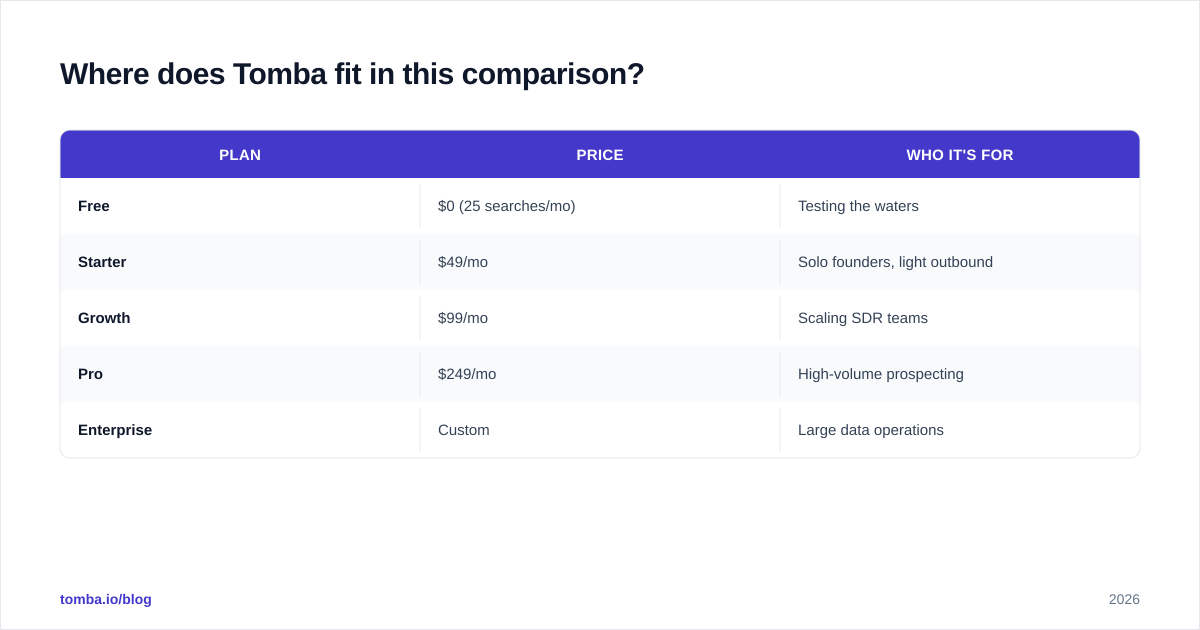
Tomba sits in the same self-serve lane as Anymail Finder, but with a wider toolset around the core finder. Beyond finding emails by name or domain, Tomba bundles an email verifier, domain search, a bulk email finder, phone finder, and data enrichment—so you can run the full find → verify → enrich loop in one place rather than stitching tools together.
Pricing is fully transparent and self-serve, which is the opposite of the LeadGenius sales-led model:
| Plan | Price | Who it's for |
|---|---|---|
| Free | $0 (25 searches/mo) | Testing the waters |
| Starter | $49/mo | Solo founders, light outbound |
| Growth | $99/mo | Scaling SDR teams |
| Pro | $249/mo | High-volume prospecting |
| Enterprise | Custom | Large data operations |
You can see full Tomba pricing without talking to anyone. The Free tier means you can benchmark match rate on your own list before paying—exactly the kind of test described above.

So the three-way picture looks like this: Anymail Finder and Tomba are both self-serve finders competing on accuracy, breadth, and price, while LeadGenius is a managed service for teams that want data built for them. If you're choosing between Anymail Finder and LeadGenius purely because you didn't know a broader self-serve option existed, Tomba is worth a look.
How much do they actually cost?#
Cost is the cleanest decision axis here because the two models barely overlap.
Anymail Finder is predictable and small. You can run real outbound for the price of a couple of SaaS subscriptions, and the verified-only billing means you're largely paying for usable contacts. For a team finding a few thousand emails a month, you're looking at tens to low hundreds of dollars.
LeadGenius is an investment, not a line item. Custom managed data services price by scope, volume, and complexity, and they're typically annual commitments that land in the five-figure range and up. That's appropriate when the dataset drives a major GTM initiative—and overkill when you just need contact emails.
A simple rule of thumb: if you can describe your need in one sentence ("emails for these 2,000 people"), buy a self-serve tool. If your need is a paragraph with conditional logic and rare attributes, that's when a managed service earns its price.
According to peer reviews on G2, self-serve finders consistently win on time-to-value and ease of use, while managed services score higher on data depth and white-glove support. That tracks with the structural difference between the two.
What about data coverage and compliance?#
Coverage is where the managed model flexes. LeadGenius's human researchers can build lists in markets and niches where automated databases are thin, and they can capture custom attributes on request. If your campaign hinges on, say, identifying the exact person who owns a specific tooling decision in a narrow vertical, that's a real edge.
Self-serve tools cover the broad, high-frequency cases extremely well—the named contacts at companies with a findable web footprint—and they do it instantly. For most outbound and recruiting motions, that's the majority of your list.
On compliance, both categories operate under GDPR/CCPA expectations, but responsibility differs. With a self-serve tool you're the data controller running the searches, so your process matters. With a managed service, sourcing practices are part of what you're buying—ask vendors directly how data is collected and verify it fits your legal requirements. Whichever route you take, keep your own suppression and consent hygiene tight; the tool is only one link in the chain. For more on protecting sender health downstream, see Tomba's primer on email deliverability.
Final verdict: which should you pick?#
Pick Anymail Finder if you want a self-serve, pay-for-what-verifies email finder and you operate your own prospecting. It's fast, affordable, and does the core job well.
Pick LeadGenius if you're an enterprise that needs custom-built, human-verified datasets with niche or international attributes, and you have the budget and timeline for a managed engagement.
Pick Tomba if you like the self-serve model of Anymail Finder but want a broader toolkit—finder, verifier, domain search, bulk, phone, and enrichment—under one transparent subscription, plus a real free tier to test against your own list first.
There's no universally "better" choice here, only a better fit. Map the decision to the shape of your need and the size of your budget, run a same-list test before you commit, and the answer usually picks itself.
Ready to test a self-serve alternative?#
If the Anymail Finder side of this comparison sounds like your speed, give Tomba Email Finder a run before you decide. Start on the free tier with 25 searches a month, find emails by name, company, or domain, verify them in the same workflow, and benchmark the match rate against your own contact list. No sales call, no annual commitment—just see whether the numbers beat what you're using today, then scale up only if they do.
// get started
Find, verify and enrich your first contacts today
Start on the free plan with 25 searches a month, then scale when your team is ready.
Free plan · No credit card required · GDPR & CCPA
// about the author