Anymail Finder vs Leadsforge: 2026 Email Finder Showdown
A neutral, hands-on comparison of Anymail Finder vs Leadsforge in 2026 — accuracy, pricing, verification, and which email finder actually fits your outbound stack.
Choosing between Anymail Finder vs Leadsforge comes down to one question most comparison pages dodge: which one hands you addresses you can actually email without torching your sender reputation? Both promise verified B2B emails. They get there differently, charge differently, and fail differently.
This is a hands-on, vendor-neutral breakdown for 2026 — accuracy, pricing, verification depth, bulk workflows, and the edge cases that decide whether a tool earns a spot in your stack.
TL;DR#
- Anymail Finder is the more mature, accuracy-first tool. Its "only pay for verified emails" billing model is its biggest selling point and its biggest constraint.
- Leadsforge is the newer, AI-search-flavored option. It bundles list-building with finding, which appeals to founders who want one screen instead of a pipeline.
- Accuracy is close on common corporate domains; the gap widens on catch-all domains and smaller companies, where verification methodology matters most.
- Pricing favors Leadsforge for predictable monthly volume and Anymail Finder for spiky, pay-for-results usage.
- If you want verified emails plus a verifier, domain search, and an API under one roof, a third option like Tomba Email Finder is worth testing alongside both.
What is Anymail Finder?#
Anymail Finder is a B2B email-finding tool built around a simple promise: you are only charged for emails it can verify as deliverable. You feed it a full name plus a company domain (or a company name), and it returns either a verified address or nothing — no half-confident guesses billed at full price.
That billing philosophy shapes everything. The product leans conservative. It would rather return "not found" than hand you a risky guess, which protects your bounce rate but can leave coverage gaps on harder targets. It supports single lookups, bulk CSV uploads, and an API, and it's been around long enough to have a stable reputation among agencies and SDR teams.
What is Leadsforge?#
Leadsforge is a newer entrant that frames itself as an AI-powered lead-generation tool rather than a pure email finder. The pitch: describe your ideal customer in plain language, and it builds a list and enriches it with contact data in the same flow. Finding emails is one step inside a broader prospecting motion instead of a standalone utility.
For solo founders and small teams, that bundling is the appeal — you skip the "build a list somewhere, then find emails somewhere else" two-tool dance. The trade-off is that a younger product has a shorter accuracy track record, and bundled tools sometimes optimize for breadth of features over depth in any single one. Verification in particular is the area to scrutinize.
Anymail Finder vs Leadsforge: how do they compare head-to-head?#
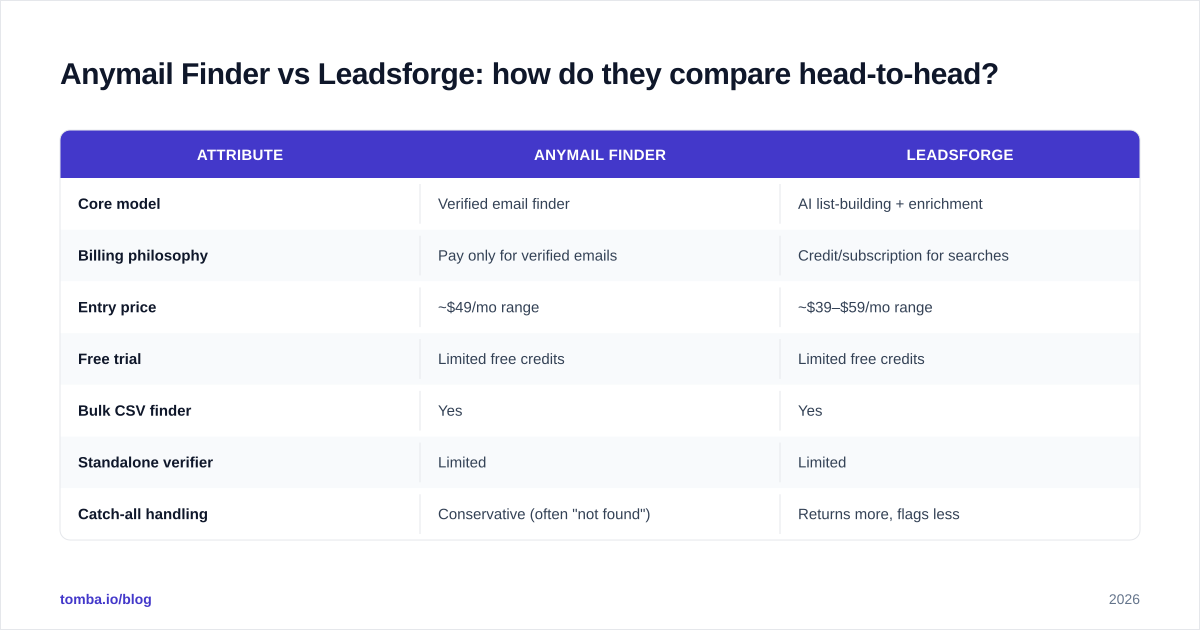
Here's the side-by-side on the attributes that actually change your results. Treat exact prices as directional — vendors adjust tiers — and confirm current numbers on each official site before you buy.
| Attribute | Anymail Finder | Leadsforge |
|---|---|---|
| Core model | Verified email finder | AI list-building + enrichment |
| Billing philosophy | Pay only for verified emails | Credit/subscription for searches |
| Entry price | ~$49/mo range | ~$39–$59/mo range |
| Free trial | Limited free credits | Limited free credits |
| Bulk CSV finder | Yes | Yes |
| Standalone verifier | Limited | Limited |
| Catch-all handling | Conservative (often "not found") | Returns more, flags less |
| API | Yes | Yes (newer) |
| Best for | Accuracy-sensitive outbound | All-in-one founder workflows |
The pattern: Anymail Finder optimizes for precision (fewer results, higher trust), Leadsforge optimizes for recall plus convenience (more results, more in one place). Neither is universally "better" — it depends on whether a bounce or a miss hurts you more.

Which is more accurate?#
Accuracy splits into two numbers people constantly conflate: hit rate (did it find an address?) and bounce rate (was the address it found actually valid?). A tool can win one and lose the other.
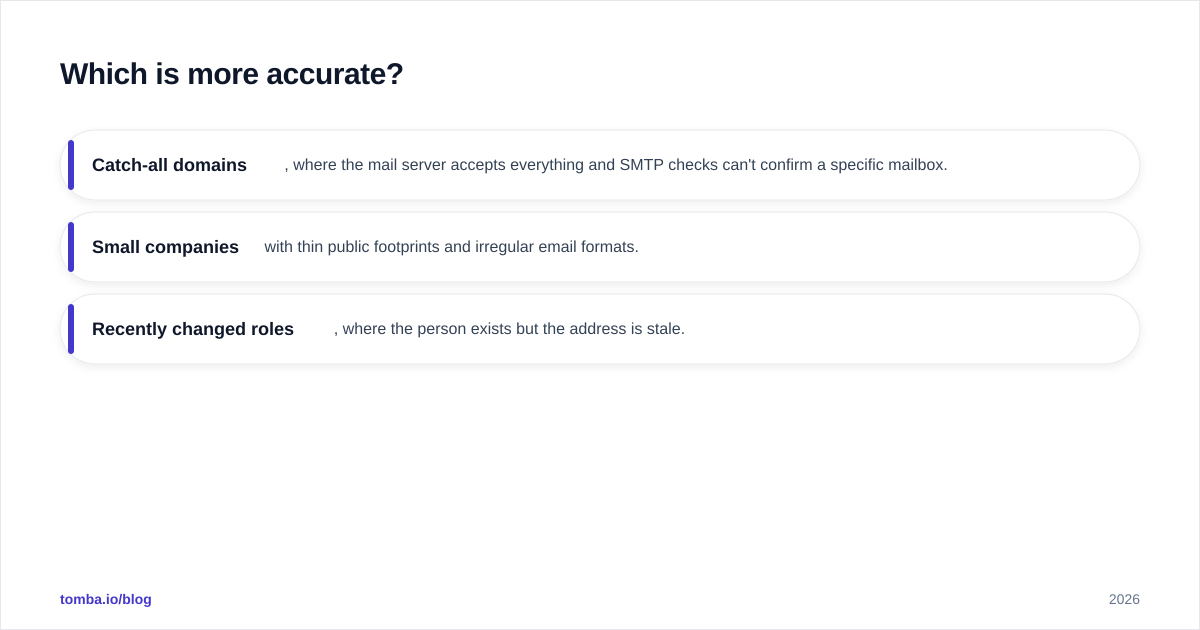
On large corporate domains with predictable patterns (first.last@company.com), both tools perform well — you'll see high hit rates and low bounces from either. The differences emerge on three harder categories:
- Catch-all domains, where the mail server accepts everything and SMTP checks can't confirm a specific mailbox.
- Small companies with thin public footprints and irregular email formats.
- Recently changed roles, where the person exists but the address is stale.
Anymail Finder's conservative model means it tends to withhold uncertain results — your bounce rate stays low, but you'll get more "not found" responses. Leadsforge tends to return more, which lifts hit rate but pushes verification responsibility onto you. If you run cold email at scale, low bounce rate protects email deliverability and sender reputation, so the conservative approach is usually the safer default — but only if its coverage is enough for your market.

The non-negotiable regardless of which you pick: re-verify every list before a send. Even a great finder produces some decay, and a dedicated email verifier is cheap insurance against a reputation hit. Guess-and-send is how new domains get blacklisted.

How does pricing really compare?#
The honest answer: it depends on your usage shape, not just the sticker price.
Anymail Finder's pay-for-verified model is efficient when your searches have a low hit rate — say you're targeting small or obscure companies where many lookups return nothing. You don't burn budget on misses. But when your hit rate is high, you're paying near-full price for nearly every search, and the per-result cost can climb.
Leadsforge's credit/subscription model is predictable. You know your monthly ceiling, and bundled list-building can replace a separate prospecting tool, which changes the total-cost math in its favor for founders consolidating spend. The risk is paying for credits you spend on unverified results you then have to clean up elsewhere.
A quick framework for deciding:
| Your situation | Lean toward |
|---|---|
| Spiky volume, lots of hard targets | Anymail Finder |
| Steady monthly volume, want predictability | Leadsforge |
| Need list-building + finding in one tool | Leadsforge |
| Bounce rate is mission-critical | Anymail Finder |
| Want finder + verifier + API in one vendor | A consolidated platform |
Whichever way you lean, model your real numbers. Pull 100 representative target accounts, run the trial credits on both, and compare cost-per-verified-email — not cost-per-search. That single test beats any spec sheet, including this one.
What about bulk workflows and API access?#
Both tools handle bulk CSV uploads and offer an API, but the experience differs.
Anymail Finder's bulk flow is built around its verification gate — you upload, it processes, and your export cleanly separates verified results from not-found rows. That makes it easy to hand a sales team a list where every row is trustworthy. Its API is stable and well-documented, which matters if you're wiring email-finding into a CRM enrichment job or a bulk lead generation pipeline.
Leadsforge's bulk experience is wrapped in its AI search layer, so "bulk" often means "describe a segment and let it build the list" rather than "upload my existing list." That's powerful for net-new prospecting and less convenient when you already have a list of names and just need addresses. Its API is newer, so check rate limits and uptime history before you build a production dependency on it.
If your workflow is API-first — enriching records as they enter your CRM, scoring inbound leads, or running scheduled jobs — evaluate documentation quality, rate limits, and response latency directly. A finder that's great in the UI can still be painful to integrate. Tools with a documented email finder API and SDKs save real engineering time here.
Where does a third option fit?#
Two-tool comparisons create a false binary. The real question is which tool covers your whole contact-data need, because most teams need more than finding: they need verification, domain search to map a company's addresses, catch-all handling, and enrichment — ideally without stitching three vendors together.
That's the case for evaluating a consolidated platform like Tomba alongside Anymail Finder and Leadsforge. Tomba runs an email finder, a standalone email verifier, domain search, a catch-all verifier, phone finder, and data enrichment under one account and one API. For teams who'd otherwise pay for a finder and a separate verifier, that consolidation changes the cost equation.
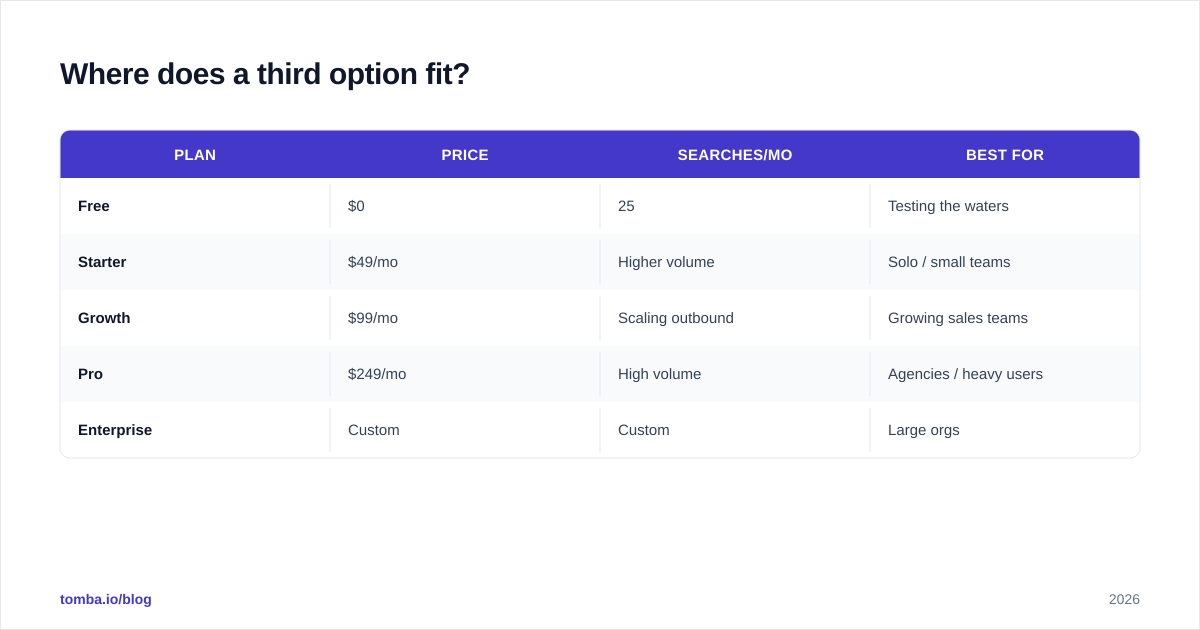
Tomba's pricing is transparent and worth lining up against both:
| Plan | Price | Searches/mo | Best for |
|---|---|---|---|
| Free | $0 | 25 | Testing the waters |
| Starter | $49/mo | Higher volume | Solo / small teams |
| Growth | $99/mo | Scaling outbound | Growing sales teams |
| Pro | $249/mo | High volume | Agencies / heavy users |
| Enterprise | Custom | Custom | Large orgs |
See full Tomba pricing for current limits per tier. The point isn't that one tool wins outright — it's that you should benchmark all three on your target accounts before committing, and weigh whether bundled verification and enrichment lower your total cost versus buying point tools.
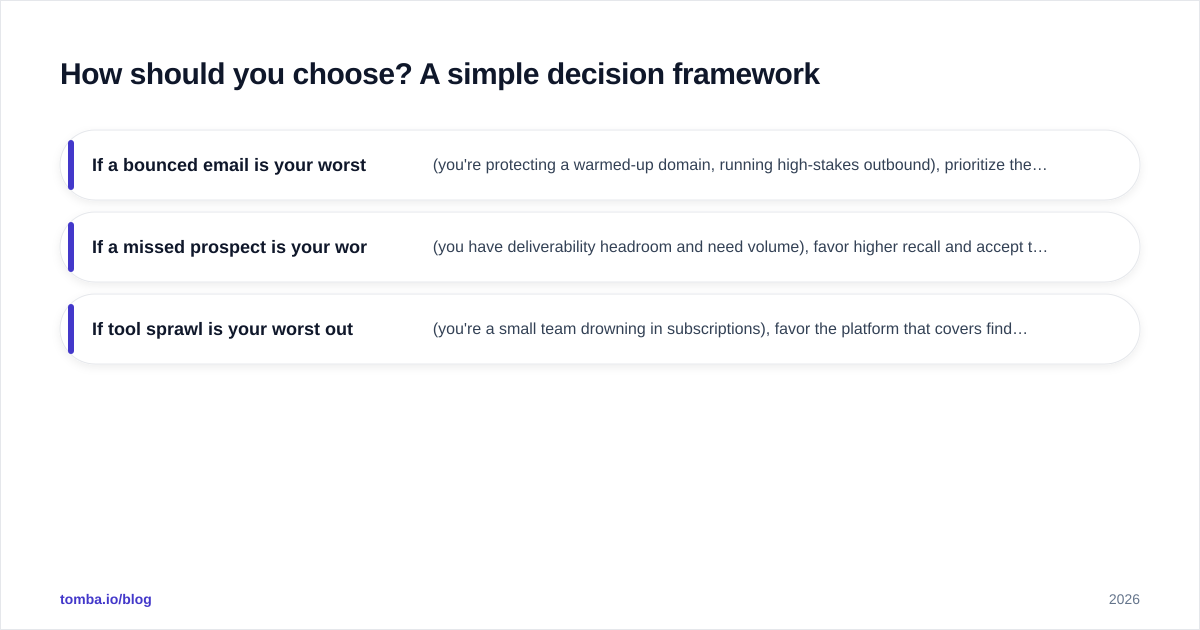
How should you choose? A simple decision framework#
Pick based on what hurts you most when it goes wrong:
- If a bounced email is your worst outcome (you're protecting a warmed-up domain, running high-stakes outbound), prioritize the most conservative, verification-first tool and re-verify before every send.
- If a missed prospect is your worst outcome (you have deliverability headroom and need volume), favor higher recall and accept that you'll clean lists yourself.
- If tool sprawl is your worst outcome (you're a small team drowning in subscriptions), favor the platform that covers finding and verifying and enrichment in one place.
Then run the empirical test: same 100 accounts, all candidate tools, compare cost-per-verified-email and bounce rate on a small test send. The winner on your data is the only ranking that matters.
Frequently asked questions#
Is Anymail Finder better than Leadsforge? Neither is universally better. Anymail Finder wins on verification-first accuracy and bounce protection; Leadsforge wins on bundled list-building and predictable pricing. Your use case decides.
Which has the lowest bounce rate? Conservative, verification-first tools like Anymail Finder typically produce lower bounce rates because they withhold uncertain results. But you should always re-verify any list with a dedicated email verification step before sending, regardless of source.
Do these tools handle catch-all domains? Both attempt to, but catch-all domains are inherently hard because the mail server accepts all addresses. Anymail Finder tends to flag or withhold; Leadsforge tends to return more. A dedicated catch-all verifier gives you finer control.
Can I find emails by company instead of by person? Yes — both support company/domain-based search, and so does Tomba's domain search, which maps all discoverable addresses and the email pattern for a given domain.
The bottom line#
Anymail Finder vs Leadsforge isn't a knockout — it's a fit decision. Anymail Finder is the accuracy-first, pay-for-results pick; Leadsforge is the all-in-one, founder-friendly pick. Test both on your real target list and judge by cost-per-verified-email, not marketing claims.
And before you commit to either, run the same accounts through Tomba Email Finder. With finding, verification, domain search, and enrichment in one platform — plus a free tier of 25 searches to test with no card — you may find the two-tool comparison was missing the option that does both jobs at once. Start free, benchmark on your own data, and let your bounce rate pick the winner.
// get started
Find, verify and enrich your first contacts today
Start on the free plan with 25 searches a month, then scale when your team is ready.
Free plan · No credit card required · GDPR & CCPA
// about the author